
Extended Product Bulk Edit
Product Bulk Option Update addon for CS-Cart introduces the option editing function for bulk products. Enabling this option feature allows the admin to easily edit, add, remove, and view options. Addon links existing options only.
The Product Bulk Option Update add-on for CS-Cart lets an admin edit product options across many products at once instead of one product at a time. From the product list you can add, remove, edit, or view options in bulk, and update fields such as name and status for several products together. It works only with options already created on the main options page, so it applies existing options rather than creating new ones. It is aimed at store admins and vendors who manage large catalogs and want faster, more consistent option management.

The Product Bulk Option Update Add-on for CS-Cart introduces an easy way to edit options for multiple products at once. It allows the admin to quickly add, remove, edit, or view product options in bulk, saving time and effort.
This add-on connects only with the existing options created on the main options page. It also lets the admin update fields like name and status for many products together, making product management faster and more efficient.
Features
- Edit Selected Feature: This allows to edit fields for single or bulk products.
- Bulk Add Options: Enable the option feature to easily add options in bulk products or in specific products.
- Apply Values in Bulk: Apply values to all the selected products feature allows editing name, status, and option in bulk products.
- Use existing options only: This addon only allows to add the existing options.
- View Added Options: Easily view all added options in individual products options page.
- Support Info: The addon is well integrated with CS-Cart Multi-Vendor and can be used with its Standard, Plus, and Ultimate versions.
Installation:
How to Install Addon
https://store.ecarter.co/blogs/how-to-install-addon/
How addon Work
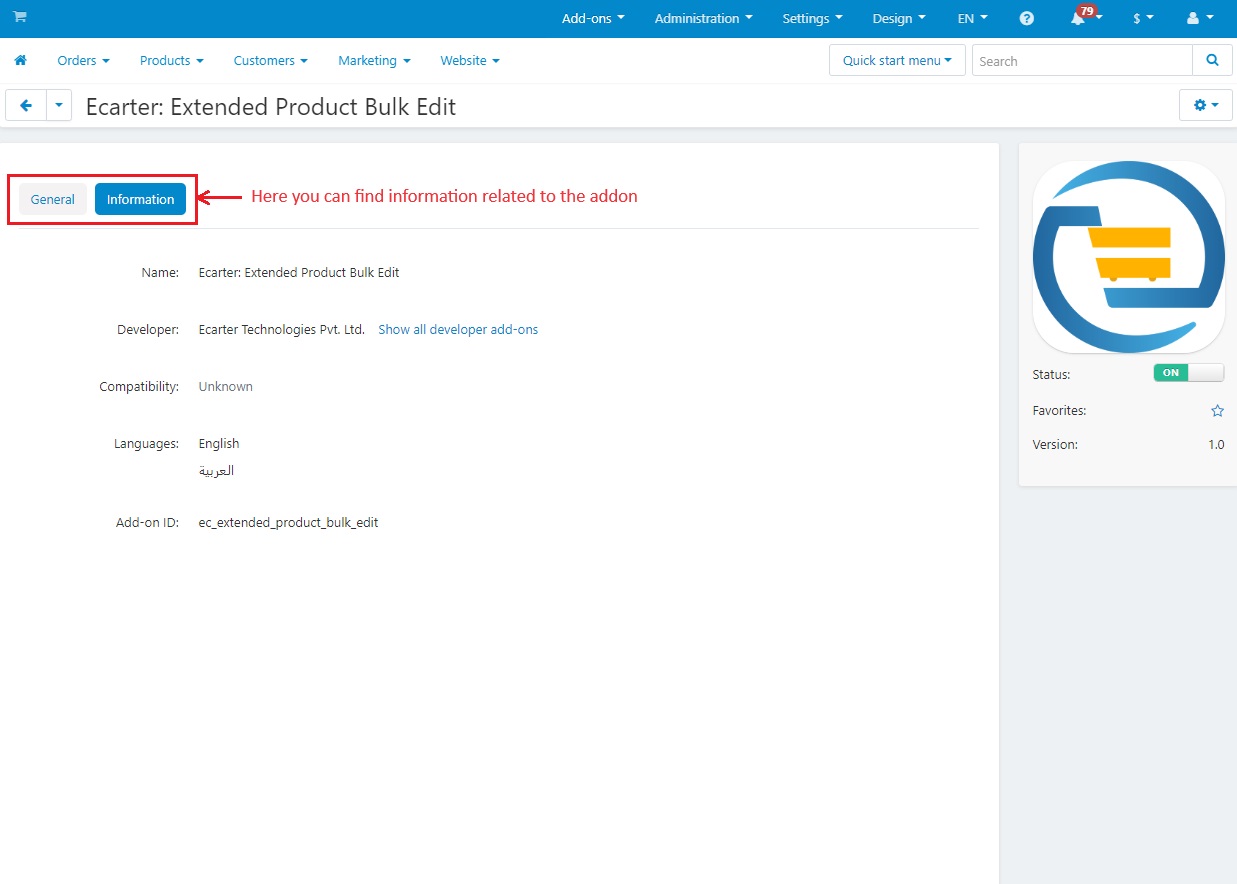
In the page of Extended Product Bulk Edit, you can find some information related to the addon.
- Now, Go to >> Products menu
- Click on >> Products
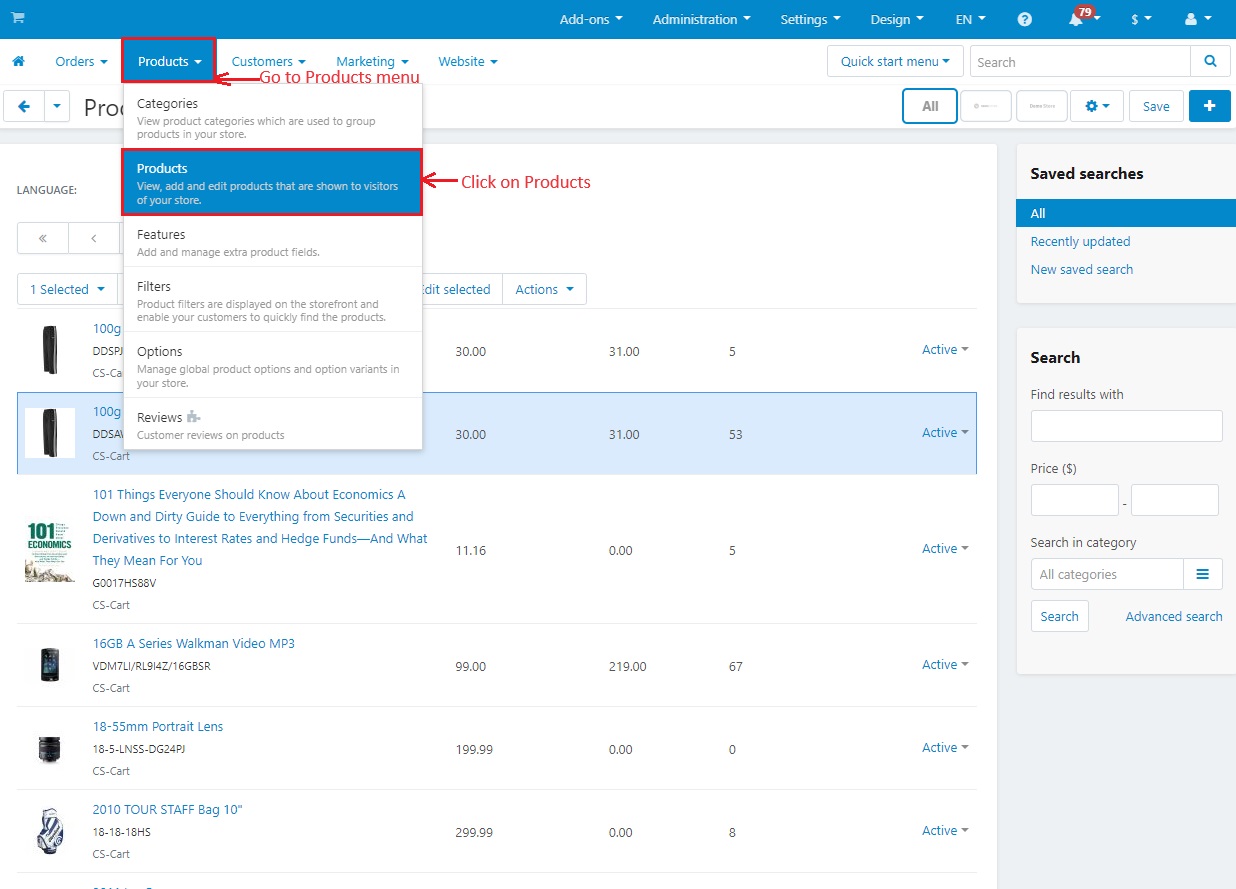
- Here select a few products from the list of products.
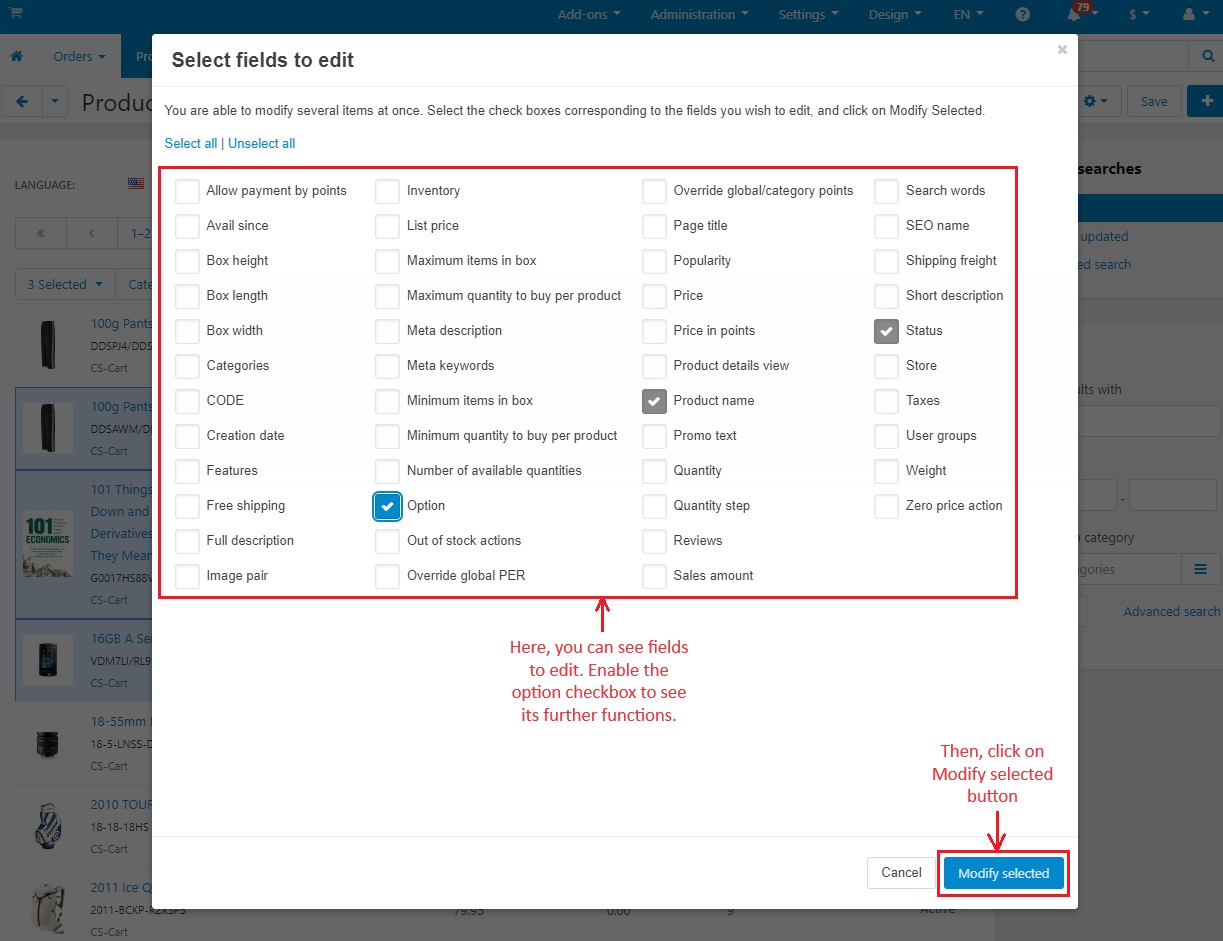
- Now, click on >> Edit Selected
- The "Edit Selected" feature allows the admin to edit fields individually or bulk products. This includes fields like quantity, reviews, and product names. However, for the next steps, unselect all these options as we will be exploring the functionality of option.

- Enable >> “Option” checkbox.
- With this option feature, the admin can add options to products in bulk and also add options to specific products.
- Then, Click on >> Modify Selected button
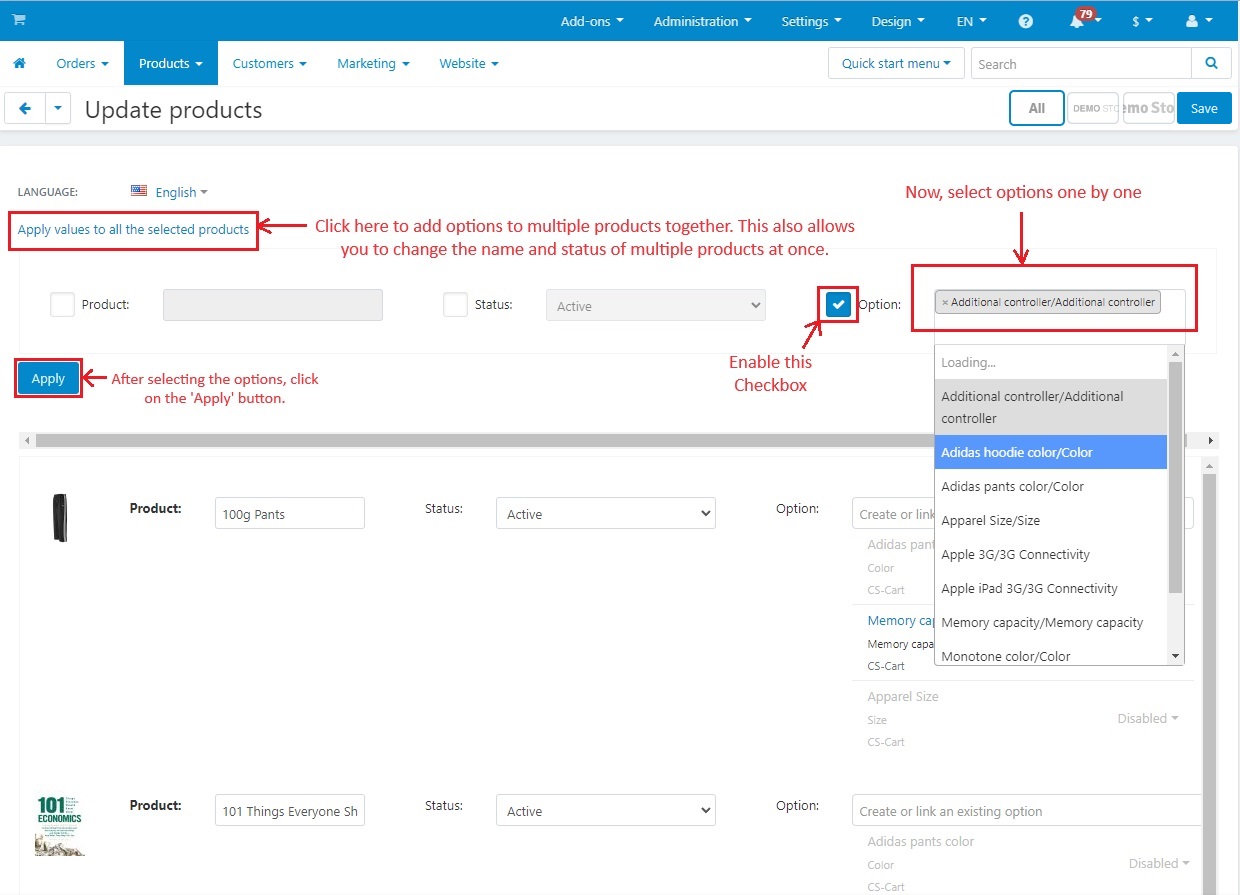
- Apply values to all selected products: Click here to add options to multiple products together. This also allows you to change the name and status of multiple products at once.
- Enable the >> Option checkbox
- Now select options one by one.
- After selecting options, click on >> Apply button
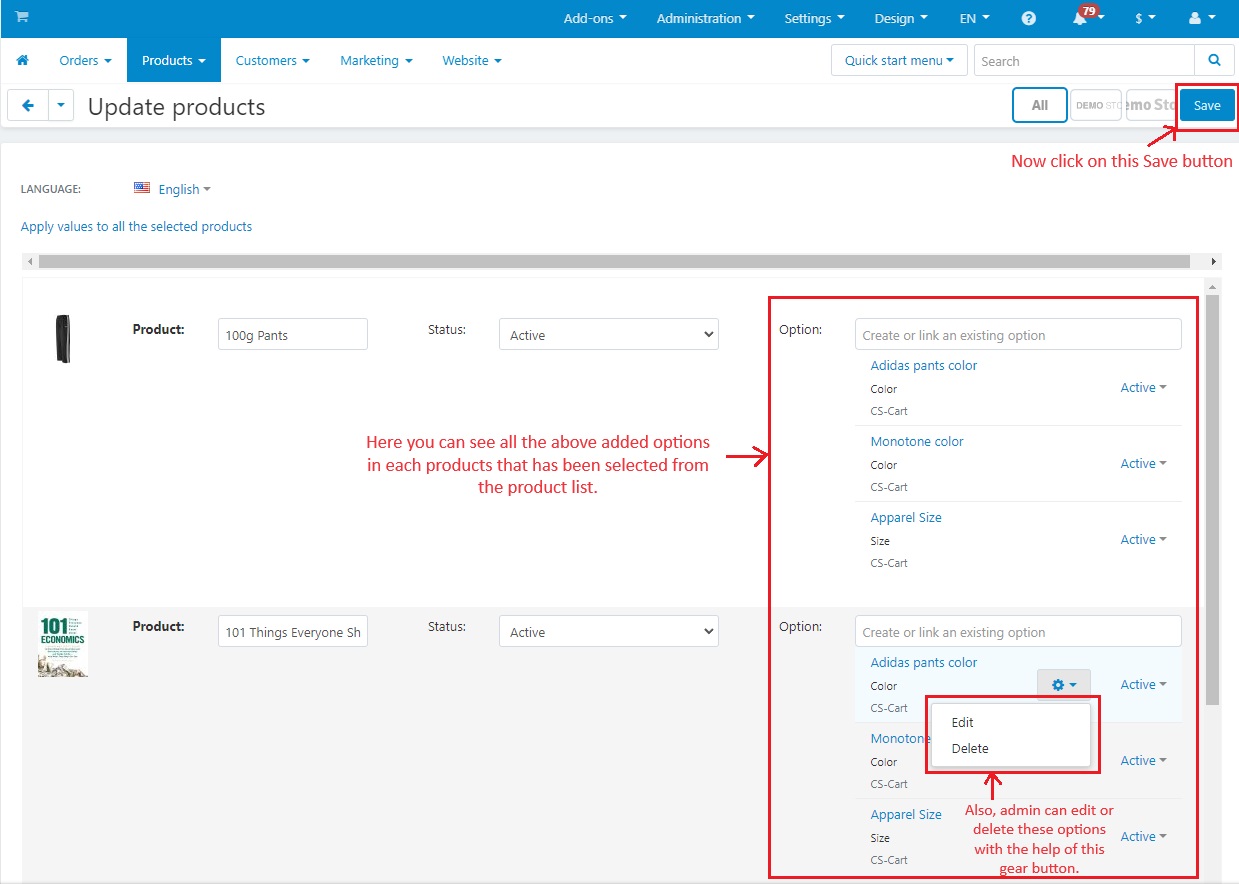
- Here you can see all the above added options in each products that has been selected from the product list.
- Edit and Delete: Also, the admin can edit or delete these options with the help of the provided gear button.
- Now click on >> Save Button
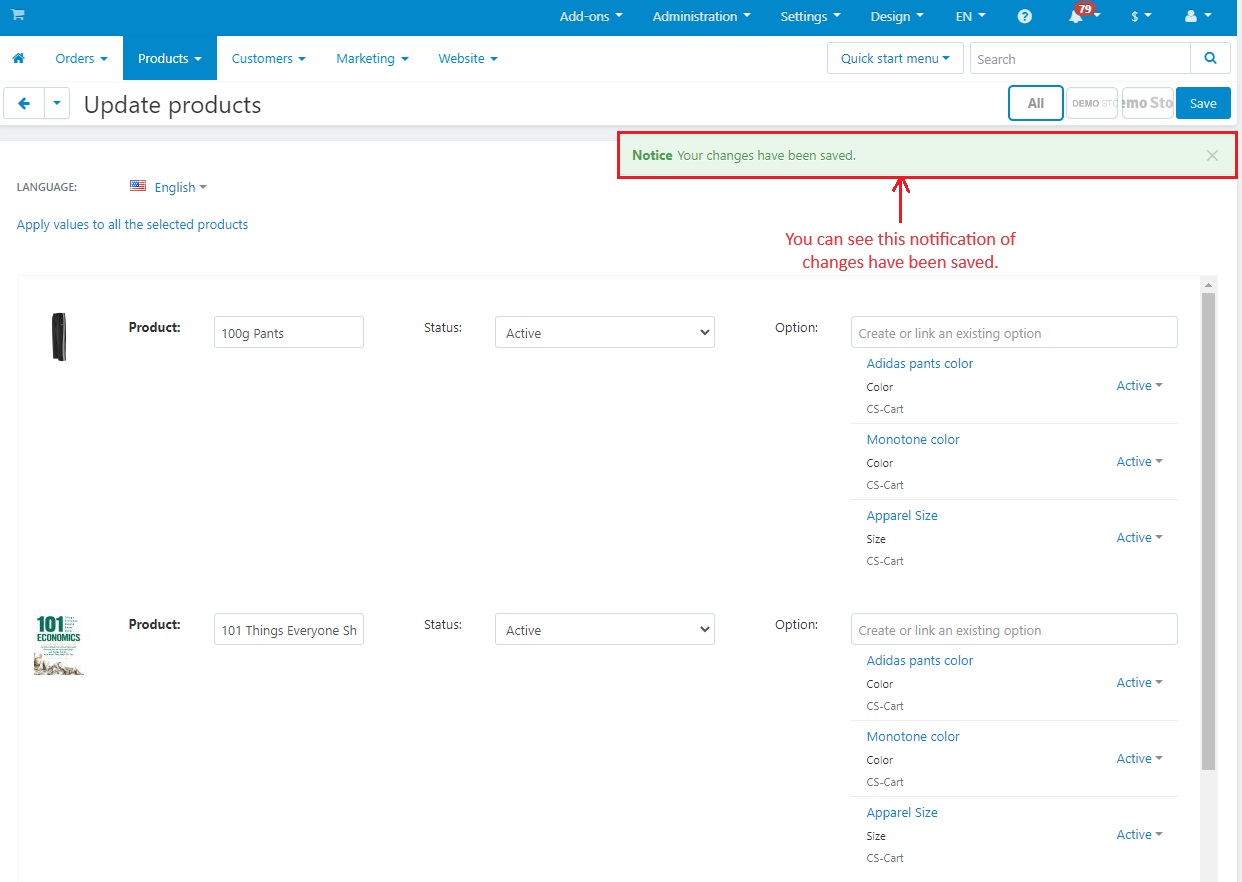
- You can see this notification of “changes have been saved”.
- Again, Go to >> Products menu
- Click on >> Products
- You can click on any product that was previously added to the list for adding options.

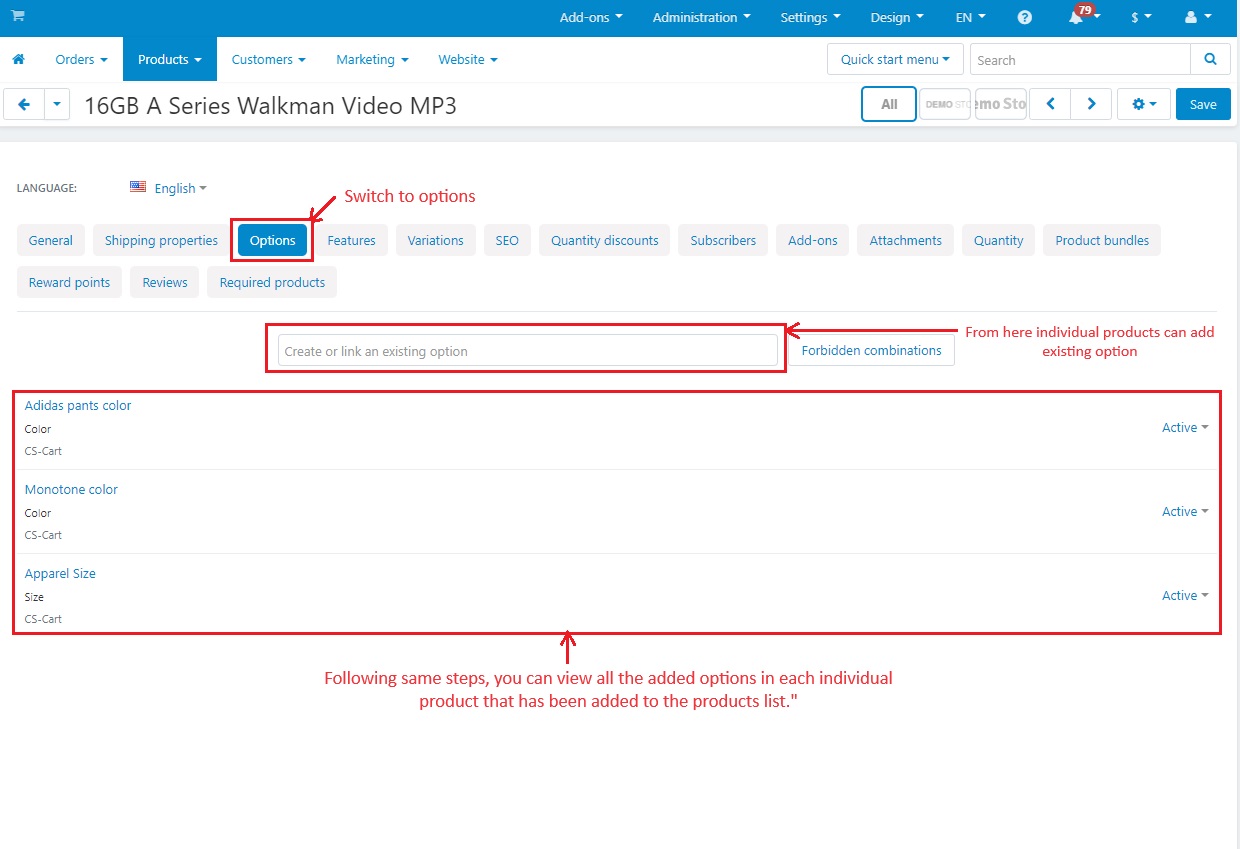
- Switch to >> Options
- Create or Link an existing option: Here individual products can add existing options by selecting.
- Below, you can view all the added options in each individual product that has been added to the products list.
- Follow the above initial steps to again open the “update products” page
- Here the admin can add more options from the existing options for individual products as well.
- At the end, click on the 'Save' button to display these newly added options on the product options page.

Addon-Version:
Version-1.0
Supported Versions:
CS-Cart, CS-Cart Multivendor 4.8.x, 4.9.x,4.10x,4.11x,4.12,4.13x, 4.14x, 4.15x, 4.16x, 4.17x, 4.18x
Support:
This app is developed and published by Ecarter Technologies Pvt. Ltd., a CS-Cart developer. You are guaranteed a quality add-on supported by future versions. If you need help, please contact us via email support@ecarter.co
Need modifications or any assistance? Please, feel free to contact us via email support@ecarter.co
Frequently asked questions
What can the Product Bulk Option Update add-on actually do?
It lets you add, remove, edit, and view product options for multiple products at the same time. You can apply values in bulk and update fields such as option name and status across the selected products, or edit a single product when needed.
Can it create new options, or only use existing ones?
It works only with options that already exist on the main options page. The add-on applies and edits these existing options in bulk; it does not create new options from scratch.
Is it compatible with CS-Cart Multi-Vendor and which editions?
Yes. The add-on is integrated with CS-Cart Multi-Vendor and can be used with its Standard, Plus, and Ultimate versions.
How do I install it and start using it?
Follow the standard add-on installation guide at store.ecarter.co/blogs/how-to-install-addon. Once installed, go to Products, open the Products list, select the products you want to change, and click Edit Selected to update options in bulk.
Nisha Gaur is a Technical Content Writer at Ecarter Technologies. She writes technical documentation, tutorials and buying guides covering CS-Cart, Magento, Shopify and eCommerce development.