
How to manage a customer profile
In CS-Cart, managing customer profiles is fundamental to creating a seamless and personalized shopping experience.
This post is a step-by-step guide to managing customer profiles in CS-Cart's admin panel. A customer profile stores a shopper's account details, contact information, and shipping address in one place, and the guide walks through creating a new profile, editing an existing one, and deleting profile fields. It is written for store owners and administrators who need to add or update customer records directly from the CS-Cart back end. No add-on is required; these are built-in CS-Cart functions.
 How to manage a customer profile
In CS-Cart, managing customer profiles is fundamental to creating a seamless and personalized shopping experience. The customer profile serves as a detailed repository of information that includes details such as user account information, contact information, and shipping address. With a well-maintained customer profile system, businesses can build lasting relationships with their clientele by delivering targeted and relevant content, ultimately driving customer loyalty and maximizing the potential for long-term success.
Edit and Add Customer Profile field:
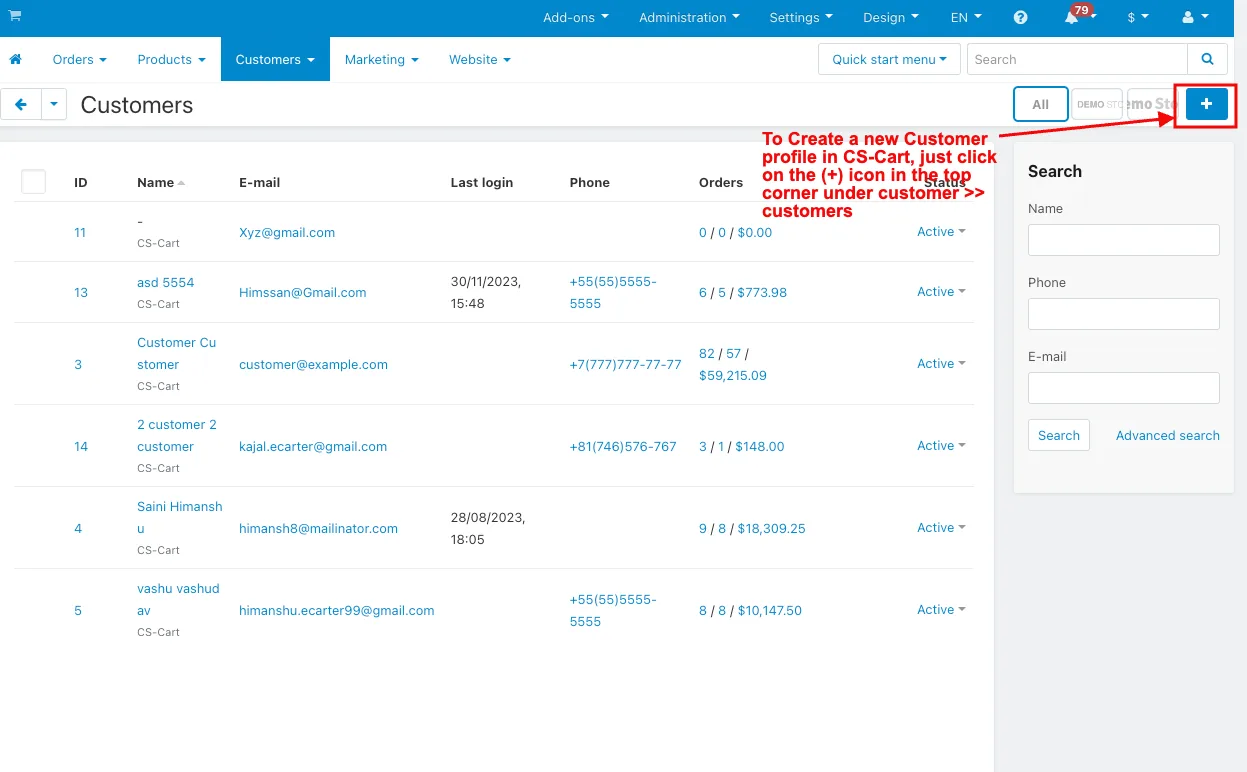
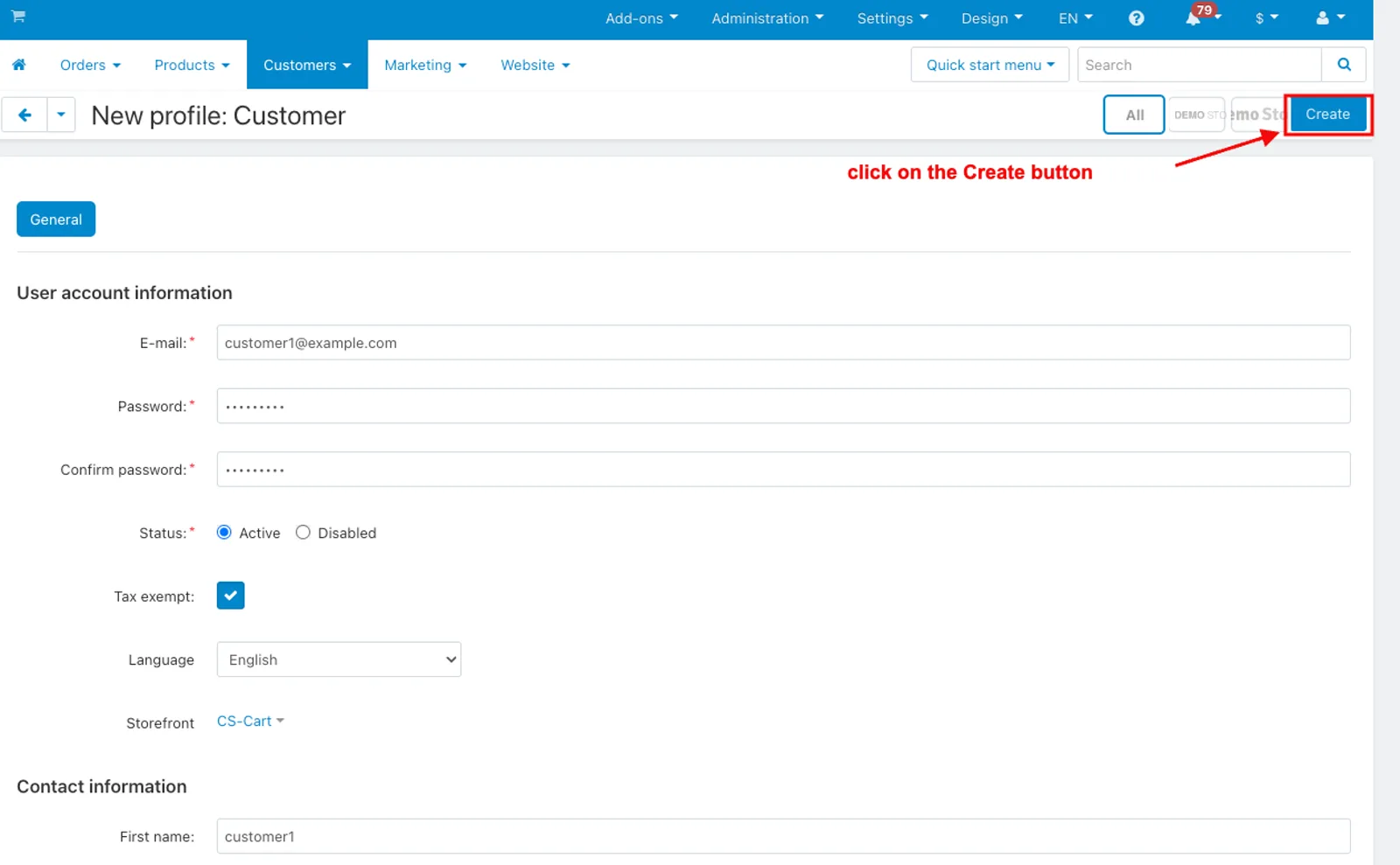
- To Create a new Customer profile in CS-Cart, just click on the (+) icon in the top corner under customer >> customers.
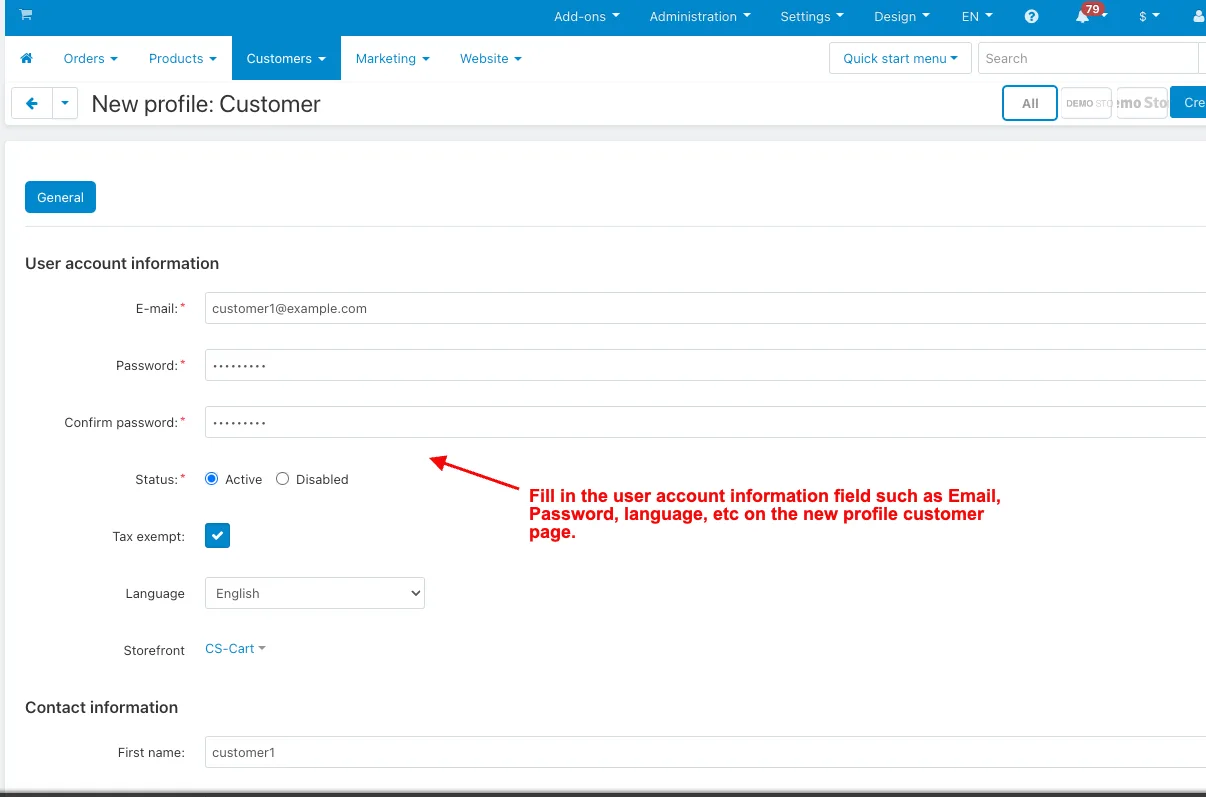
- Fill in the user account information field such as Email, Password, language, etc on the new profile customer page.
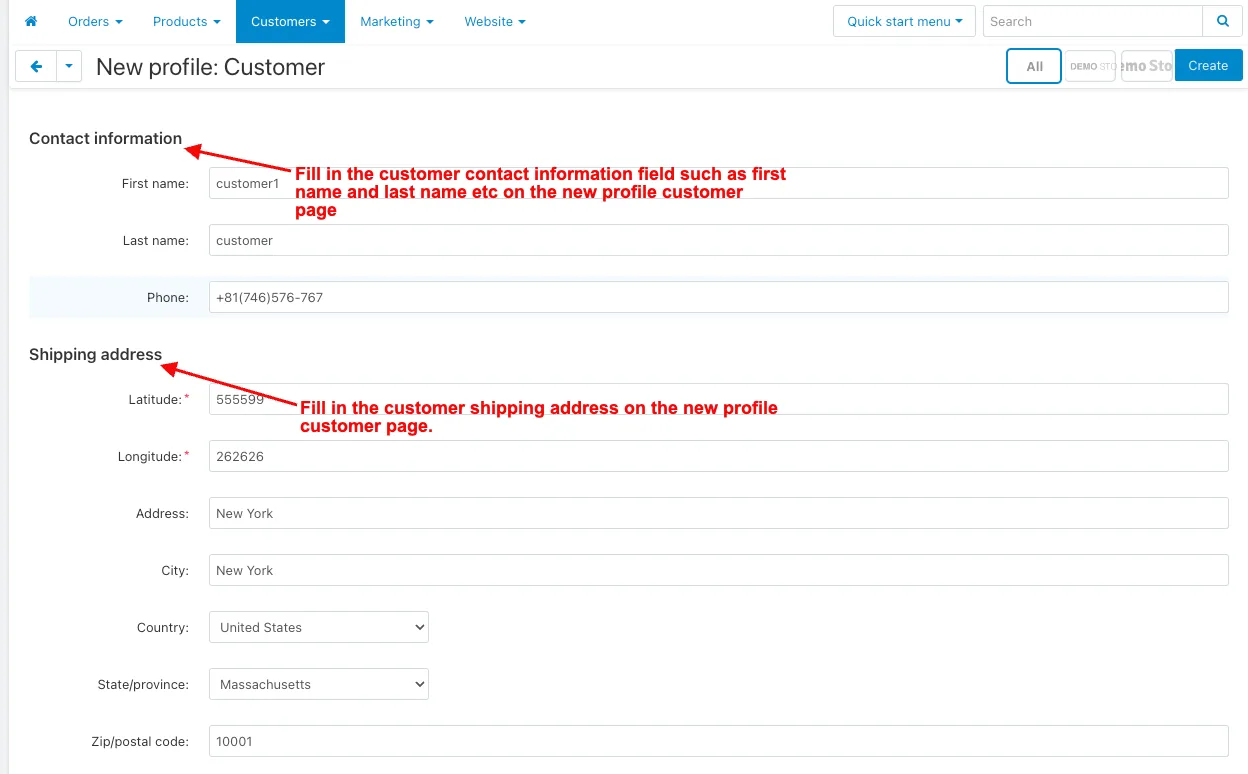
- Fill in the customer contact information field such as first name and last name etc on the new profile customer page,
- Fill in the customer shipping address on the new profile customer page.
- And then click on the Create button.
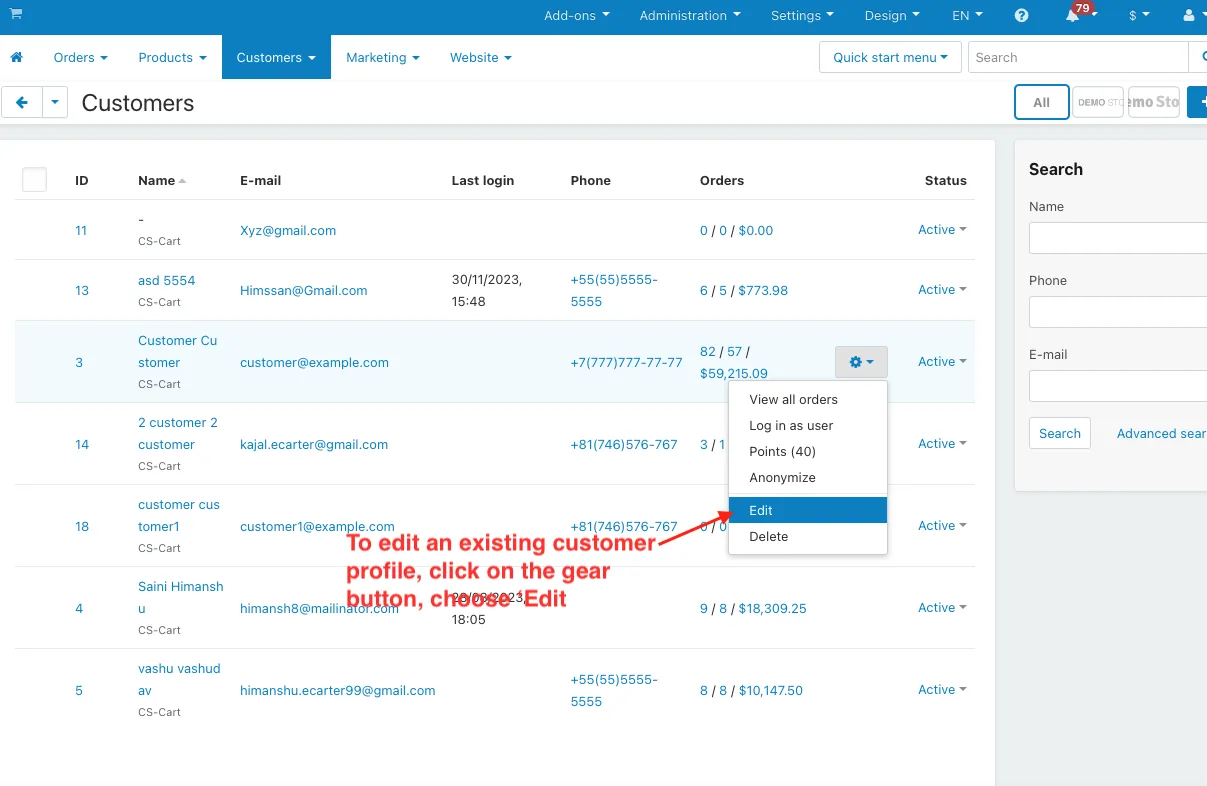
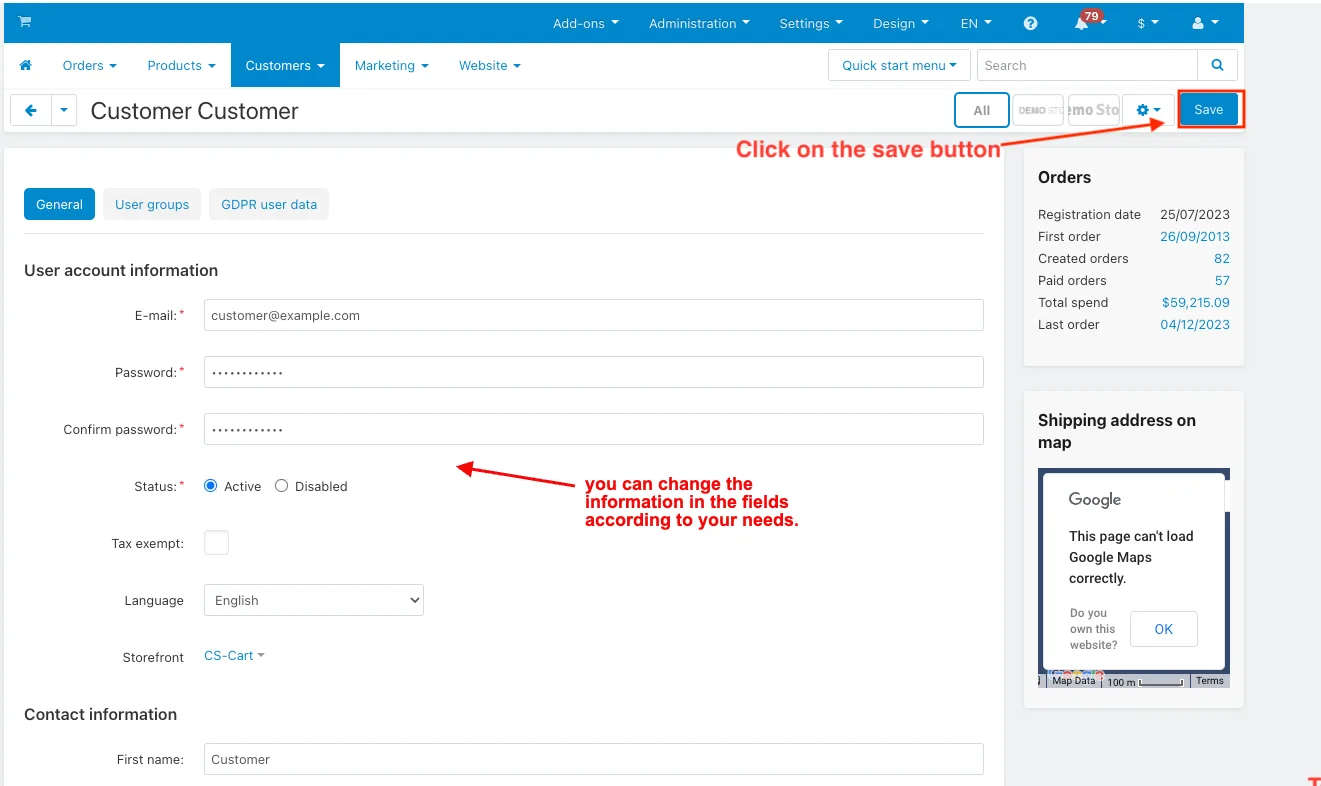
- To edit an existing customer profile, click on the gear button, choose ‘Edit’, and then you can change the information in the fields according to your needs.
- Click on the save button.
Delete Customer Profile fields:
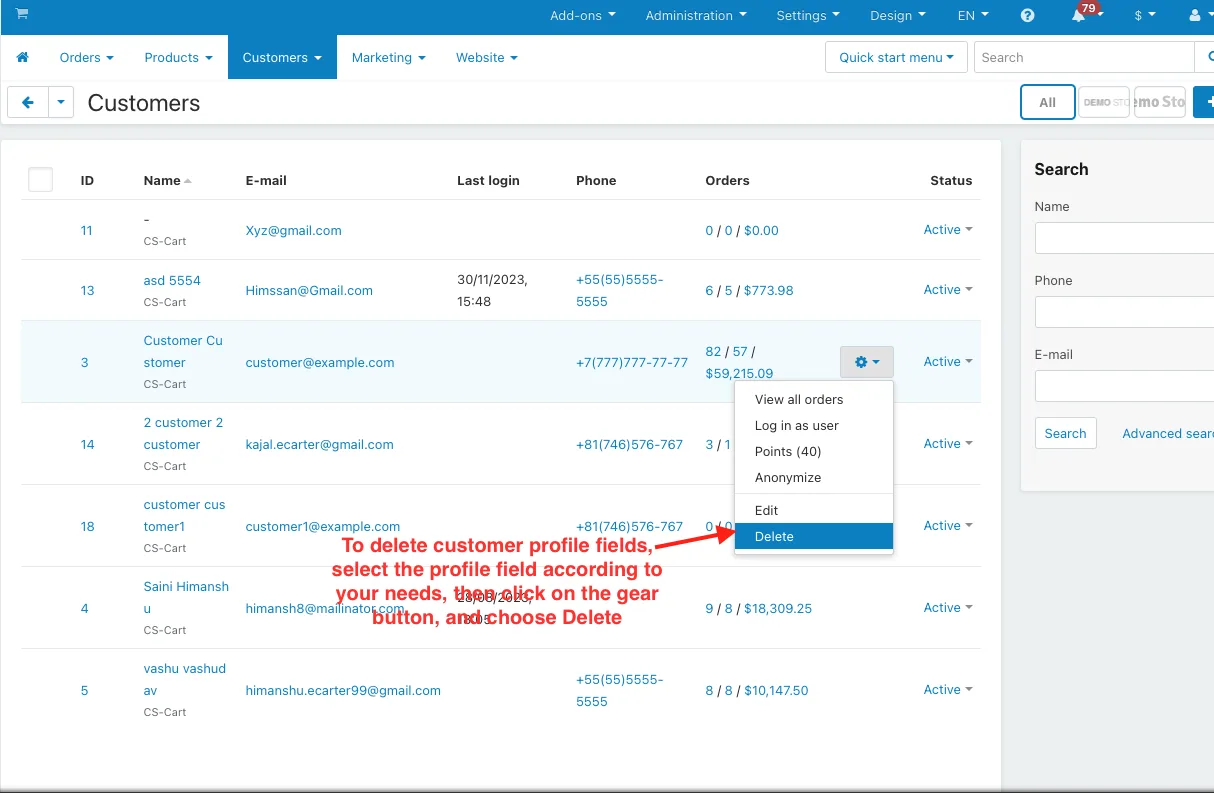
To delete customer profile fields, select the profile field according to your needs, then click on the gear button, and choose Delete.
Login by customer profile:
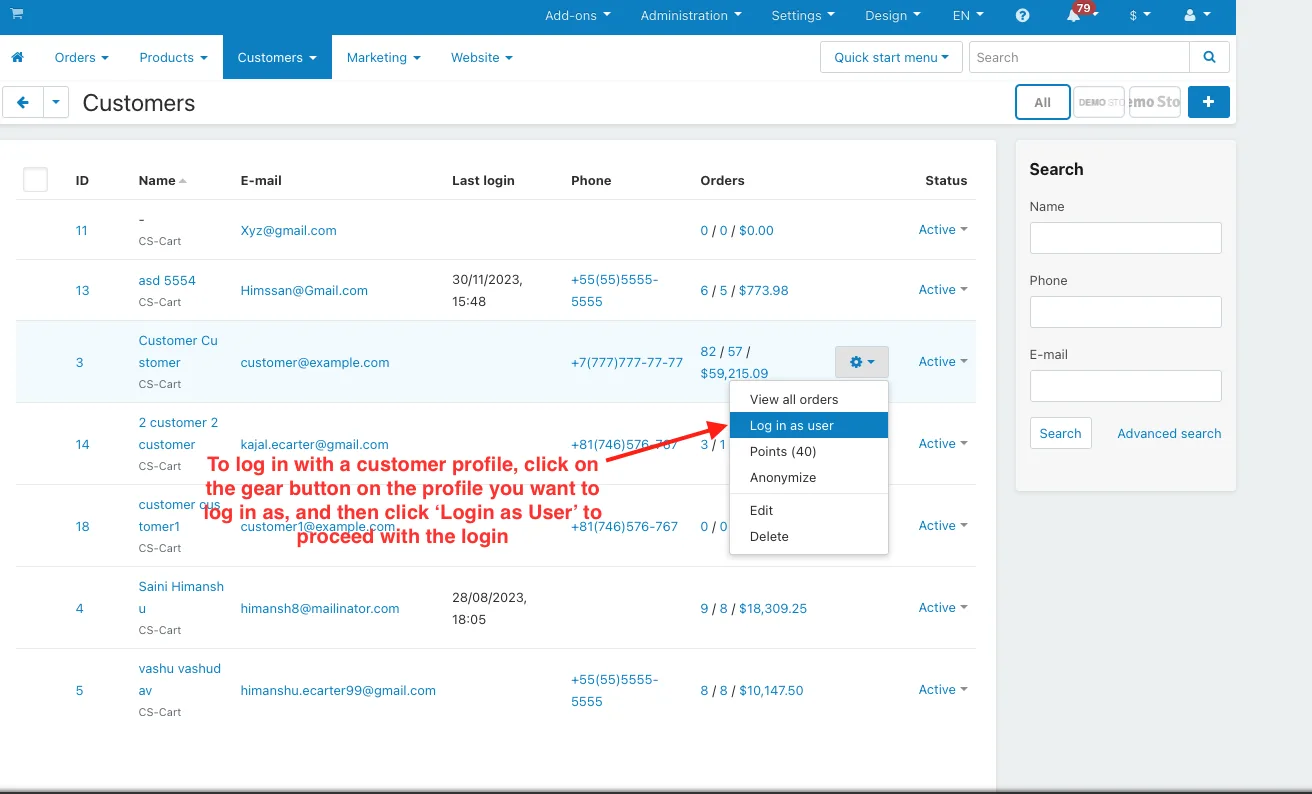
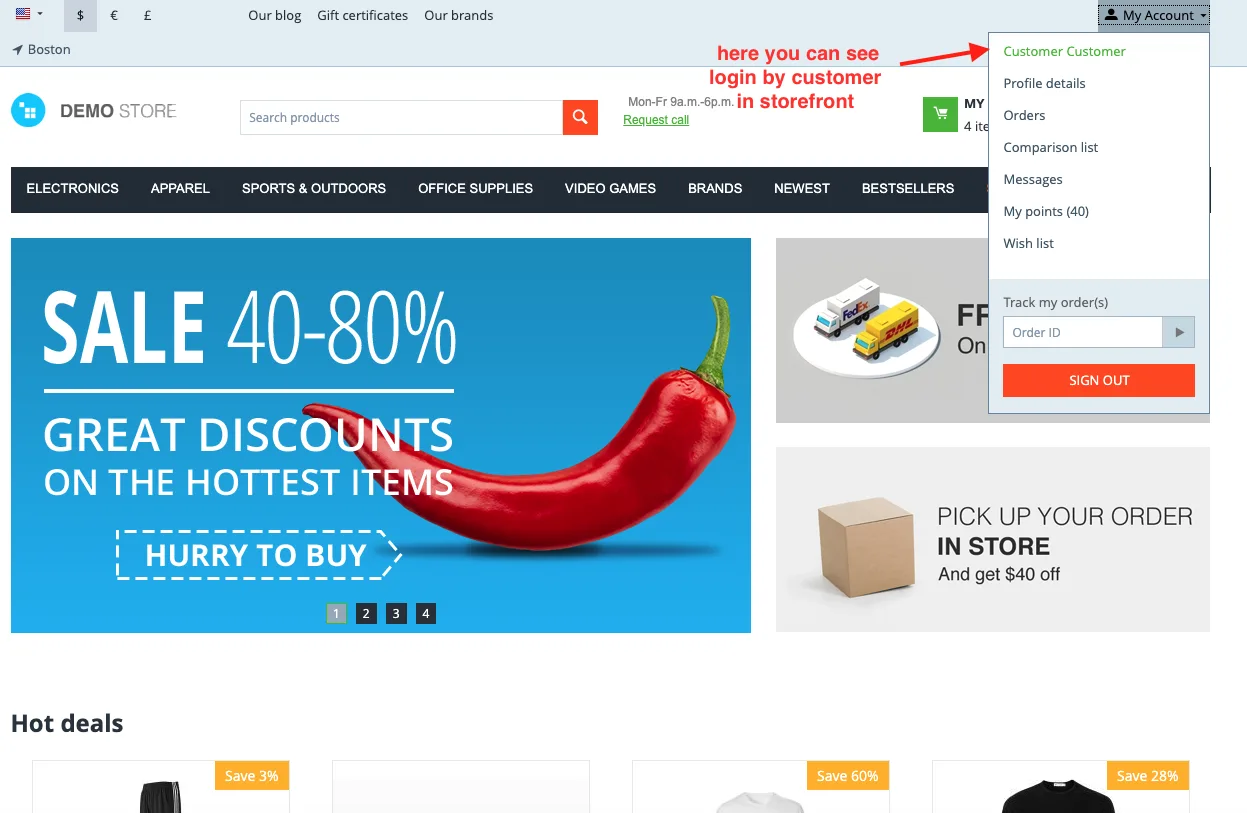
To log in with a customer profile, click on the gear button on the profile you want to log in as, and then click ‘Login as User’ to proceed with the login.
How to Create a User Group:
Step 1:-
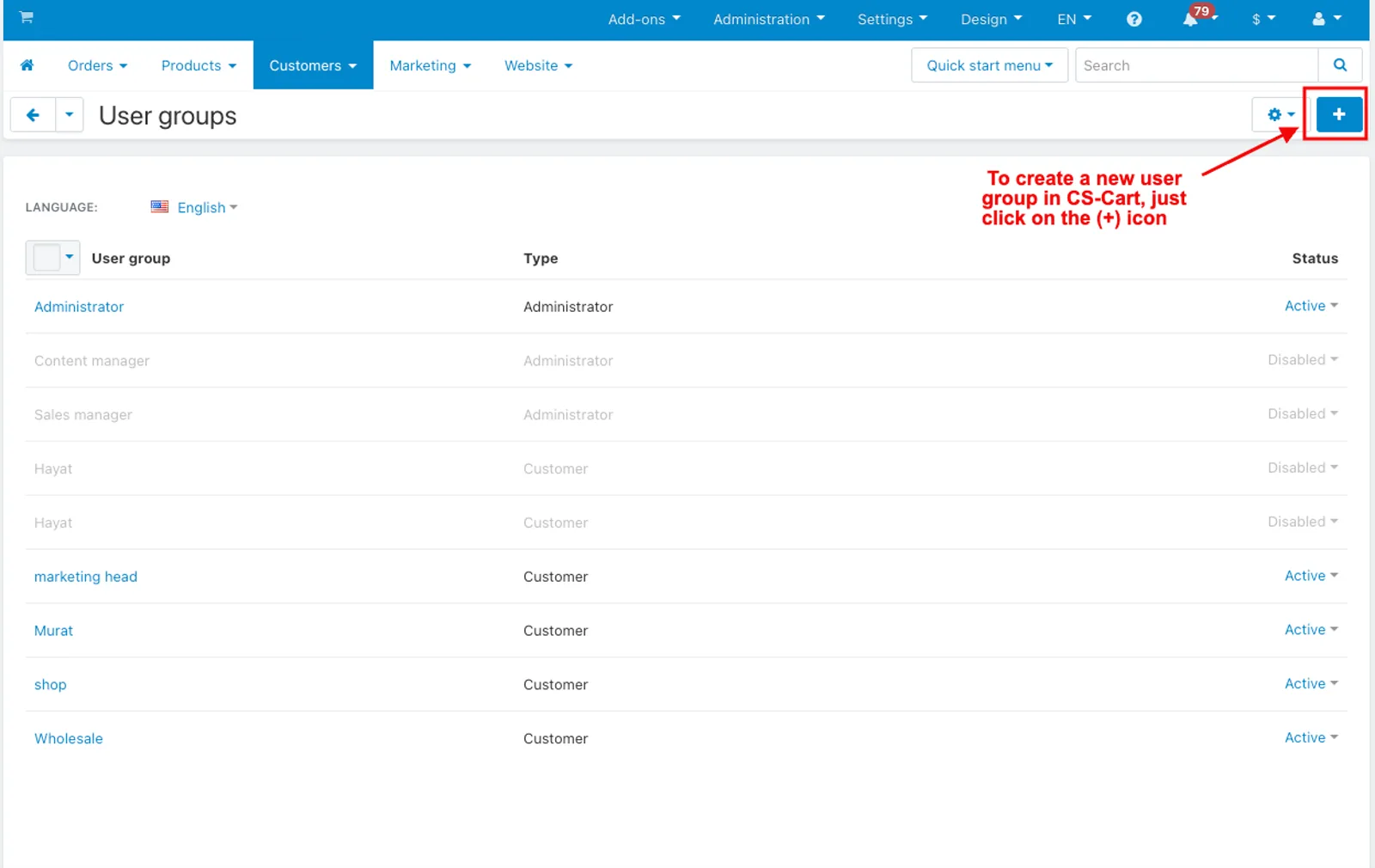
- To create a new user group in CS-Cart, just click on the (+) icon in the top corner under customer >> user group.
- Fill in the user group information such as user group, type, and status.
- Click on the Create button.
Step 2:-
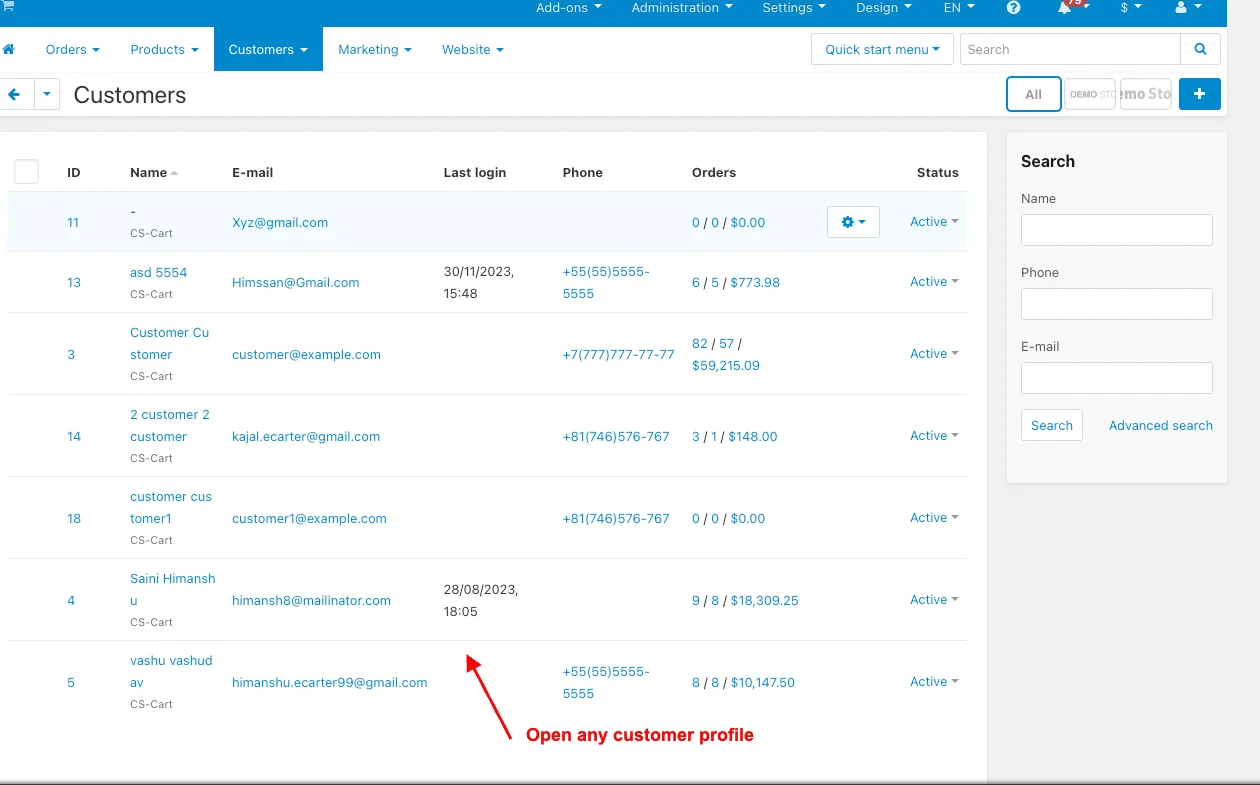
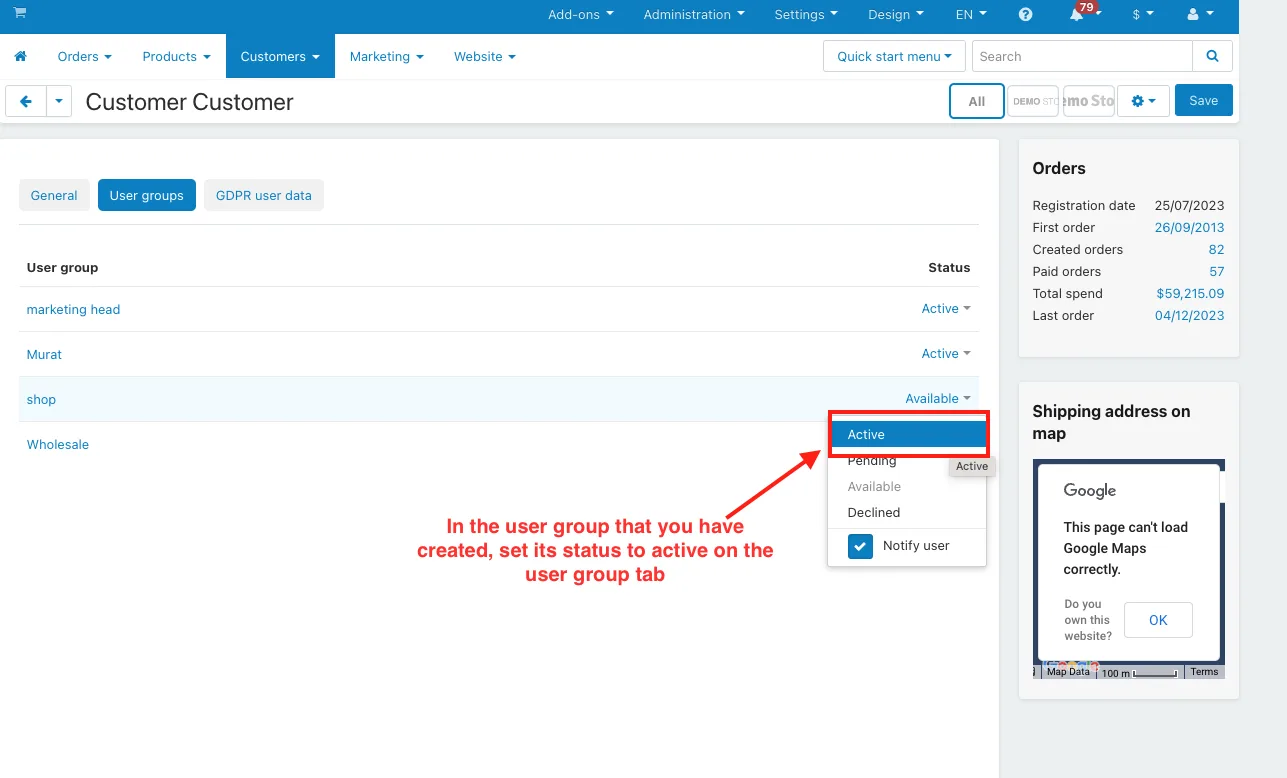
- Open any customer profile under customer >> customer.
- In the user group that you have created, set its status to active on the user group tab
Addon-Version:
Version-1.0
Supported Versions:
CS-Cart, CS-Cart Multivendor 4.8.x, 4.9.x,4.10x,4.11x,4.12,4.13x, 4.14x, 4.15x, 4.16x, 4.17x, 4.18x
Support:
This app is developed and published by Ecarter Technologies Pvt. Ltd., a CS-Cart developer. You are guaranteed quality add-ons.
Frequently asked questions
How do I create a new customer profile in CS-Cart?
Go to Customers, click the (+) icon in the top corner, then fill in the account information (email, password, language), contact information (first and last name), and shipping address on the new profile page. Click Create to save the profile.
How do I edit an existing customer profile?
Click the gear button next to the customer and choose Edit. Change the details in the relevant fields as needed, then click Save.
What information does a CS-Cart customer profile hold?
Each profile stores user account information (such as email, password, and language), contact information (such as first and last name), and the customer's shipping address.
How do I remove fields from a customer profile?
Select the profile field you want to remove, click the gear button, and choose the delete option. This lets you keep profiles limited to the information your store actually needs.
Kajal is a Technical Content Writer at Ecarter Technologies. She writes technical documentation and in-depth guides on eCommerce platforms, mobile commerce and AI in online retail.