
How to Install Addon
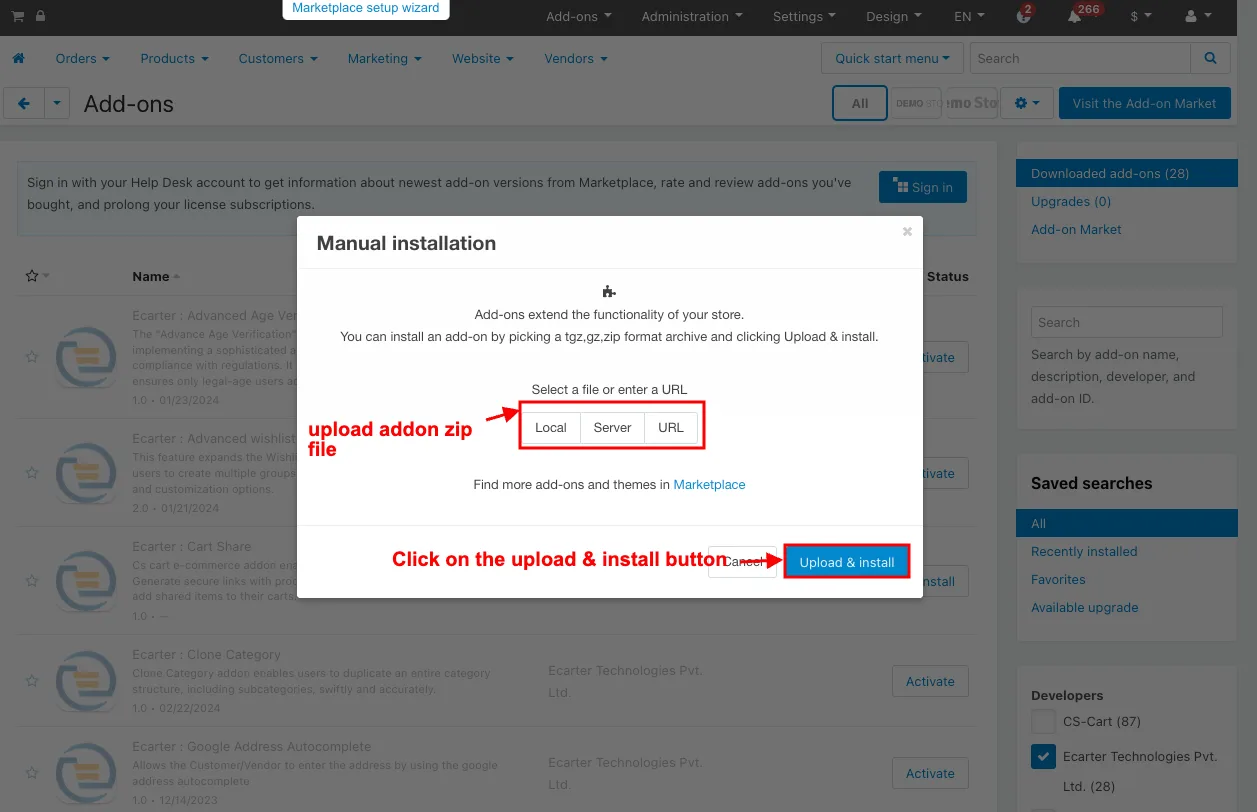
How to Upload Zip file On the Downloaded Addons page click on >> Gear button then go to Manual installation A pop window will be displayed You can install an add-on by picking a tgz gz zip format archive and clicking Upload & Install Add-on installed After Successfully installing the add-on Goto
This post is a step-by-step guide to installing an Ecarter Technology add-on in CS-Cart by uploading its archive file through the admin panel. It walks through opening the Downloaded Add-ons page, using the Gear button to reach Manual installation, and uploading a tgz, gz, or zip archive with the Upload & Install option. It also covers the important final step of confirming the add-on appears under the Add-ons manager and is set to Active/On status, since an add-on left Off will not work. It is written for store owners and administrators who have received an Ecarter add-on file and need to get it running on their CS-Cart store.
How to Upload Zip file
On the Downloaded Addons page, click on >> Gear button then go to Manual installation. A pop window will be displayed You can install an add-on by picking a tgz,gz,zip format archive and clicking Upload & Install.
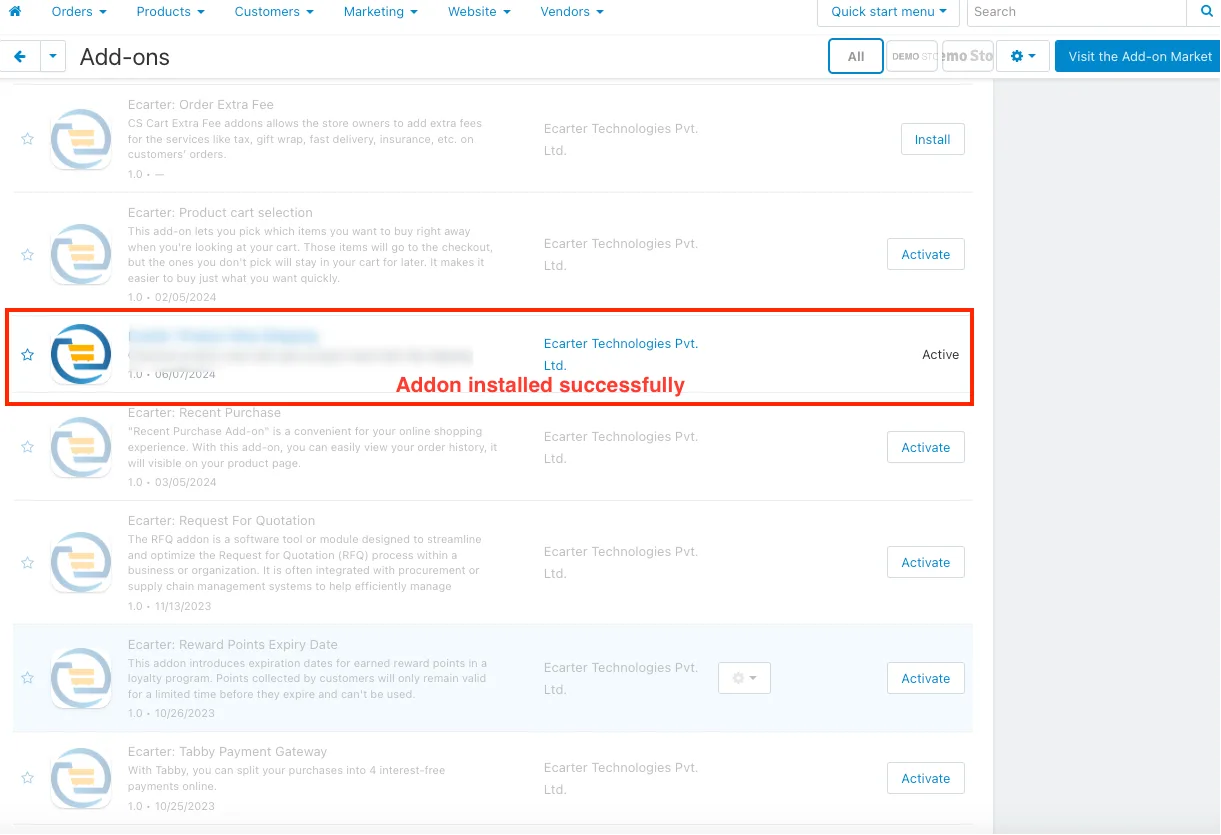
Add-on installed.
After Successfully installing the add-on Goto >Add-on on the administration panel Add-on>Manage Add-on>Ecarter Technology Pvt. ltd. You see no installed add-ons or newly installed add-ons and add-ons must be Active/On status if the addon is Off it is not working.
Frequently asked questions
How do I install an Ecarter add-on in CS-Cart?
In the admin panel, open the Downloaded Add-ons page, click the Gear button, and choose Manual installation. In the pop-up window, pick your tgz, gz, or zip archive and click Upload & Install.
Which archive formats can I upload for the add-on?
The Manual installation window accepts tgz, gz, and zip format archives. Select any one of these formats when uploading the add-on file.
Why is my add-on not working after installation?
An add-on only works when its status is Active/On. After installing, go to Add-ons and check that the newly installed Ecarter Technology add-on is enabled; if it is Off, switch it On to activate it.
How do I confirm the add-on installed correctly?
After a successful install, go to Add-ons in the administration panel and open the Manage Add-ons section. Your newly installed Ecarter Technology add-on should appear in the list, and its status should be Active/On.
Nisha Gaur is a Technical Content Writer at Ecarter Technologies. She writes technical documentation, tutorials and buying guides covering CS-Cart, Magento, Shopify and eCommerce development.