
Download Cart to PDF
The Download Cart to PDF for CS-Cart add-on helps customers save their cart details as a PDF file.
Download Cart to PDF is a CS-Cart add-on that lets customers export their shopping cart to a PDF file. The document lists product names, quantities, prices, and the total amount in a clean, readable layout that is easy to share or keep on file. It solves the common need to save or review cart contents outside the store, whether for personal records, internal approval, or sharing with someone else before ordering. It is aimed at CS-Cart store owners who want to give shoppers a quick, one-click way to download their cart details from the cart page.
The Download Cart to PDF for CS-Cart add-on helps customers save their cart details as a PDF file. It creates a clear document that includes product names, quantities, and price details. This feature is useful for sharing cart information, keeping records, or reviewing orders later.
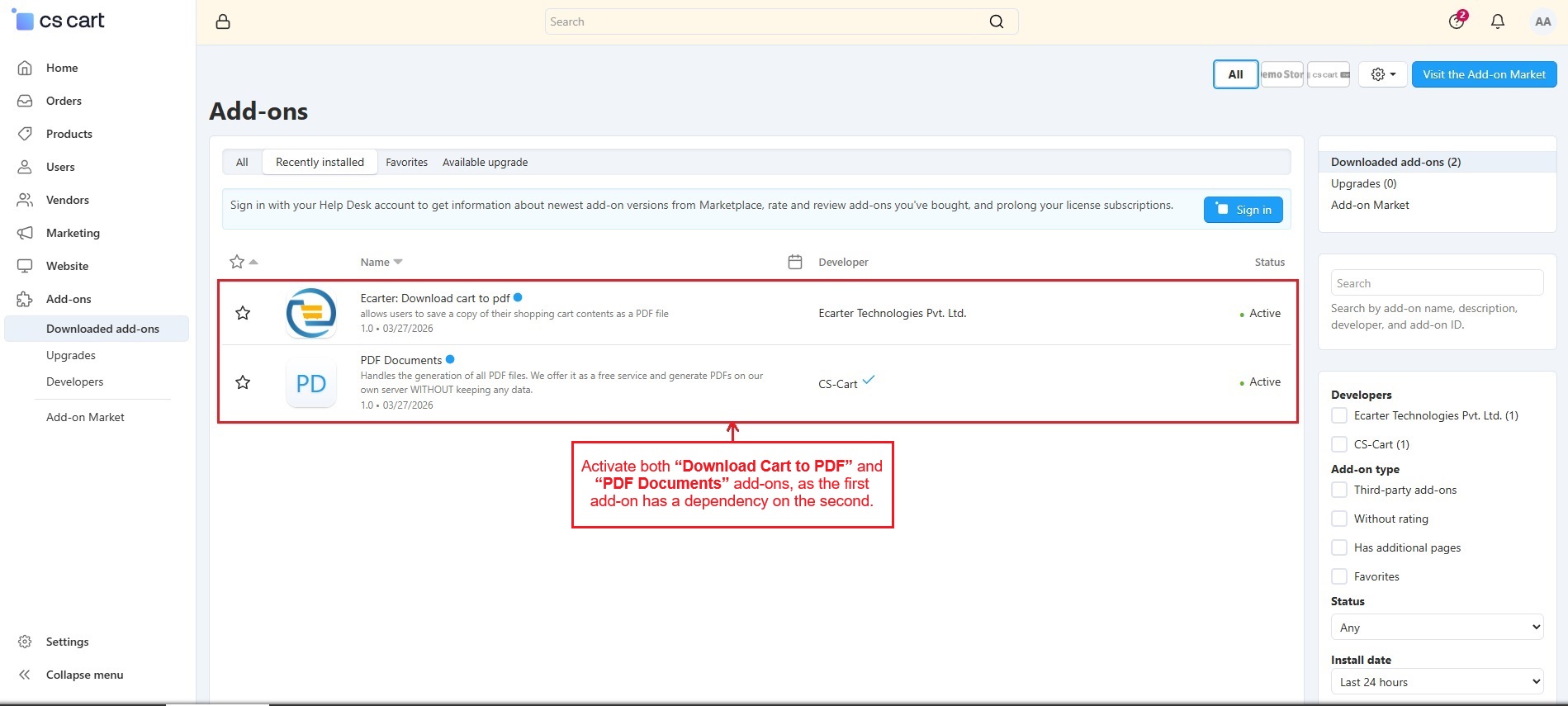
The add-on has a dependency on the PDF Documents add-on to generate the PDF file. Once both add-ons are activated, customers easily download the PDF, making the process quick and simple.
Features
- Quick PDF Download: Download cart details in a single click from the cart page.
- Complete Cart Details: Shows product name, quantity, price, and total amount in the PDF.
- Clean and Simple Layout: Creates a well-structured PDF that is easy to read and share.
- Works with PDF Documents Add-on: This add-on has a dependency on the PDF Documents add-on to generate accurate PDF files.
How Addon Works
Activate both “Download Cart to PDF” and “PDF Documents” add-ons, as the first add-on has a dependency on the second.
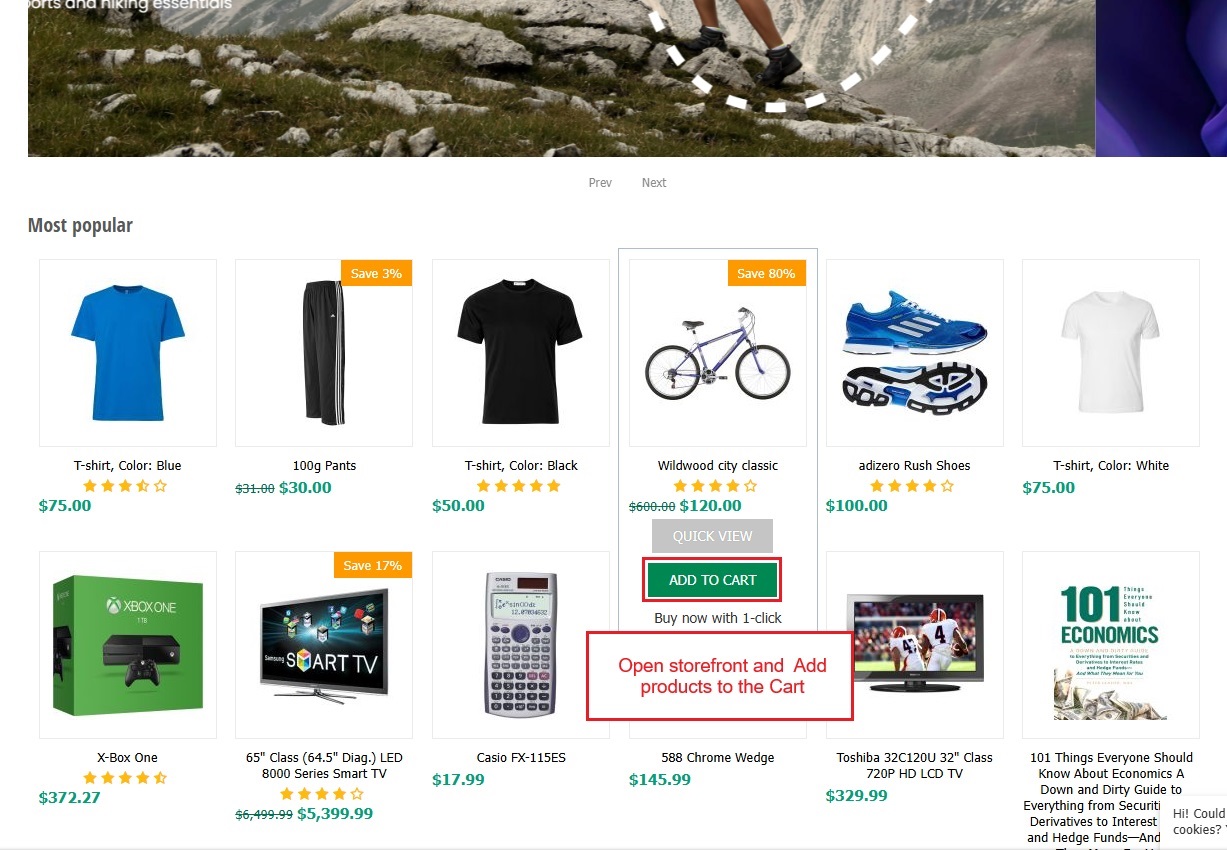
- Navigate to the storefront and add products to the shopping cart.
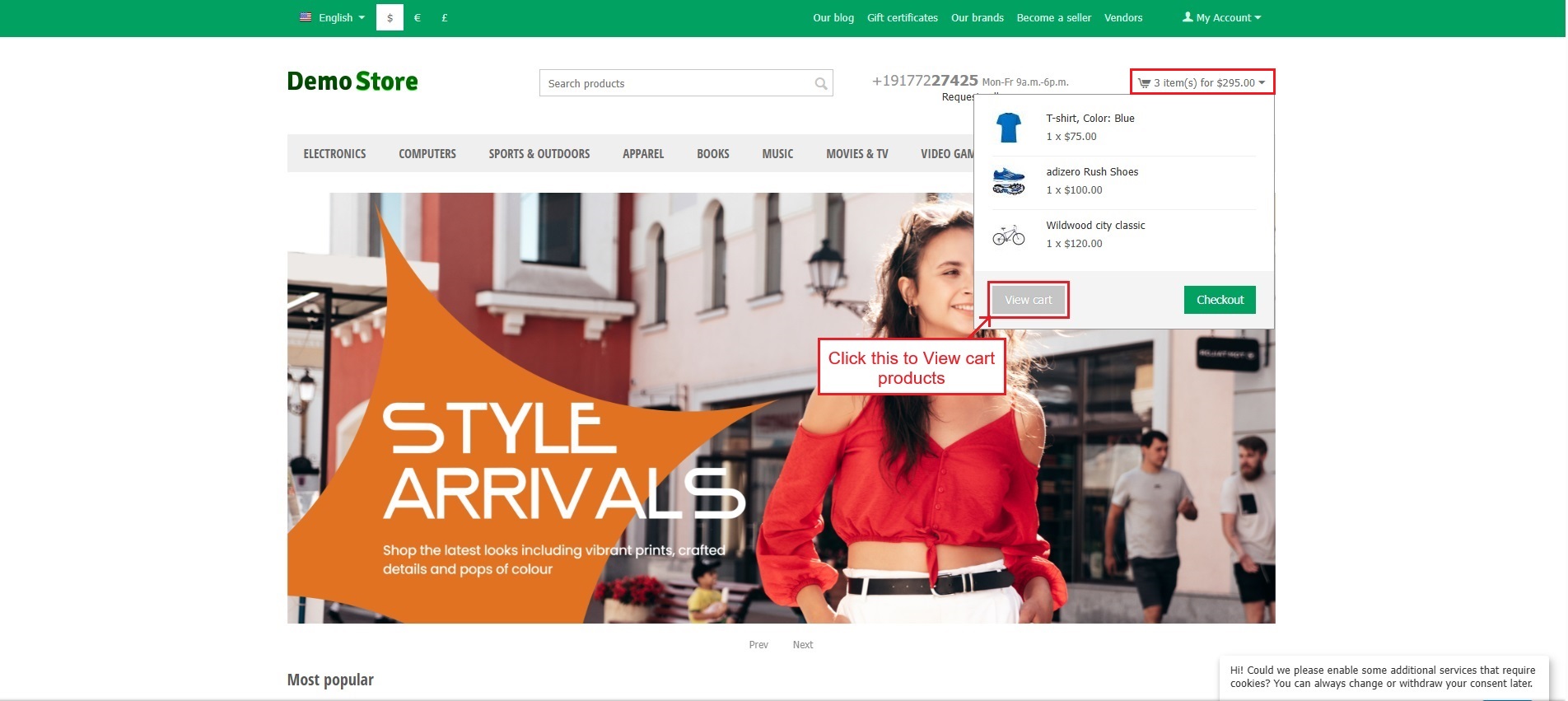
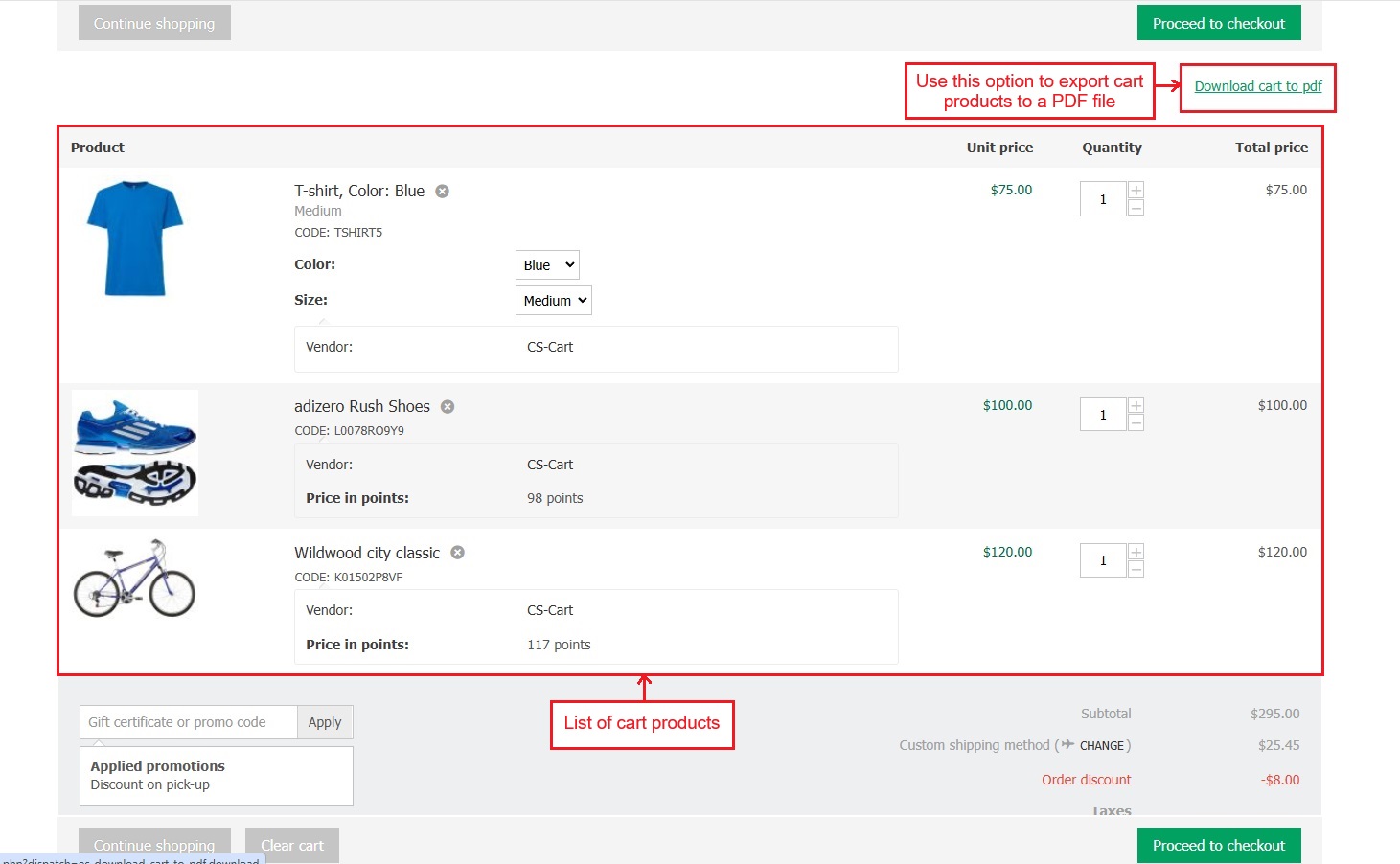
- Go to the cart and select “View Cart” to check the products."
- This page shows a list of cart products. Press the “Download Cart to PDF” option to export cart products to a PDF file.
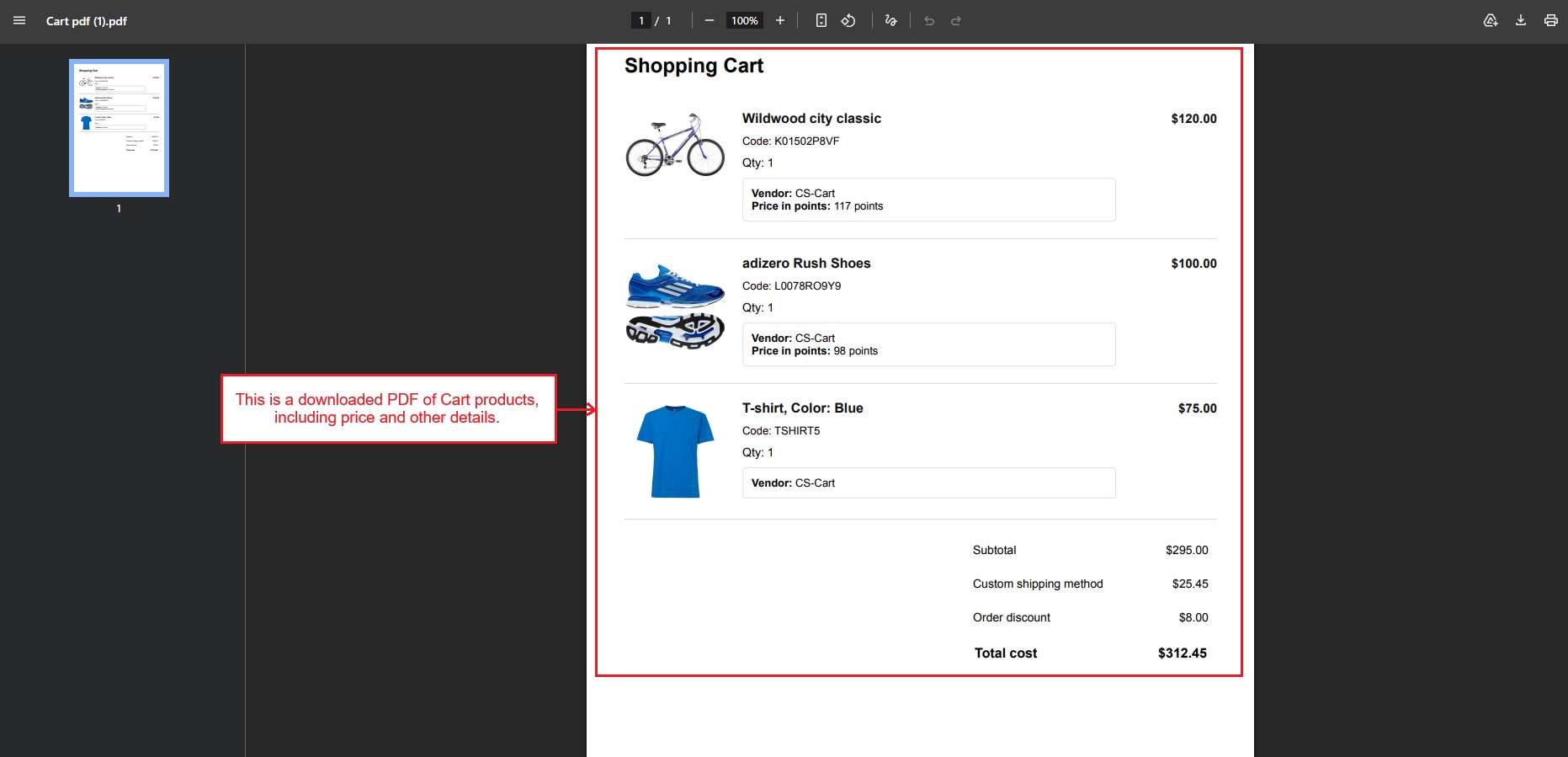
- This is a downloaded PDF of Cart products, including details such as price and quantity.
✅ Final Thought:
The Download Cart to PDF add-on adds a simple and useful feature to the store. It makes it easy to save, share, and review cart details in a clear PDF format, improving the overall shopping experience.
Addon-Version
Version-1.0.3
Supported Versions:
CS-Cart, CS-Cart Multivendor 4.8.x, 4.9.x,4.10x,4.11x,4.12,4.13x, 4.14x, 4.15x, 4.16x, 4.17x, 4.18x
Support:
This add-on is developed and published by Ecarter Technologies Pvt.Ltd., a CS-Cart developer. You are guaranteed a quality add-on supported by future versions. If you need help, please contact us via email at support@ecarter.co.
Frequently asked questions
What details are included in the downloaded cart PDF?
The PDF lists each product name, quantity, and price, along with the total amount. It uses a clean, well-structured layout so the document is easy to read and share.
Does this add-on require any other add-on to work?
Yes. It depends on the PDF Documents add-on, which handles the actual PDF generation. Both the Download Cart to PDF and PDF Documents add-ons must be installed and activated for the download to work.
How does a customer download their cart as a PDF?
After adding products to the cart, the shopper opens the cart page and selects View Cart to see the list of items. From there they click the Download Cart to PDF option, which exports the cart products, including price and quantity, to a PDF file.
Is it compatible with my version of CS-Cart or CS-Cart Multi-Vendor?
The add-on is built for CS-Cart and works alongside the PDF Documents add-on. Compatibility depends on your specific edition and version, so share the version you run and we will confirm before purchase.
Kajal is a Technical Content Writer at Ecarter Technologies. She writes technical documentation and in-depth guides on eCommerce platforms, mobile commerce and AI in online retail.