
Warehouse Promotion
With this addon easily create warehouse promotions by specifying conditions and bonuses. Apply these promotions to your products for attractive offers.
The Warehouse Promotion Add-on for CS-Cart lets store admins create and apply promotions based on specific conditions and bonuses. From the admin panel you can add new promotions with images and bonus options, apply them to selected products, and manage the quantities involved. Customers see the effect immediately in the shopping cart, and the applied promotion is recorded in their order details for easier order management. It is intended for CS-Cart store owners who want a straightforward way to run product-level promotions that encourage purchases and help retain customers.

Warehouse Promotion Addon for CS-Cart is designed to optimize your e-commerce platform. With this addon, the admin can easily create and apply warehouse promotions by selecting specific conditions and bonuses.
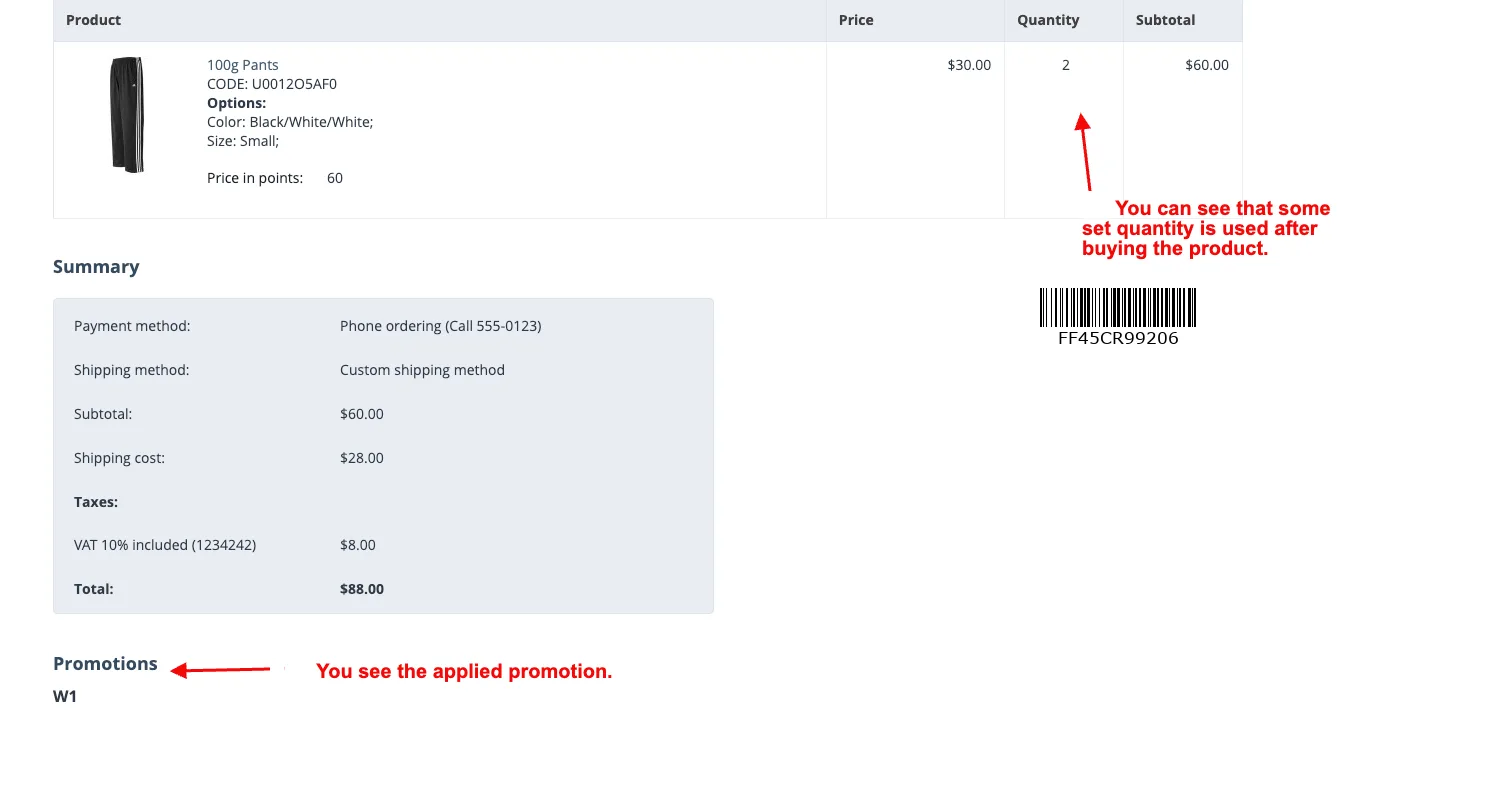
Once customers make a purchase, the applied promotion appears in their order details. This addon helps boost sales, retain customers, and simplify your promotional strategies with a smooth and user-friendly setup.
Features:
- Add New Promotions: The admin can effortlessly create and manage promotions with images and bonus options.
- Apply Promotions Easily: Admin can easily apply promotions to specific products.
- Cart Visibility: See the immediate results of applied promotions directly in the shopping cart.
- Product Offers: Apply these promotions directly to your products, providing customers with enticing and attractive offers.
- Order Detail Visibility: Admins can easily access and review promotion details in the order information, aiding in effective order management.
- Quantity Management: Effortlessly manage product quantities and promotions, creating a balanced and appealing shopping experience.
- Attractive Bonuses: Select bonuses to accompany your promotions, making your offers more appealing to customers.
- Sales Boost: Utilize warehouse promotions to boost sales and encourage customers to make purchases.
- Smoother Customer Experience: Promotions are seamlessly integrated, providing a smoother shopping experience for customers.
- Enhanced Customer Service: A smooth shopping experience contributes to excellent customer service.
- User-Friendly Interface: Enjoy a user-friendly interface that makes managing warehouses, promotions, costs, and delivery times intuitive and accessible.
- Multi-vendor support: Well integrated with CS-Cart multi-vendor.
Installation
How To Install Add-on
https://store.ecarter.co/blogs/how-to-install-addon/
Configuration:
How to Create the Warehouse Promotion
- Go to the Marketing menu.
- Select the promotion.
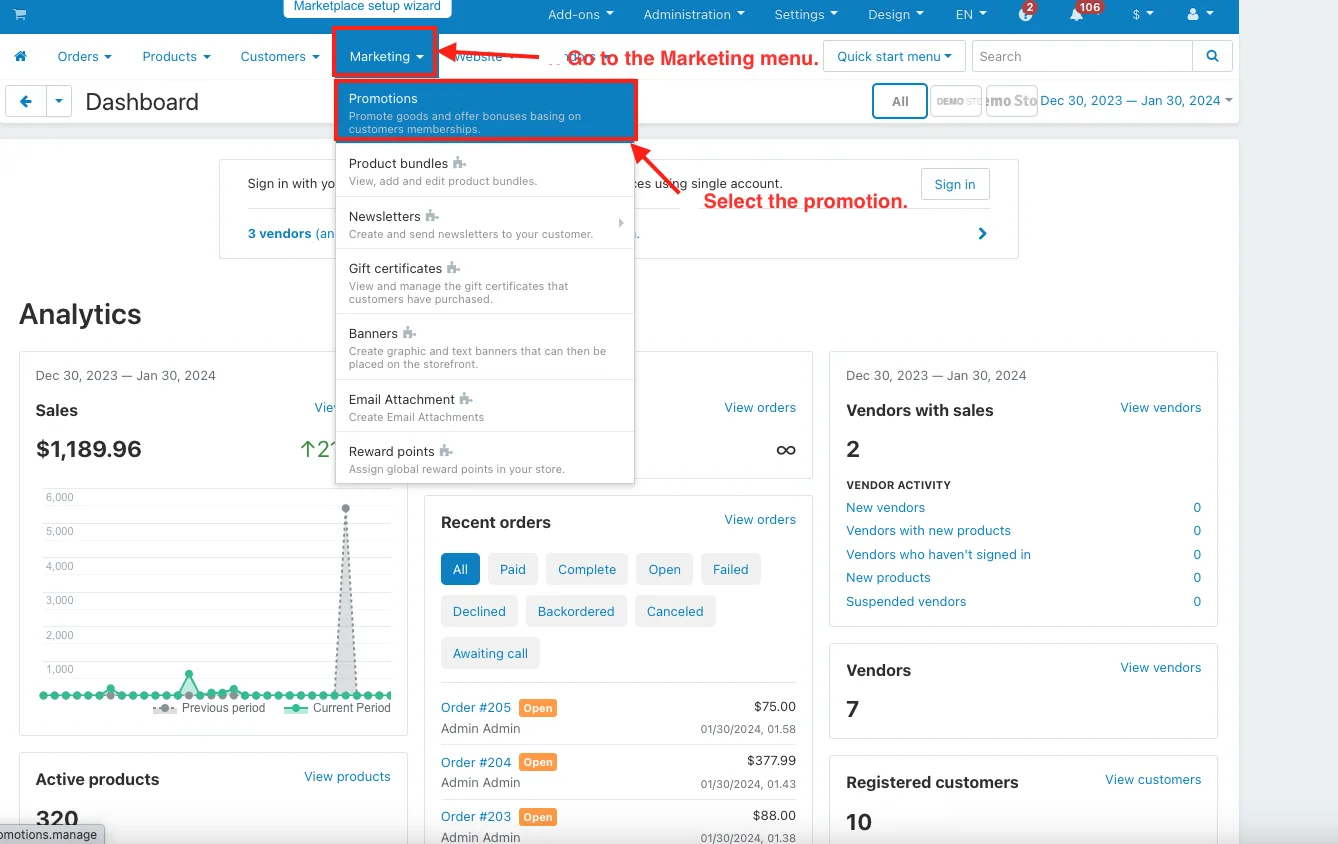
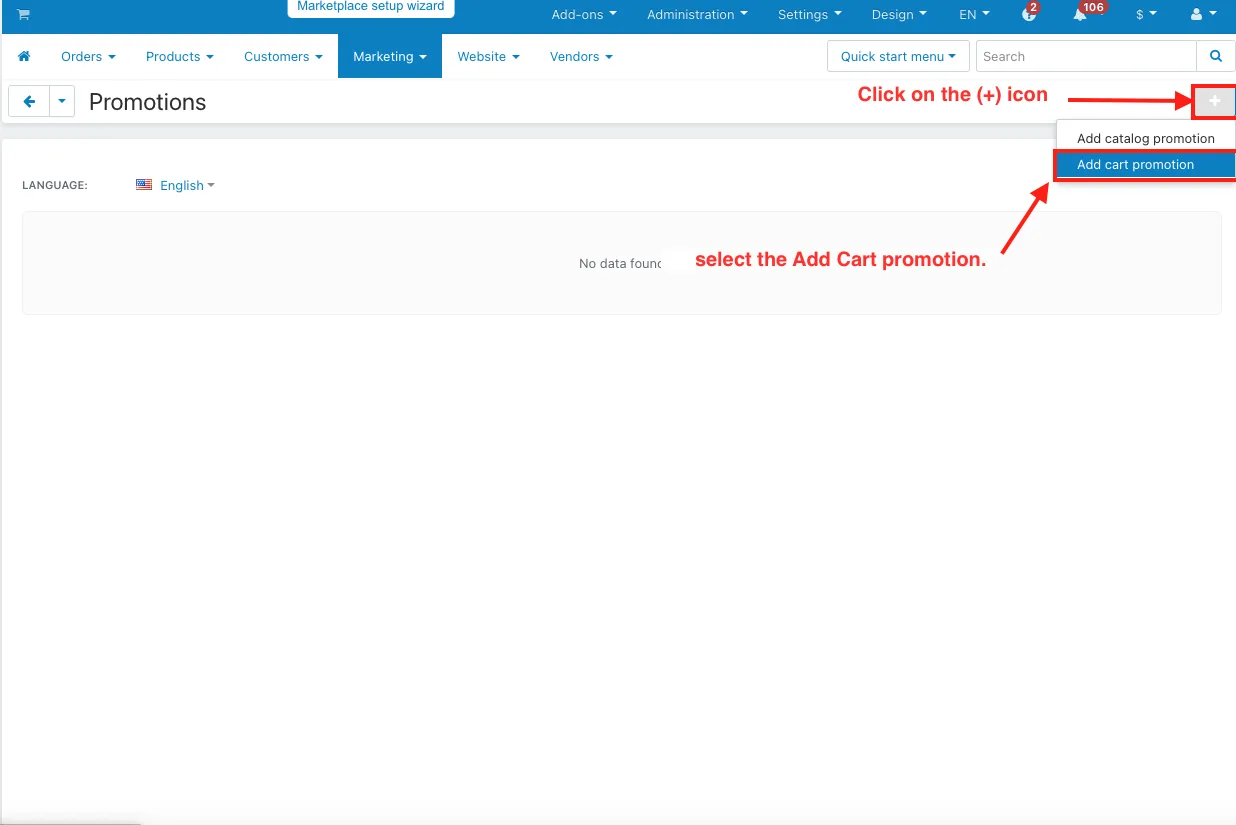
- Click on the (+) icon in the top right corner and select the Add Cart promotion.
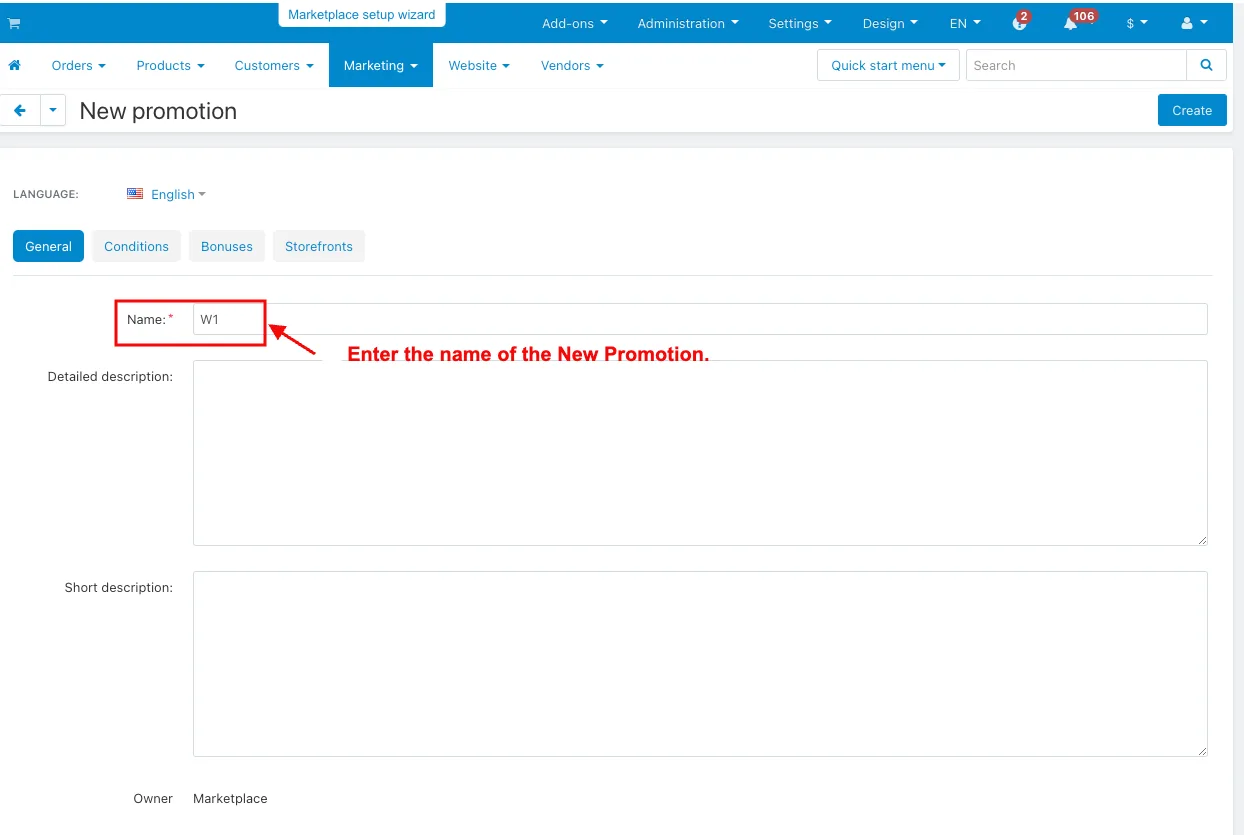
- Name: Enter the name of the New Promotion.
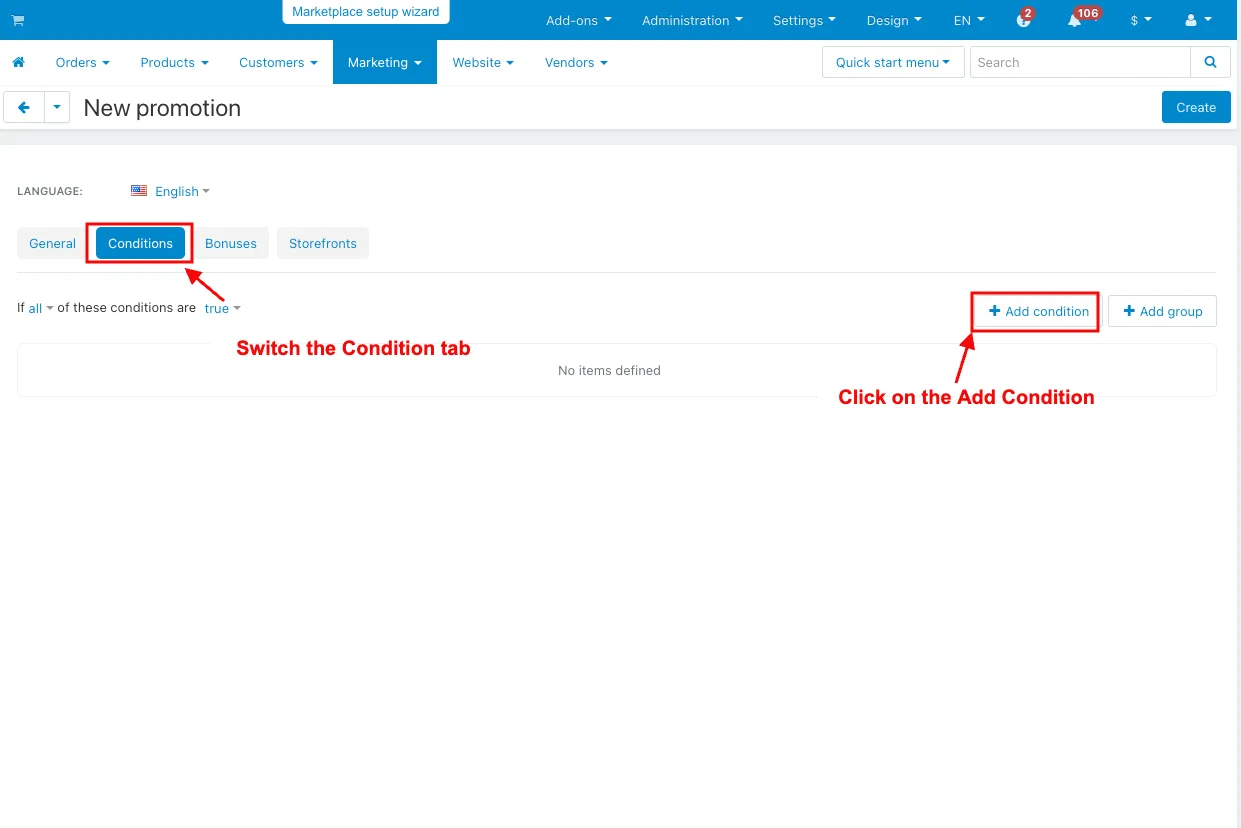
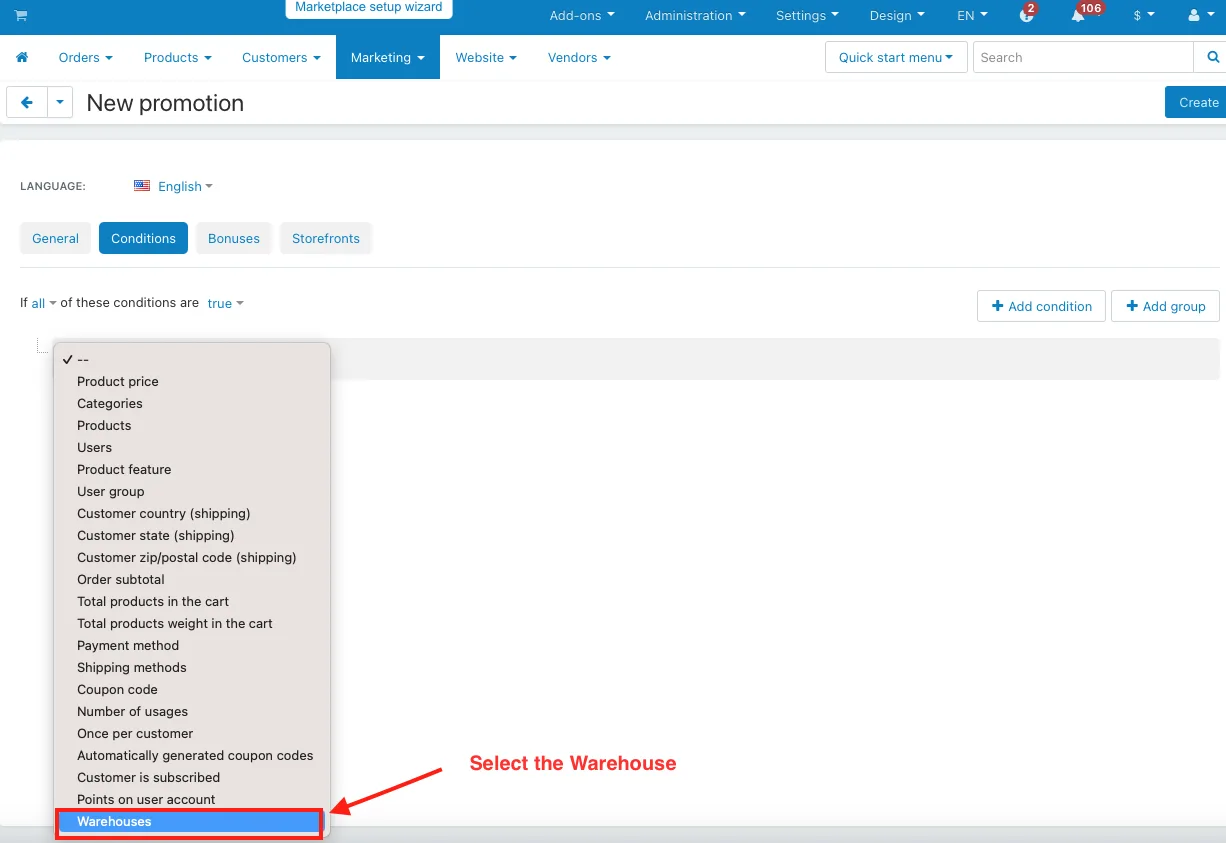
- Switch the Condition tab.
- Click on the Add Condition.
- Select the Warehouse.
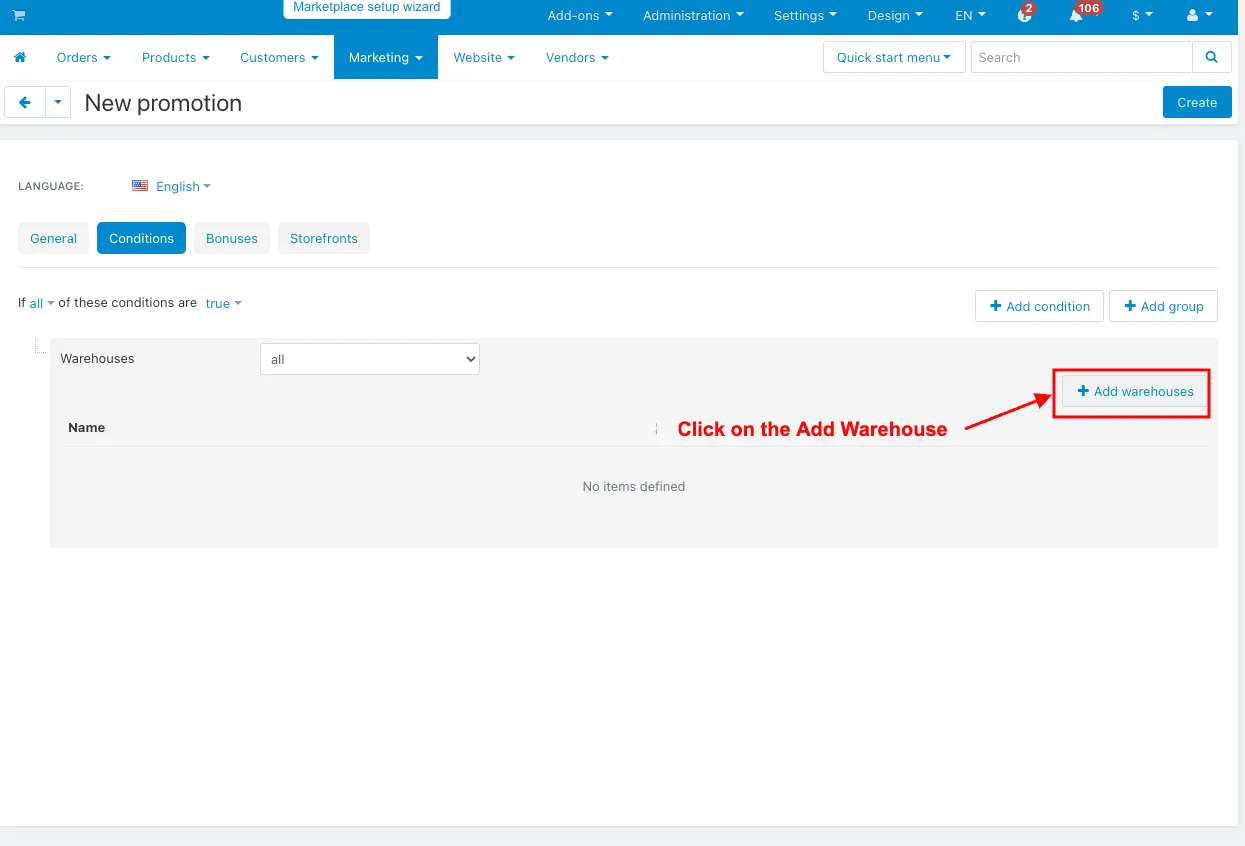
- Click on the Add Warehouse.
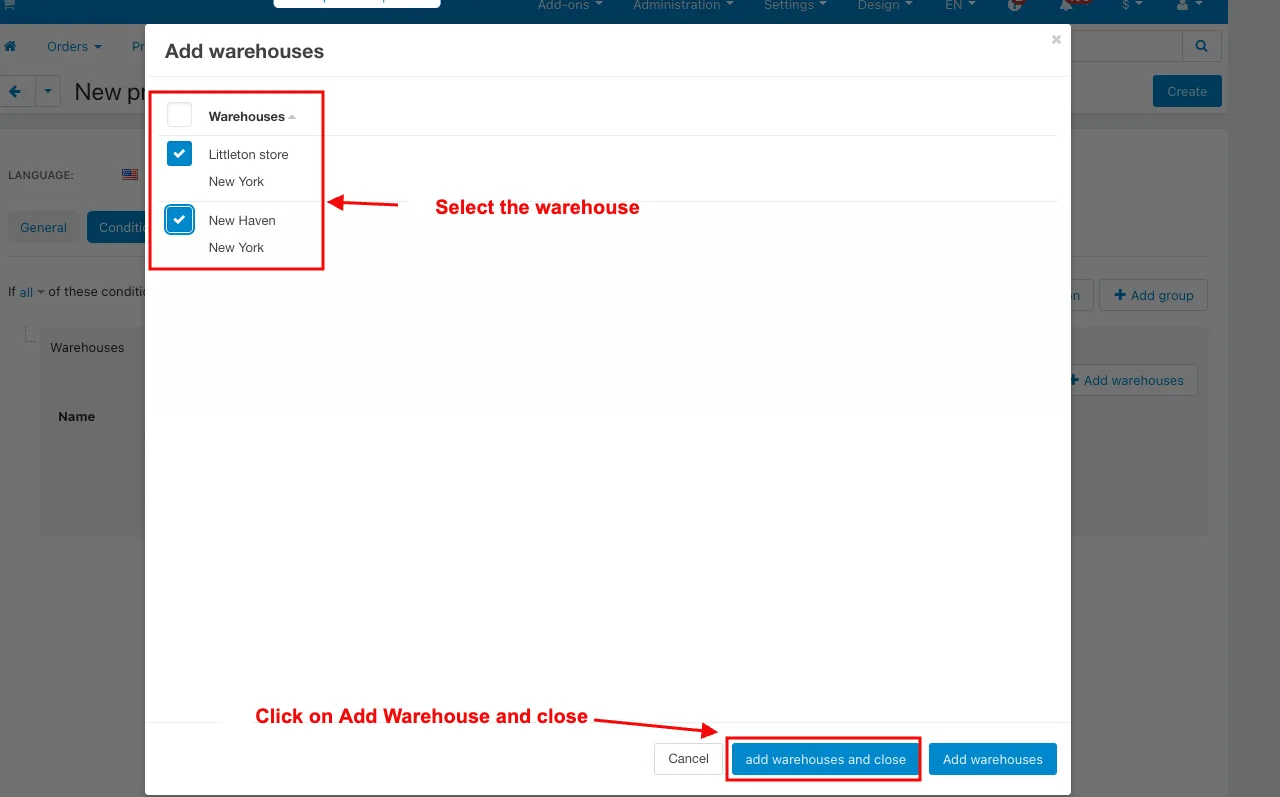
- Select the warehouse.
- Click on Add Warehouse and close.
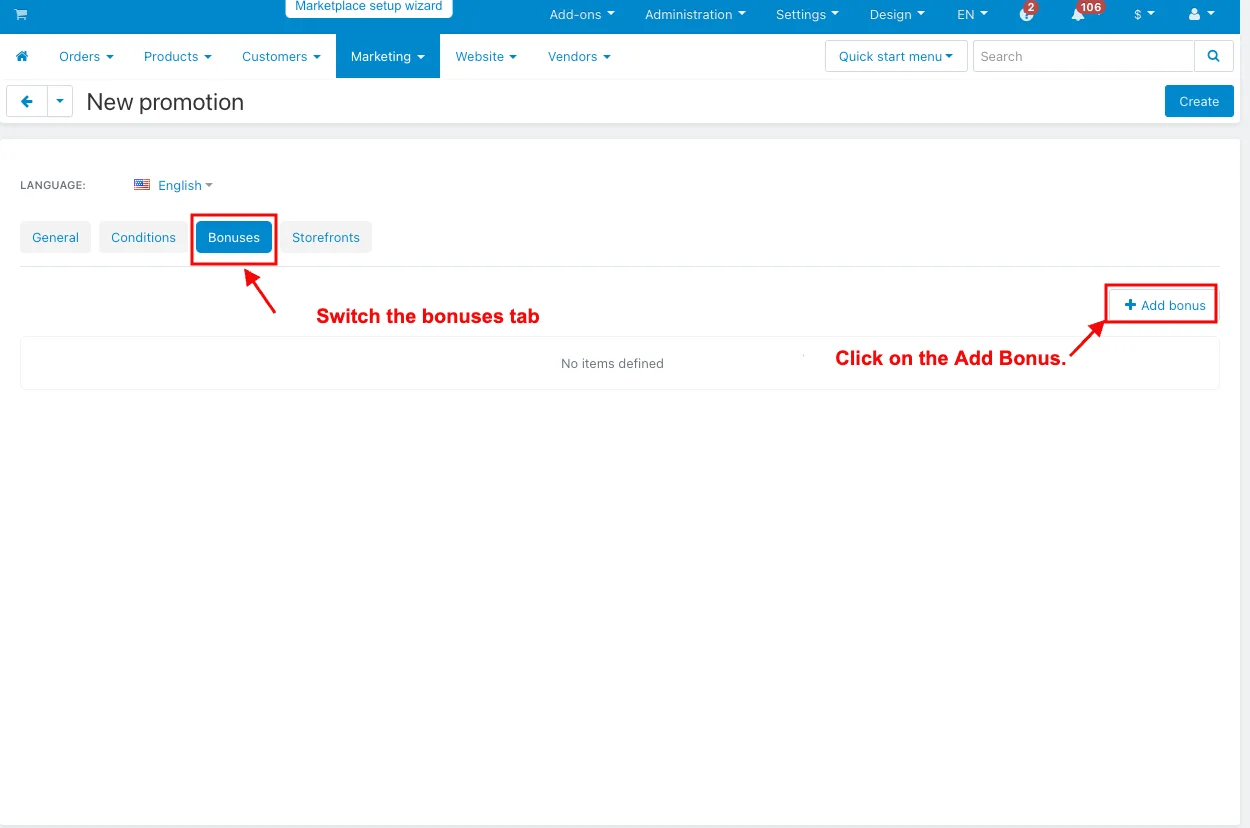
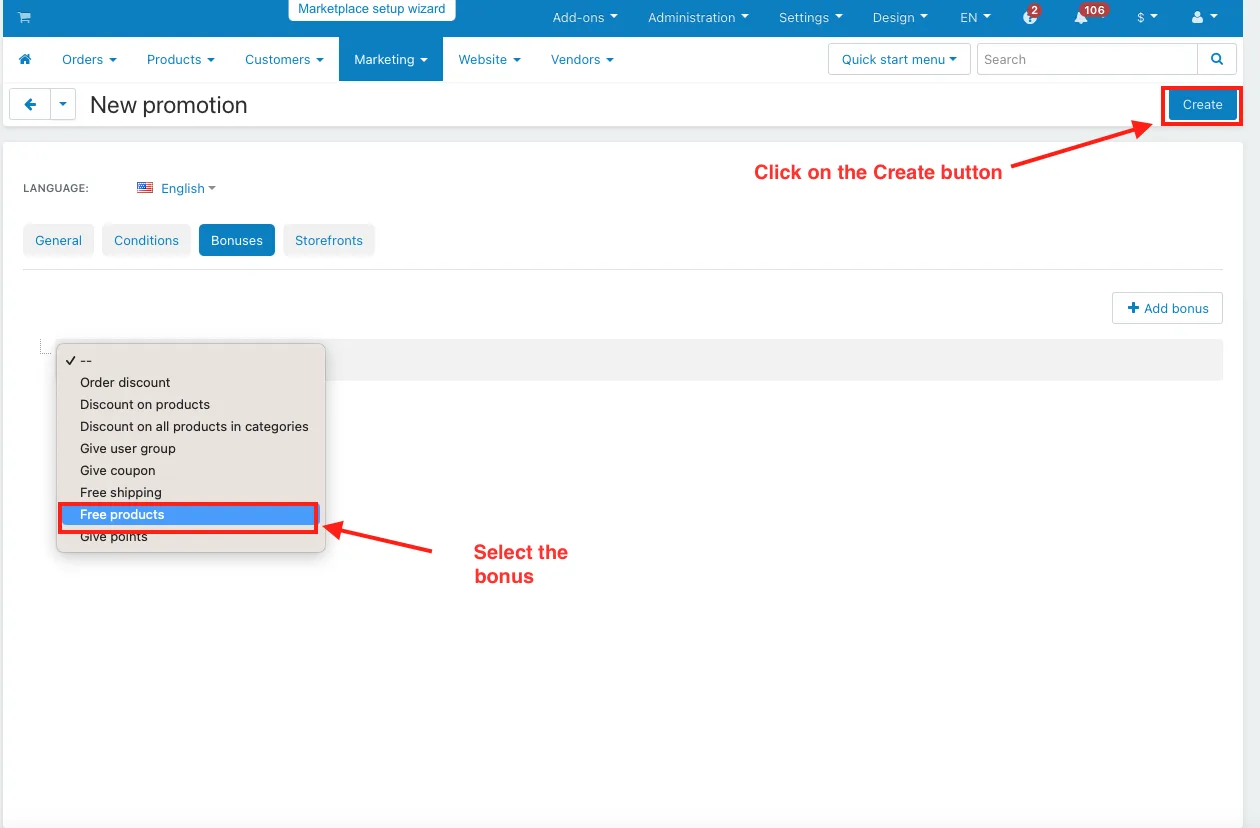
- Switch the bonuses tab.
- Click on the Add Bonus.
- Select the bonus.
- Click on the Create button.
How to Apply Warehouse Promotion to a Product
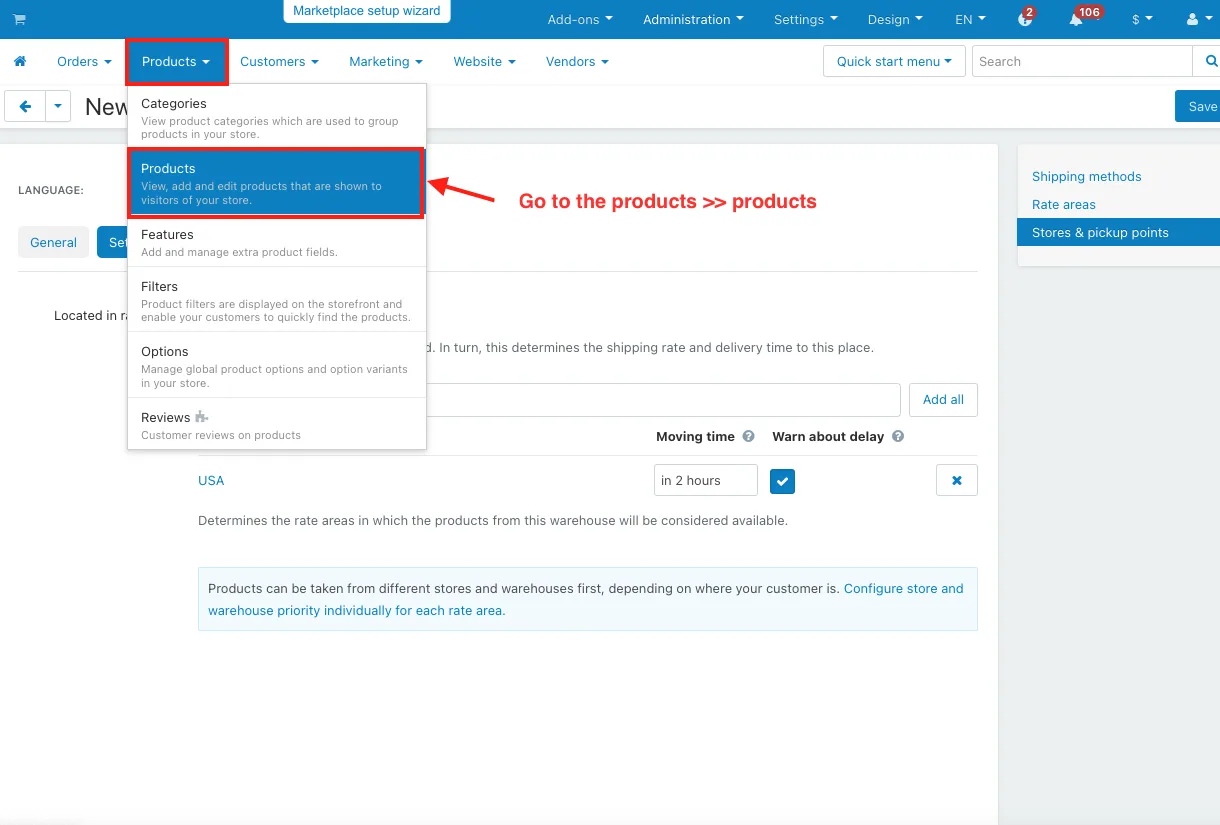
- Go to the products >> products.
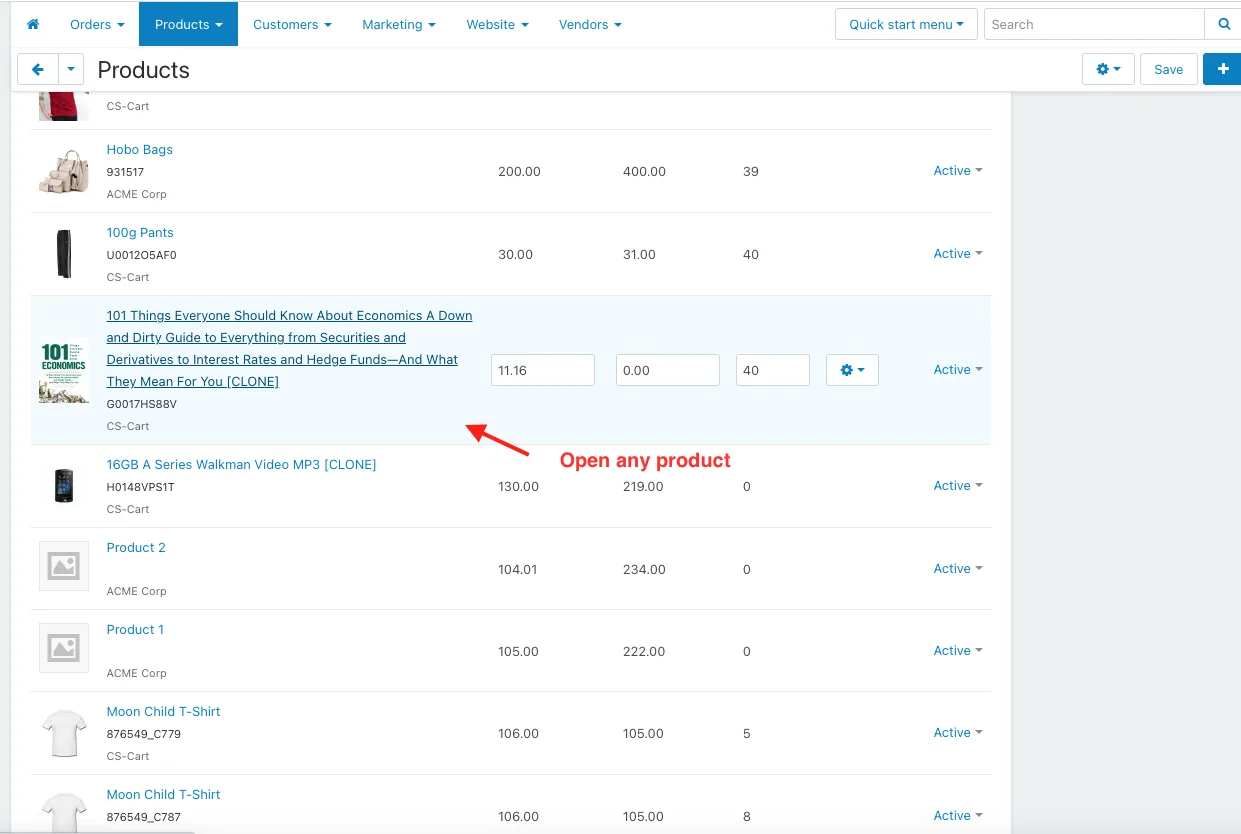
- Open any product.
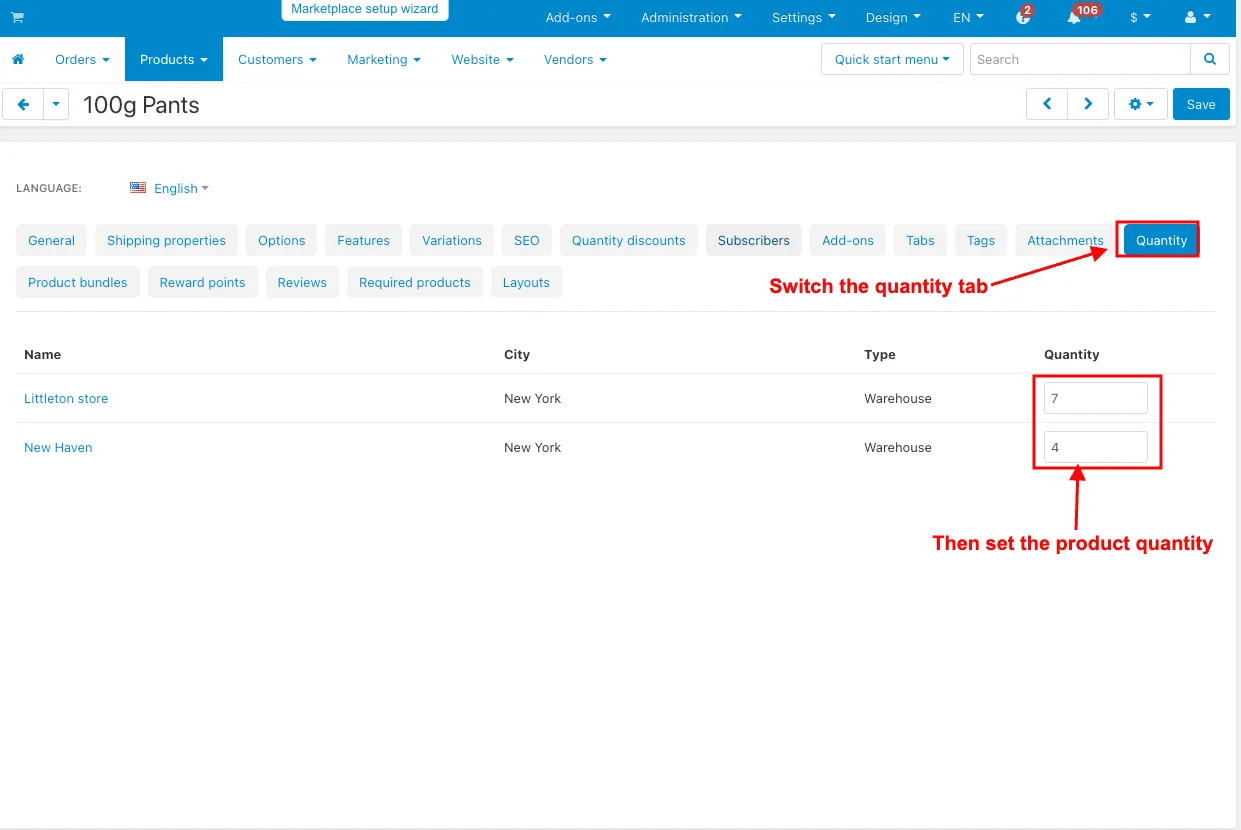
- The product editing page will be open.
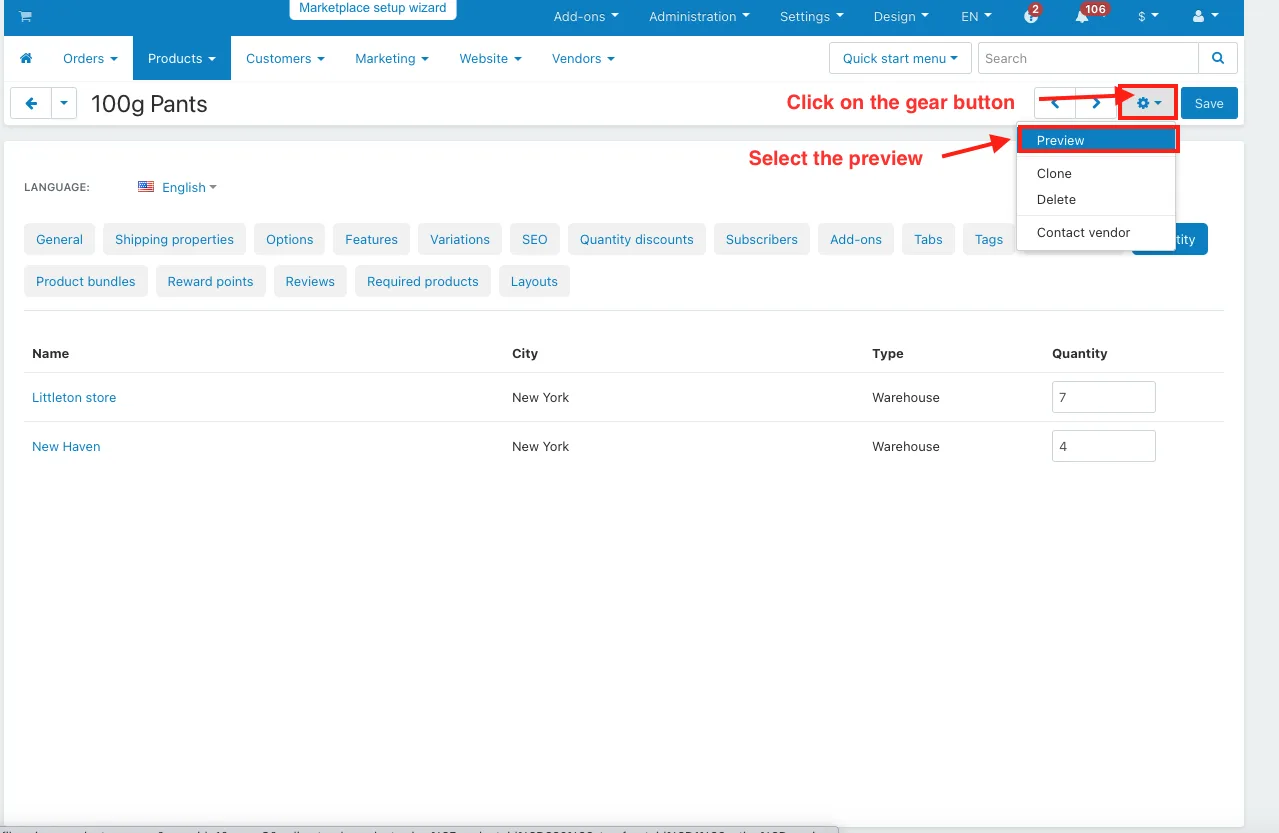
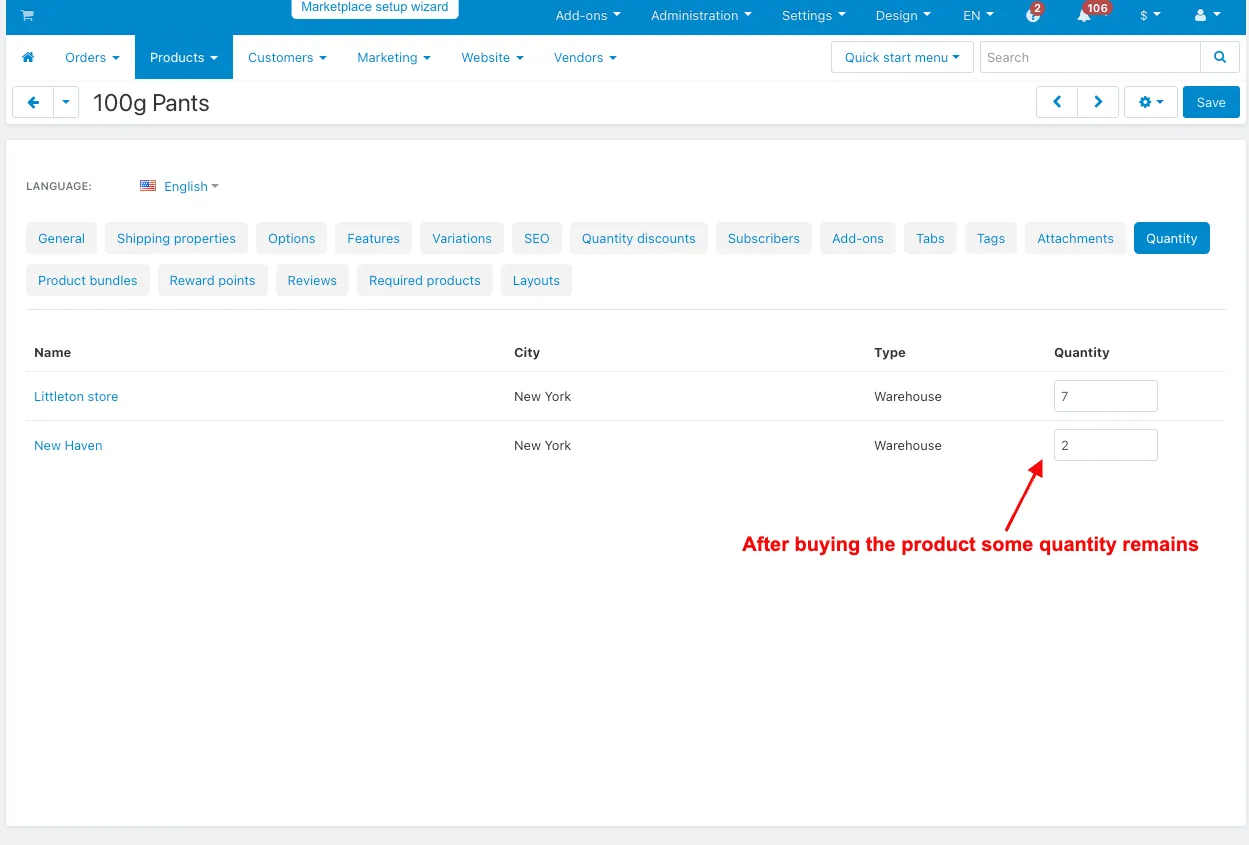
- Switch the quantity tab.
- Then set the product quantity.
- Click on the gear button.
- Select the preview.
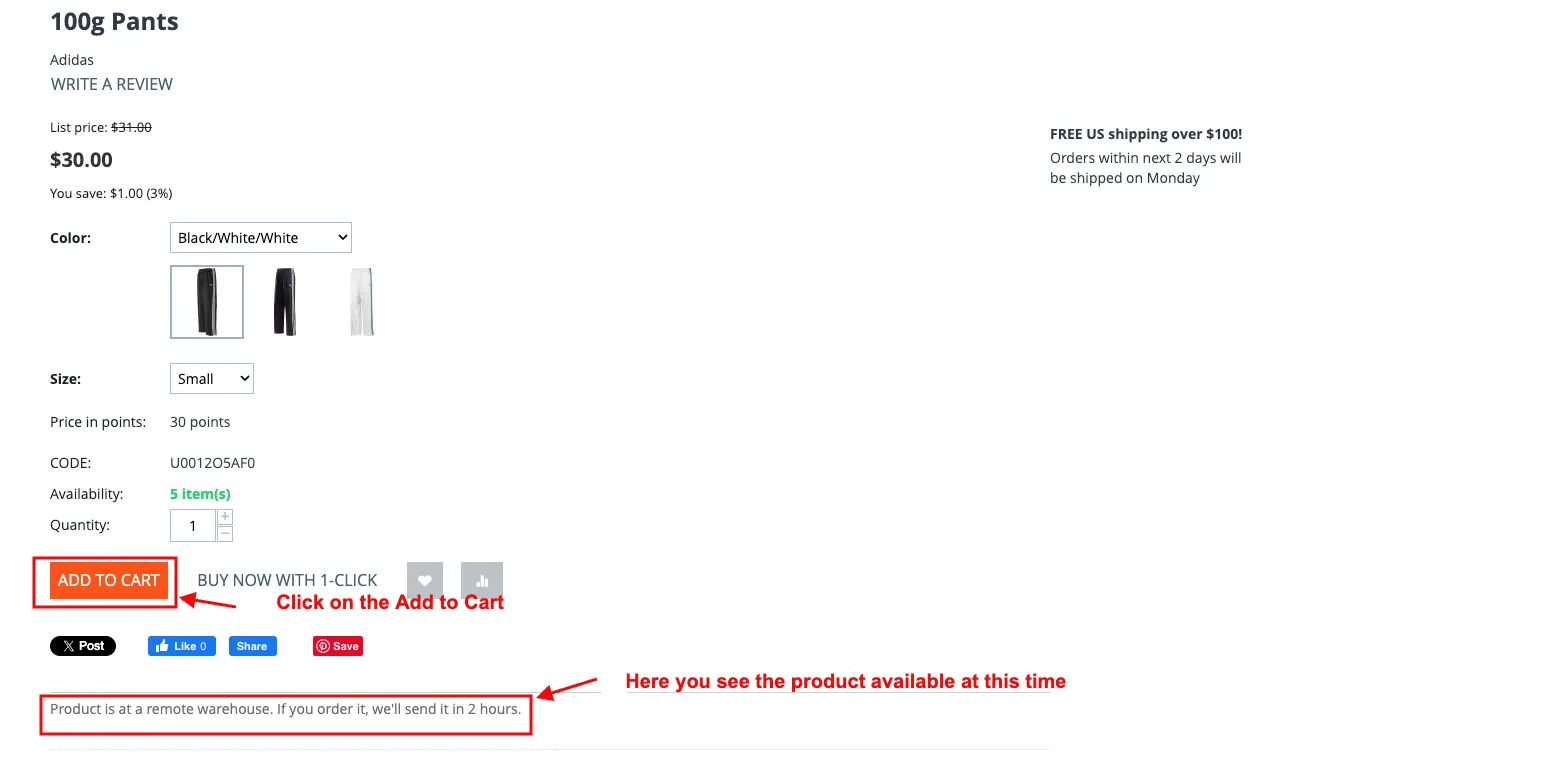
- Here you see the product available at this time.
- Click on the Add to Cart.
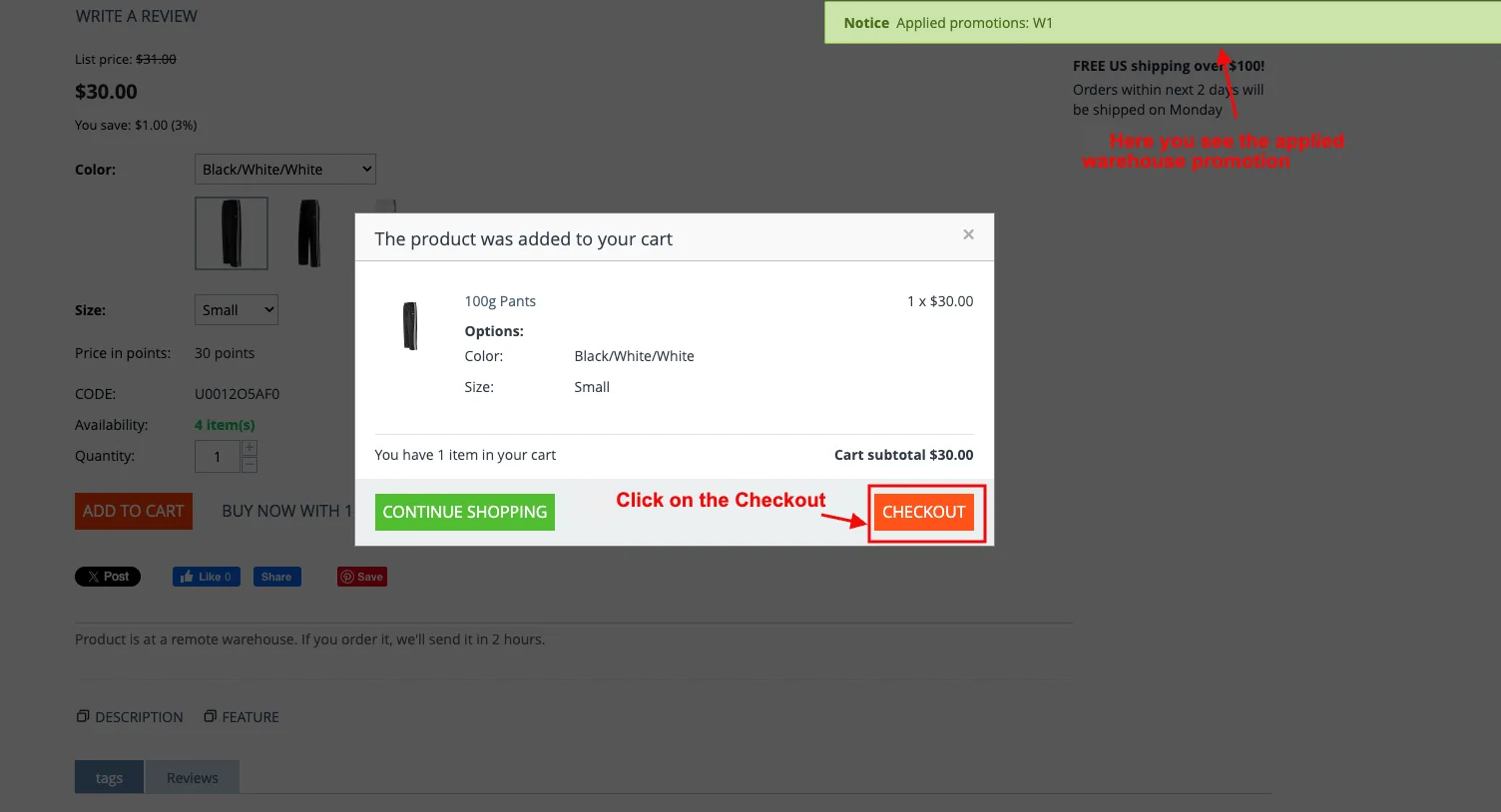
- Here you see the applied warehouse promotion.
- Click on the Checkout.
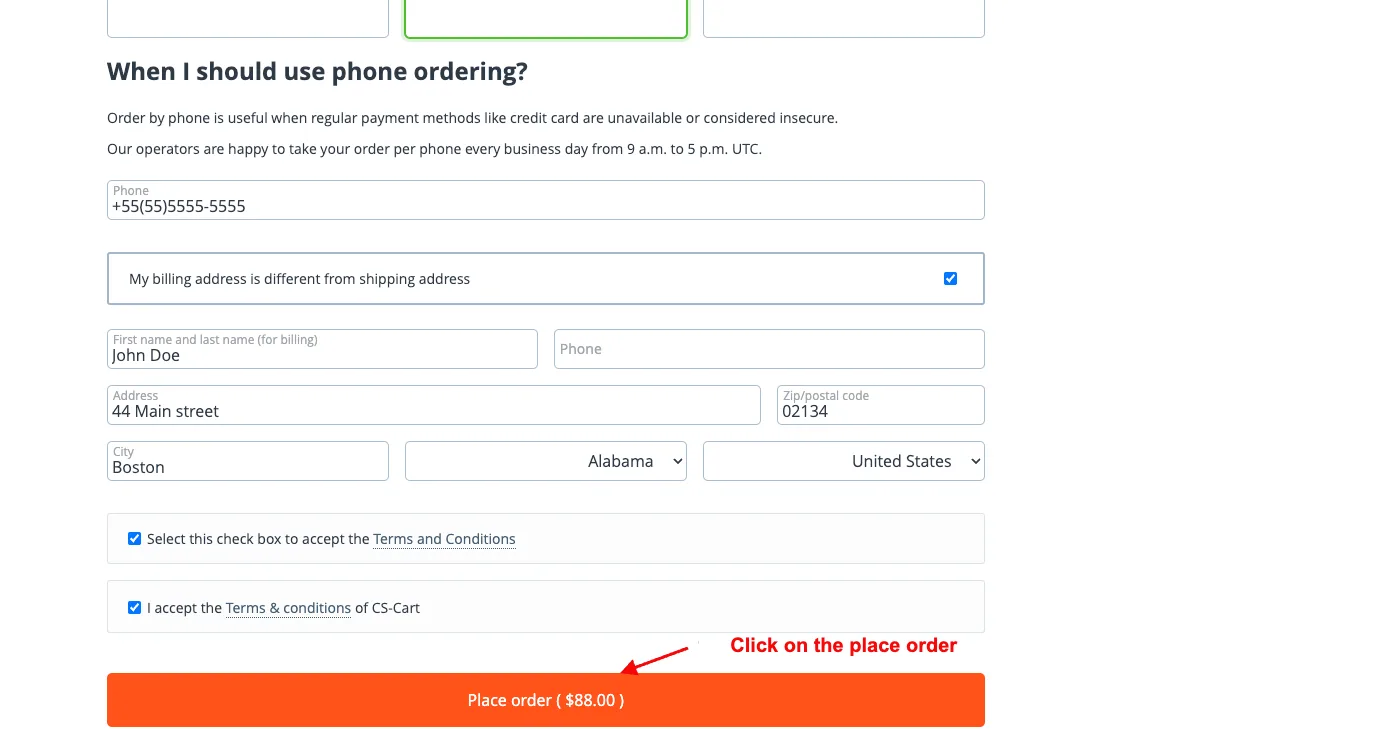
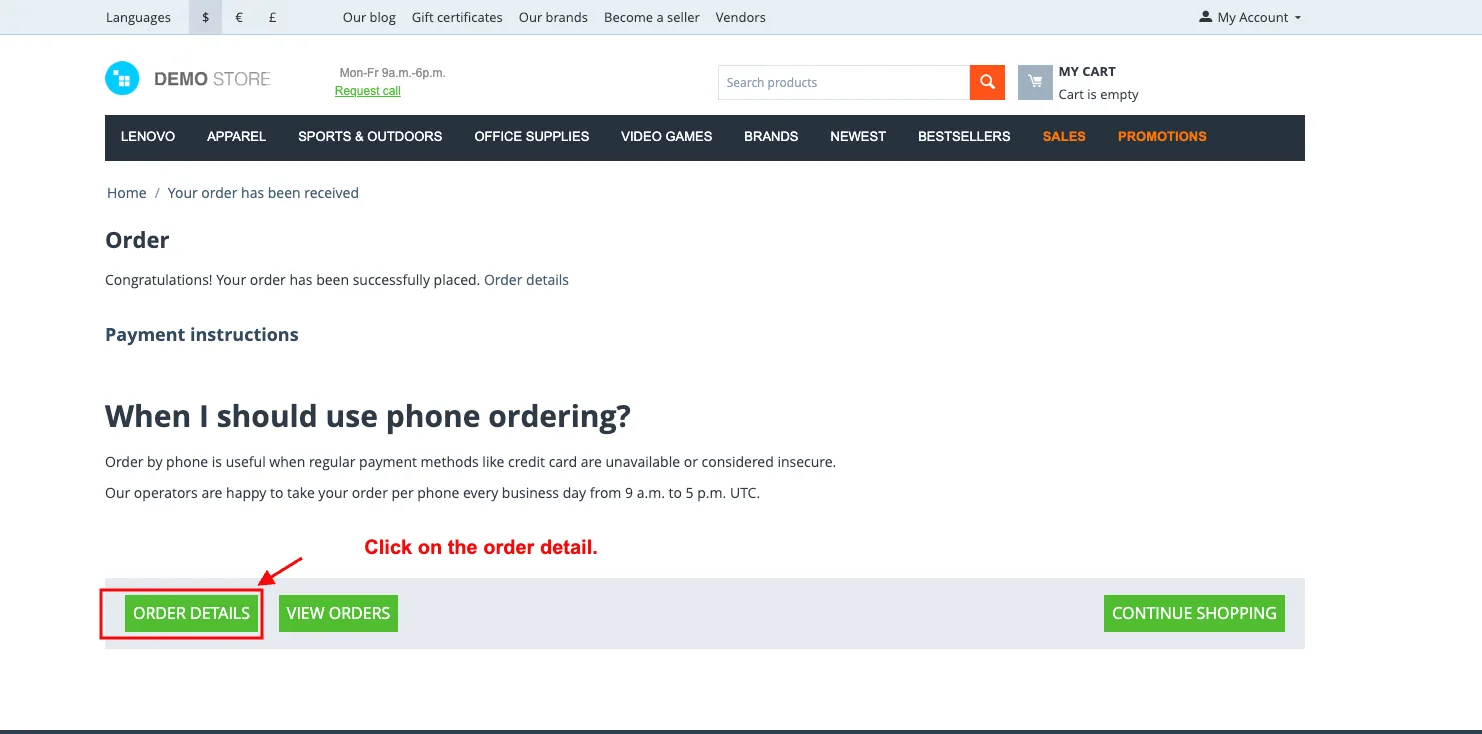
- Click on the place order.
- Click on the order detail.
Addon-Version:
Version-1.0
Supported Versions:
CS-Cart, CS-Cart Multivendor 4.8.x, 4.9.x,4.10x,4.11x,4.12,4.13x, 4.14x, 4.15x, 4.16x, 4.17x, 4.18x
Support:
This app is developed and published by Ecarter Technologies Pvt. Ltd., a CS-Cart developer. You are guaranteed quality add-ons.
Frequently asked questions
What can the admin do with the Warehouse Promotion Add-on?
The admin can create new promotions with images and bonus options, apply them to specific products, and manage product quantities tied to each promotion. Promotions are set up by choosing the conditions and bonuses that apply.
Where do customers see an applied promotion?
Customers see the result of an applied promotion directly in the shopping cart as they shop, and the promotion is included in their order details after purchase.
How does the add-on help with order management?
Promotion details are visible in the order information, so admins can review which promotion was applied to an order without leaving the order screen.
Which CS-Cart versions does it support?
It is built for CS-Cart, including recent versions. Share the version and edition you are running and we will confirm compatibility before you buy.
Nisha Gaur is a Technical Content Writer at Ecarter Technologies. She writes technical documentation, tutorials and buying guides covering CS-Cart, Magento, Shopify and eCommerce development.