
CS-Cart Vendor Filter Add-on: Shop by Seller
Vendor Filter Addon for CS-Cart allows you to easily filter vendors on your store by creating custom filter fields.
The CS-Cart Vendor Filter Add-on lets you add filtering to the list of vendors on your storefront so customers can find sellers more easily. You create custom filter fields such as vendor name, code, or city, and enable the "Allow for Filtration" setting to make those filters available to shoppers. It is built for CS-Cart Multi-Vendor stores that carry many sellers and want to help buyers narrow the list, while also giving admins a faster way to organize and display vendor information. Note that it depends on the CS-Cart Vendor Filter Beta add-on, which must be activated first.
 Vendor Filter Addon for CS-Cart allows you to easily filter vendors on your store by creating custom filter fields. By enabling the “Allow for Filteration” setting, allow filtering vendors on the storefront. Users can create new fields for filtering, such as Vendor name, code, city, and more. Once the filter is created, vendors can be selected based on these fields.
This add-on simplifies the process of managing and displaying vendors according to your preferences, making it easier for customers to find what they are looking for.
Features:
- Easy Vendor Filtering: Easily filter vendors on your store based on the custom.
- “Allow for Filteration” Setting: Enable a setting to allow filtering of vendors on the storefront.
- Saves Time for Admins: Helps store admins quickly manage and organize vendor information.
- Beta Addon Requirement: Before using this addon, make sure to activate the CS-Cart Vendor Filter Beta addon.
- CS-Cart Support info: The addon is well integrated with CS-Cart Multi-Vendor and can be used with its standard, Plus, and Ultimate Versions.
Installation:
How to install Addon
Before installing the vendor filter addon, you need to activate the CS-Cart Vendor Filter Beta addon because this addon depends on the vendor filter beta addon.
https://store.ecarter.co/blogs/how-to-install-addon/
How addon Works
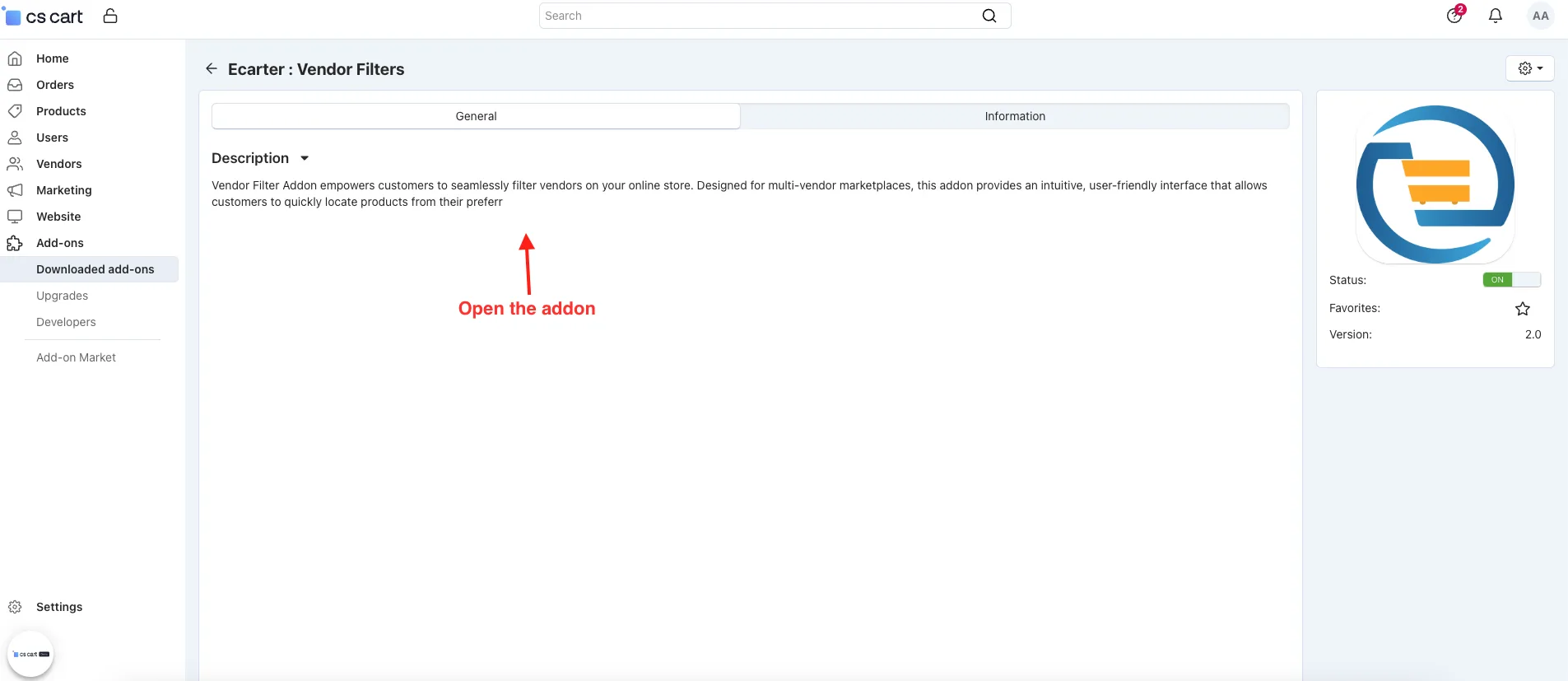
- Open the addon.
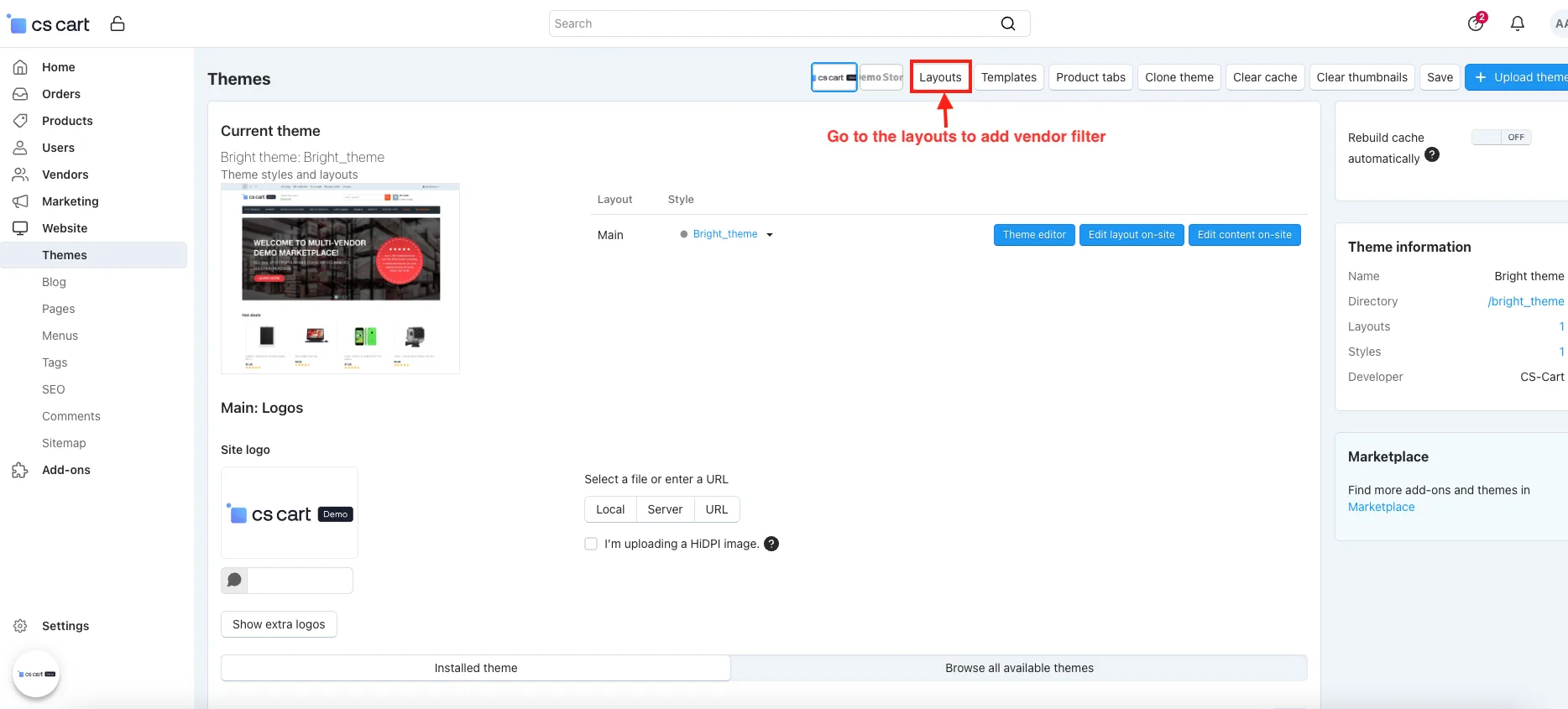
- Go to the layout to add vendor filter.
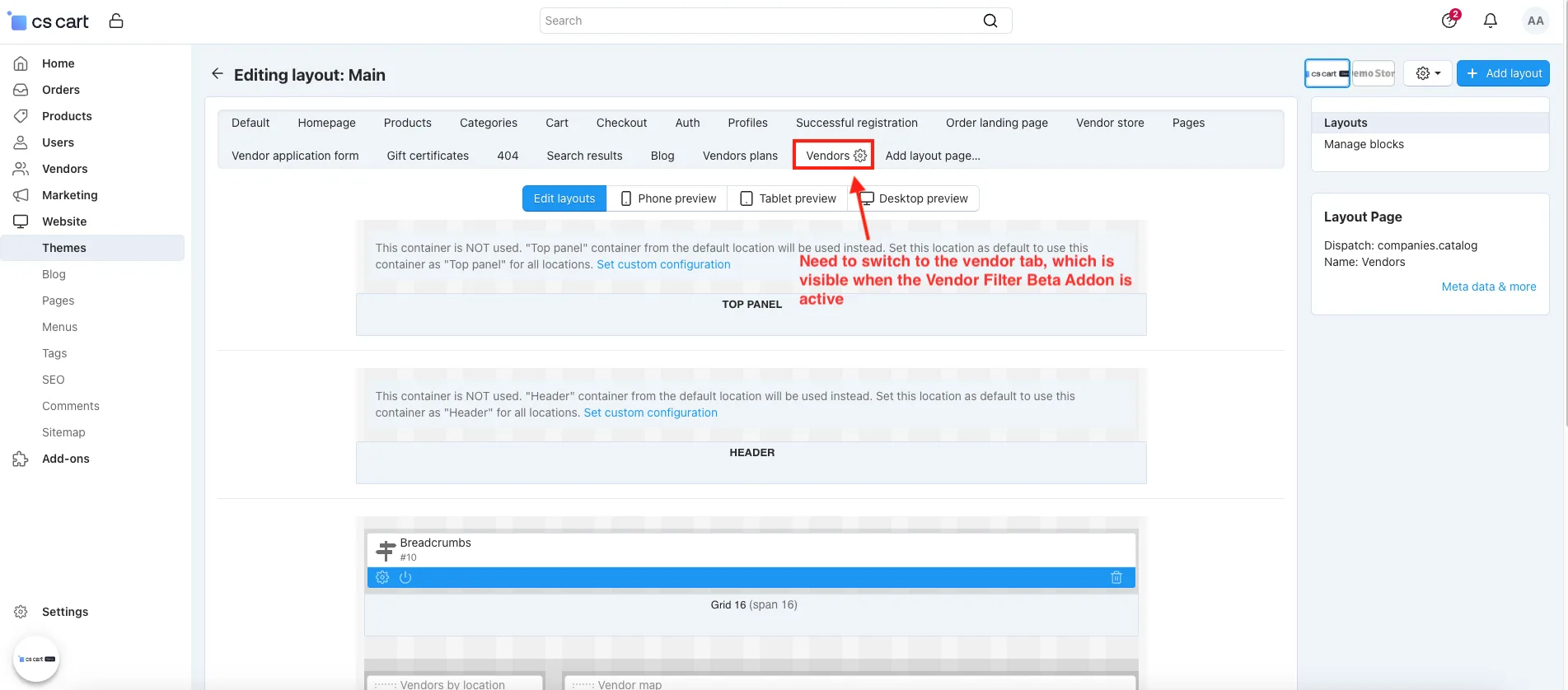
- Need to switch to the vendor tab, which is visible when the Vendor Filter Beta Addon is active.
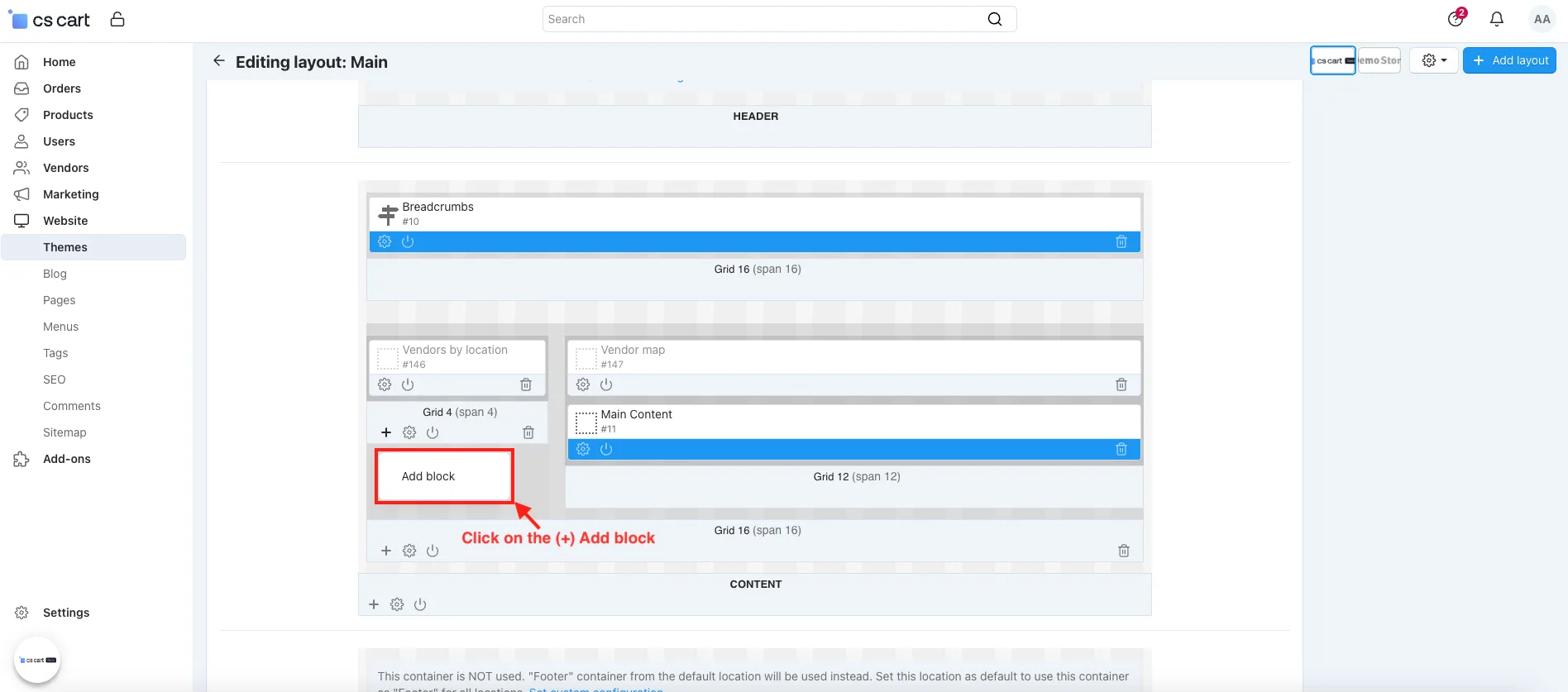
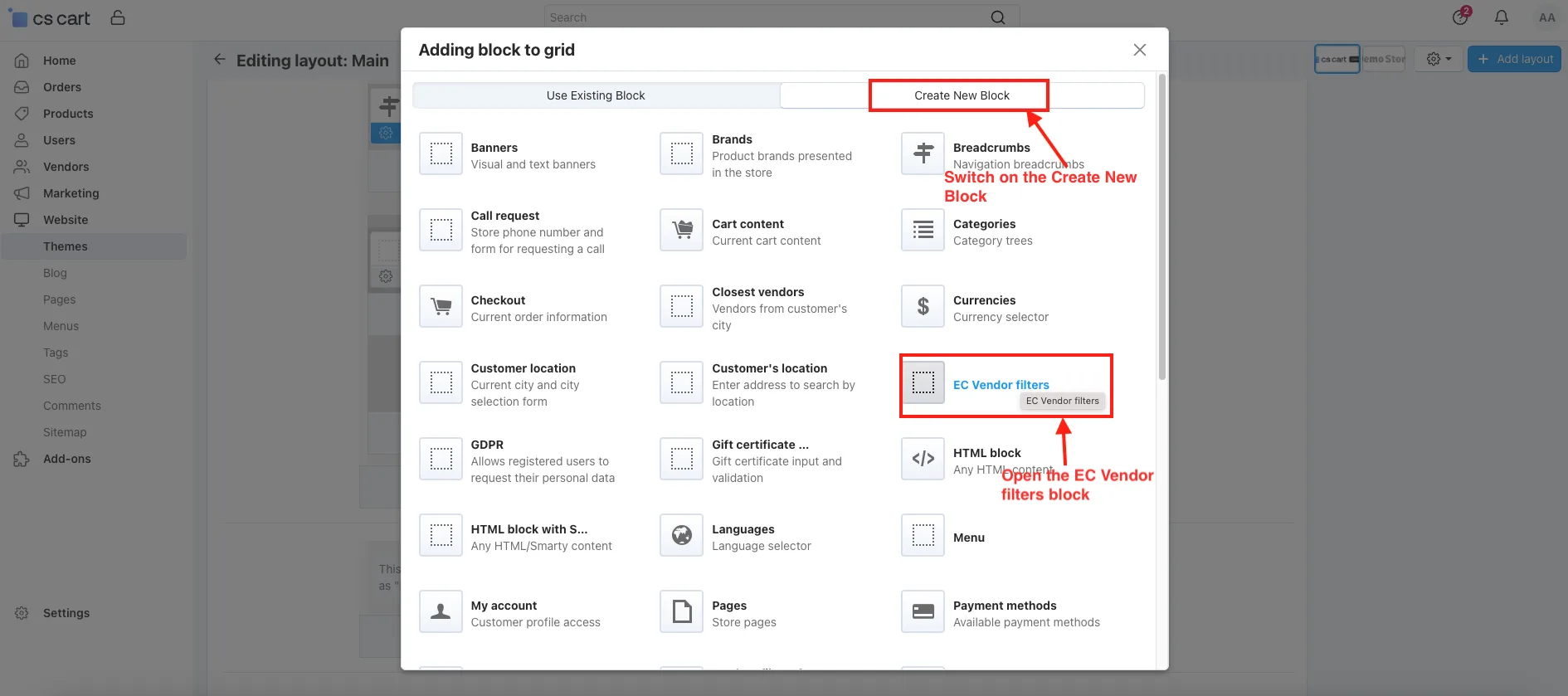
- Click on the (+) Add block.
- Switch on the Create New Block.
- Open the EC Vendor filters.
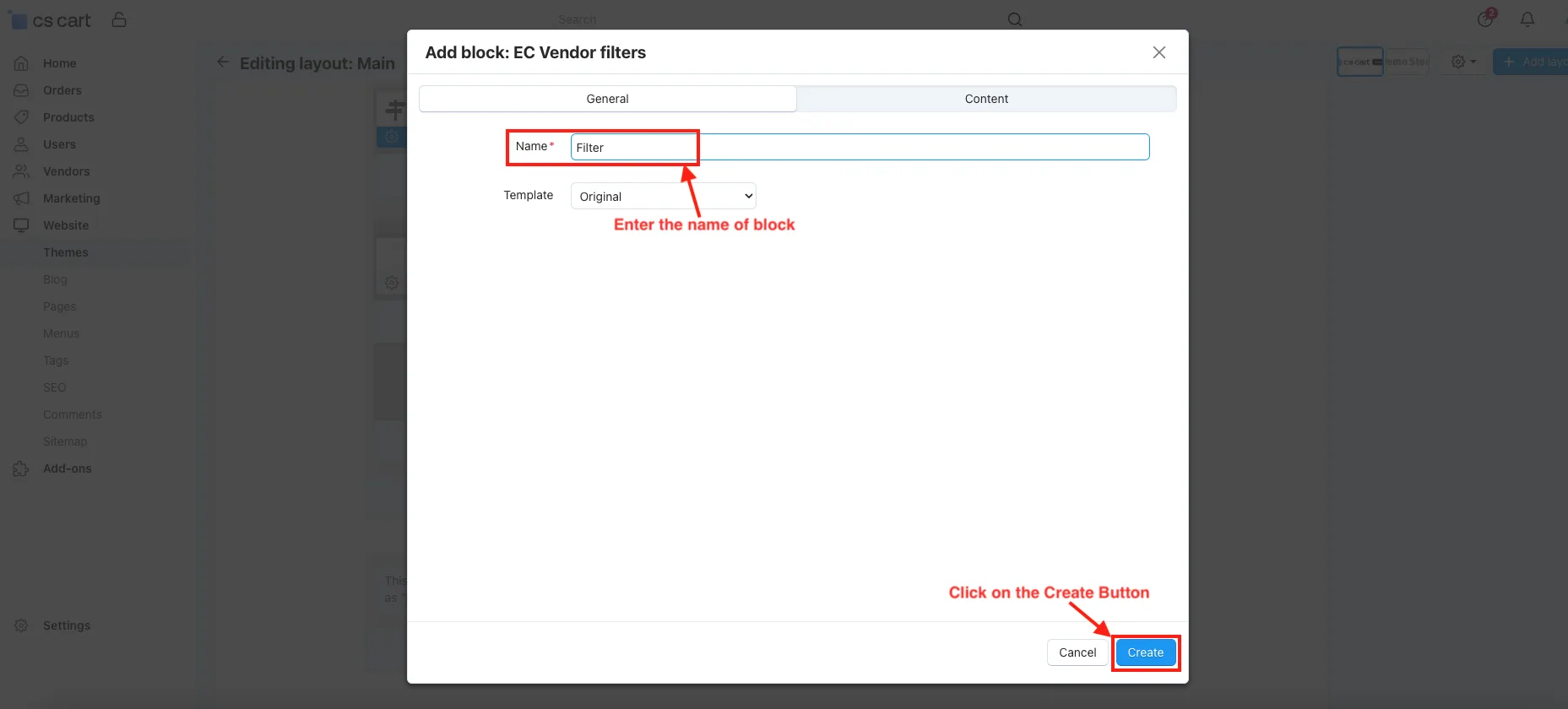
- Name: Enter the name of the block.
- Click on the Create Button.
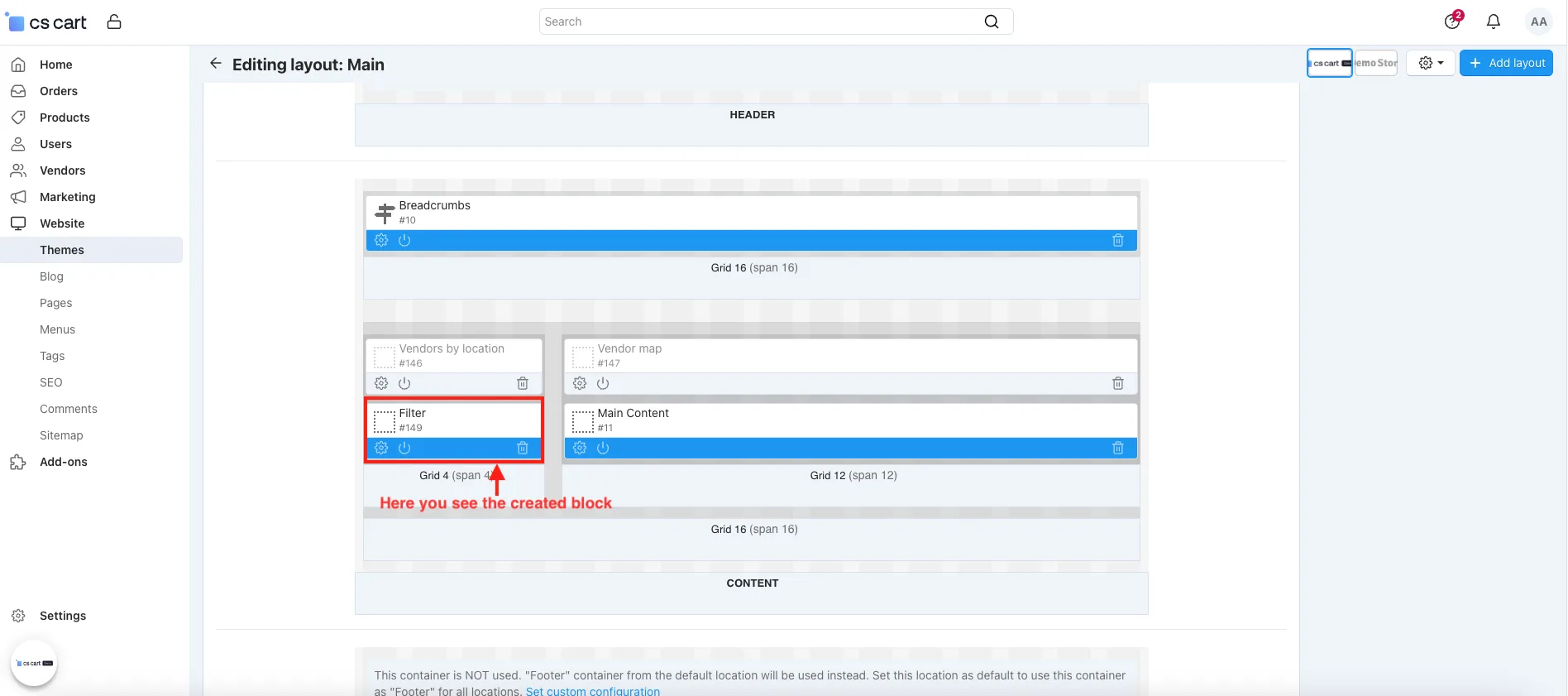
- Here you see the created block.
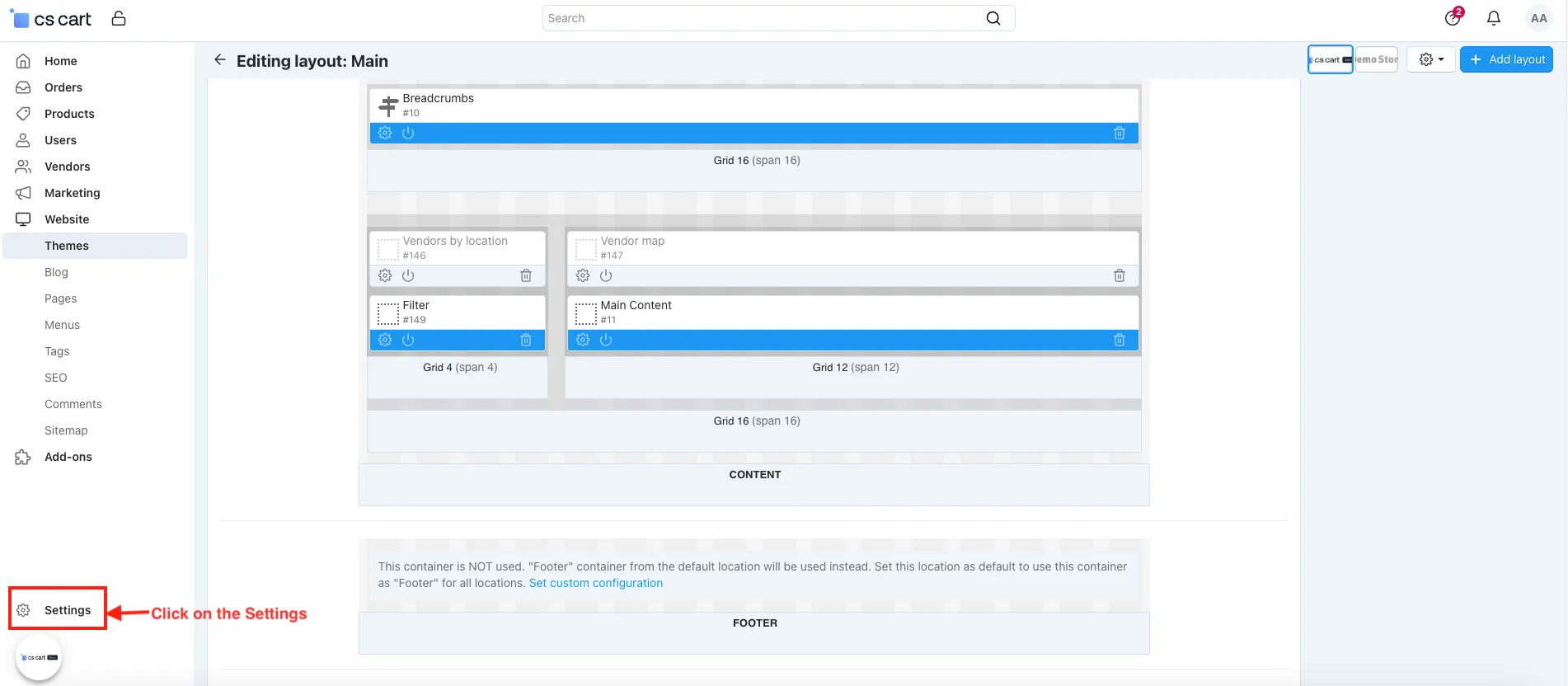
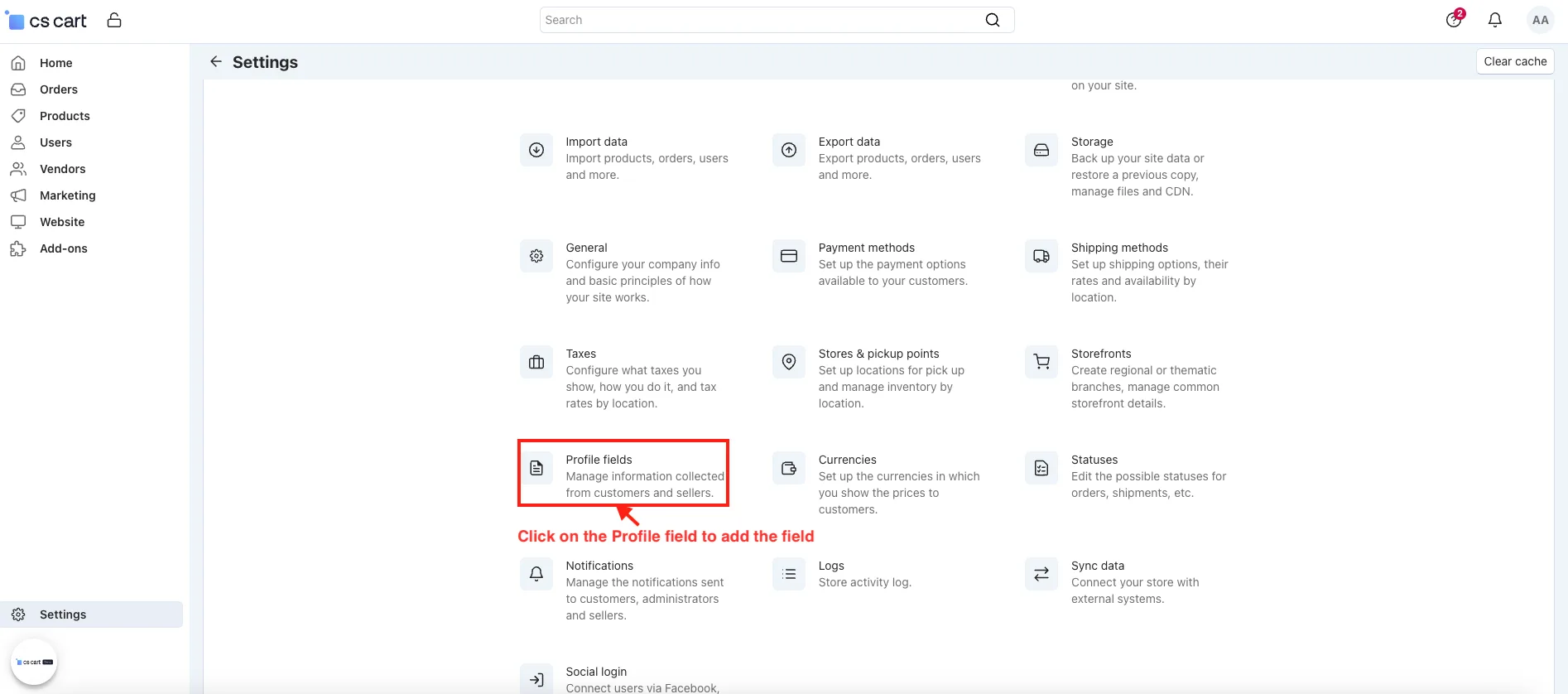
- Go to the Settings.
- Click on the Profile field to add the field.
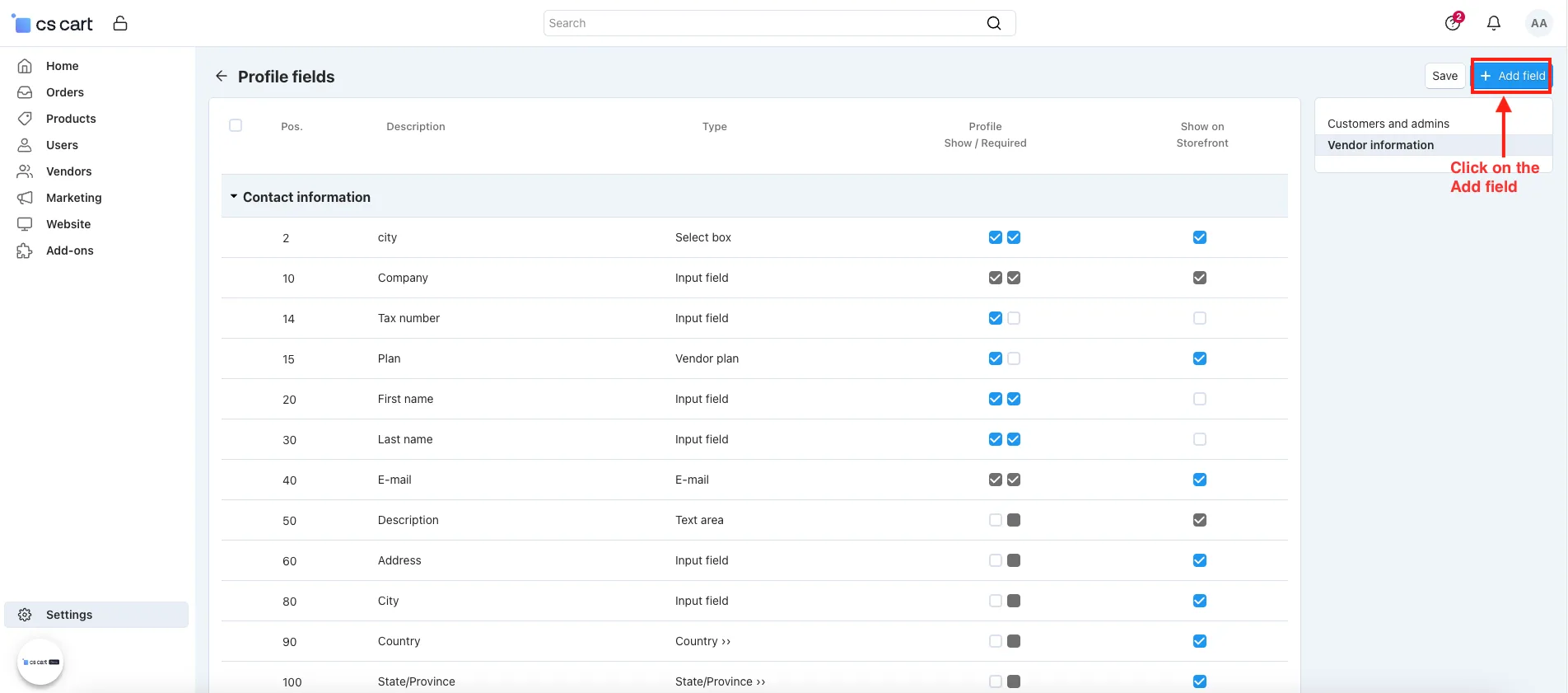
- Click on the Add field.
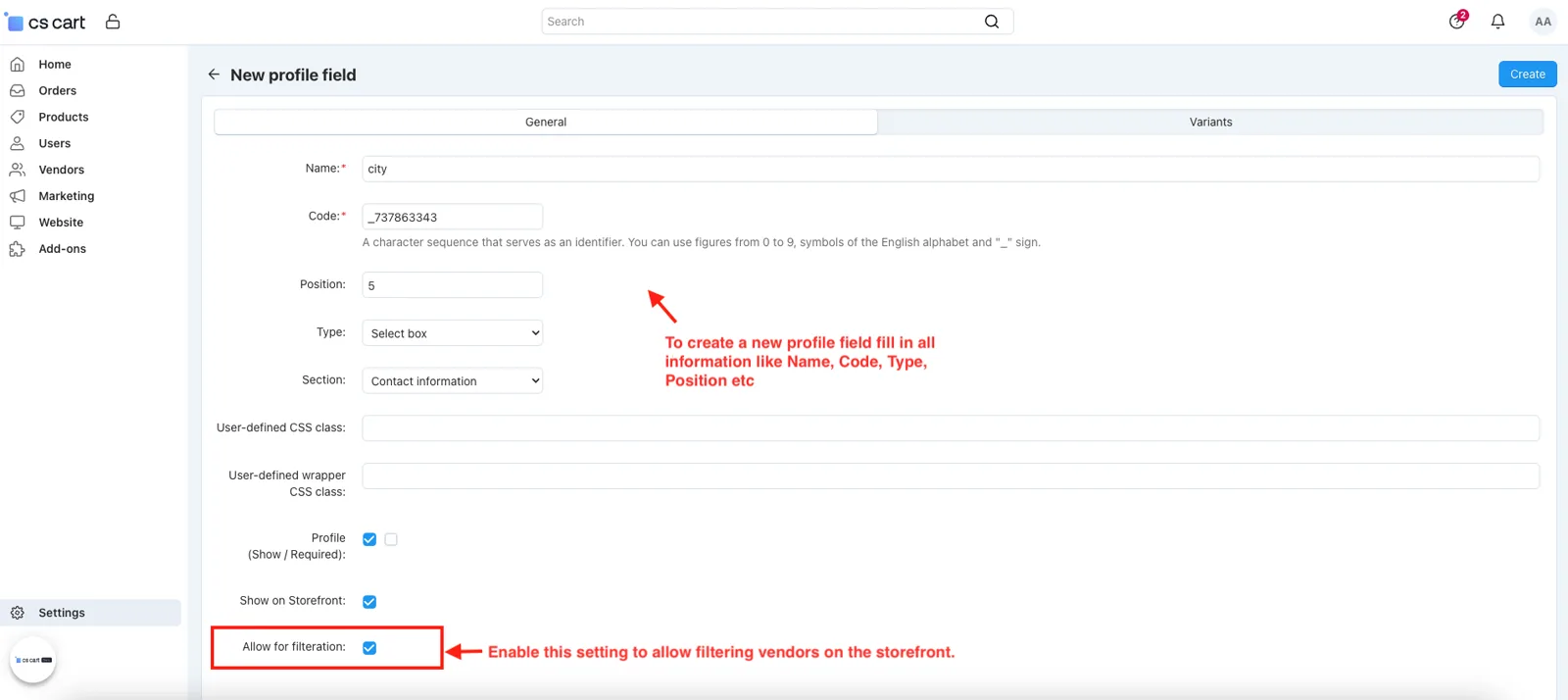
- To create a new profile field fill in all information like Name, code type position, etc.
- Allow for Filtration: Enable this setting to allow filtering vendors on the storefront.
- Go to the vendor.
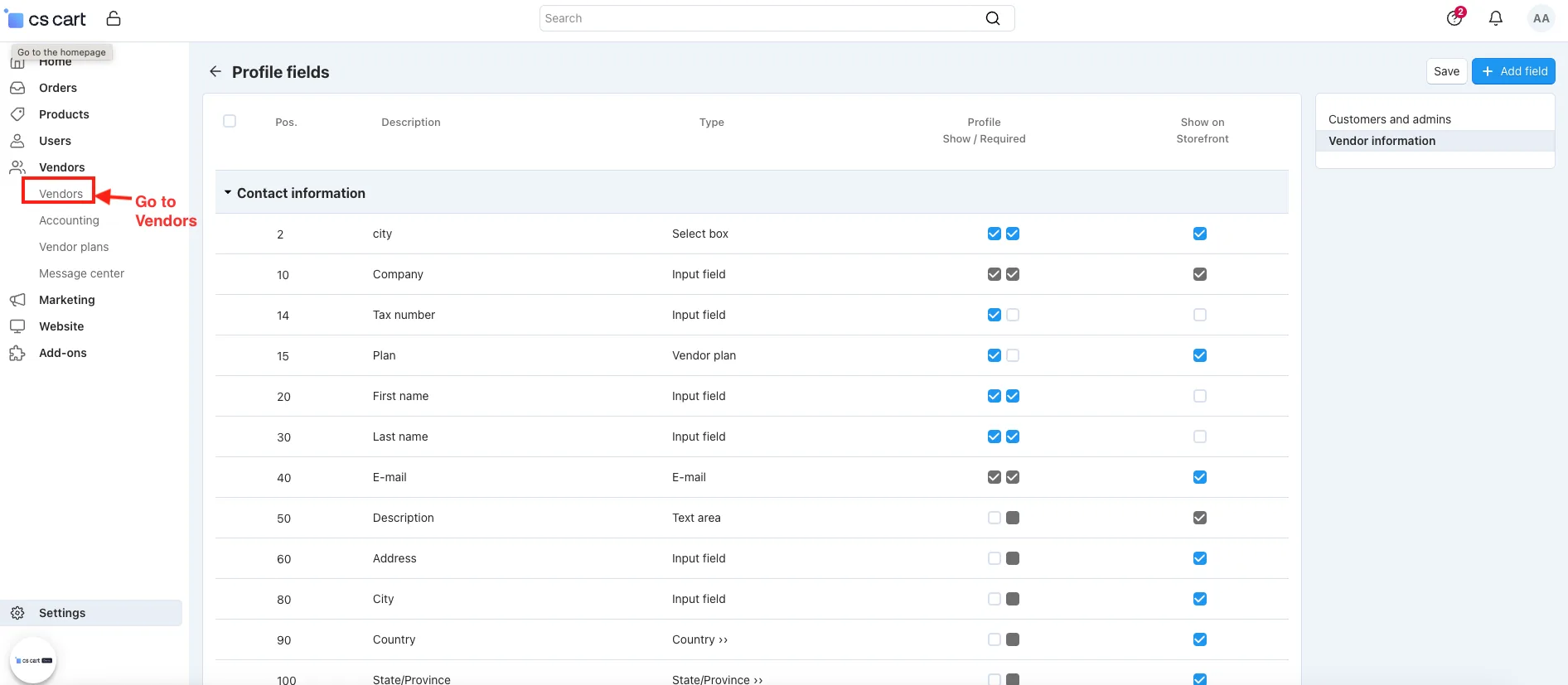
- Open any vendor.
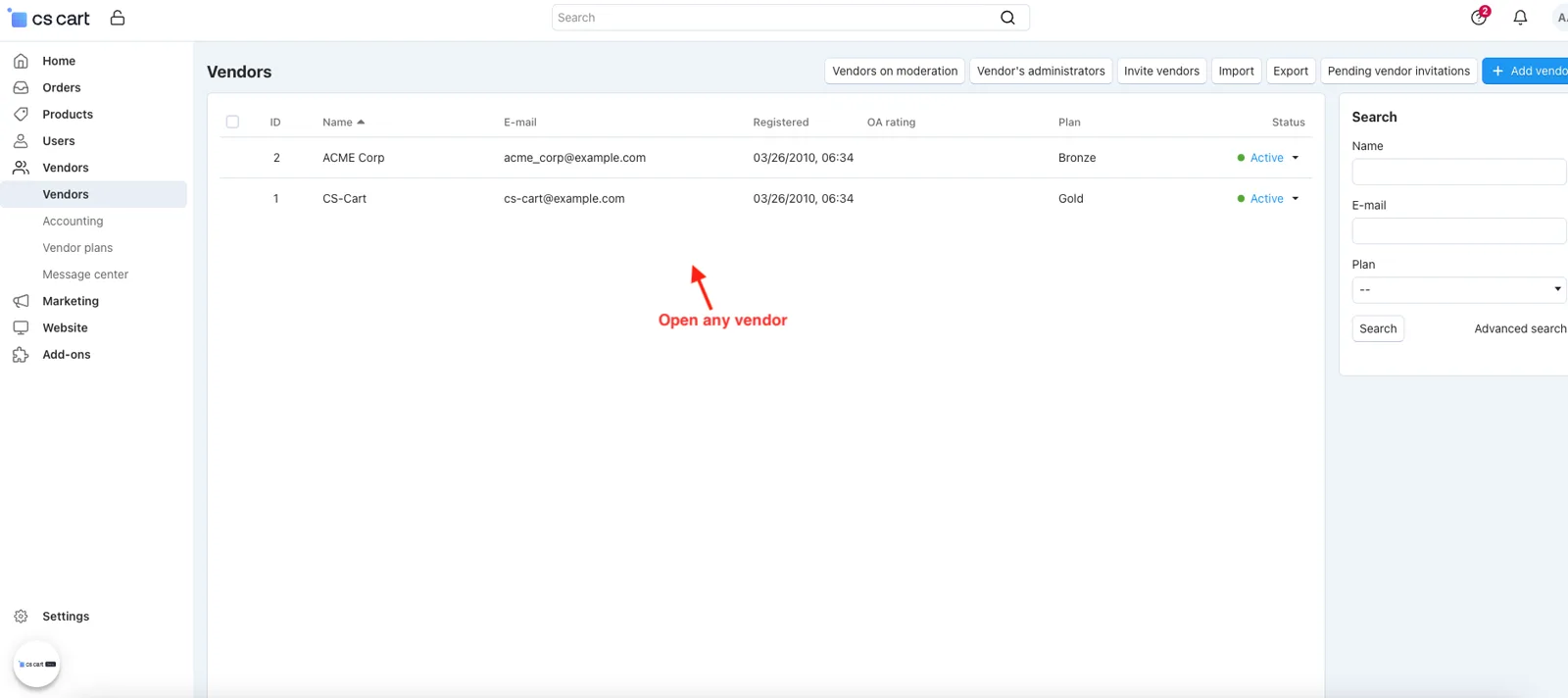
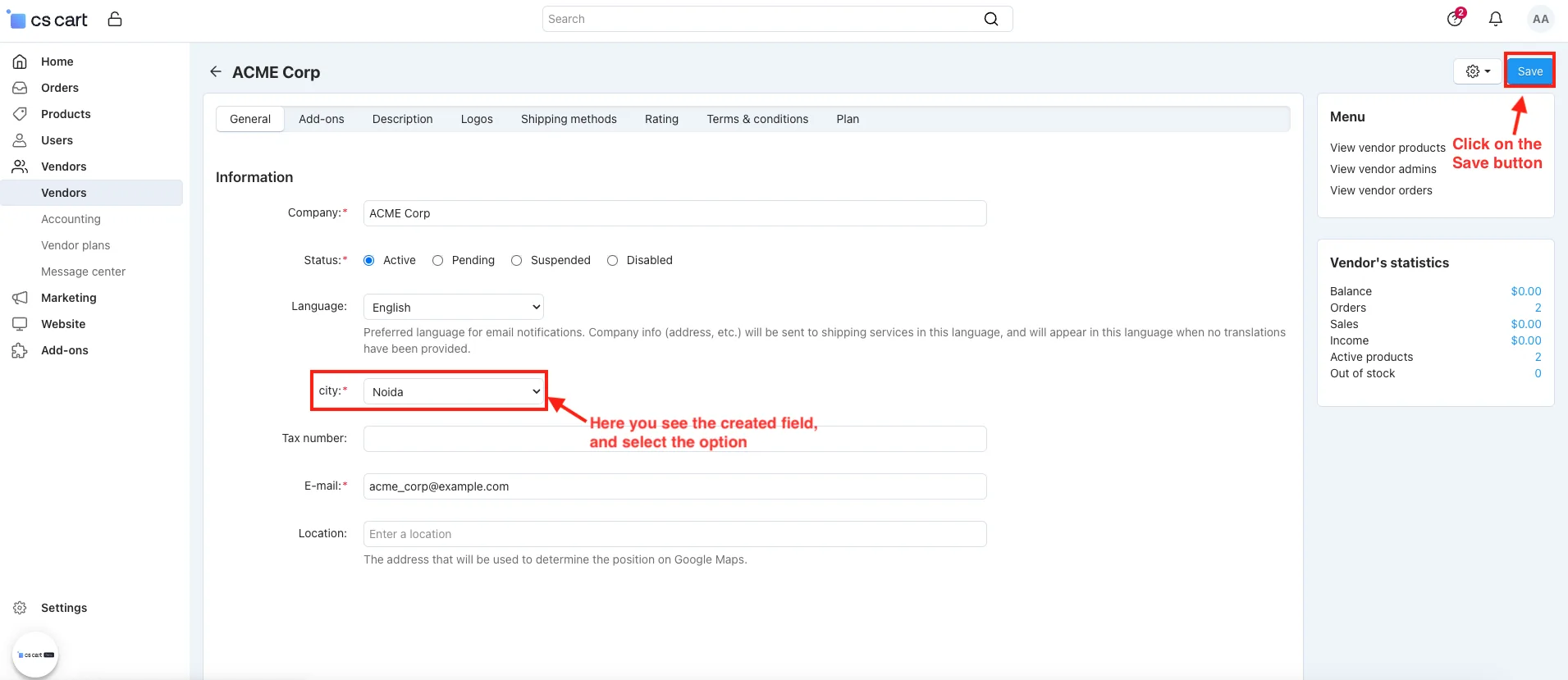
- Here you see the created field.
- Here select the option.
- Click on the Save button.
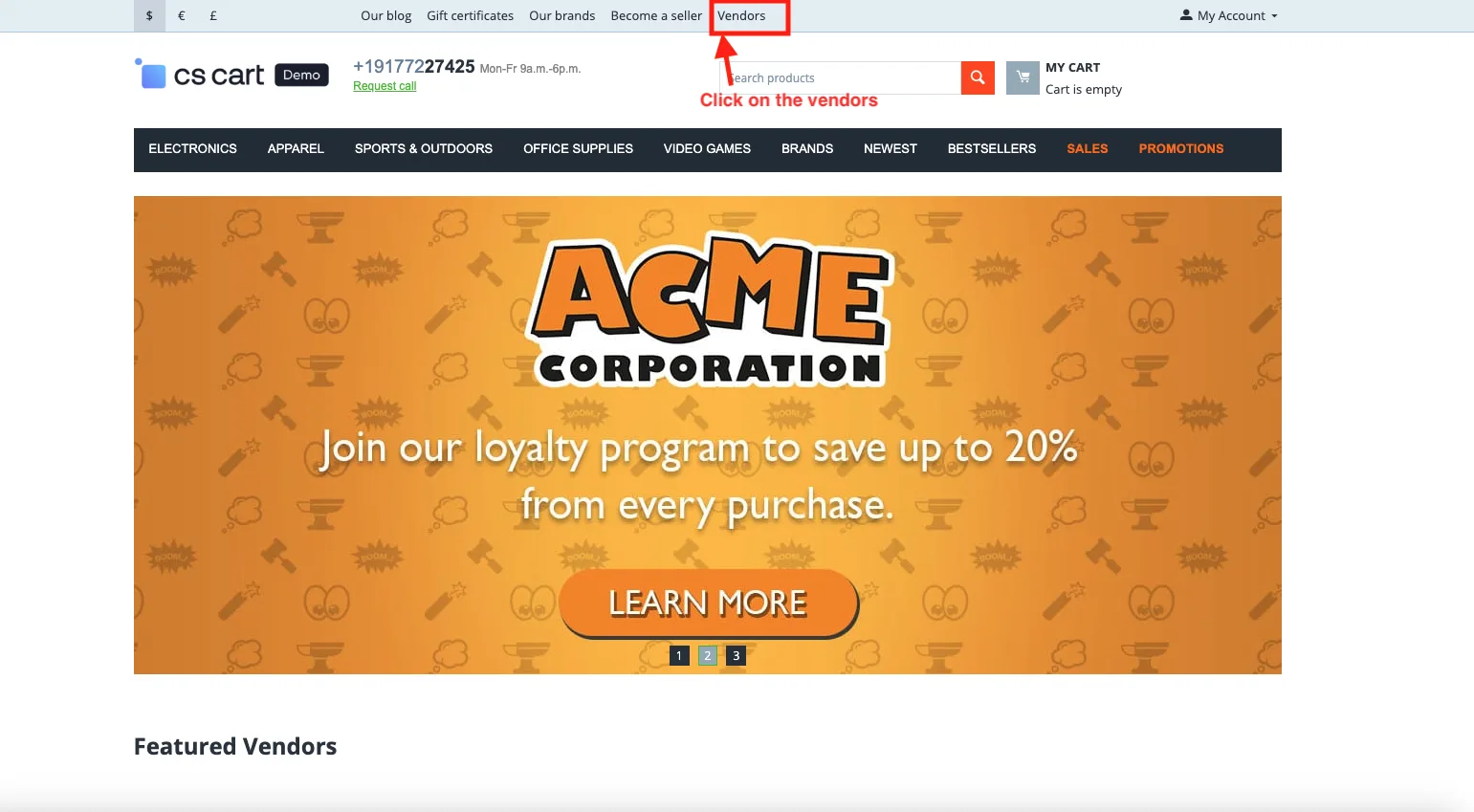
- Go to the Storefront.
- Click on the Vendors
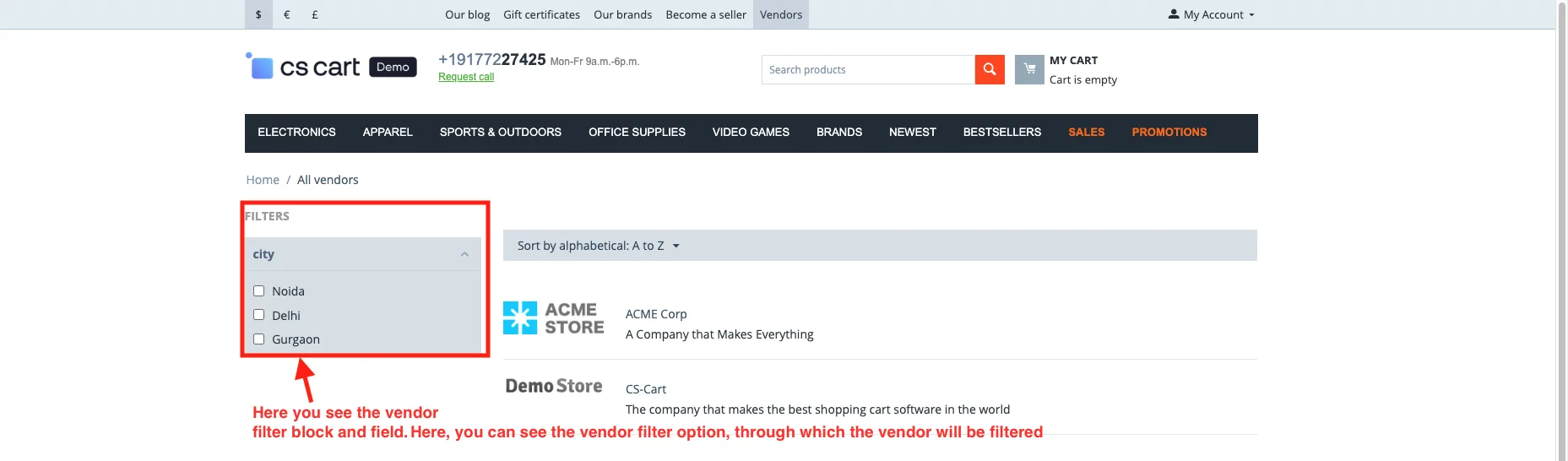
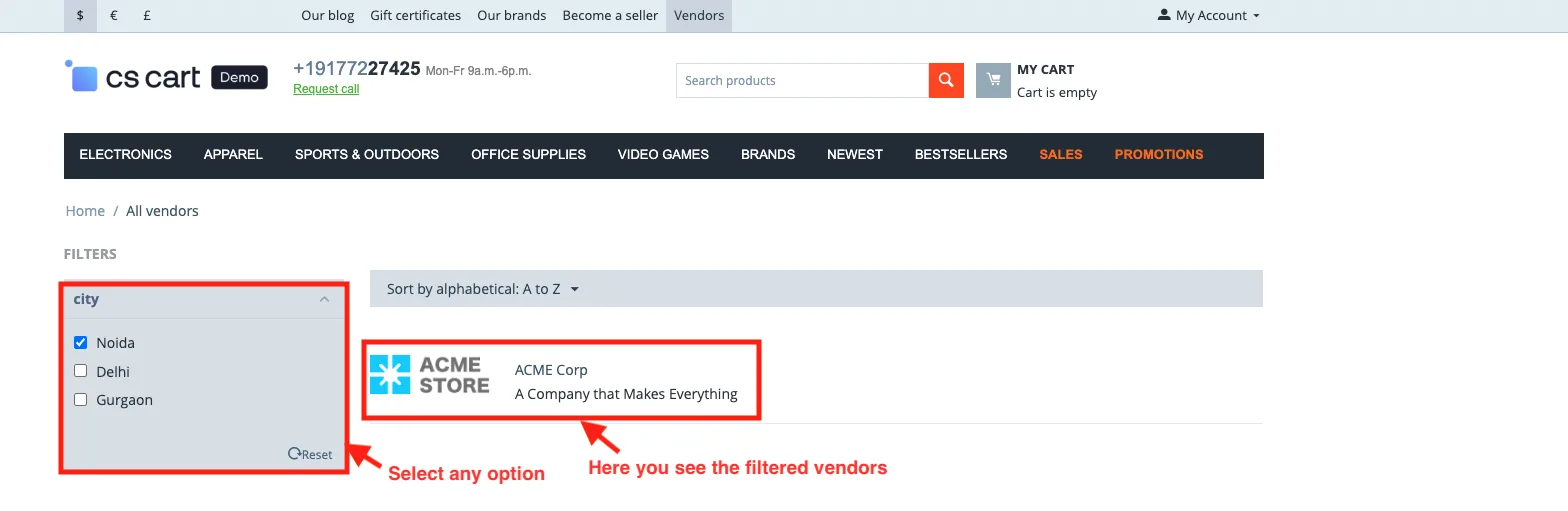
- Here you see the vendor filter block and field.
- Here, you can see the vendor filter option, through which the vendor will be filtered.
- Select any option.
- Here you see the filtered vendors.
Addon-Version:
Version-1.0
Supported Versions:
CS-Cart, CS-Cart Multivendor 4.8.x, 4.9.x,4.10x,4.11x,4.12,4.13x, 4.14x, 4.15x, 4.16x, 4.17x, 4.18x
Support:
This app is developed and published by Ecarter Technologies Pvt. Ltd., a CS-Cart developer. You are guaranteed quality add-ons.
Frequently asked questions
What can customers filter vendors by with this add-on?
You define the filter fields yourself, so vendors can be filtered by attributes such as vendor name, code, and city. Once a filter field is created, vendors can be selected and shown based on those values on the storefront.
Does it work with CS-Cart Multi-Vendor, and which editions are supported?
Yes. The add-on integrates with CS-Cart Multi-Vendor and works with its Standard, Plus, and Ultimate versions.
Is there anything I need to install before this add-on?
Yes. Because it depends on the CS-Cart Vendor Filter Beta add-on, you must activate that beta add-on first before installing and using the Vendor Filter Add-on.
How do I set up the vendor filter on the storefront?
After installing, open the add-on and enable the "Allow for Filtration" setting, then create the filter fields you want. To display it, go to the layout and add the vendor filter block where it should appear.
Kajal is a Technical Content Writer at Ecarter Technologies. She writes technical documentation and in-depth guides on eCommerce platforms, mobile commerce and AI in online retail.