
Vendor Cost Price
Vendor Cost Price Addon allows the admin to set and manage the vendor cost price of products sold by vendors
The Vendor Cost Price add-on for CS-Cart Multi-Vendor lets store admins set and manage the cost price of products sold by vendors, and calculate the profit on each order automatically. By recording what each product costs from the vendor, the admin can track order profit, total product price, and margins in one place instead of working them out manually. The add-on also supports a cost-price commission setting, so the admin can take a commission on each product sold, and an optional per-product order discount. It is built for administrators of CS-Cart Multi-Vendor stores who want clearer cost tracking, more accurate profit figures, and better financial control over vendor sales.
 Vendor Cost Price Addon for CS-Cart allows the admin to set and manage the vendor cost price of products sold by vendors. By enabling cost price commission setting admin gets the commission from each sale product. This add-on helps maintain pricing, track order profits and total product price, and enhance overall store management efficiency.
It also automates profit calculations, ensuring accurate cost tracking and transparency between the admin and vendors. With flexible options like order discounts and cost price updates, the add-on simplifies store operations and improves financial control within the CS-Cart Multi-Vendor platform.
Features:
- Vendor Cost Price Management: Admins can set and manage the vendor cost price for each product.
- Order Profit Calculation: Automatically calculates profit for each order based on vendor cost prices.
- Well integrated with CS-Cart multi-vendor.
- Store Management Efficiency: Enhances overall store management by streamlining cost price and profit tracking.
- Automated Updates: Automatically update product prices based on vendor cost changes.
- Order Discount: Enable this setting to apply a discount on each product within an order.
Installation:
How to install Addon
https://store.ecarter.co/blogs/how-to-install-addon/
How Addon Works:
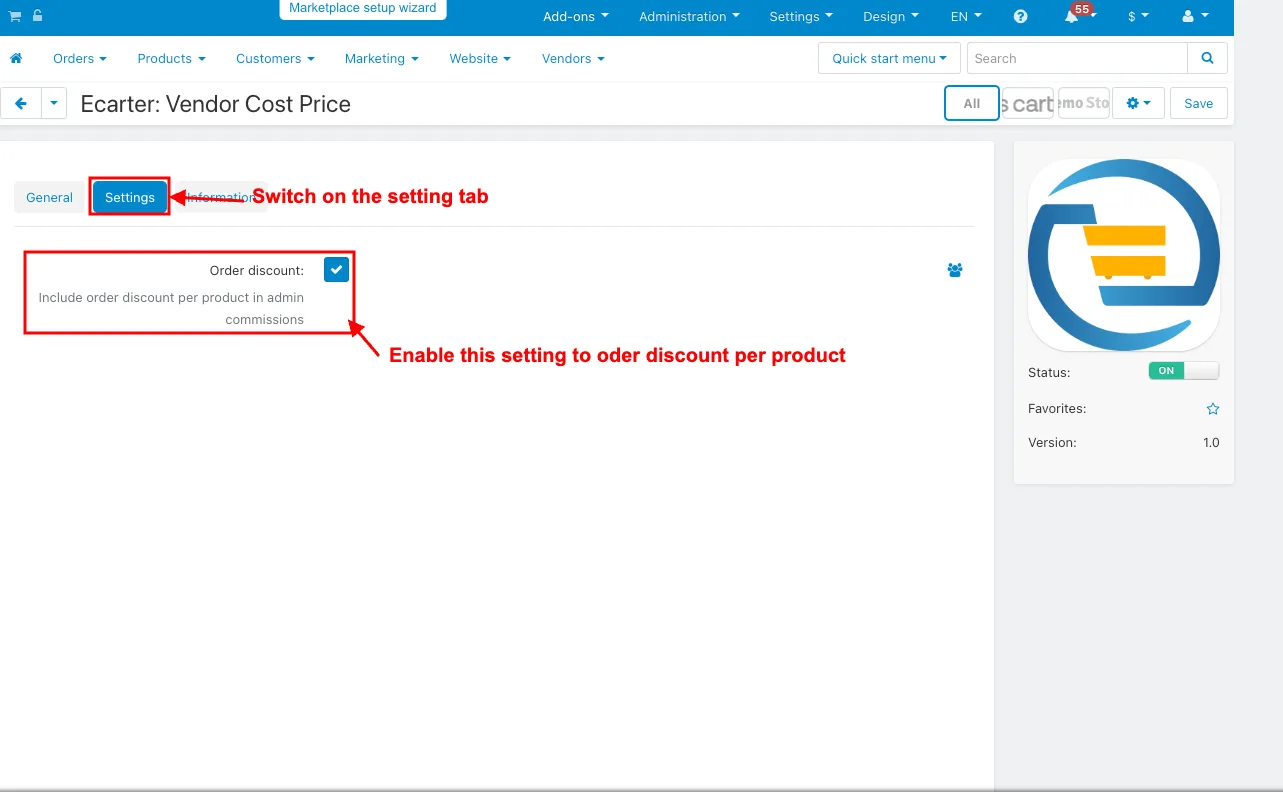
- Open the addon.
- Switch the settings tab.
- Order discount: Enable this setting to order discount per product.
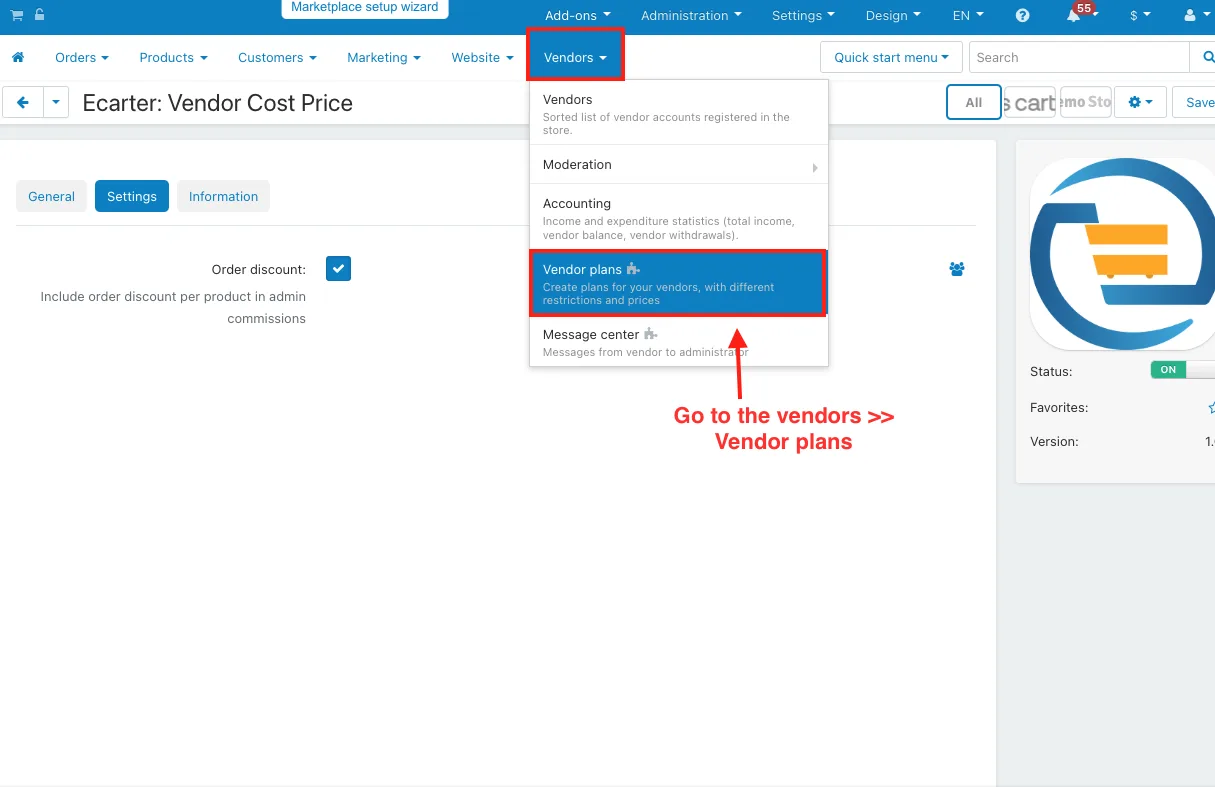
- Go to the vendor>>vendor plans.
- Open any vendor plans.
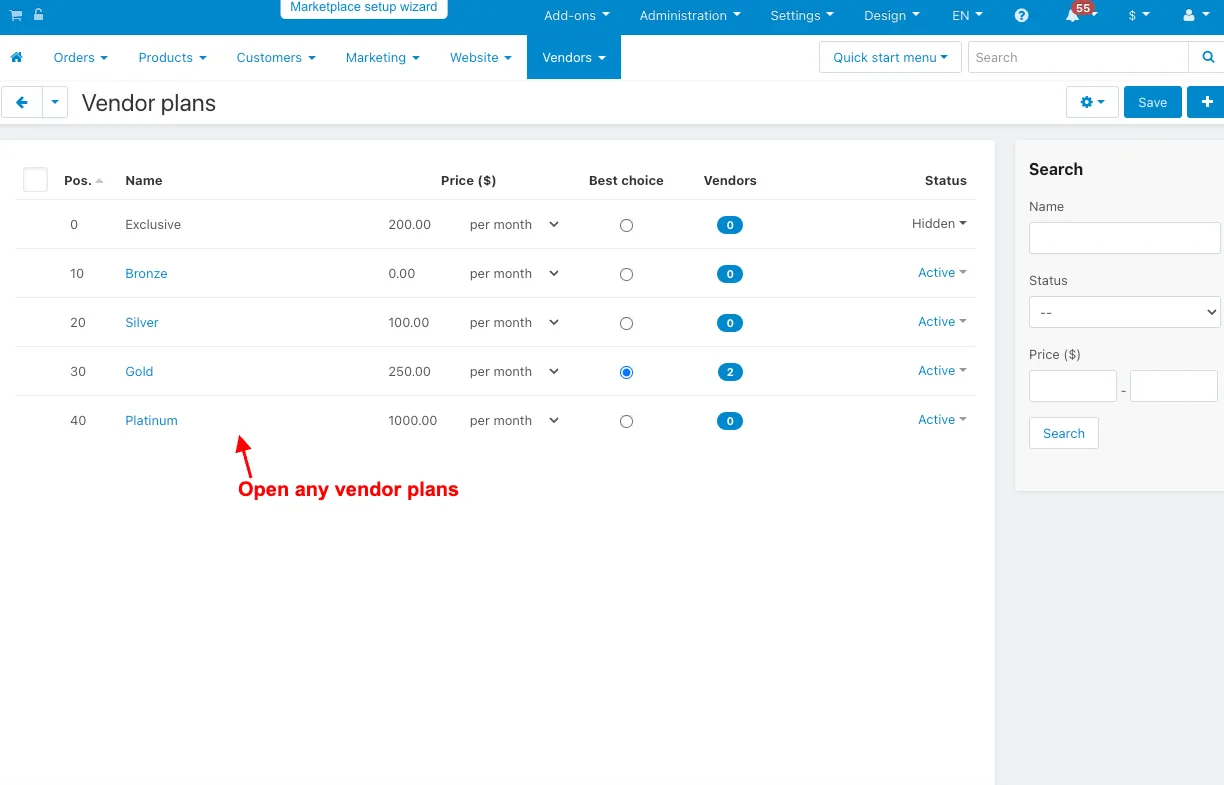
- Open the vendor plans editing page.
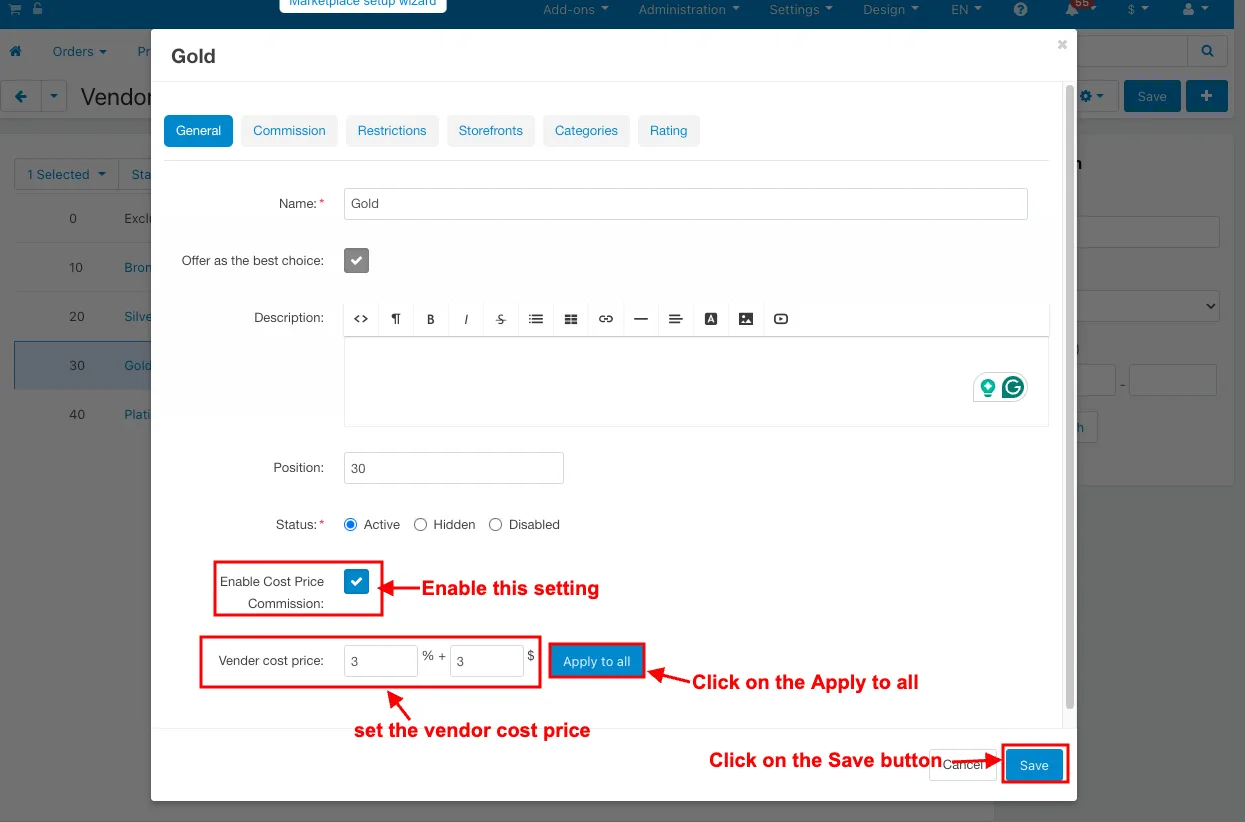
- Enable Cost Price Commission: Enable this setting.
- Vendor cost price: set the vendor cost price.
- Click on the Apply to all.
- Click on the Save button.
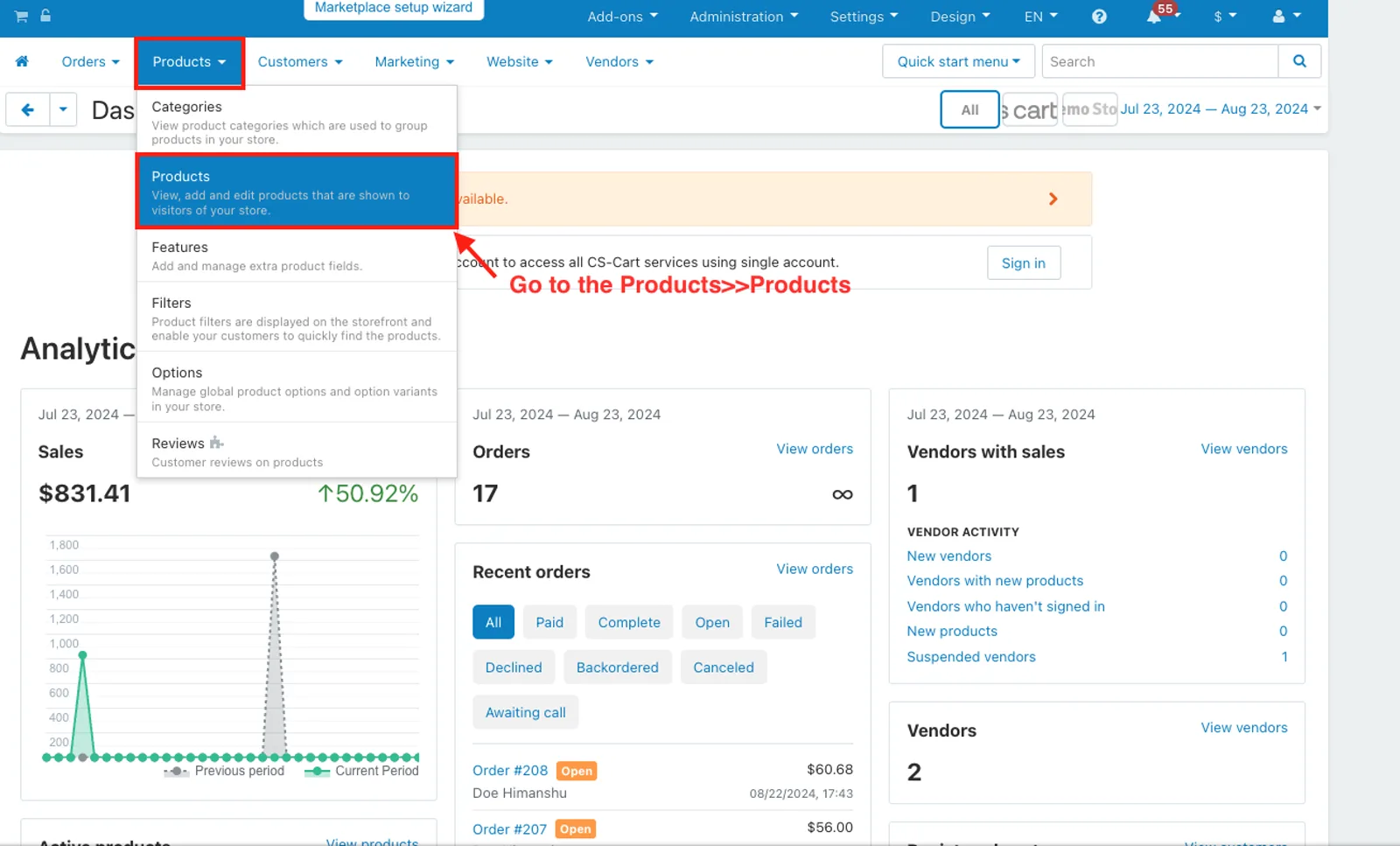
- Go to the Products>>Products.
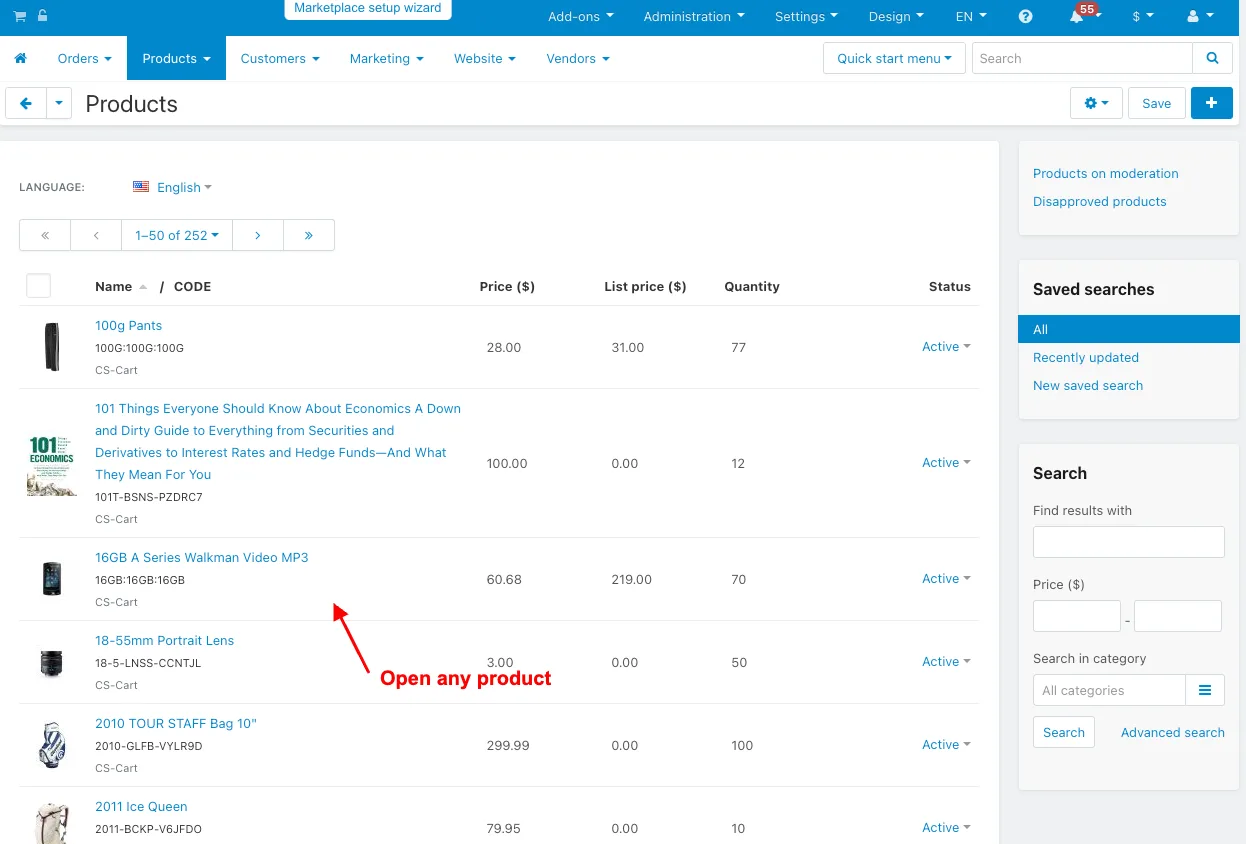
- Open any product.
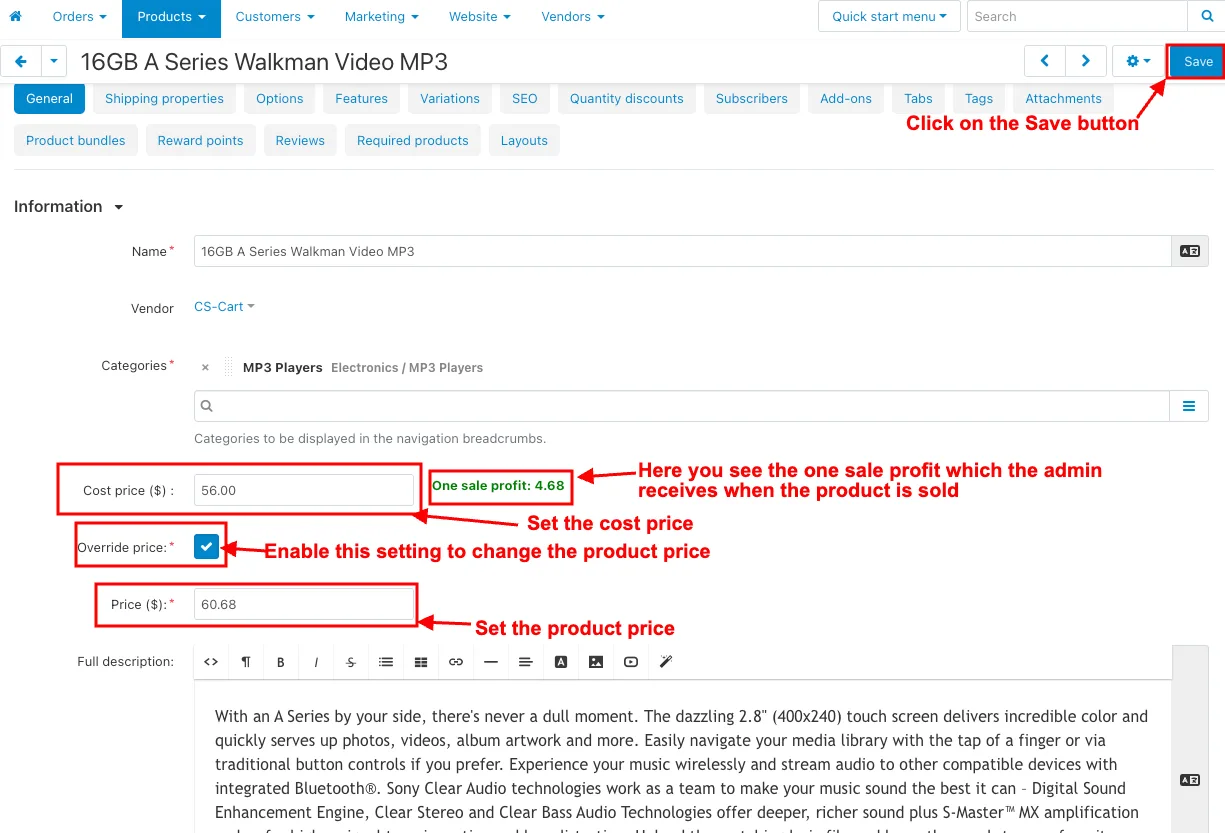
- Product editing page will be open
- Cost Price: Set the cost price.
- Override price: Enable this setting to change the product price.
- Price: Set the product price.
- Click on the Save button.
- Here you see the one sale profit which the admin receives when the product is sold.
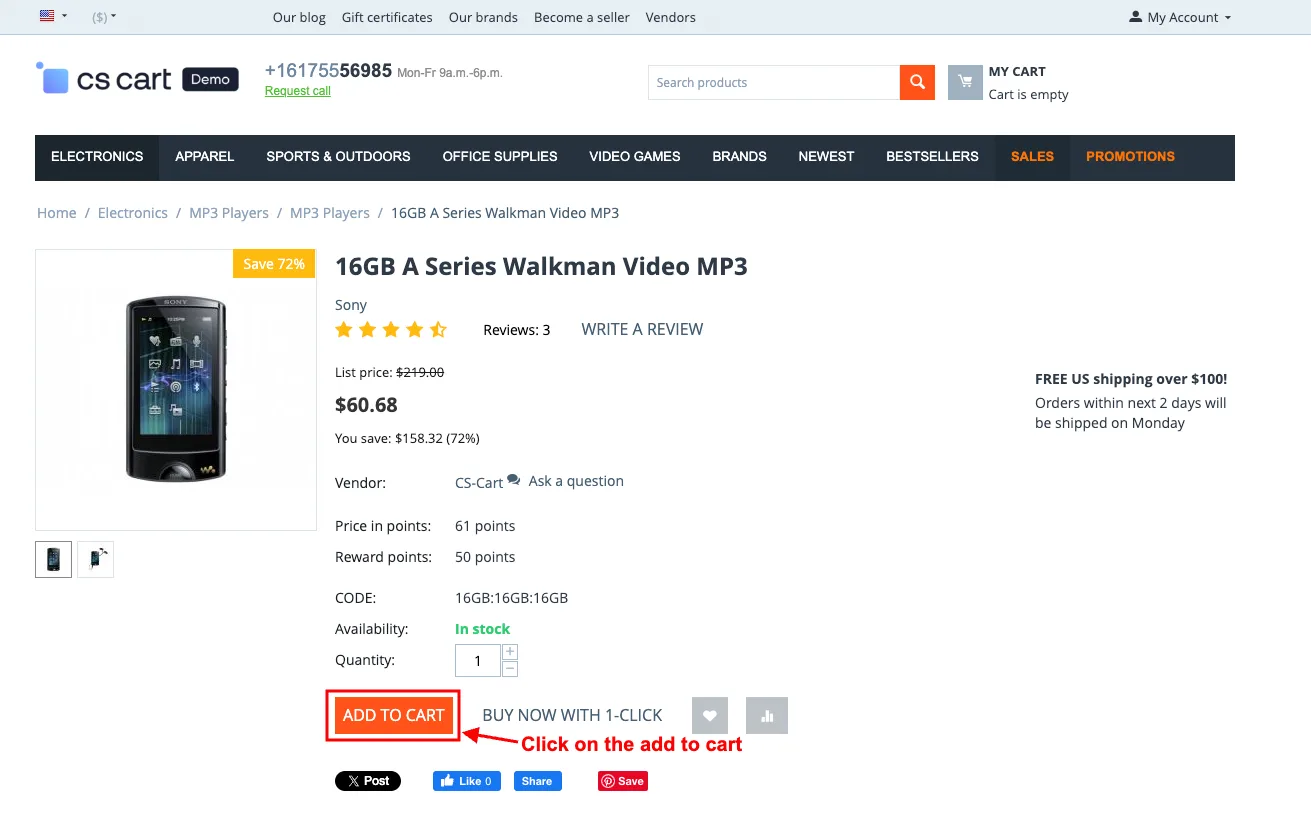
- Click on the add to cart.
- After enabling the order discount setting, you see the order discount.
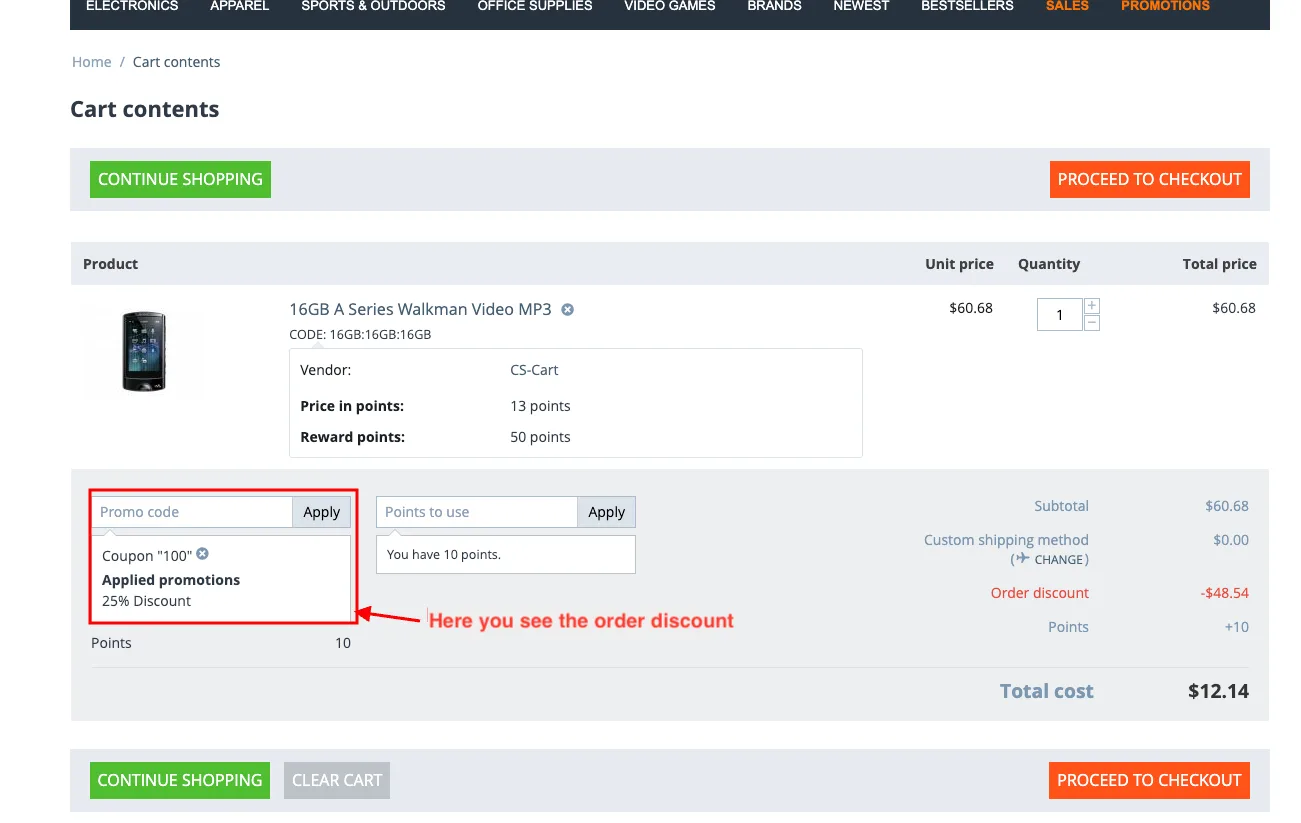
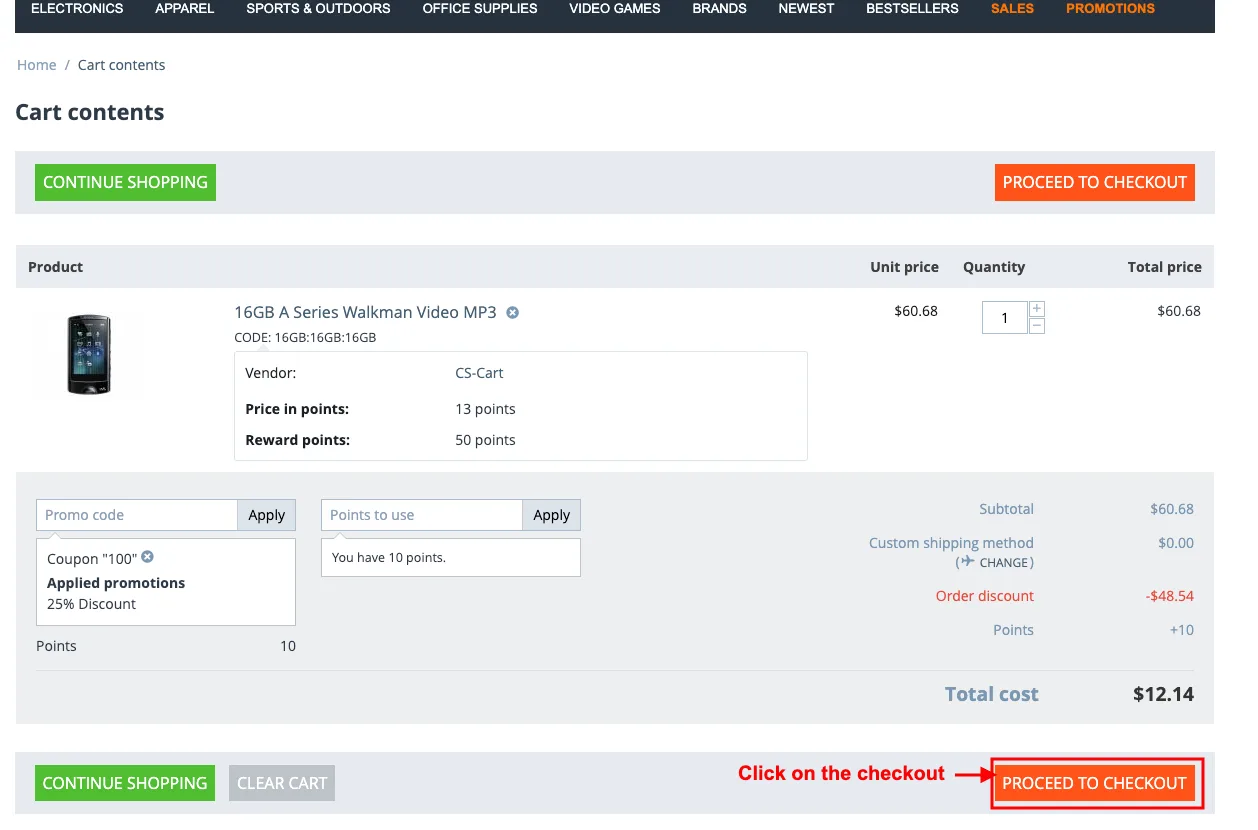
- Click on the checkout.
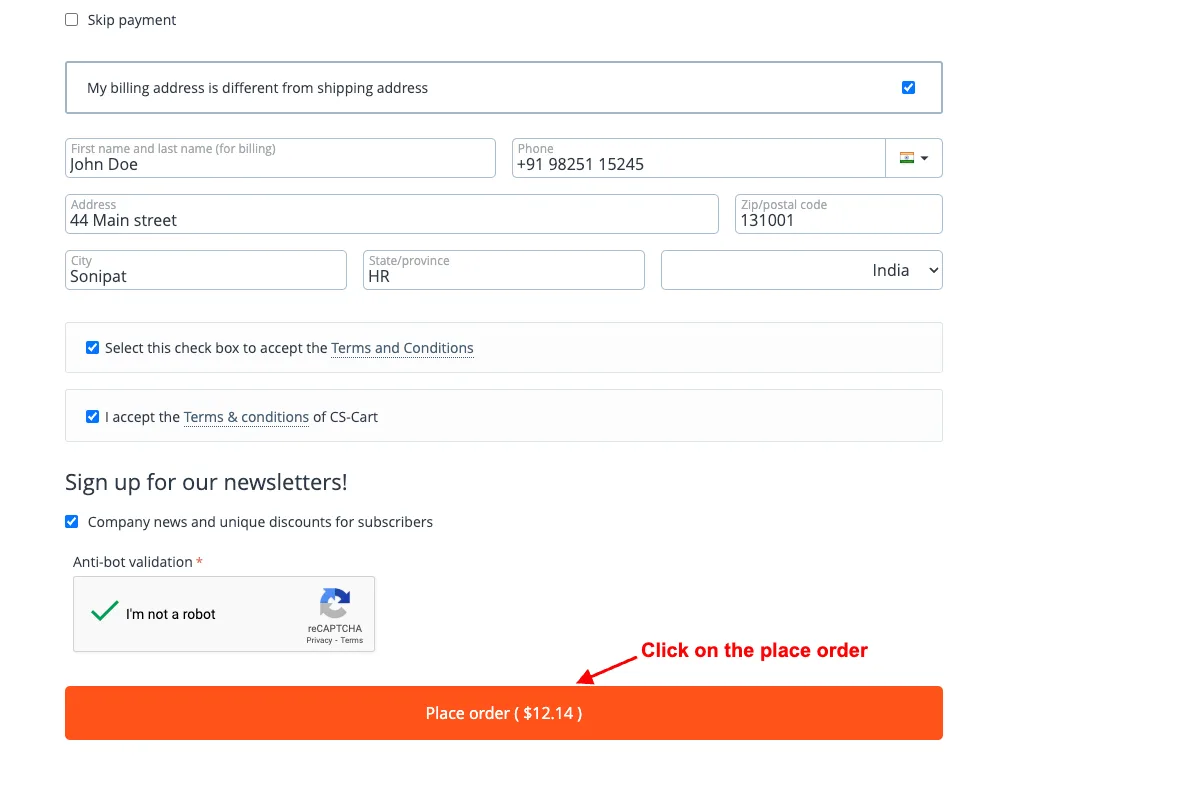
- Click on the place order on the checkout page.
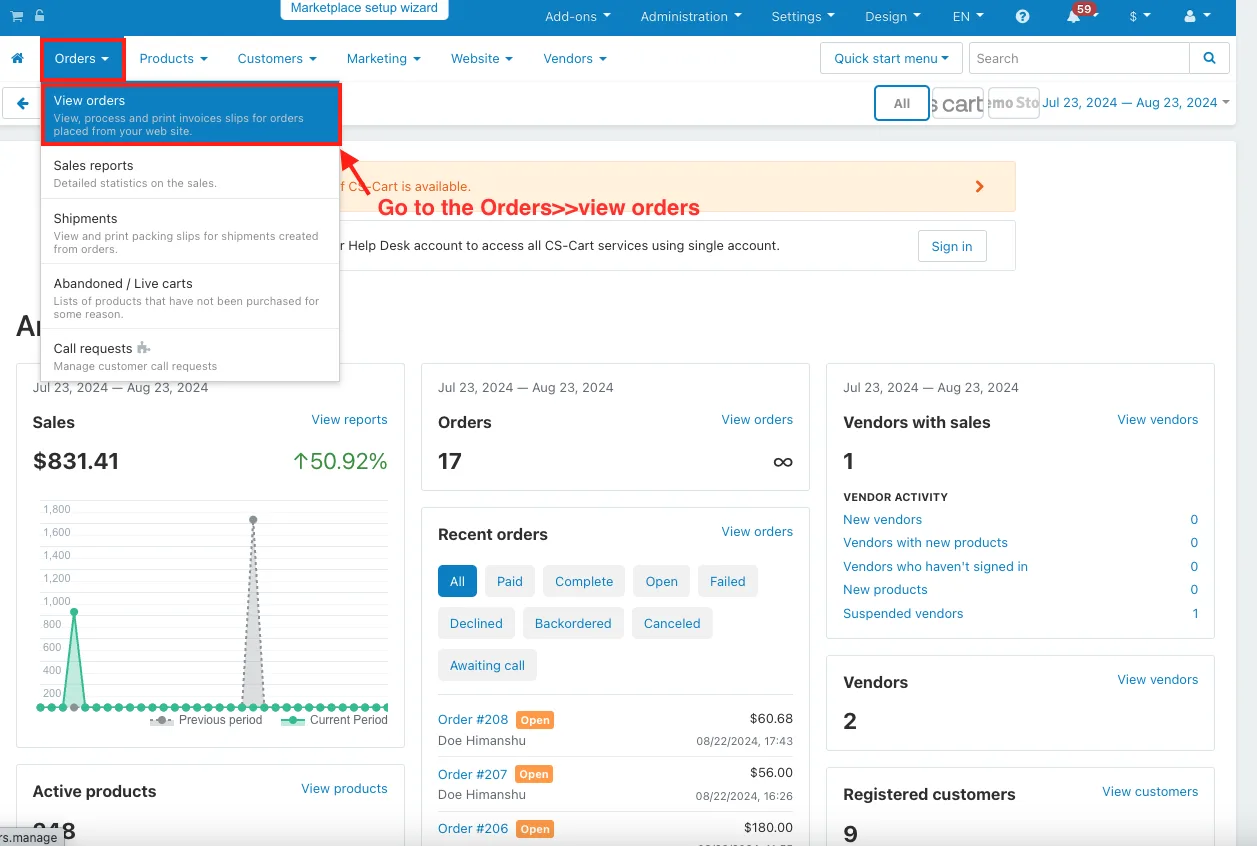
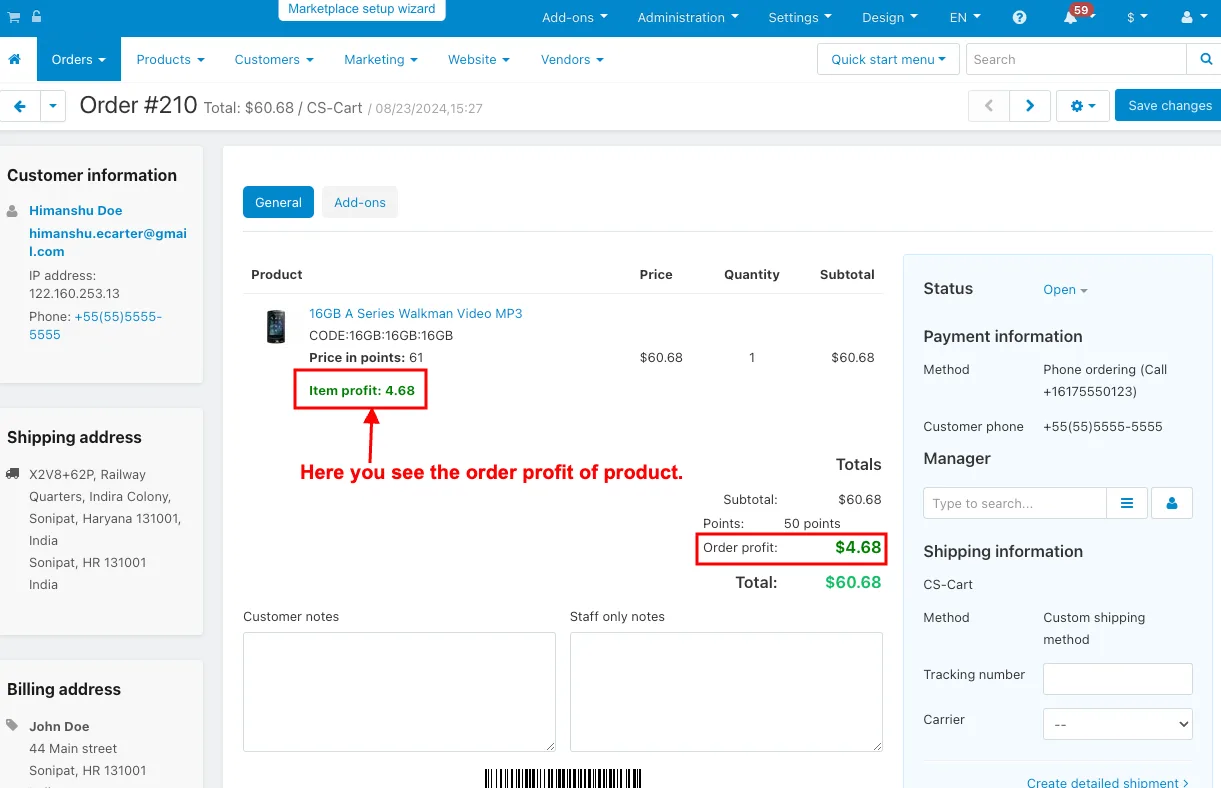
- Go to the Orders>>view orders in the admin panel.
- Here you see the order profit of product.
Addon-Version:
Version-1.0
Supported Versions:
CS-Cart, CS-Cart Multivendor 4.8.x, 4.9.x,4.10x,4.11x,4.12,4.13x, 4.14x, 4.15x, 4.16x, 4.17x 4.18x
Support:
This app is developed and published by Ecarter Technologies Pvt. Ltd., a CS-Cart developer. You are guaranteed quality add-ons.
Frequently asked questions
What does the Vendor Cost Price add-on do?
It lets the admin set and manage a vendor cost price for each product, then automatically calculates the profit on each order based on those cost prices. This gives the admin a clear view of order profit, total product price, and margins without manual calculation.
Is it compatible with CS-Cart Multi-Vendor?
Yes. The add-on is built specifically for the CS-Cart Multi-Vendor platform and integrates with it to manage vendor cost prices and profit tracking. If you need confirmation for a specific version, share your version and we will confirm.
How does the order discount setting work?
There is an order discount option in the add-on settings. When enabled, it applies a discount to each product within an order, and you can turn it on from the settings tab after opening the add-on.
How do I install the add-on?
Installation follows the standard CS-Cart add-on process described in our guide at store.ecarter.co/blogs/how-to-install-addon. After installing, open the add-on, switch to the settings tab, and configure options such as the vendor cost price and the per-product order discount.
Kajal is a Technical Content Writer at Ecarter Technologies. She writes technical documentation and in-depth guides on eCommerce platforms, mobile commerce and AI in online retail.