
UPayments Payment Gateway
UPayments Payment Gateway: Get paid quickly with UInterface billing system and APIs and accept Knet, Mastercard, and VISA cards.
The UPayments Payment Gateway add-on connects your CS-Cart store to UPayments, letting customers pay at checkout using Knet, Mastercard, and VISA cards through UPayments' UInterface billing system and APIs. It adds UPayments as a payment method that store owners configure in the admin panel by entering details such as the payment method name, merchant ID, API key, username, and password. At checkout, customers enter their card details, and once the payment is confirmed the transaction is processed and the order status updates automatically. It is aimed at CS-Cart store owners, particularly those serving Kuwait and the wider region, who want a secure and straightforward way to collect card and Knet payments.
TL;DR: UPayments Payment Gateway: Get paid quickly with UInterface billing system and APIs and accept Knet, Mastercard, and VISA cards.
This guide covers: How to install Addon: · How Addon works
The Upayment Gateway addon for CS-cart allows store owners to accept payments through Upayment, providing customers with a secure and smooth checkout experience. Once added Upayment becomes available as a payment option, ensuring hassle-free transactions.
Store owner can add the Upayment payment method by entering details such as the payment method name, merchant ID API key, username, password, and more in the admin panel.
When customers choose Upayment at checkout, they enter billing card details, including the bank name, card number, expiration date, and PIN. Once payment is submitted and confirmed, the transaction is processed, and the order status updates automatically.
This addon enhances the shopping experience by offering a reliable and efficient payment solution ensuring that every transaction is handled smoothly and securely.
Features:
- Secure Payment Processing: Accept payments through Upayment, ensuring safe and smooth transactions.
- Easy Setup: Simply add the Upayment payment method in the admin panel by entering details like Merchant ID, API key, username, password and more.
- Seamless Checkout: Customers can pay easily by entering their card details, including bank name, card number expiry date, and PIN.
- Reliable and Efficient: Provides a hassle-free payment experience, making checkout simple and secure for customers.
- Accept Knet, Mastercard, and VISA cards.
- CS-Cart Support info: The addon is well integrated with CS-Cart Multi-Vendor and can be used with its standard, Plus, and Ultimate Versions.
Installation:
How to install Addon:
https://store.ecarter.co/blogs/how-to-install-addon/
How Addon works
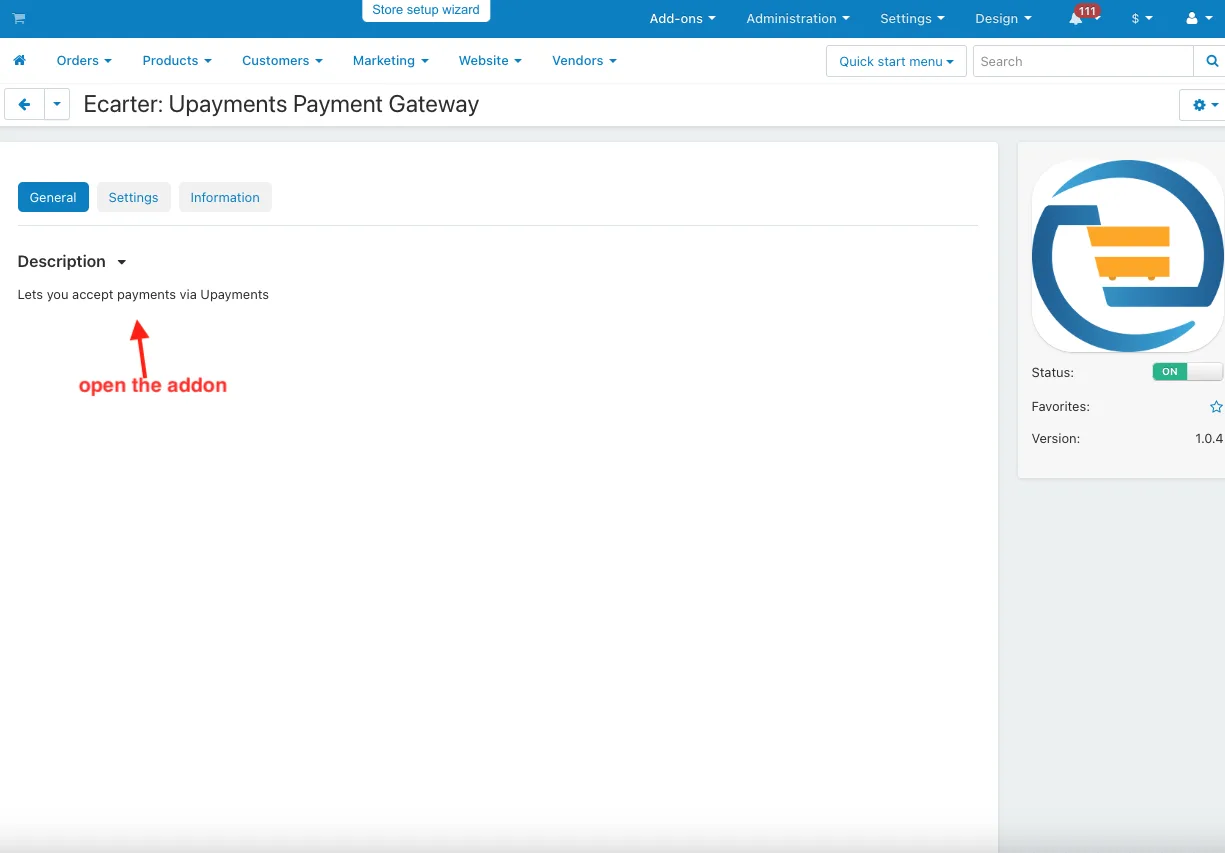
- Open the addon.
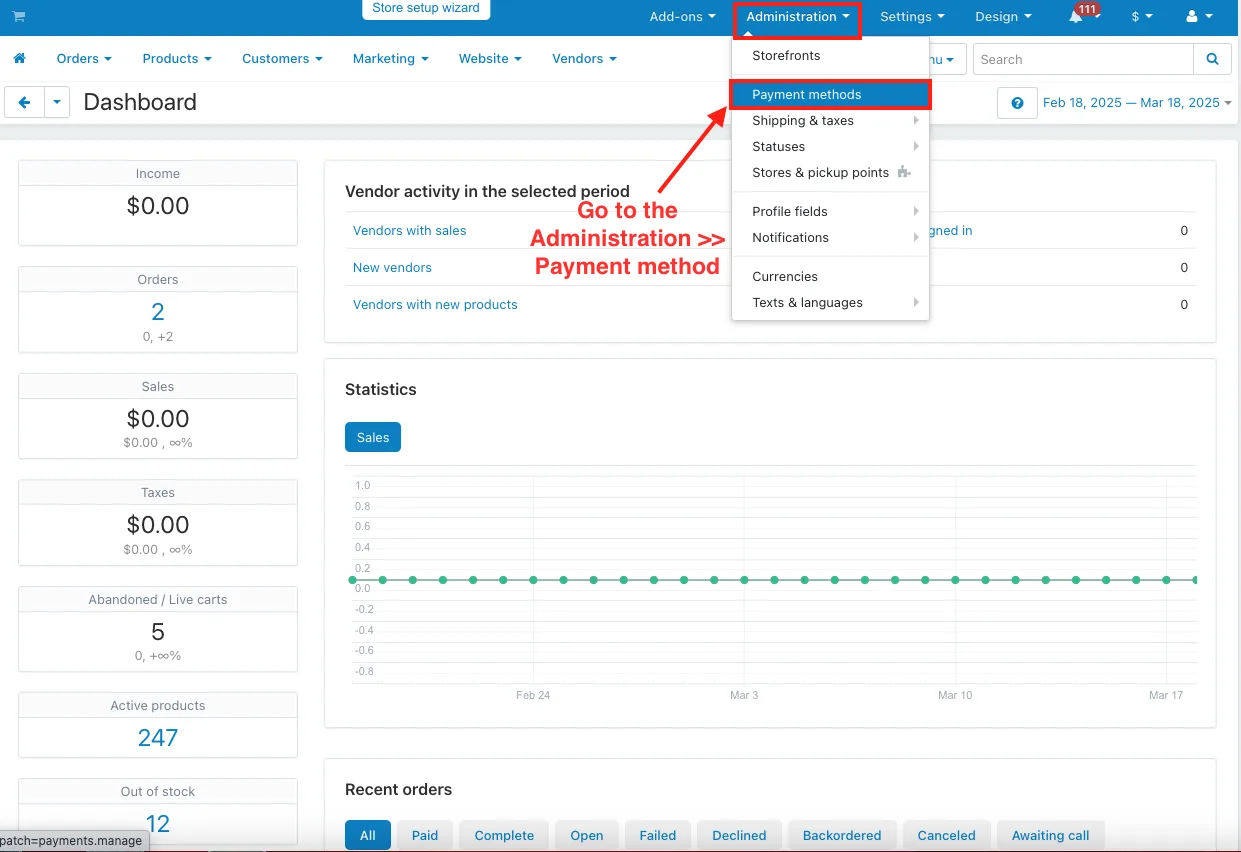
- Go to the Administration >> Payment method.
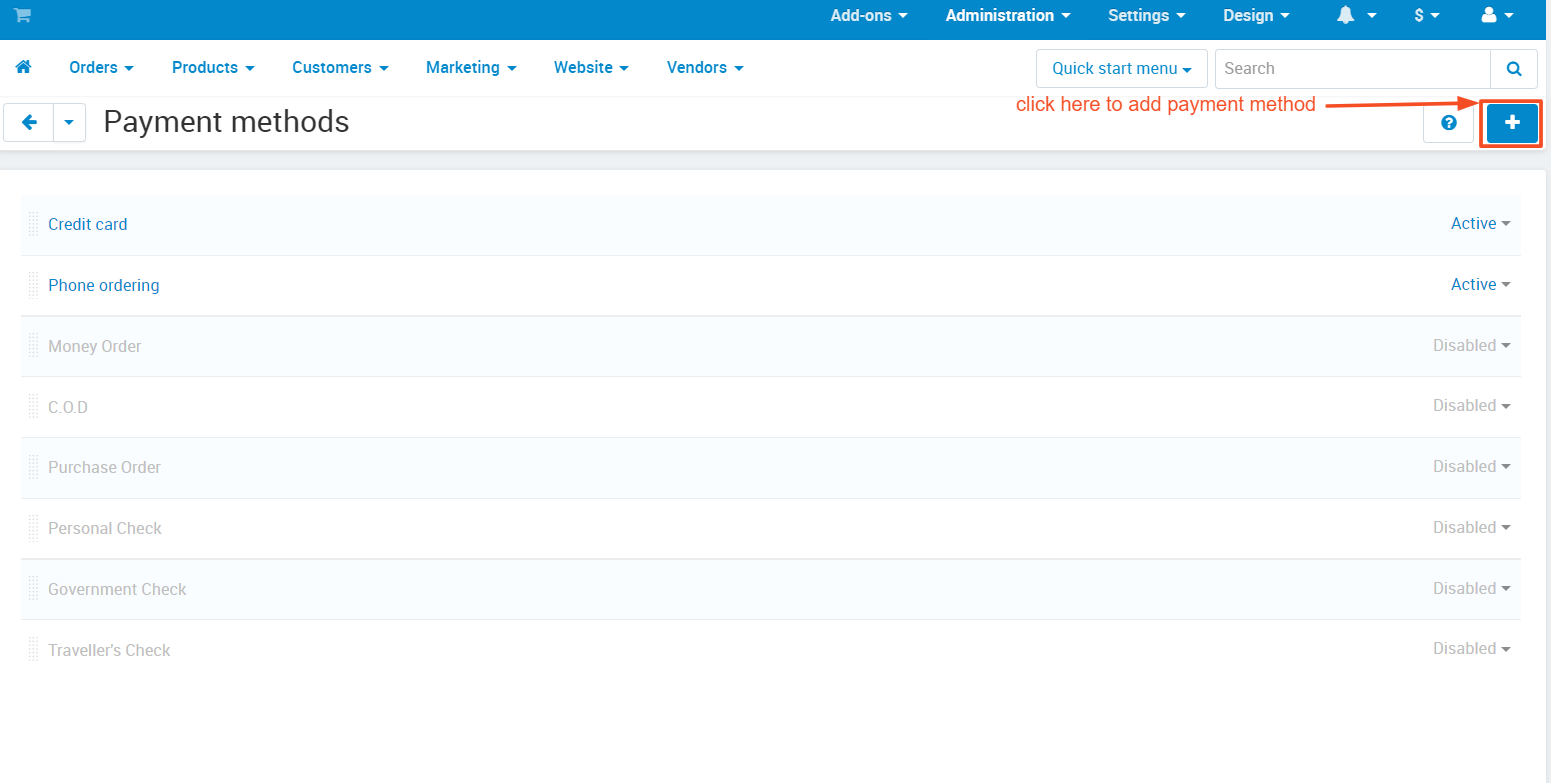
Add Payment method.
- Payment methods page will be open.
- Click on the (+) icon to add the Upayment payment method.
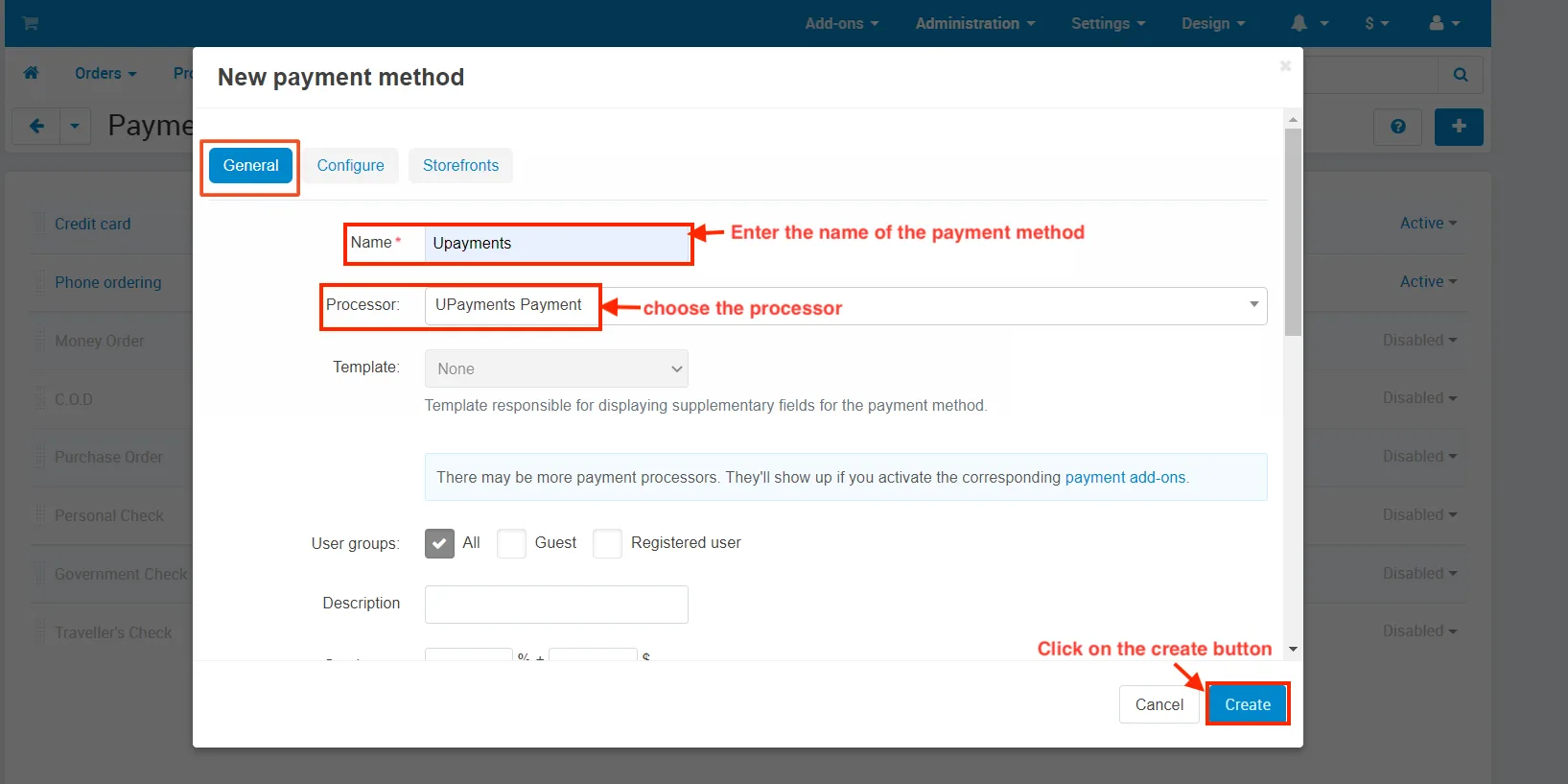
- open the New Payment method pop-up window.
- in the General tab.
- Name: Enter the name of the payment method.
- Processor: choose the processor.
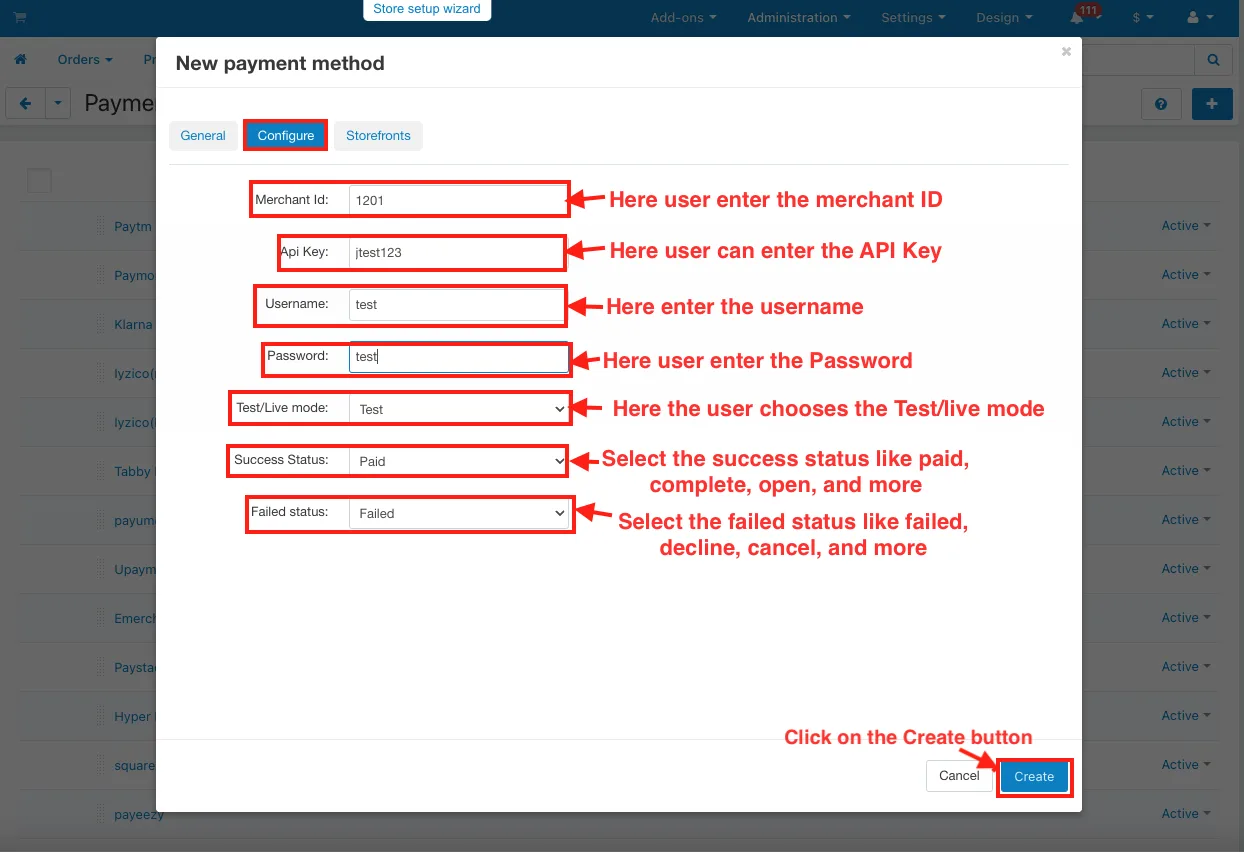
- Switch on the Configure tab.
- Merchant ID: Here user enter the merchant id.
- API Key: here user can enter the API Key.
- Username: Here enter the username.
- Password: Here user enter the Password.
- Test/Live mode: Here the user chooses the Test/live mode.
- Success Status: Select the success status like paid, complete, open, and more.
- Failed Status: Select the failed status like failed, decline, cancel, and more.
- Click on the Create button.
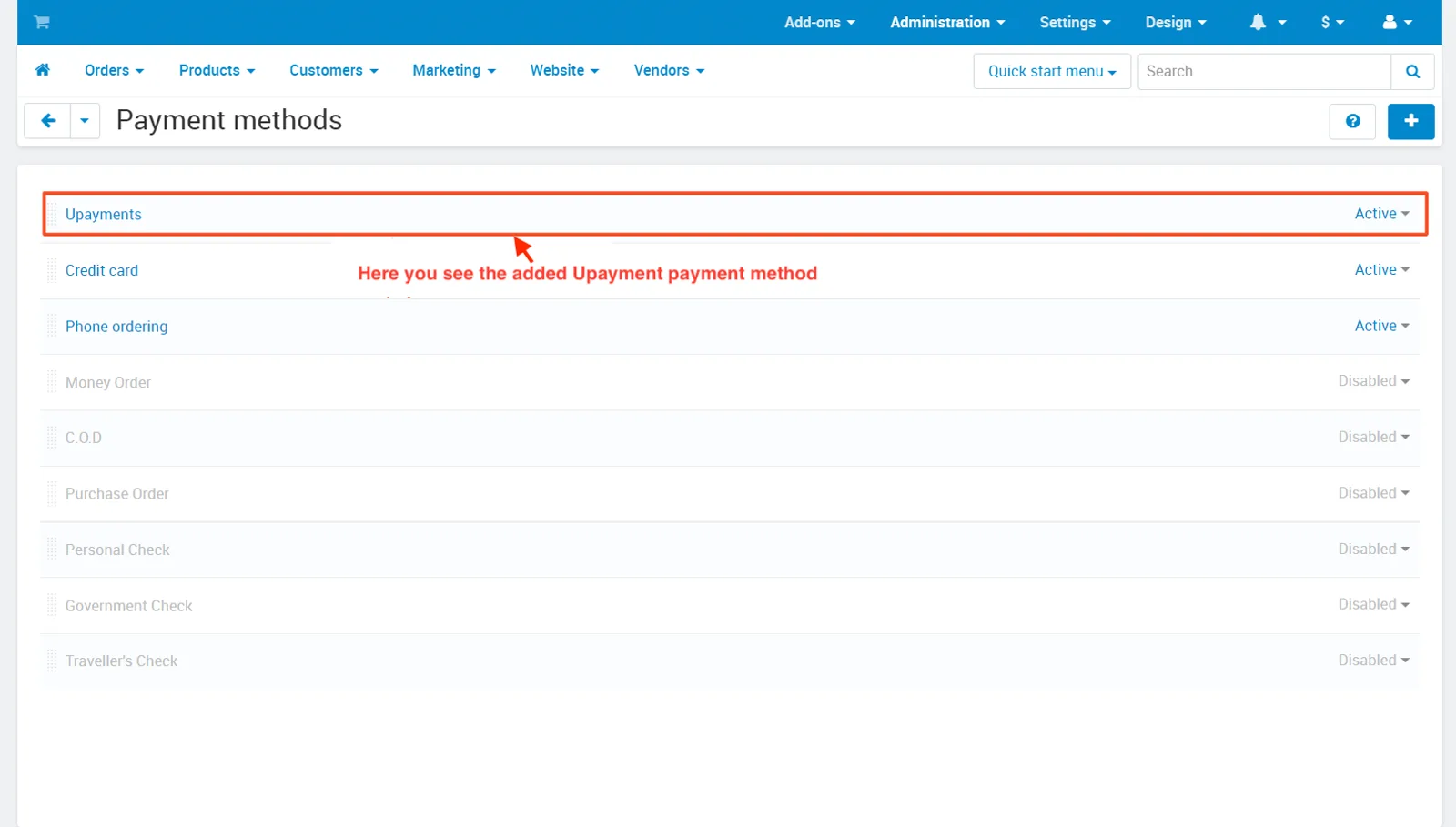
- Here you see the added Upayment payment method.
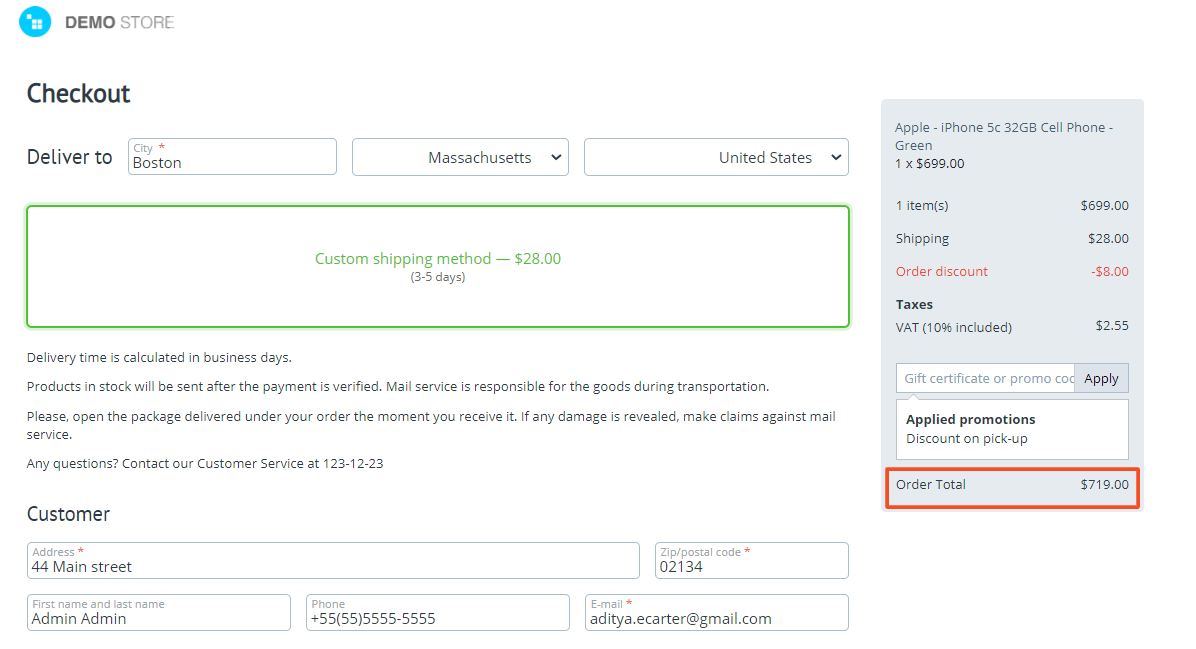
Using Payment Method Upayments.
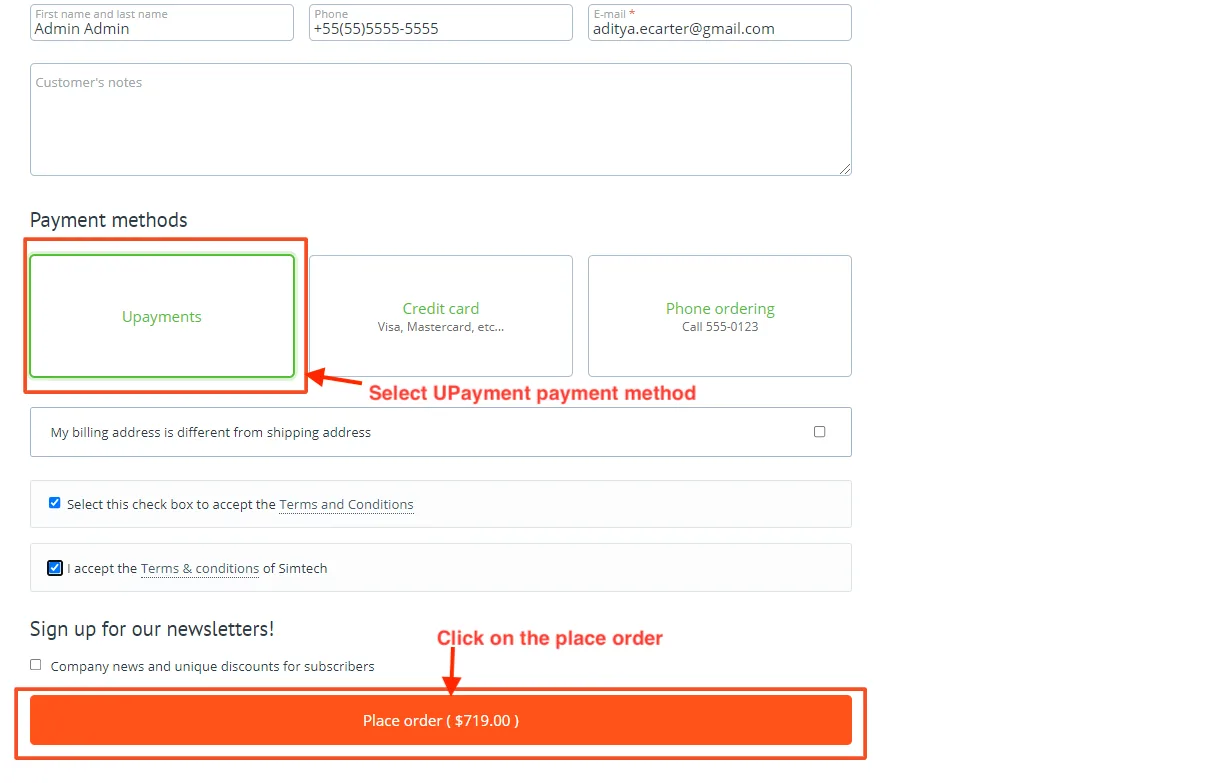
- Here you see the Upayment method on the Checkout page.
- Select UPayment payment method.
- Click on the Place order.
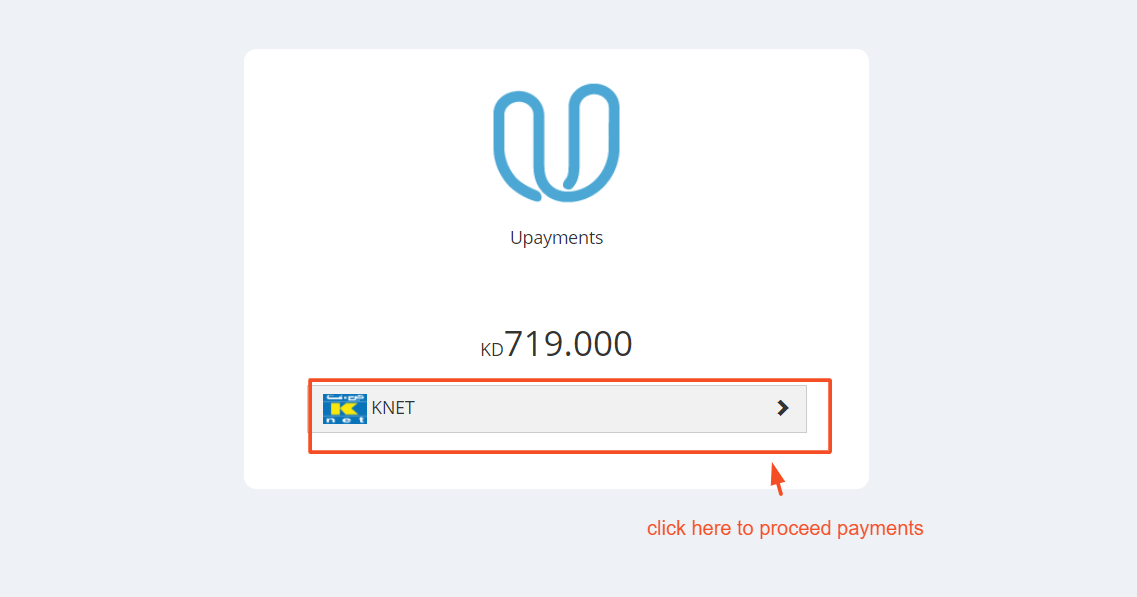
- click here to payment process.
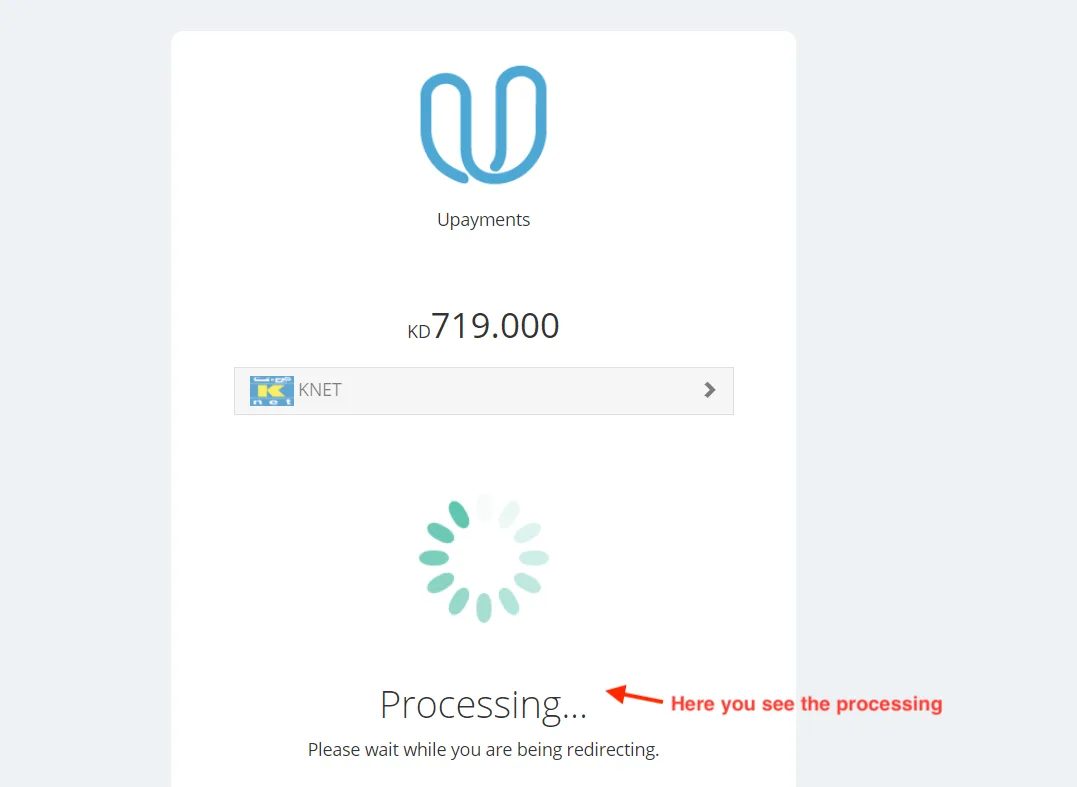
- Here you see the processing.
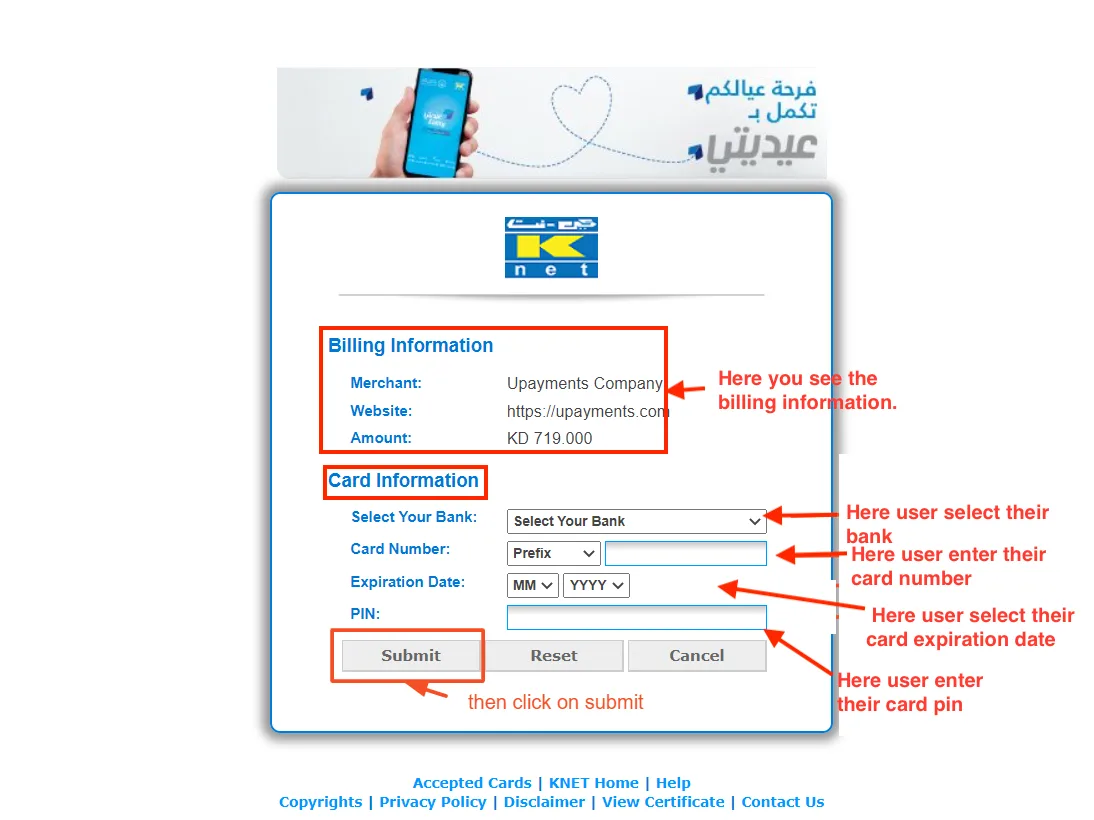
- After payment processing pop-up window will be open.
- Here you see the billing information.
- In card information.
- Select Your Bank: Here user select their bank.
- Card Number: Here user enter their card number.
- Expiration Date: Here user select their card expiration date.
- PIN: Here user enter their card pin.
- Click on the Submit button.
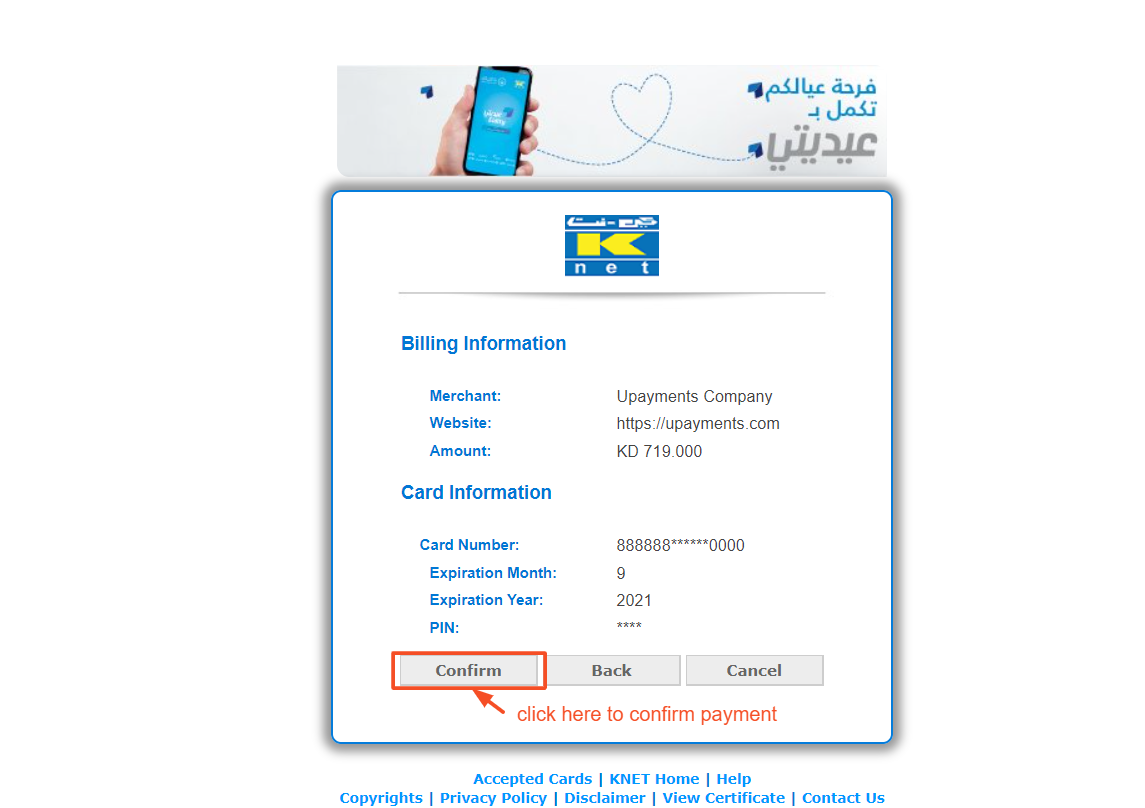
- After submitting, here you can click on the confirm button.
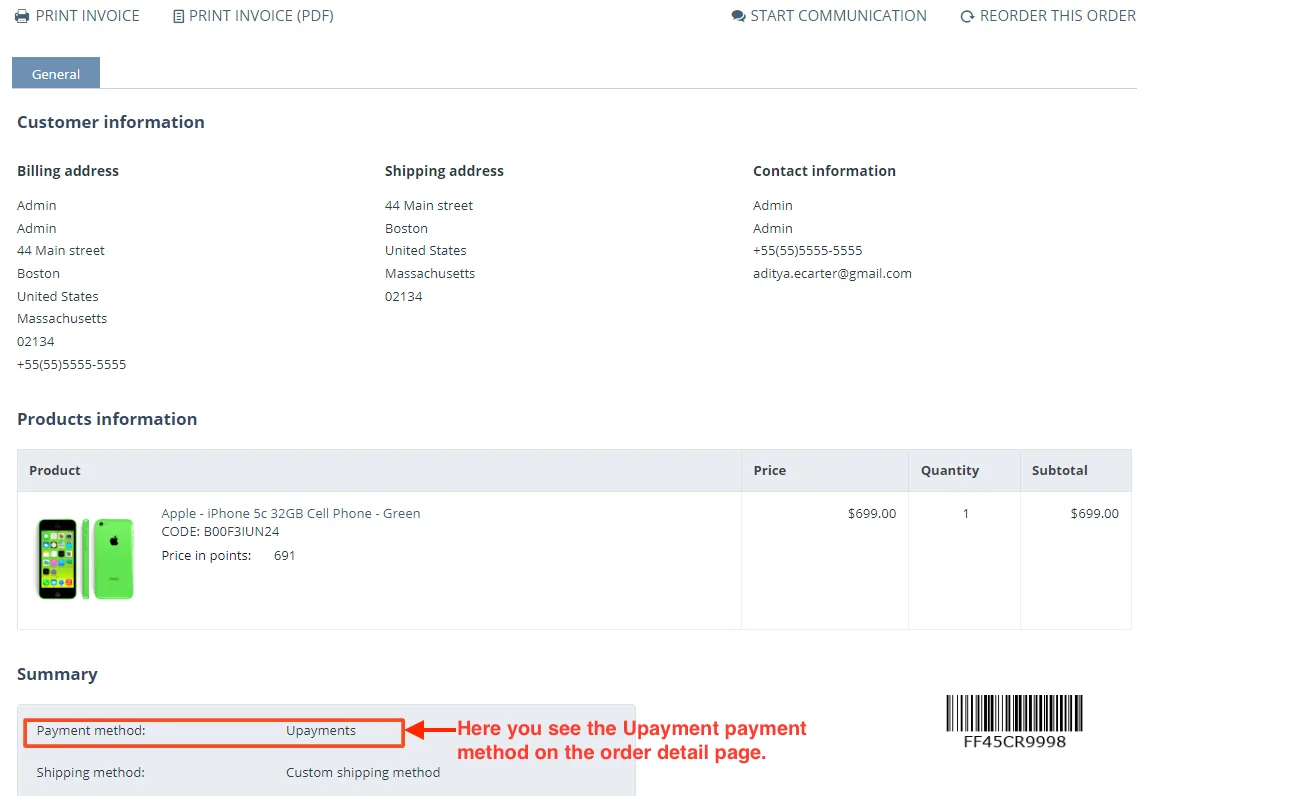
- Here you see the Upayment payment method on the order detail page.
Tutorial Link:
Addon-Version:
Version-1.0
Supported Versions:
CS-Cart, CS-Cart Multivendor 4.8.x, 4.9.x,4.10x,4.11x,4.12,4.13x, 4.14x, 4.15x, 4.16x, 4.17x, 4.18x
Support:
This app is developed and published by Ecarter Technologies Pvt. Ltd., a CS-Cart developer. You are guaranteed a quality add-on supported by future versions. If you need help, please contact us via email support@ecarter.co
Need modifications or any assistance? Please, feel free to contact us via email support@ecarter.co
Frequently asked questions
Which cards and payment methods does the UPayments gateway support?
It lets your store accept Knet, Mastercard, and VISA card payments through UPayments' UInterface billing system and APIs.
How do I set up the UPayments payment method in CS-Cart?
In the admin panel you add the UPayments payment method and enter your account details, including the payment method name, merchant ID, API key, username, and password. Once saved, UPayments appears as a payment option at checkout.
What does the customer experience at checkout look like?
When a customer selects UPayments at checkout they enter their billing and card details, such as bank name, card number, and expiration date. After the payment is submitted and confirmed, the transaction is processed and the order status updates automatically.
Is this compatible with my version of CS-Cart or Multi-Vendor?
The add-on is built for CS-Cart. Versions are not listed here, so share the CS-Cart or Multi-Vendor version you run and we will confirm compatibility.
Kajal is a Technical Content Writer at Ecarter Technologies. She writes technical documentation and in-depth guides on eCommerce platforms, mobile commerce and AI in online retail.