
Unique Product Sku Generator
The Unique Product SKU Generator Add-on for CS-Cart automatically creates unique product codes, helping manage inventory efficiently and prevent duplicate SKUs.
The Unique Product SKU Generator is a CS-Cart add-on that automatically creates a distinct SKU code for every product in your catalog. It solves the problem of duplicate or missing product codes, which cause errors in inventory tracking and make products harder to manage. Store admins can control the code format by adding custom parts at the start, middle, or end, and codes support both letters and numbers for readability. It is built for CS-Cart store owners and administrators who want consistent, error-free product identification without assigning SKUs by hand.

The Unique Product SKU Generator is an add-on for CS-Cart designed to generate unique codes for each product. These codes play a crucial role in inventory tracking, facilitating efficient management and preventing errors. This add-on automatically generates unique codes following specific rules, streamlining product management and organization.
Feature:
- Automatic SKU Generation: Automatically creates unique codes for new products added to the inventory.
- Error Prevention: Avoids duplicate or repeated codes, ensuring each product has a distinct SKU for accurate inventory management.
- Custom Code Format: Admin can add specific parts at the start, middle, or end of the code to make it more unique or categorized.
- Alphanumeric Codes: Supports both letters and numbers to generate clear and easy-to-read SKU codes.
- User-Friendly Interface: Simple and intuitive design makes managing and generating SKUs effortless.
Installation:
How to Install Addon
https://store.ecarter.co/blogs/how-to-install-addon/
Configuration
Let's check how the add-on works
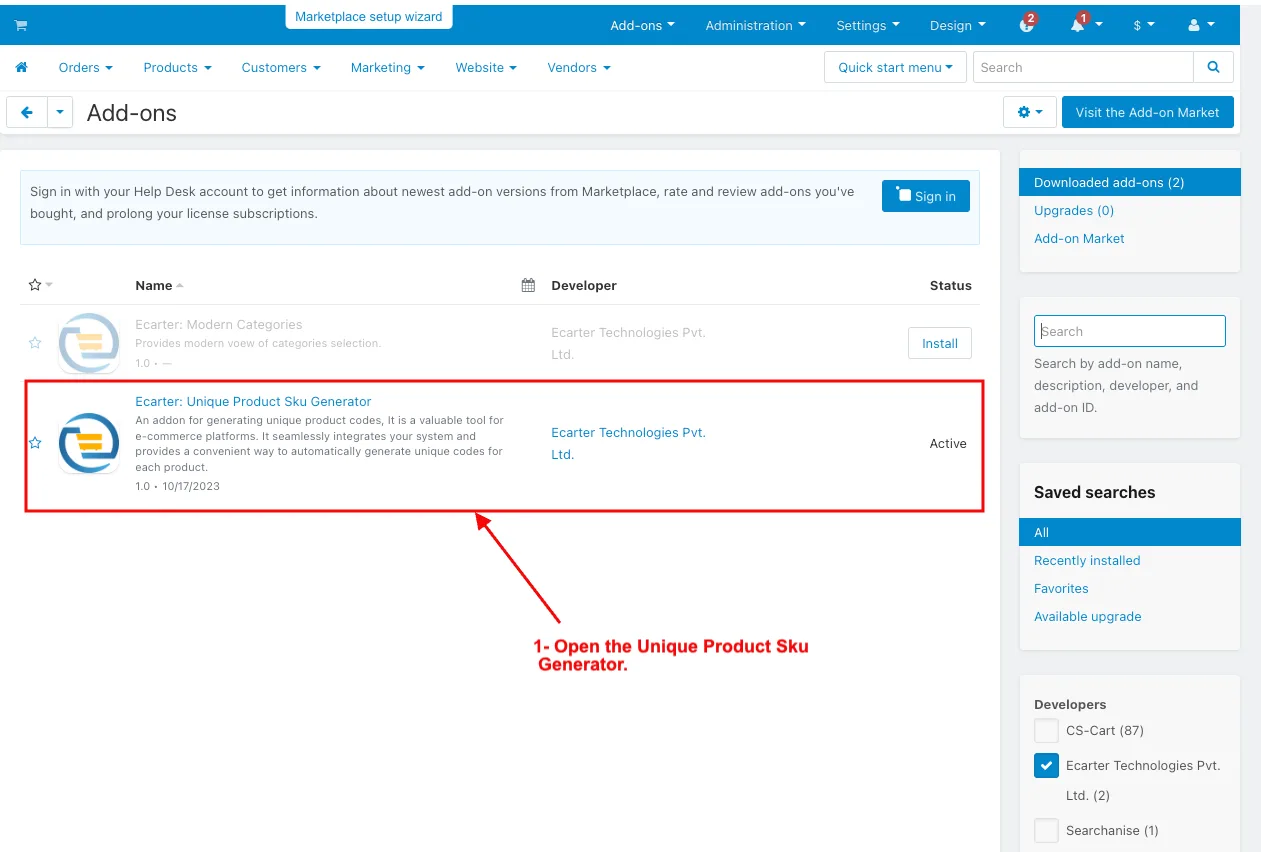
1. Open the Unique Product Sku Generator.
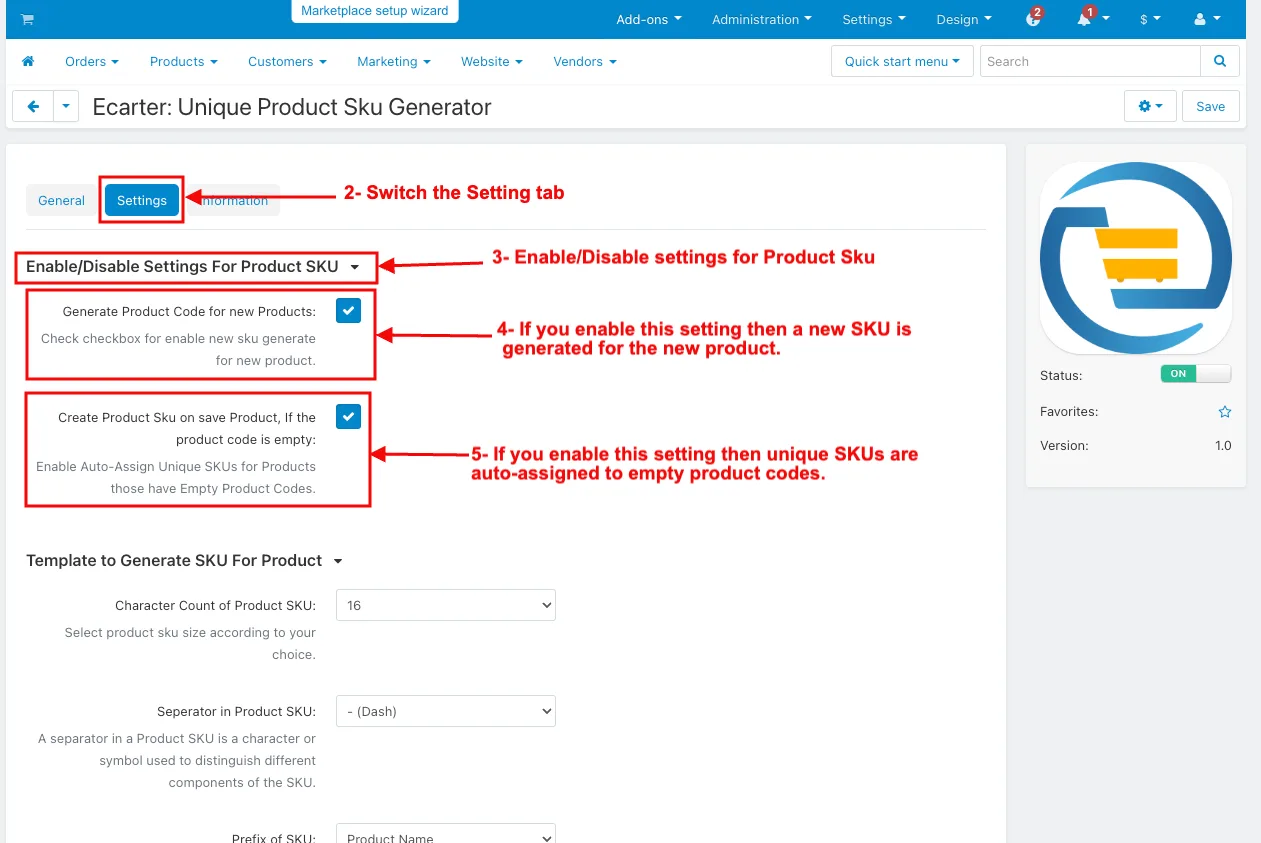
2. Switch on the Setting tab.
3. The enable/disable settings for Product Sku.
4. Generate product Codes for New Products: If you enable this setting then a new Sku is generated for the new product.
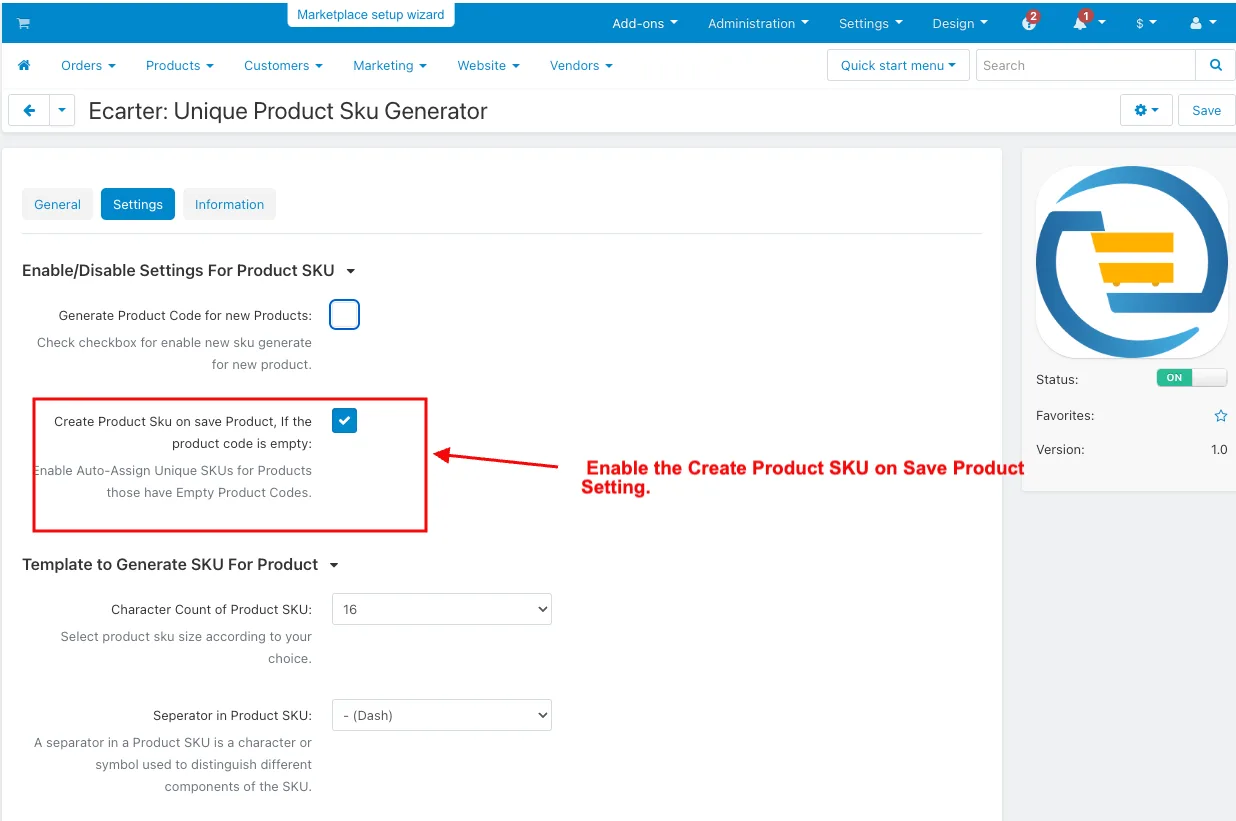
5. Create Product Skuon save Product, if the product code is empty: If you enable this setting then unique Skus are auto-assigned to empty product codes.
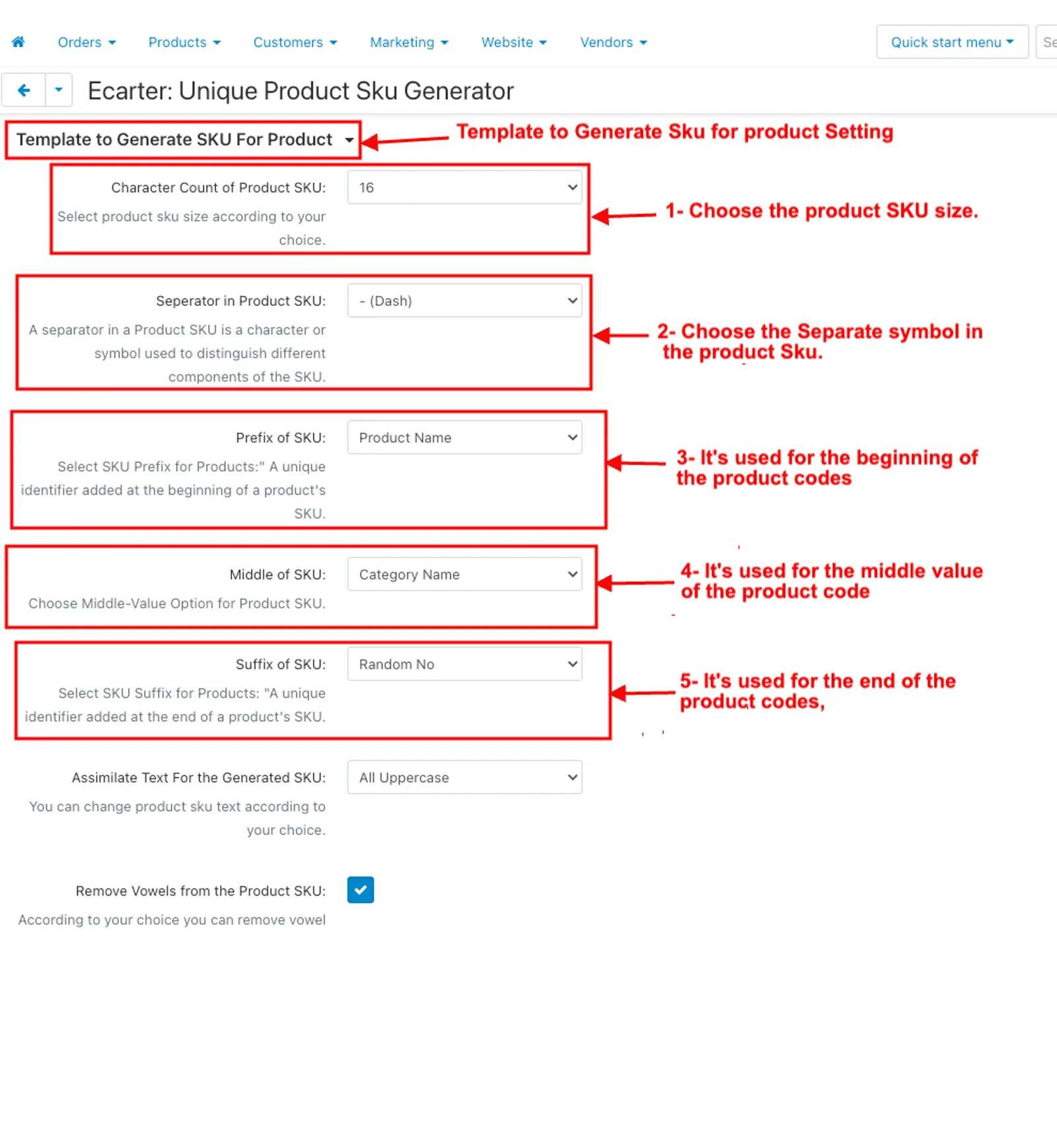
Template to generate an Sku for the product Setting
1. Character Count of Product Sku: Choose the product Sku size.
2. Separate in Product Sku: Choose the Separate symbol in the product Sku.
3. Prefix of Sku: It's used for the beginning of the product codes, and to identify its product ID, product name, category name, brand, and Random no.
4. Middle value: It's used for the middle value of the product code, and chosen to identify its product ID, product name, category name, brand, and Random no.
5. Suffix of Sku: It's used for the end of the product codes, and chooses to identify its product ID, product name, category name, brand, and random no.
6. Assimilate text for the generated Sku: It's used for the change text of product Sku according to your choice, and choose the all-uppercase, all-lowercase, and normal.
7. Remove vowels from the product Sku: By using this enable/disable button, you can remove vowels from the product Sku
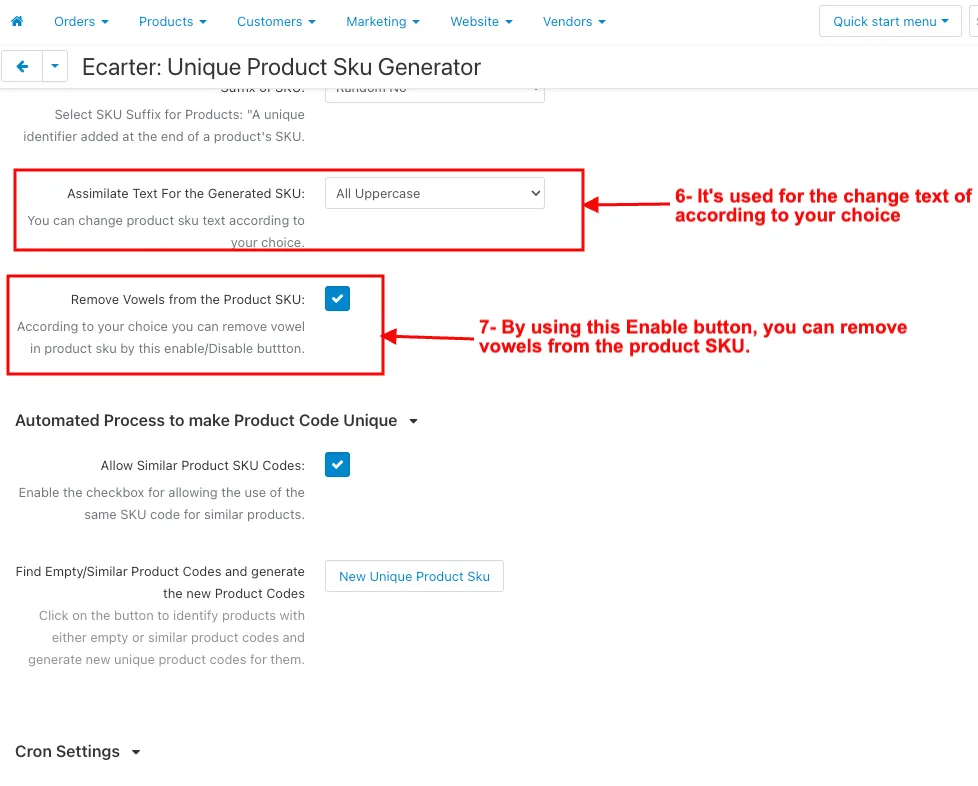
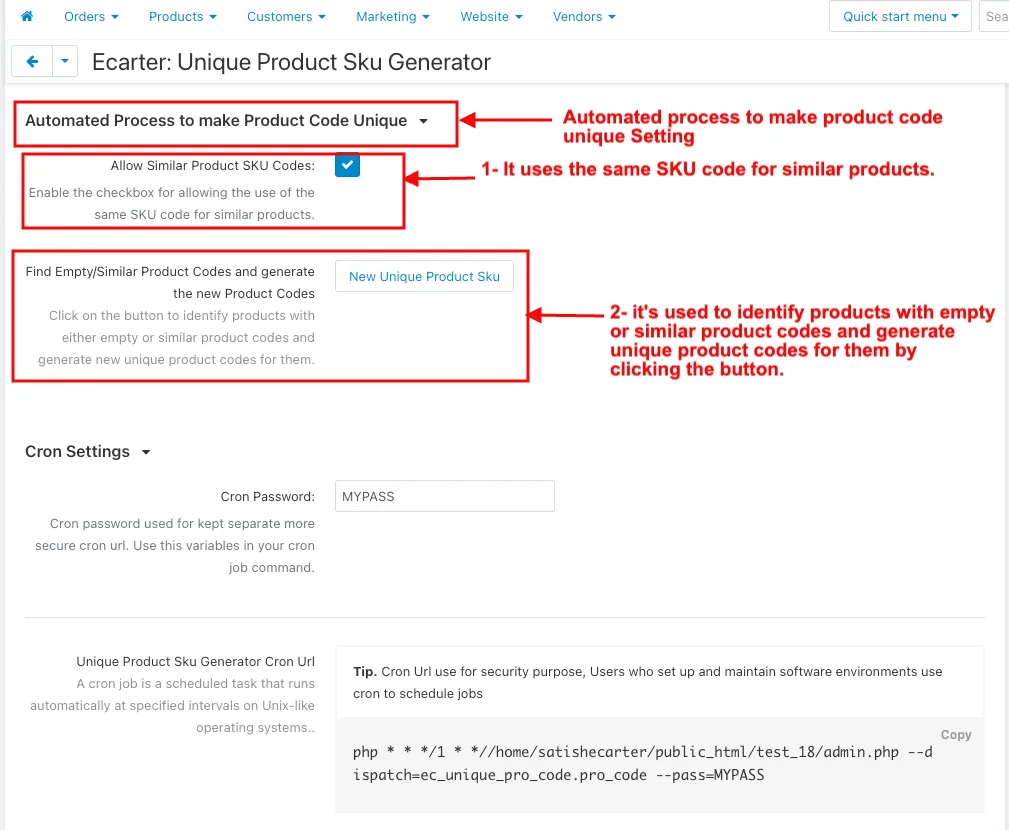
Automated process to make Product code unique Setting
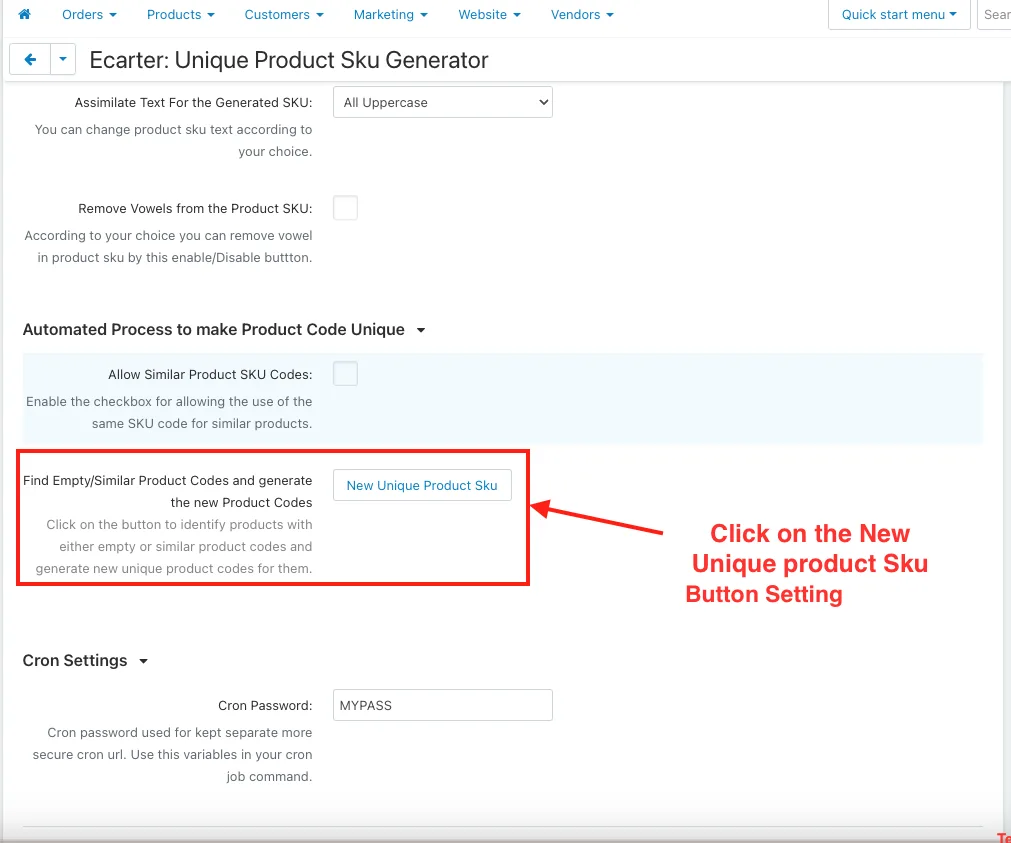
- Allow Similar Product Sku Codes: It uses the same Sku code for similar products.
2. Find Empty/Similar Product Codes and generate the new product code: it's used to identify products with empty or similar product codes and generate unique product codes for them by clicking the button.
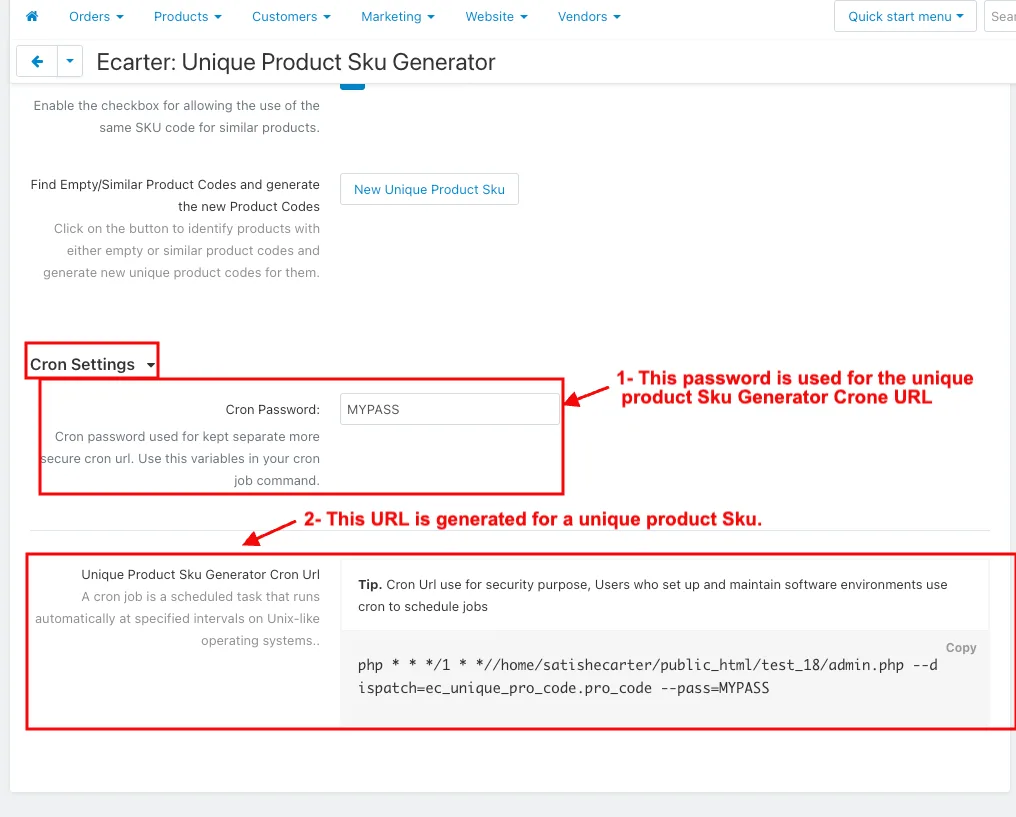
Cron Setting
- Cron Password: This password is used for the unique product Sku Generator Crone URL.
2. Unique Product Sku Generator Cron URL: This URL is generated for a unique product Sku
How to Check Product Code in the Products
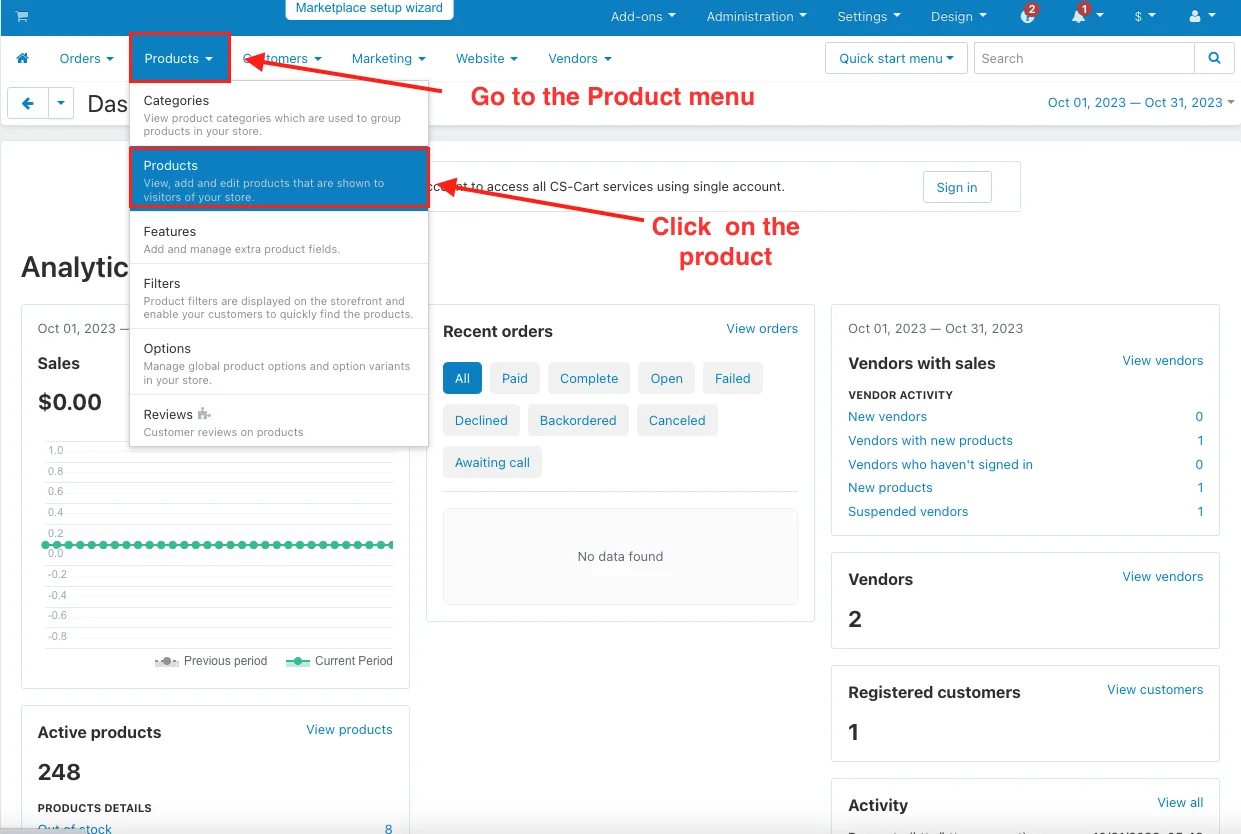
- Click on the Product menu, and Click on the Products.
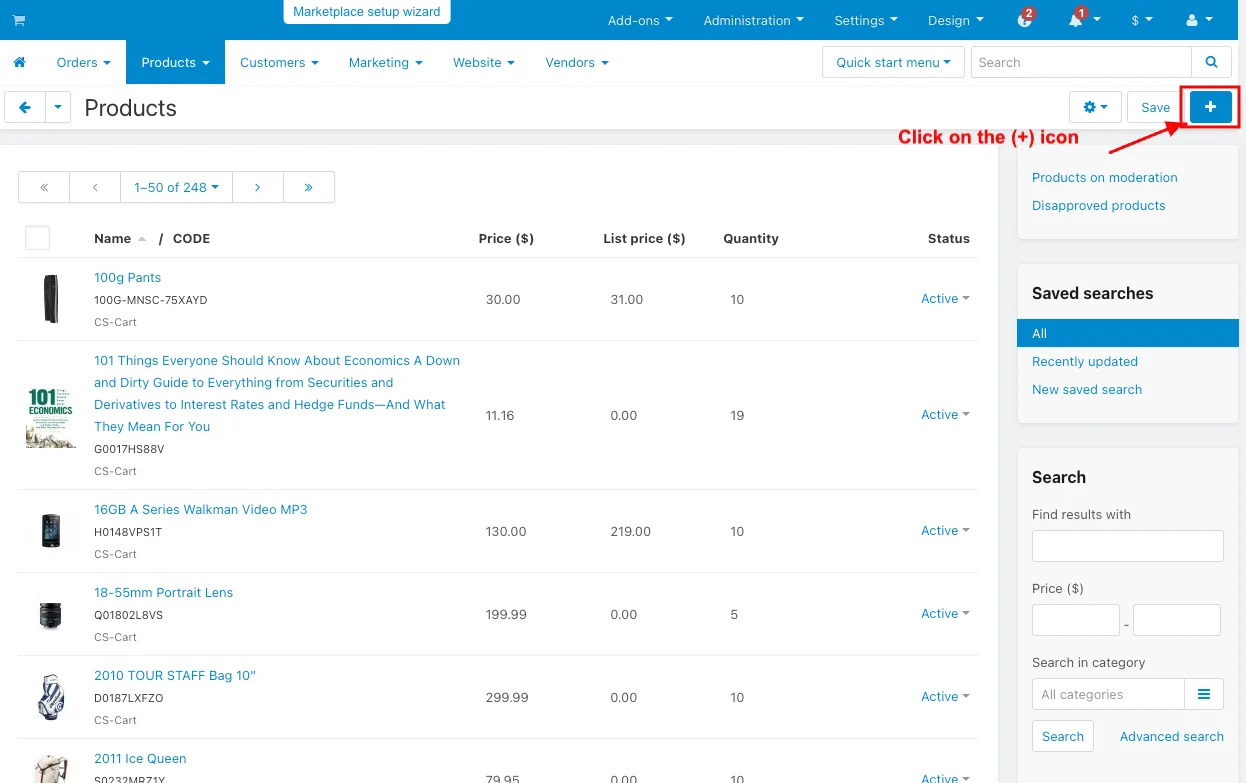
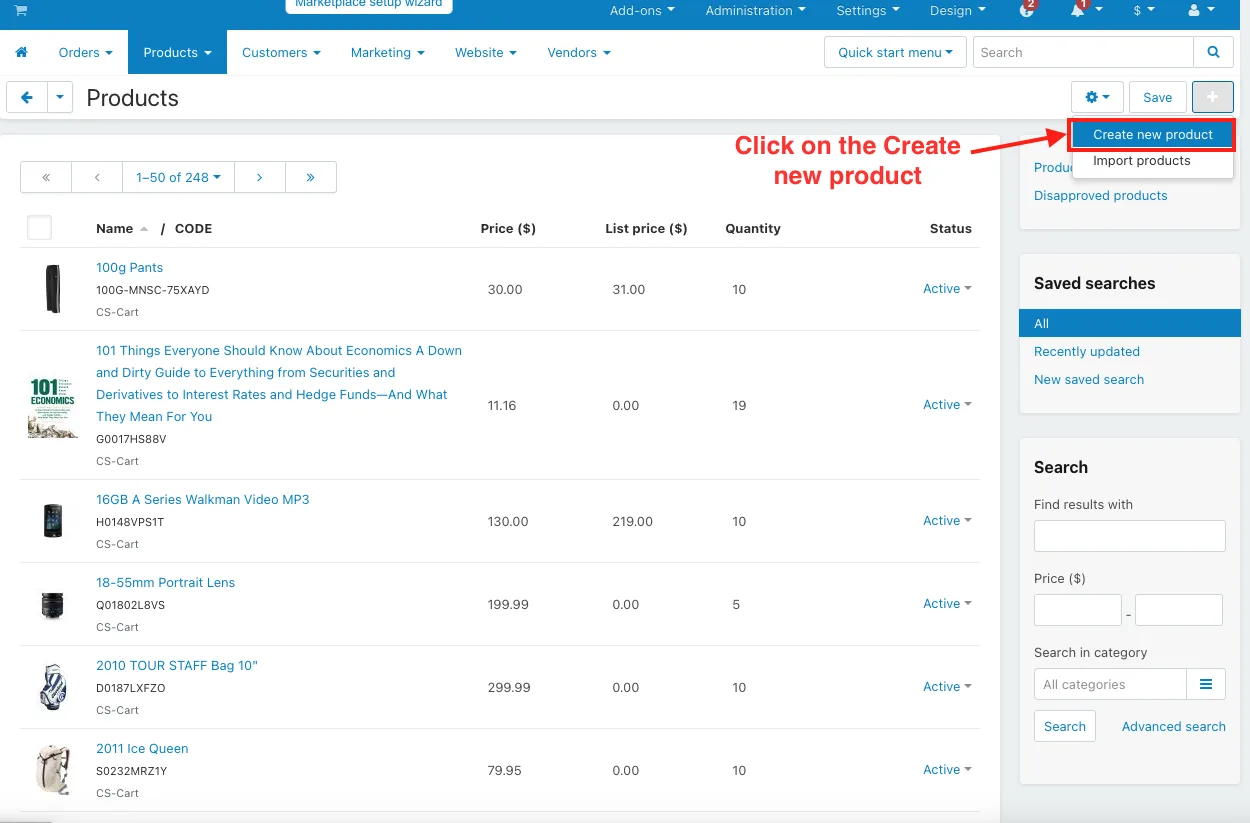
- Click on the (+) icon, and Click on Create a new product.
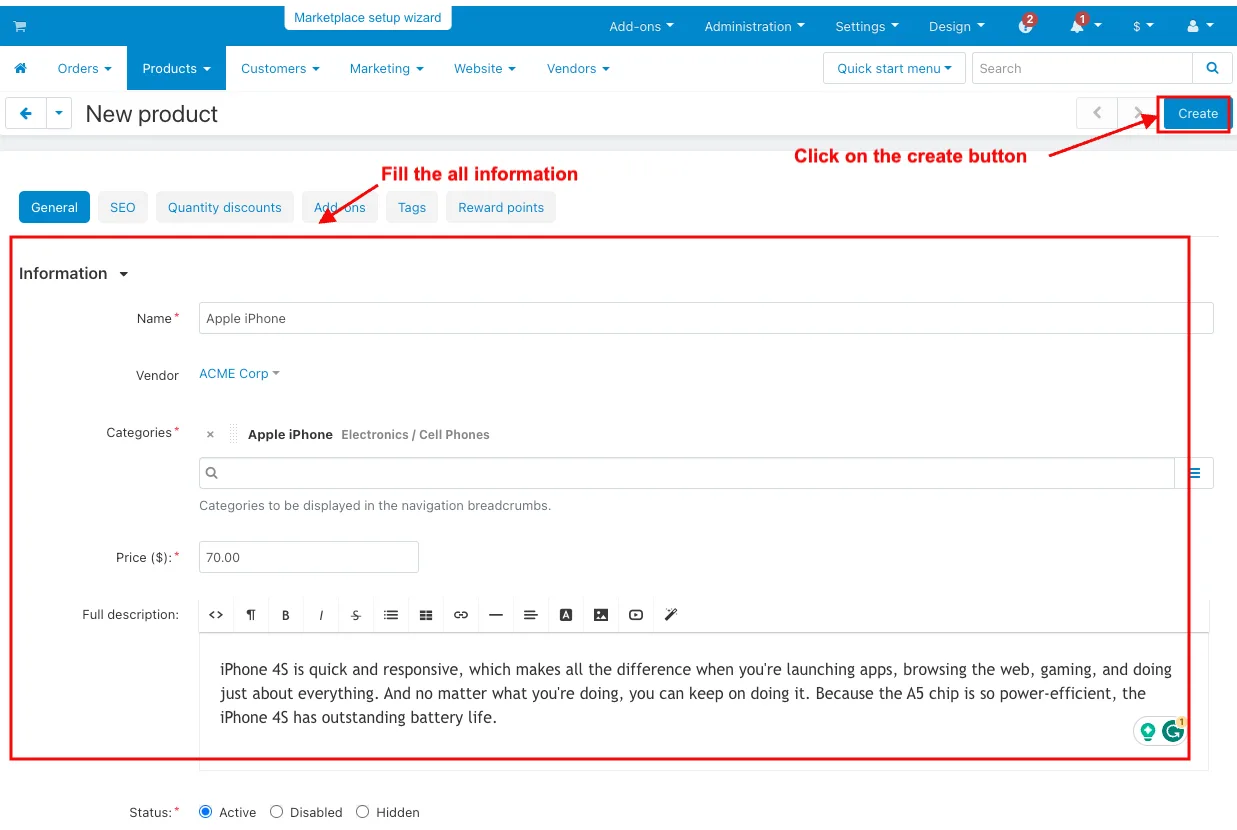
- Fill the all information and click on the Create button.
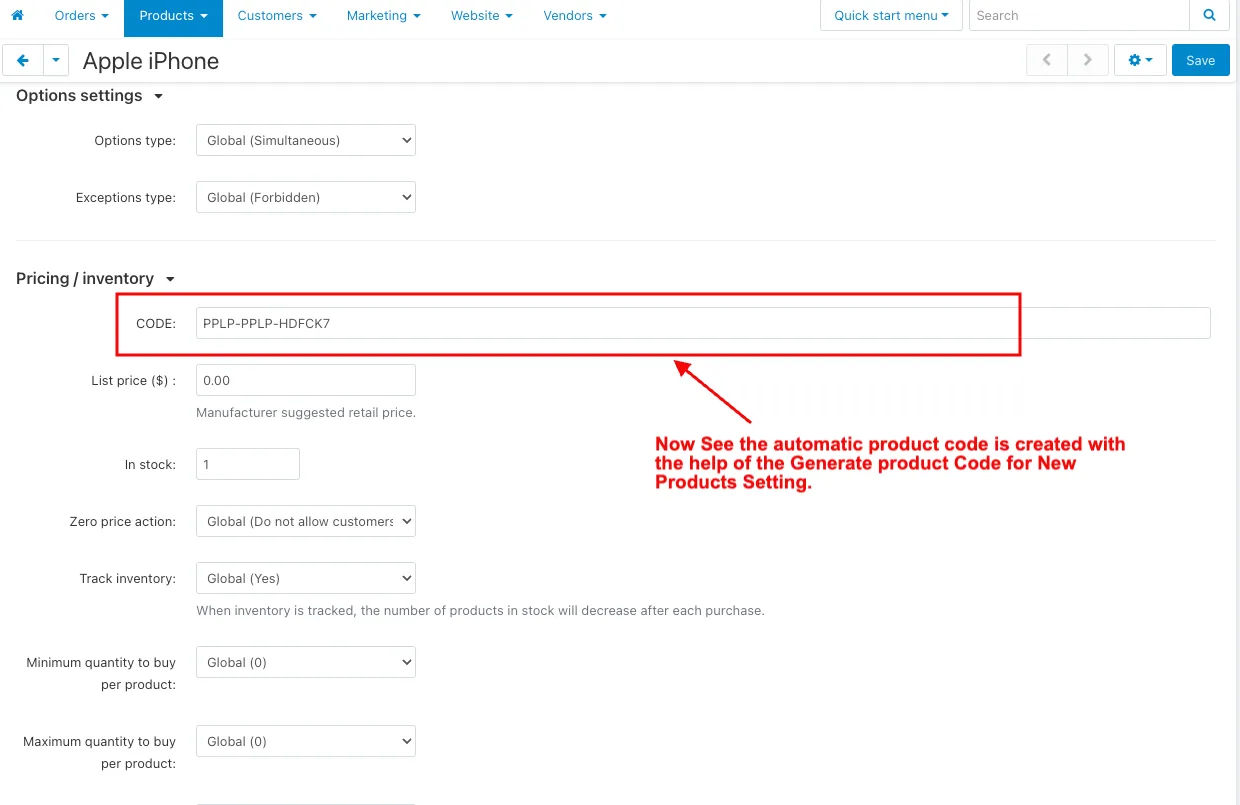
- Now the automatic product code is created with the help of the Generate product Code for New Products Setting.
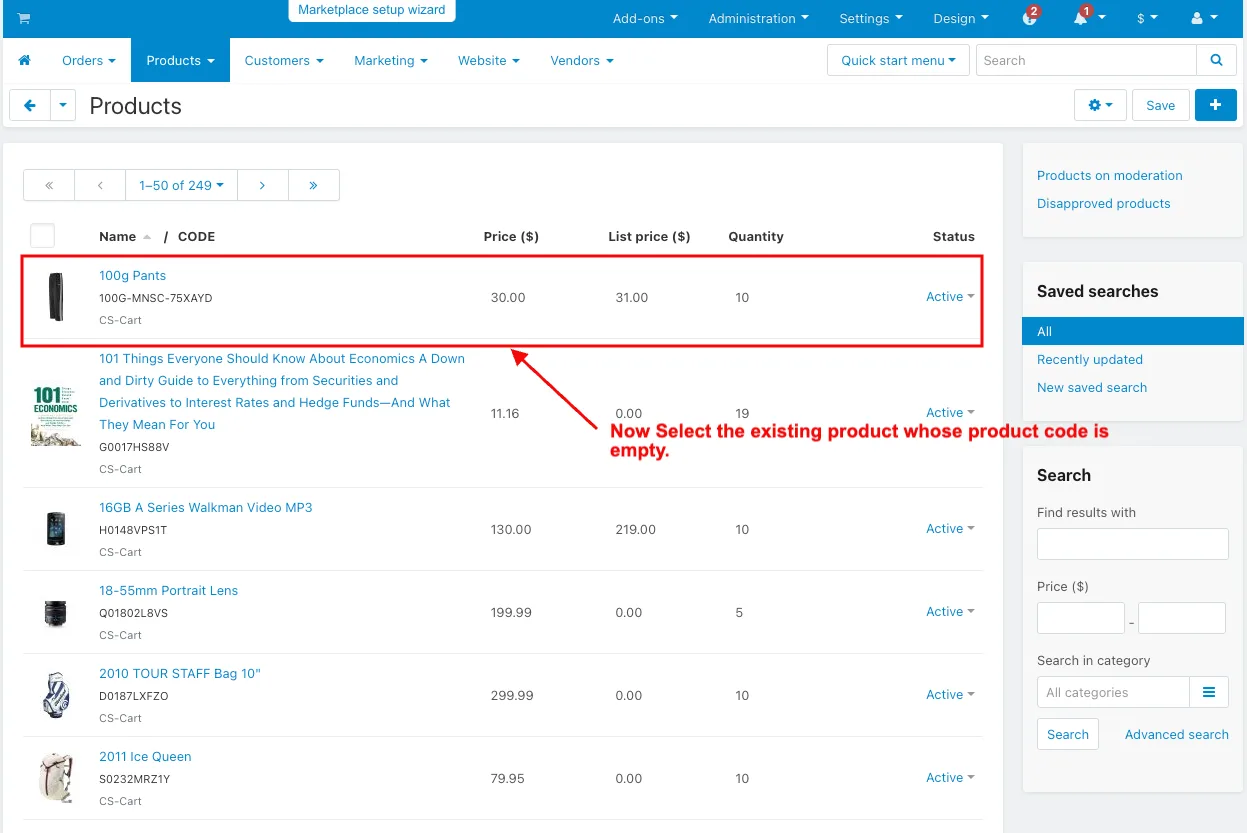
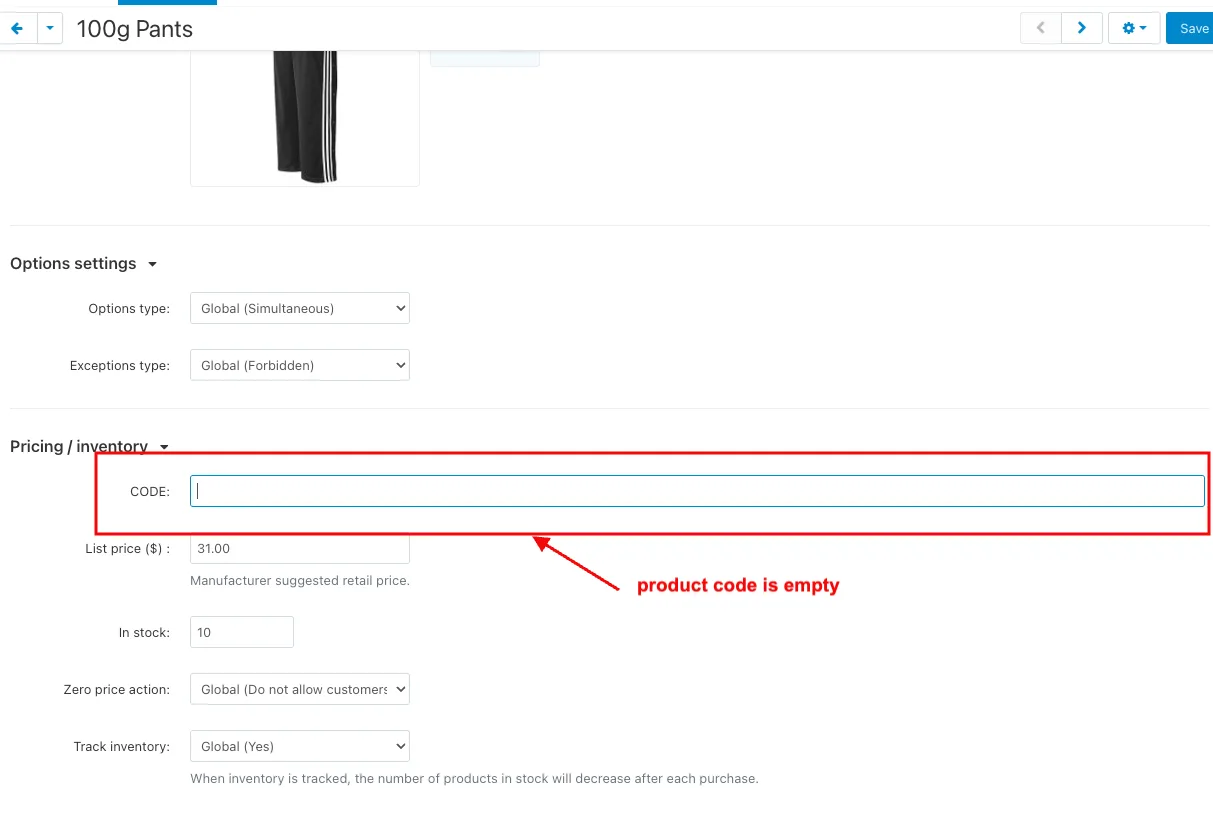
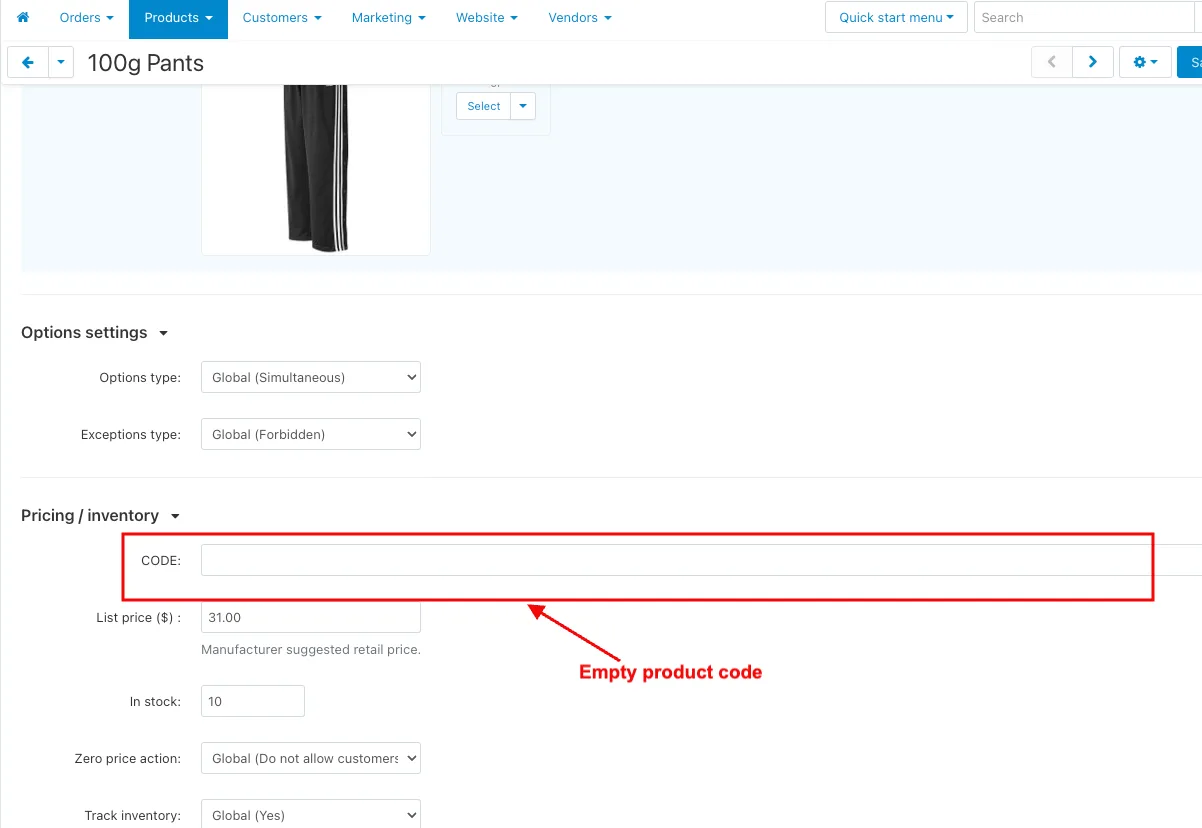
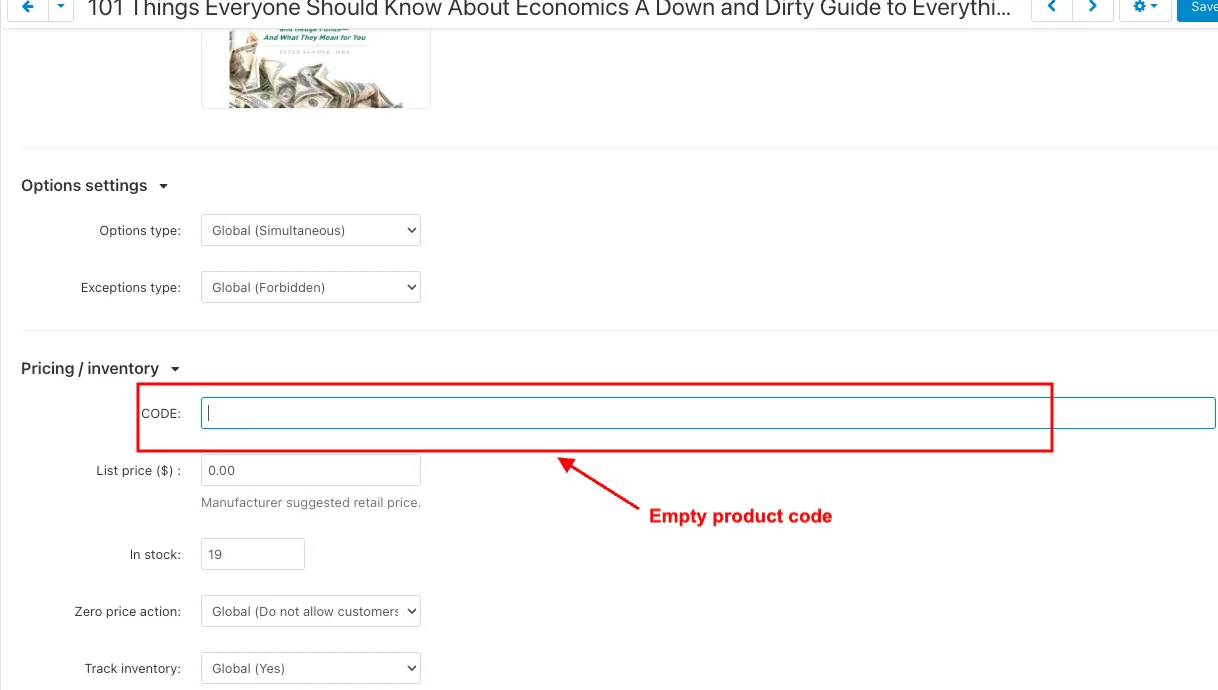
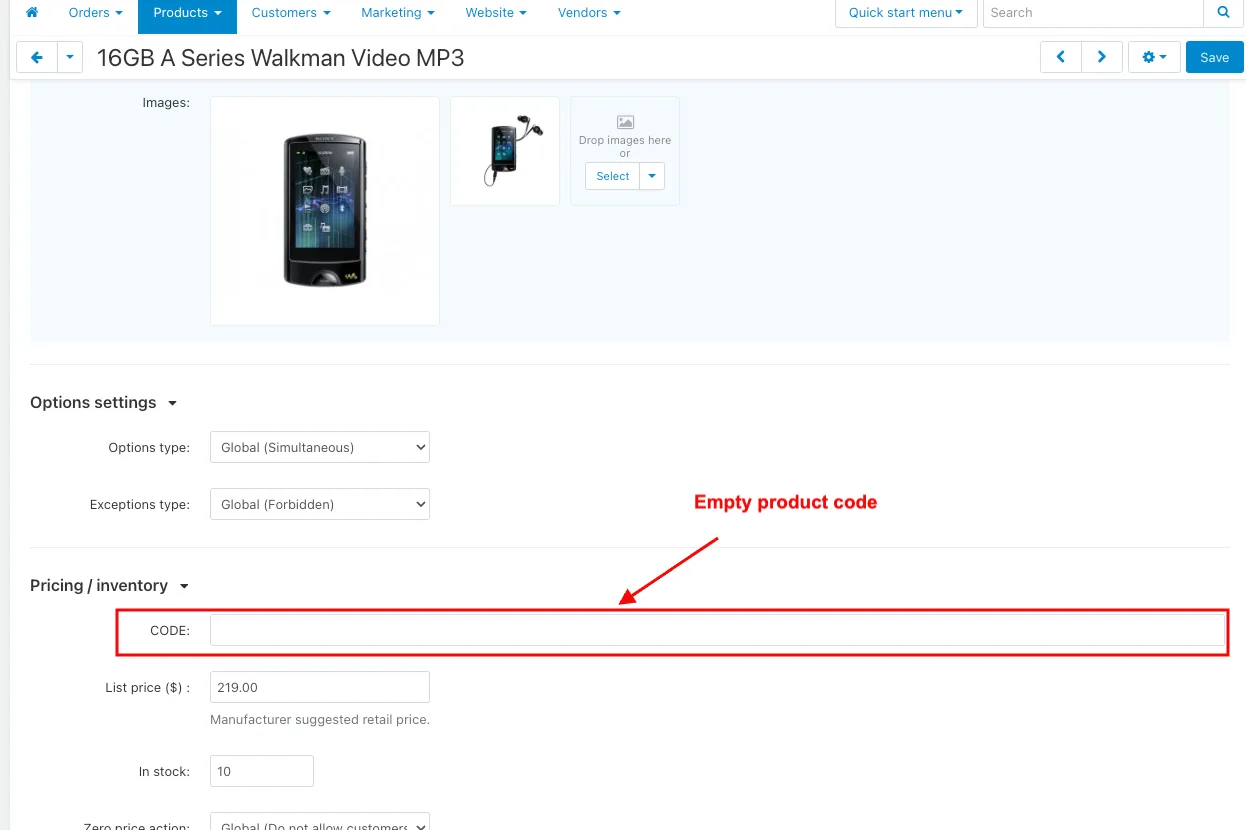
- Now Select the existing product whose product code is empty.
- Then Enable the Create Product Sku on Save Product Setting.
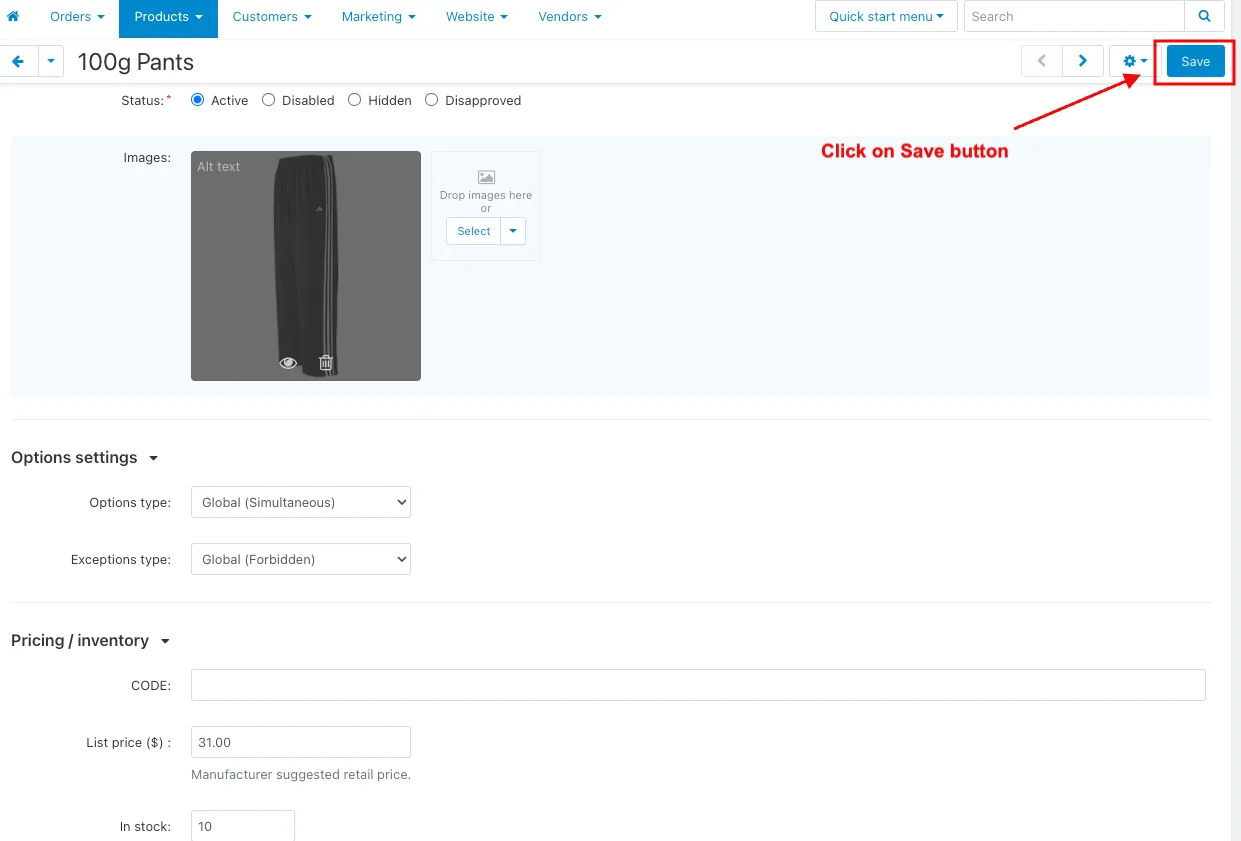
- And Click on the Save button.
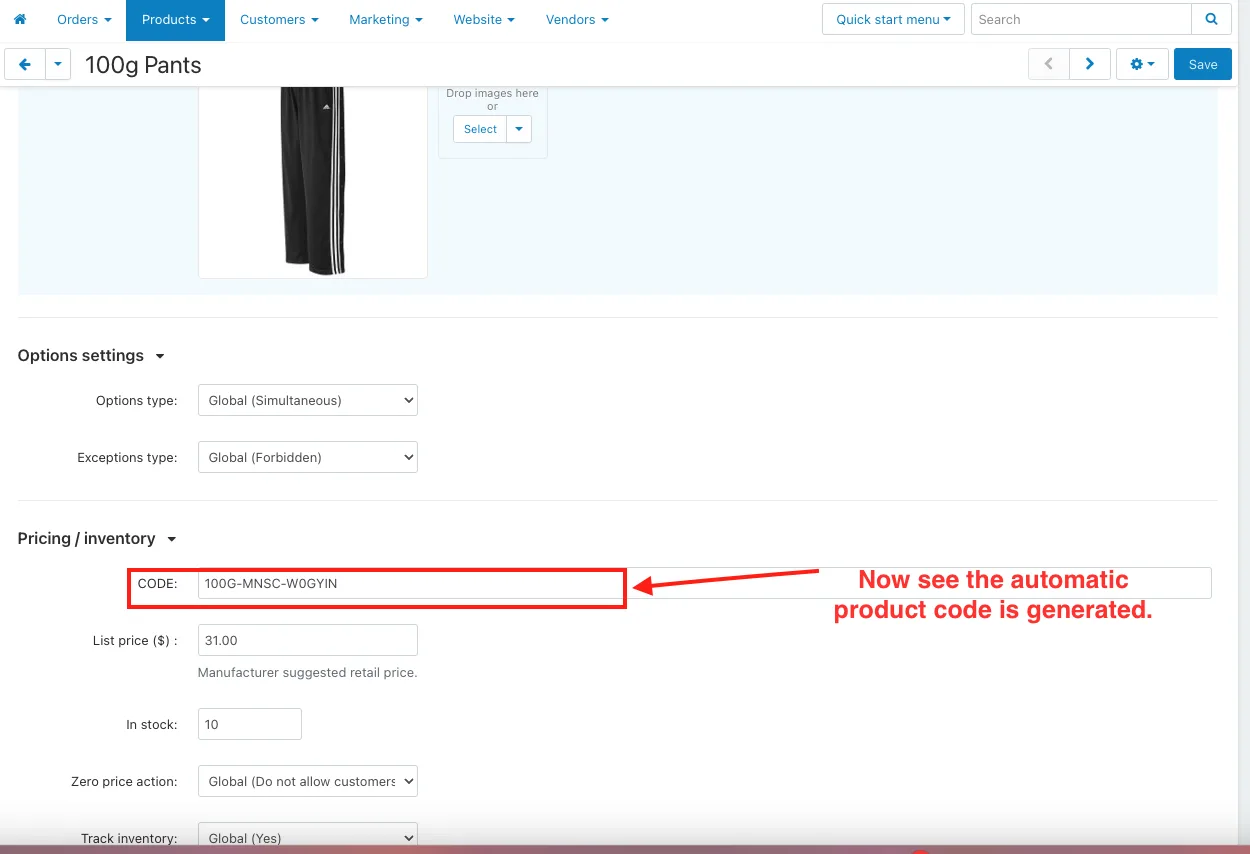
- Now the automatic product code is generated.
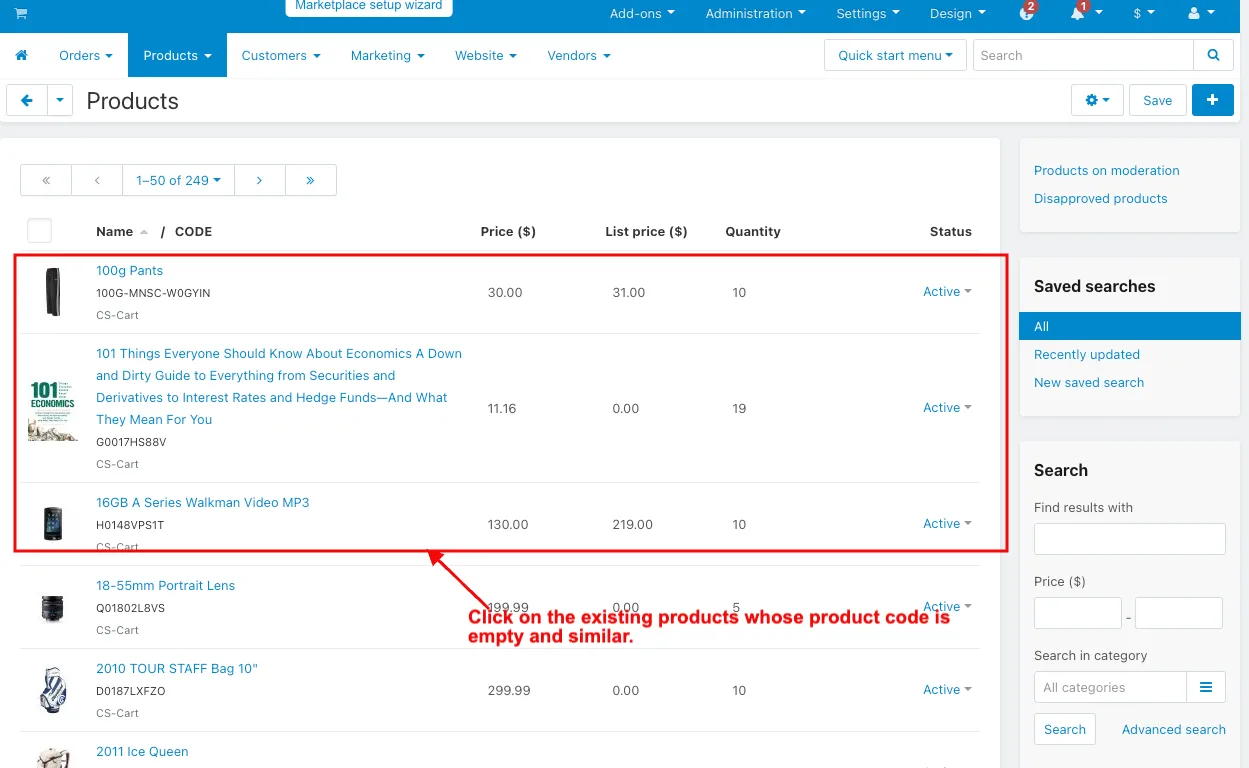
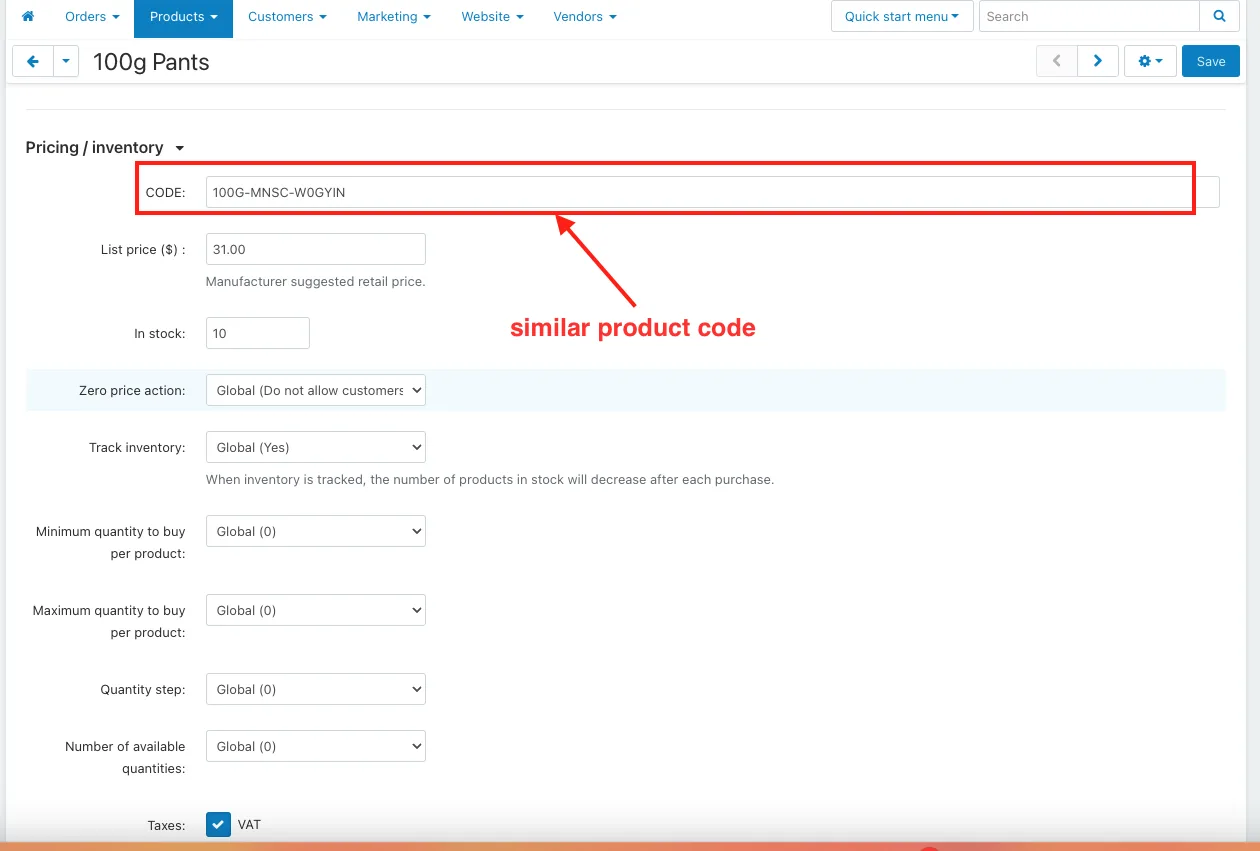
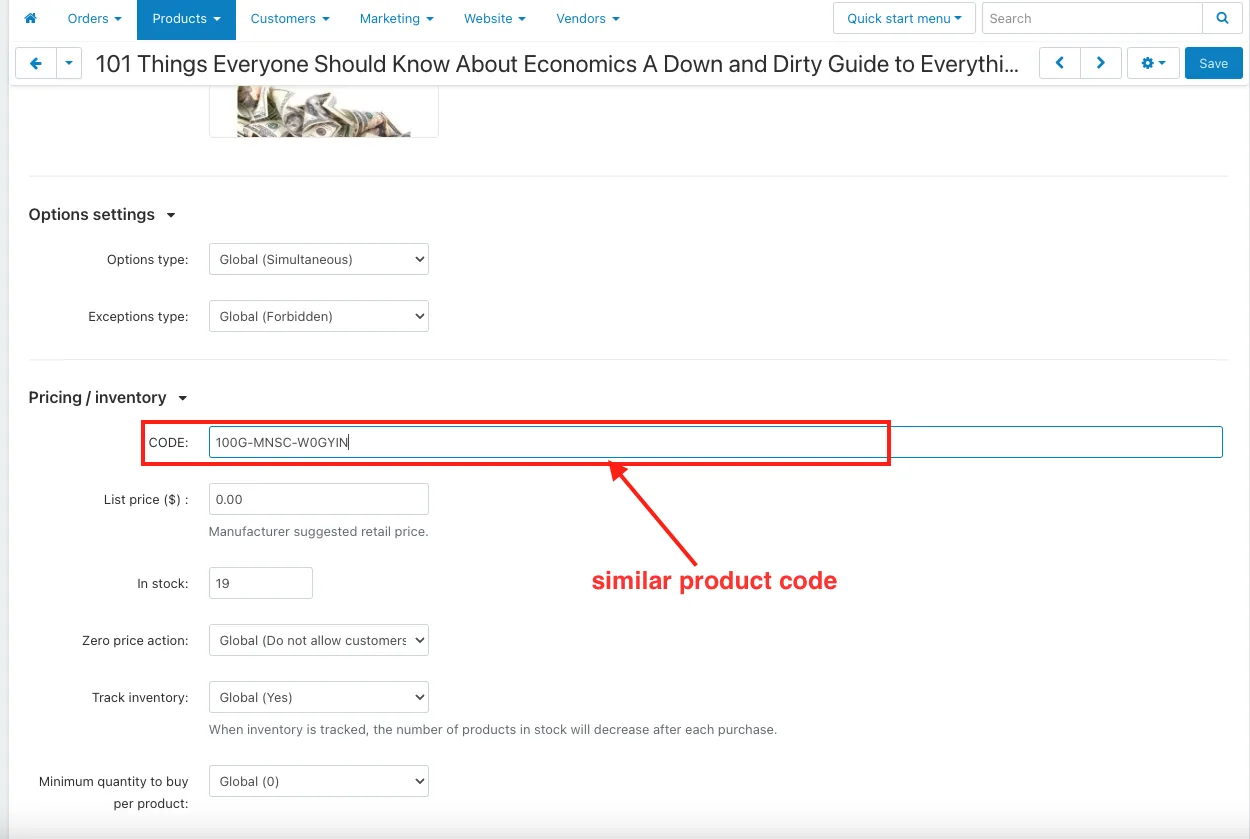
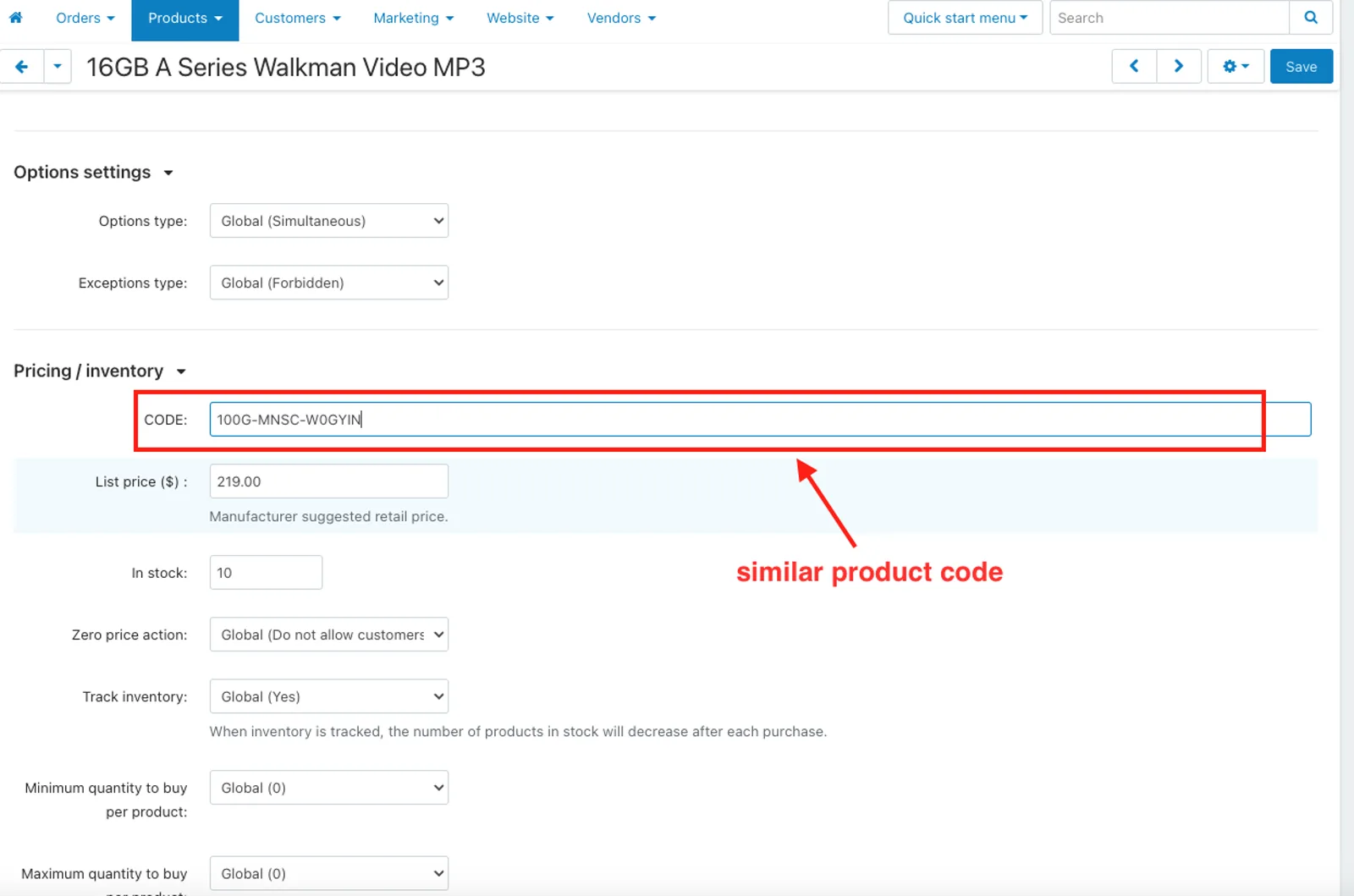
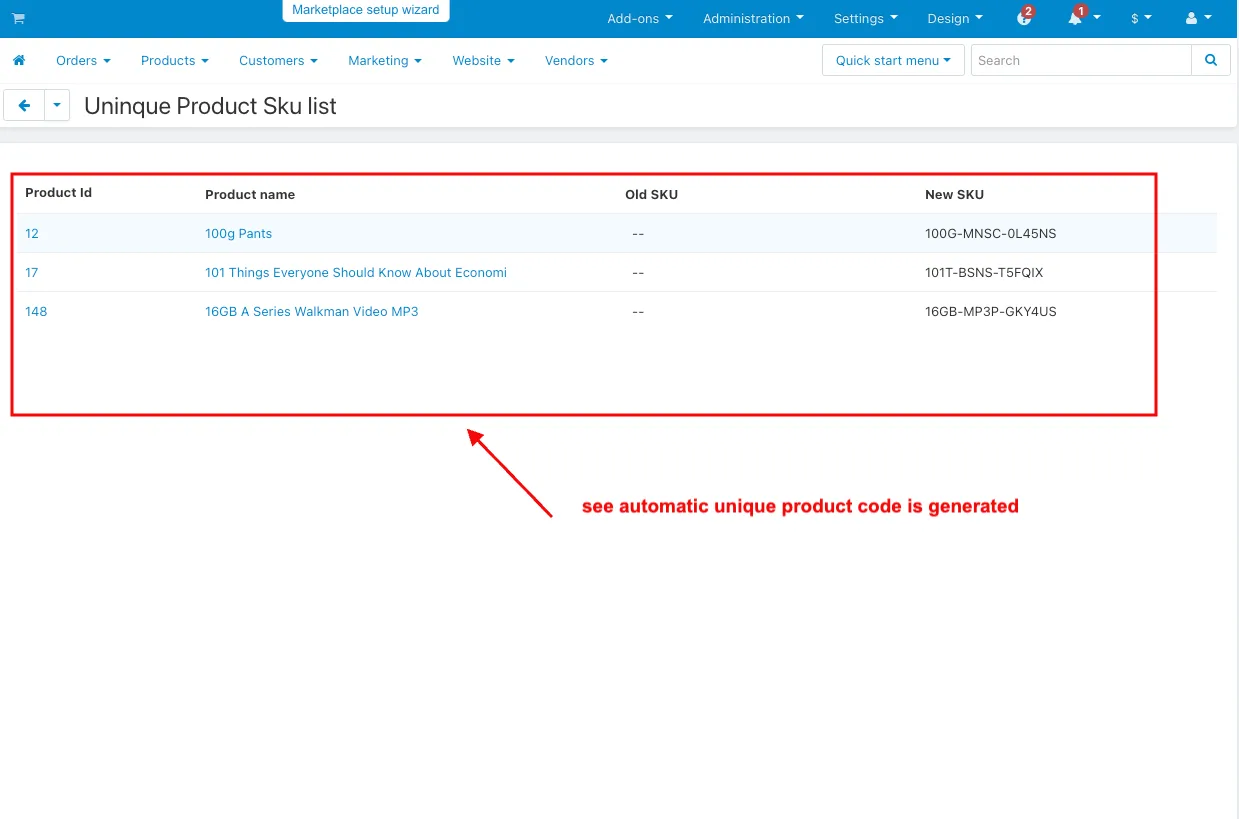
- Now Click on the existing multiple products whose product code is empty and similar.
- Then Click on the New Unique Product Sku button setting.
- Now the automatic unique product code is generated.
Addon-Version:
Version-1.0
Supported Versions:
CS-Cart, CS-Cart Multivendor 4.8.x, 4.9.x,4.10x,4.11x,4.12,4.13x, 4.14x, 4.15x, 4.16x, 4.17x, 4.18x
Support:
This app is developed and published by Ecarter Technologies Pvt. Ltd., a CS-Cart developer. You are guaranteed quality add-ons.
Frequently asked questions
How does the add-on prevent duplicate SKU codes?
It automatically generates a unique code for each product and checks against existing codes, so no two products share the same SKU. This keeps inventory tracking accurate and avoids the errors that repeated codes cause.
Can I control the format of the generated SKU codes?
Yes. The admin can add specific parts at the start, middle, or end of the code to make it more unique or to categorize products. Codes are alphanumeric, so they can combine letters and numbers for clearer, easier-to-read SKUs.
When are SKU codes generated for products?
In the add-on settings you can enable code generation for new products, so a SKU is created automatically as each product is added. You can also enable creating a SKU when a product is saved if its product code field is still empty.
How do I install and configure the add-on?
Install it using the standard CS-Cart add-on installation steps (see the how-to-install guide at store.ecarter.co/blogs/how-to-install-addon). After installing, open the Unique Product SKU Generator, go to the Settings tab, and enable or disable the SKU generation options you need.
Nisha Gaur is a Technical Content Writer at Ecarter Technologies. She writes technical documentation, tutorials and buying guides covering CS-Cart, Magento, Shopify and eCommerce development.