
SQL Report Builder
SQL Report Builder is an add-on for CS-Cart. This addon makes reports easy with the SQL Report Builder extension.
SQL Report Builder is an add-on for CS-Cart that lets you write, save, and run SQL queries directly from the admin panel to produce custom reports from your store database. Instead of relying on the built-in report views, you build reports that show exactly the data you need and run them with a single click. Saved queries can be reused for quick report generation later, and results are returned in real time so you are always looking at current data. It is aimed at CS-Cart store owners and administrators who want a flexible way to extract and analyse their store data without building reports through custom code.

SQL Report Builder is an add-on for CS-Cart. This addon makes reports easy with the SQL Report Builder extension. Save and run SQL queries directly from the admin panel with a simple click.
This addon allows users to create a custom report within the CS-Cart e-commerce platform. This addon enables users to extract and analyze specific data from their store database. This flexibility ensures that the reports show exactly what users want, giving a detailed look at their e-commerce operations.
Features:
- Custom Reports: Build personalized reports based on your specific needs.
- One Click Execution: Run your SQL queries and generate a report with a single click.
- Save Queries: Save your frequently used queries for quick report generation in the future.
- No Coding Required: Create reports without the need for advanced coding skills.
- Real-Time Results: Obtain up-to-the-minute information for timely decision-making.
- User-friendly interface: Enjoy an easy-to-use design for creating reports without technical expertise.
Installation:-
How To Install Addon
https://store.ecarter.co/blogs/how-to-install-addon/
Settings:
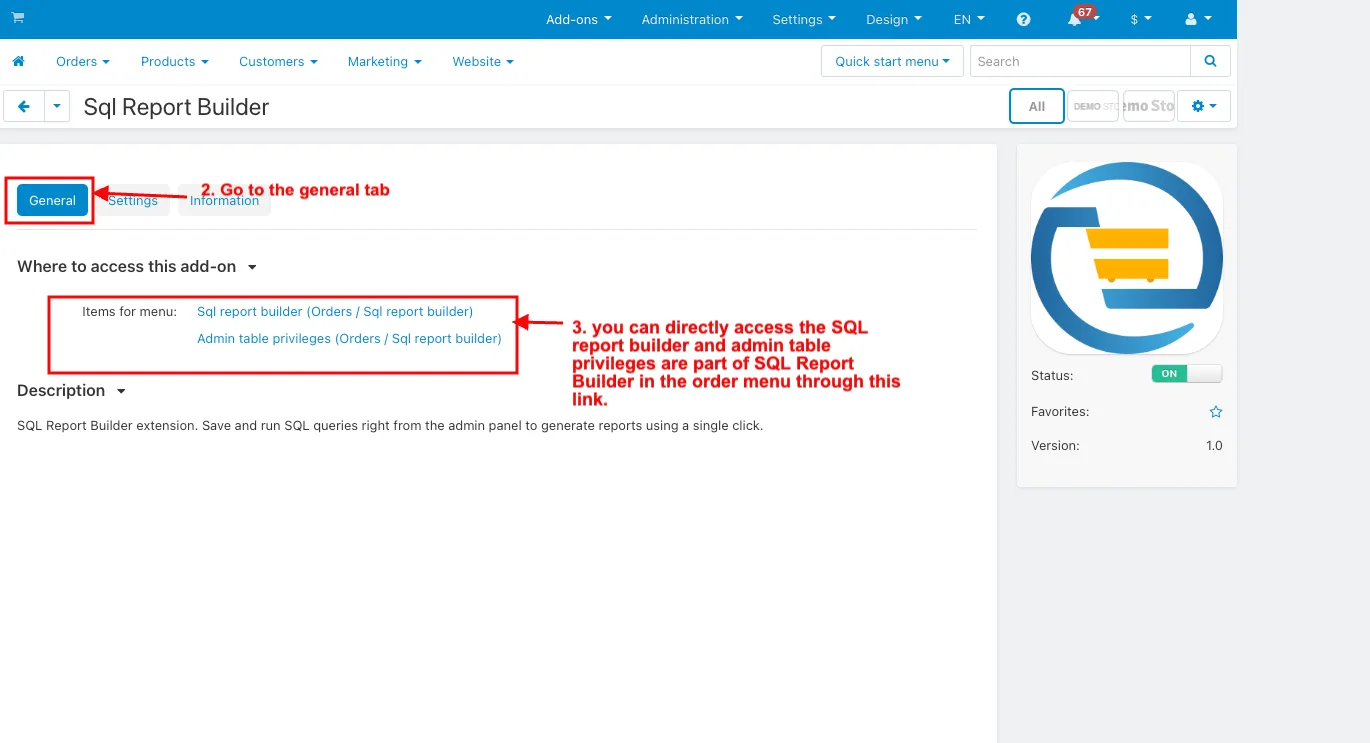
- Open the Sql Report Builder Addon.
- Go to the General tab.
- Items for menu: you can directly access the SQL report builder and admin table privileges are part of SQL Report Builder in the order menu through this link.
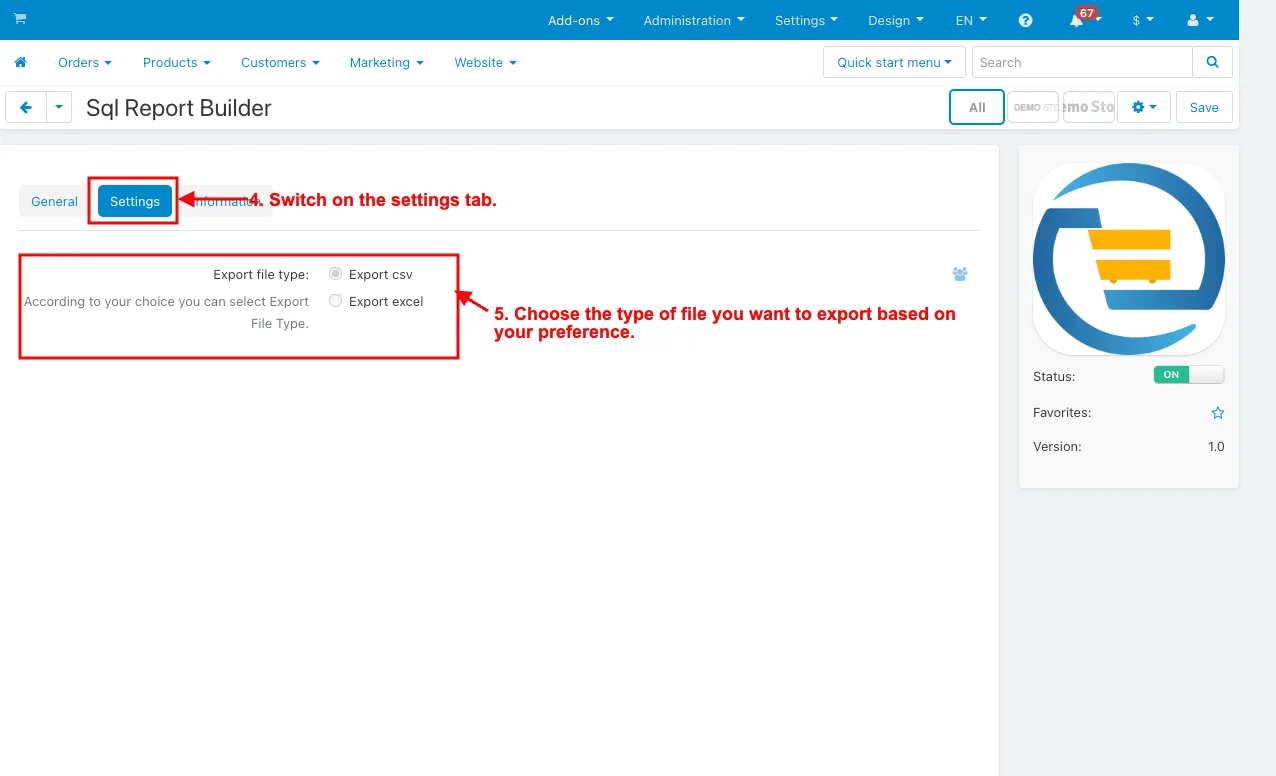
- Switch on the Settings tab.
- Export this type: Choose the type of file you want to export based on your preference.
How to work this addon
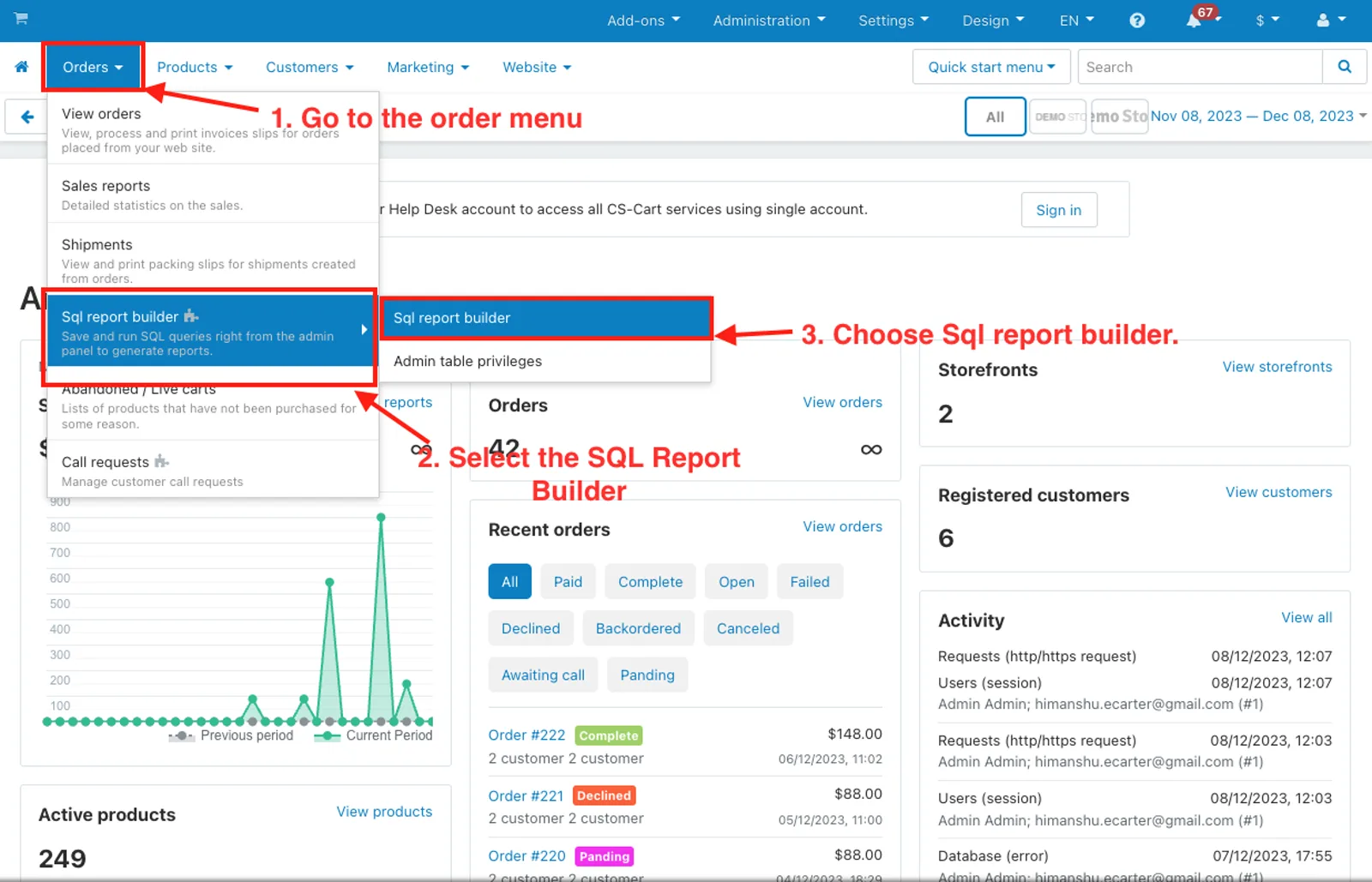
1. Go to the order menu.
2. Select the SQL Report Builder.
3. Choose Sql report builder.
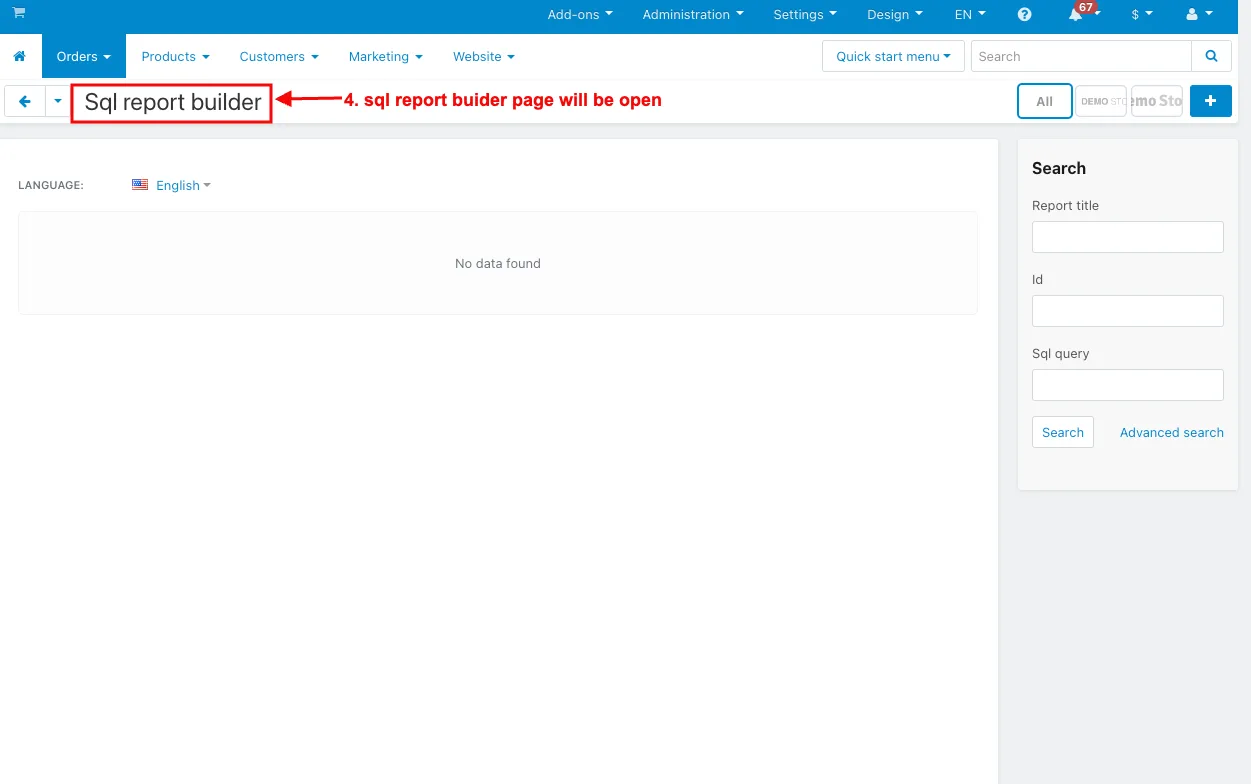
4. Sql report builder page will be open.
5. Admin can add new sql report.
6. Click on the (+) icon.
7. Report title: Enter the Report title name.
8. Sql query: Enter the query.
9. Click on the Execute Sql Query.
10. After executing the query, you can see the sql report here.
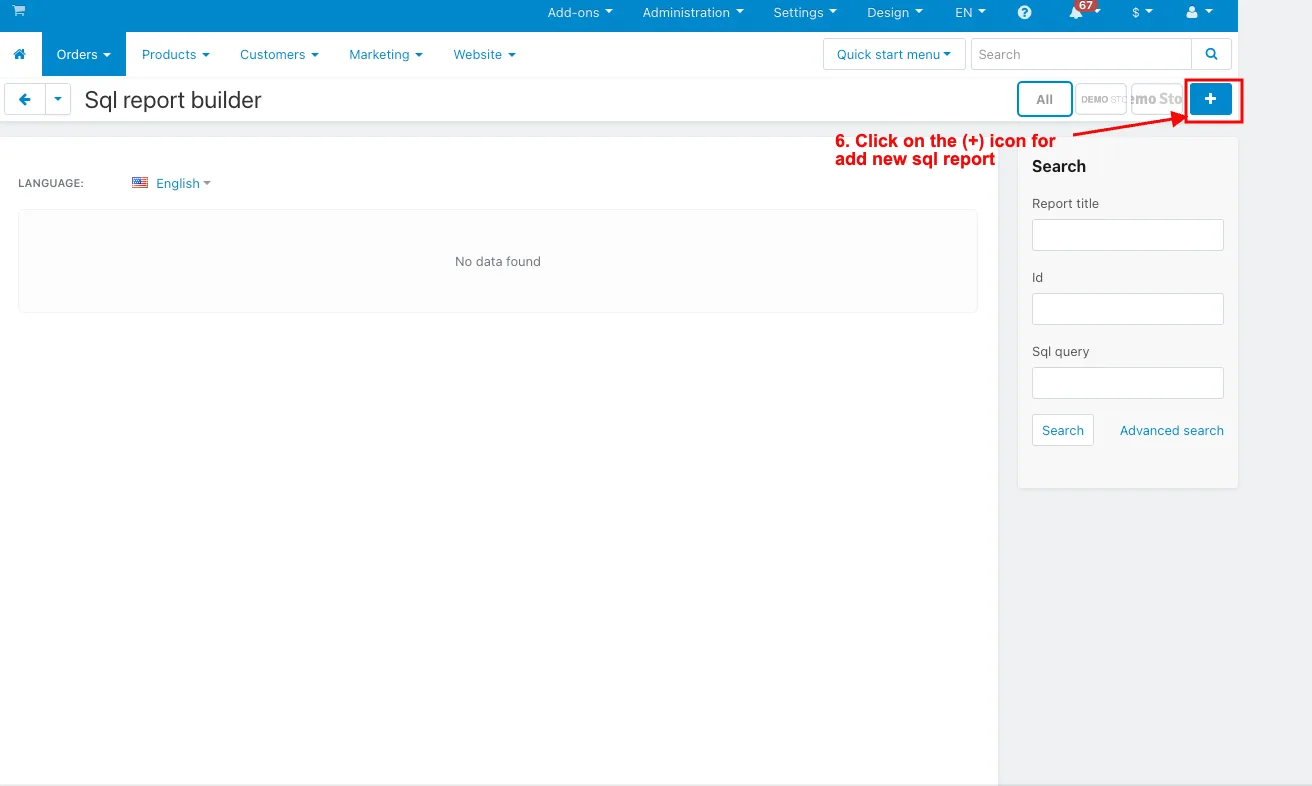
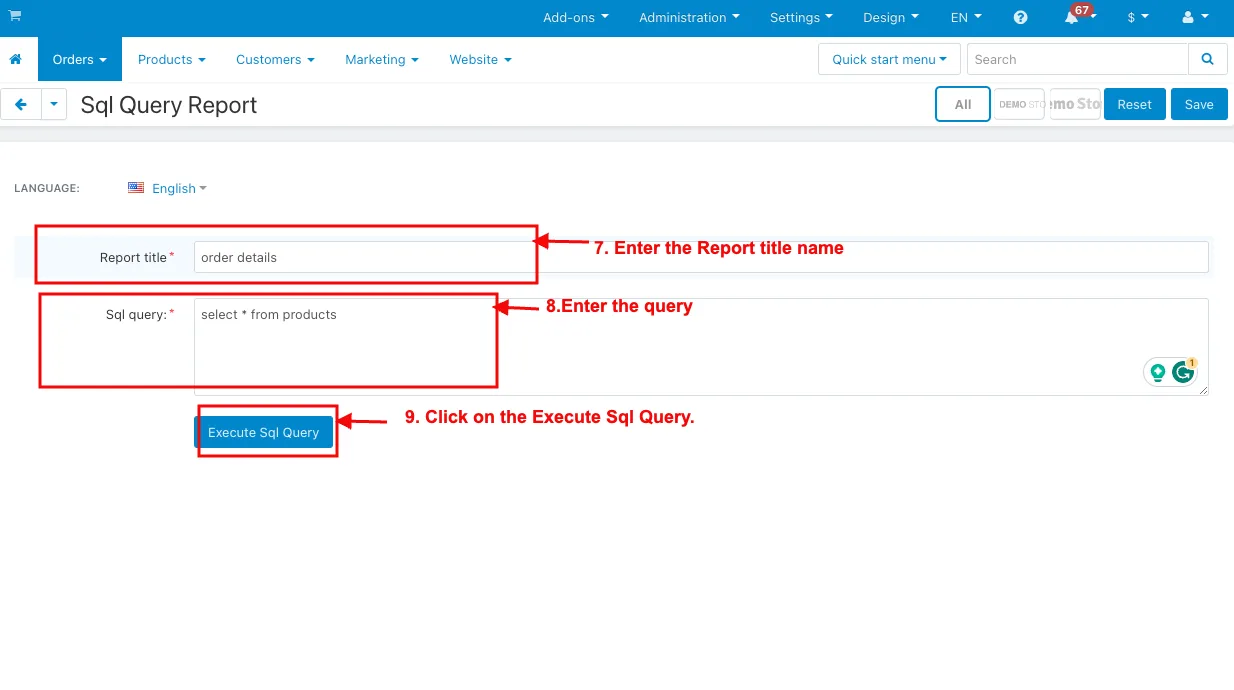
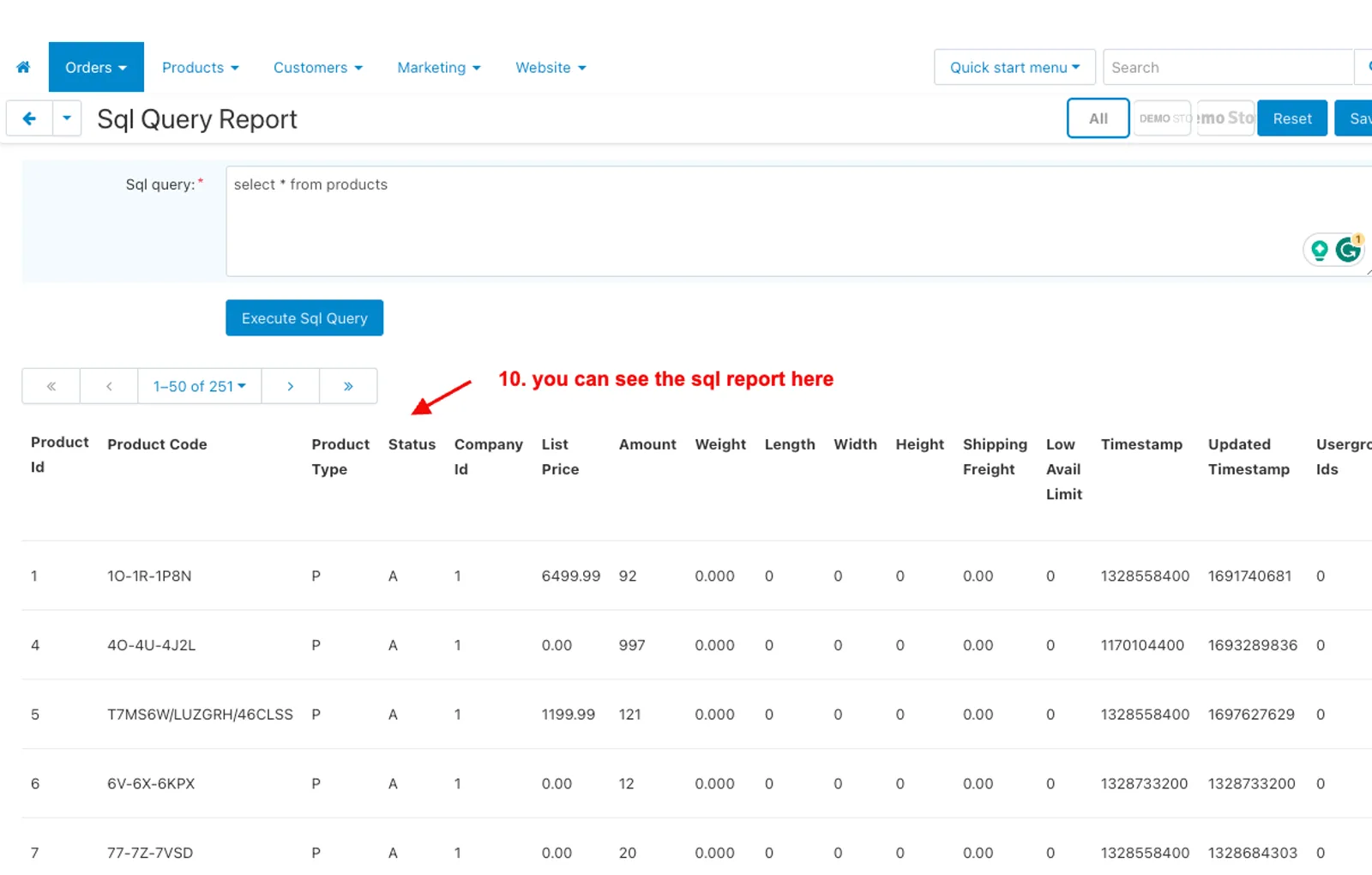
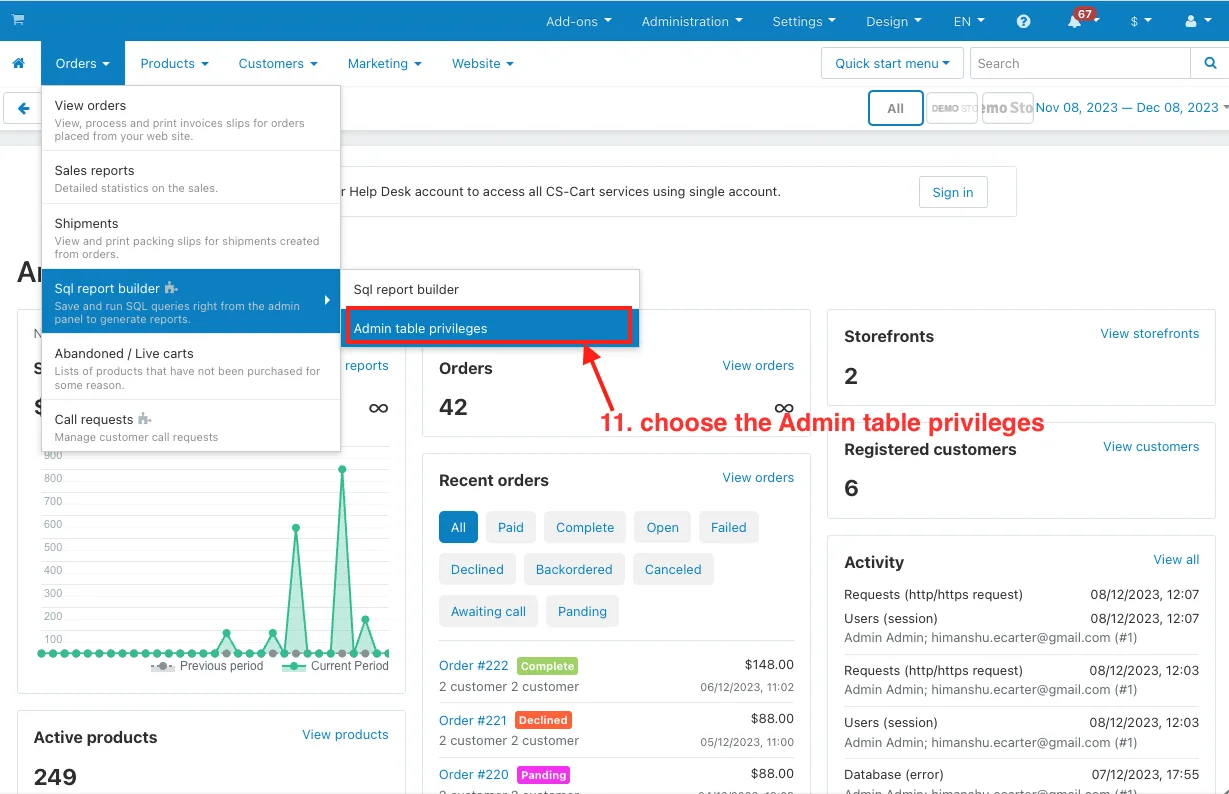
11. Now choose the Admin table privileges.
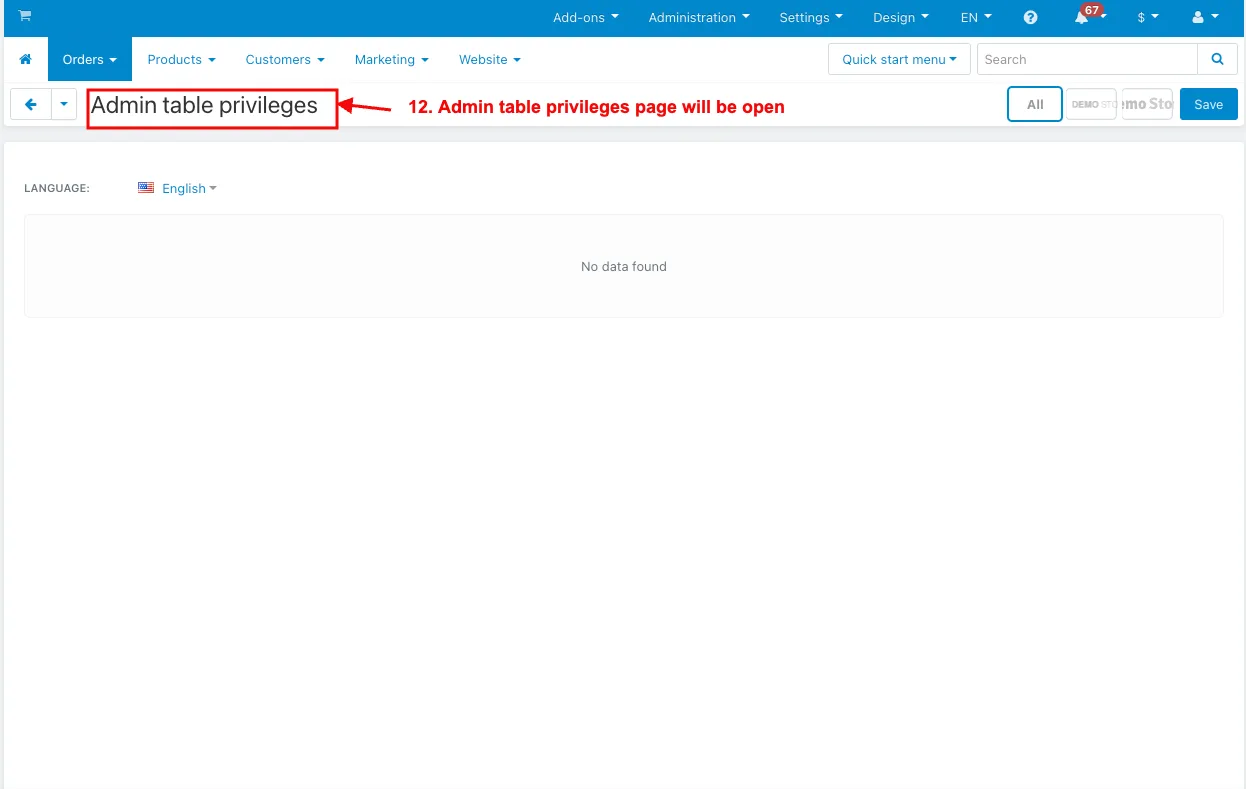
12. The Admin table privileges page will be open.
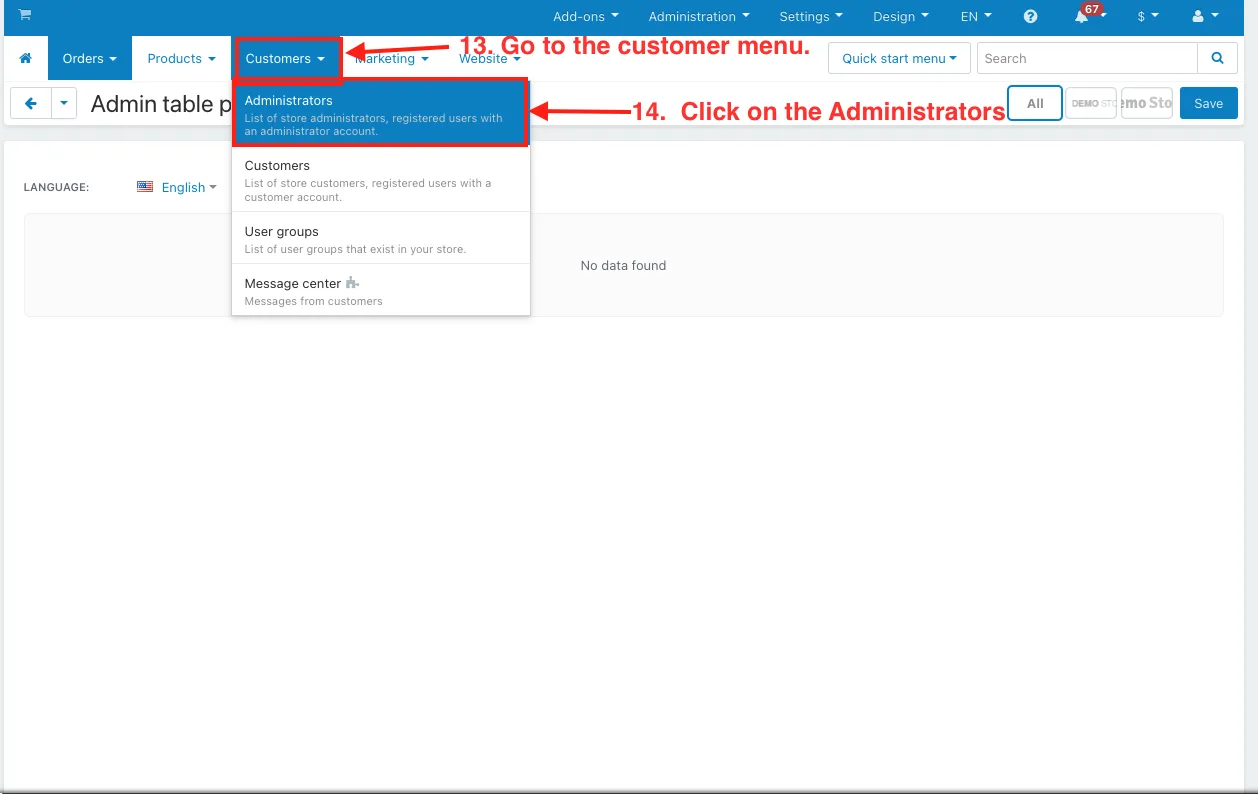
13. Go to the customer menu.
14. Click on the Administrators.
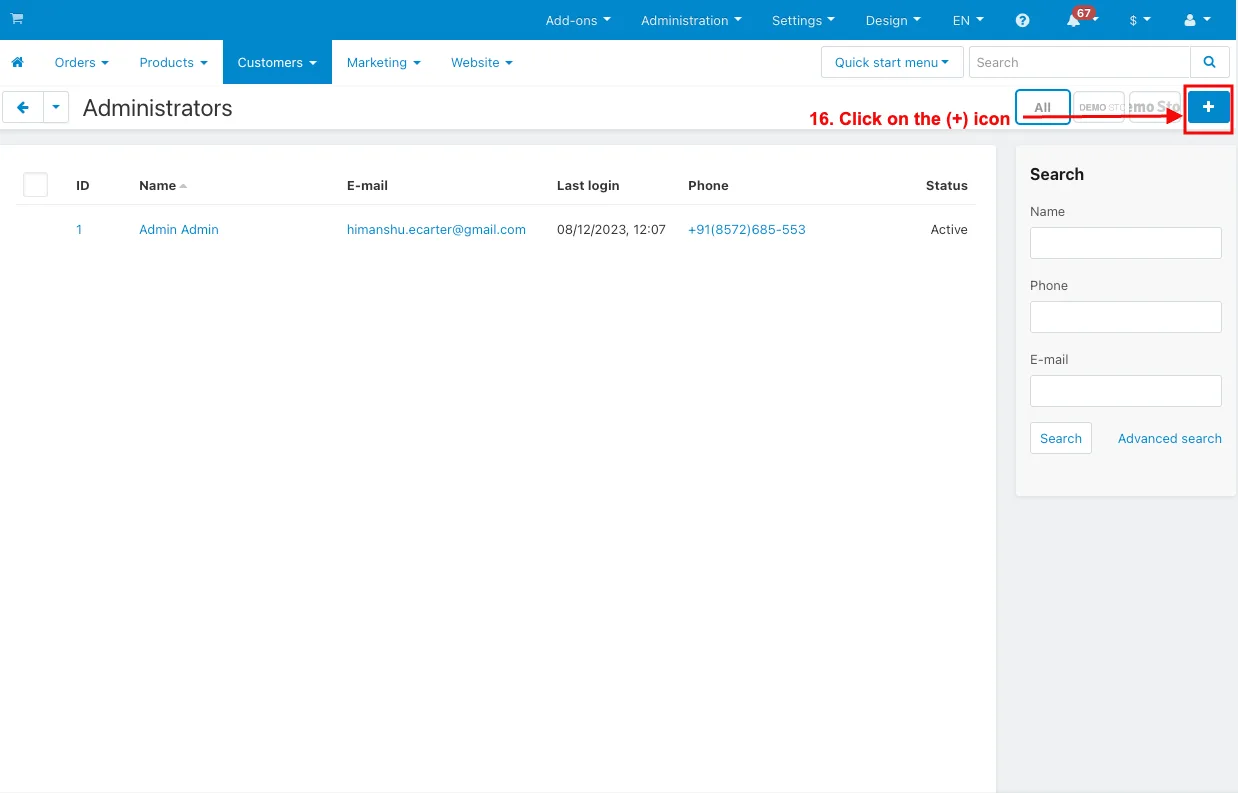
15. Admin can add the sub-Admin profile.
16. Click on the (+) icon.
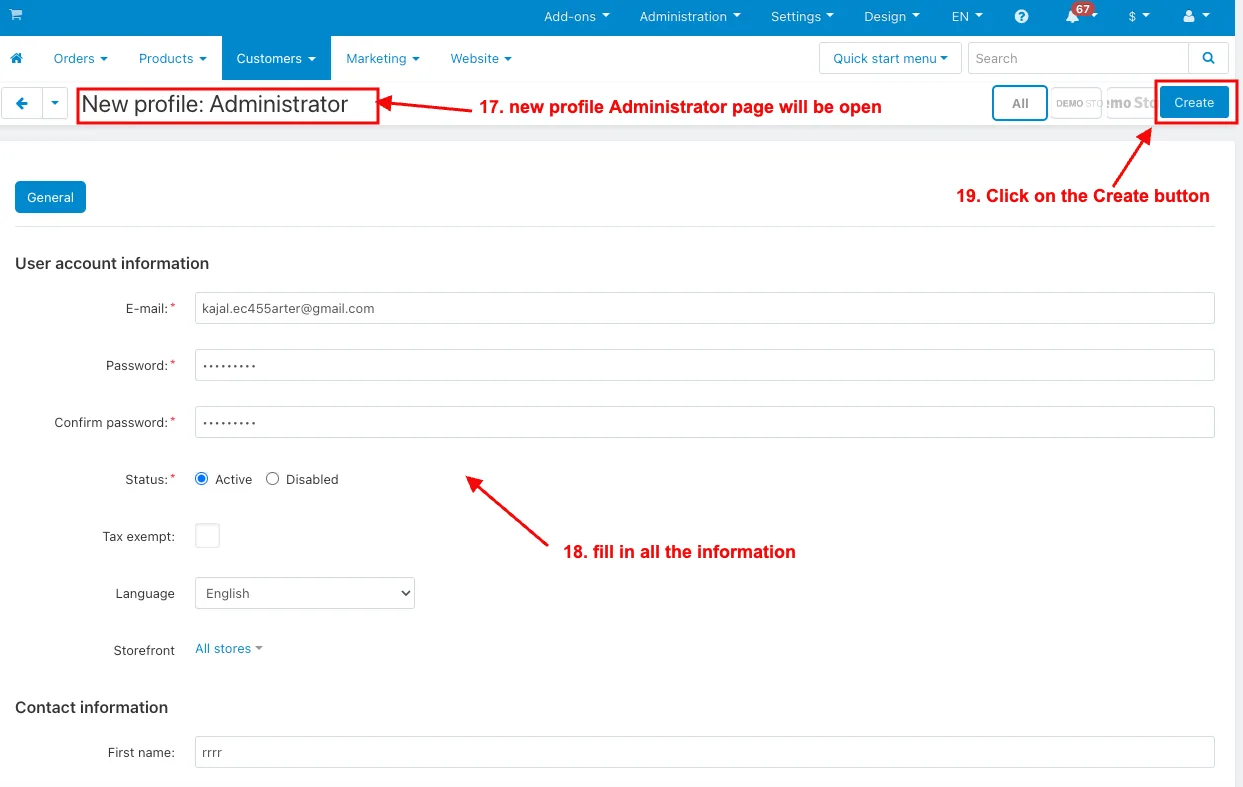
17. The new profile Administrator page will be open
18. And then fill in all the information.
19. Click on the Create button.
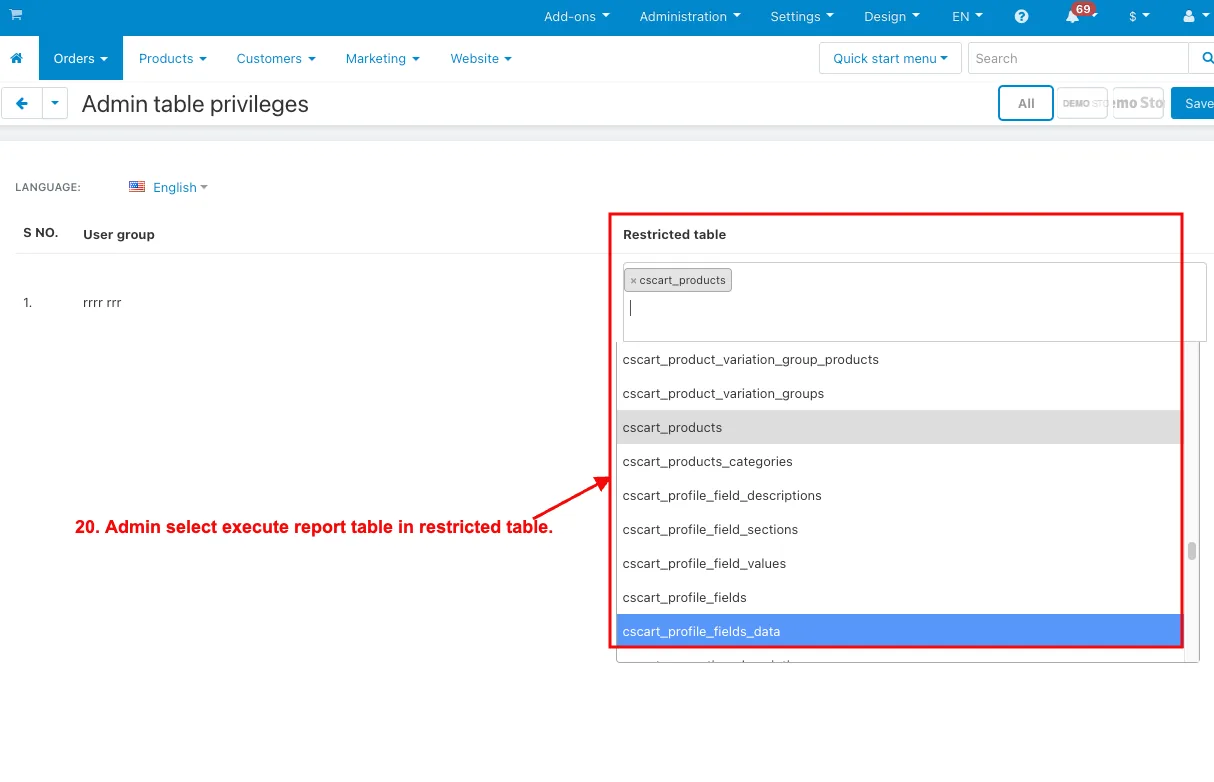
20. Admin selects execute report table in the restricted table in the table privileges page on the order menu.
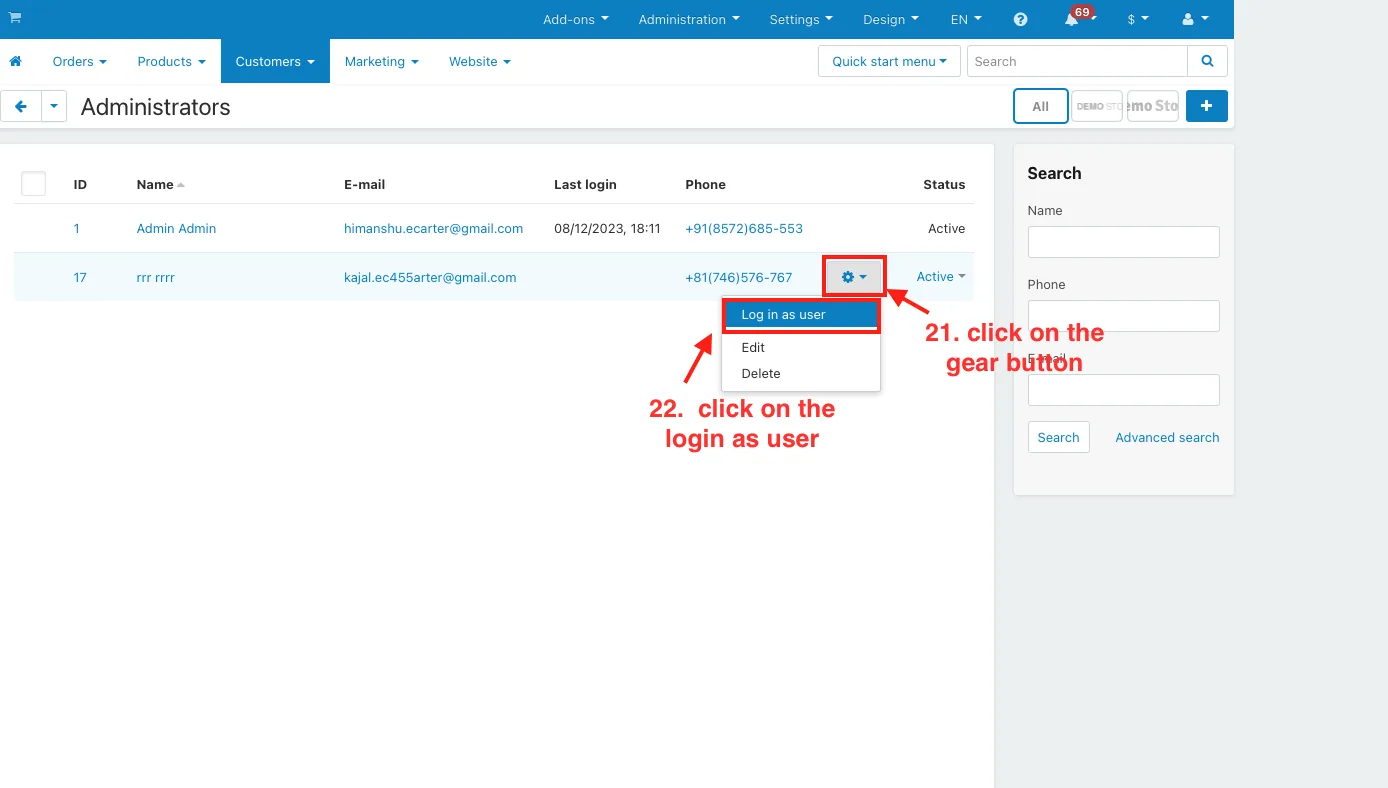
21. And then click on the gear button.
22. And then click on the login as user.
23. and login will be done from any sub-admin profile.
24. Here you see a restricted report table in the SQL report builder.
Addon-Version:
Version-1.0
Supported Versions:
CS-Cart, CS-Cart Multivendor 4.8.x, 4.9.x,4.10x,4.11x,4.12,4.13x, 4.14x, 4.15x, 4.16x, 4.17x, 4.18x
Support:
This app is developed and published by Ecarter Technologies Pvt. Ltd., a CS-Cart developer. You are guaranteed quality add-ons.
Frequently asked questions
What can I do with SQL Report Builder in CS-Cart?
You can write custom SQL queries against your store database, save the ones you use often, and run them from the admin panel with one click to generate reports. This lets you pull and analyse exactly the data you want from your e-commerce operations.
Do I need coding skills to use it?
The add-on is built around SQL queries, but it provides a user-friendly interface for creating and running reports without advanced coding skills. If you have a query, you can save it and reuse it, so day-to-day report generation is a single click.
Are the report results up to date?
Yes. Queries run against your live store database and return real-time results, so the reports reflect current data for timely decision-making.
How is the add-on installed and set up?
It installs like any CS-Cart add-on (see the how-to-install-addon guide), after which you configure it under the General and Settings tabs. There you can add the SQL Report Builder to the admin menu, set table privileges, and choose the export type for your reports.
Kajal is a Technical Content Writer at Ecarter Technologies. She writes technical documentation and in-depth guides on eCommerce platforms, mobile commerce and AI in online retail.