
Saferpay Payment Gateway
Saferpay Payment Gateway: Saferpay is the comprehensive e-payment solution from Worldline for easier and more secure payment.
Saferpay Payment Gateway for CS-Cart connects your store to Saferpay, the e-payment service from Worldline, so you can accept online payments through your existing checkout. It handles credit and debit card payments and other established payment methods with PCI DSS-certified security, tokenization, and built-in risk management. It also supports omni-channel selling, dynamic currency conversion and multi-currency settlement for customers paying from other countries. The add-on suits CS-Cart store owners who want a certified, secure gateway that integrates directly with the checkout and is backed by a 24/7 service center.
Saferpay Payment Gateway for CS-Cart is a comprehensive e-payment solution from Worldline, designed for easier and more secure online payments. This gateway integrates seamlessly with CS-Cart, allowing your store to accept payments quickly, flexibly, and safely. It works directly with the checkout process, ensuring smooth and secure transactions for your customers.
Features:
- A Saferpay Payment Gateway can easily integrate with CS-Cart. Set it up fast, and start processing online payments.
- More flexible, responsive design, omni-channel support.
- Certified for all leading platforms.
- PCI DSS certified.
- Integrated risk management system.
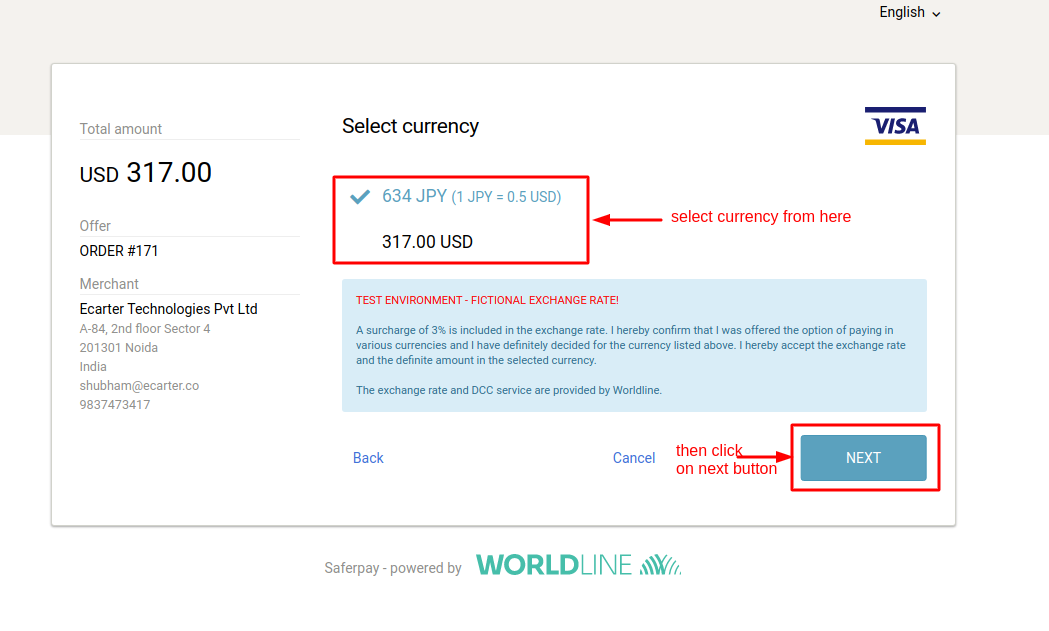
- Dynamic currency conversion for foreign customers.
- Tokenization solution.
- Optimized checkout pages.
- Payment links via e-mail or in PDF documents.
- Seamless connection included simple integration.
- Allow your customers to pay in the online shop using all established means of payment. Accept all known Credit and debit cards with the highest security standards.
- Secure payment processing, across all channels, in all countries.
- Transaction information in real-time.
- Multi-currency settlement.
- Reliable 24/7 service center.
- Higher turnover – lower costs
Installation:
How to install Addon
https://store.ecarter.co/blogs/how-to-install-addon/
How addon works
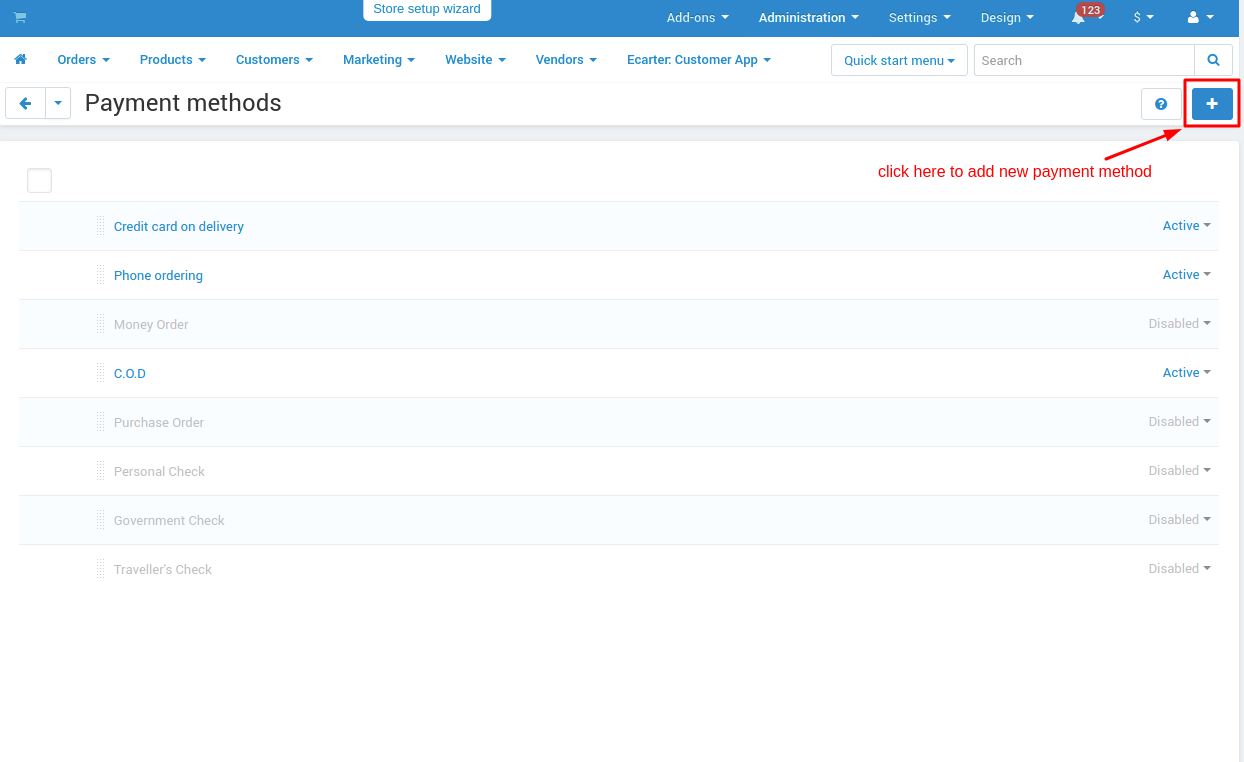
Create New Payment Method Square Payment: To create a new payment method we need to go into Adminstrations>Payment Methods and create there.
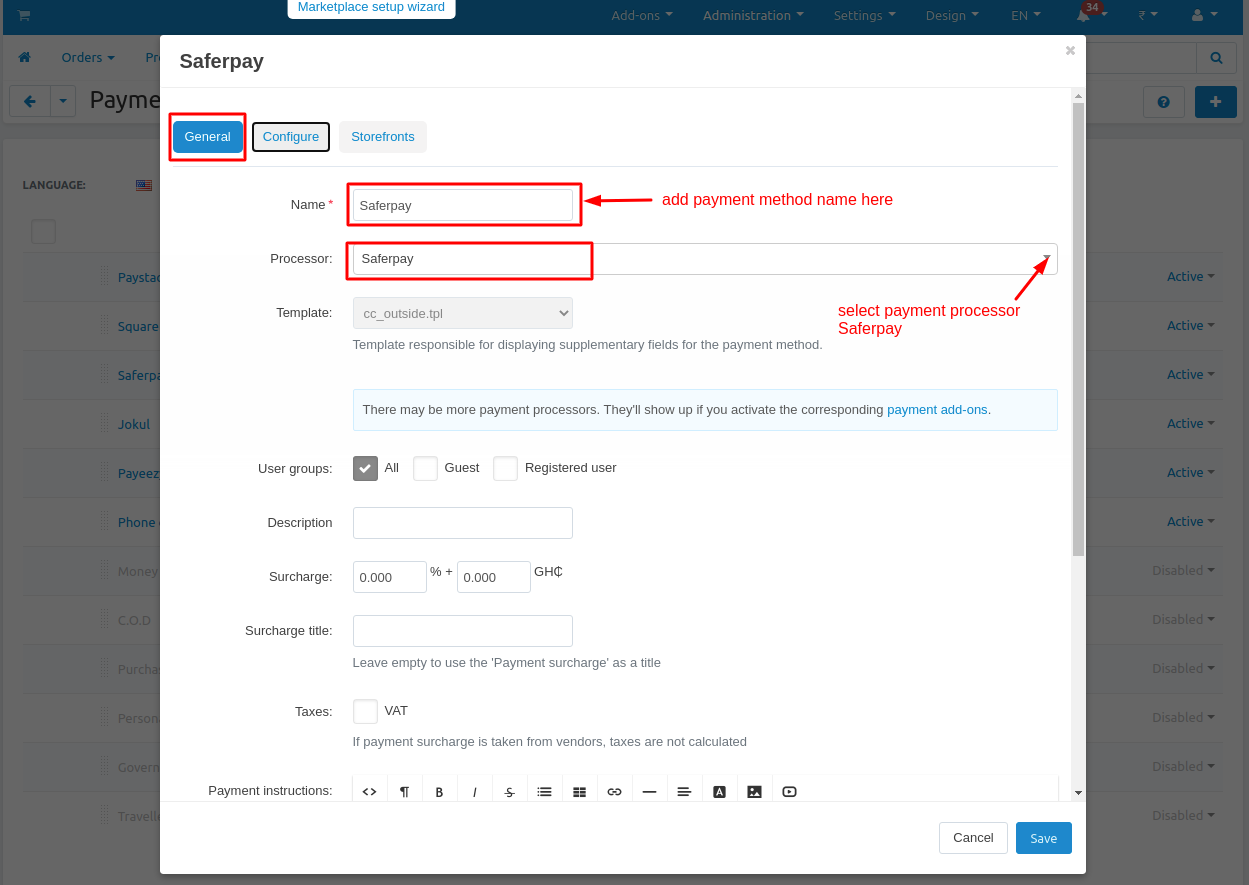
General tab: Add general information about the payment method.
Name: add payment method name here.
Processor: choose a payment processor for that payment method that we are going to create.
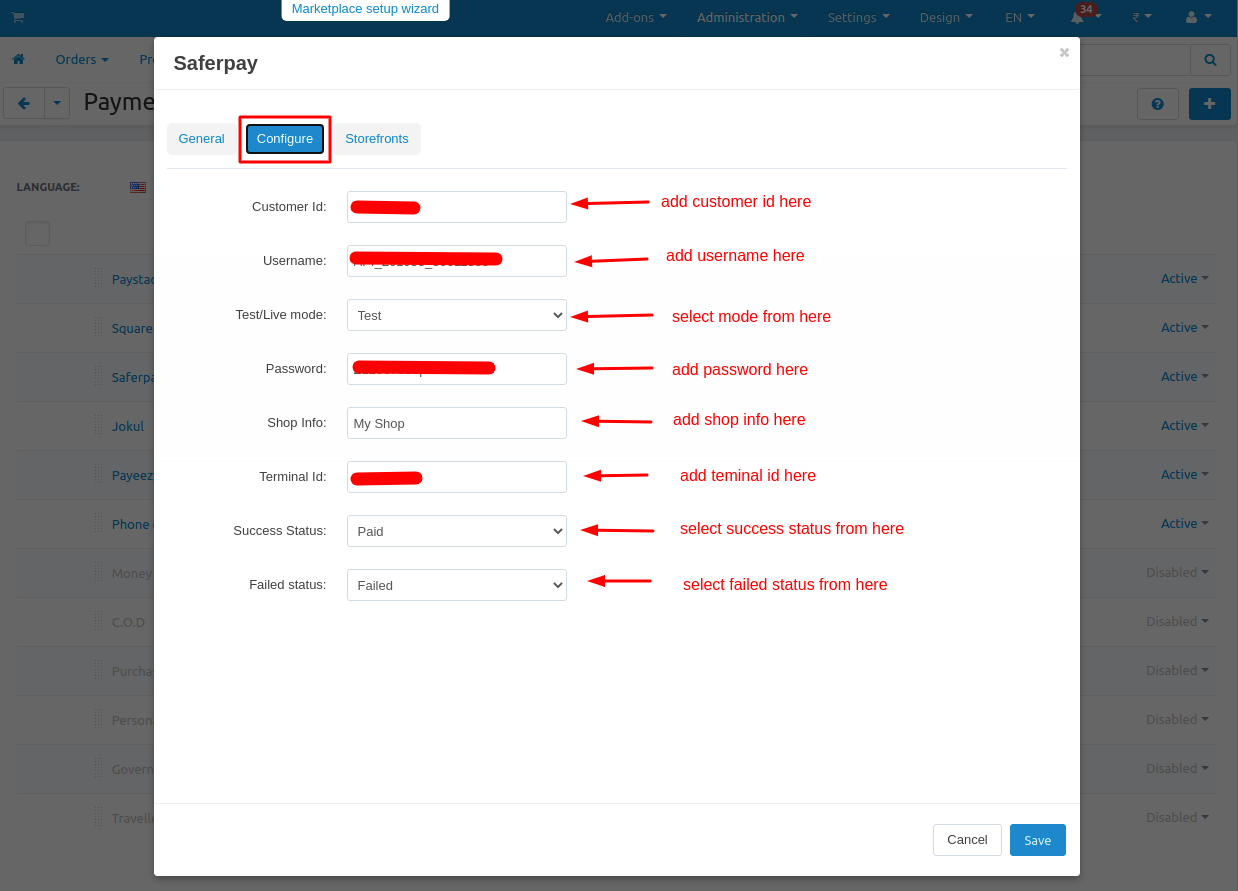
Configuration tab: Configure payment method with the payment processor.
Customer Id: provided by the payment method company.
Username: provided by the payment method company.
Password: provided by the payment method company.
Shop Info: provided by the payment method company.
Terminal Id: provided by the payment method company.
Test/Live mode: select mode like for test environment “test” and for production environment select “live”.
Success Status: select order success status from here.
Failed status: select order success status from here.
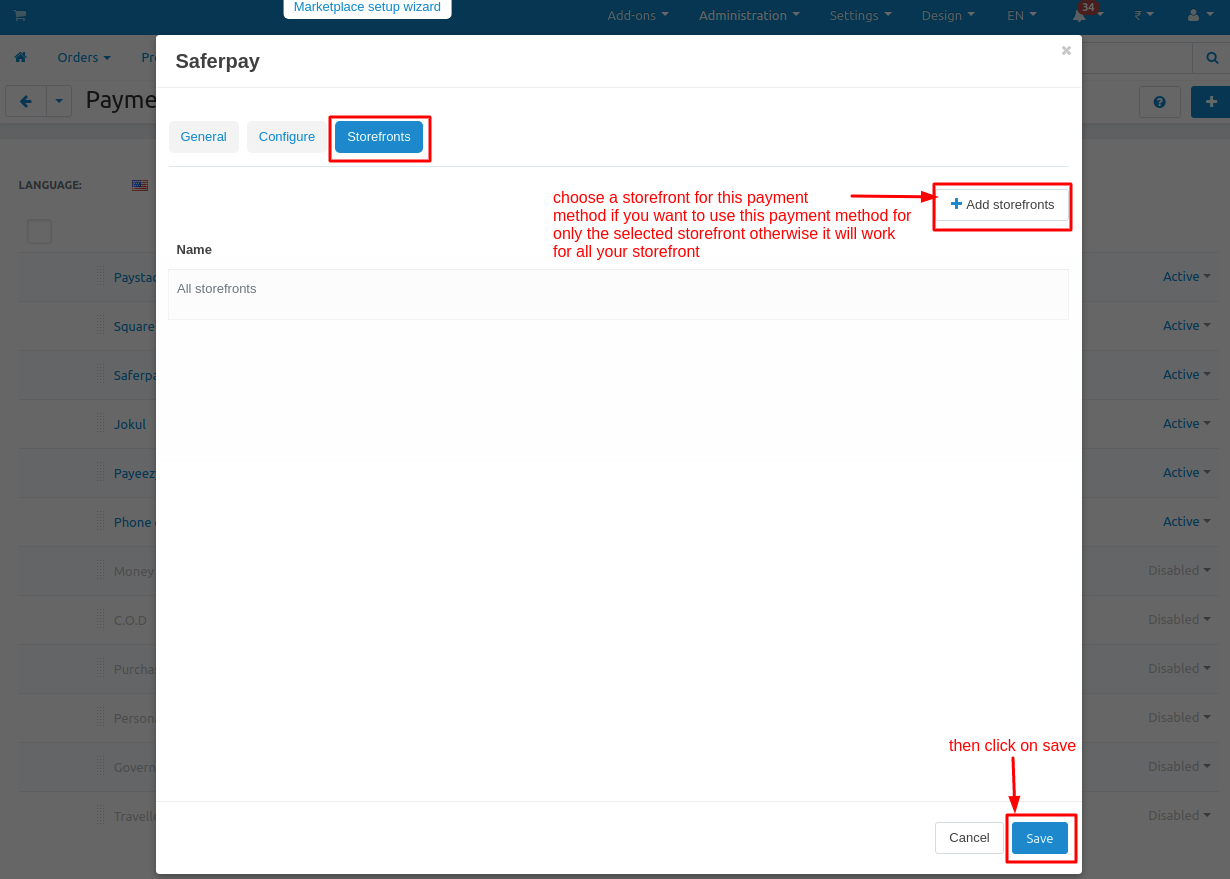
Storefronts tab: if you won’t use this payment method for only any specific storefronts then you can add those storefronts from here otherwise it will work for all your storefronts.
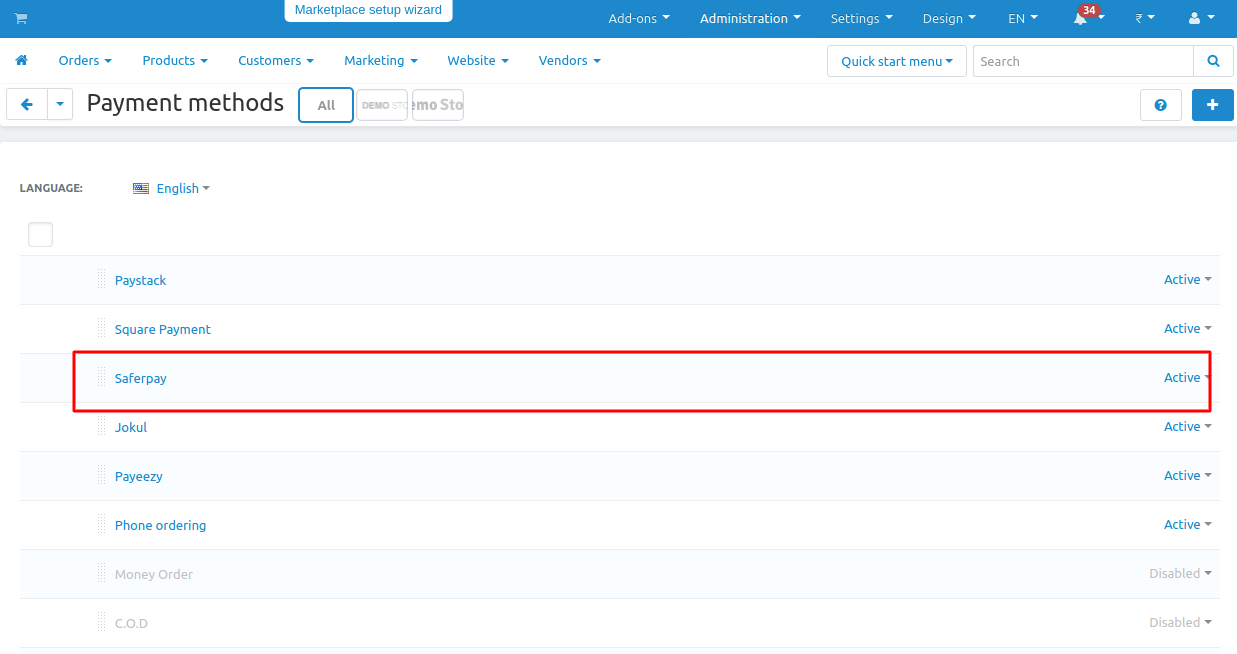
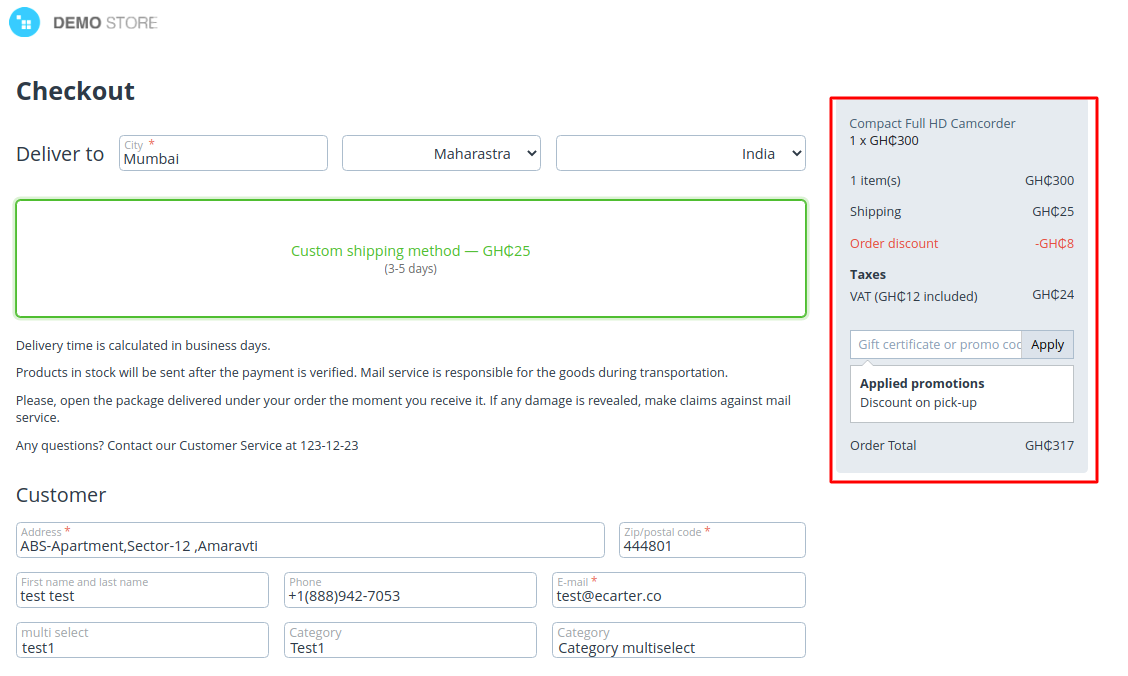
Checkout Through Saferpay Payment Gateway:
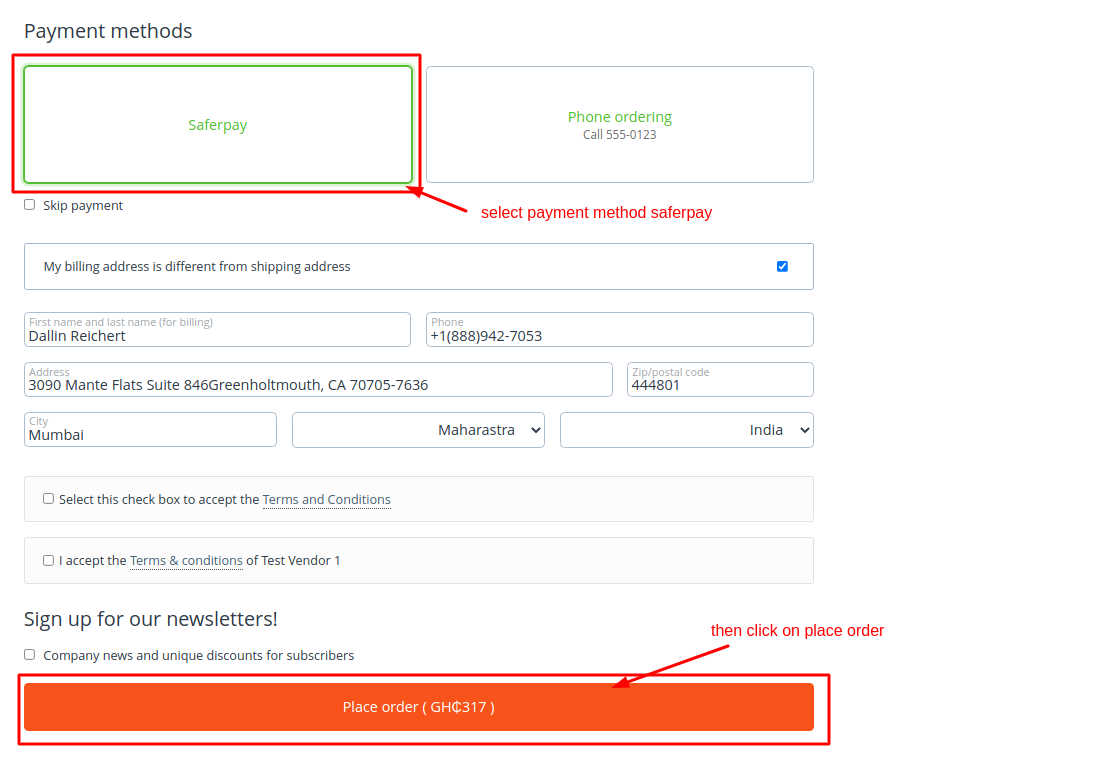
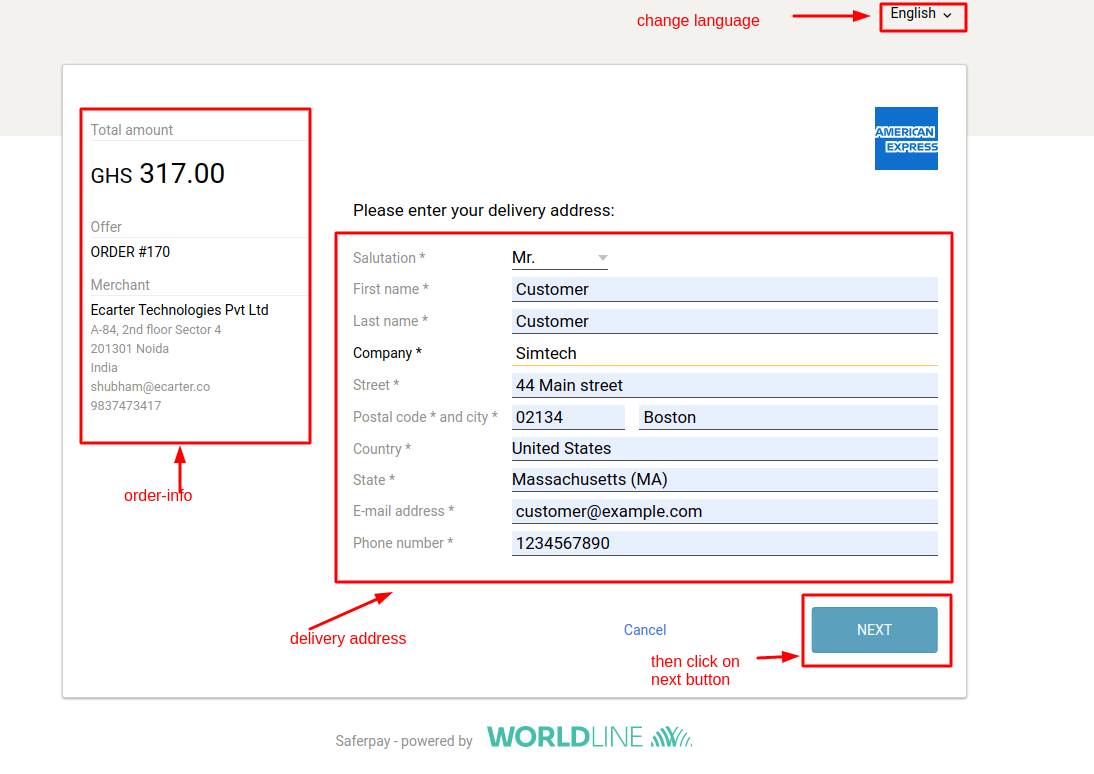
Redirecting to Saferpay Payment :
Enter delivery address and click on the next button:
Select Currency and click on the next button:
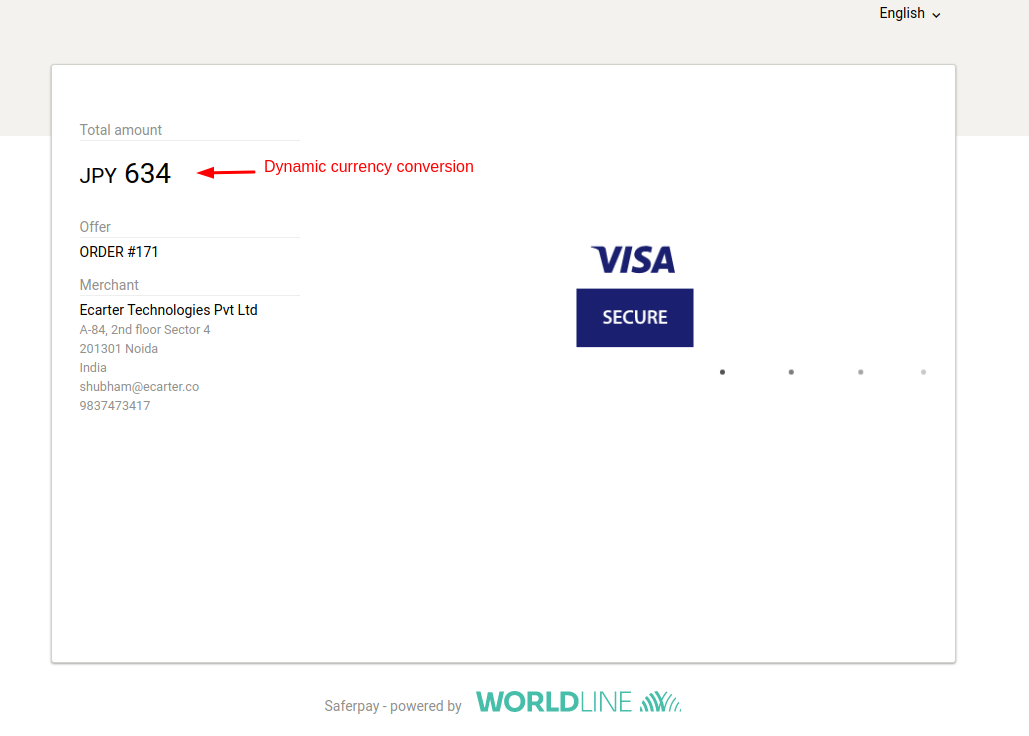
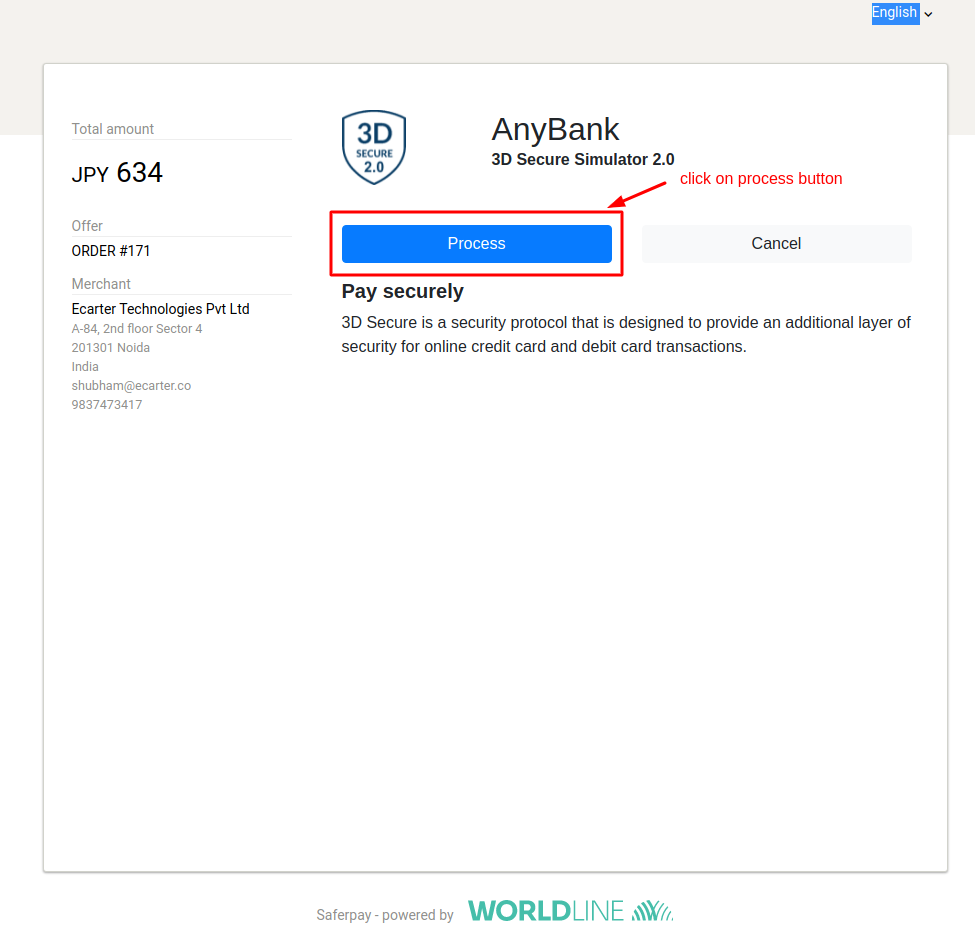
To process your payment click on the process button:
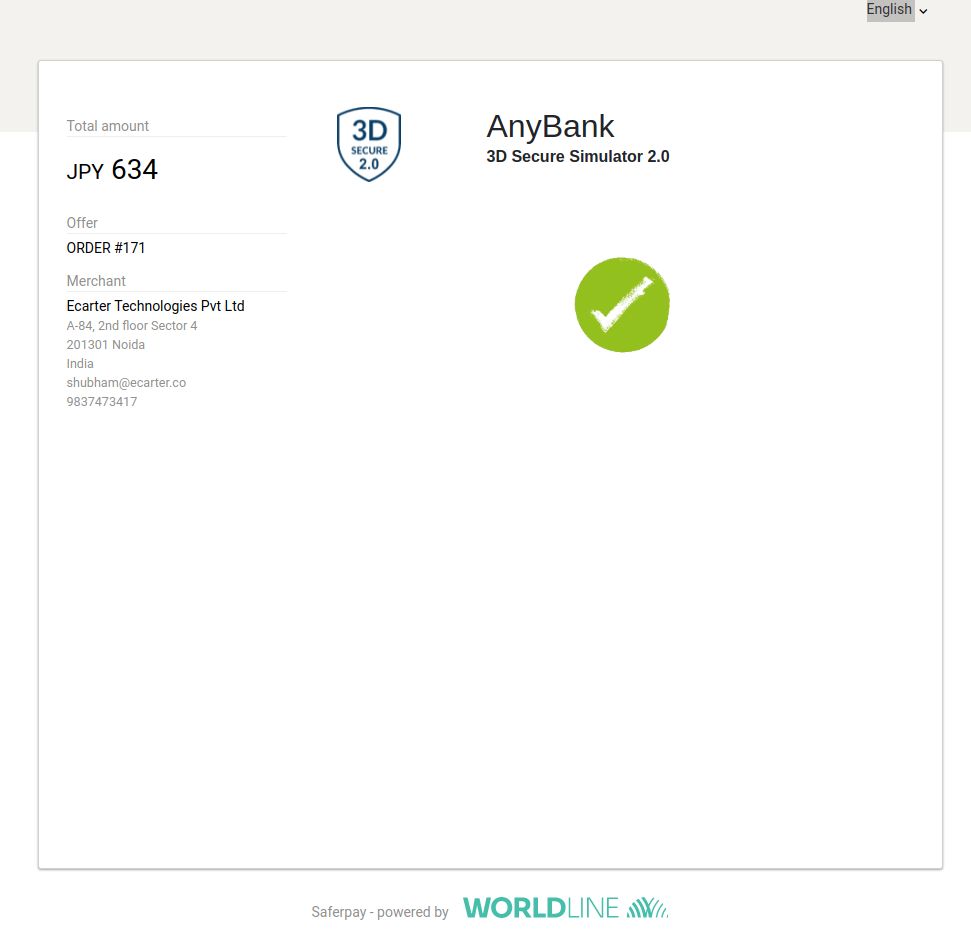
Payment Successful now you are redirected to the merchant page:
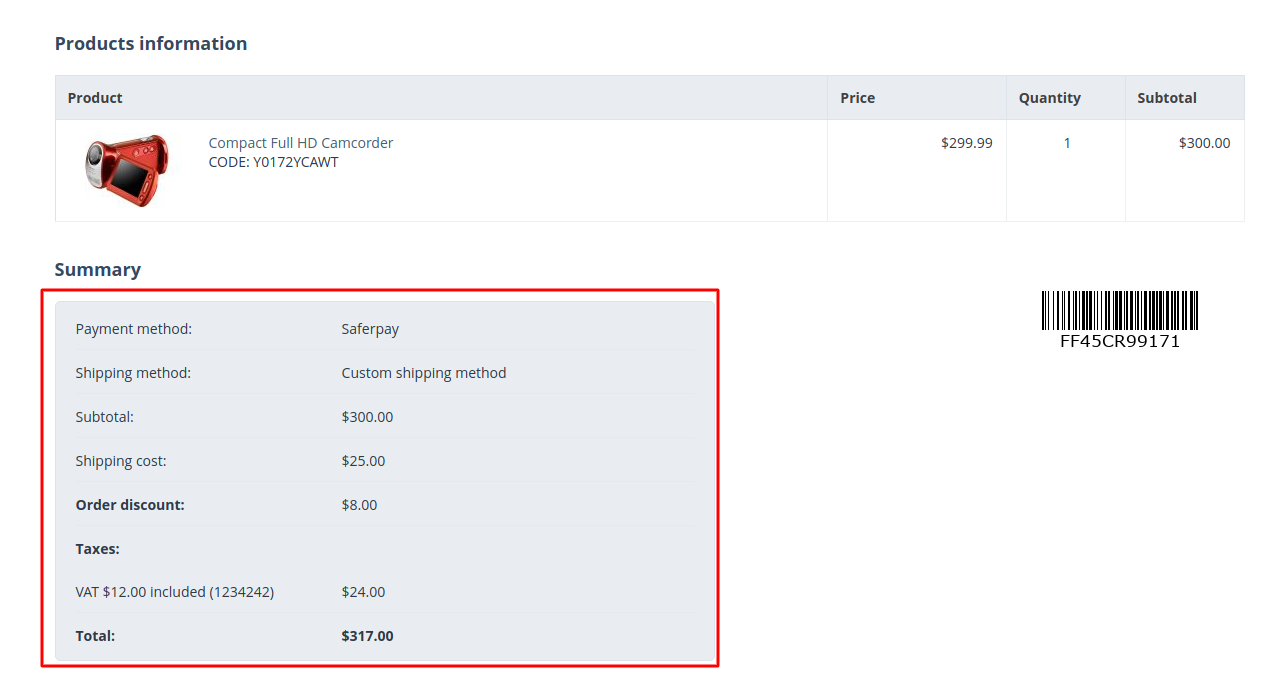
Order-Details Frontend:
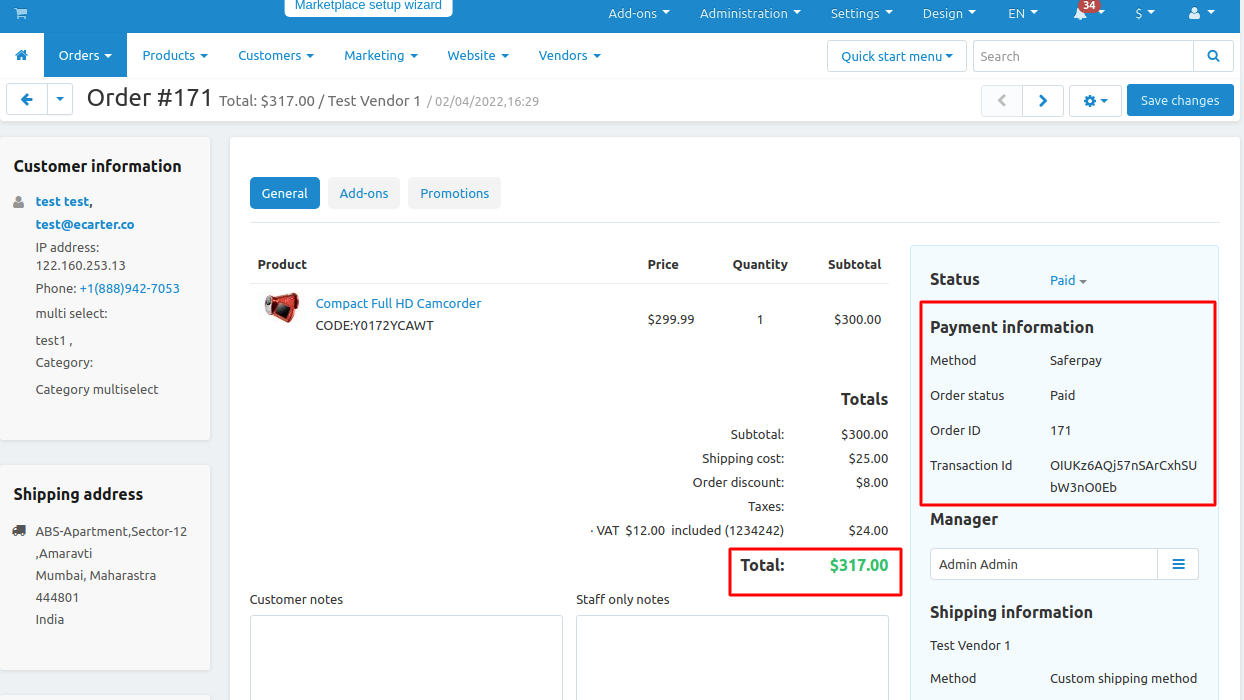
Order-Details Backend:
Tutorial Link:
https://www.loom.com/share/db68ee1b5a65499899721950469e83a0
Addon-Version:
Version-1.0
Supported Versions:
CS-Cart, CS-Cart Multivendor 4.8.x, 4.9.x,4.10x,4.11x,4.12,4.13x, 4.14x, 4.15x, 4.16x, 4.17x, 4.18x
Support:
This app is developed and published by Ecarter Technologies Pvt. Ltd., a CS-Cart developer. You are guaranteed a quality add-on supported by future versions. If you need help, please contact us via email support@ecarter.co
Need modifications or any assistance? Please, feel free to contact us via email at support@ecarter.co
Frequently asked questions
Which payment methods does the Saferpay gateway support?
It lets customers pay with all established payment methods in your online shop, including major credit and debit cards, processed to high security standards. Payment can also be collected through payment links sent by email or included in PDF documents.
Is the gateway secure and compliant?
Yes. Saferpay is PCI DSS certified and includes an integrated risk management system and a tokenization solution. Payment processing is handled securely across all channels and countries.
Does it support customers paying in different currencies?
Yes. The gateway offers dynamic currency conversion for foreign customers and multi-currency settlement, so shoppers can pay in their own currency while you settle in yours.
How do I install and set it up in CS-Cart?
The add-on integrates directly with CS-Cart and is designed for a fast setup so you can start processing payments quickly. Follow the standard add-on installation guide, then create a new payment method under Administration to configure it. If you need a specific CS-Cart version confirmed, share yours and we will check compatibility.
Kajal is a Technical Content Writer at Ecarter Technologies. She writes technical documentation and in-depth guides on eCommerce platforms, mobile commerce and AI in online retail.