
Repay Payment Restriction
Repay Payment Restriction: This addon allows the admin to restrict Repay Payment methods from the backend, with this addon admin can restrict particular payment
The Repay Payment Restriction add-on lets a CS-Cart store administrator control which payment methods are available when a customer repays an order, and when repayment is allowed. From the backend, the admin can limit repayment to specific payment methods (payment method-based restriction) and to specific order statuses (order status-based restriction), setting the order statuses at which a repayment can be made. Each restriction type can be enabled or disabled independently, and multiple payment methods and order statuses can be added or removed. It is intended for store owners who need tighter control over how and when customers complete repayment for outstanding or failed orders.

This addon allows the admin to restrict Repay Payment methods from the backend, with this addon admin can restrict particular payment methods Payment method-based restriction and Order Status-based restriction.
In the Payment method-based restriction, the admin can set/select the Payment method in which only that particular payment method is applicable for payment at the store, whereas in the Order Status-based restriction the admin can set at what order status he can repay payment. Order status in which that the particular payment method is applicable for payment.
Features:
- Feature to allow admin to restrict Repay payment method from the backend.
- Feature to allow admin to restrict repay payment method via Payment Methods-based restriction and order status-based restriction.
- Feature to set and unset multiple payment methods to restrict repay payment.
- Feature to set and add different order status to restrict repay payment method.
- Feature to enable/disable Payment methods-based restriction and order status -based restriction.
- Well-integrated with CS-Cart, CS-Cart Multivendor.
Installation:
How to install Addon
https://store.ecarter.co/blogs/how-to-install-addon/
How Addon works
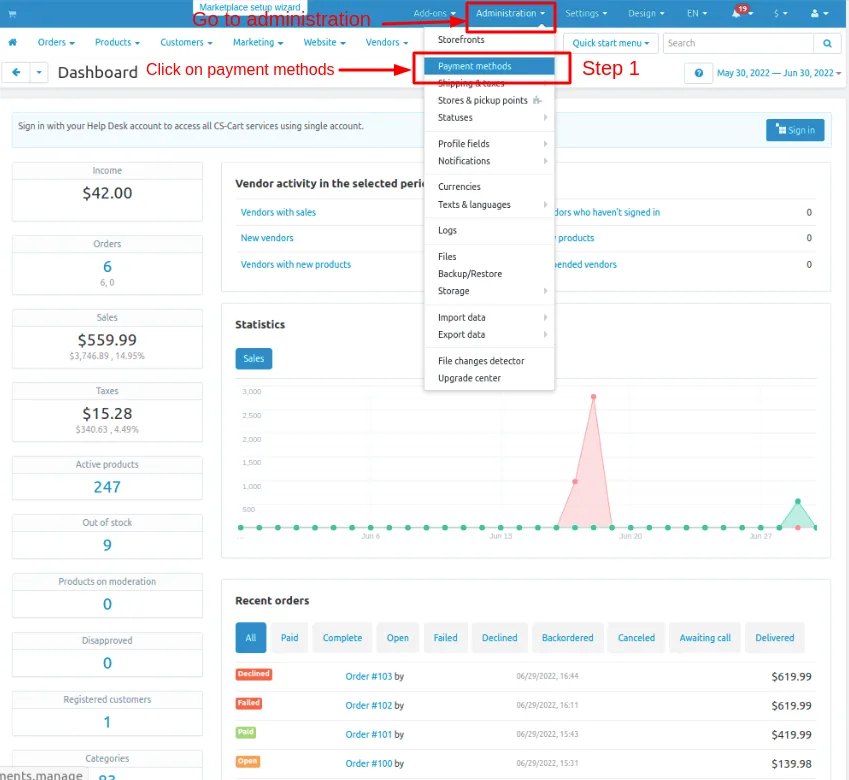
Step 1.
- Go to Administration penal in top click on it.
- Click on >> Payment methods.
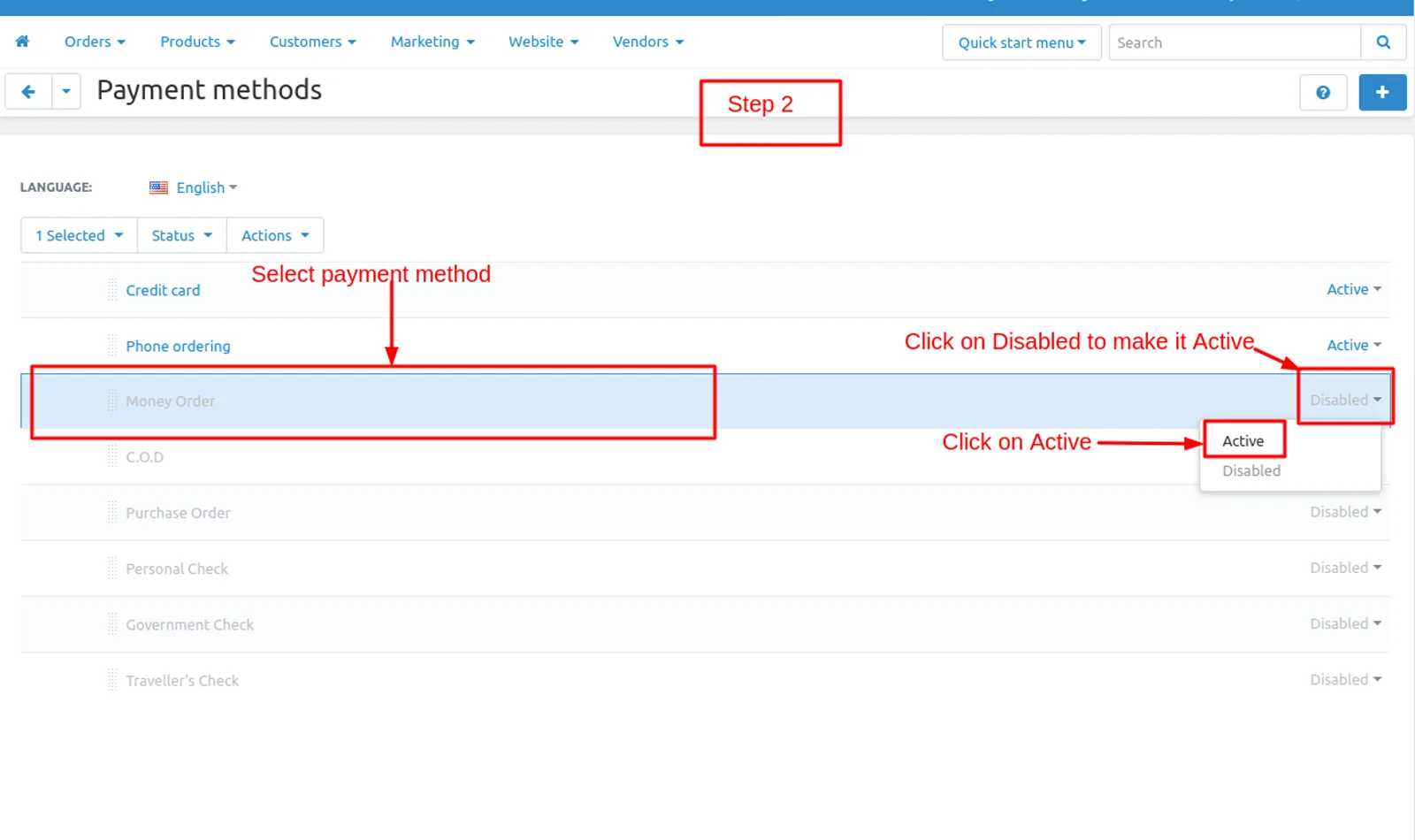
Step 2.
- Select any given payment method if payment method is disable select payment method Click on >> Disable and active tab will be open click on >> Active .
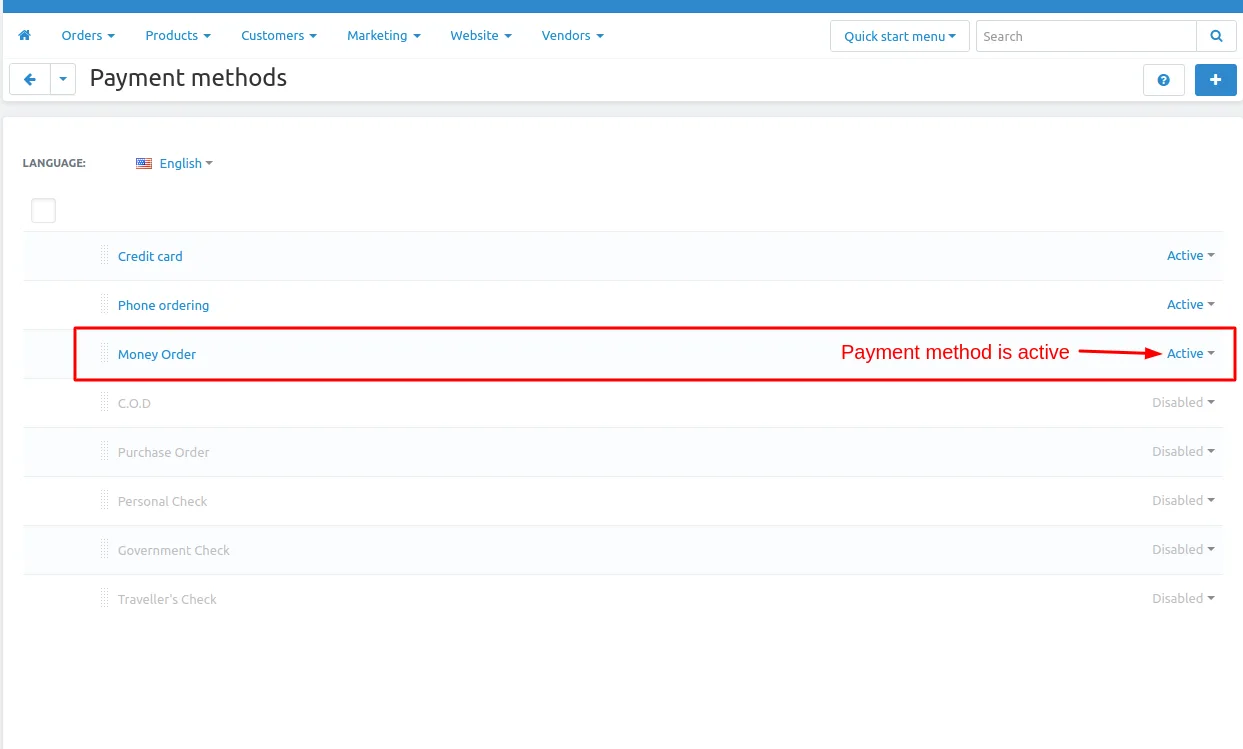
Step 3
- Here you see all the payment methods active and disable payment methods.
- you can also add a payment method Click on >> (+) button upper right corner on the page.
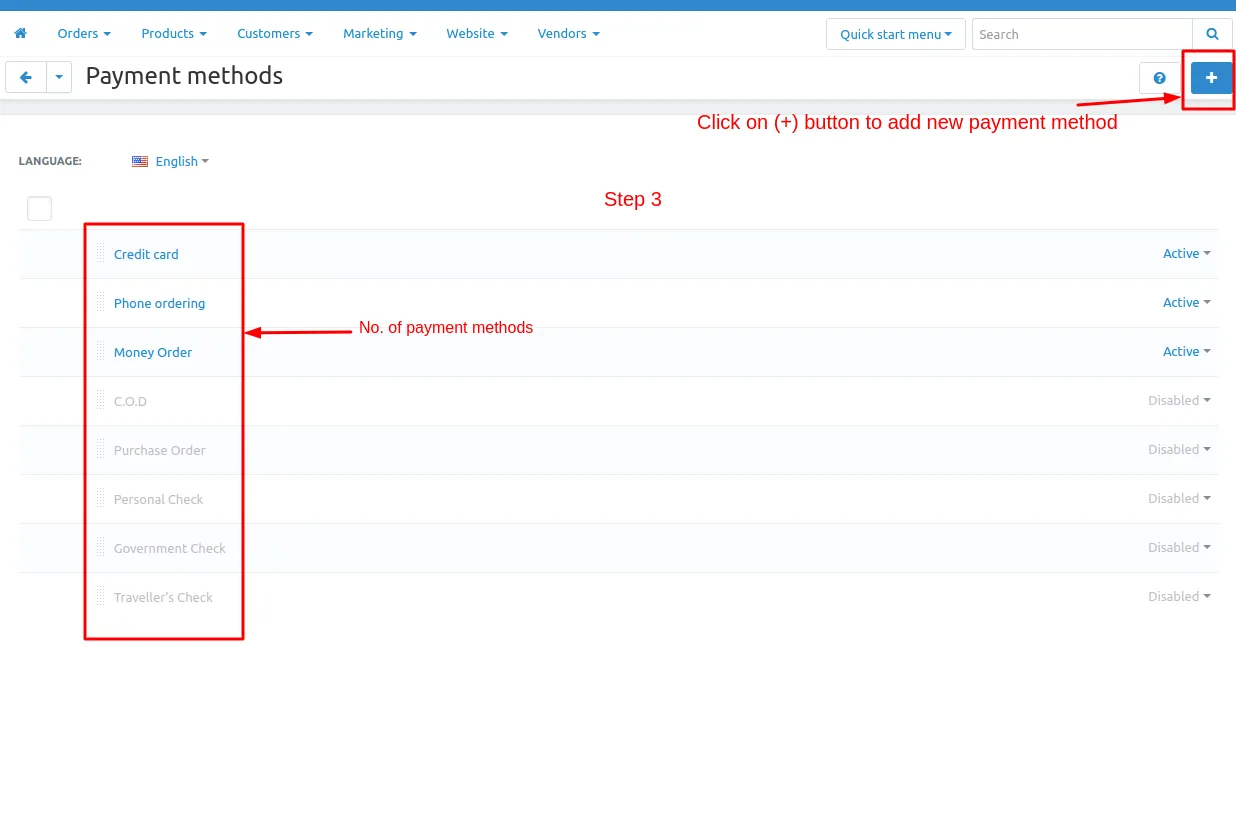
- Click on >> (+) button and new Payment method page will be open enter all the details and click on >> Create button.
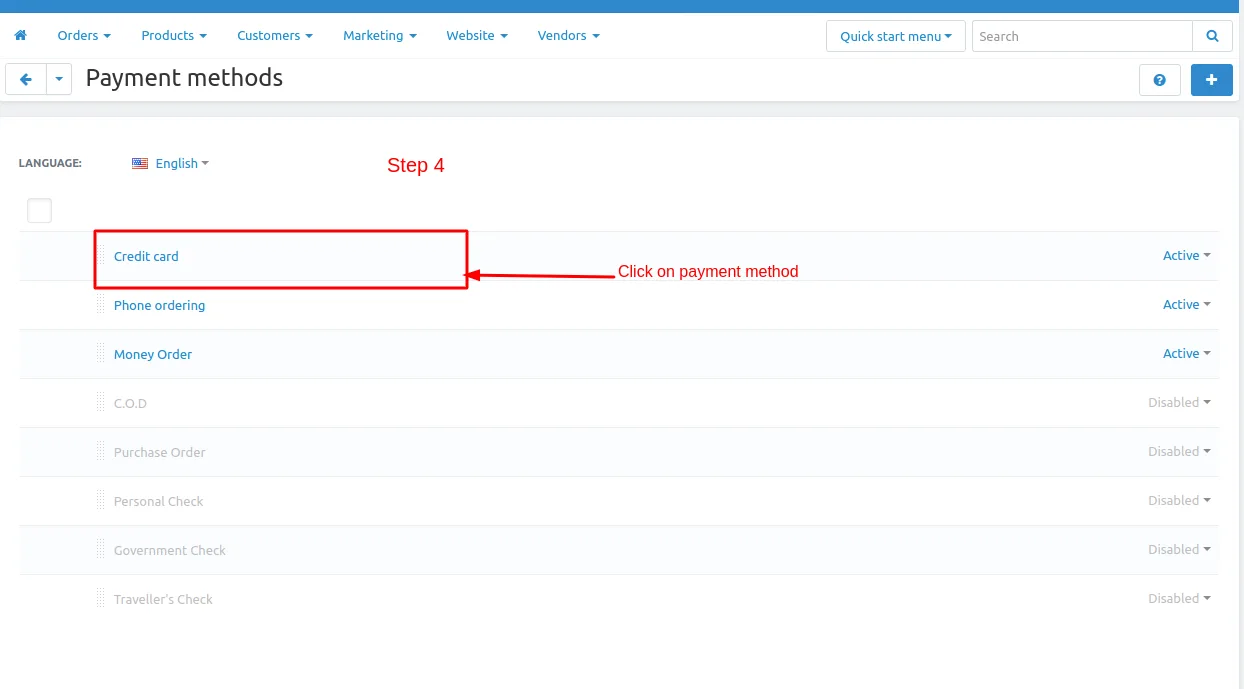
Step 4
- Open the payment method by Click on >> given payment method.
- eg. click on >> credit card, credit card payment method is open.
- In General tab scroll down and go to >> Repay payment restriction.
- In Repay payment restriction >> Disable for repay.
Note : If Admin untick the Disable for repay checkbox for that particular payment method you can use for repay payment.if tick on the Disable for repay checkbox for that payment method you can not use the repay payment restriction.
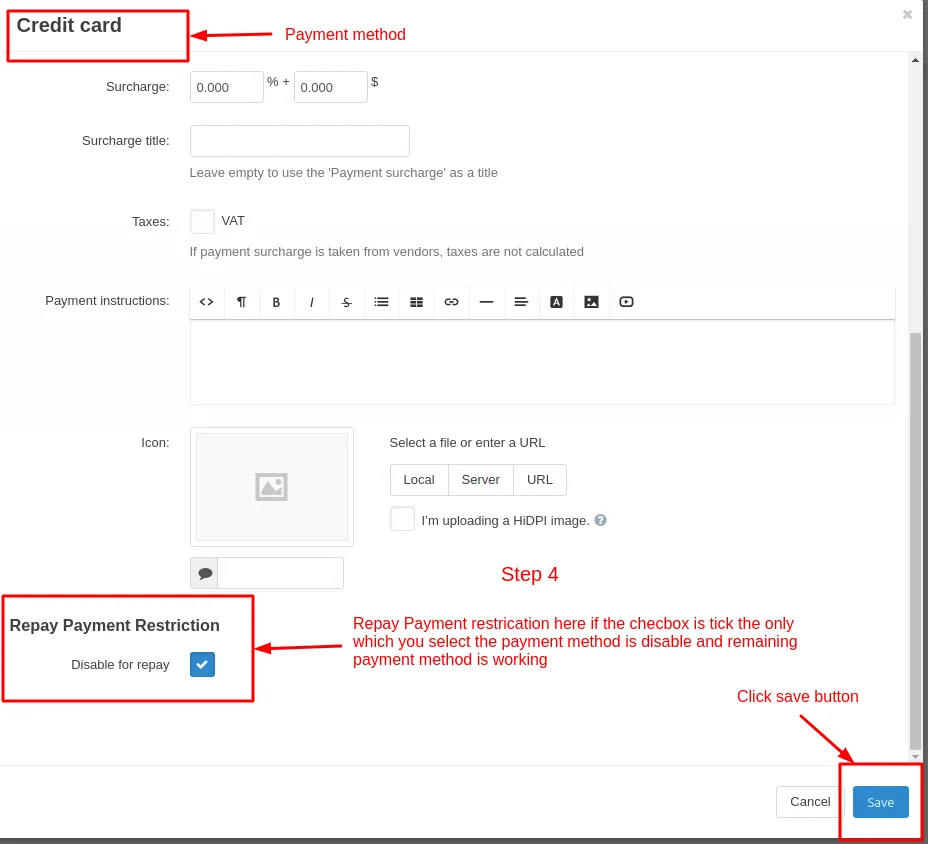
- Click on >> save button.
Step 5
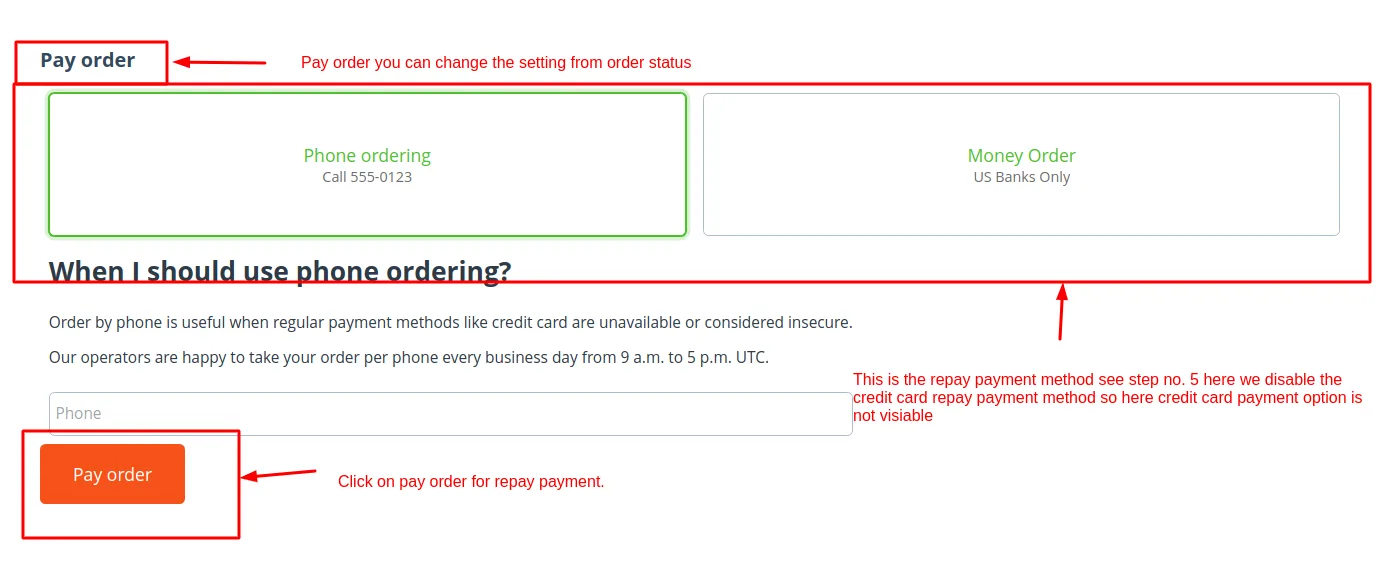
Here tick the checkbox for credit card. credit card payment method is not working for repay payment
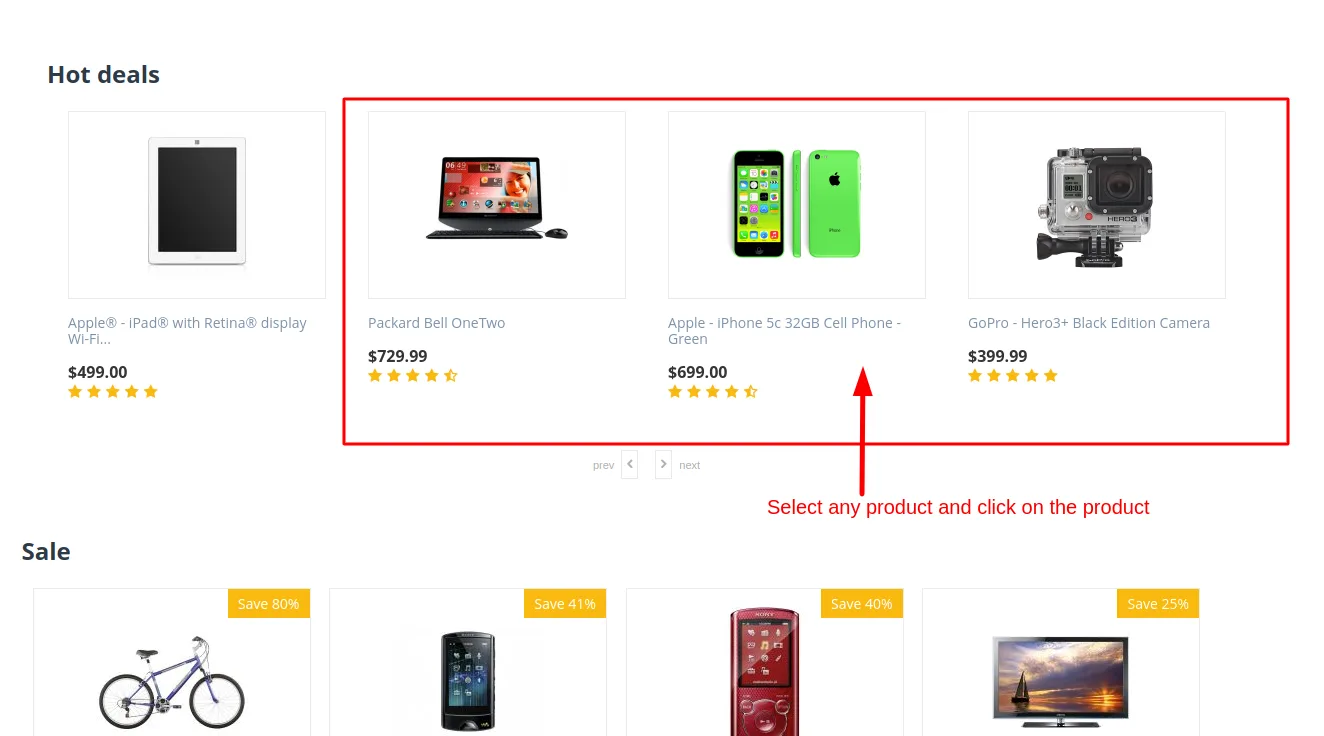
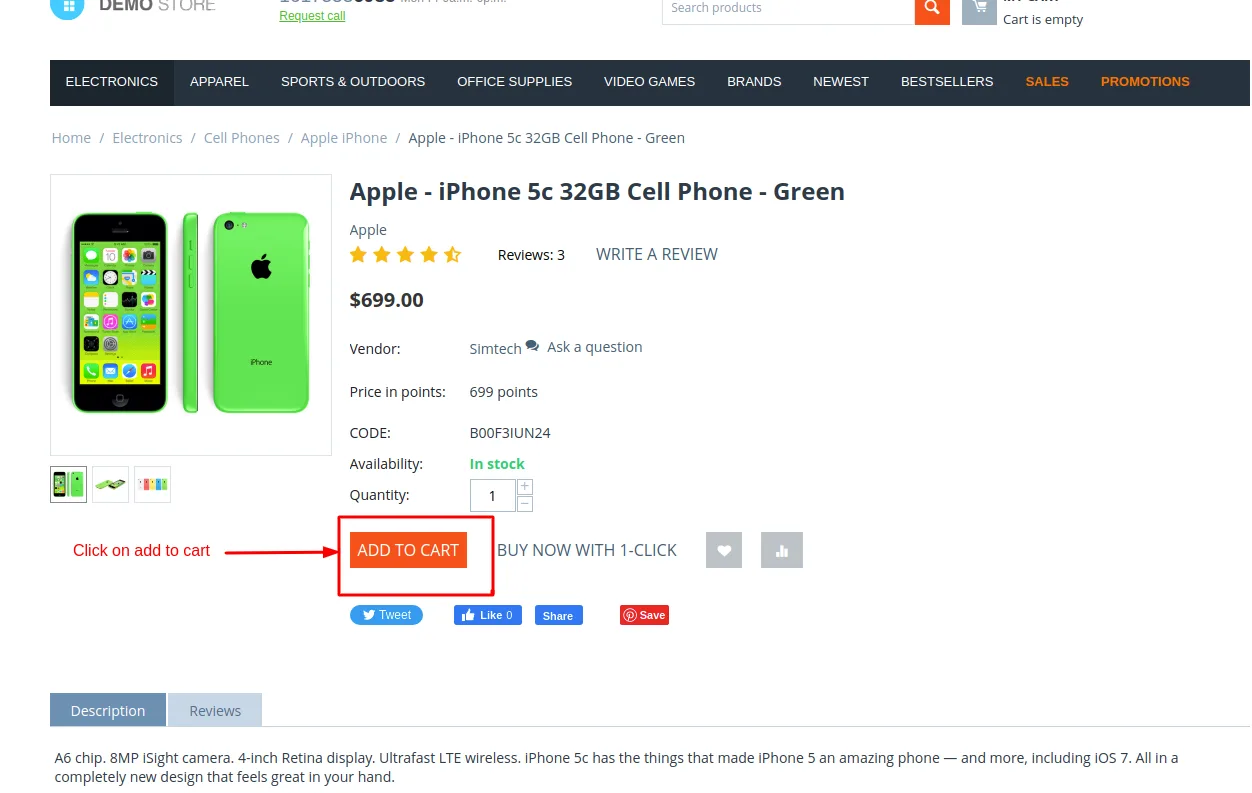
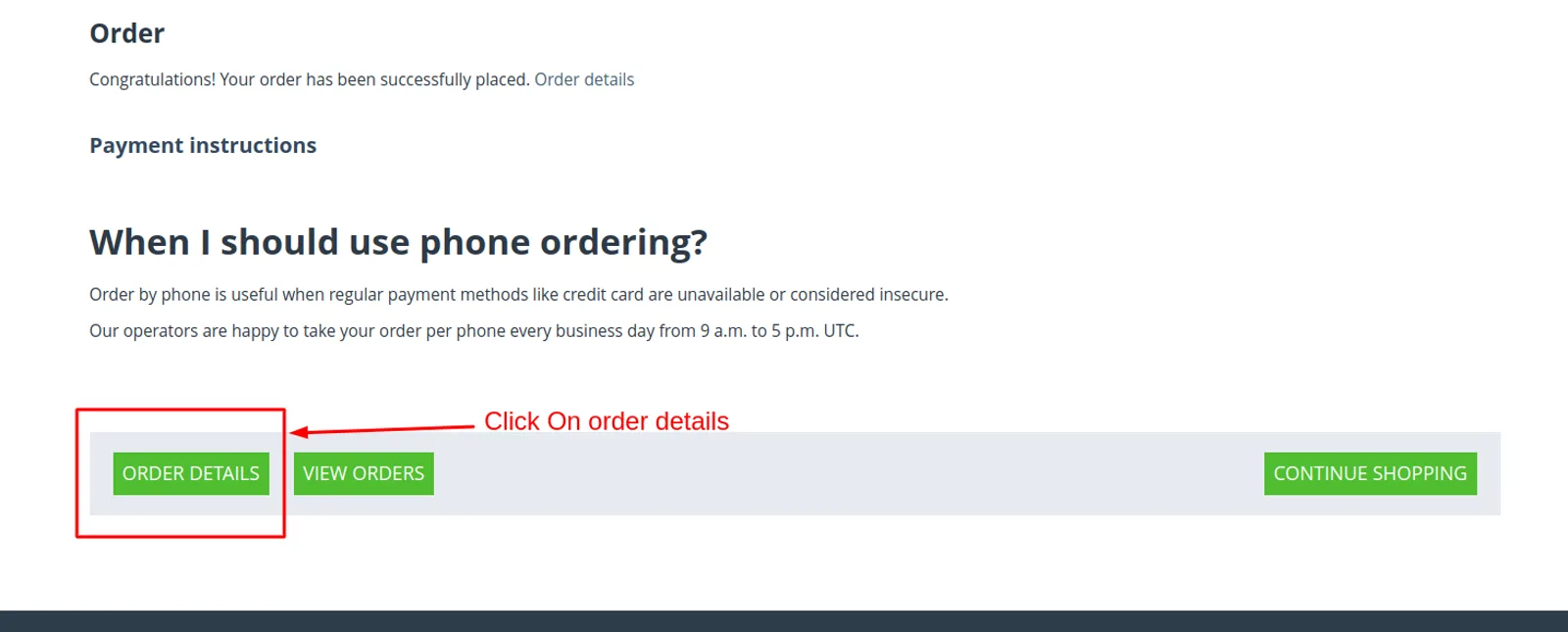
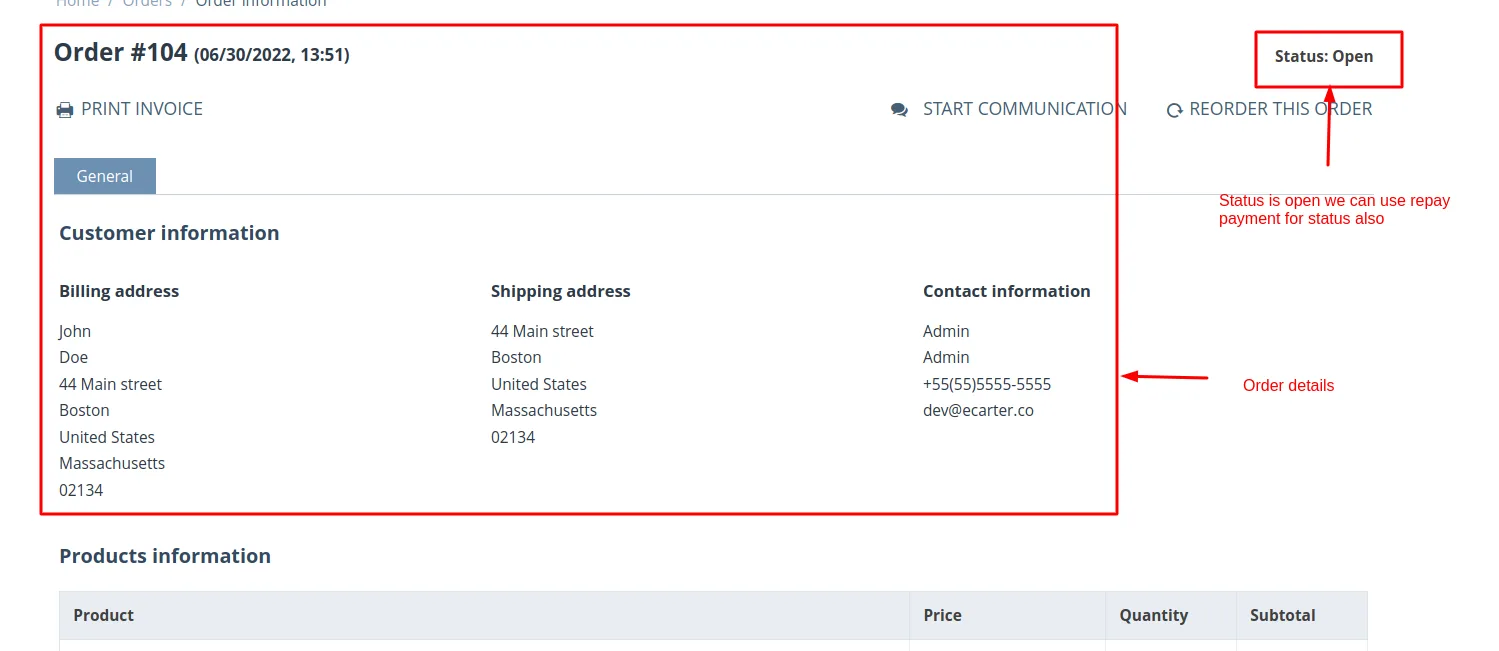
To check Go to storefront select any product and click on >>add to cart button and then click on >> checkout button place an order after placing the order click on >> order details and check credit card repay payment option is shown or not.
Screenshot

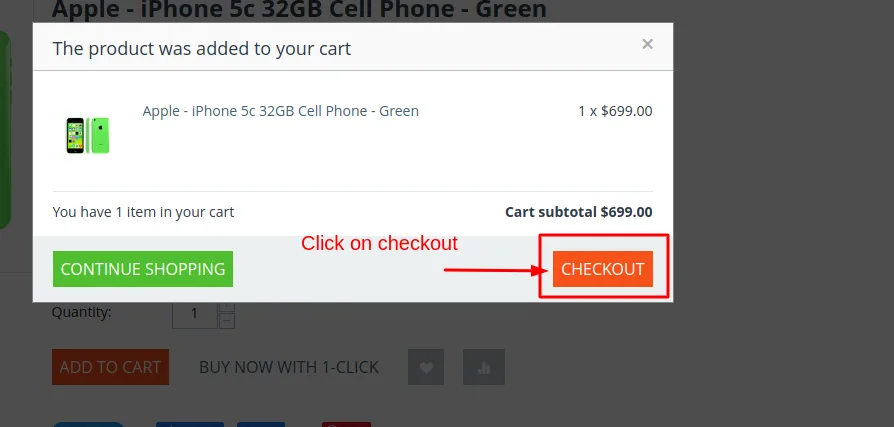
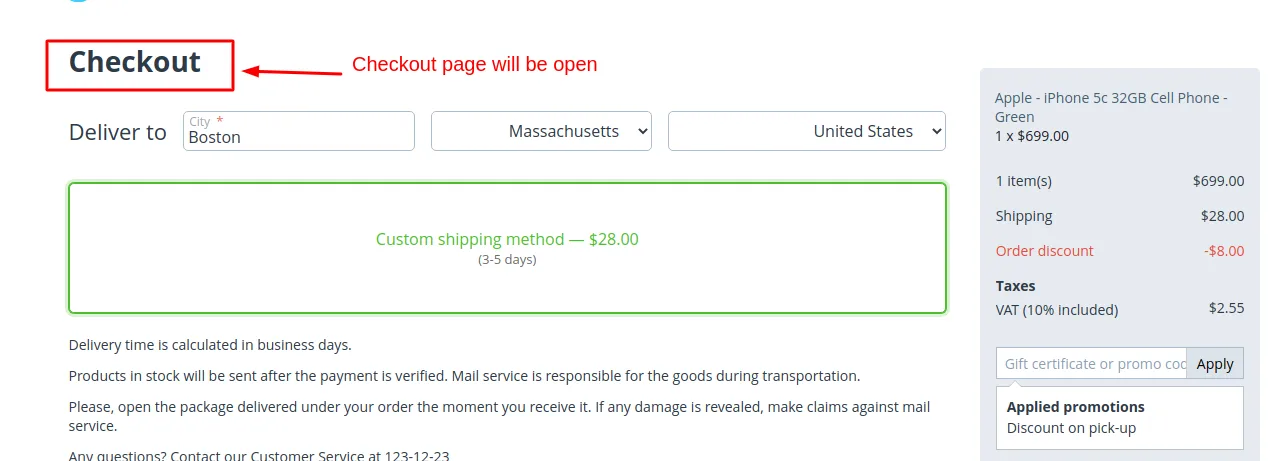
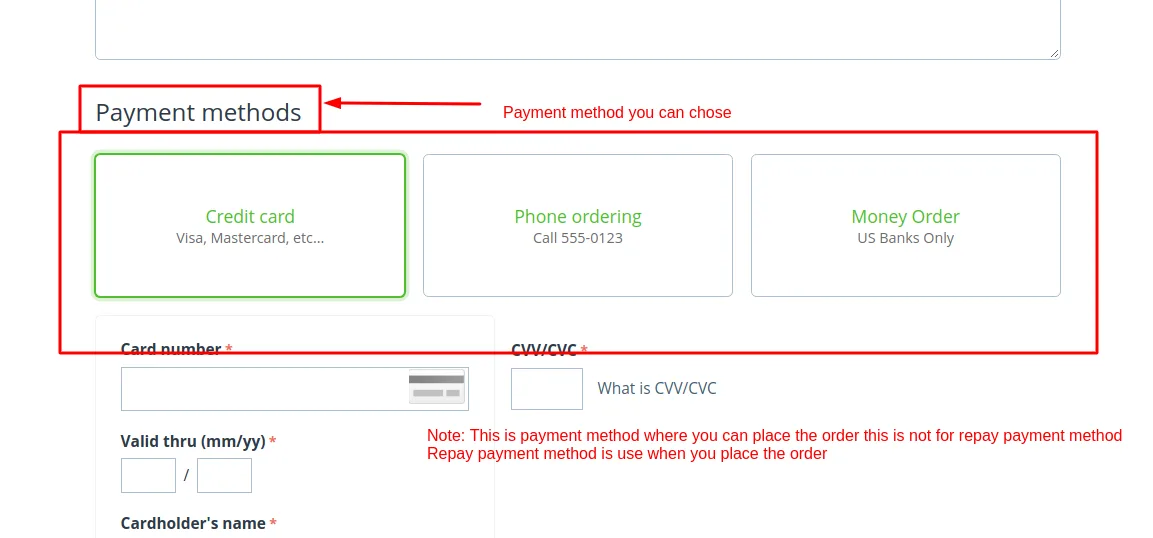
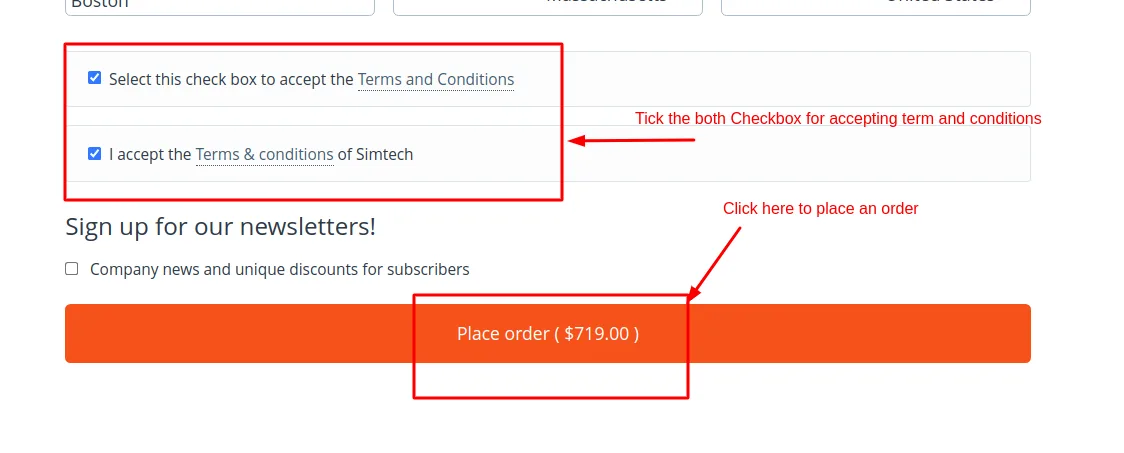
How to do Repay payment restriction for order statuses
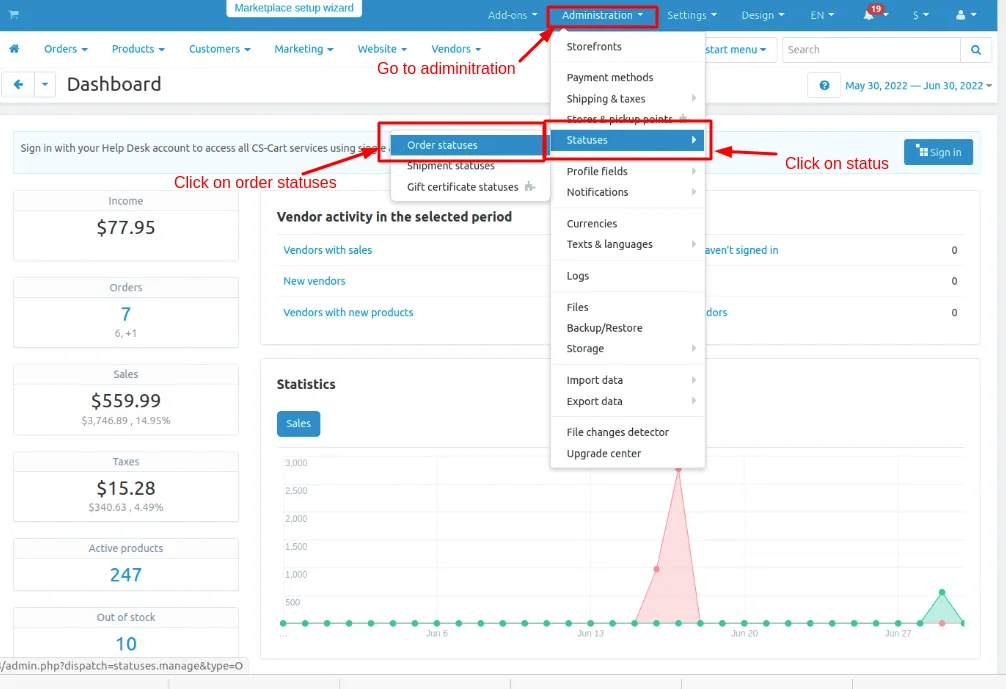
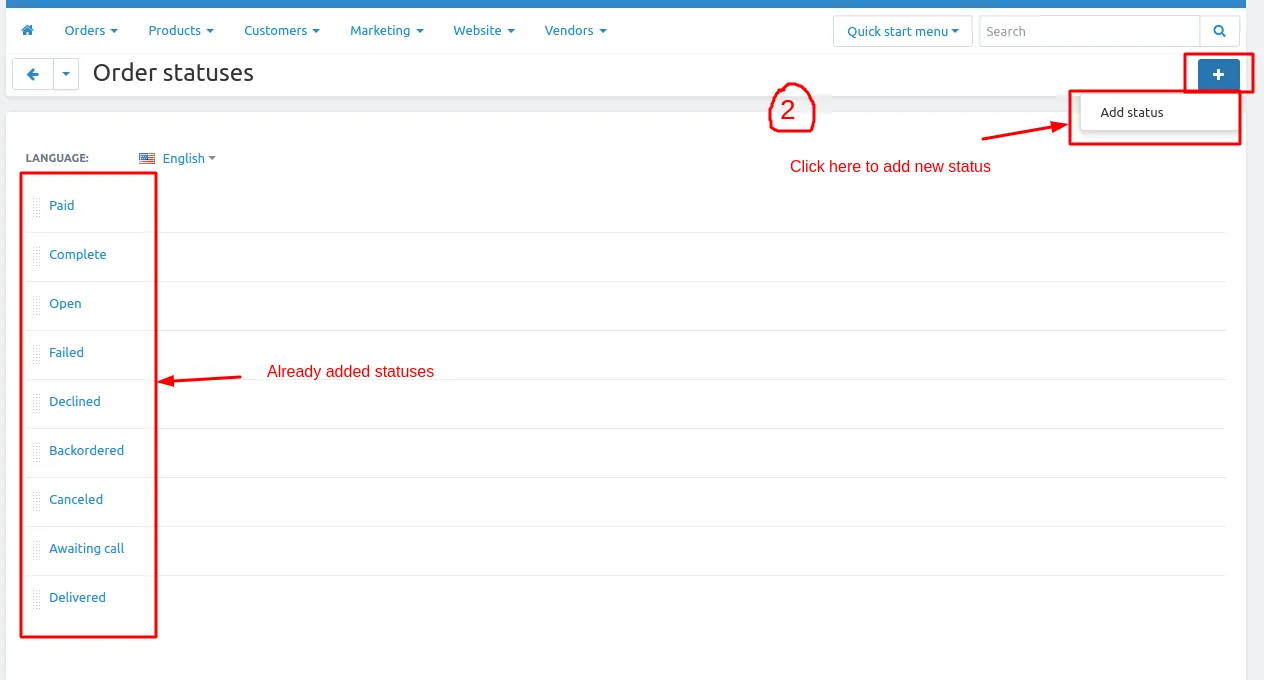
1. Go to administration >> click on>> statuses>> order statuses
2. order status page will be open in this page you see already added status and you can create the or add the statuses.
- Click on >>(+) button on upper right corner on the page
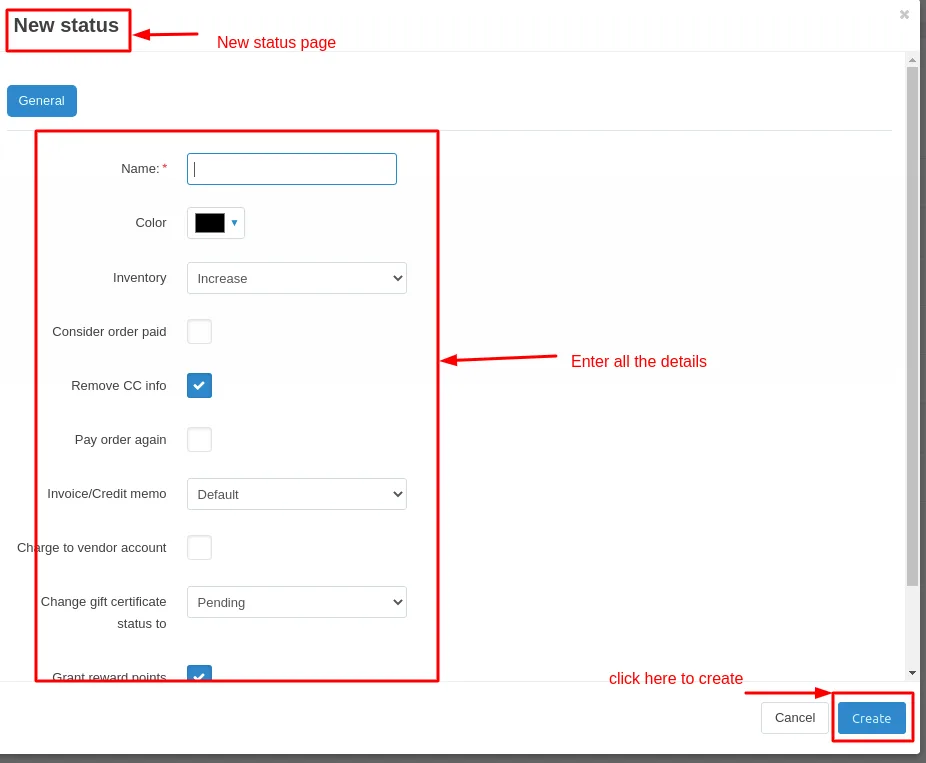
- click on >> Add status a new status page will be open.
- Enter the details click on >> create button.
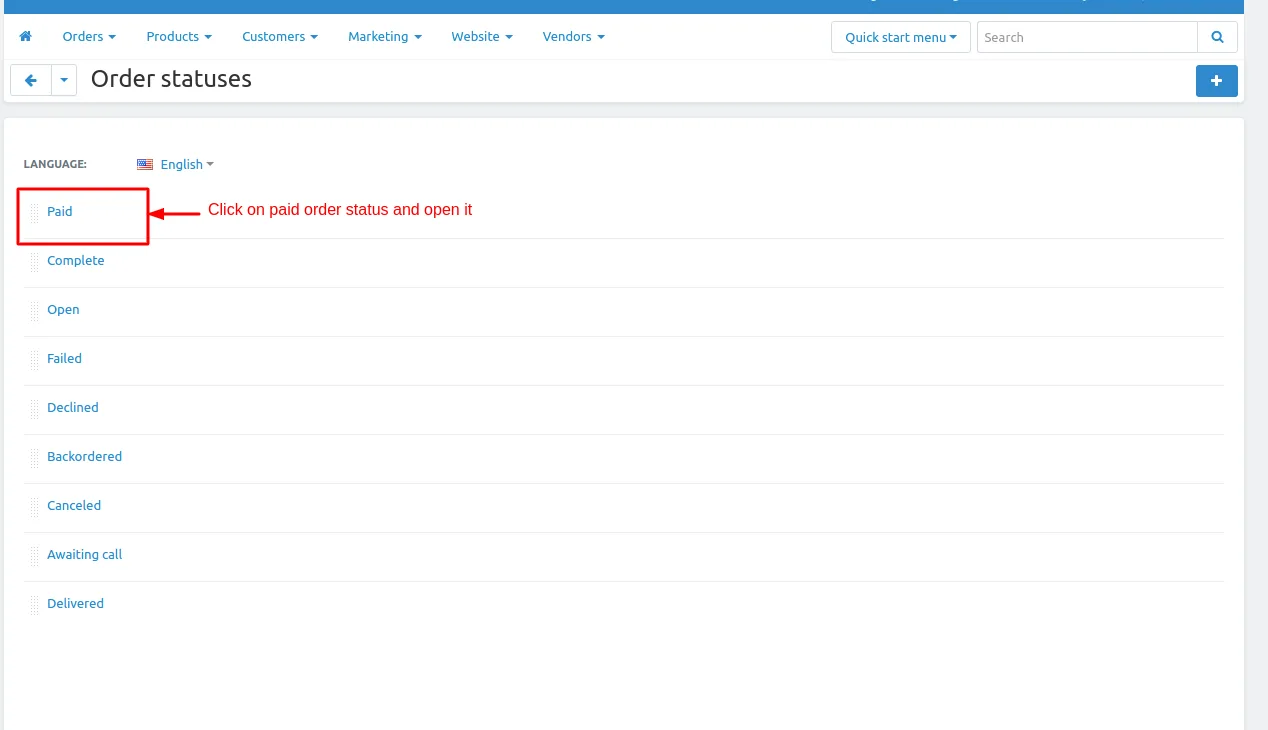
- Click on >> one of the order status and open it.
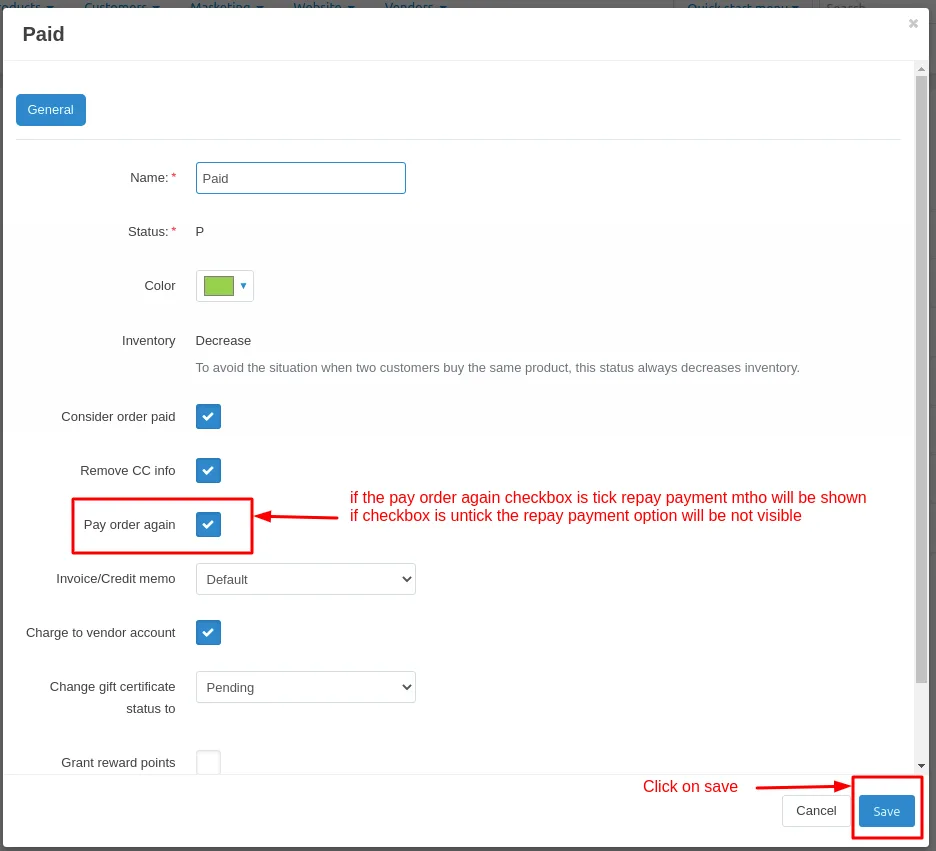
- status page will be open and see the option pay order again
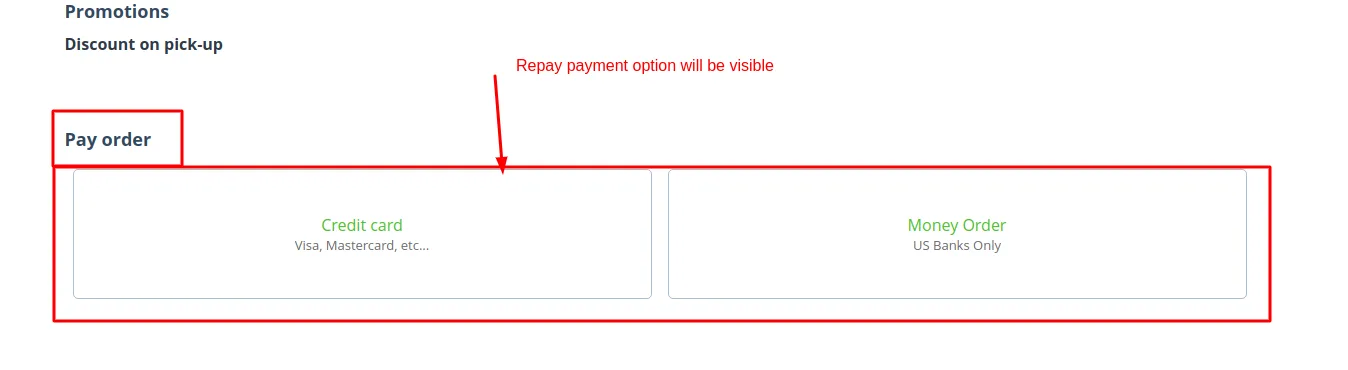
- If the pay order again checkbox is tick the repay payment option will be visible.
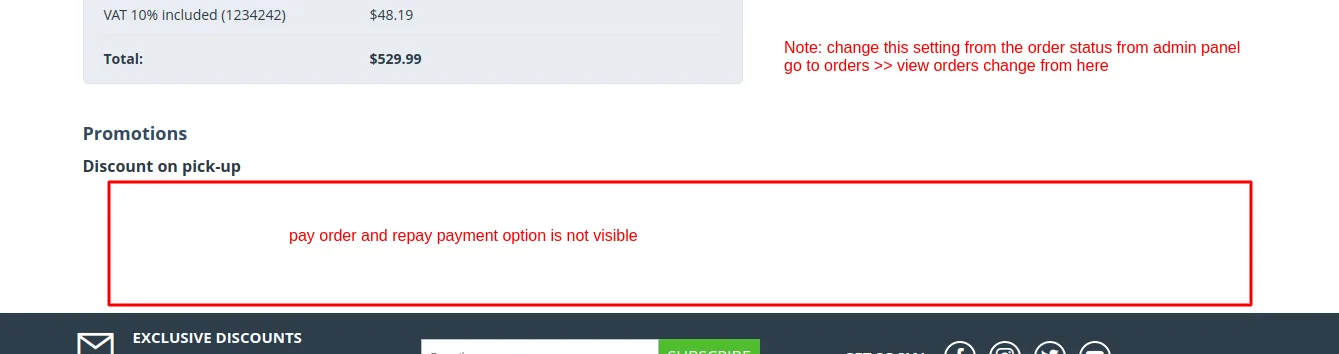
- If the pay order again checkbox is untick the repay payment option will be not visible.
Now check for the complete status.
- Open the complete status and untick the Pay order again checkbox.
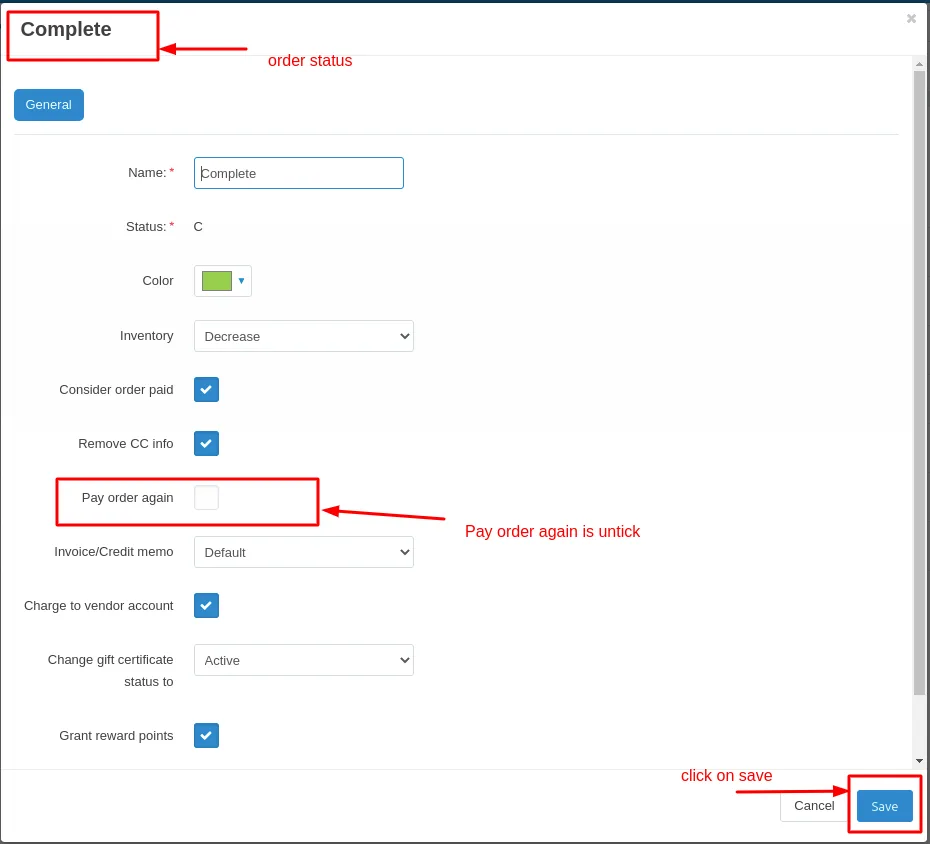
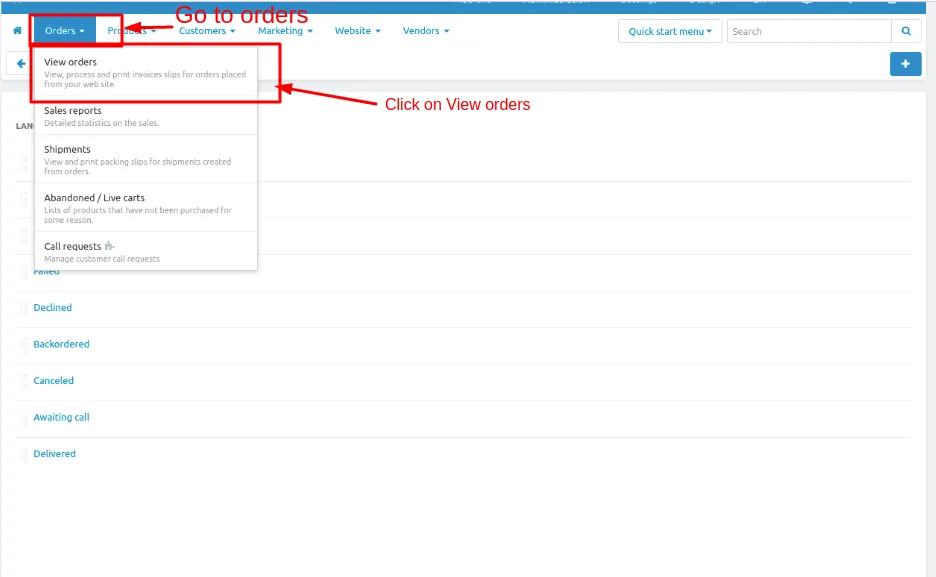
- Now Go to Orders to check pay order again is working or not.
- Orders click on >> View orders >> all places orders page will be open
- Here you can change the order statuses .
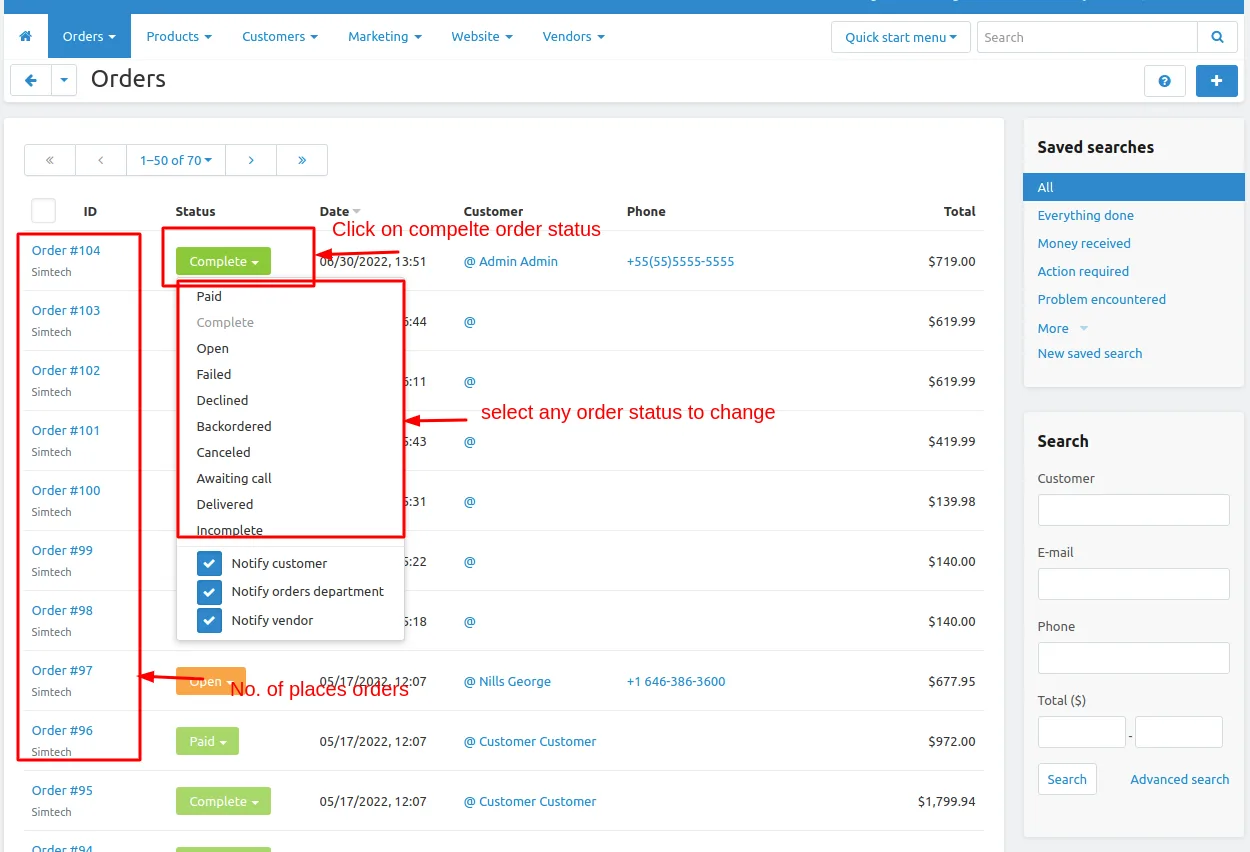
Now See how order statues and repay payment restriction is related to each other.
Place an order click on >> order details>> order status will be open change it to paid
- Take a scenario
- Change the order status open to Paid
- Go to paid status on status page Administration >> click on >> Statuses>> order statuses
- Click on paid status and open it and tick the checkbox pay order again.
- Then click on >> save button.
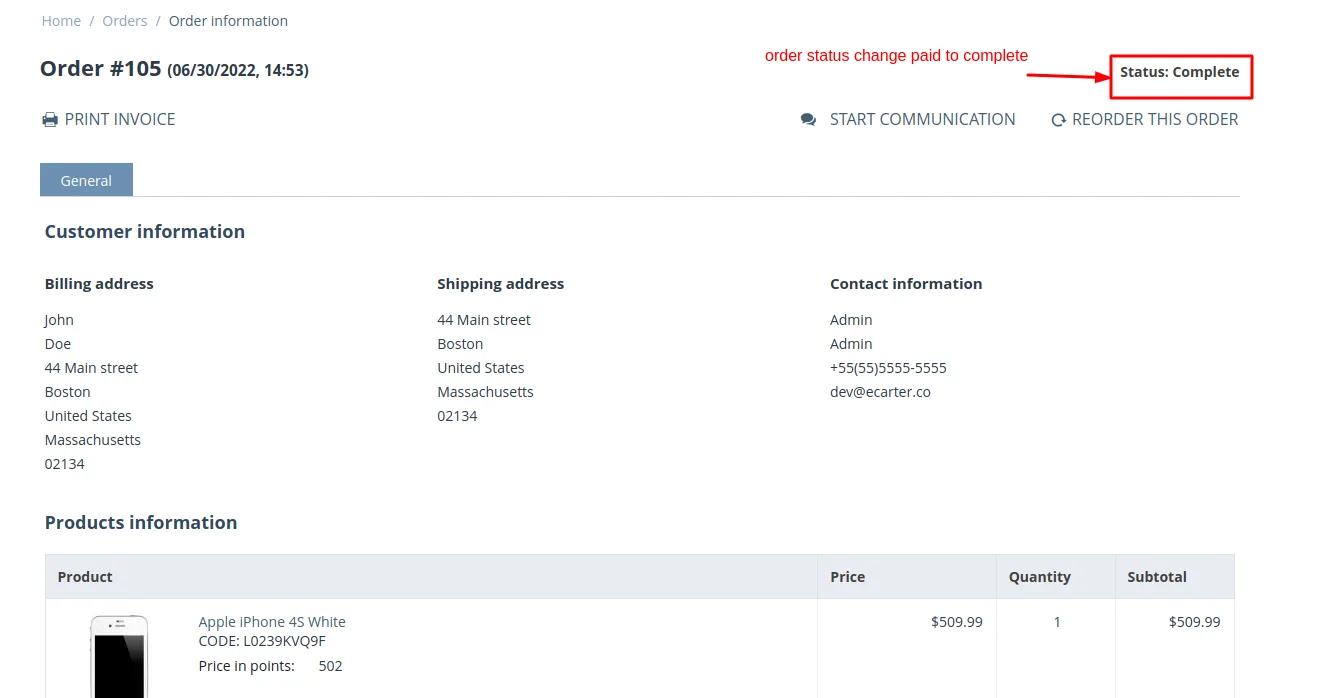
Now when the order status is Paid the repay payment option will be visible and when the order status is complete the Repay payment option will not be visible.
- Change the order status Paid to complete
- Go to orders>> click on >> view order>> orders page will be open
- Click on paid status and change it to complete.
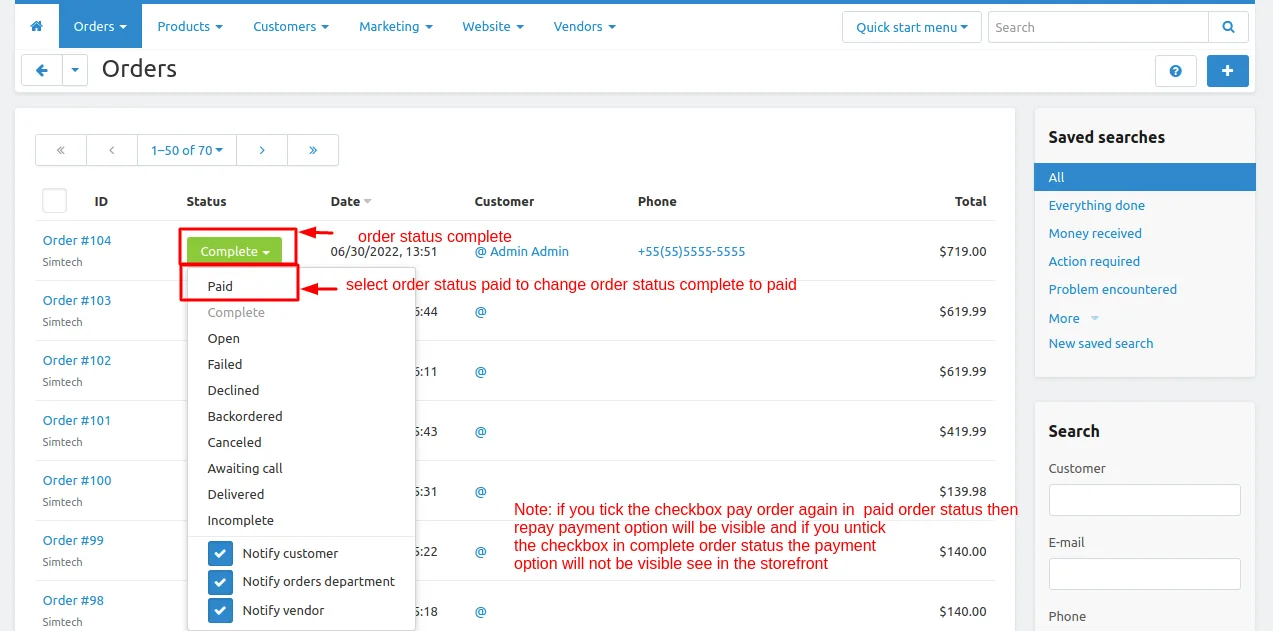
Now Go to storefront place an order the order status will be Paid
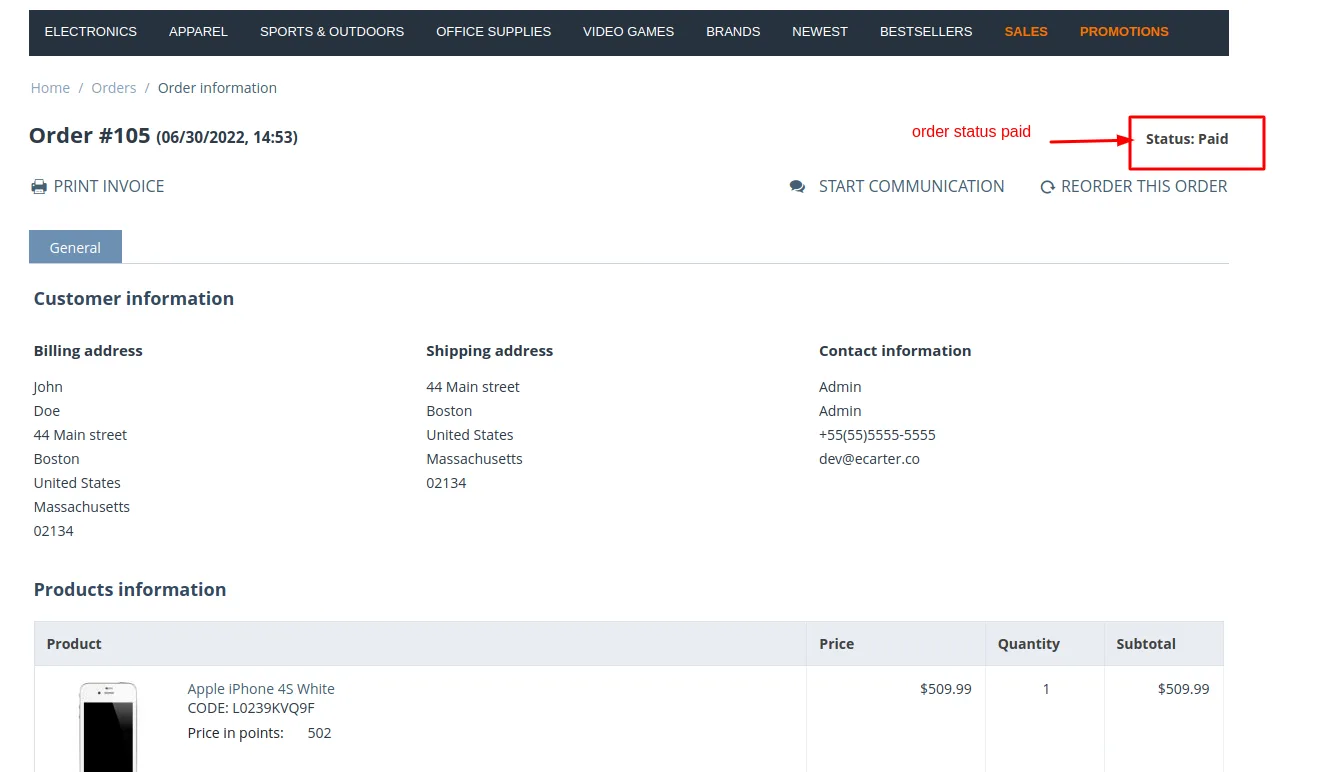
Repay payment option will be shown
Change Paid status to complete status in complete status the pay order again status is untick so the repay payment option will not be shown.
Tutorial Link:
Addon-Version:
Version-1.0
Supported Versions:
CS-Cart, CS-Cart Multivendor 4.8.x, 4.9.x,4.10x,4.11x,4.12,4.13x, 4.14x, 4.15x, 4.16x, 4.17x, 4.18x
Support:
This app is developed and published by Ecarter Technologies Pvt. Ltd., a CS-Cart developer. You are guaranteed a quality add-on supported by future versions. If you need help, please contact us via email support@ecarter.co
Frequently asked questions
What can the admin restrict with this add-on?
The admin can restrict which payment methods are available for repayment and at which order statuses repayment is allowed. Both restriction types can be enabled or disabled from the backend, and multiple payment methods and order statuses can be set or removed.
What is the difference between payment method-based and order status-based restriction?
Payment method-based restriction lets the admin choose which payment method(s) can be used to pay at the store. Order status-based restriction lets the admin set the order statuses at which a customer is allowed to repay.
Does it work with CS-Cart Multi-Vendor?
Yes. The add-on is integrated with both CS-Cart and CS-Cart Multi-Vendor.
How is the add-on installed and set up?
It is installed using the standard CS-Cart add-on installation process (see the how-to-install-addon guide). After installation, the admin manages payment methods and repayment rules from the Administration panel, where individual payment methods can be enabled or disabled.
Kajal is a Technical Content Writer at Ecarter Technologies. She writes technical documentation and in-depth guides on eCommerce platforms, mobile commerce and AI in online retail.