
Product-wise Shopping Restriction
Product-wise Shopping Restriction: This addon allows the admin to hide product price and cart button according product-wise for the unlogged.
The Hide Price and Cart Button add-on for CS-Cart lets a store admin hide the price and the add-to-cart button on a per-product basis for visitors who are not logged in or registered. When creating or editing a product, the admin ticks a "Hide Price" checkbox, and from then on that product's price and cart button stay hidden on the storefront for unregistered and guest shoppers. Because the setting is applied product by product, the store can keep prices public for most items while restricting selected products. It suits merchants running wholesale, members-only, or quote-based catalogs who want to require login before showing prices or allowing purchases.
Hide Price and Cart Button Add-on for CS-Cart allows the admin to hide product price and cart button product wise for unlogged and unregistered customers of the store. Admin hides individual product prices when a product is created or updated, after that the product price remains hidden on the storefront for unregistered and unlogged customers.
Features:
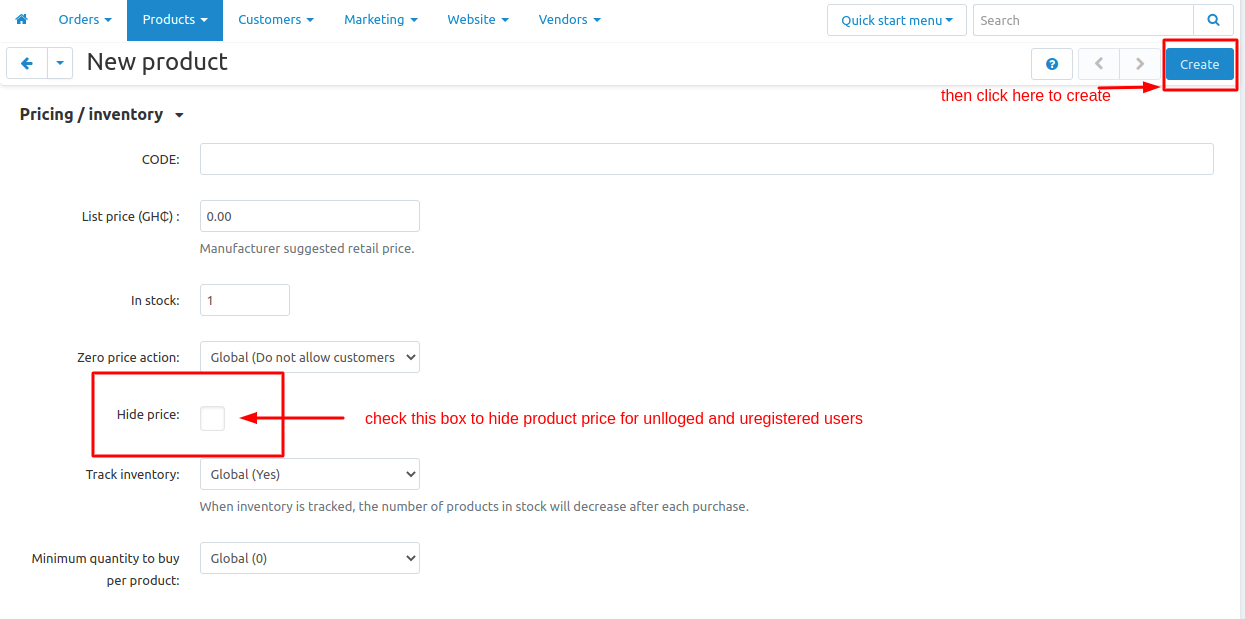
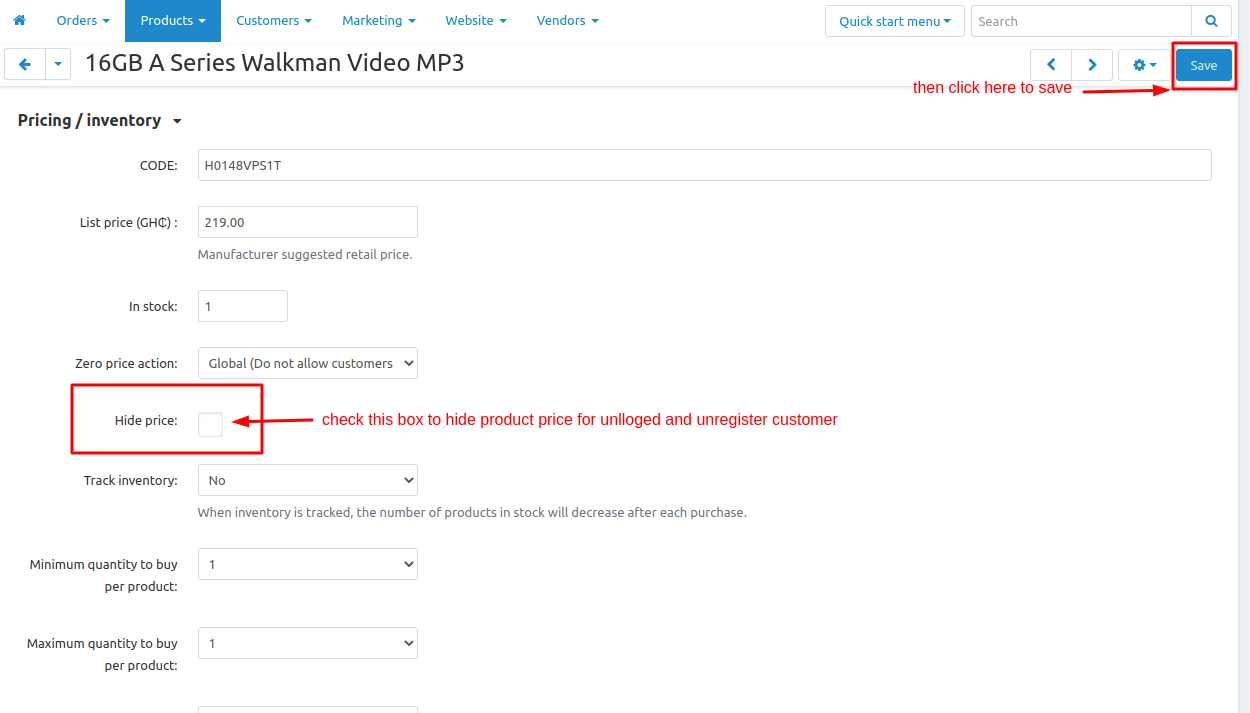
- Features to allow admin to hide individual product prices for unlogged and unregistered users at a time of product creation and updating.
- Features to show hide price checkbox at a time of product creation and updation.
- Features to hide add to cart button from fronted for unlogged and unregistered users.
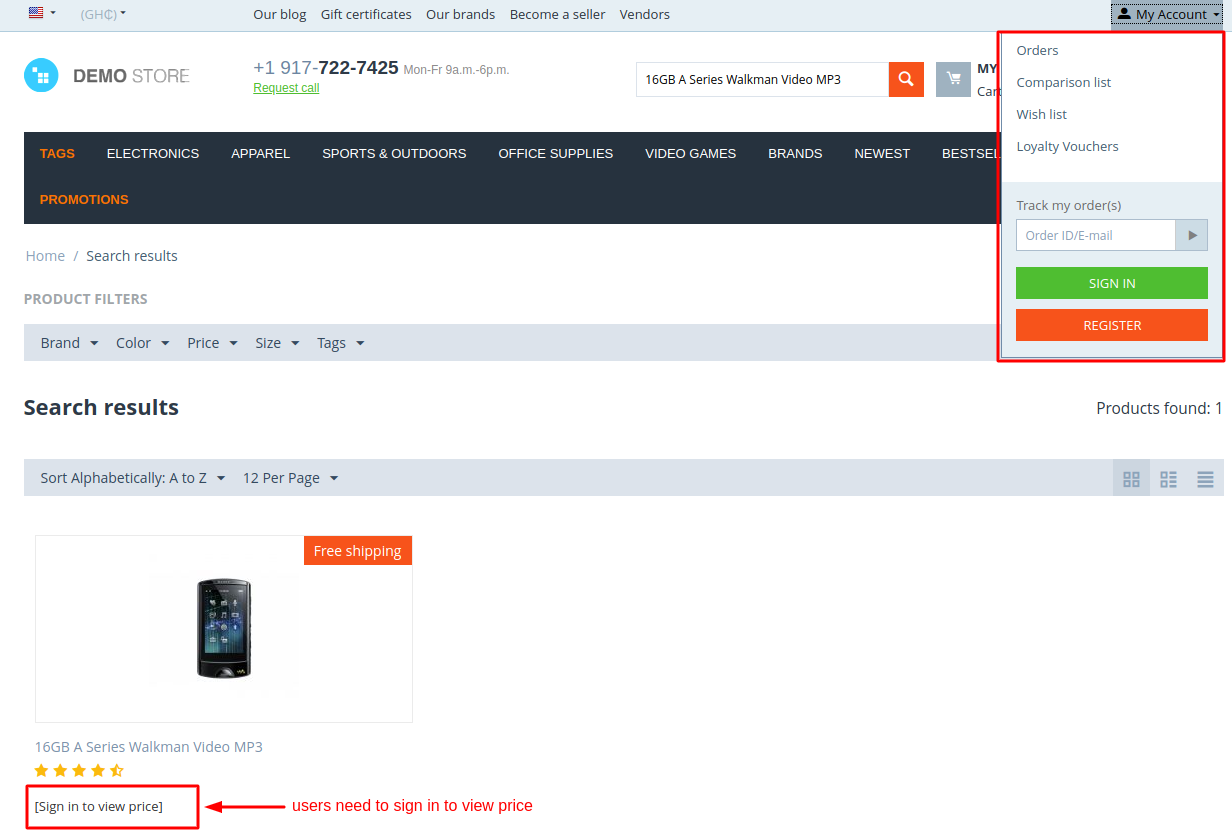
- Features to hide the price of product from the front-end for unlogged and unregistered users.
- Well integrated with CS-Cart &Multi-Vendor.
Installation:
How to install Addon
https://store.ecarter.co/blogs/how-to-install-addon/
How Addon Works
Hide Price checkbox at the time of product creation:
Hide Price checkbox at the time of product Updation:
Product Price is hidden in a search result:
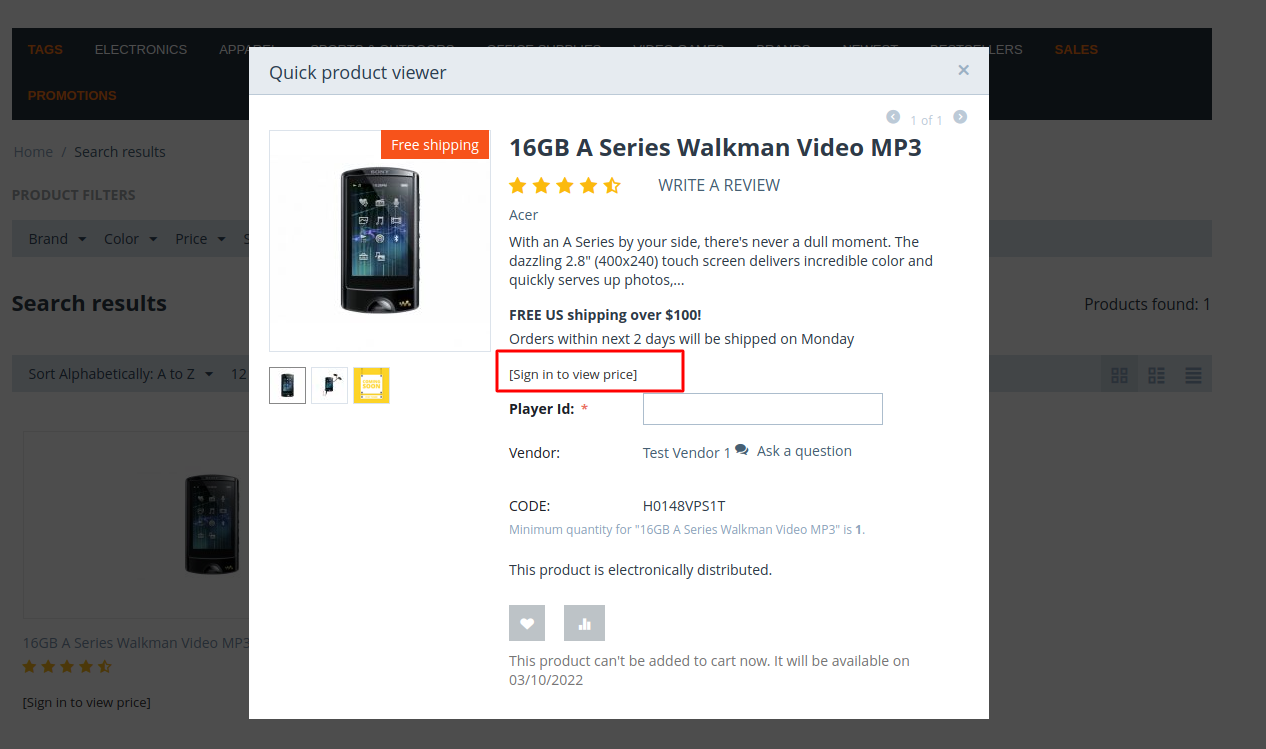
Product Price is hidden at the time of Quick View:
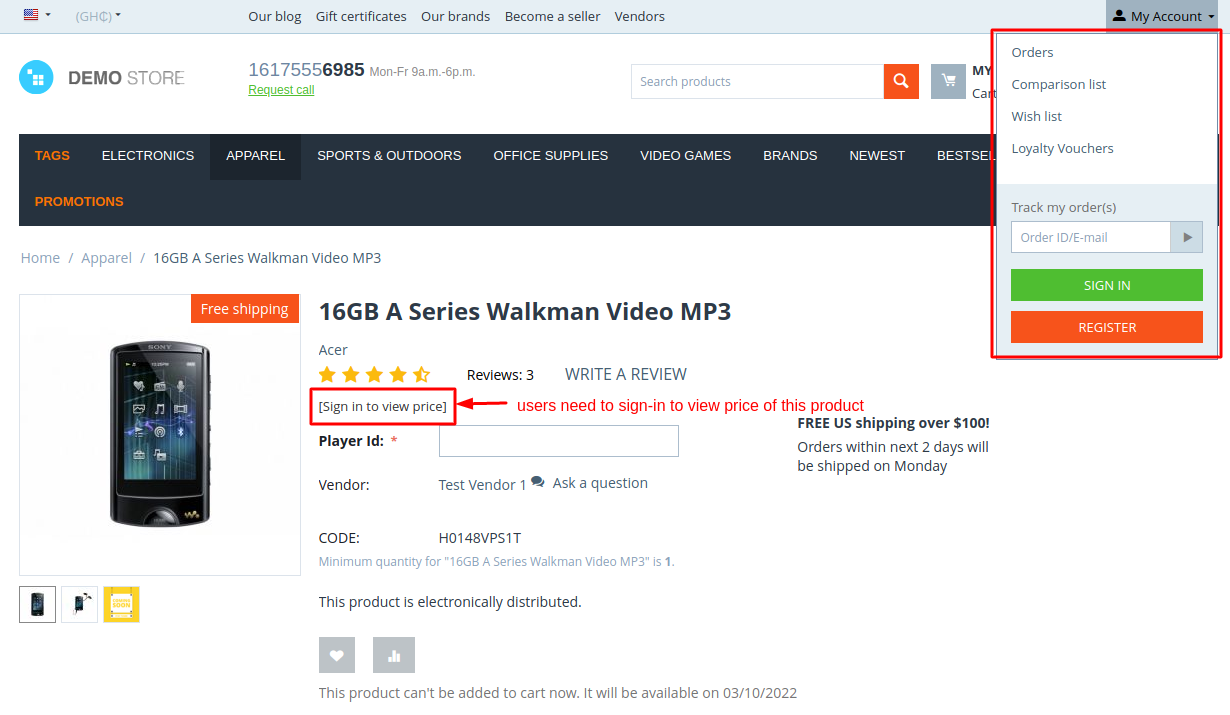
Product Price is hidden at the time of Product Detail View:
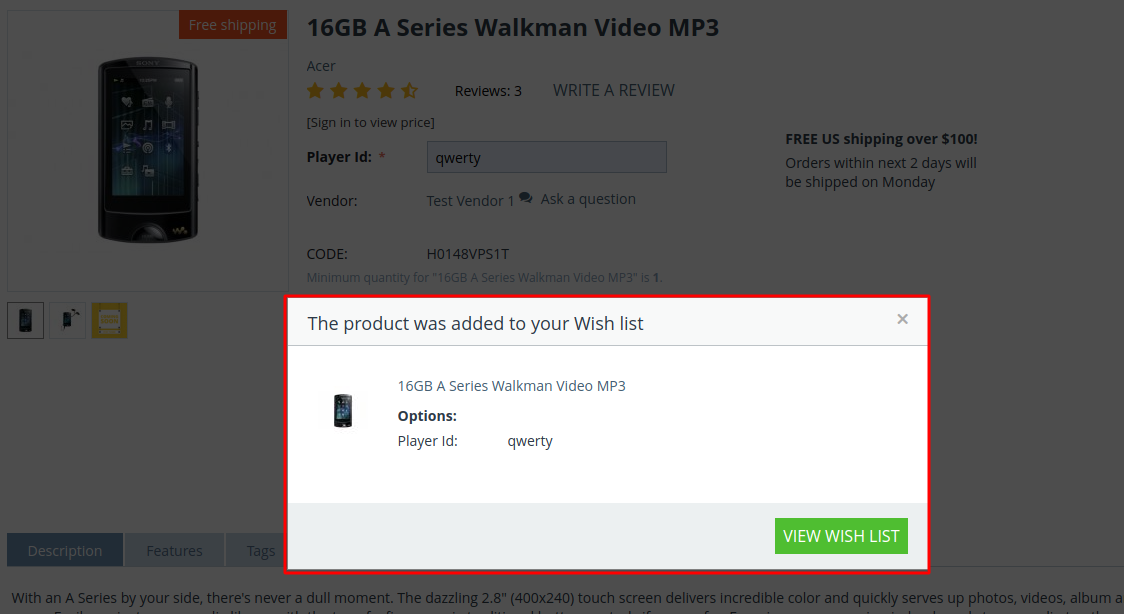
Product Price is hidden at time of adding the product to the Wishlist:
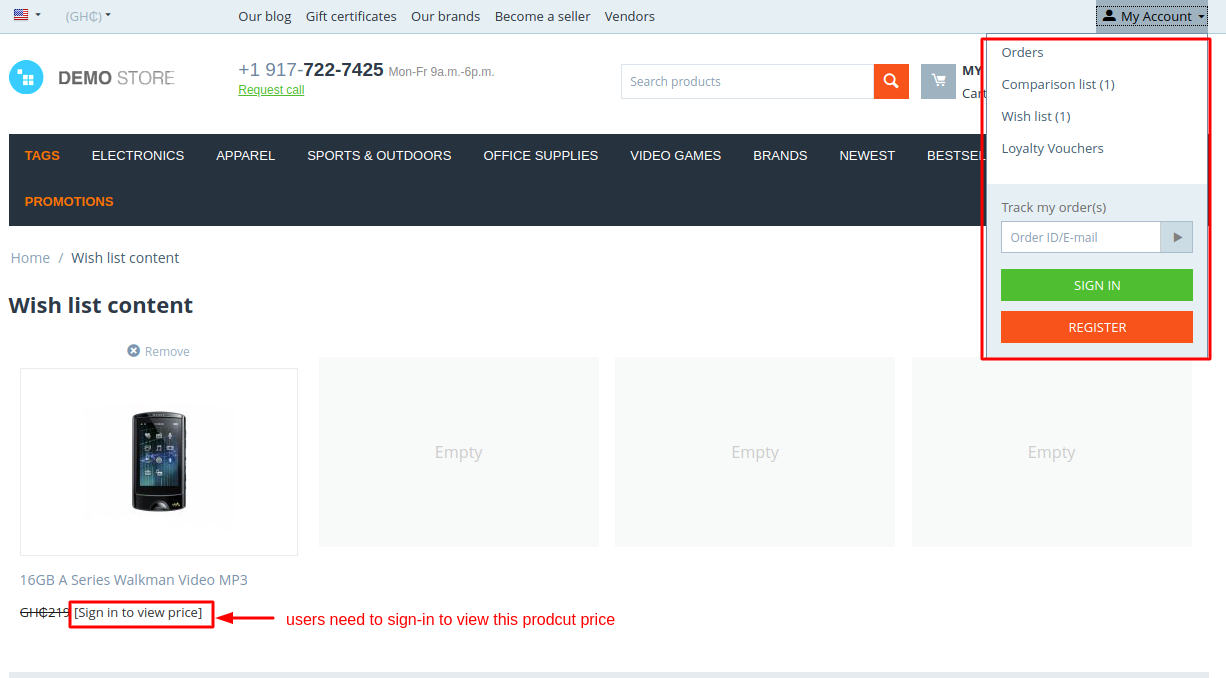
Product Price is hidden into wishlist content:
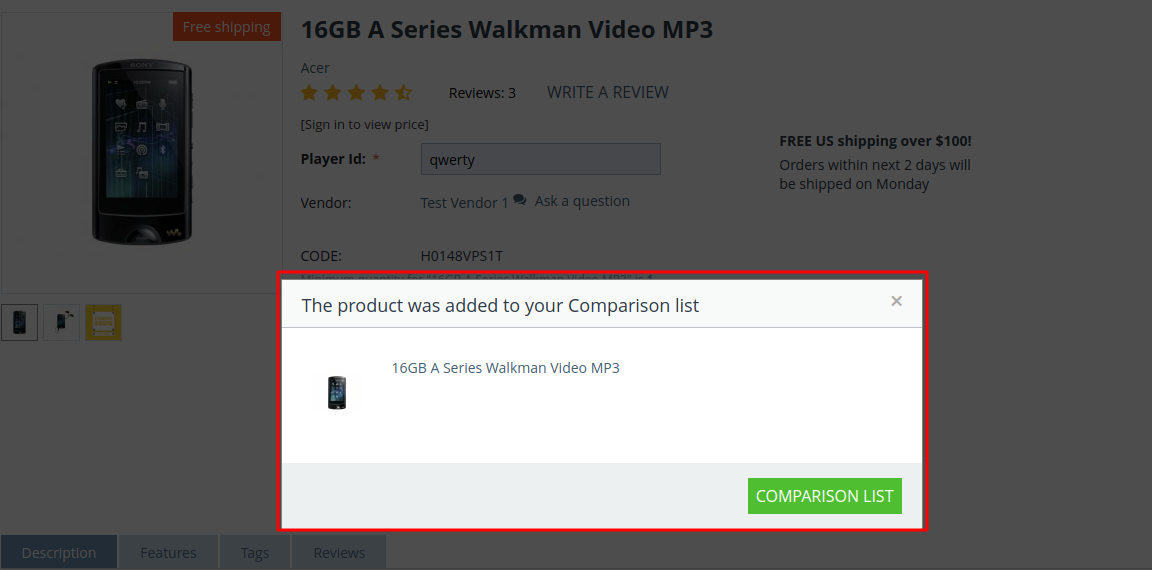
Product Price is hidden at time of adding the product into Comparison list:
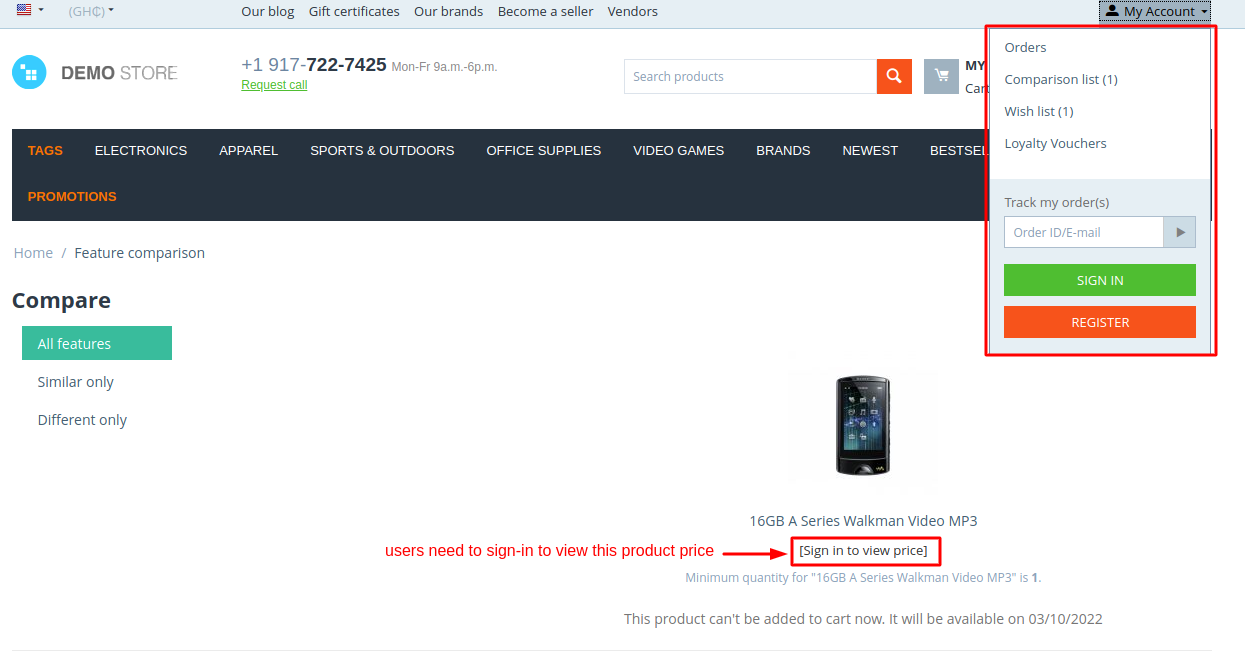
Product Price is hidden into Feature Compare:
Tutorial Link:
https://www.loom.com/share/3ac62c41cdf24012b581755cd1a12e5f
Addon-Version:
Version-1.0
Supported Versions:
CS-Cart, CS-Cart Multivendor 4.8.x, 4.9.x,4.10x,4.11x,4.12,4.13x, 4.14x, 4.15x, 4.16x, 4.17x, 4.18x
Support:
This add-on is developed and published by Ecarter Technologies Pvt.Ltd., a CS-Cart developer. You are guaranteed a quality add-on supported by future versions. If you need help, please contact us via email at support@ecarter.co.
Frequently asked questions
Where is the price and cart button hidden on the storefront?
For unlogged and unregistered users, the price is hidden across search results, quick view, the product detail page, the wishlist (both when adding and inside wishlist content), and the comparison list. The add-to-cart button is also hidden from the front end for these users.
How does the admin choose which products to restrict?
A "Hide Price" checkbox appears when a product is created or updated. Ticking it hides that individual product's price and cart button for guest and unregistered shoppers, so restrictions are controlled one product at a time.
Does this add-on work with CS-Cart Multi-Vendor?
Yes. The add-on is integrated with both CS-Cart and CS-Cart Multi-Vendor. Share your exact version and we will confirm compatibility for your setup.
How is the add-on installed?
It follows the standard CS-Cart add-on installation process, documented at store.ecarter.co/blogs/how-to-install-addon. If you need help with installation or customisation, contact us and we will assist.
Nisha Gaur is a Technical Content Writer at Ecarter Technologies. She writes technical documentation, tutorials and buying guides covering CS-Cart, Magento, Shopify and eCommerce development.