
Product Change Log
Product Change Log: This addon is a very useful addon for tracking product changes on your website. The addon support exporting log data to a CSV file.
The Product Change Log add-on for CS-Cart records changes made to product details so store admins have a clear audit trail. When you edit fields such as product name, price, vendor, or other options selected in the add-on settings, the changes are logged automatically and shown on the product editing page under a dedicated "Product Change Log" tab. This solves the problem of not knowing who changed what on a product or when, which is common on busy stores with many products and vendors. It is aimed at store administrators and Multi-Vendor operators who need to track edits and keep records, including the ability to export the log as a CSV file and clear it when needed.
The Product Change Log Add-on for CS-Cart helps store admins easily track changes made to product details. When you update fields like product name, price, vendor, or any other selected options in the add-on settings, the changes are automatically recorded. You can view this updated information on the product editing page under a dedicated 'Product Change Log' tab. Also, you can access this feature in the setup settings. The addon allows admins to see detailed updates on the setup settings. Here, download the log as a CSV file for easy record keeping, and clear the log whenever needed.
Features:
- Automatic Logging of Updates: Whenever you edit a product, the changes are automatically saved in the product change log.
- Easy Tracking of Product Changes: Store admins can easily keep track of all changes made to product details like name, price, vendor, and more.
- View Changes on Product Page: You can see the history of changes directly on the product editing page under the special “Product Change Log” tab.
- Access Logs in Settings: Admins can also check detailed update logs from the settings area.
- Download Logs as CSV: Easily download the product change log as a CSV file for keeping records.
- Clear Logs When Needed: You can clear the change logs anytime.
- CS-Cart Support info: The add-on is well integrated with CS-Cart Multi-Vendor and can be used with its standard, Plus, and Ultimate Versions
Workflow
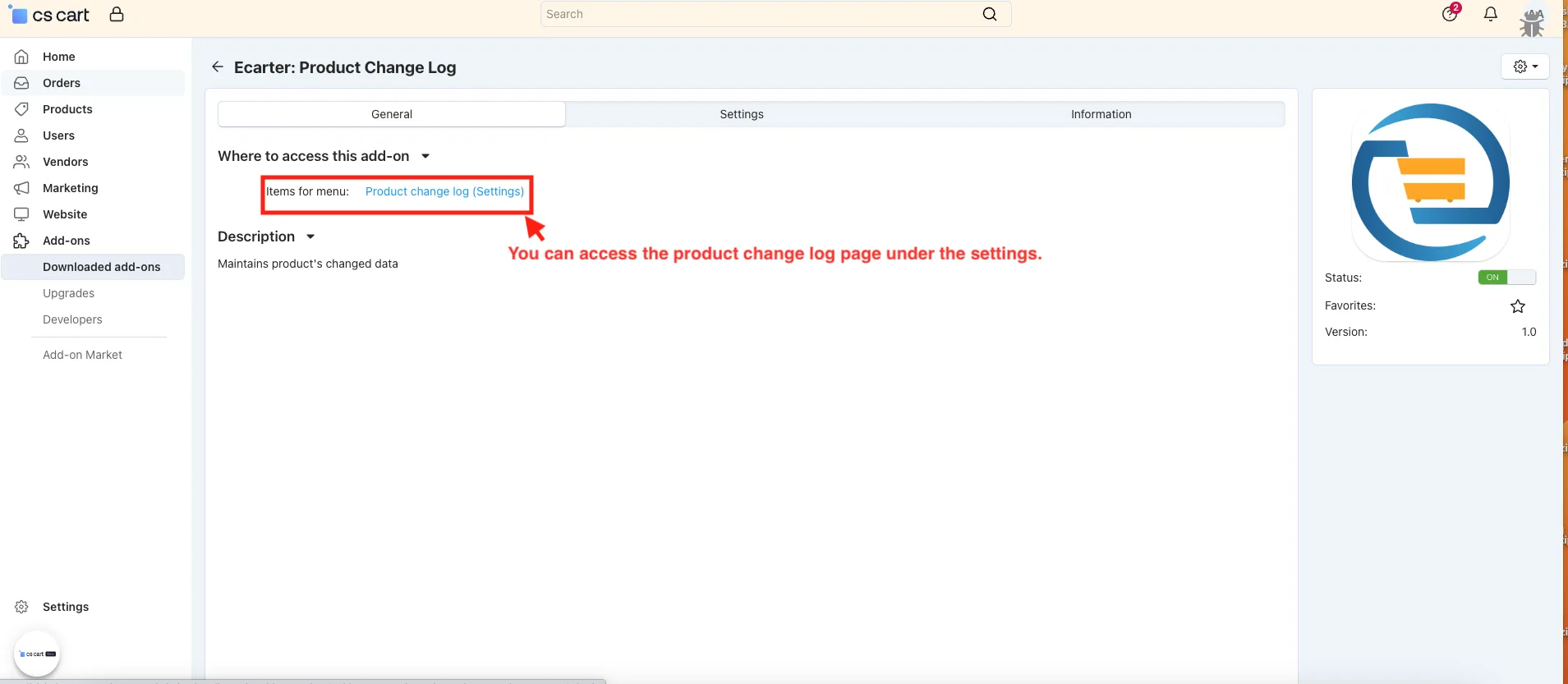
✅ Access the Product Change log page
- In the General tab.
- Items for menu: You can access the product change log page under the settings.
✅ Admin Settings:
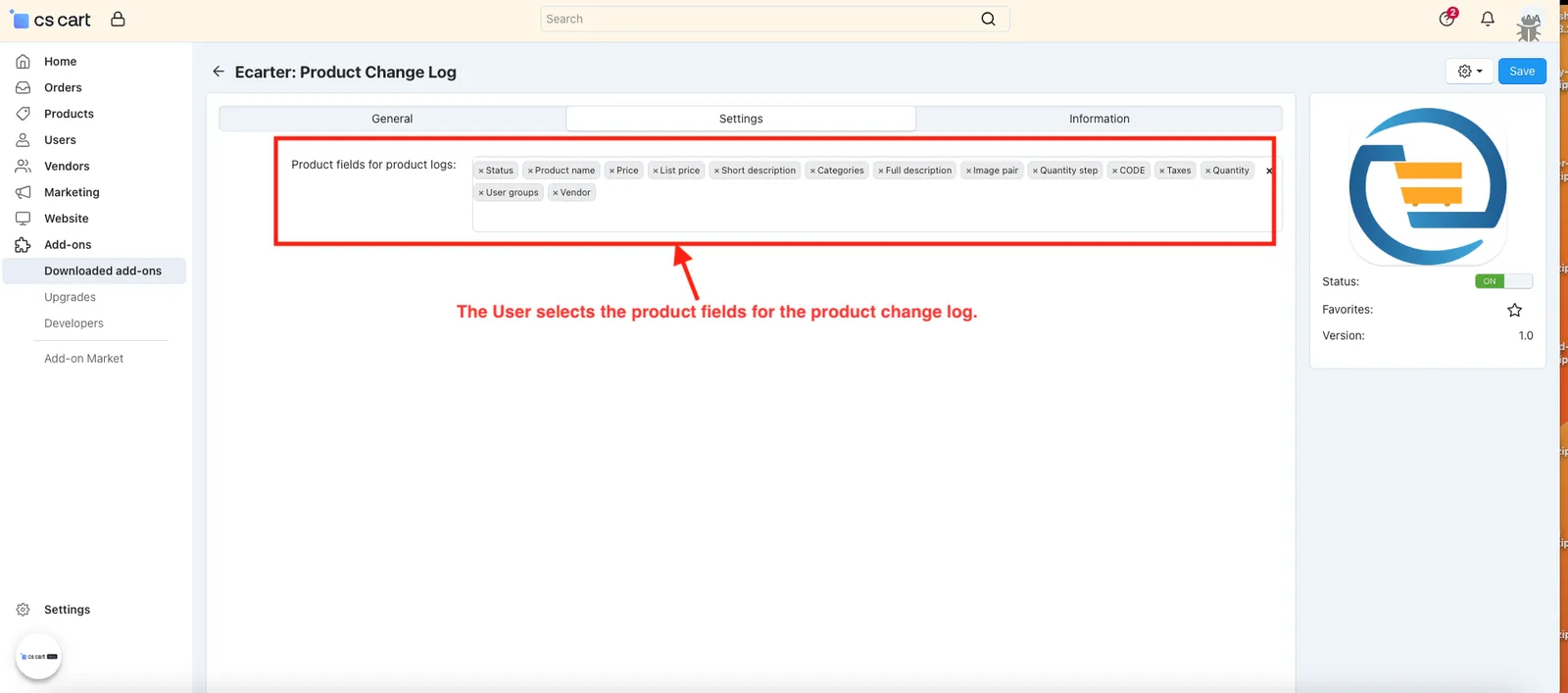
Admin Settings allow selection of specific product fields to log changes.
- Product fields for product logs: The User selects the product fields for the product change log.
- Click on the Save button.
✅ Create Product Change Log under the product
The Product Change Log captures updates made to selected product fields like name, price, or vendor.
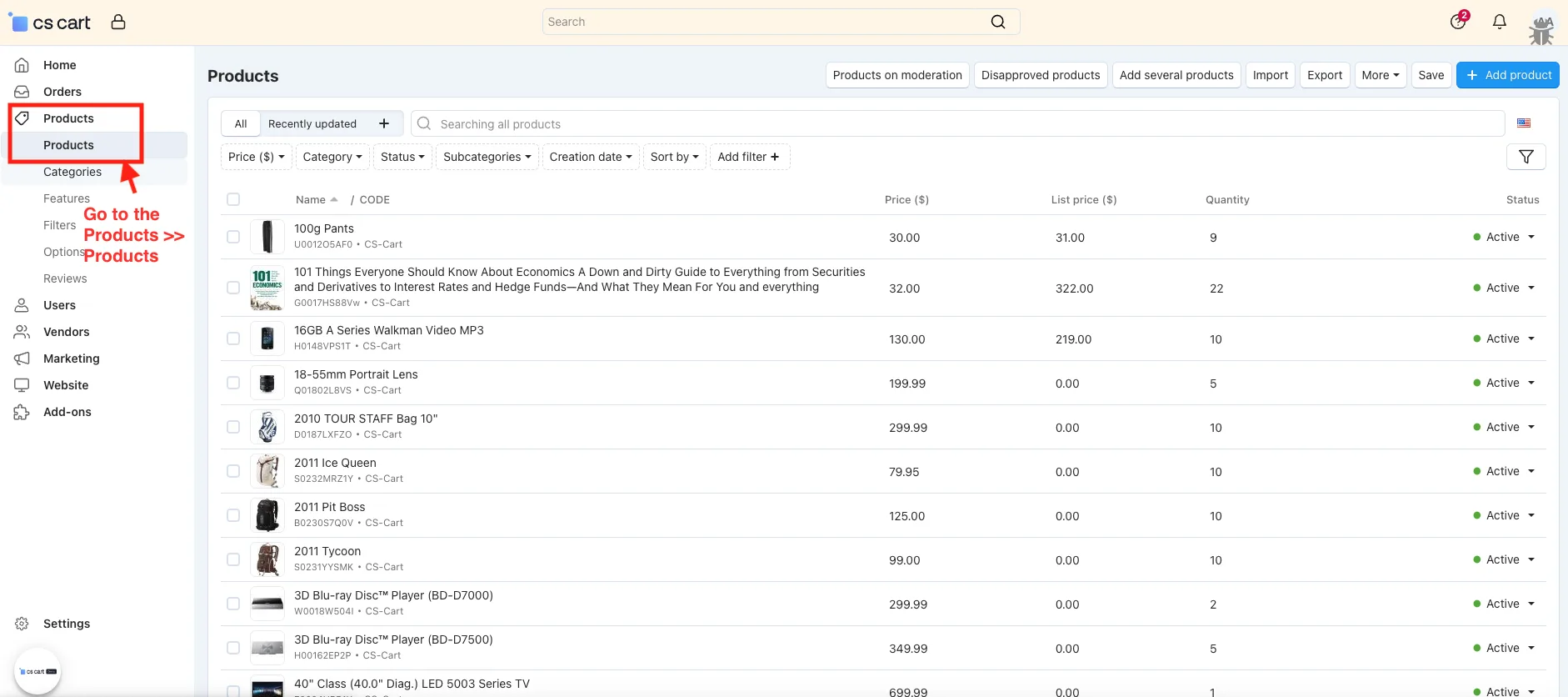
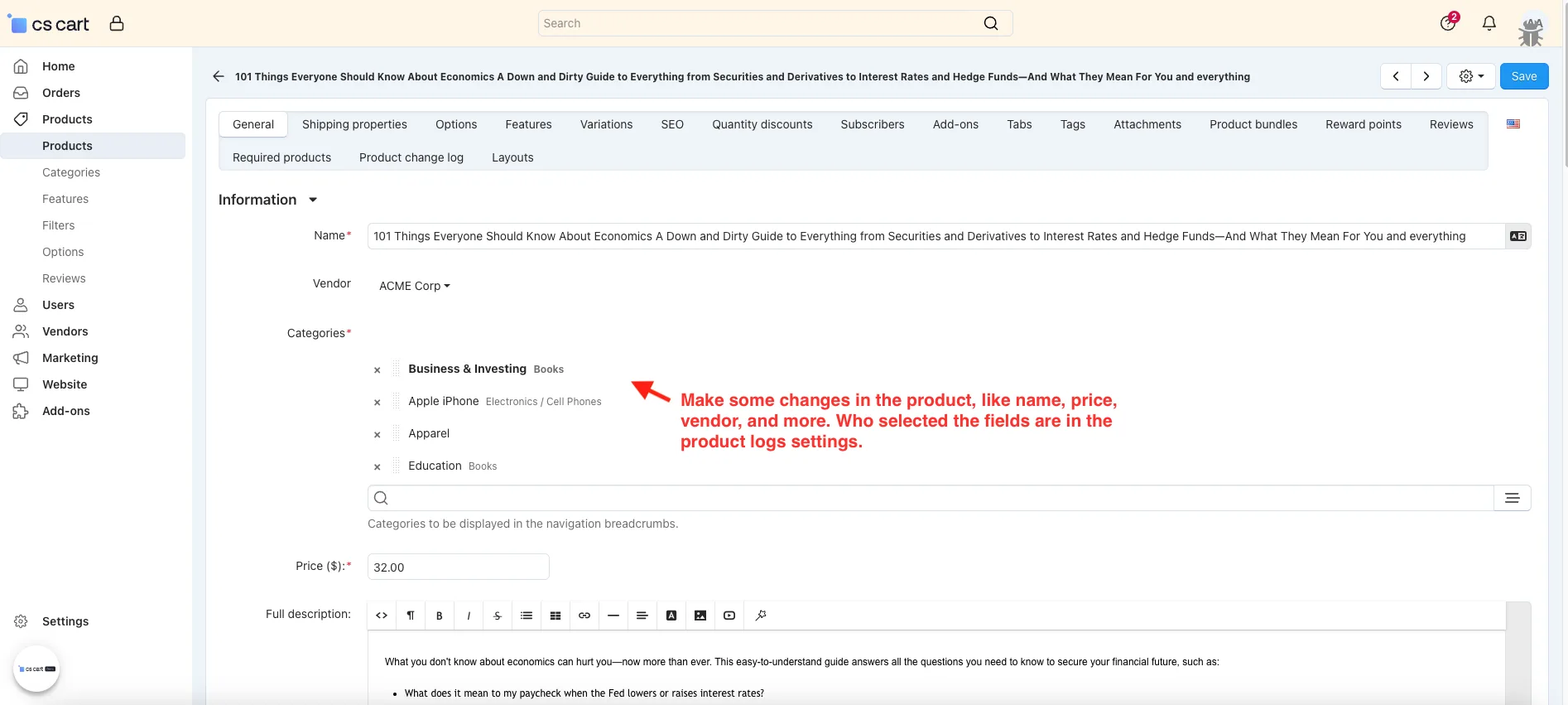
- Go to the Products >> Products.
- Open the product editing page.
- Make some changes in the product, like name, price, vendor, and more. Who selected the fields are in the product logs settings.
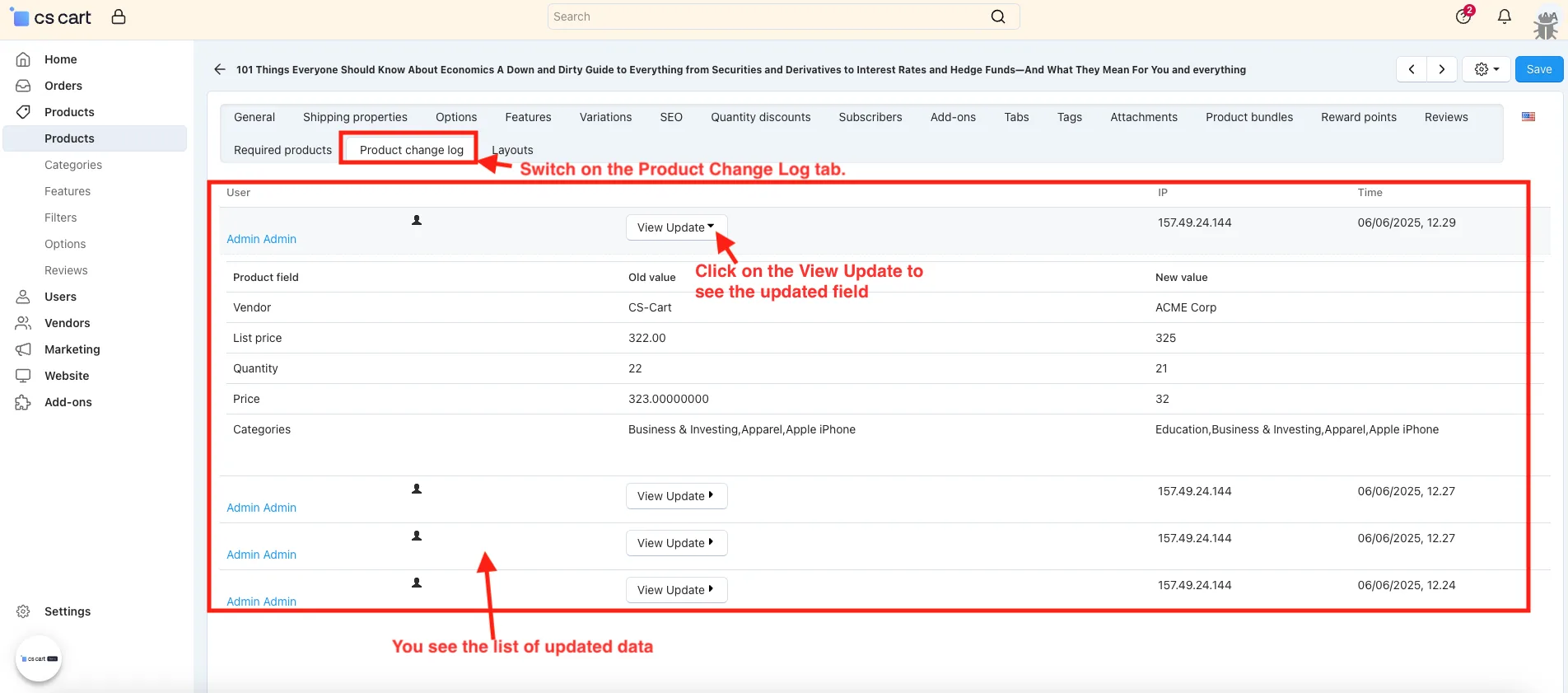
- Switch on the Product Change Log tab.
- You see the list of updated data,
- Click on the View Update to see the updated field.
✅ See the Changes Profile field under Settings
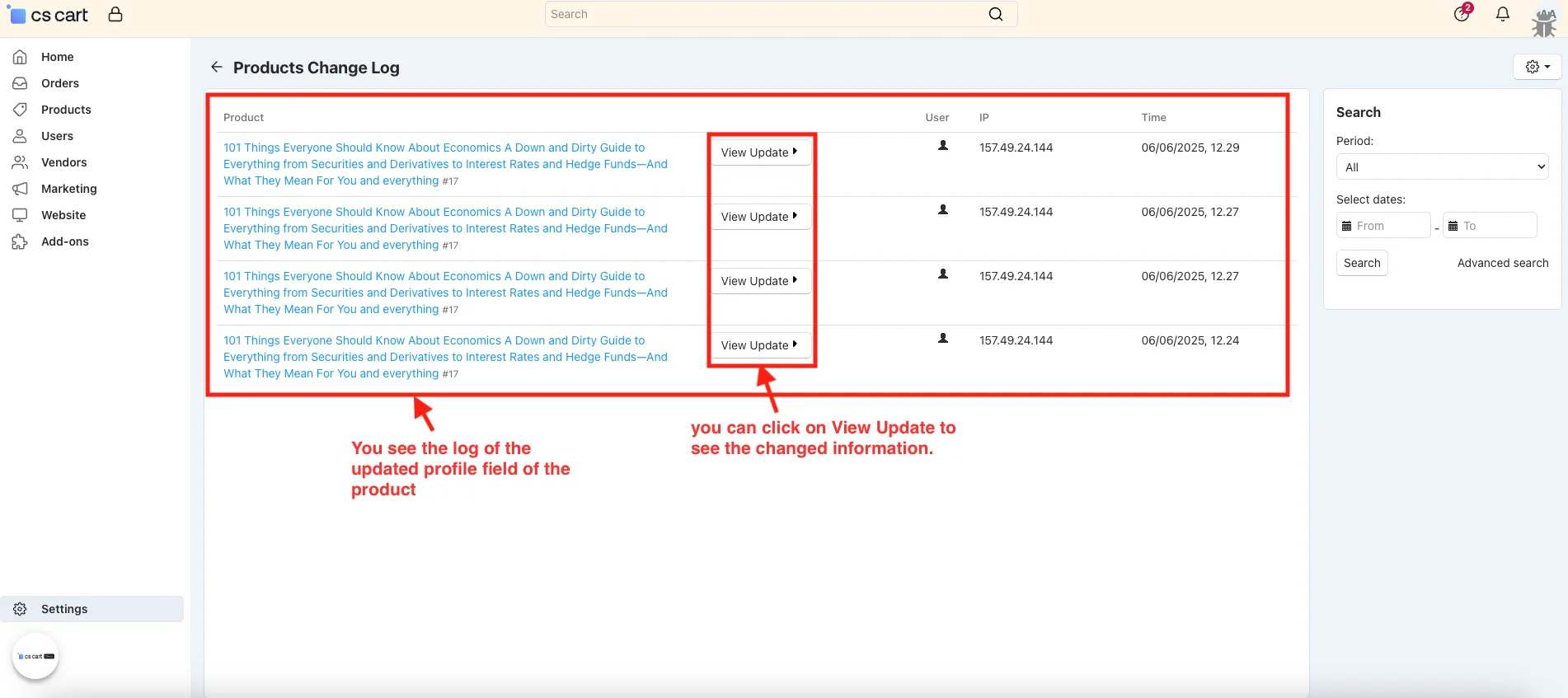
In Settings, the Product Change Log shows all updated product profile fields with options to view details, download as CSV, or clear the log.
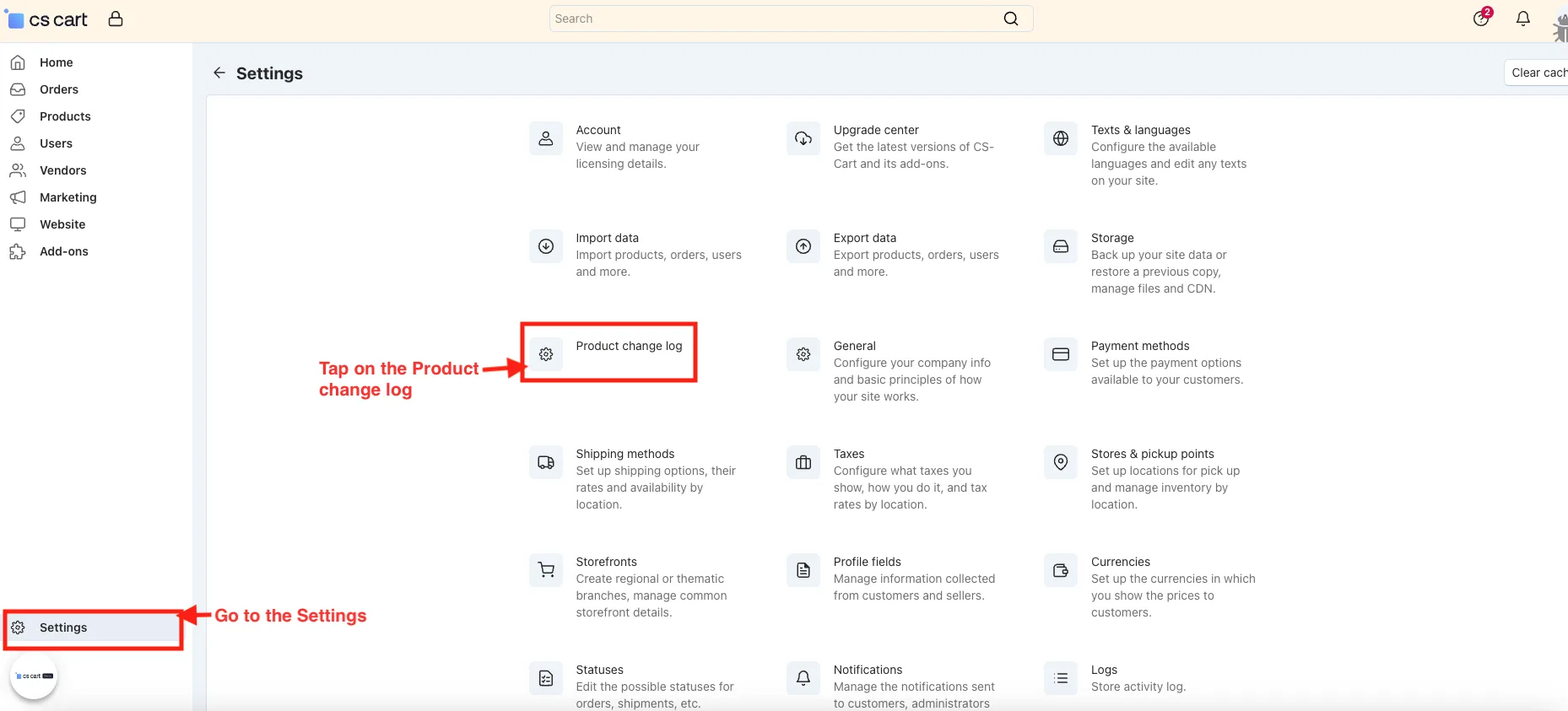
- Go to the Settings.
- Tap on the Product change log.
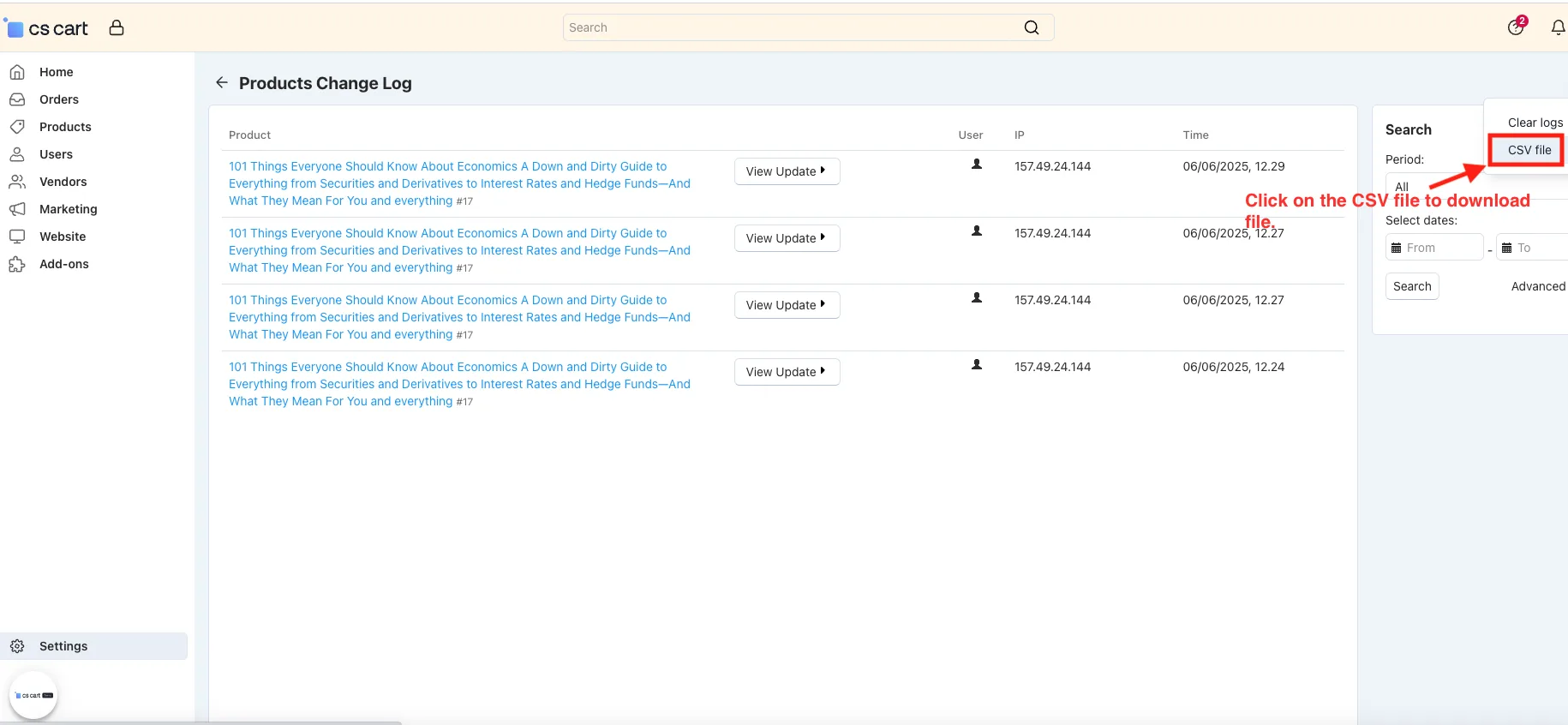
- You see the log of the updated profile field of the product, also you can click on View Update to see the changed information.
Click on the CSV file to download file.
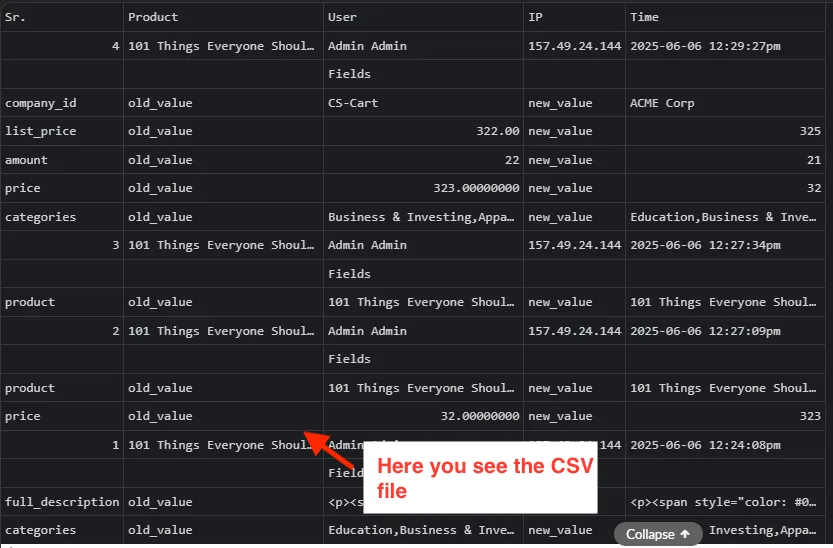
- Here you see the CSV file.
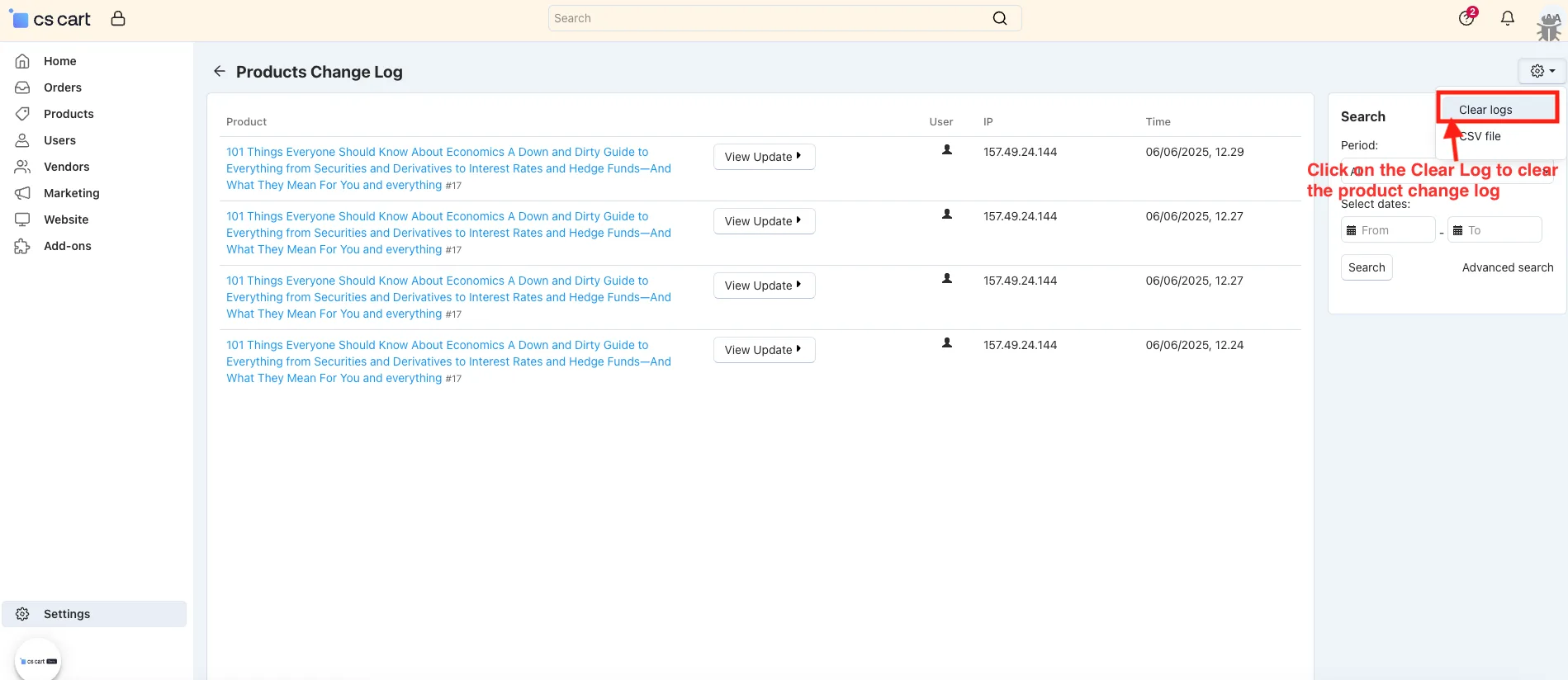
- Click on the Clear Log to clear the product change log.
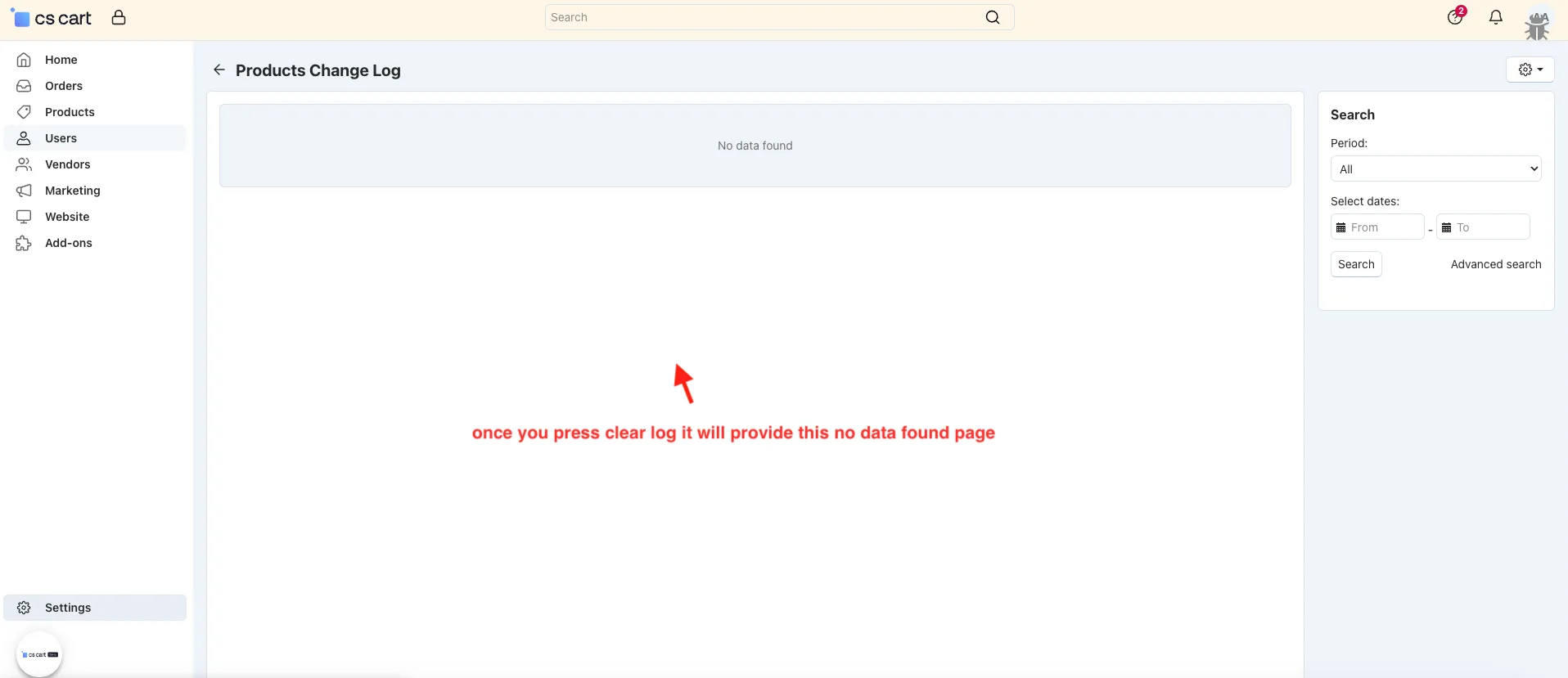
- Once you press the clear log, it will provide the no data found page.
Tutorial Link:
https://www.loom.com/share/3df54070dc5b44598cee49f04db3c029
Addon-Version:
Version-1.0
Supported Versions:
CS-Cart, CS-Cart Multivendor 4.8.x, 4.9.x,4.10x,4.11x,4.12,4.13x, 4.14x, 4.15x, 4.16x, 4.17x, 4.18x
Support:
This add-on is developed and published by Ecarter Technologies Pvt.Ltd., a CS-Cart developer. You are guaranteed a quality add-on supported by future versions. If you need help, please contact us via email at support@ecarter.co.
Frequently asked questions
Which product fields does the add-on track?
It records changes to fields such as product name, price, and vendor, along with any other fields you enable in the add-on settings. Whenever a tracked field is edited, the change is saved automatically.
Where can I view the change history?
You can see the history directly on the product editing page under a dedicated "Product Change Log" tab. Detailed update logs are also available from the add-on's settings area.
Can I export or clear the logs?
Yes. You can download the product change log as a CSV file for record keeping, and clear the logs at any time when you no longer need them.
Is the add-on compatible with CS-Cart Multi-Vendor?
Yes. It integrates with CS-Cart Multi-Vendor and works with the Standard, Plus, and Ultimate editions. If you are on a specific or recent version, share it with us and we will confirm compatibility.
Kajal is a Technical Content Writer at Ecarter Technologies. She writes technical documentation and in-depth guides on eCommerce platforms, mobile commerce and AI in online retail.