
PayUMoney Payment Gateway
PayUMoney Payment Gateway: It allows them to pay instantly without re-entering the same data for every transaction.
The PayUMoney Payment Gateway add-on for CS-Cart lets store admins integrate PayUMoney as a checkout option on their storefront. It supports multiple payment methods, including net banking, debit cards, and PhonePe, and secures transactions using PayUMoney's Key and Salt credentials. The add-on also offers a fast checkout mode, so customers can save their card, shipping, and billing details for instant payments without re-entering the same information each time. It is aimed at CS-Cart store owners who want to accept payments from Indian customers and manage payment settings and order status updates from the admin panel.
TL;DR: PayUMoney Payment Gateway: It allows them to pay instantly without re-entering the same data for every transaction.
This guide covers: How addon works
PayUMoney Payment Gateway addon for CS-Cart allows admin to easily integrate PayUMoney on their site. Customers can make payments smoothly. It also offers a superfast checkout mode, letting users securely save card, shipping, and billing details for instant payments without re-entering information.
Features:
- Easy to Use – Easily connects PayU Money with the CS-Cart store.
- Multiple Payment Options – Supports net banking, debit cards, PhonePe, and more.
- Secure Transactions – Uses unique security codes (Key & Salt) for safe payments.
- Automatic Currency Conversion – Converts currency based on admin settings.
- Fast Checkout – Users can save card details for quicker payments.
- Order Status Updates – Automatically marks payments as successful or failed.
- Admin Control – Admin can configure and manage payment settings easily.
- 24/7 Payment Processing – Works anytime for global transactions.
- Optimized for Quick Payments – Ensures smooth and fast transaction processing.
- CS-Cart Support info: The addon is well integrated with CS-Cart Multi-Vendor and can be used with its standard, Plus, and Ultimate Versions.
How to install Addon
https://store.ecarter.co/blogs/how-to-install-addon/
How addon works
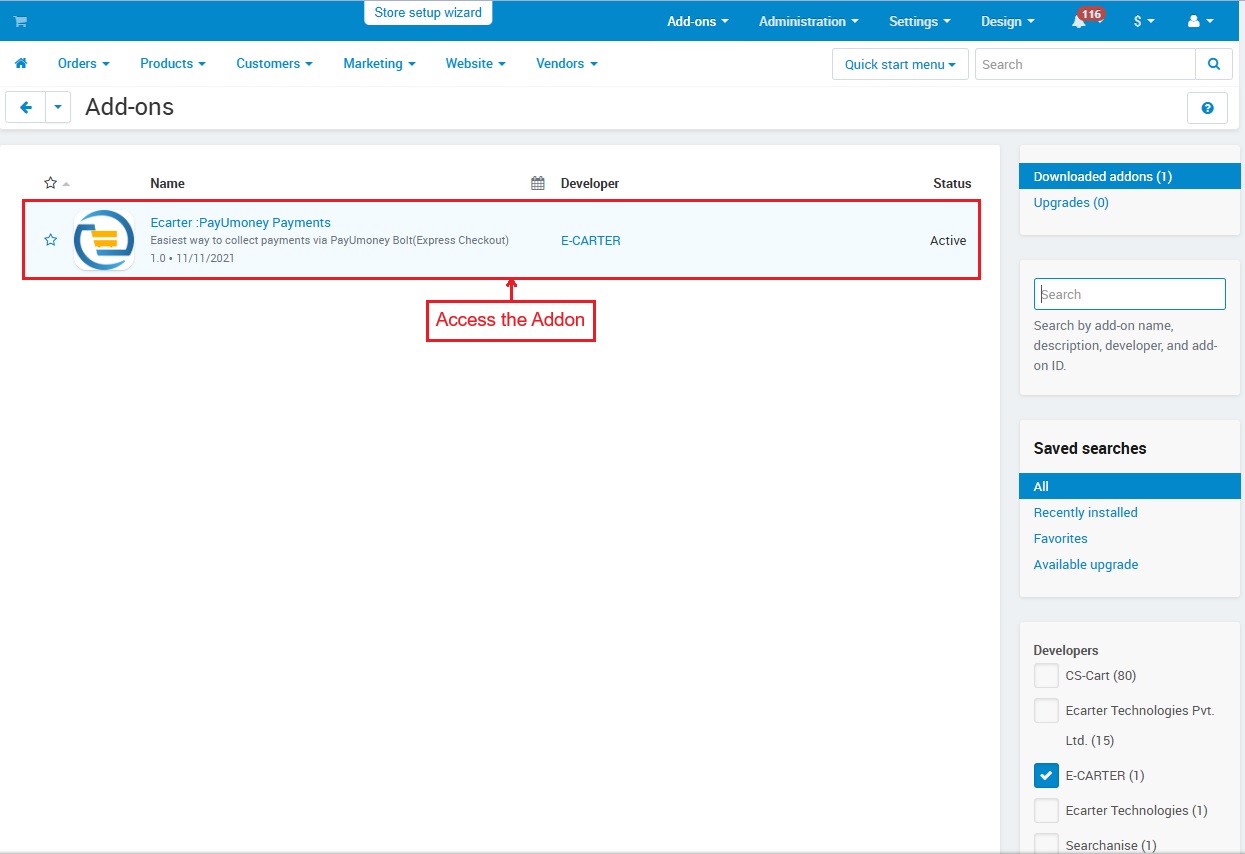
- Access the Addon
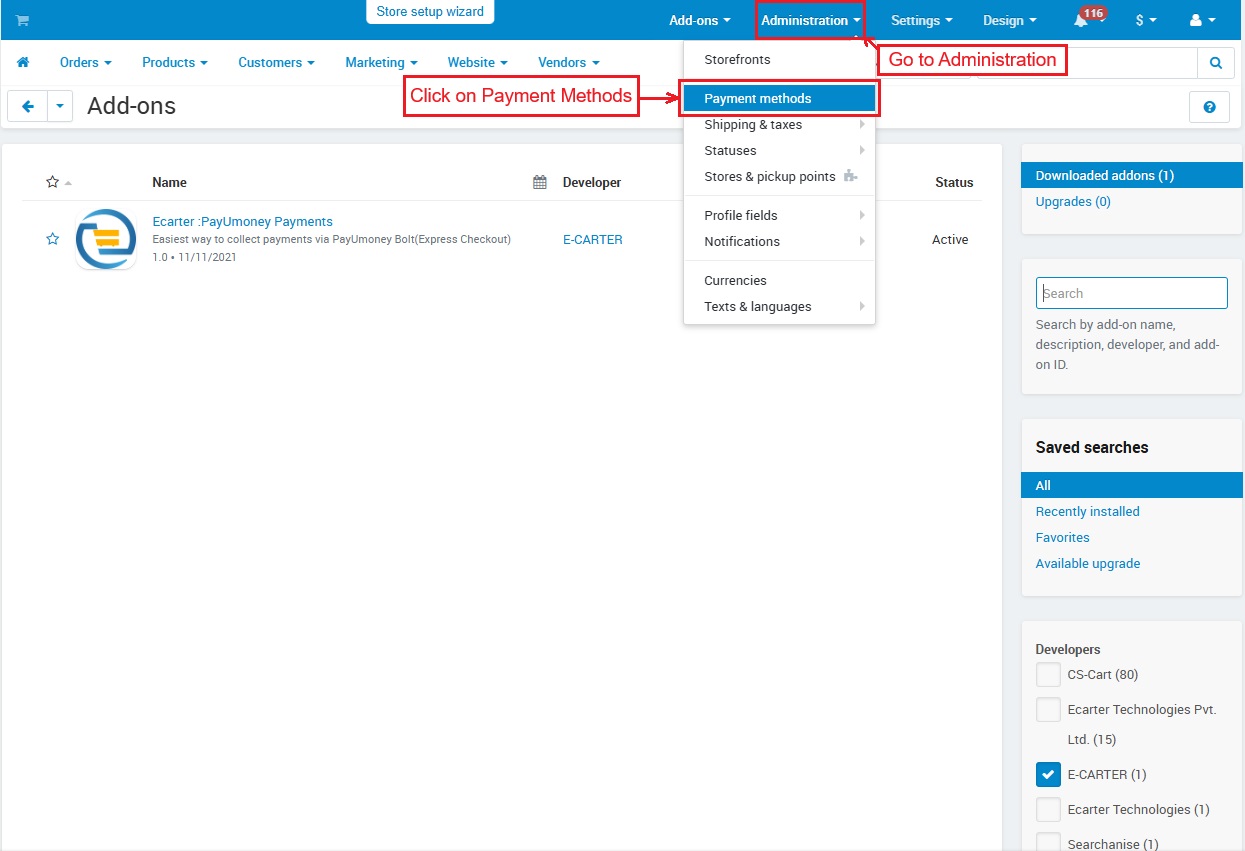
- Go to >> Administration
- Click on >> Payment Methods
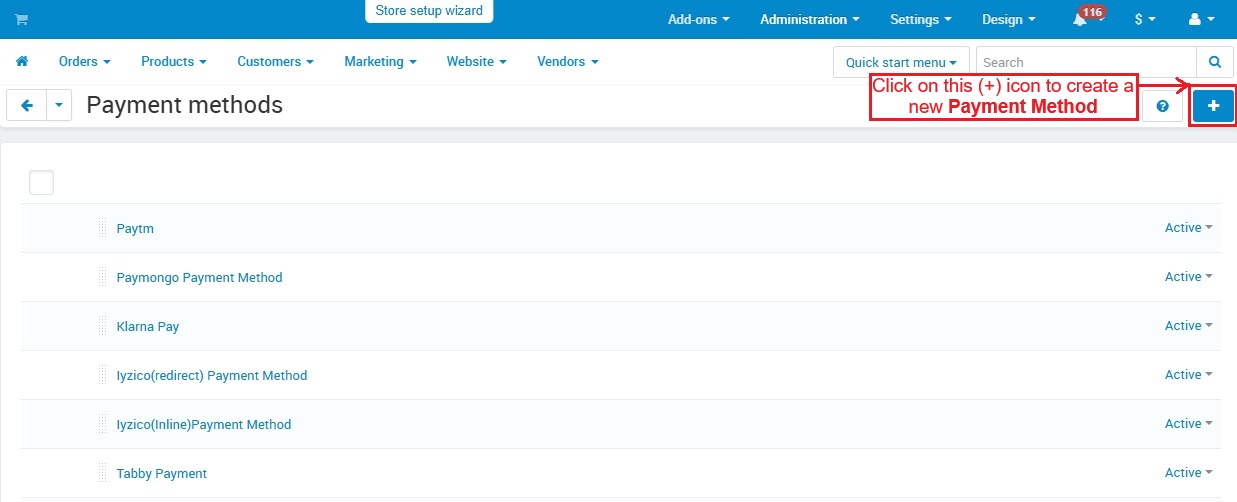
- This Payment methods page shows all created payment methods. Click the (+) icon to add a new one.
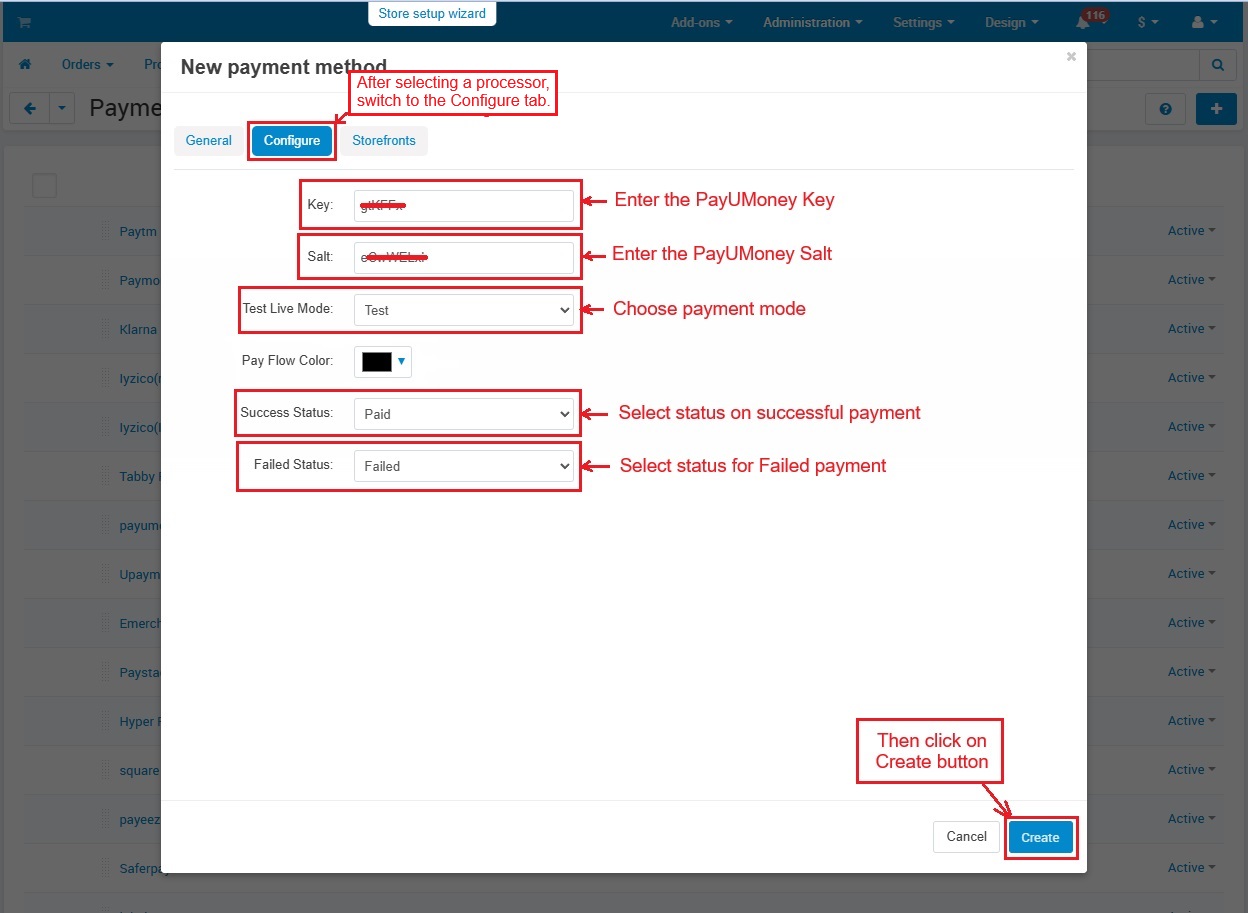
- In the General tab, Enter the Name of the payment method and Choose the Payment Processor.
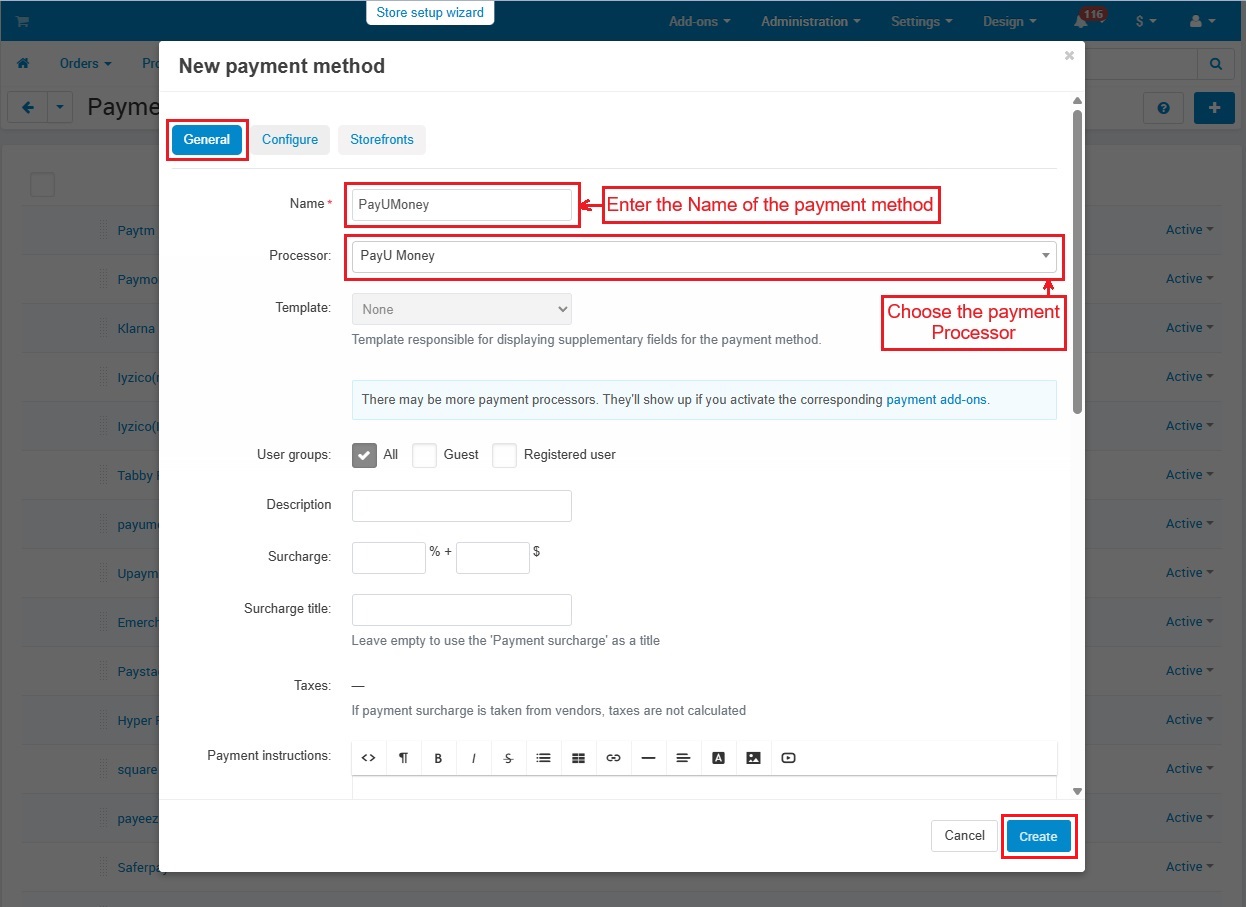
- After selecting a processor, switch to the Configure tab.
Key: Enter the key which is a unique code needed to connect with PayUMoney.
Salt: Enter another security code used for safe transactions.
Test Live Mode: Choose payment mode.
Success Status: Sets what happens when a payment is successful.
Failed Status: Set what happens if a payment fails.
- Then, Click on >> Create Button.
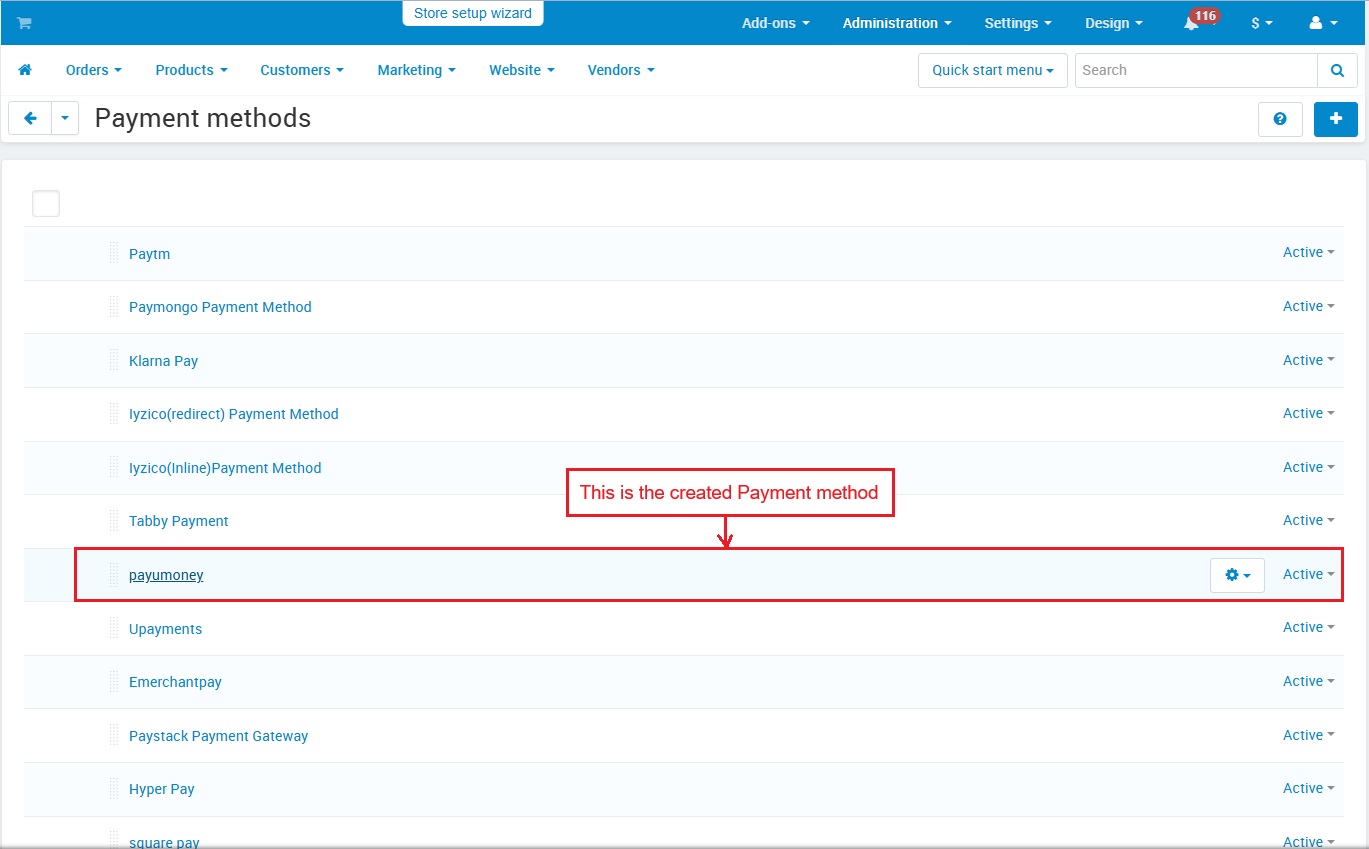
- This is the created payment method.
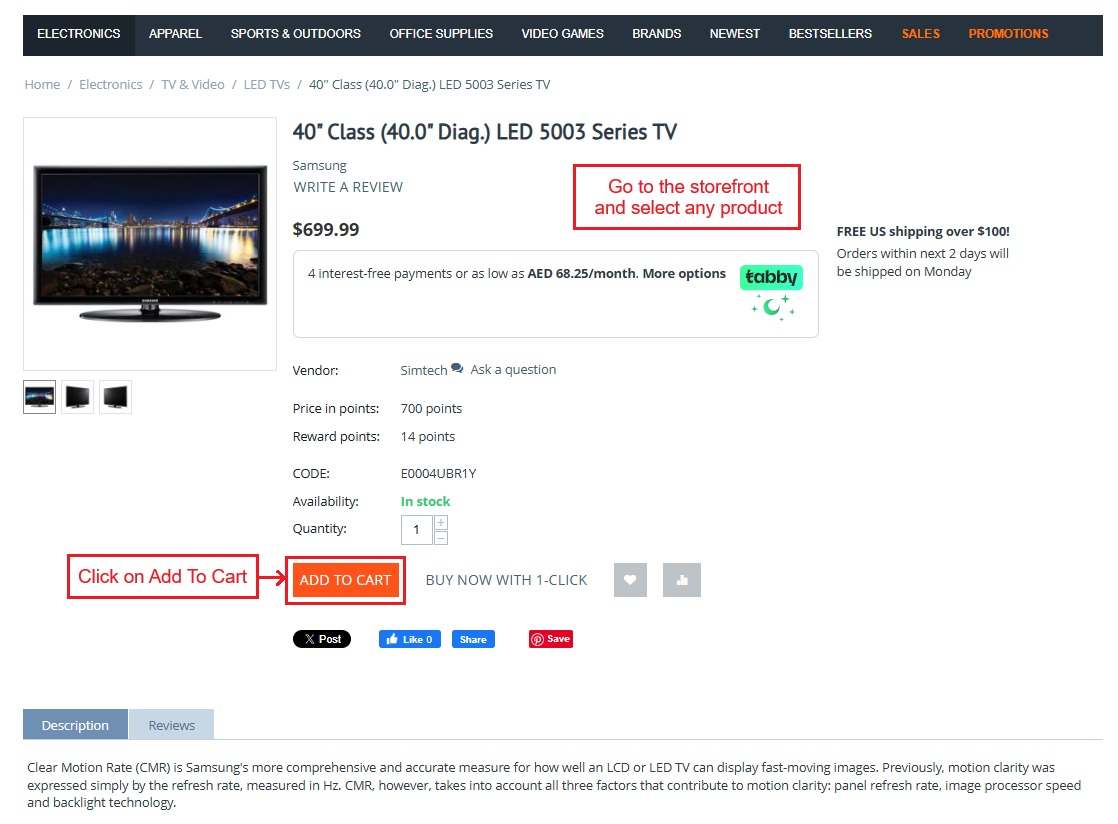
- Go to the Storefront and select any Product.
- Click on >> Add To Cart
- Click on >> Checkout button.

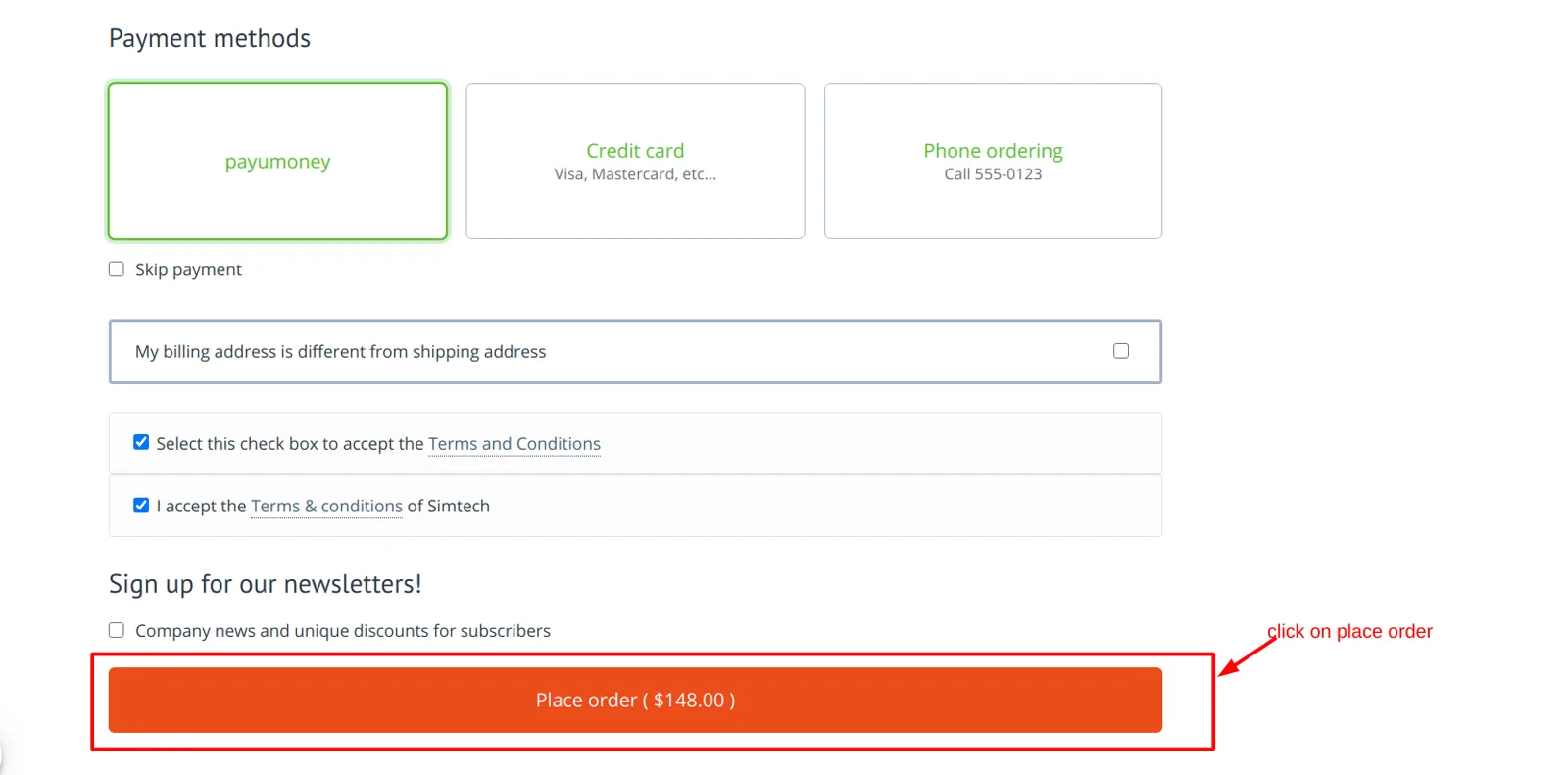
- Now, select payUmoney as a payment method at checkout.
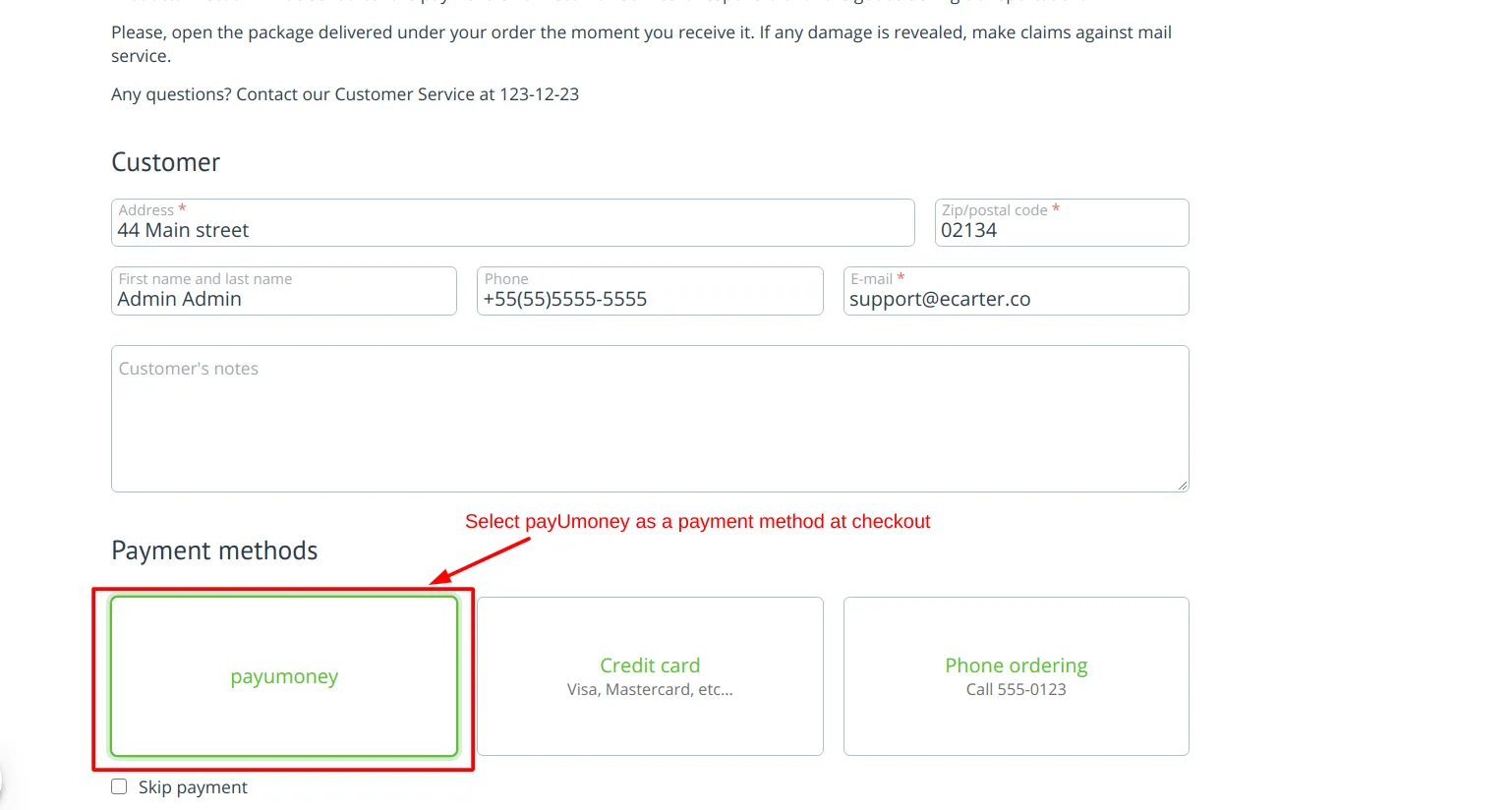
- And, click on Place Order.
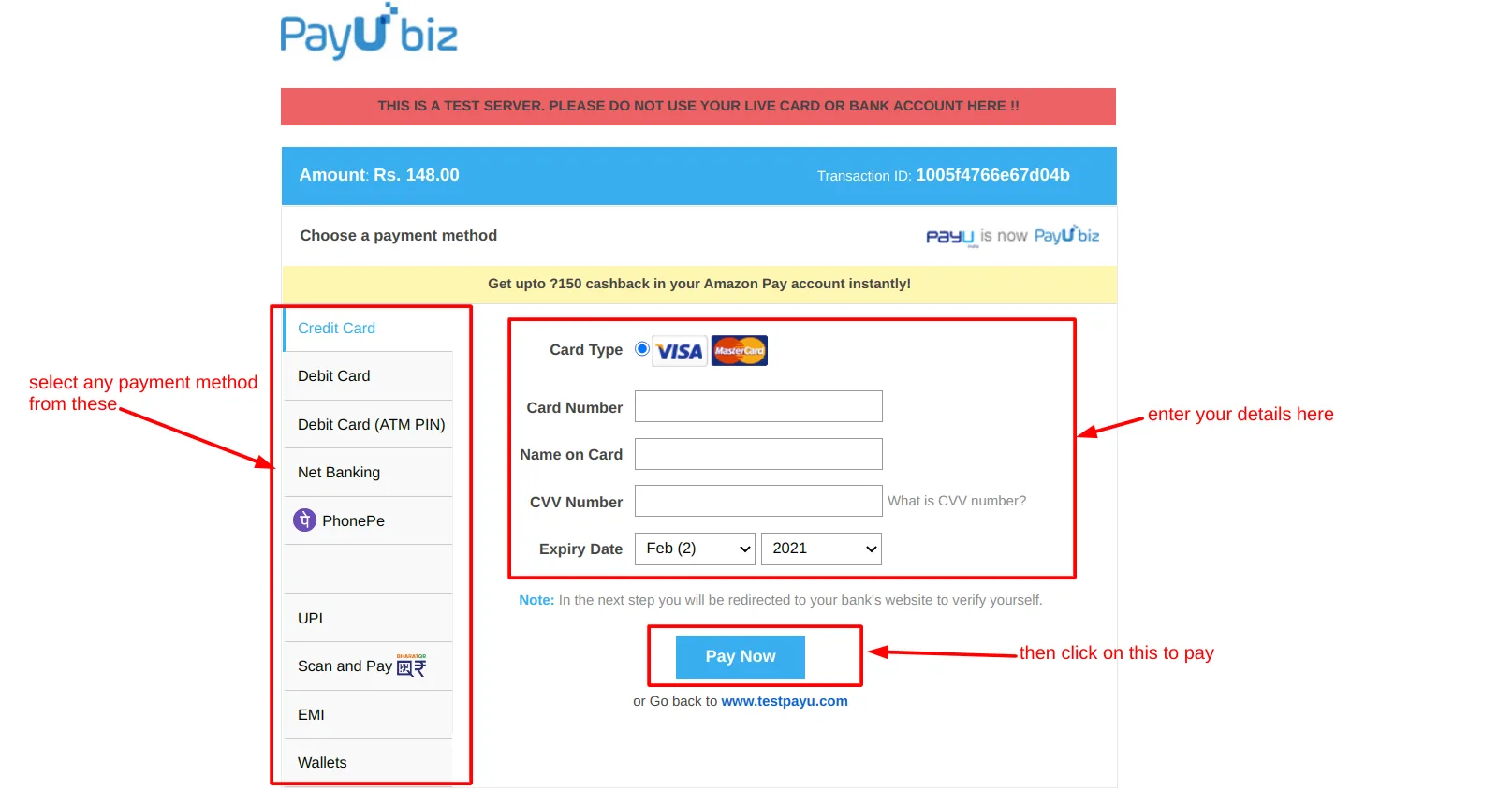
- On this page, now you need to select any payment method like Net banking, Debit card, Phonepe etc.
- Enter >> Card details.
- Then, click on >> Pay Now button.
- In the next step, you only need to enter the OTP and press the Pay button. A notification will appear confirming that your payment was successful.
- Also, order details in both the admin panel and storefront will show you the complete payment information.
Tutorial Link:
Addon-Version:
Version-1.0
Supported Versions:
CS-Cart, CS-Cart Multivendor 4.8.x, 4.9.x,4.10x,4.11x,4.12,4.13x, 4.14x, 4.15x, 4.16x, 4.17x, 4.18x
Support:
This app is developed and published by Ecarter Technologies Pvt. Ltd., a CS-Cart developer. You are guaranteed a quality add-on supported by future versions. If you need help, please contact us via email support@ecarter.co
Need modifications or any assistance? Please, feel free to contact us via email at support@ecarter.co
Frequently asked questions
Which payment methods does the PayUMoney add-on support?
It supports several payment options through PayUMoney, including net banking, debit cards, and PhonePe, giving customers a choice of how they pay at checkout.
Does it work with CS-Cart Multi-Vendor?
Yes. The add-on is integrated with CS-Cart Multi-Vendor and works with the standard, Plus, and Ultimate versions.
How does the fast checkout feature work?
Customers can securely save their card, shipping, and billing details so they can pay instantly on future orders without re-entering the same information for every transaction.
How are transactions kept secure and how is order status handled?
Payments are secured using PayUMoney's unique Key and Salt credentials, and the add-on automatically updates each order's status to reflect whether the payment succeeded or failed.
Kajal is a Technical Content Writer at Ecarter Technologies. She writes technical documentation and in-depth guides on eCommerce platforms, mobile commerce and AI in online retail.