
Paystack Payment Gateway
Paystack Payment Gateway: it's accept payments on all major shopping platforms and accept Multiple payment channels.
The Paystack Payment Gateway add-on connects your CS-Cart store to Paystack so customers can pay by card, bank transfer, or USSD directly at checkout. It solves the problem of offering local African payment methods within CS-Cart, letting shoppers pick their preferred option and complete payment on a secure Paystack checkout form; if a transaction fails, the form suggests other payment options so the sale is less likely to be lost. Once an order is placed, the payment details are recorded on the order page for the store owner to review. It works with CS-Cart Multi-Vendor and its Standard, Plus, and Ultimate editions, making it suited to single-vendor stores and marketplaces that sell to Paystack-supported regions.
TL;DR: Paystack Payment Gateway: it's accept payments on all major shopping platforms and accept Multiple payment channels.
This guide covers: How to install Addon · How to Addon Works:
Paystack Payment Gateway Addon for CS-Cart makes online transactions easy and secure, allowing customers to pay using Cards, Banks, and USSD. it provides a smooth checkout experience where user can select their preferred payment method and complete purchases effortlessly. With Paystack payment are processed securely, ensuring reliability for both store owners and customers. After placing an order, the payment details appear on the order page. Whether paying by card, bank transfer, or USSD code.
This integration enhances the checkout process, making it seamless and efficient for eCommerce businesses.
Features:
- Multiple Payment Options: Customers can pay Card, Bank and USSD.
- Smooth Checkout Experience: Users can easily select their preferred "Paystack Payment Gateway" method at checkout.
- Secure Transactions: Payments are processed safely ensuring reliability for store owner and customer.
- Trusted & Verified: Paystack is verified and trusted by VISA, Stripe, and many more.
- Automatic error resolution: In the rare occasion where a transaction fails, the Paystack Checkout Form smartly suggests other payment options.
- CS-Cart Support info: The addon is well integrated with CS-Cart Multi-Vendor and can be used with its standard, Plus, and Ultimate Versions.
Installation:
How to install Addon
https://store.ecarter.co/blogs/how-to-install-addon/
How to Addon Works:
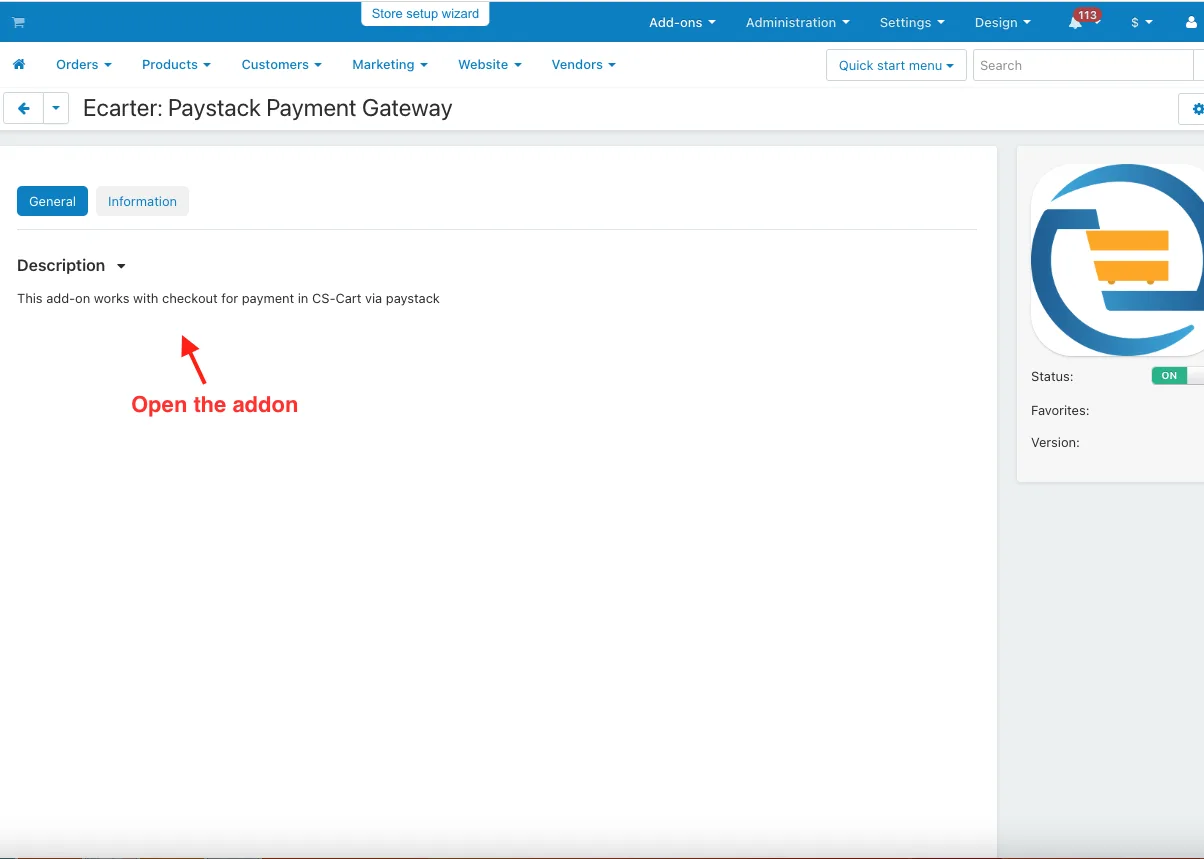
- Open the addon.
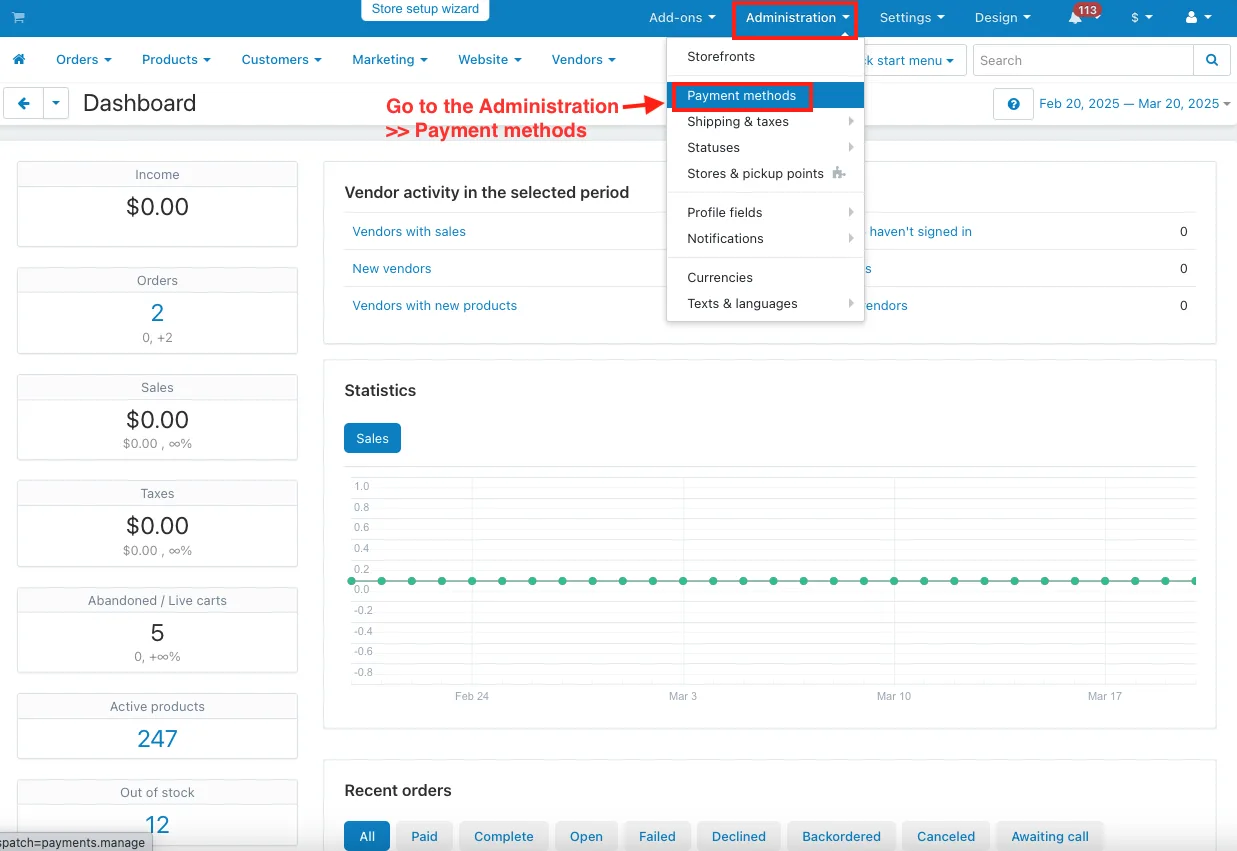
- Go to the Administration >> Payment methods.
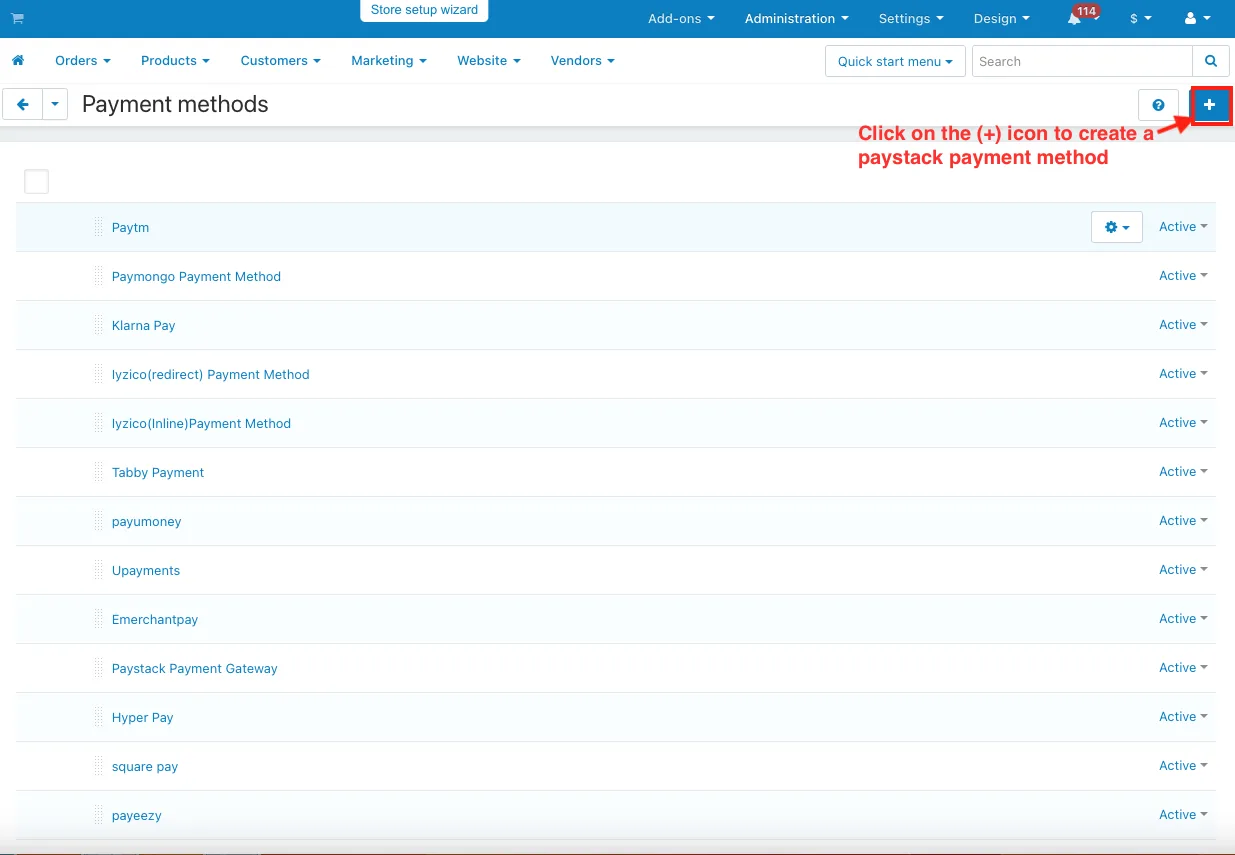
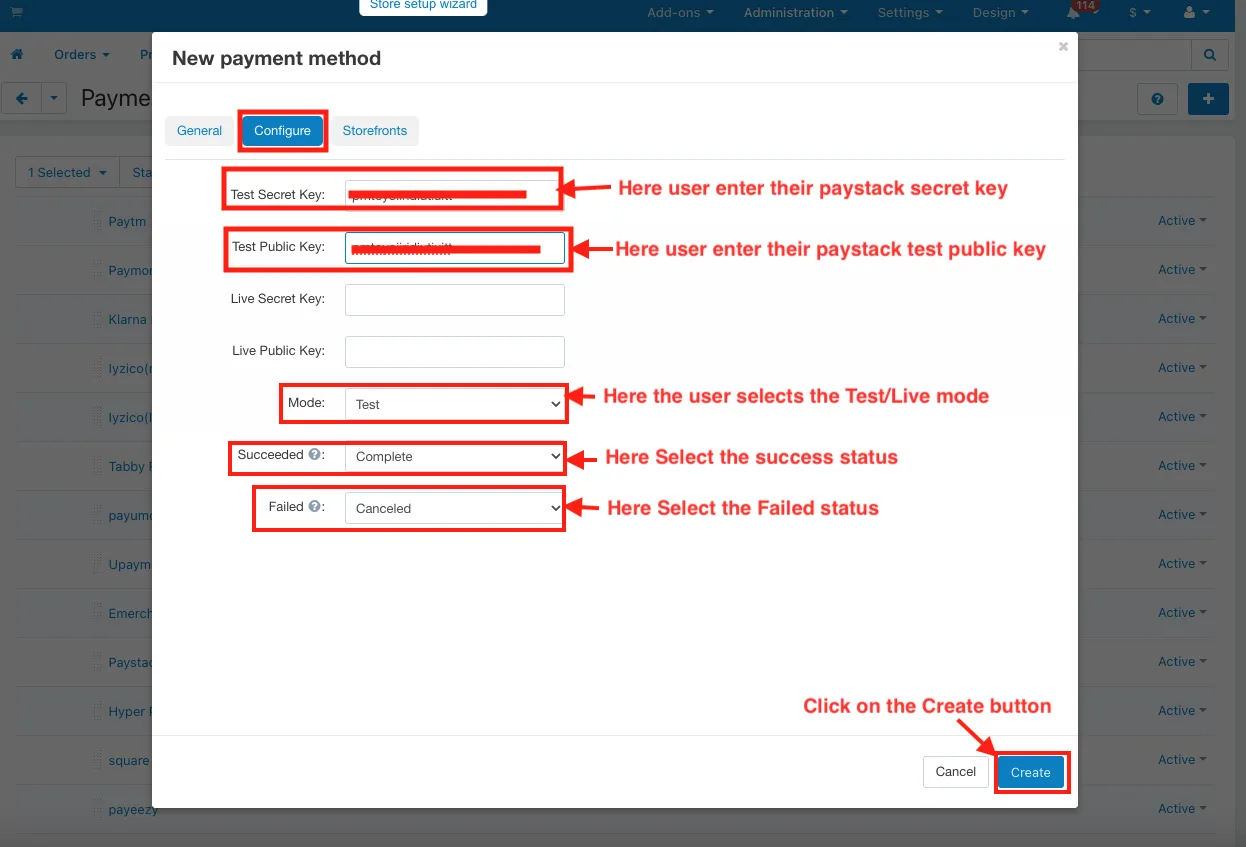
- Click on the (+) icon to create a paystack payment method.
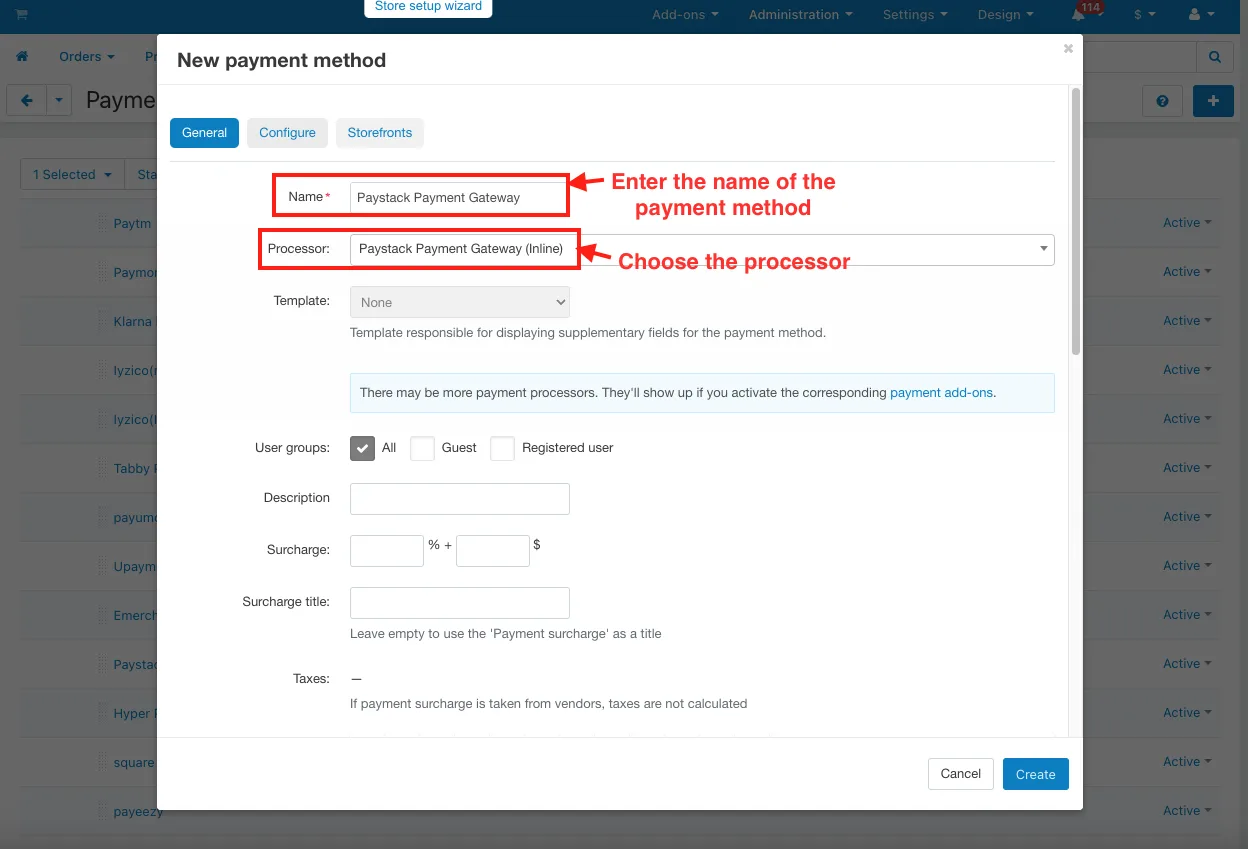
- In the General tab.
- Name: Enter the name of the payment method.
- Processor: Choose the processor.
- Switch on the Configure tab.
- Test Secret Key: Here user enter their paystack secret key.
- Test public key: Here user enter their paystack test public key.
- Mode: Here the user selects the Test/Live mode.
- Succeeded: Here Select the success status.
- Failed: Here Select the Failed status.
- Click on the Create button.
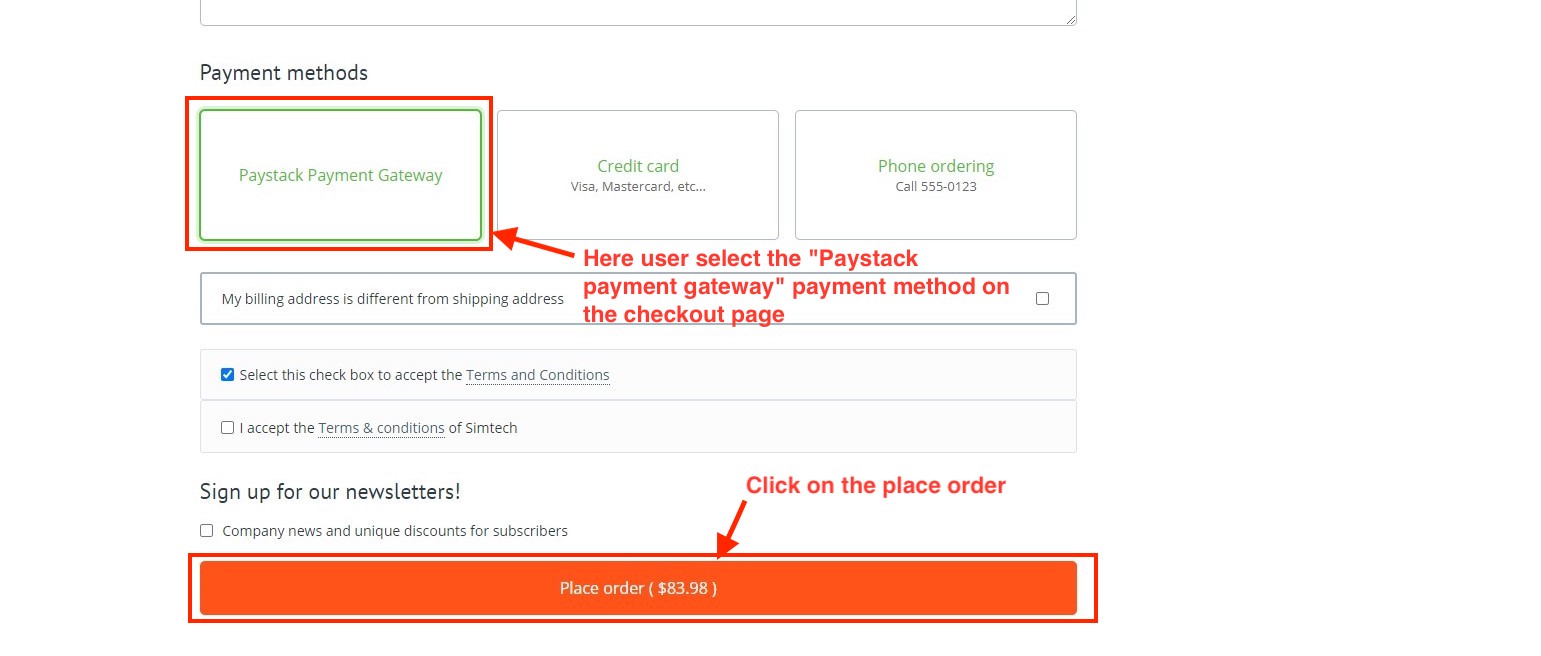
- Here user select the "Paystack payment gateway" payment method on the checkout page.
- Click on the Place order.
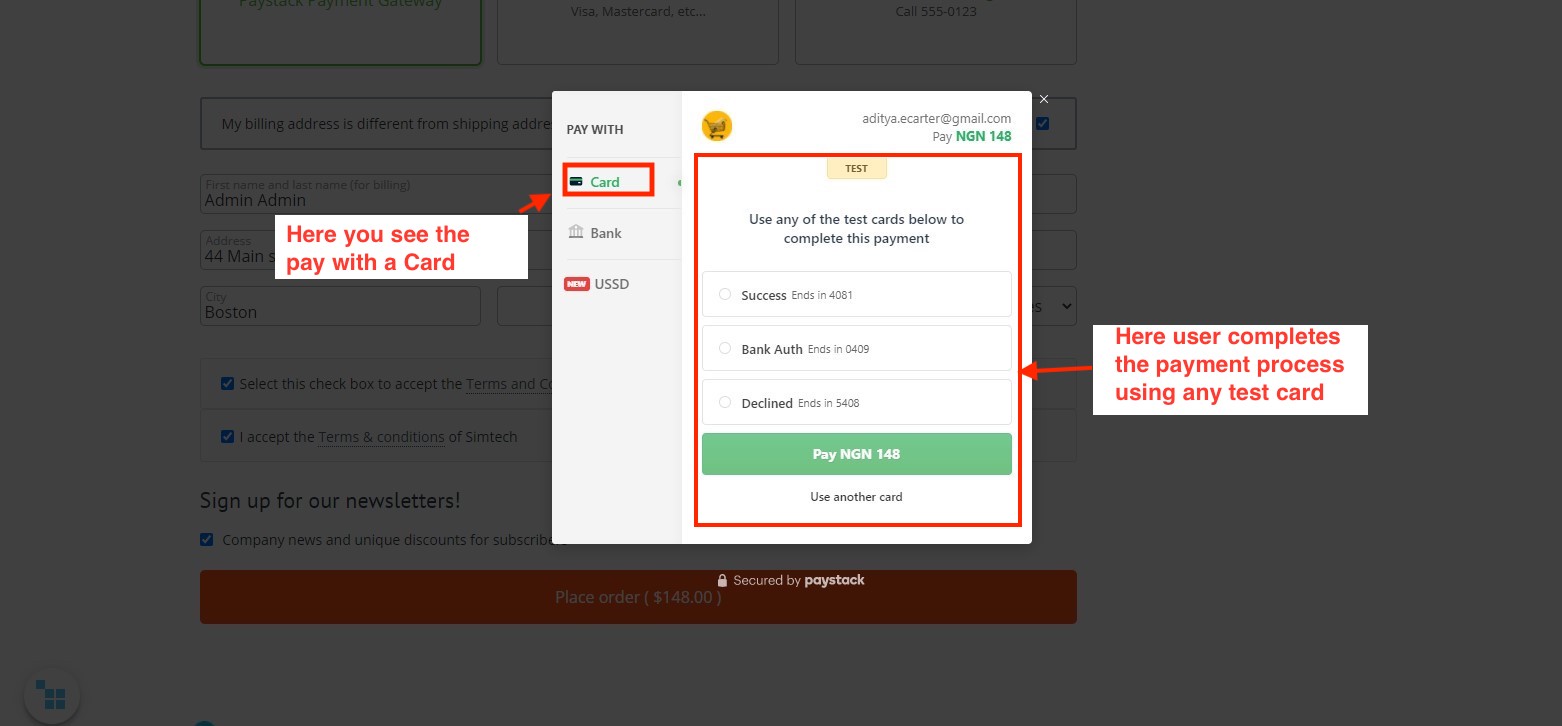
- This payment method allows you to pay with Card, Bank, and USSD.
- Here you see the pay with a Card.
- Here user completes the payment process using any test card.
- Here you see the pay with Bank.
- Here users complete the payment process by choosing their bank.

- Here you see the pay with USSD.
- Here users complete the payment process by selecting their bank with code.

- Here you see the complete payment process by dialing the below bank code.

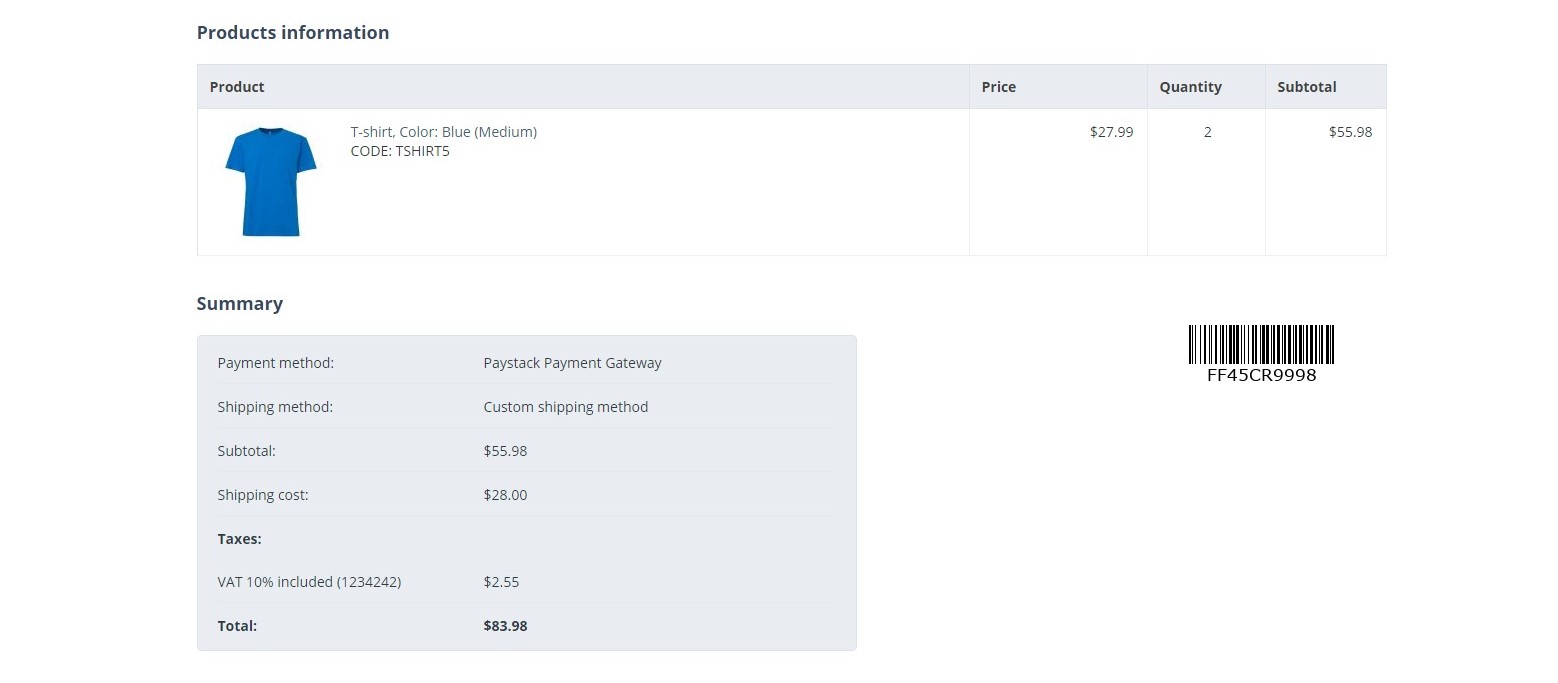
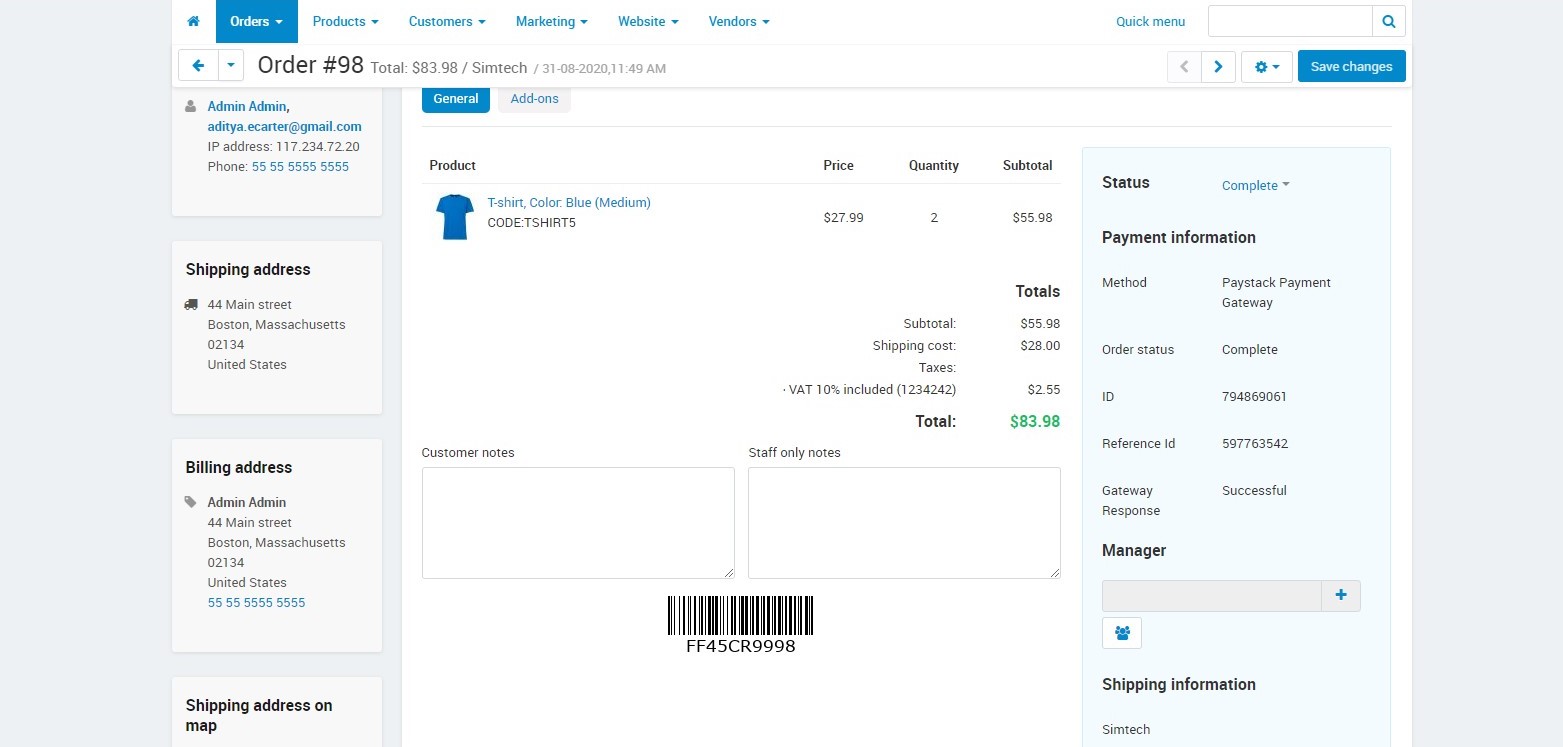
- After Placing order click on the order details.
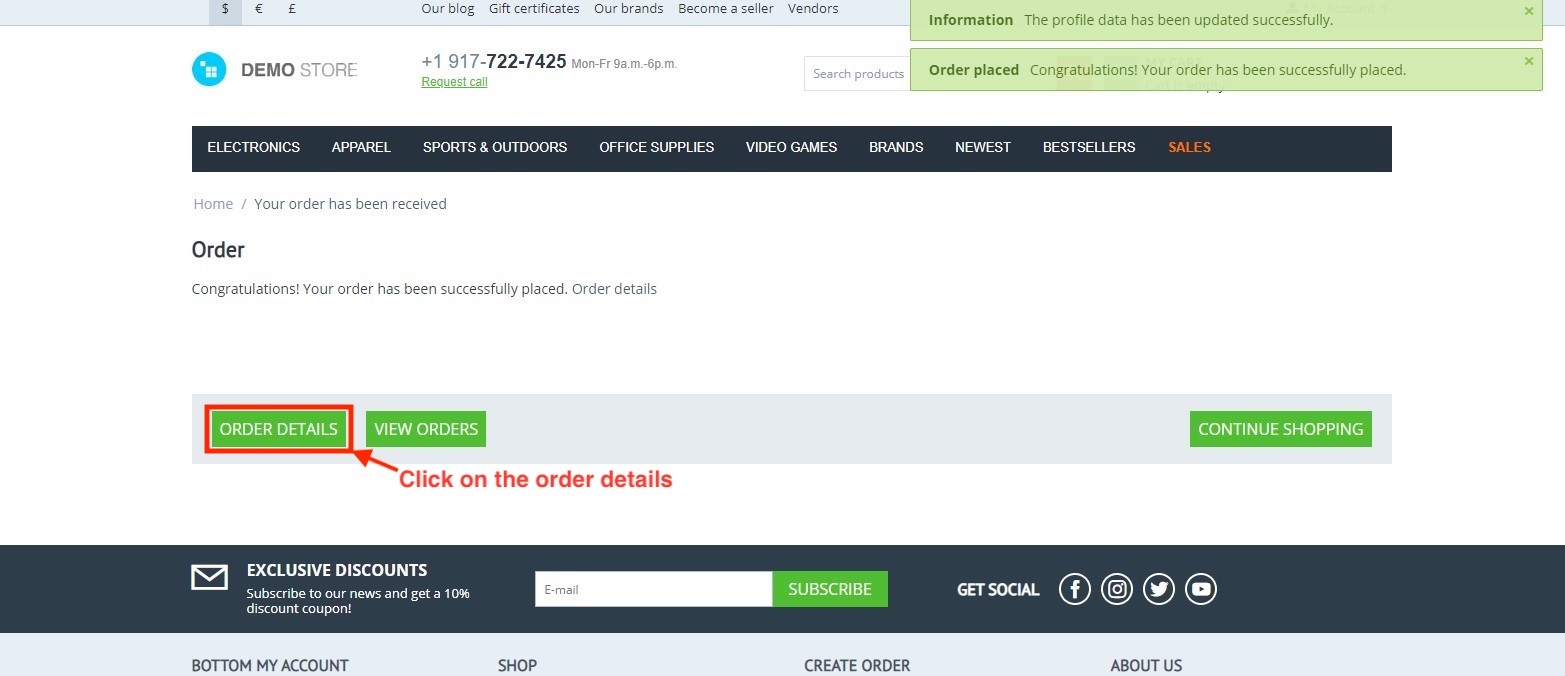
- Here you see the paystack payment gateway payment method on the order detail page.

Addon-Version:
Version-1.0
Supported Versions:
CS-Cart, CS-Cart Multivendor 4.8.x, 4.9.x,4.10x,4.11x,4.12,4.13x, 4.14x, 4.15x, 4.16x, 4.17x, 4.18x
TutorialLink:
Support:
This app is developed and published by Ecarter Technologies Pvt. Ltd., a CS-Cart developer. You are guaranteed a quality add-on supported by future versions. If you need help, please contact us via email support@ecarter.co
Need modifications or any assistance? Please, feel free to contact us via email at support@ecarter.co
Frequently asked questions
Which payment methods does the Paystack add-on support at checkout?
Customers can pay using cards, bank transfer, and USSD. They select their preferred method on the Paystack checkout form, and if one transaction fails the form suggests alternative payment options.
Does the Paystack Payment Gateway work with CS-Cart Multi-Vendor?
Yes. The add-on is integrated with CS-Cart Multi-Vendor and can be used with its Standard, Plus, and Ultimate versions, so it fits both single stores and marketplaces.
How do I set up the Paystack payment method in CS-Cart?
Go to Administration > Payment methods, create a new Paystack payment method, choose the Paystack processor, and switch it on in the configuration. After that, Paystack appears as an option at checkout.
Where can I see payment details after a customer pays?
Once an order is placed, the Paystack payment details are shown on the order page in your admin panel, so you can review each transaction alongside the order.
Nisha Gaur is a Technical Content Writer at Ecarter Technologies. She writes technical documentation, tutorials and buying guides covering CS-Cart, Magento, Shopify and eCommerce development.