
Paymongo Payment Gateway
Enable secure and efficient payments with the PayMongo Payment Add-on for CS-Cart. Accept online, in-store, and mobile payments seamlessly across all devices, fully integrated with CS-Cart and Multi-Vendor.
The PayMongo Payment add-on integrates the PayMongo payment gateway into CS-Cart, letting store customers pay securely at checkout. It gives merchants an always-on payment option aimed at improving payment success rates while keeping the checkout process transparent and trustworthy. The add-on works on both CS-Cart and CS-Cart Multi-Vendor, is managed from the admin panel under Payment Methods, and supports payments across all customer devices for online and in-store transactions. It suits businesses of any size, from small stores to multi-vendor marketplaces, that want a reliable way to accept digital payments.
The PayMongo Payment for CS-Cart allows store customers to make secure payments using the PayMongo gateway. It provides an always-on checkout solution, helping businesses increase payment success rates while ensuring transparency and building customer trust.
This addon supports smooth payment processing across multiple channels, making it suitable for both online and in-store transactions. With easy setup and full integration with CS-Cart and Multi-Vendor platforms, PayMongo offers a reliable and efficient payment solution for businesses of all sizes.
Features:
- Backend Configuration: Admin can enable PayMongo payment directly from the backend.
- Payment Method Setup: Manage PayMongo via the Payment Methods section.
- Optimized Digital Payments: Enhances digital payment processing for eCommerce businesses.
- CS-Cart Integration: Fully compatible with CS-Cart and CS-Cart Multi-Vendor.
- Cross-Device Support: Accept online payments across all customer devices.
- Flexible Payment Options: Optimized for both in-store and on-the-go transactions.
- Modern Payment Solutions: Ideal for small businesses seeking secure and efficient payment options.
How to install Addon
https://store.ecarter.co/blogs/how-to-install-addon/
How Addon works
Step 1.
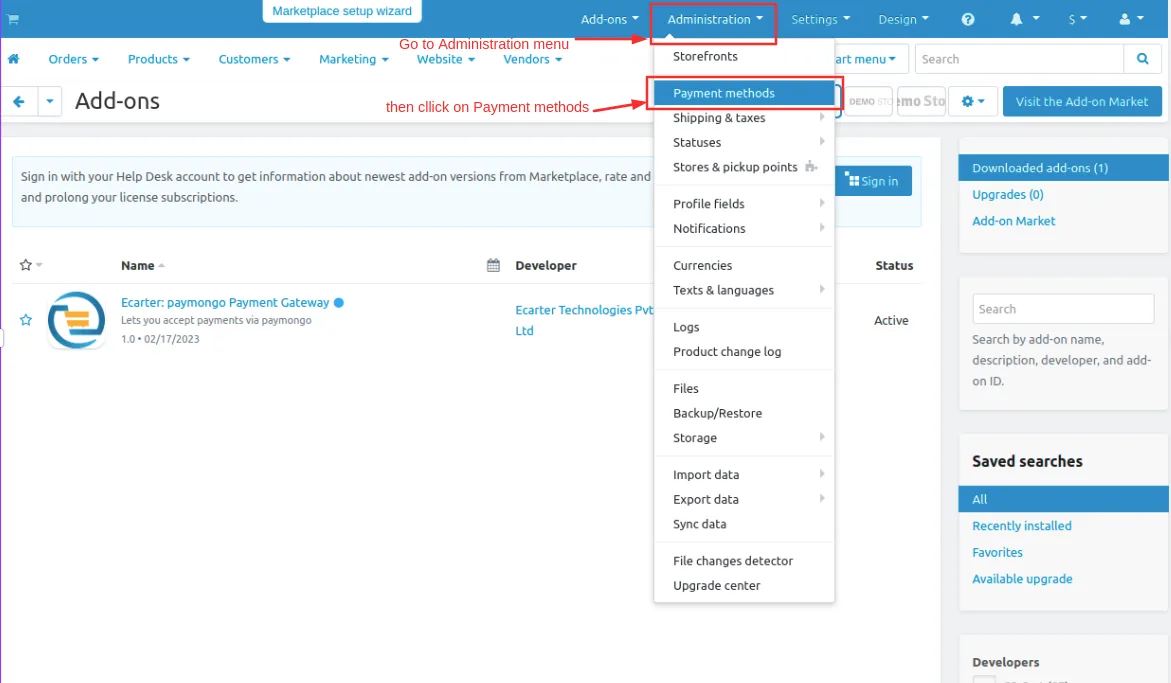
- Go to Administration penal in top click on it.
- Click on >> Open Payment methods page.
Step 2
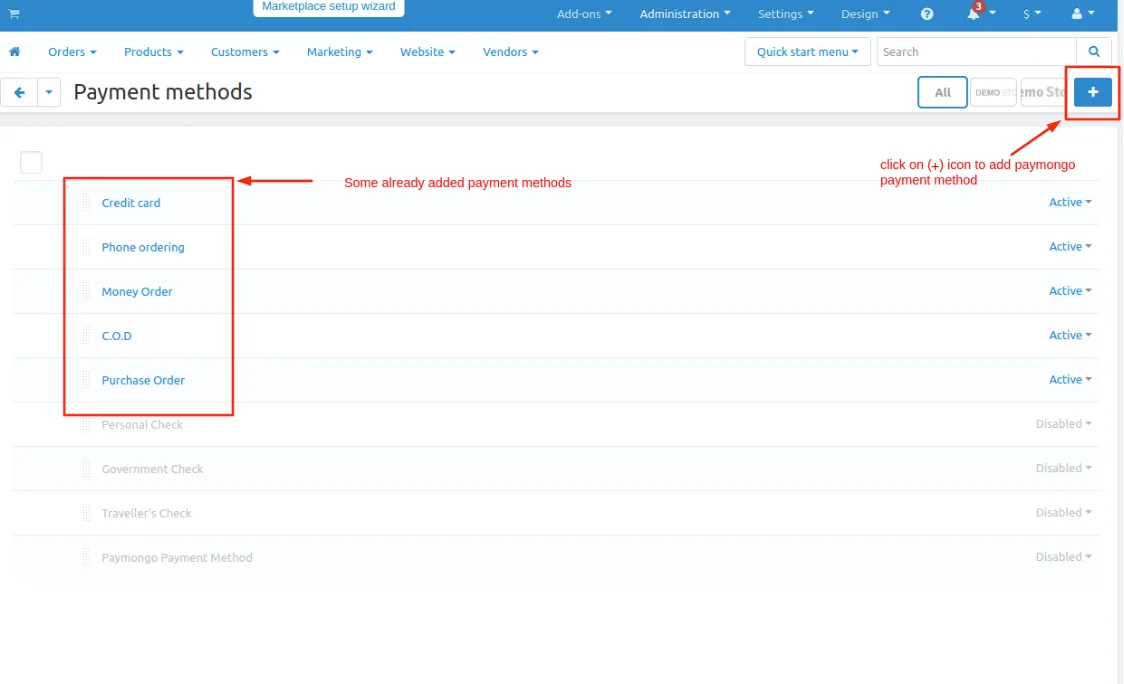
- you can also add a payment method Click on >> (+) button upper right corner on the page.
Step 3
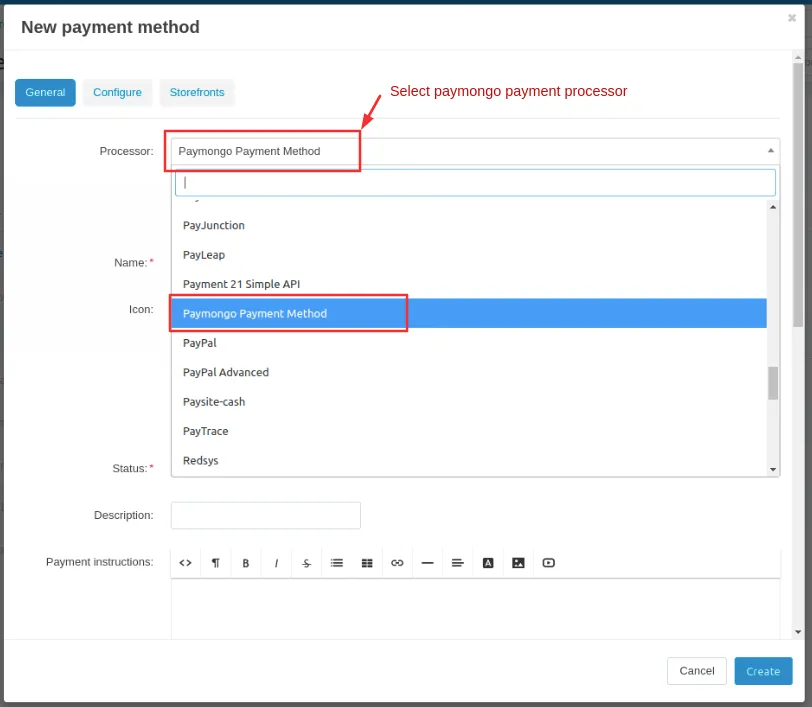
- New Payment method page will be open enter all the details and click on >> Create button.
- Open the general tab >> give name.
- Select processor >> Paymongo Payment Gateway
Step 4
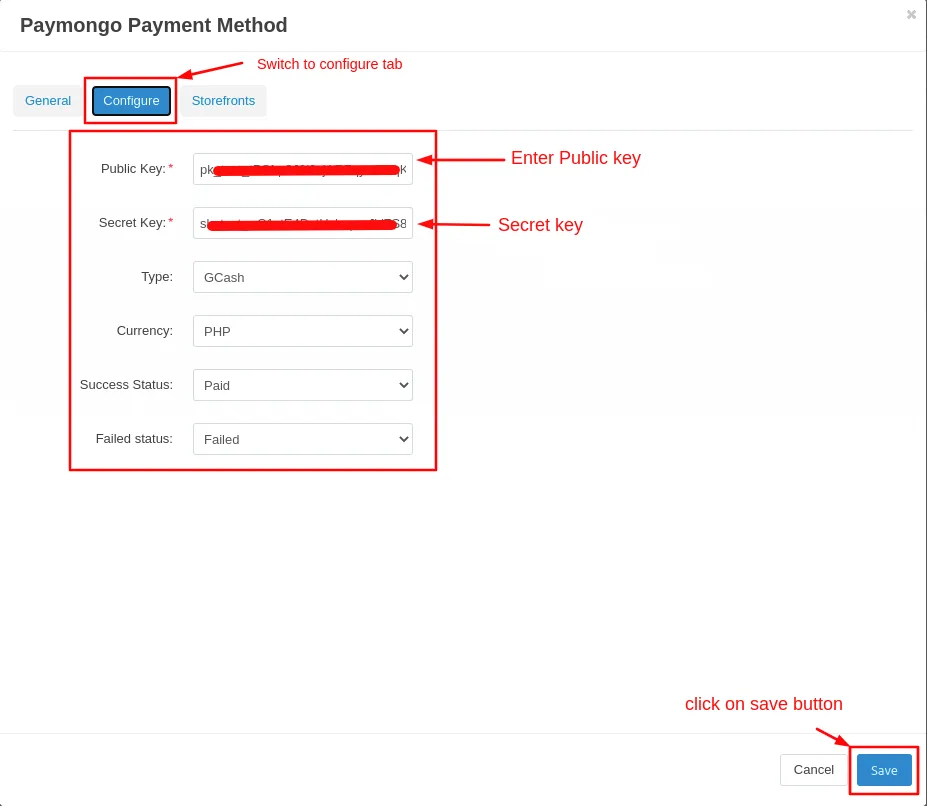
- Open the configure tab >> enter the Public key.
- Enter the >> Secret Key.
- Click on >> Create button.
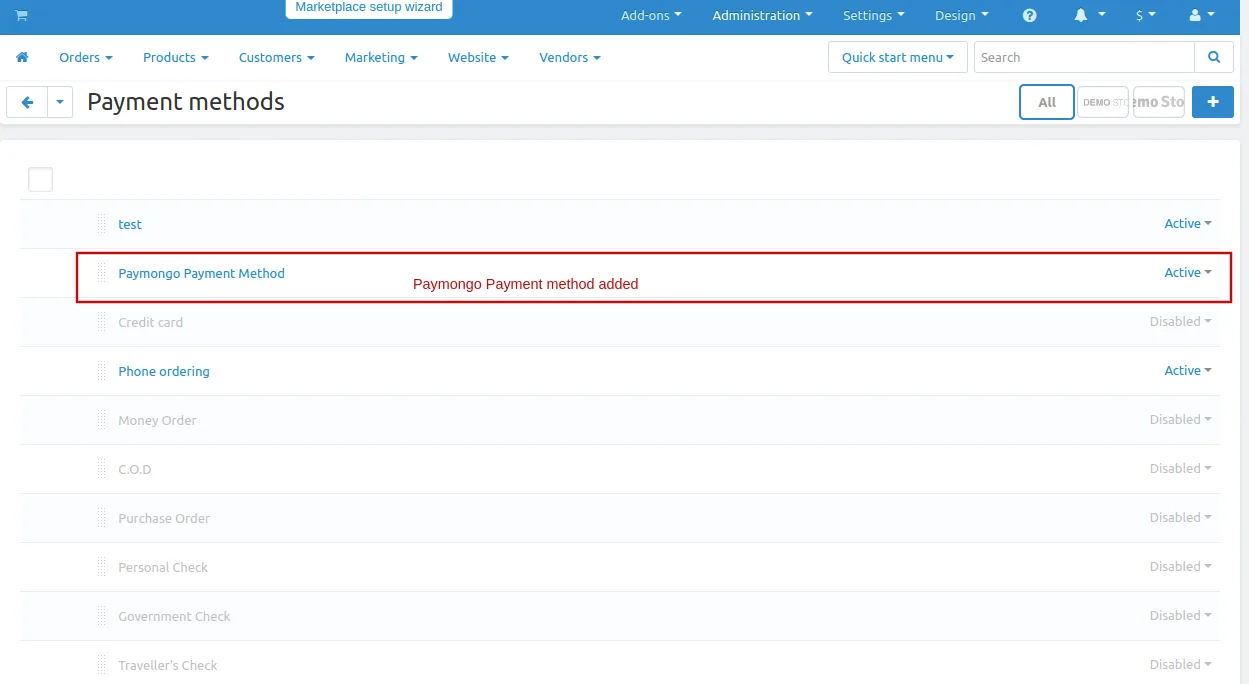
Here you see the paymongo payment method will be added
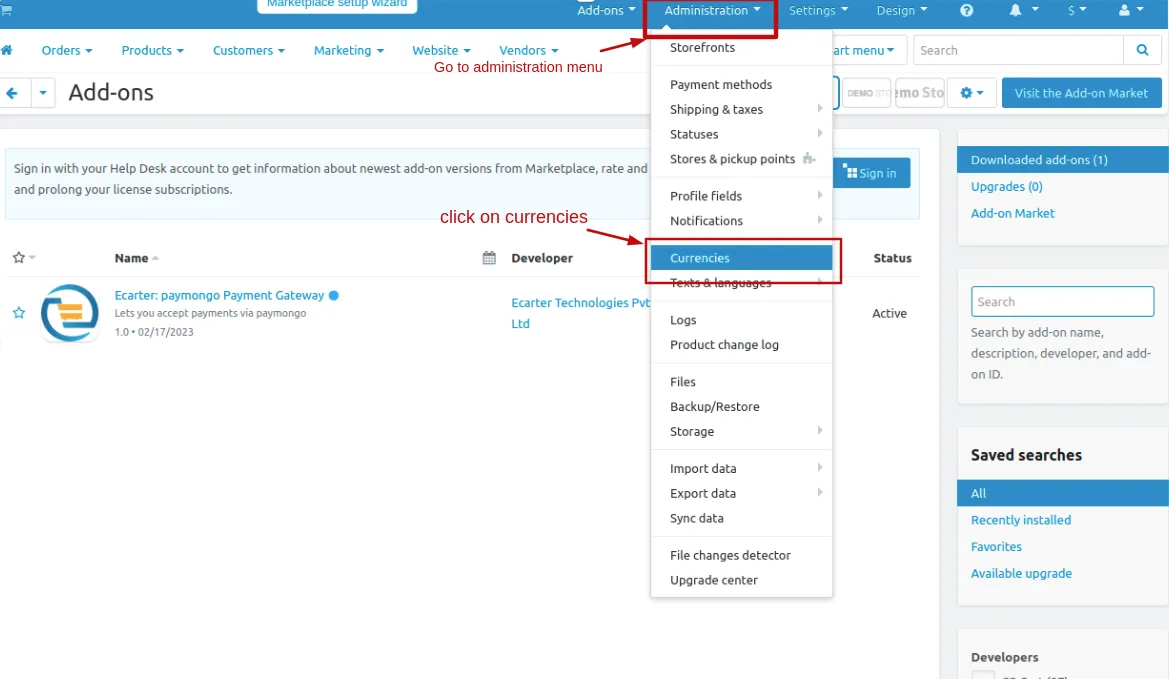
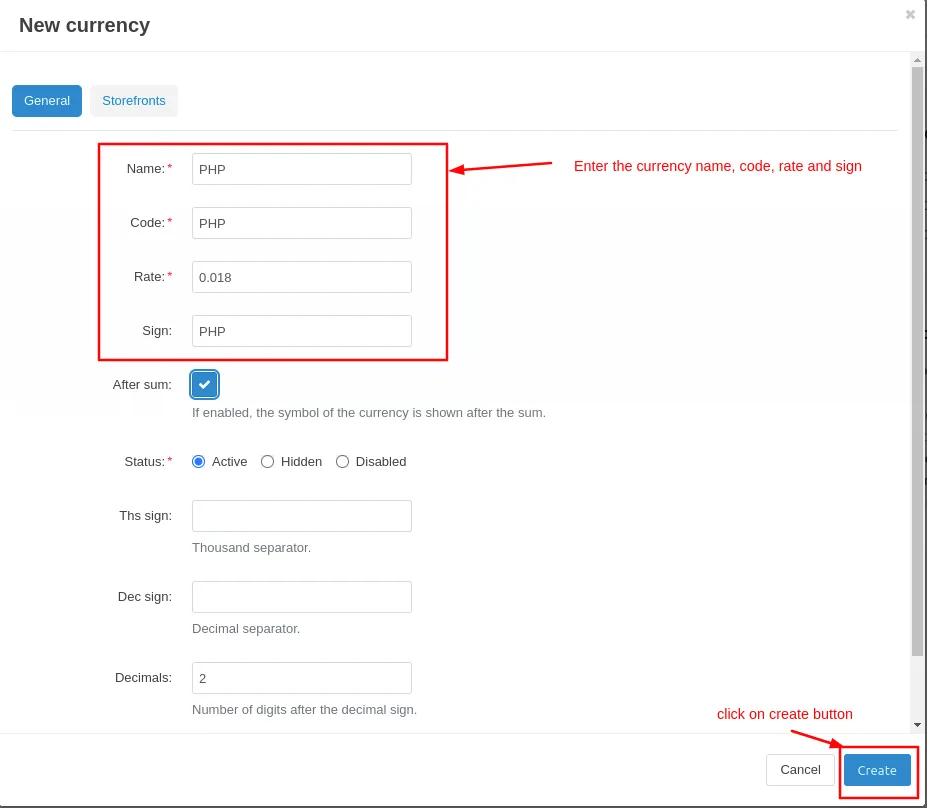
Now add PHP currency.
- Go to the administration menu and click on>> currencies
- currencies page will be open.
- Click on >> (+) icon to create new currency.
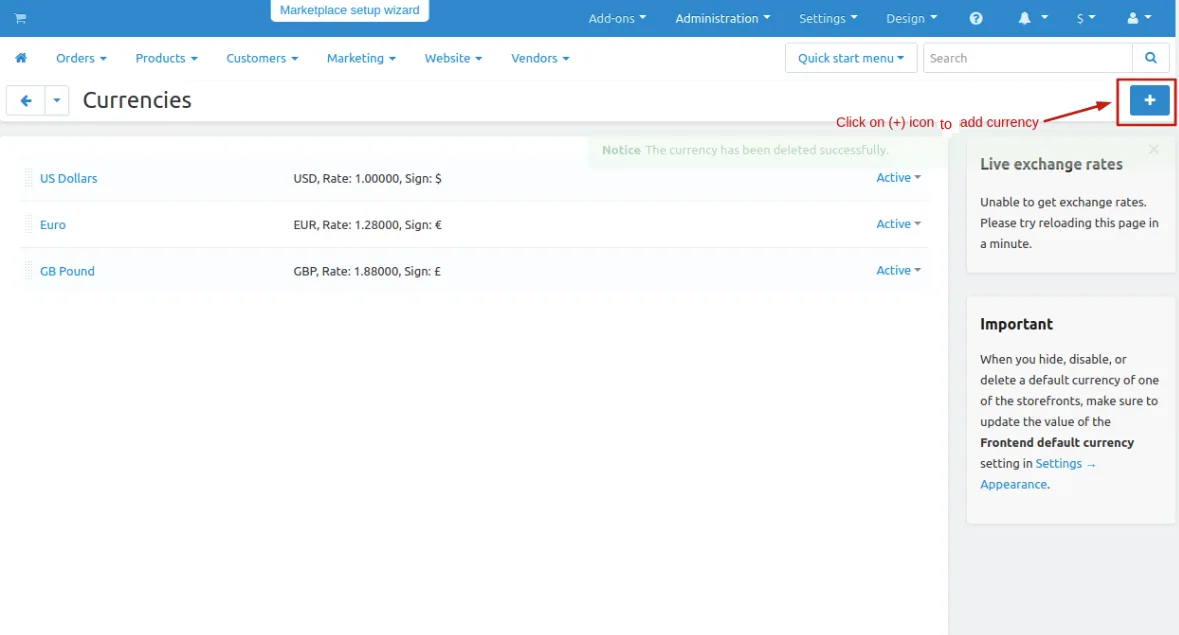
- Give the currency name, Code, Rate and sign.
- then click on >> create button.
Let's see how add-ons work on Storefront.
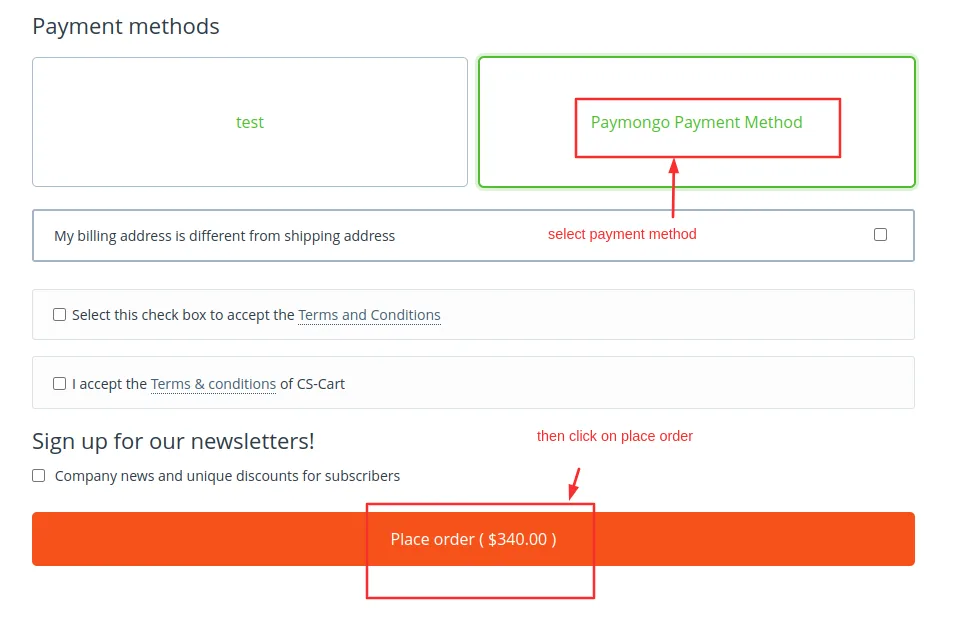
Go to the storefront and order any product.
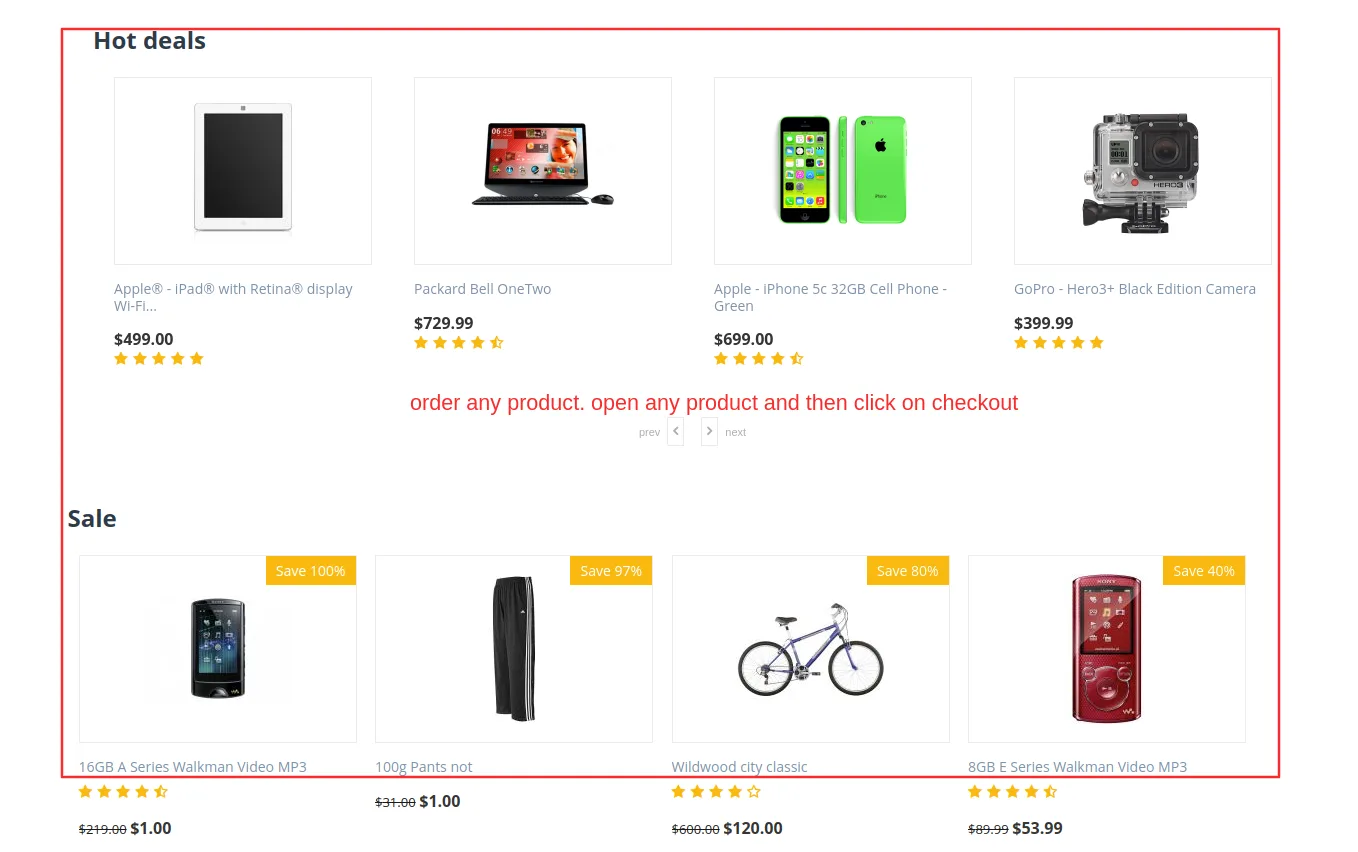
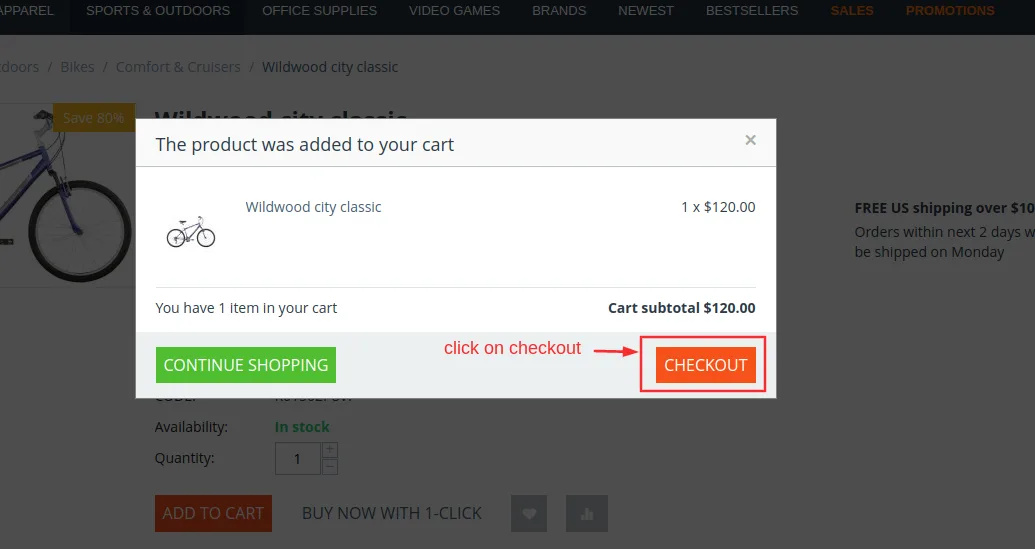
- Checkout page will be open.
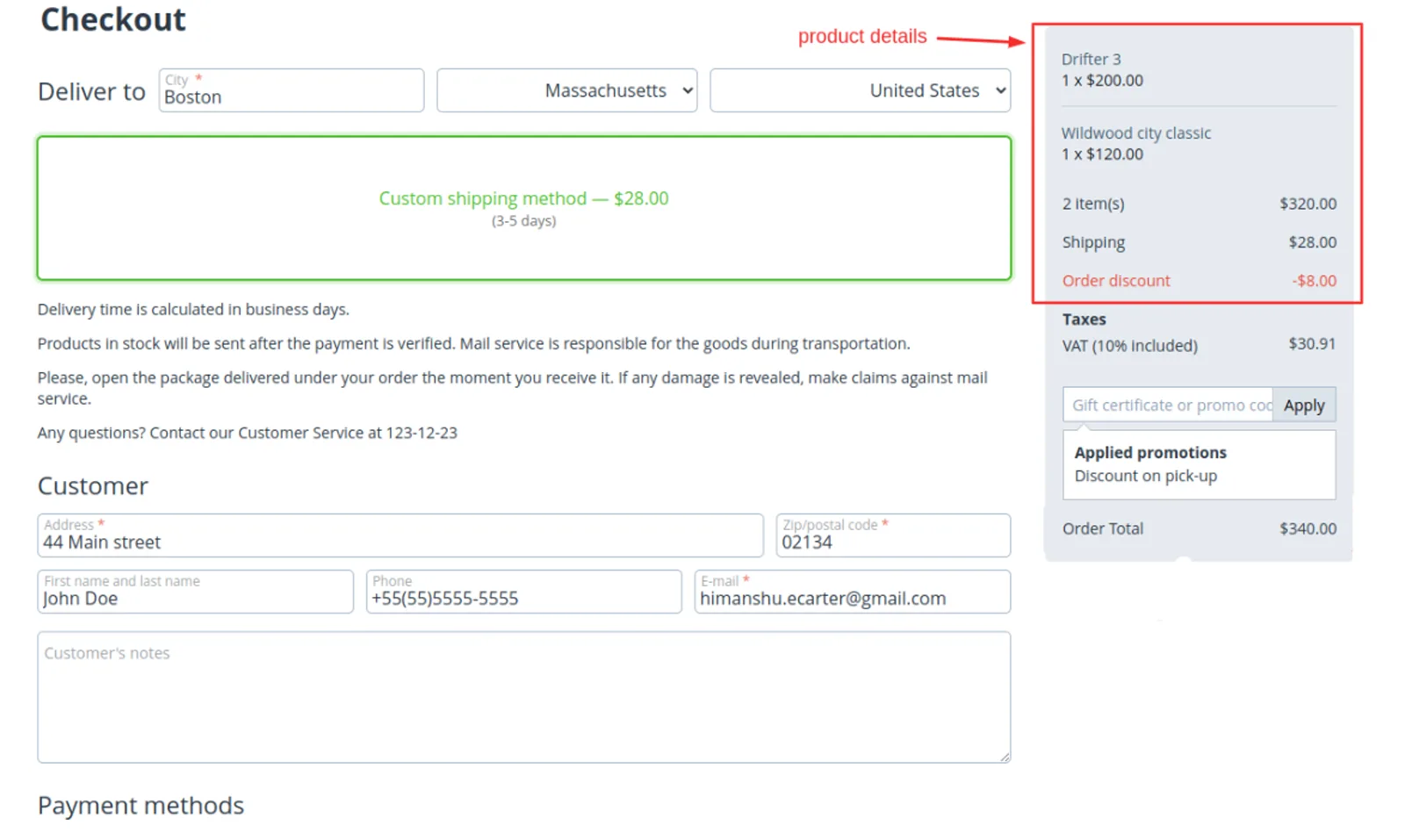
Select payments methods
- Click on >> Place order
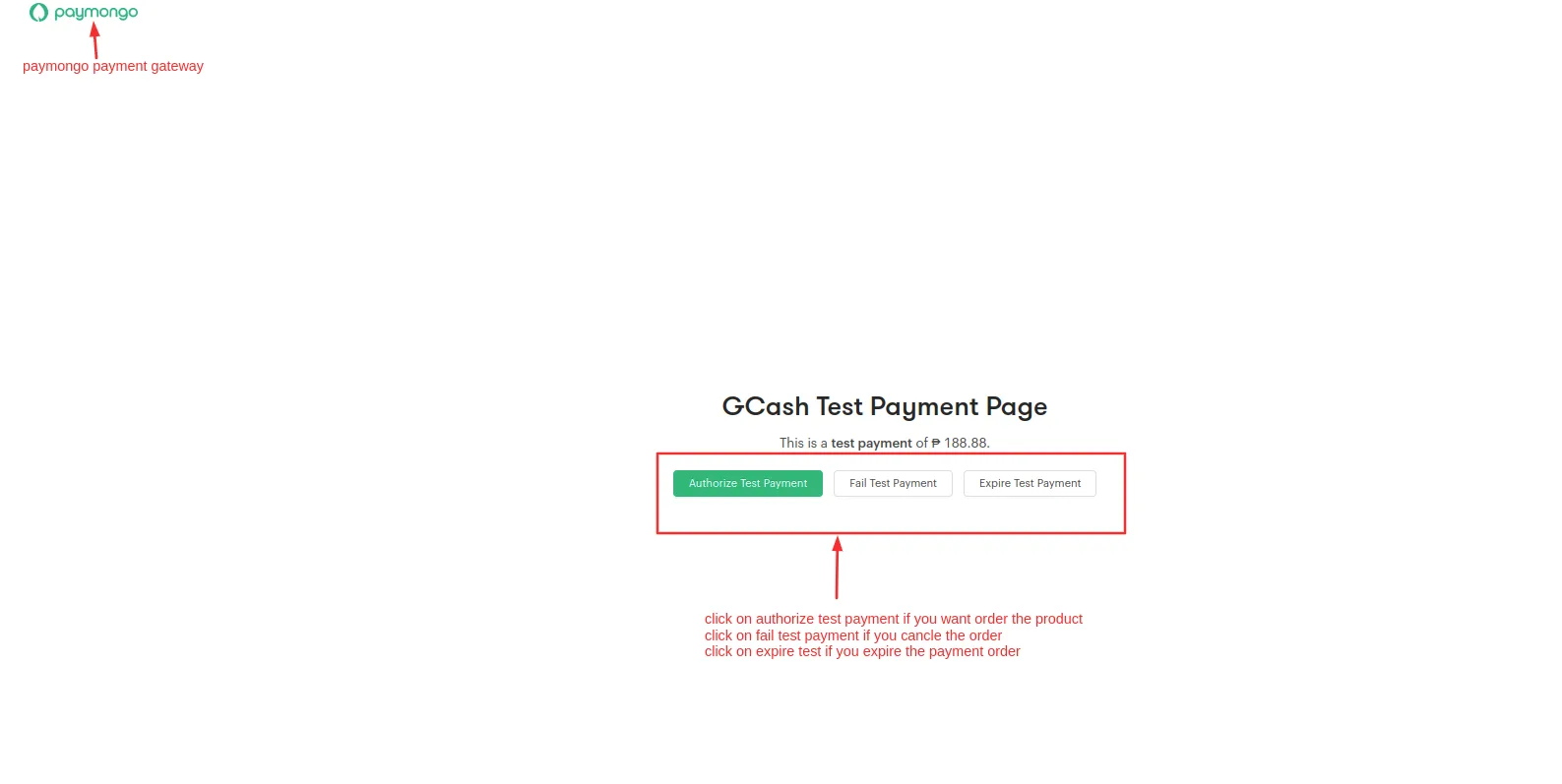
- It will redirect to paymongo payment gateway.
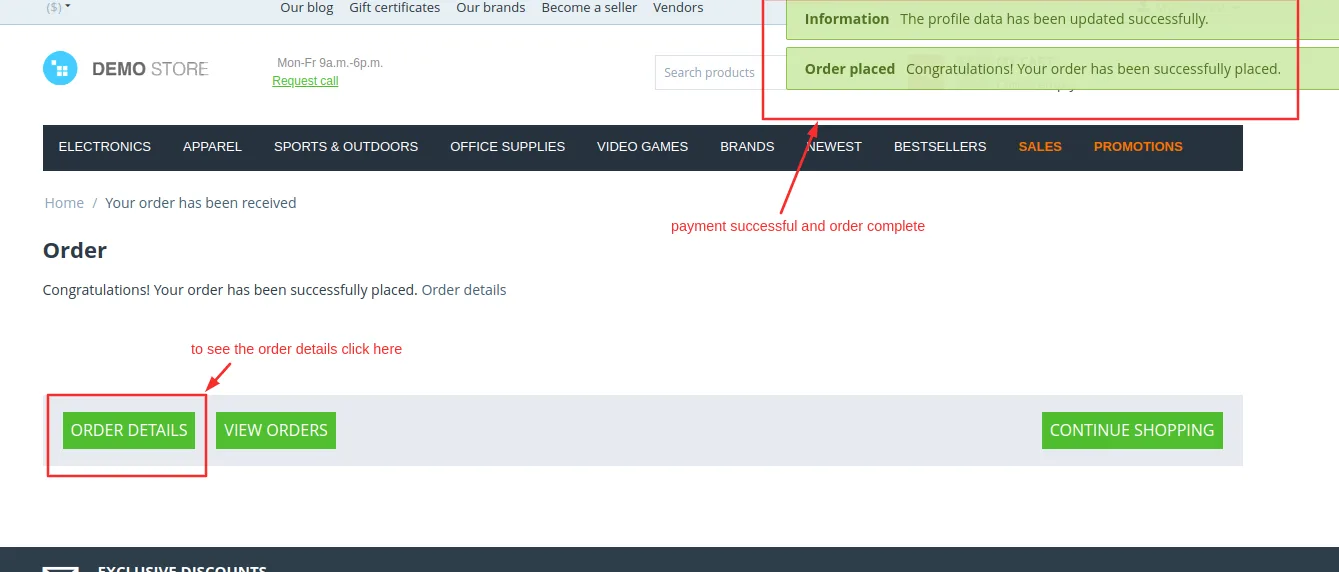
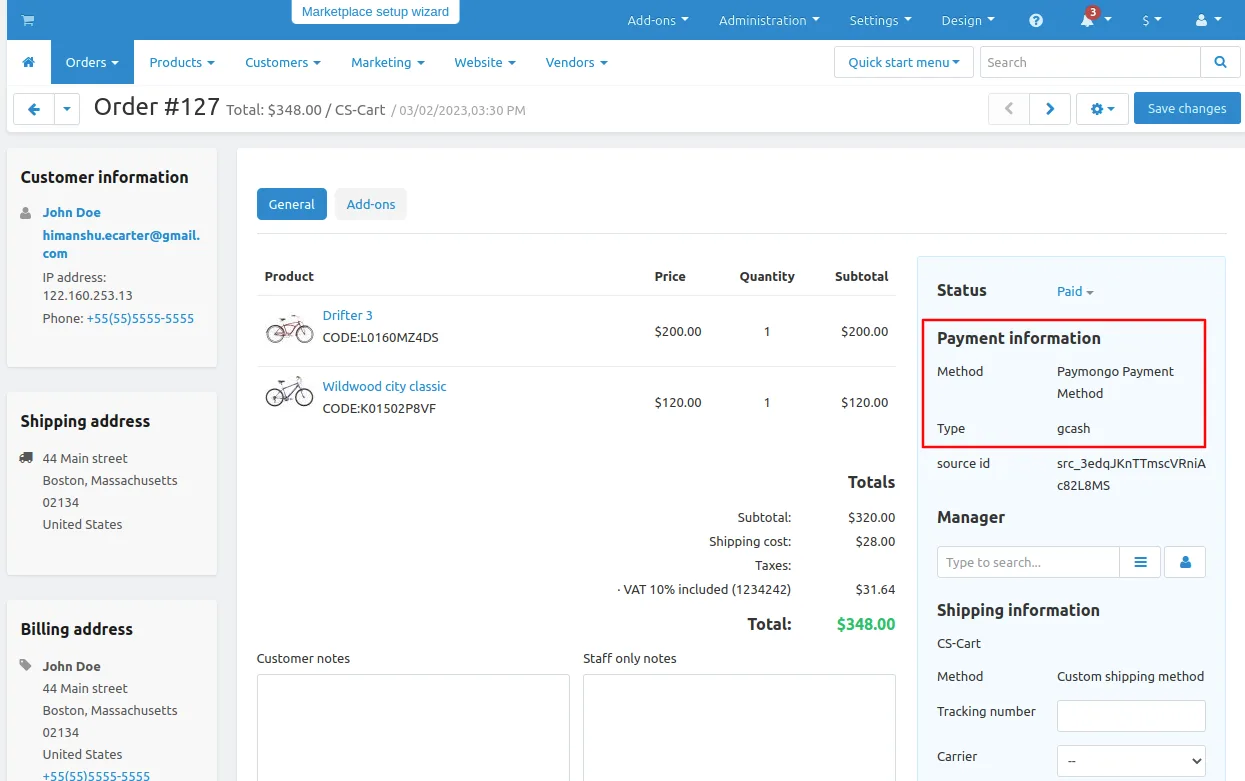
Here you see the notification the payment is successful and order is placed click on >> View order to see the details.
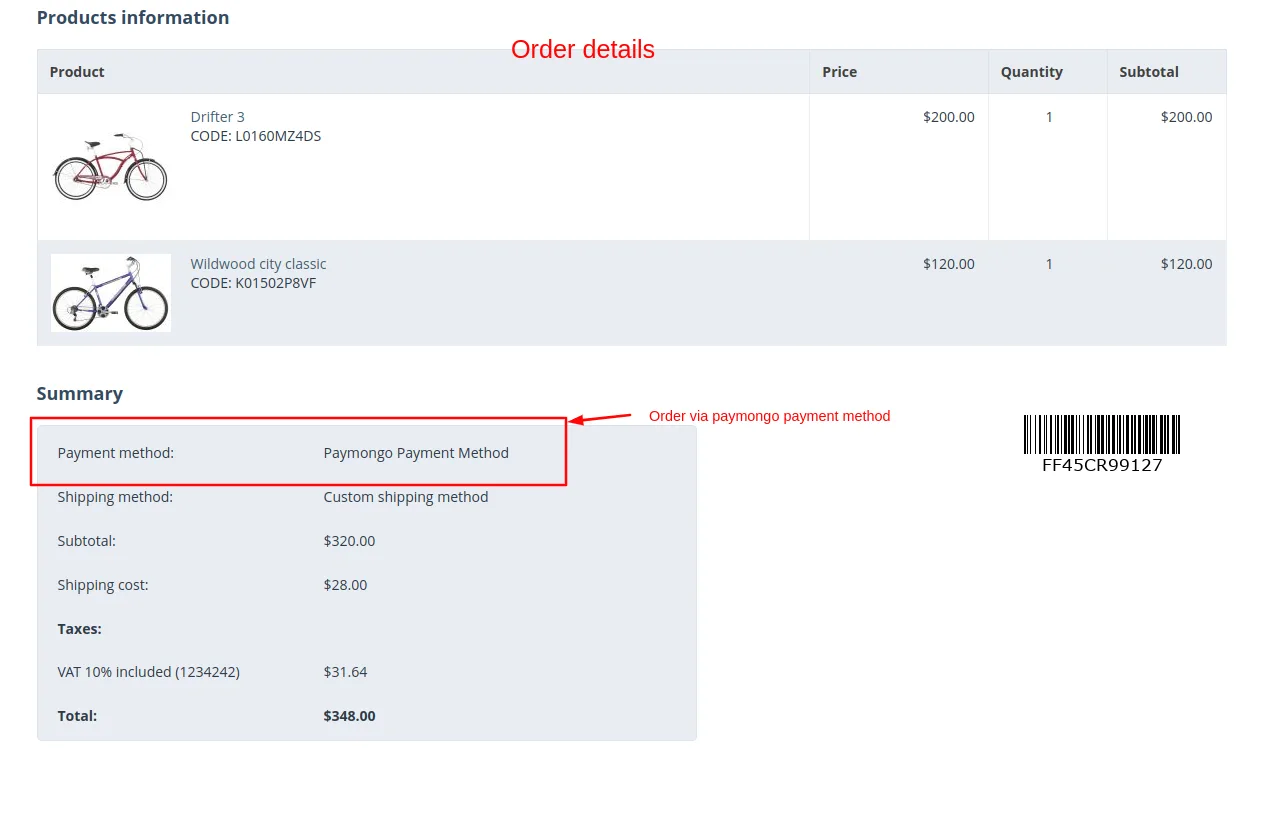
Payment order details
Addon-Version:
Version-1.0
Supported Versions:
CS-Cart, CS-Cart Multivendor 4.8.x, 4.9.x,4.10x,4.11x,4.12,4.13x, 4.14x, 4.15x, 4.16x, 4.17x, 4.18x
Support:
This app is developed and published by Ecarter Technologies Pvt. Ltd., a CS-Cart developer. You are guaranteed a quality add-ons
Frequently asked questions
Does the PayMongo add-on work with CS-Cart Multi-Vendor?
Yes. The add-on is fully compatible with both standard CS-Cart and CS-Cart Multi-Vendor, so it can be used on single stores and multi-vendor marketplaces.
How is PayMongo set up and managed in the admin panel?
An admin enables PayMongo directly from the backend and manages it through the Payment Methods section. You can also add it as a new payment method using the add (+) button on the Payment methods page.
Can customers pay from any device?
Yes. The add-on supports payments across all customer devices and is optimized for both in-store and on-the-go transactions, so buyers can pay online however they reach your store.
Which CS-Cart versions does the add-on support?
The add-on is built to integrate with CS-Cart and CS-Cart Multi-Vendor. For confirmation on a specific version, share the version you are running and we will confirm compatibility.
Kajal is a Technical Content Writer at Ecarter Technologies. She writes technical documentation and in-depth guides on eCommerce platforms, mobile commerce and AI in online retail.