
Order Extra Fee
Order Extra Fee Add-on simplifies adding extra charges to orders. These Charges can include things like tax, gift, wrap, fast delivery, etc
The Order Extra Fee add-on for CS-Cart lets store admins add extra charges to orders, such as tax, gift wrap, insurance, or fast delivery, on top of the order total. It solves the problem of applying and displaying additional order costs in a clear, consistent way, with support for including taxes within the fees to simplify financial calculations. Admins can set specific fees for different products or services and choose from multiple fee types, keeping full control over what is charged. It is aimed at CS-Cart store owners who want transparent, easy-to-manage extra charges for their customers.

The “Order Extra Fee” Add-on for CS-Cart simplifies adding extra charges to orders. These Charges can include things like tax, gift, wrap, fast delivery, etc, which add to the total cost of the order. This addon makes it easy to customize and include these extra fees, ensuring a clear and straightforward way to handle additional costs on your e-commerce website. It's a valuable addon for both store owners and customers providing transparency and simplicity in managing orders.
Feature:
- Flexible Fee Addition: Admin can easily add extra charges to orders as needed.
- Customization: It allows the admin to set specific fees for different products or services, giving you full control.
- Multiple Fee Types: You can apply various types of fees such as tax, wrap, insurance, gift, etc.
- Tax Inclusion: it supports the inclusion of taxes within the fees simplifying financial calculations.
- Compatibility: The add-on is seamlessly integrated with your CS-Cart E-Commerce platform.
- User-Friendly Interface: It offers an intuitive interface for easy setup and management.
- Reporting and Analytics: you can access data and insight related to the extra fees added to orders.
Installation:
How to Install Addon
https://store.ecarter.co/blogs/how-to-install-addon/
Configuration
Let's check how the add-on works
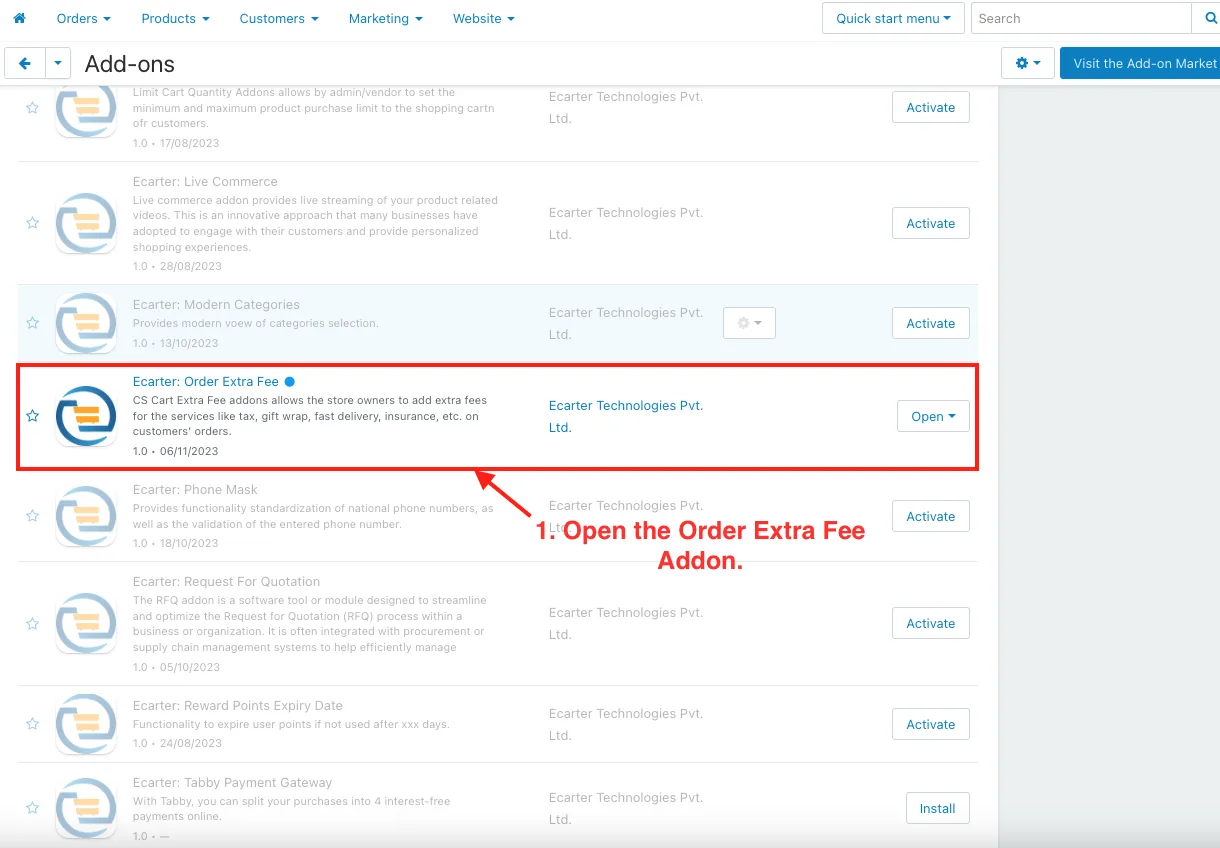
1. Open the Order Extra Fee Addon.
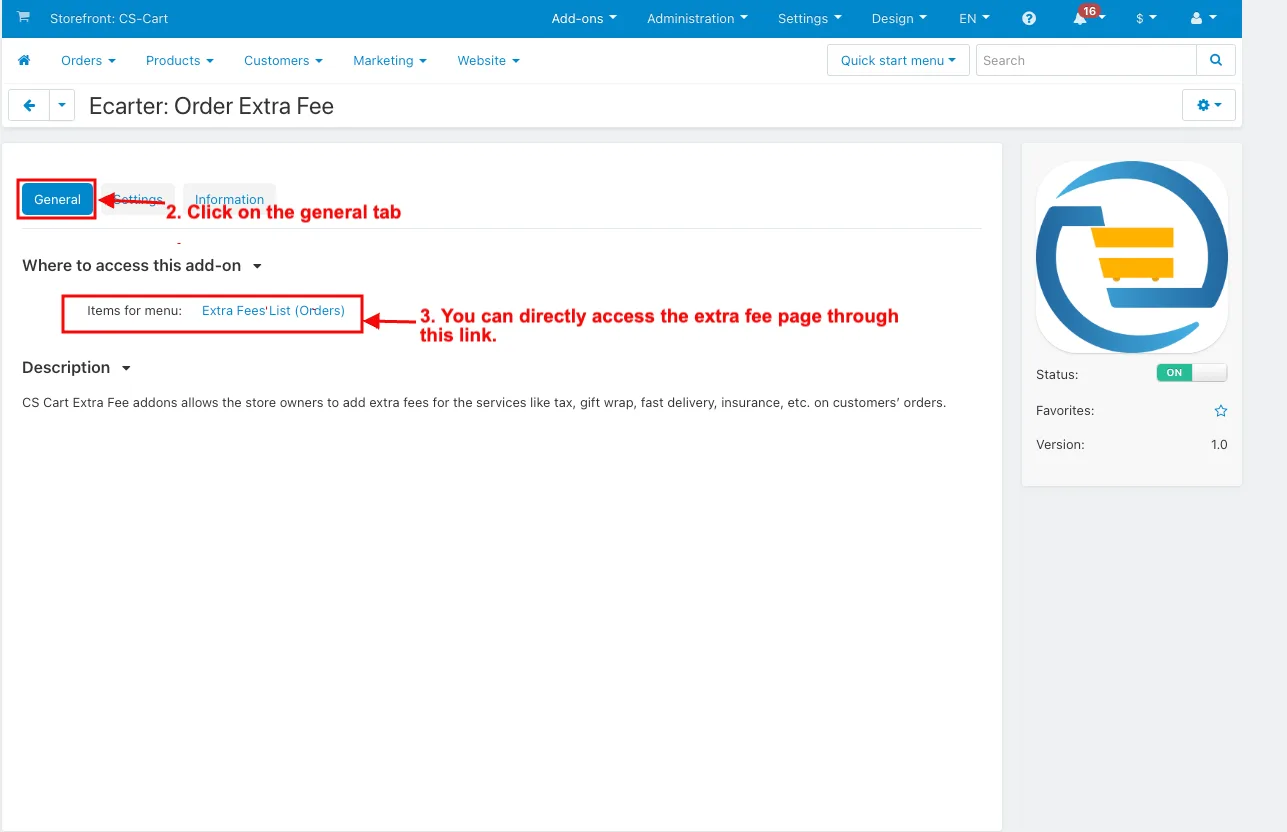
2. Click on the general tab.
3. Items for the menu: You can directly access the extra fee page through this link.
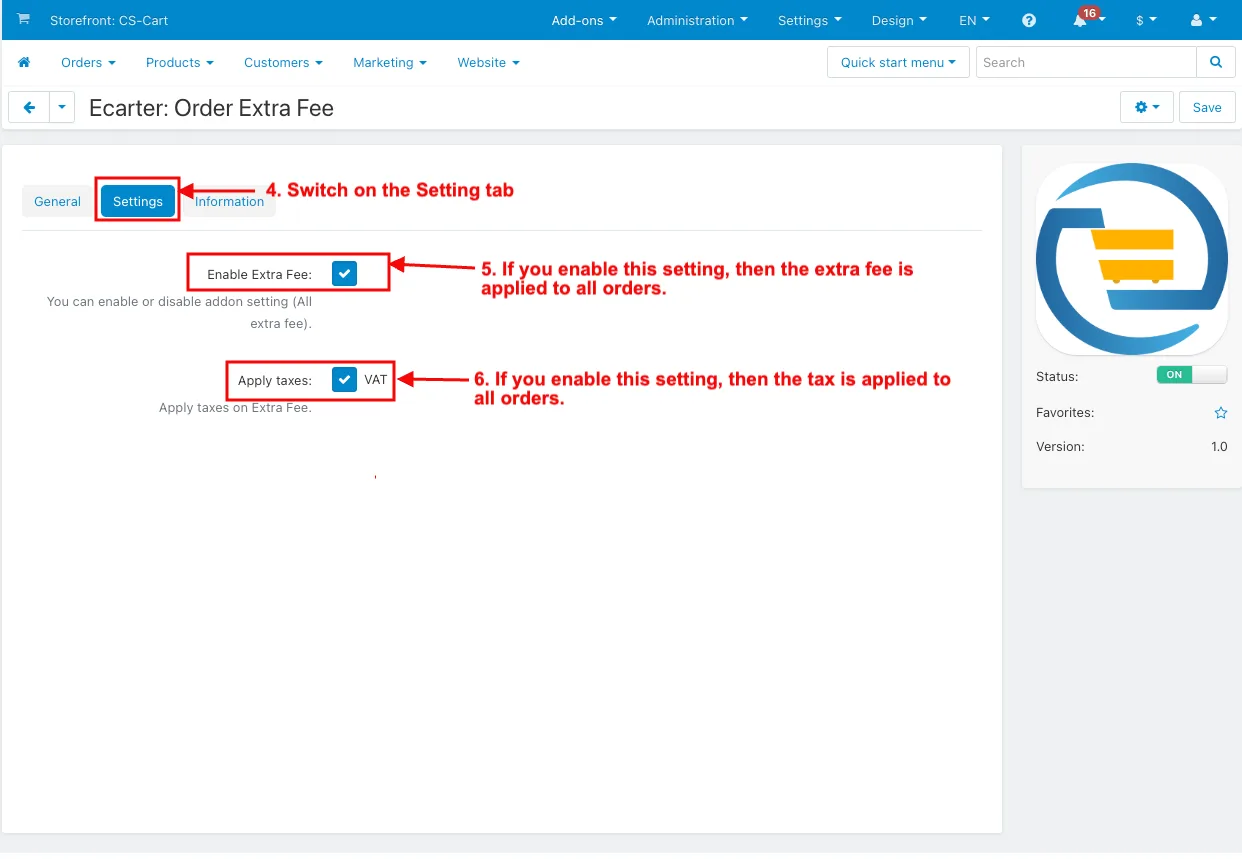
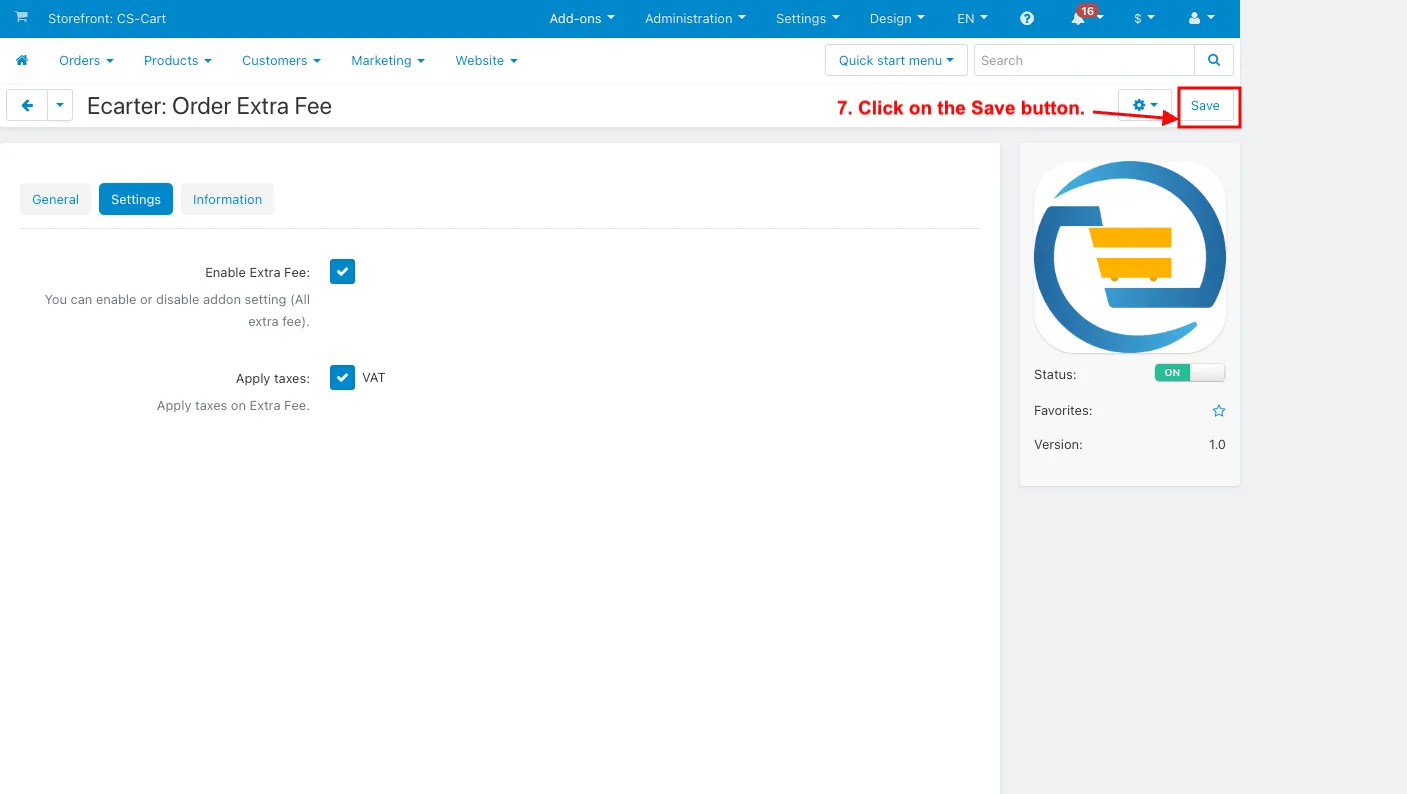
4. Switch on the Setting tab.
5. Enable Extra fee: If you enable this setting, then the extra fee is applied to all orders.
6. Apply taxes: If you enable this setting, then the tax is applied to all orders.
7. Click on the Save button.
How to Show the Order Extra Fee List in the Order Menu
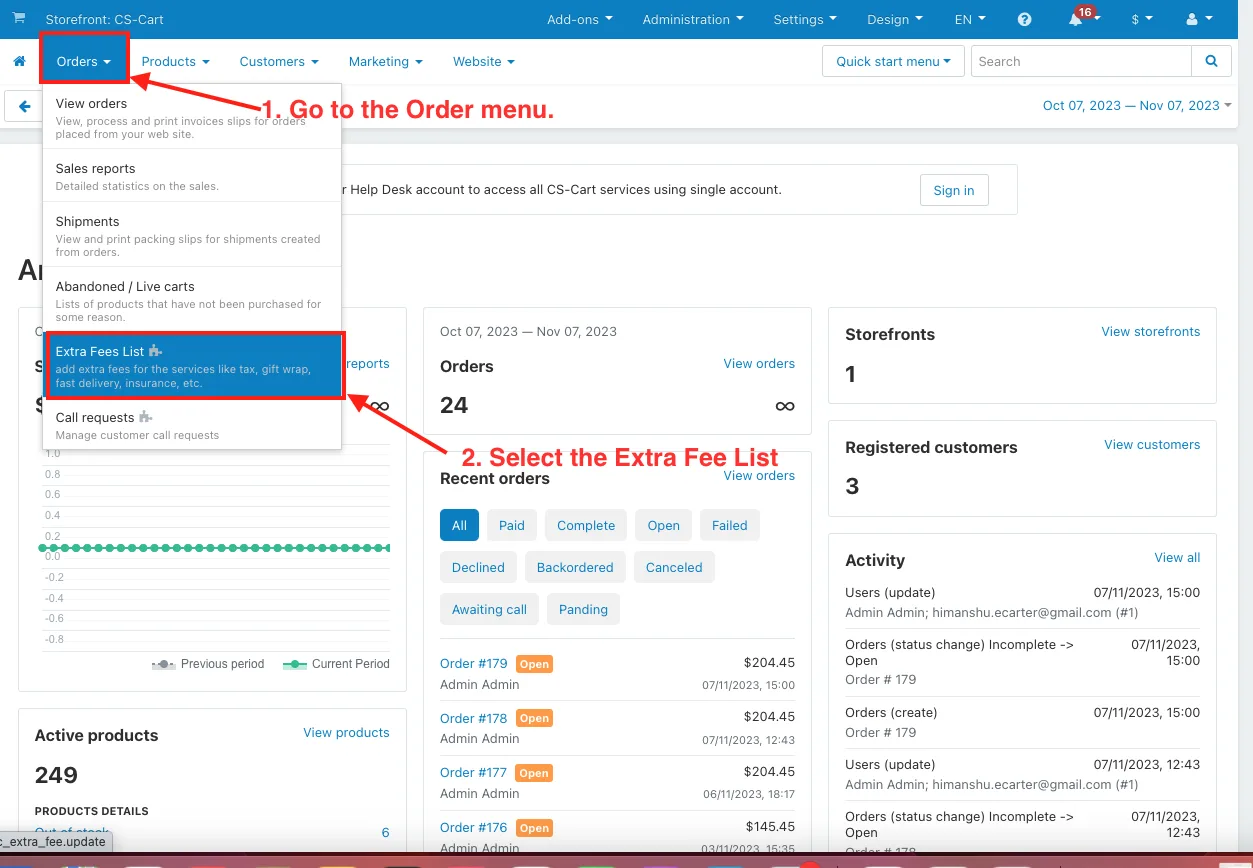
1. Go to the Order menu.
2. Select the Extra Fees List.
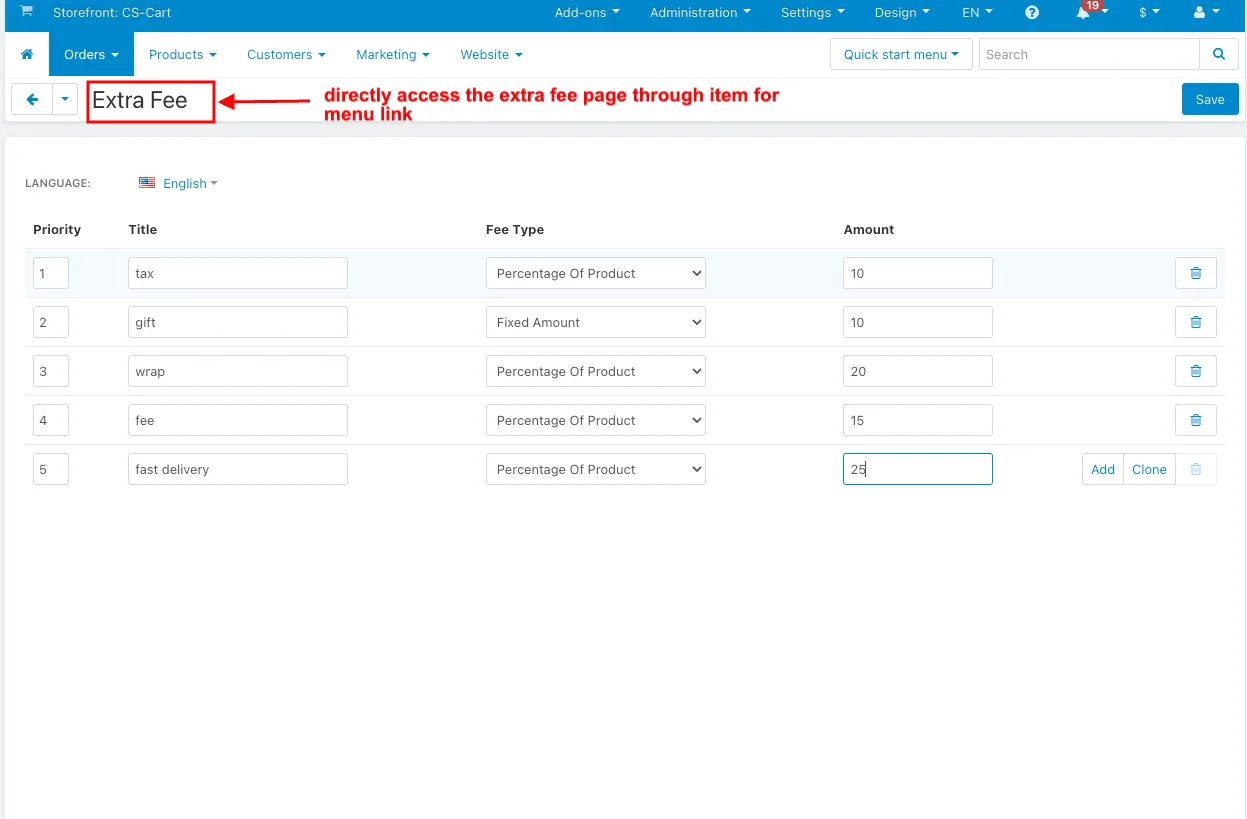
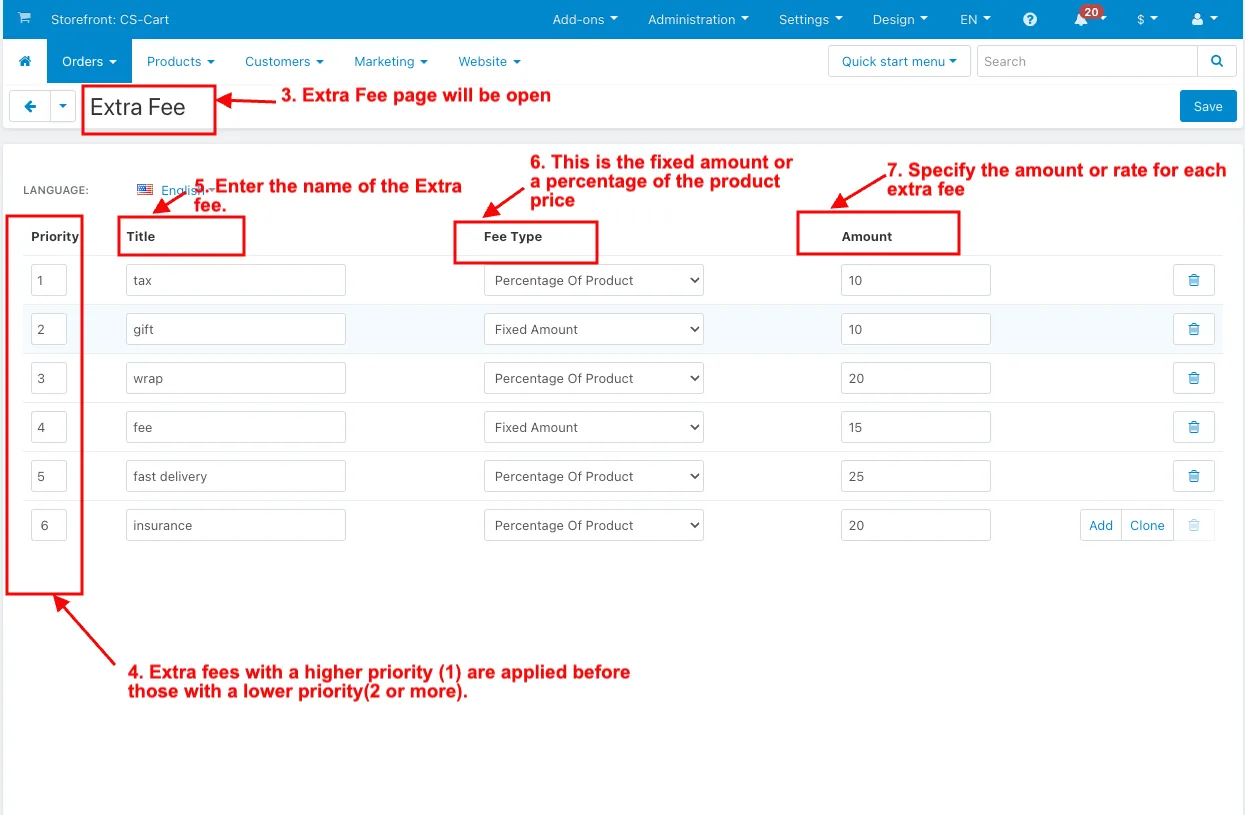
3. And the Extra Fee page will be open.
4. Priority: Extra fees with a higher priority (1) are applied before those with a lower priority(2 or more).
5. Title: Enter the name of the Extra fee.
6. Fee type: This is the fixed amount or a percentage of the product price.
7. Amount: Specify the amount or rate for each extra fee.
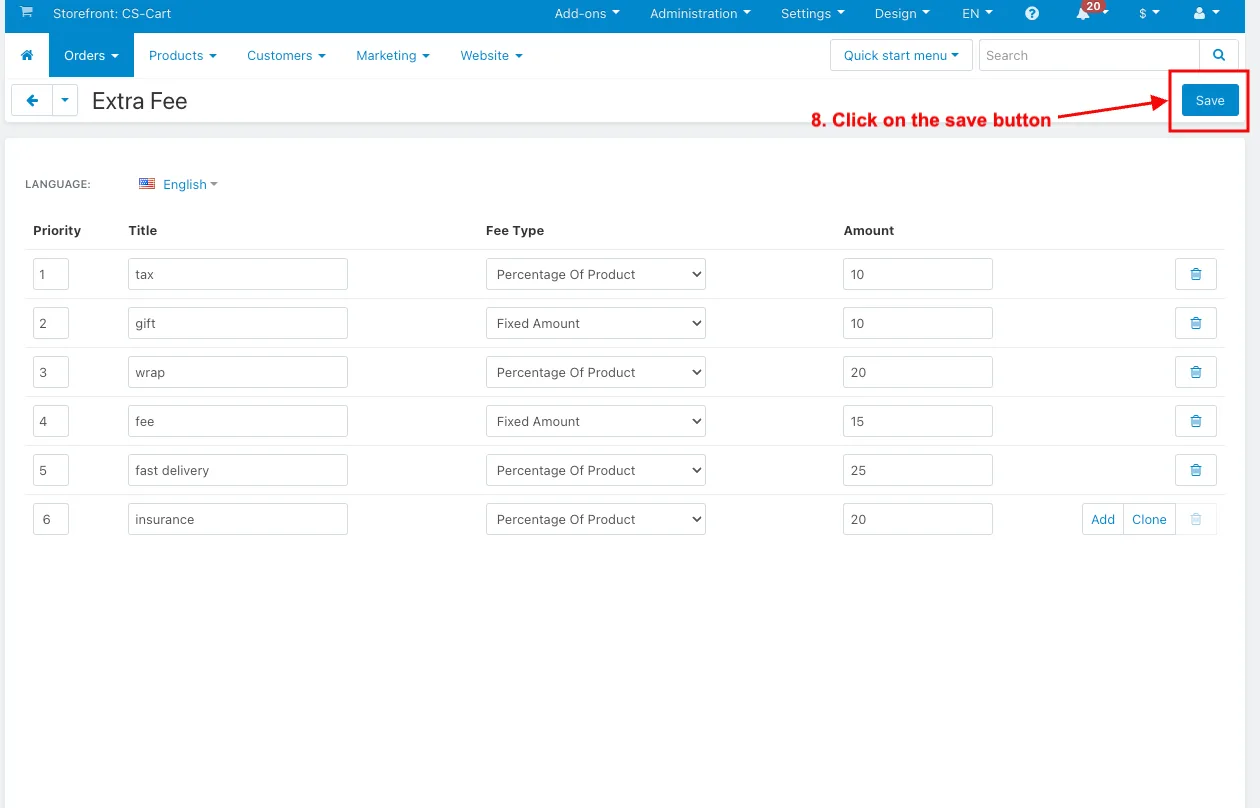
8. Click on the save button.
 How to Show the Order Extra Fee List in the Storefront
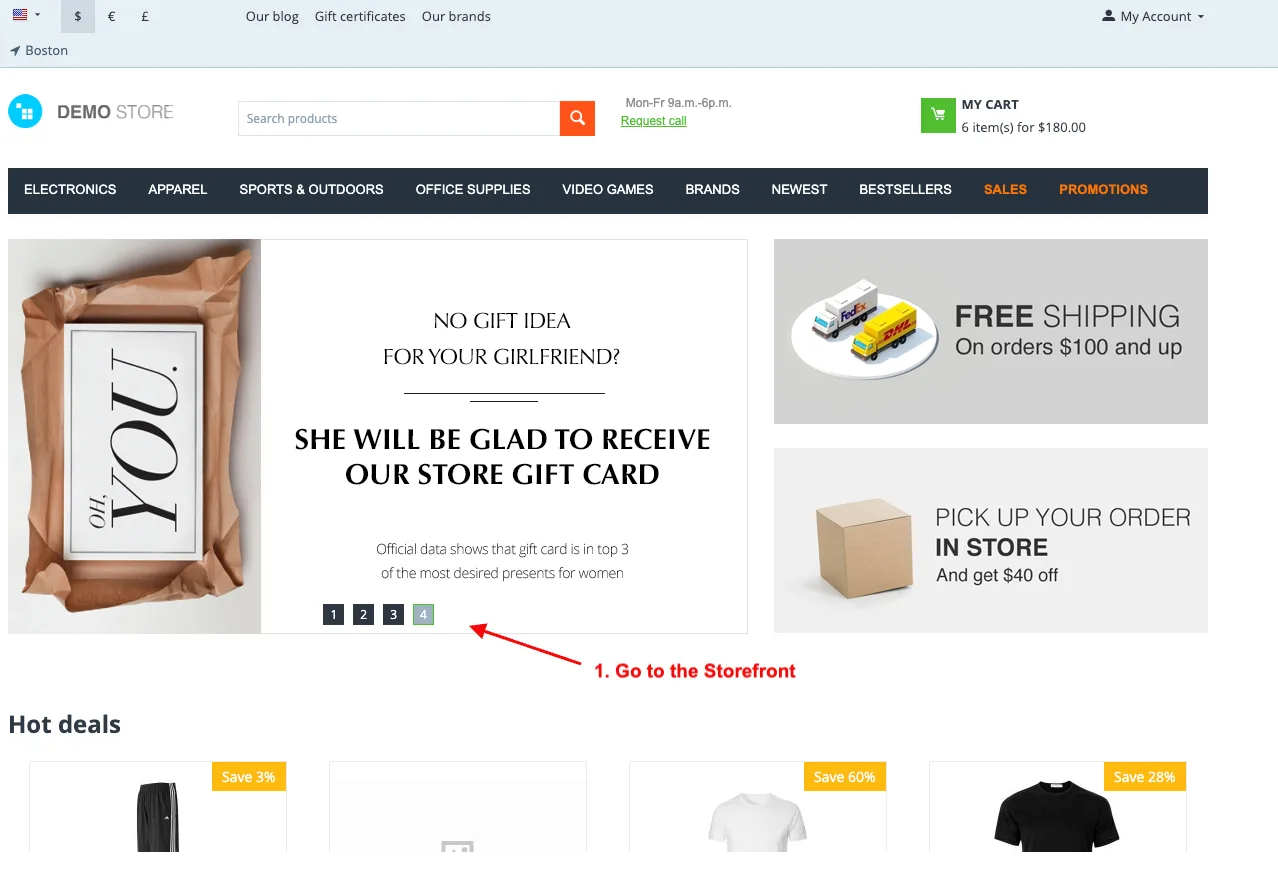
1. Go to the Storefront.
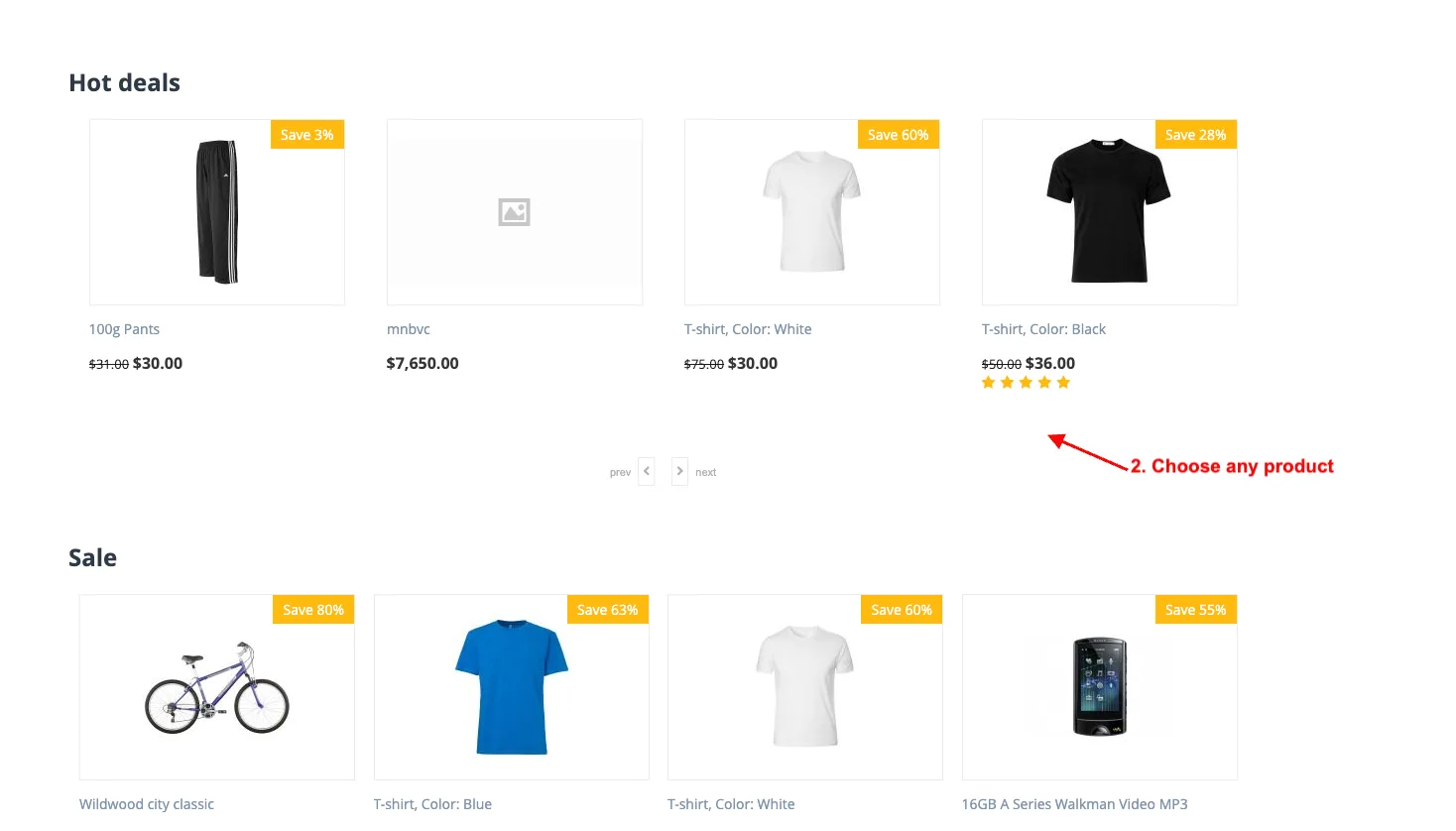
2. Choose any product.
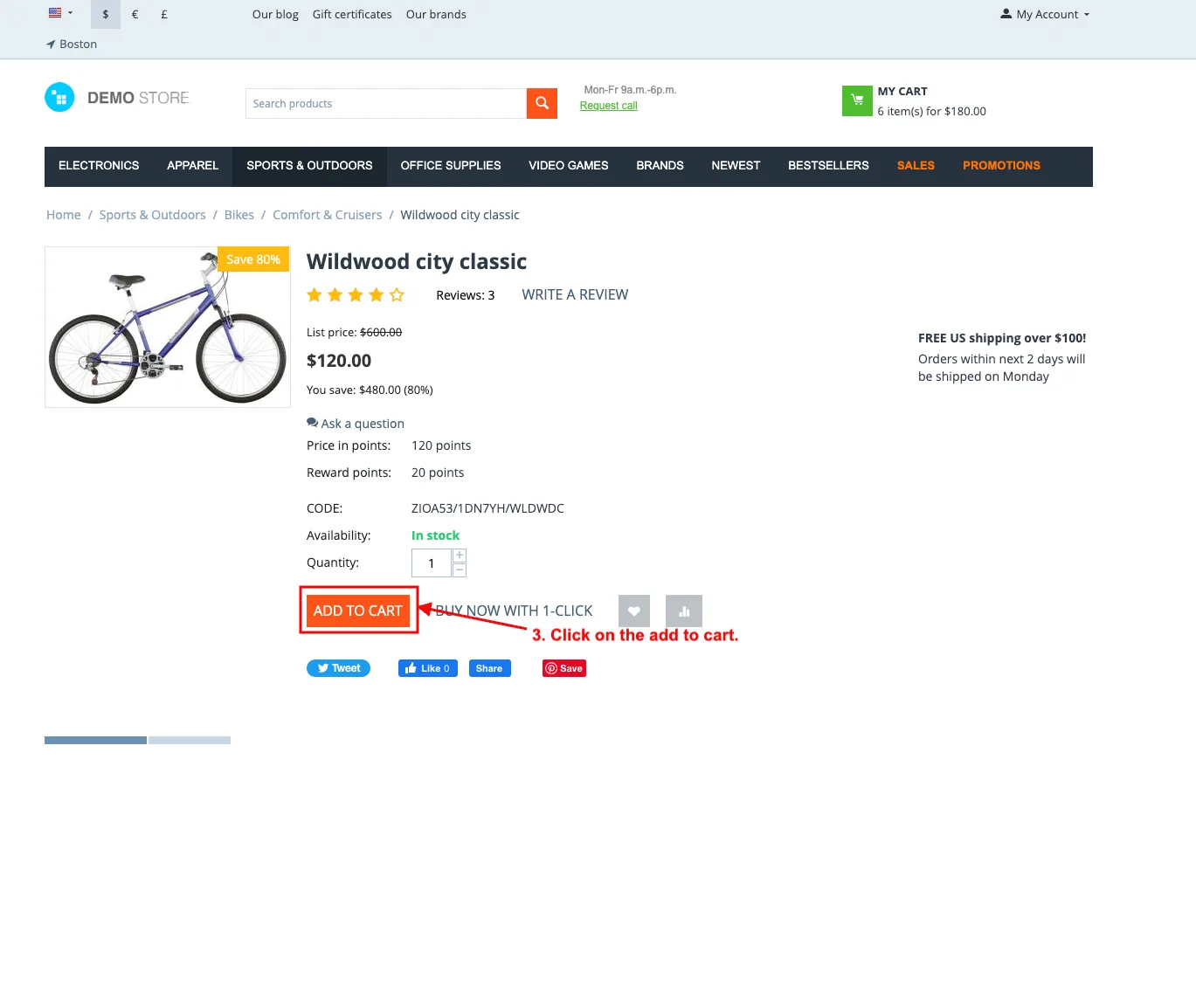
3. Click on the add to cart.
4. Click on the Checkout.
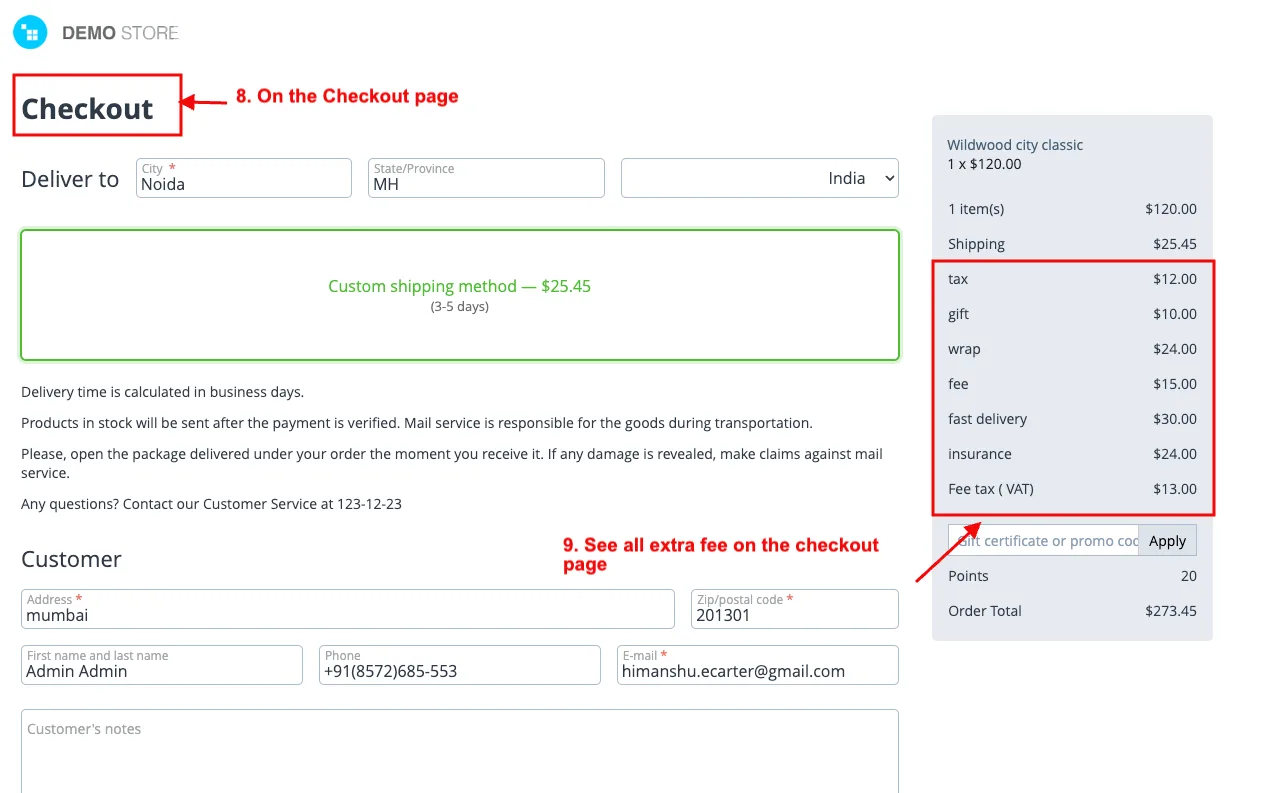
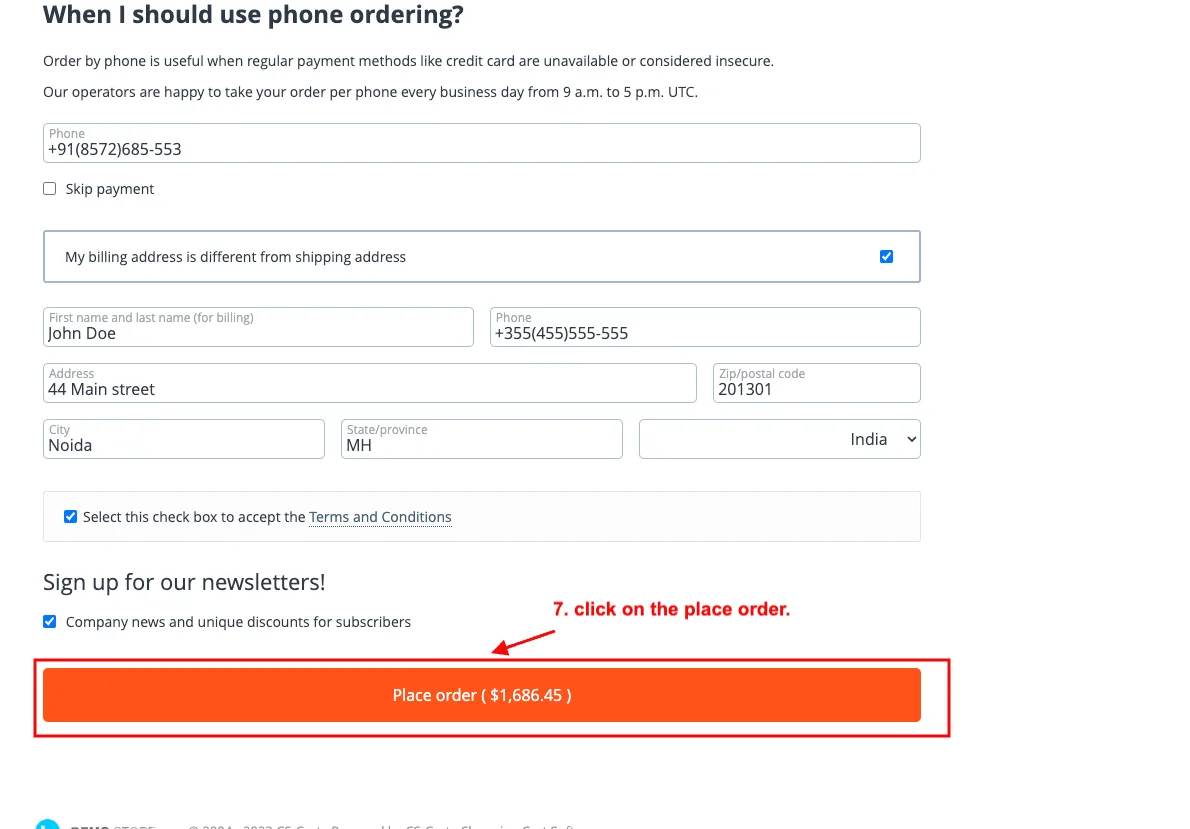
5. On the Checkout page.
6. See all extra fees on the checkout page.
7. And then click on the place order.
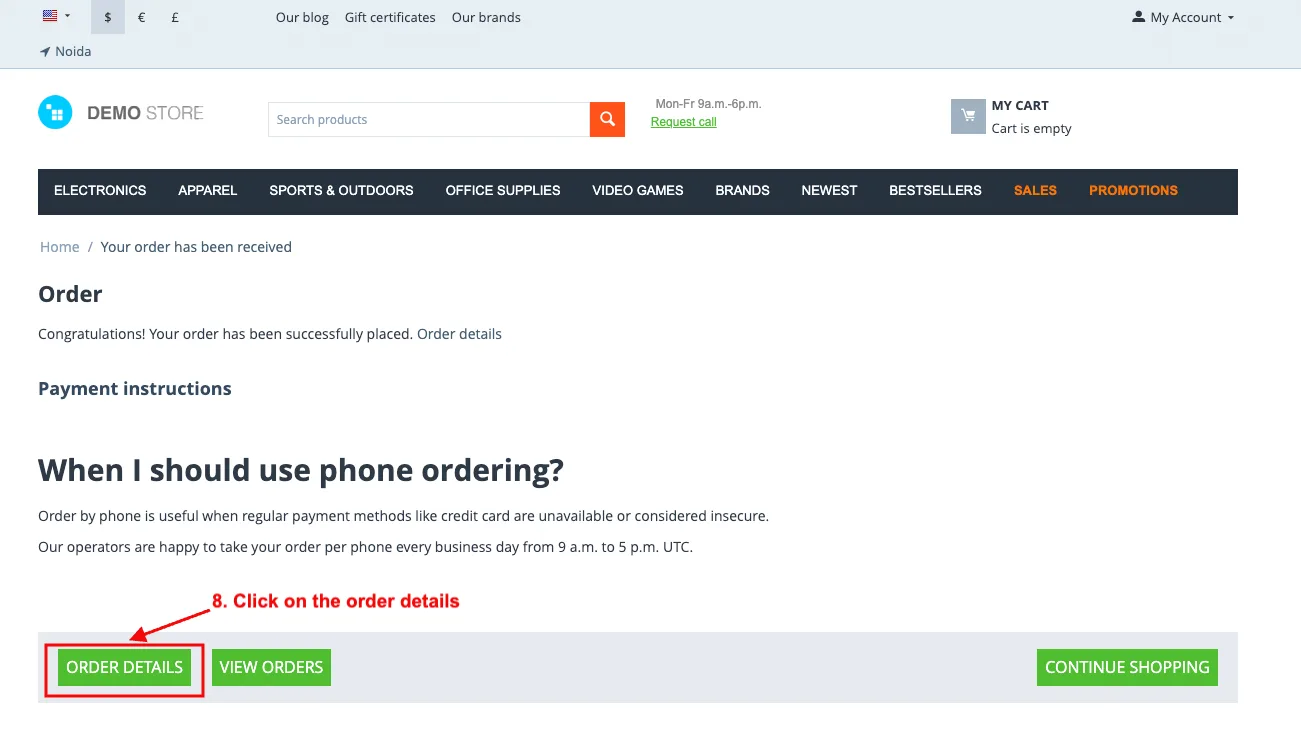
8. Click on the order details.
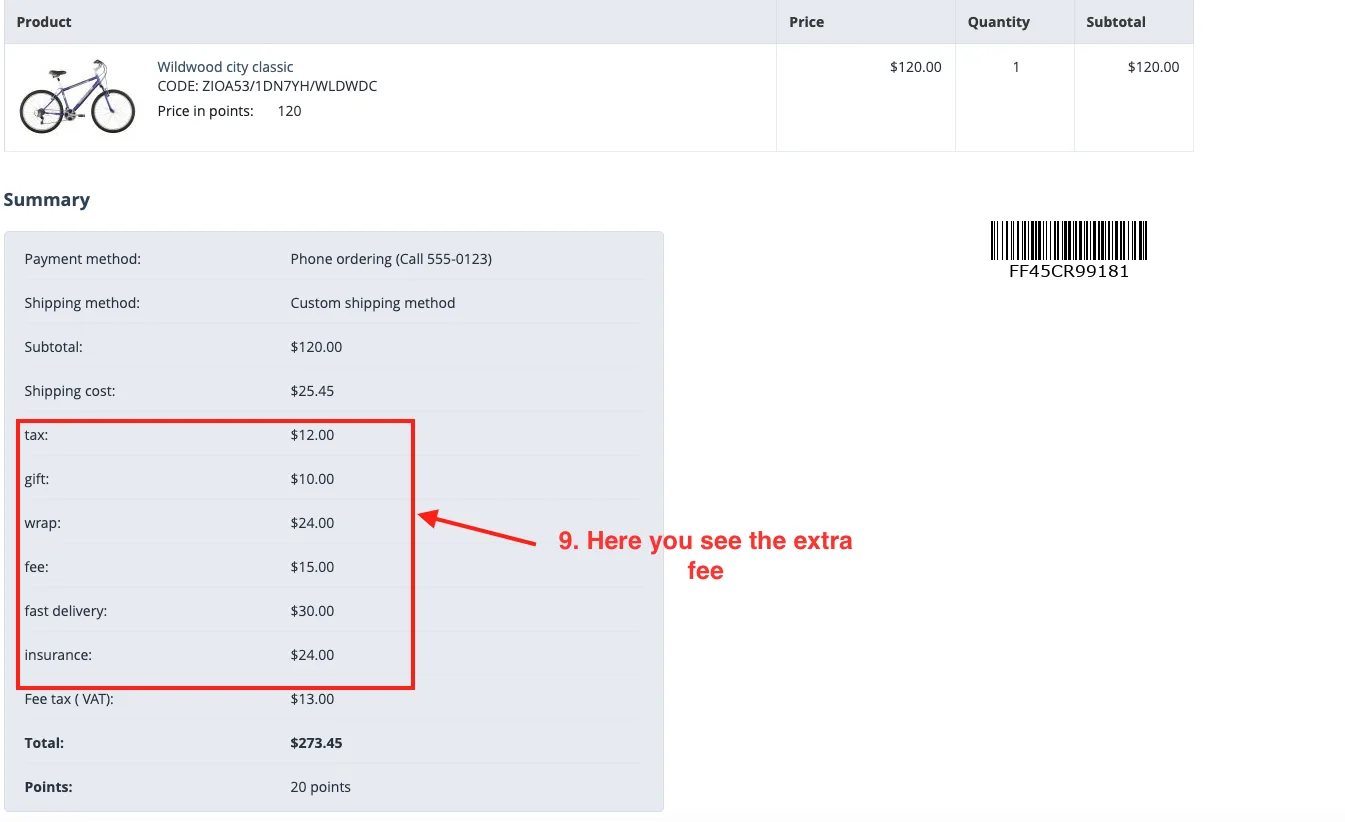
9. Here you see the extra fee.
9. Go to the admin panel.
10. Click on the order menu.
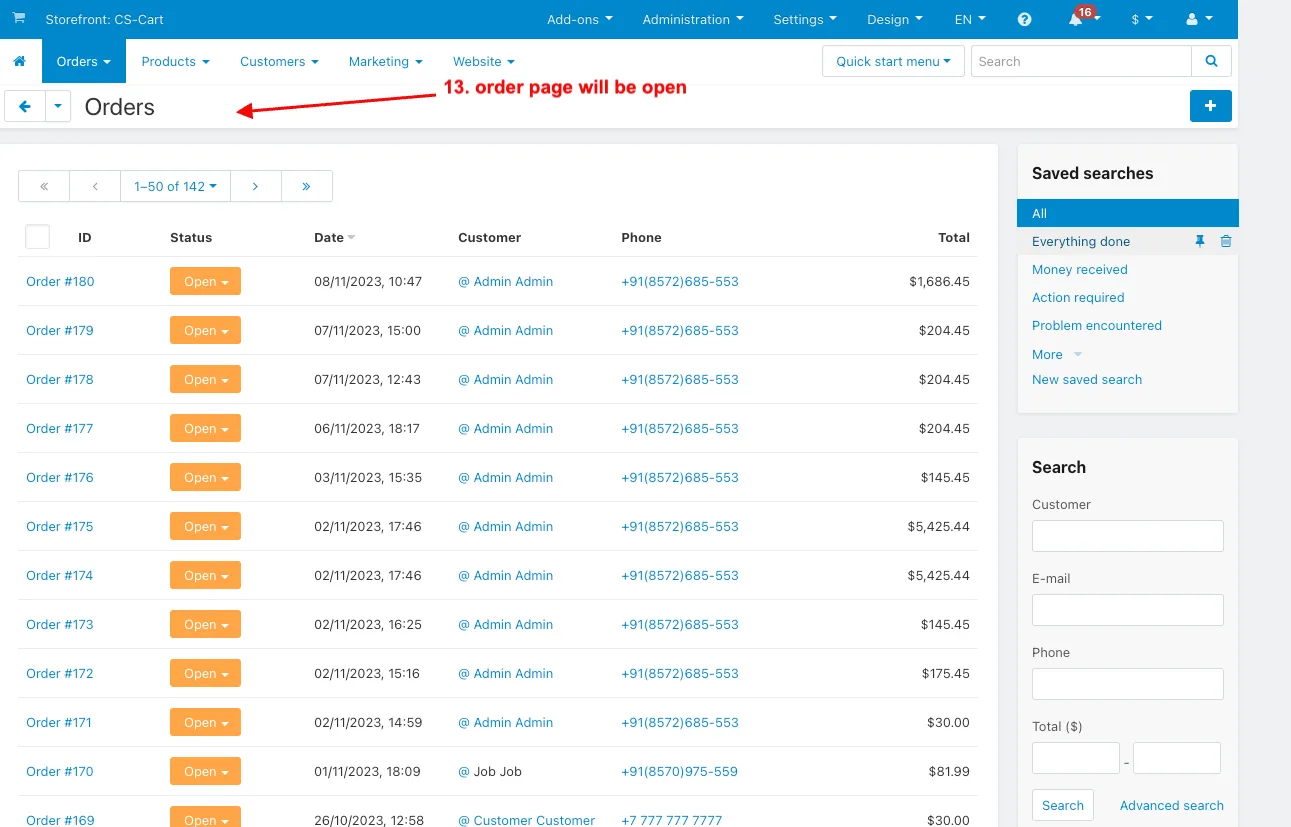
11. Now Select the View Orders.
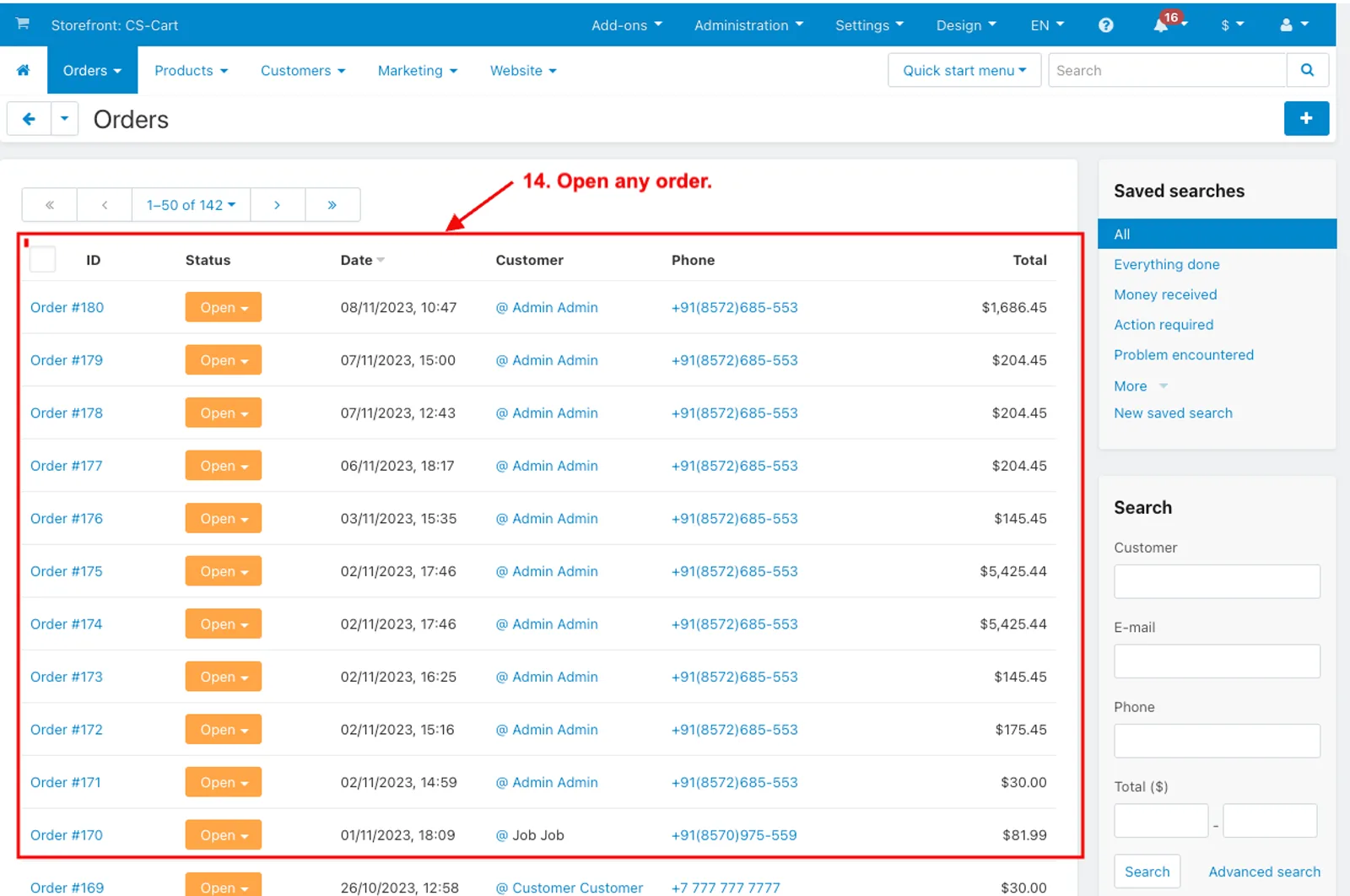
12. The order page will be open.
13. Open any order.
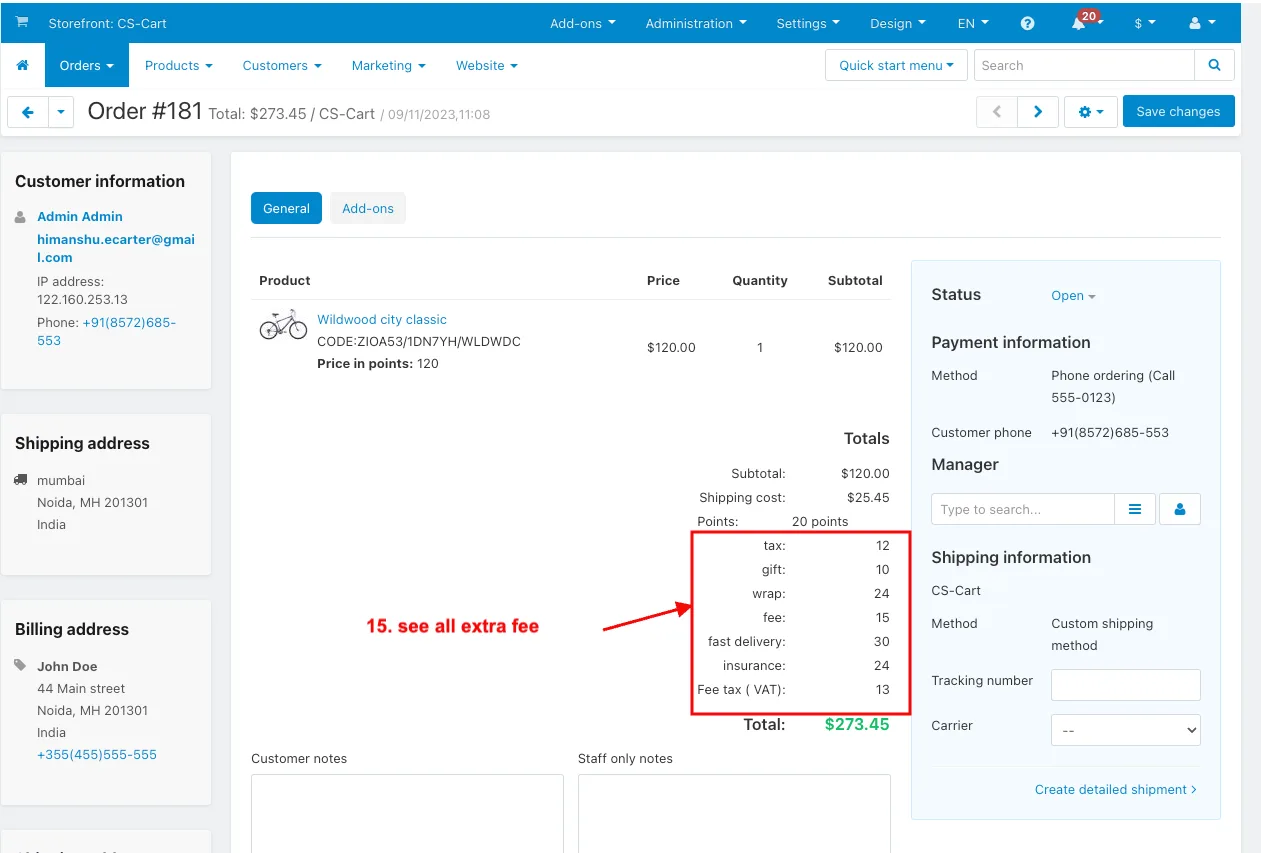
14. See all Extra fees.
How to add the variable in order invoice
- Go to the administration menu.
- Select the Notification >> Documents.
- Select the invoice.
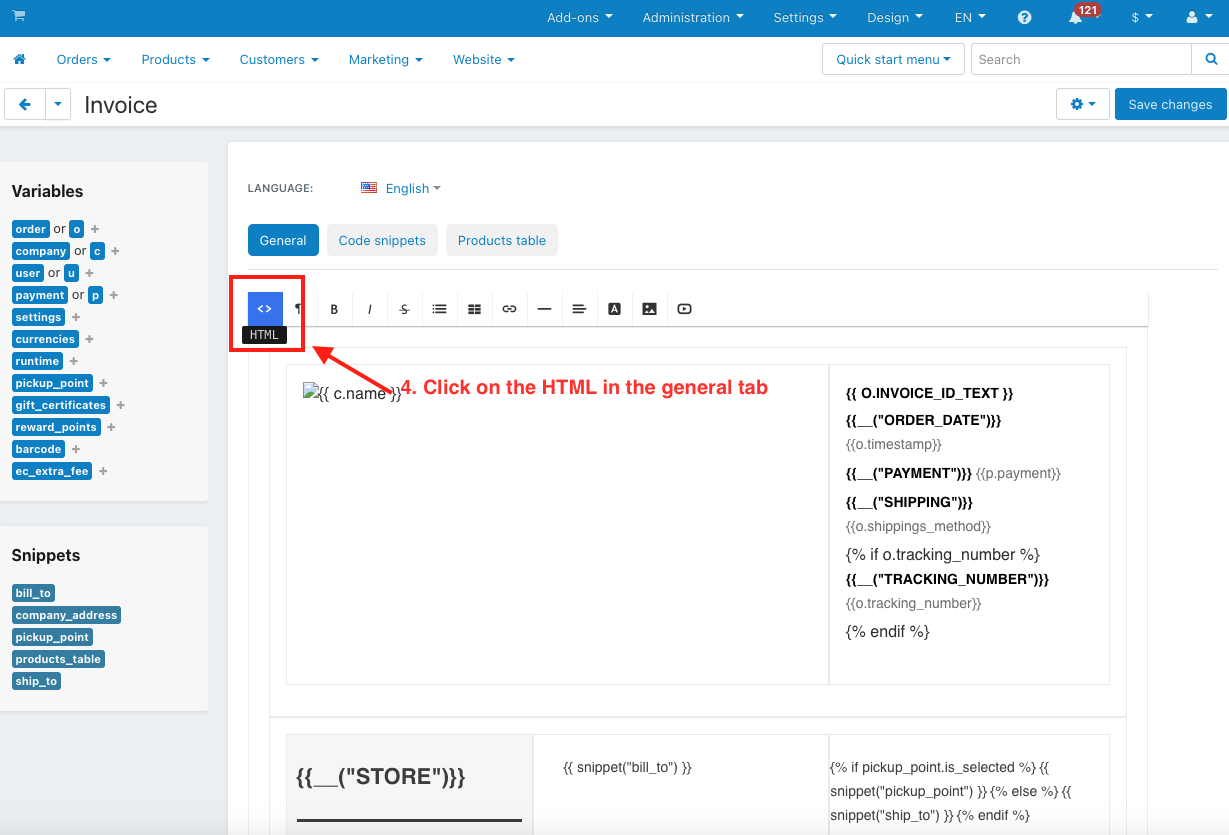
- Click on the HTML in the general tab.
- Paste the code here.
- Click on the print invoice in order details.
- You can see the extra fee information.



You can copy that code and paste under subtotal discount in order invoice and summary:
    <tr style="vertical-align: top; font-family: Helvetica, Arial, sans-serif;">
        <td align="left" style="font-family: Helvetica, Arial, sans-serif;">
            <div style="padding-bottom: 20px; font-family: Helvetica, Arial, sans-serif;">
                {% for ecefes in ec_extra_fee.fees %}
                    {{ ecefes.title }}
                    <br><br>
                {% endfor %}
            </div>
        </td>
        <td align="right" style="font-family: Helvetica, Arial, sans-serif;">
            <br>
            {% for ecefes in ec_extra_fee.fees %}
                {{ ecefes.total }}
                <br><br>
            {% endfor %}
        </td>
    </tr>
FOR OLD EMAIL TEMPLATE
{if $order_info.ec_extra_fees}
{foreach from=$order_info.ec_extra_fees item=fee}
    <tr>
        <td style="text-align: right; white-space: nowrap; font-size: 12px; font-family: Arial;">
            {$fee.title}
        </td>
        <td style="text-align: right; white-space: nowrap; font-size: 12px; font-family: Arial;">
            {include file="common/price.tpl" value=$fee.total}
        </td>
    </tr>
{/foreach}
{/if}


Addon-Version:
Version-1.0
Supported Versions:
CS-Cart, CS-Cart Multivendor 4.8.x, 4.9.x,4.10x,4.11x,4.12,4.13x, 4.14x, 4.15x, 4.16x, 4.17x, 4.18x
Support:
This app is developed and published by Ecarter Technologies Pvt. Ltd., a CS-Cart developer. You are guaranteed quality add-ons.
Frequently asked questions
What types of extra fees can the Order Extra Fee add-on apply?
The add-on supports multiple fee types, including tax, gift wrap, insurance, and gift charges. Admins can add these charges to orders as needed and set specific fees for different products or services.
Does the add-on handle taxes within the extra fees?
Yes. It supports including taxes within the fees, which simplifies financial calculations when extra charges are added to an order.
How do I install and set up the Order Extra Fee add-on?
Installation follows the standard CS-Cart add-on process, and a step-by-step guide is available at store.ecarter.co/blogs/how-to-install-addon. After installing, you open the add-on, go to the general tab, and configure the fees through its interface.
Can I control the fees for specific products or services?
Yes. The add-on lets the admin set specific fees for different products or services and apply various fee types, giving full control over how extra charges are added. It also provides reporting so you can review data on the extra fees applied to orders.
Nisha Gaur is a Technical Content Writer at Ecarter Technologies. She writes technical documentation, tutorials and buying guides covering CS-Cart, Magento, Shopify and eCommerce development.