
Order Change History
The Order Change History addon allows admins to check the history of any changes made to order details in the admin panel.
Order Change History is a CS-Cart add-on that tracks and logs every change made to order details from the admin or vendor panel. Whenever someone updates an order — for example editing the shipping address, applying a discount, switching the payment method, or changing customer details — the add-on records what was changed and when in an Order Change History tab. If an order is deleted, its change history is preserved in a separate Deleted order logs section so the record is not lost. It is built for store administrators and Multi-Vendor vendors who need a clear audit trail and better control over order updates.

Order Change History addon for CS-Cart helps track all changes made to order details in the admin/vendor panel. Whenever an admin/vendor updates order information, like the shipping address, applies a discount, changes payment methods, or makes any other changes, a log is created. This log records all the details of each change, including what was changed and when.
Additionally, if an order is deleted, its change history is stored in the Deleted order logs. Admins/Vendors can easily access this log to view all the details of deleted orders. This addon helps them manage orders easily and keep track of every update for better control.
Features
- Track Order Changes: Admin can view the complete history of changes made to individual orders in the Order Change History tab.
- Keeps a Complete Record: Keeps a detailed log of all changes made to orders, including updates of shipping addresses, payment methods, customer details, applied discounts, and more.
- View Deleted Orders: If the Admin deletes an order, its change history will be stored in the deleted order logs for future reference.
- Vendor Panel Access: Vendors can track all order changes and view deleted orders directly from their panel once the admin gives permission.
- CS-Cart Support info: The addon is well integrated with CS-Cart Multi-Vendor and can be used with its standard, Plus, and Ultimate Versions.
How to install Addon
https://store.ecarter.co/blogs/how-to-install-addon/
How Addon Works
- The Order Change History add-on is easy to use and doesn’t require any deep navigation. Everything you need is right inside the Orders and Order Change History menus. This makes it easy for both admins and vendors to track order updates.
- After the successful installation of the addon, access it.
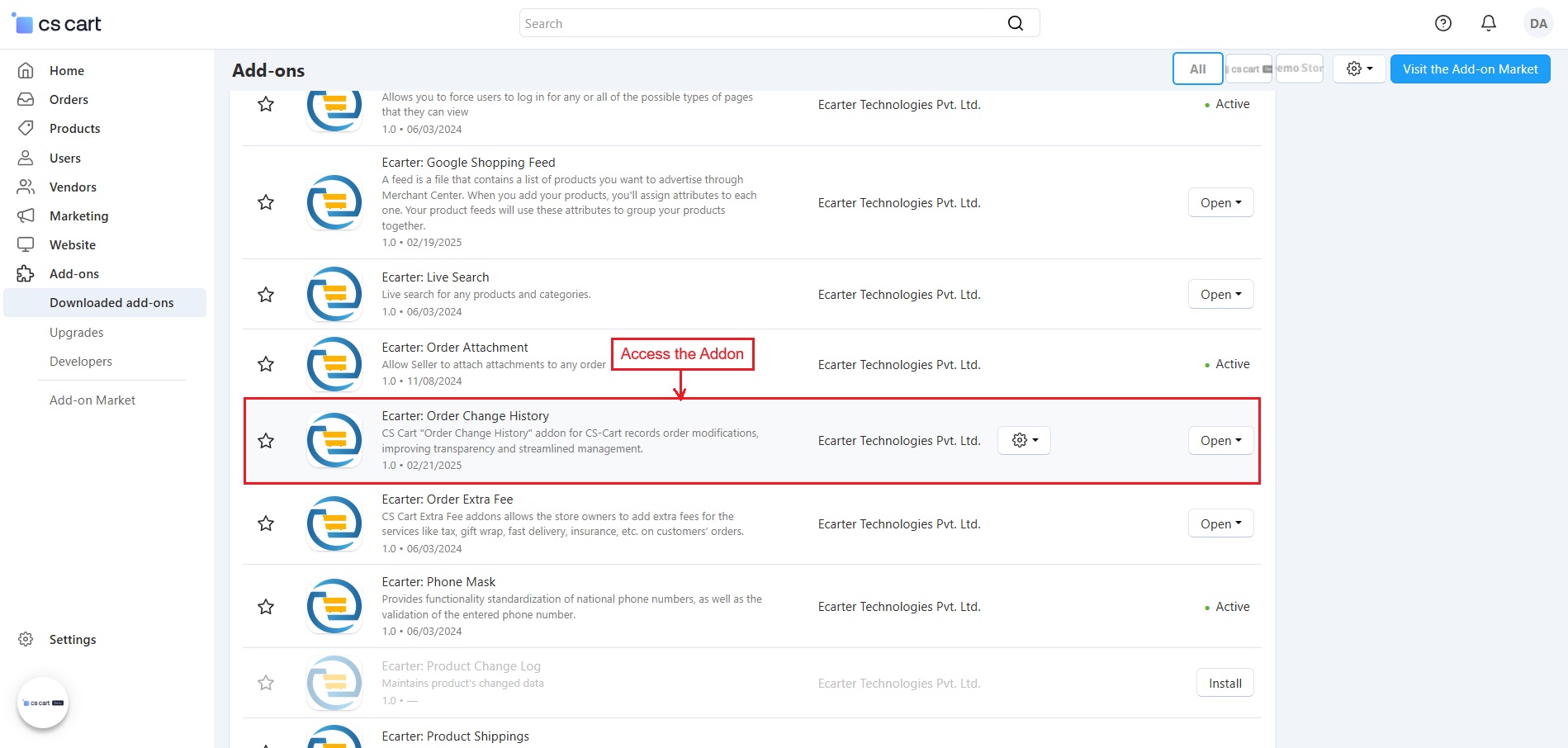
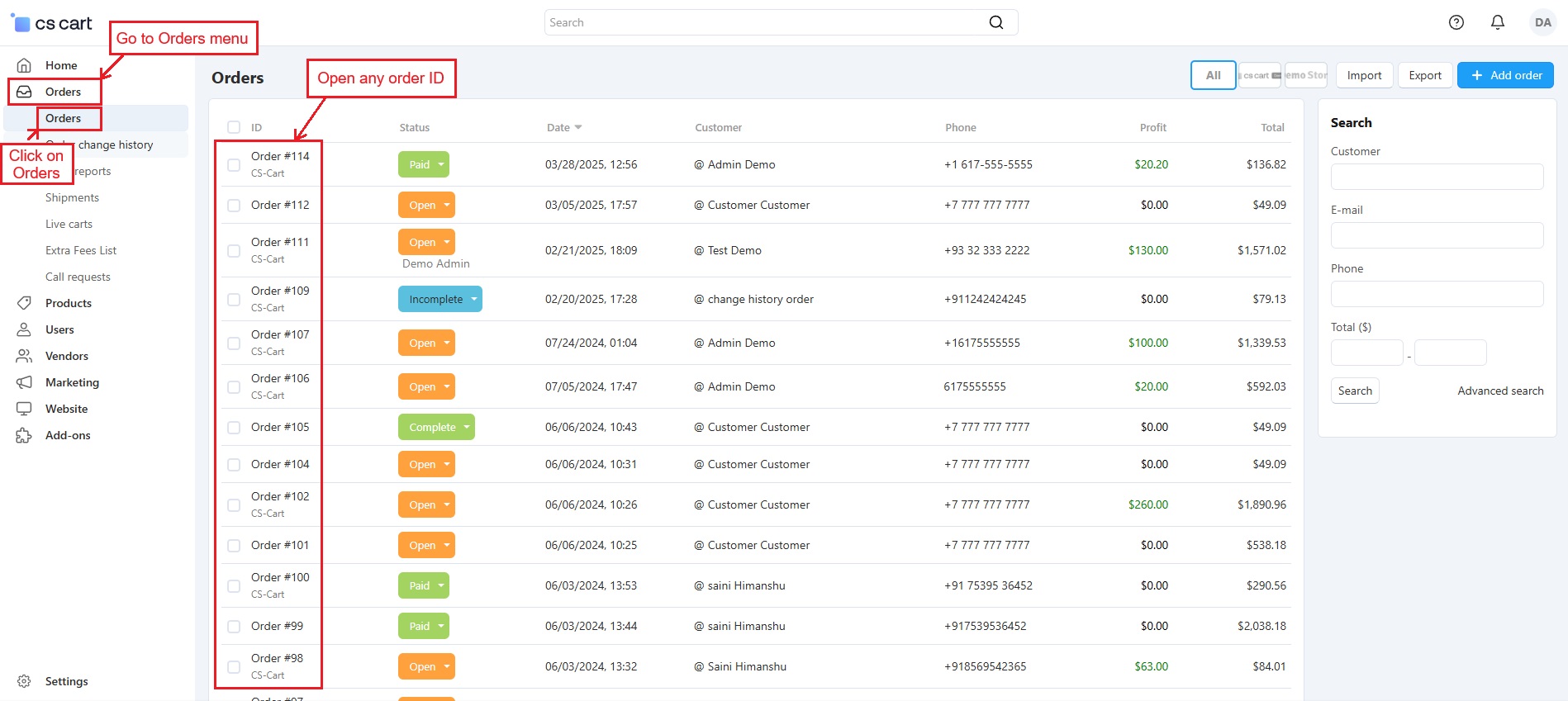
- Go to >> Orders menu, Click on >> Orders, Open any >> Order ID
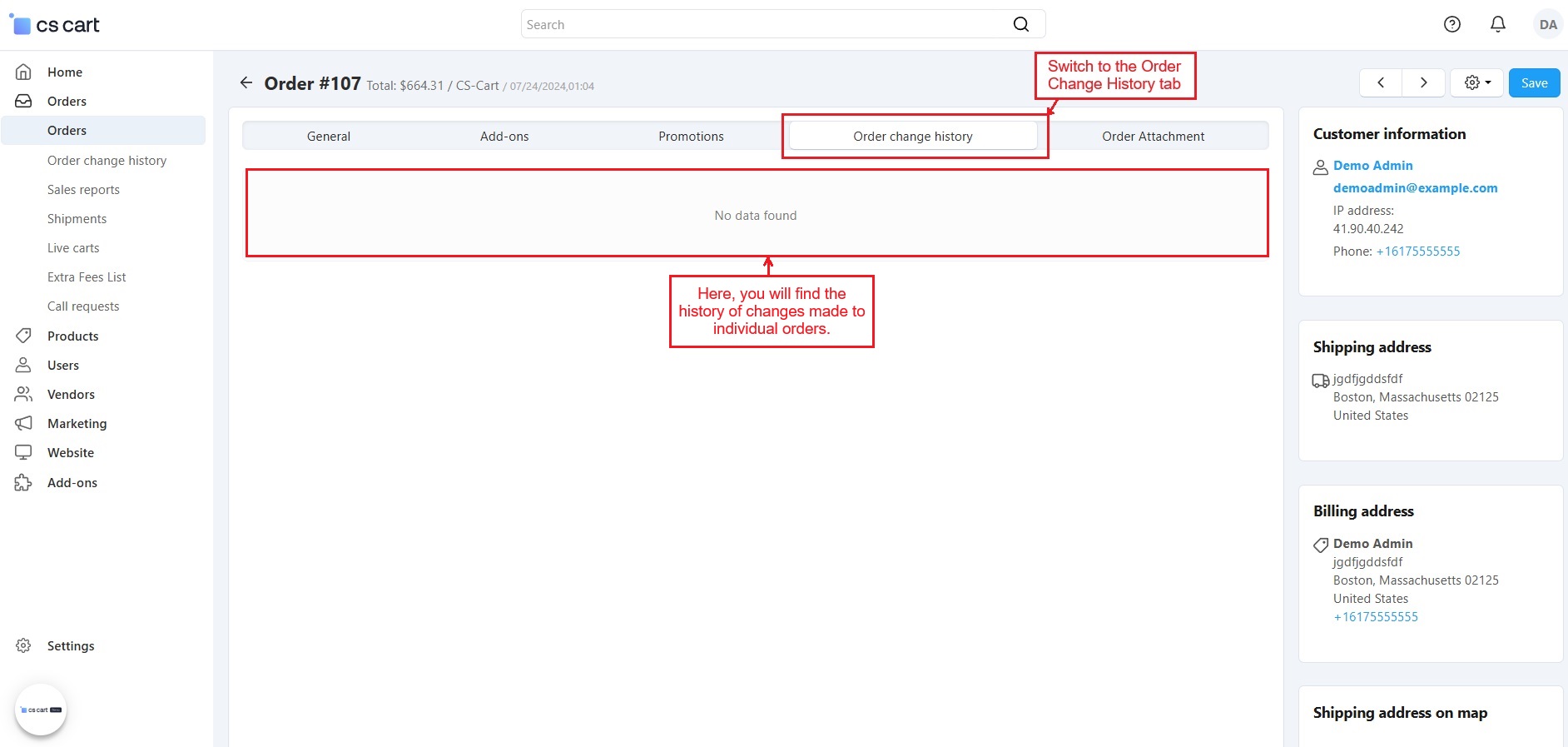
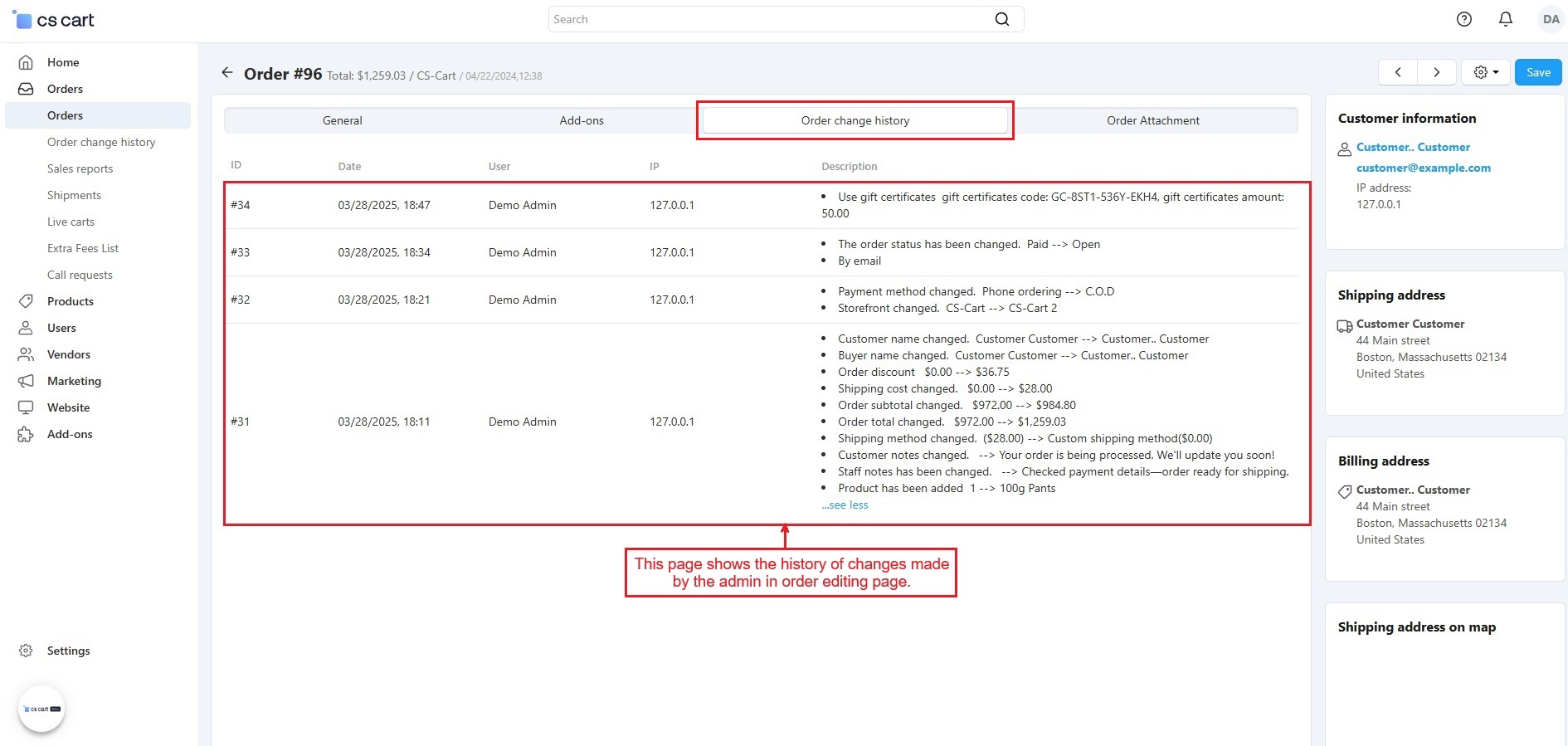
- Switch to the >> Order Change History Tab.
- This tab will show the history of changes made to individual orders.
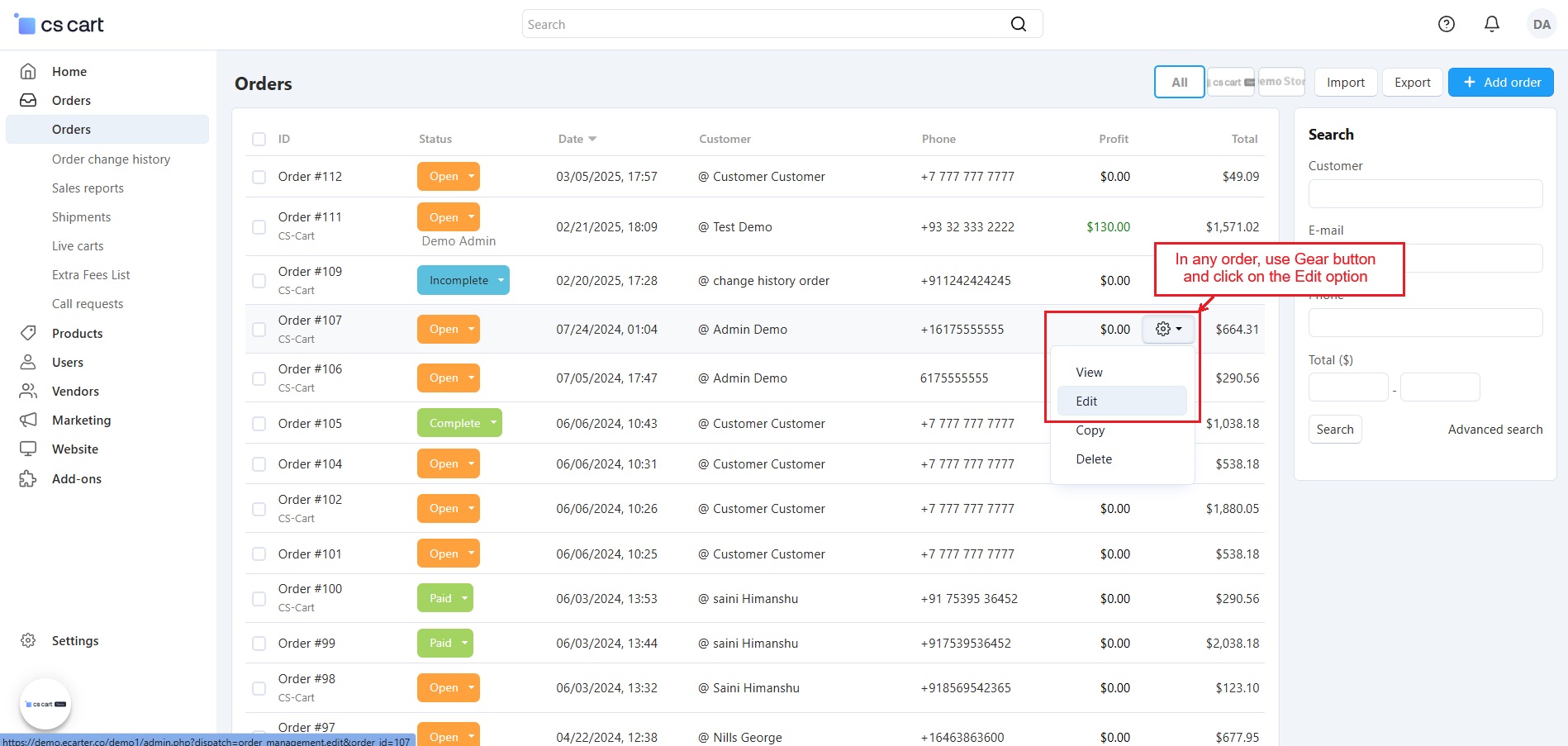
- In any order, use the Gear button and click on the Edit option to open the editing order page.
- The gear button in the order detail page also provides the option to edit the order.
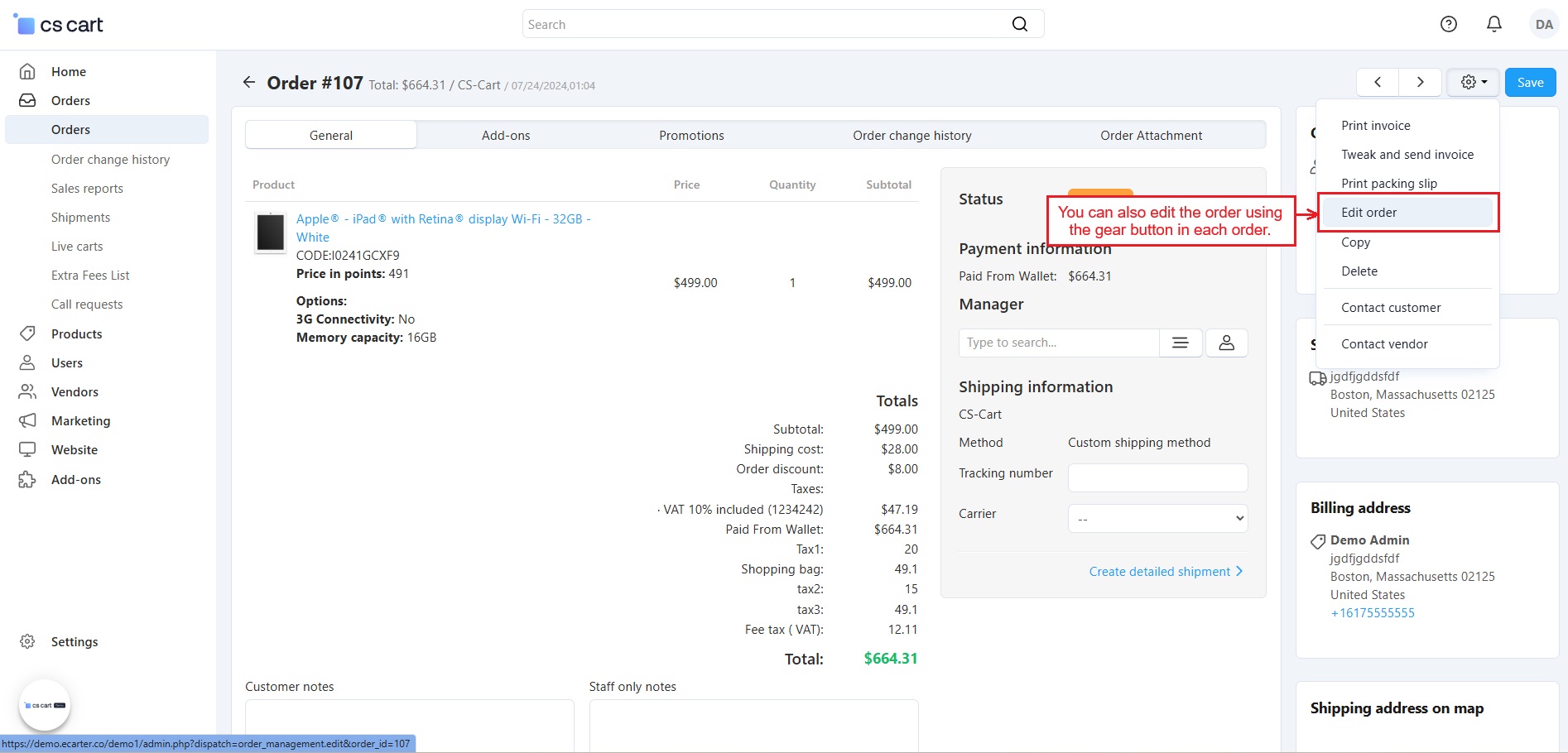
Order Editing Process
- When the admin updates any setting on the Editing Order Page, such as adding a product, changing the payment or shipping method, updating customer details, the shipping address, and more, the changes will be recorded in the Order Change History tab.
- You can make changes to the settings highlighted in the same three pages below.
- After any change must click the >> Save button.
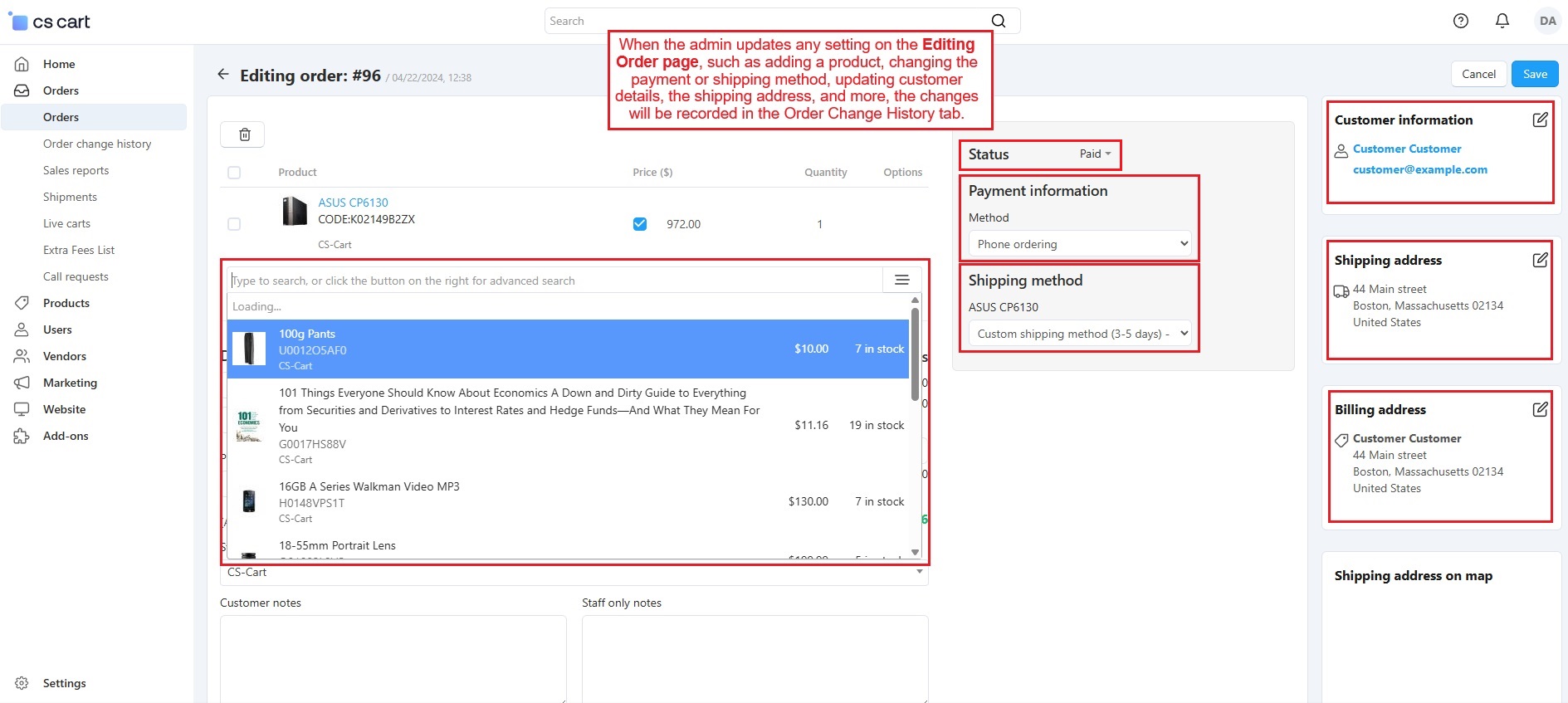
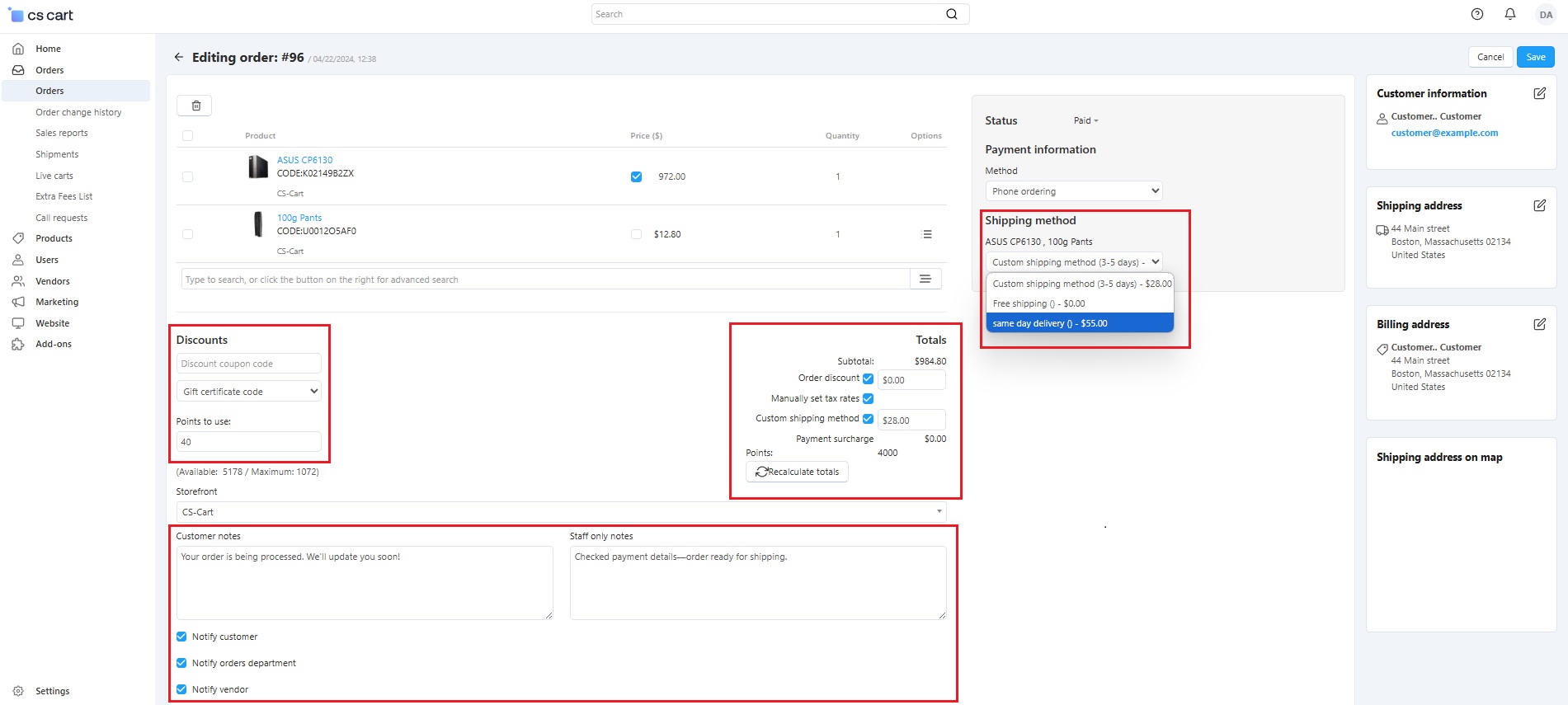
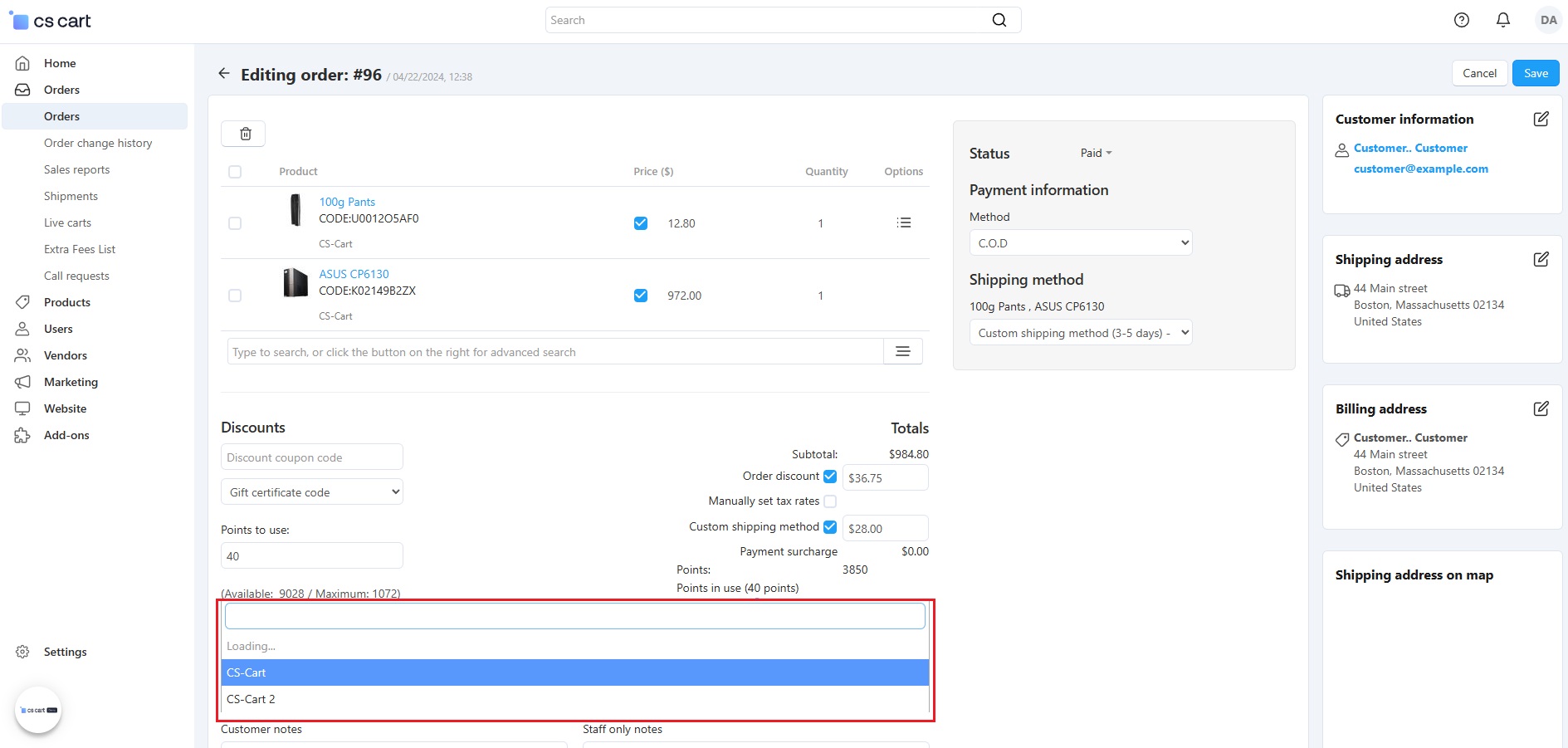
History of Changes
- The Order Change History tab now shows a full record of all changes made by the admin in the order editing page. The log includes details like ID, date, and a description of the changes. You can check the description to see exactly what was updated.
How to Check the Deleted Orders Log
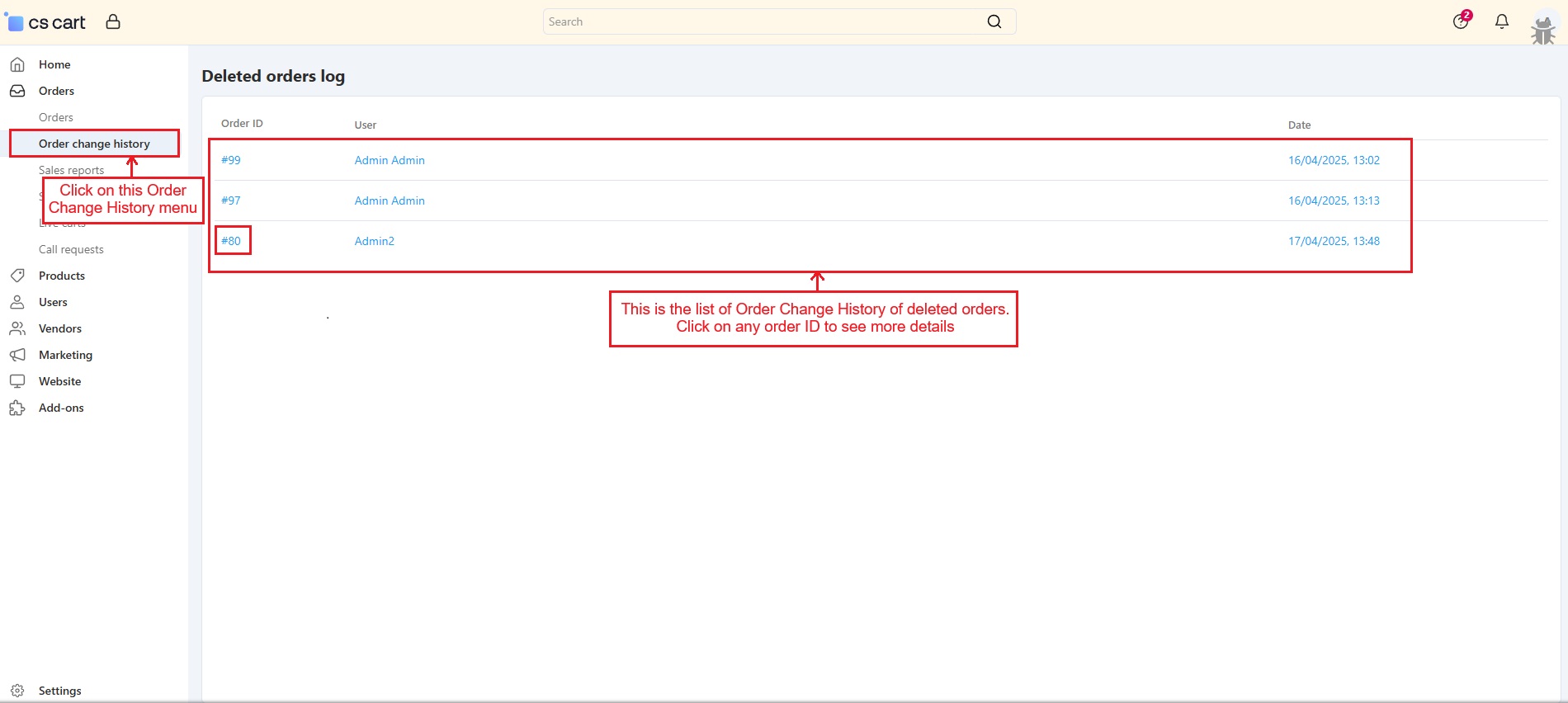
- If the admin deletes an order, the order change history will be saved in the Deleted orders log, which can be accessed from the Order Change History menu.
- Go to >> Orders, Click on >> Order Change History menu.
- Now the Deleted orders log page appears with order ID, User name, and date-time. Click on any order ID.
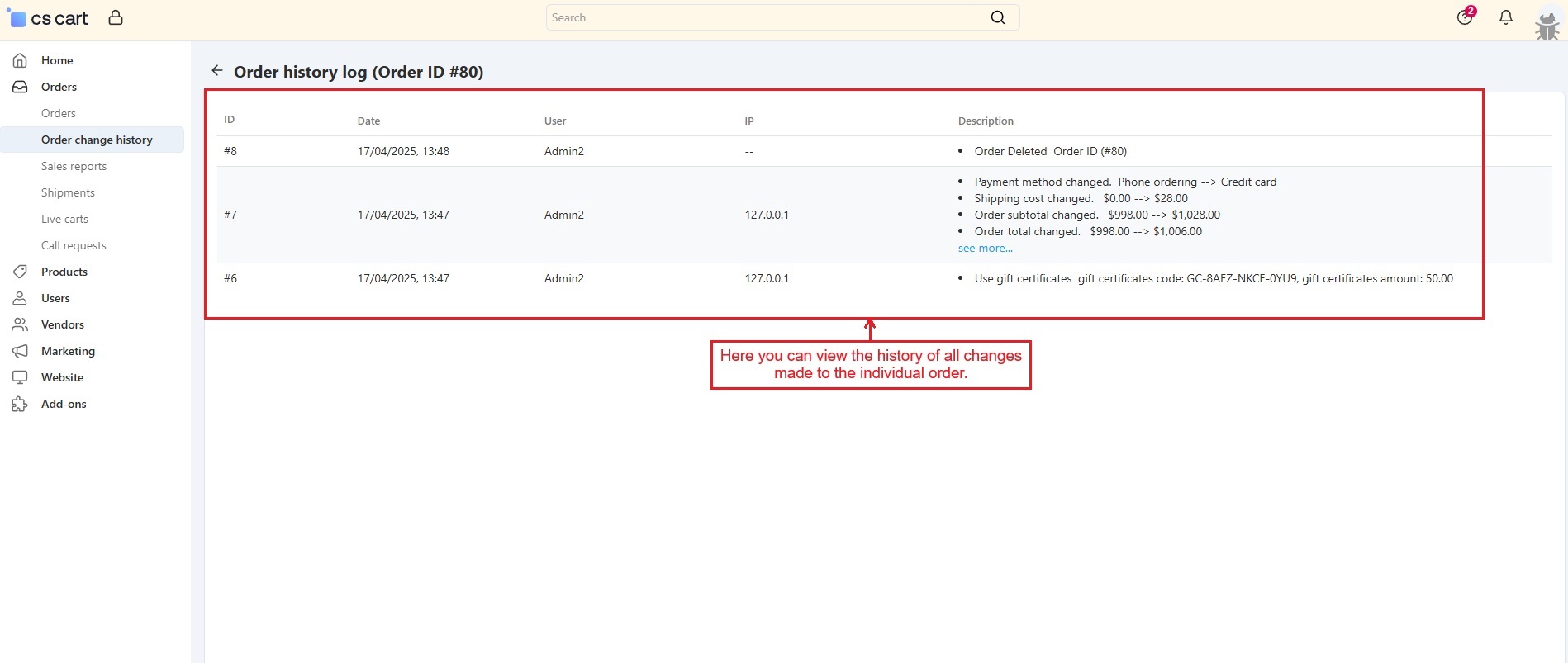
- Here, the history of all changes made to this order is shown, even though it has been deleted from the order list.
Order Change History in Vendor Panel
Vendors can use the Order Change History add-on from their own panel. They can edit order details and see logs for both order changes and deleted orders.
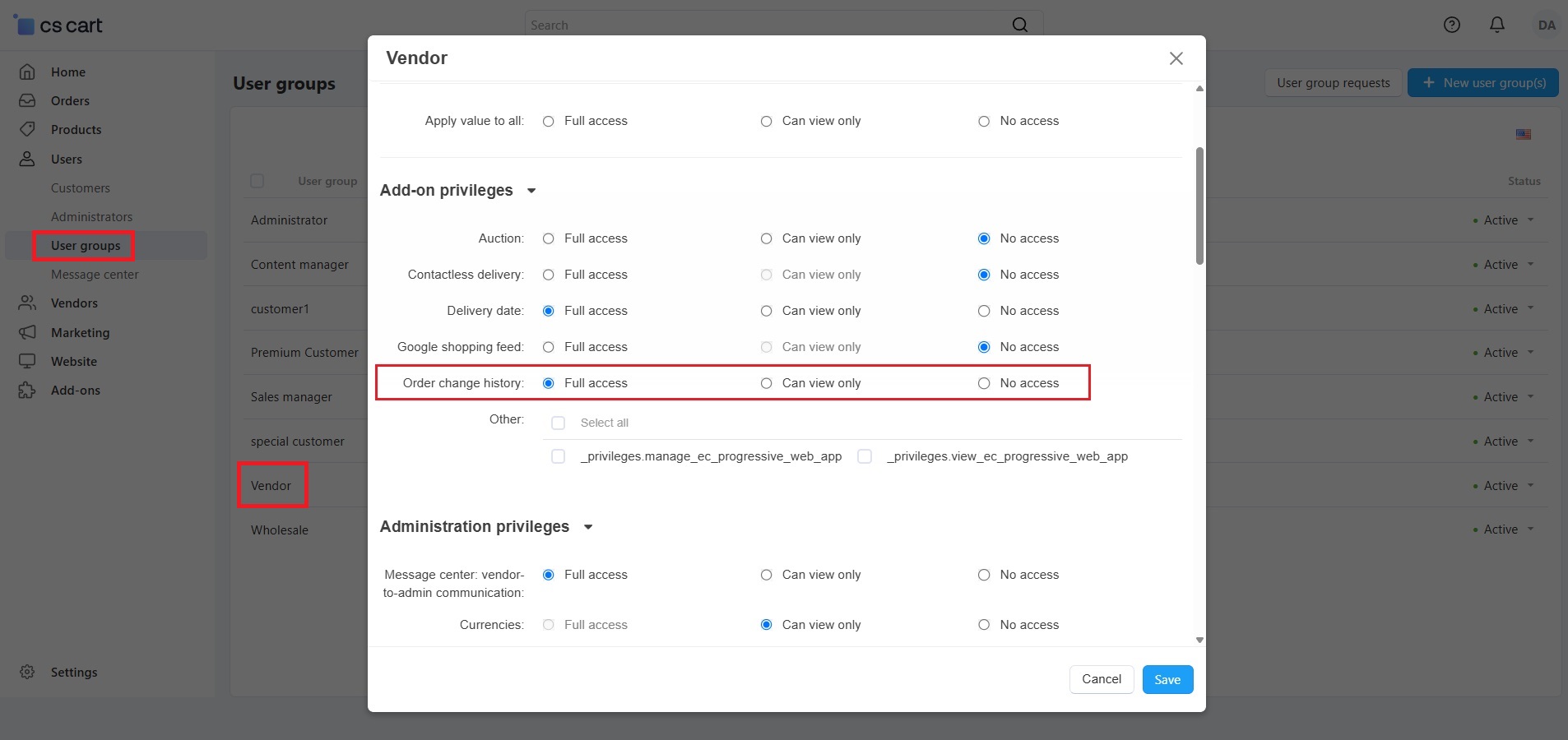
But first, the admin needs to give permission through the vendor’s user group settings. Full access should be given to:
✅ Order Change History
✅ Orders
Once these settings are allowed, vendors will be able to see all changes and deleted orders easily, just like the admin.
- Let's choose a vendor to explore how this add-on works in the vendor panel.
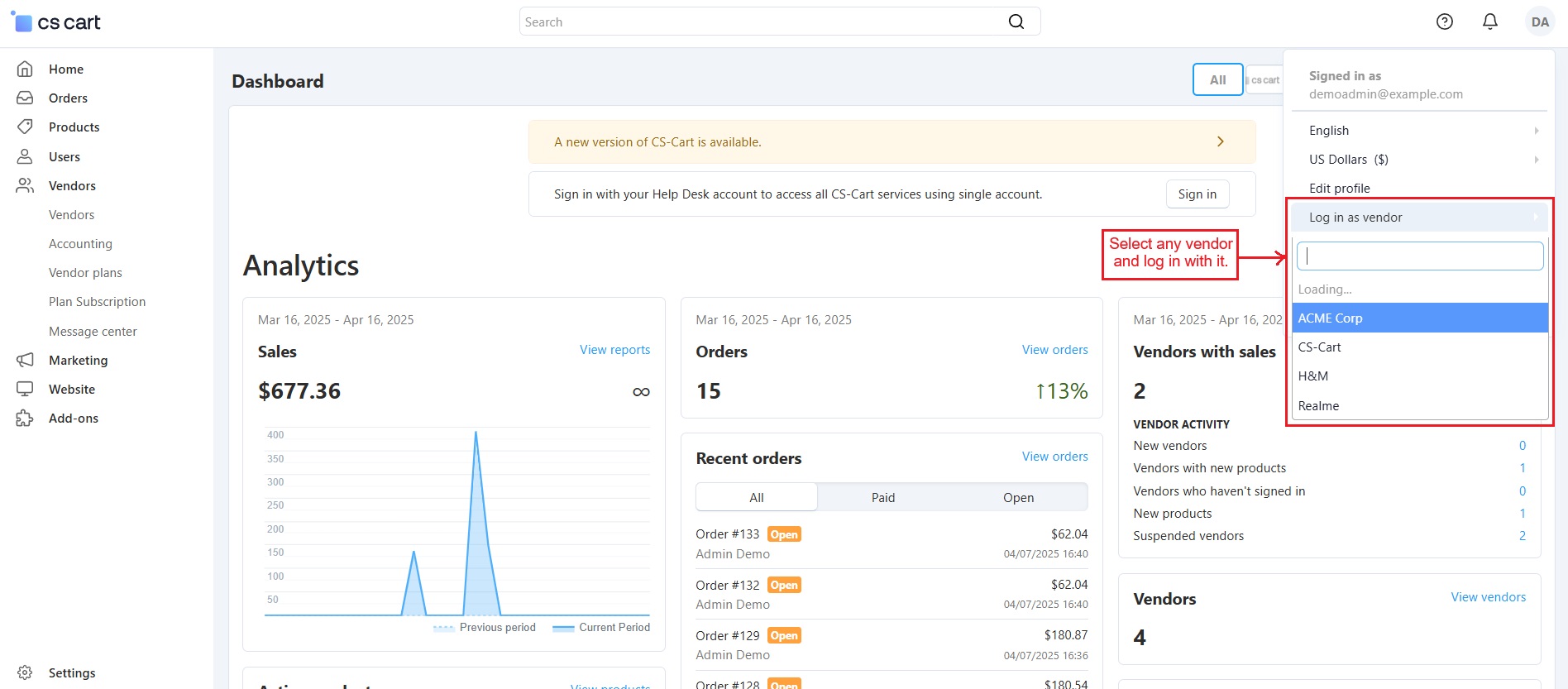
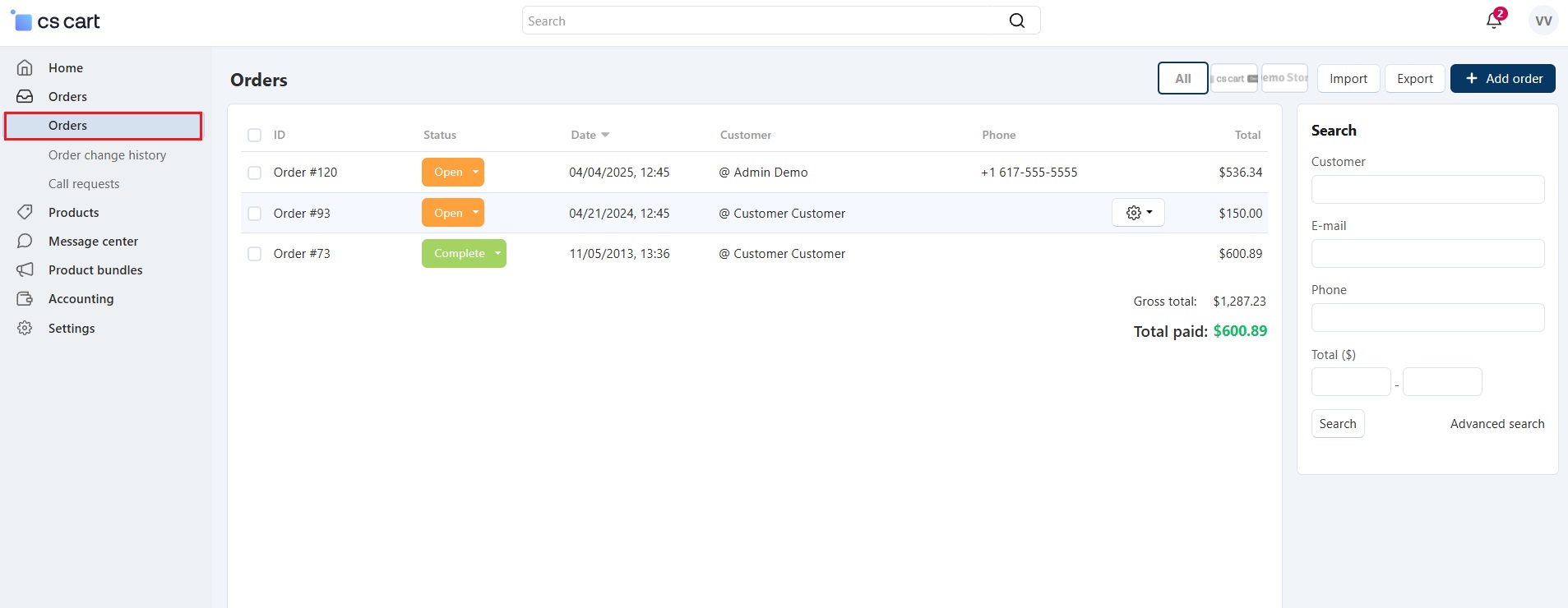
- Go to the Orders menu and click the gear icon on any order to open its edit page.
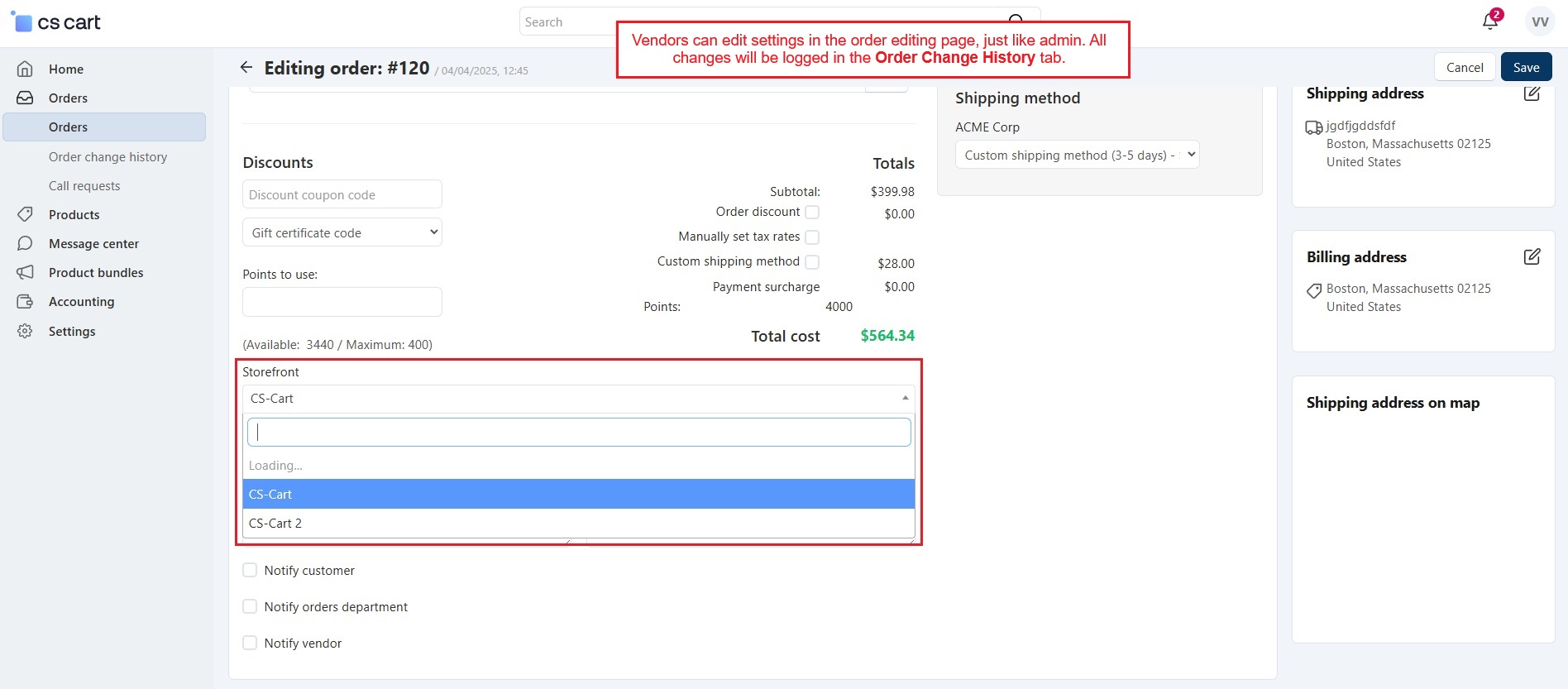
- This order editing page allows vendors to update settings, and all changes will be logged in the Order Change History tab.
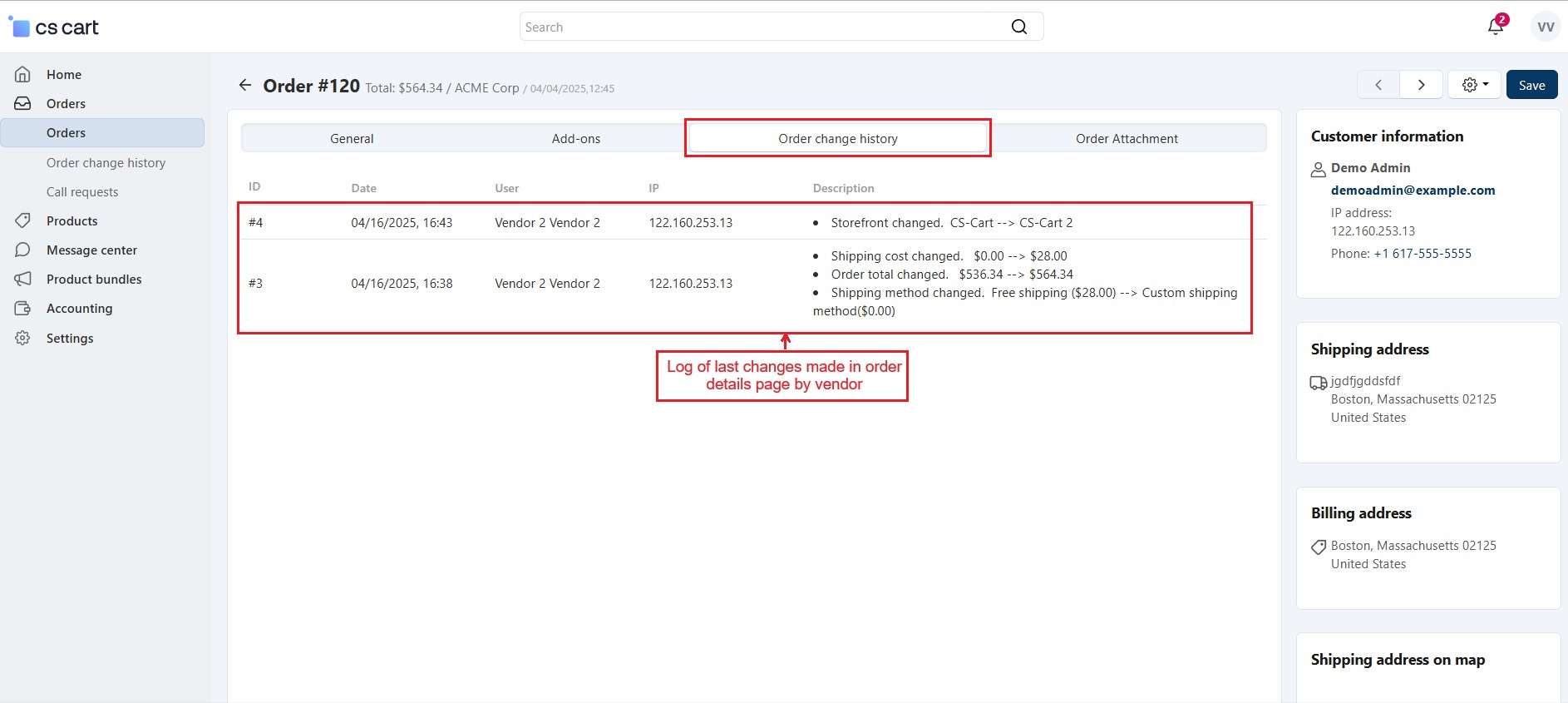
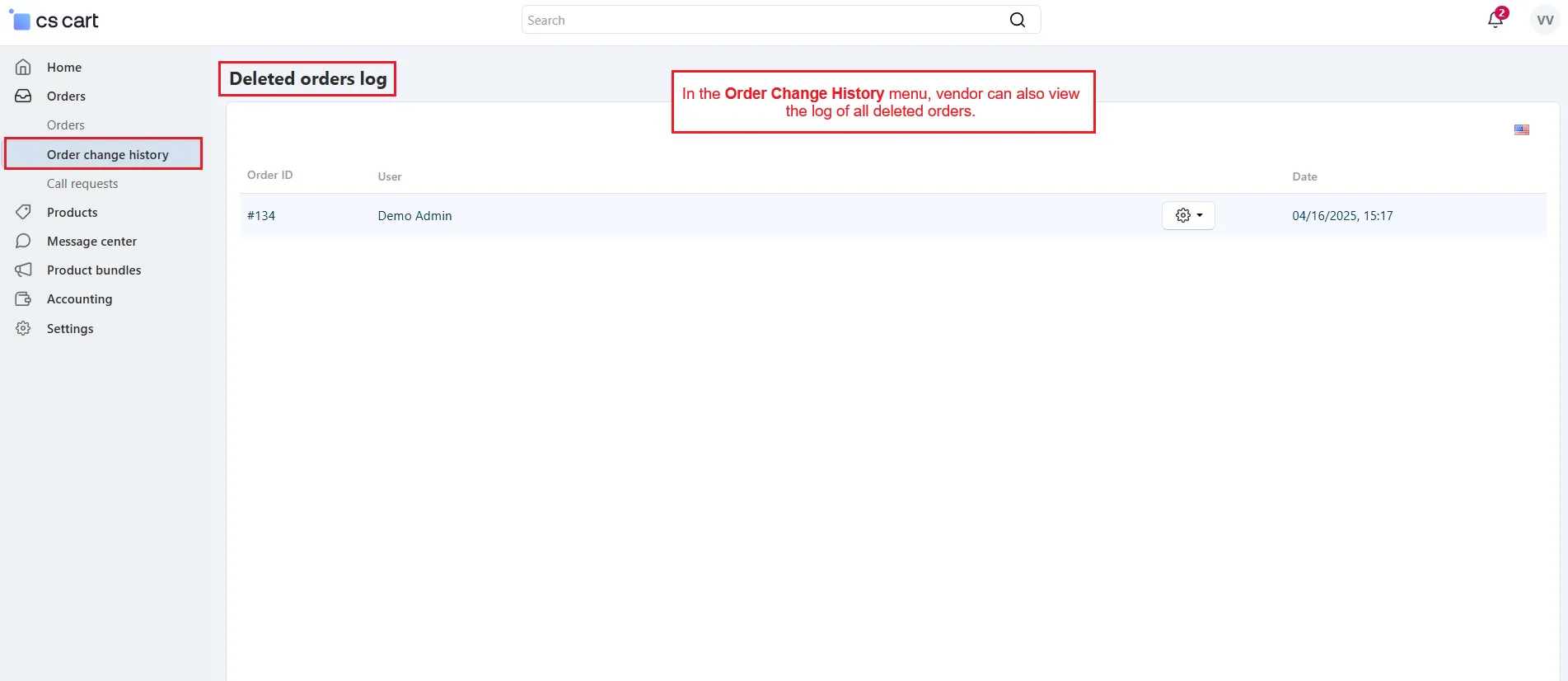
- In the Order Change History menu, vendors can also view the change history of deleted orders.
✅Final Thought
The Order Change History add-on is a helpful tool for both admins and vendors. It keeps a clear record of every update made to orders, including changes and deleted orders. With easy access to logs, better control, and smooth tracking, managing orders becomes simple and more transparent for everyone.
Addon-Version:
Version-1.0
Supported Versions:
CS-Cart, CS-Cart Multivendor 4.8.x, 4.9.x,4.10x,4.11x,4.12,4.13x, 4.14x, 4.15x, 4.16x, 4.17x, 4.18x
Support:
This app is developed and published by Ecarter Technologies Pvt. Ltd., a CS-Cart developer. You are guaranteed quality add-ons.
Frequently asked questions
What order changes does the add-on log?
It keeps a detailed record of changes to individual orders, including shipping address updates, payment method changes, customer detail edits, applied discounts, and other modifications made in the admin or vendor panel. Each log entry shows what was changed and when.
What happens to the change history when an order is deleted?
When an admin deletes an order, its change history is not lost. It is stored in the Deleted order logs, where admins can go back and review the full details of deleted orders for future reference.
Can vendors see order change history in Multi-Vendor?
Yes. Once the admin grants permission, vendors can track all order changes and view deleted order logs directly from their own vendor panel.
Which CS-Cart versions does it support?
The add-on is integrated with CS-Cart Multi-Vendor and works with the Standard, Plus, and Ultimate versions. If you are on a specific or recent release, share your version and we will confirm compatibility.
Nisha Gaur is a Technical Content Writer at Ecarter Technologies. She writes technical documentation, tutorials and buying guides covering CS-Cart, Magento, Shopify and eCommerce development.