
Klrana Pay Payment Gateway
The Klarna Pay Add-on lets users make secure payments using Klarna Pay. It boosts payment success, supports Klarna Checkout, and integrates smoothly with CS-Cart and Multi-Vendor stores.
The Klrana Pay Payment Gateway add-on lets a CS-Cart store accept payments through Klarna Pay at checkout. Once installed, an admin enables and manages it from the backend under the Payment Methods section, giving customers Klarna as an option when they place an order. It is built to work with both CS-Cart and CS-Cart Multi-Vendor and accepts online payments across customer devices. This suits store owners, including small businesses, who want to add Klarna as a secure checkout option without building a separate integration.

This addon allows users of the site to use the Klarna Pay payment gateway. The payment gateway allows users to order the product by using Klarna Pay payment. User can boost their payment success rate with complete transparency to develop trust and confidence. Klarna Pay Payment method is an always-on checkout page you can set up for your business.
This is a service that lets you use Klarna to accept payments without the need of integrating our products into your web pages, or even without having any consumer-fronting website.
It supports Klarna Checkout so that you can pick the solution that matches best your needs.
Features:
- Backend Configuration: Admin can enable Klarna Pay payment method directly from the backend.
- Payment Method Setup: Option to manage Klarna Pay via the Payment Methods section.
- Optimized Digital Payments: Enhances digital payment processing for eCommerce businesses.
- CS-Cart Integration: Fully compatible with CS-Cart and CS-Cart Multi-Vendor.
- Cross-Device Support: Accepts online payments across all customer devices.
- Flexible Payment Options: Optimized for both in-store and on-the-go transactions. Modern Payment Solutions: Ideal for small businesses seeking secure and efficient payment options.
Installation:-
How To Install the Addon
https://store.ecarter.co/blogs/how-to-install-addon/
How Addon works
Step 1.
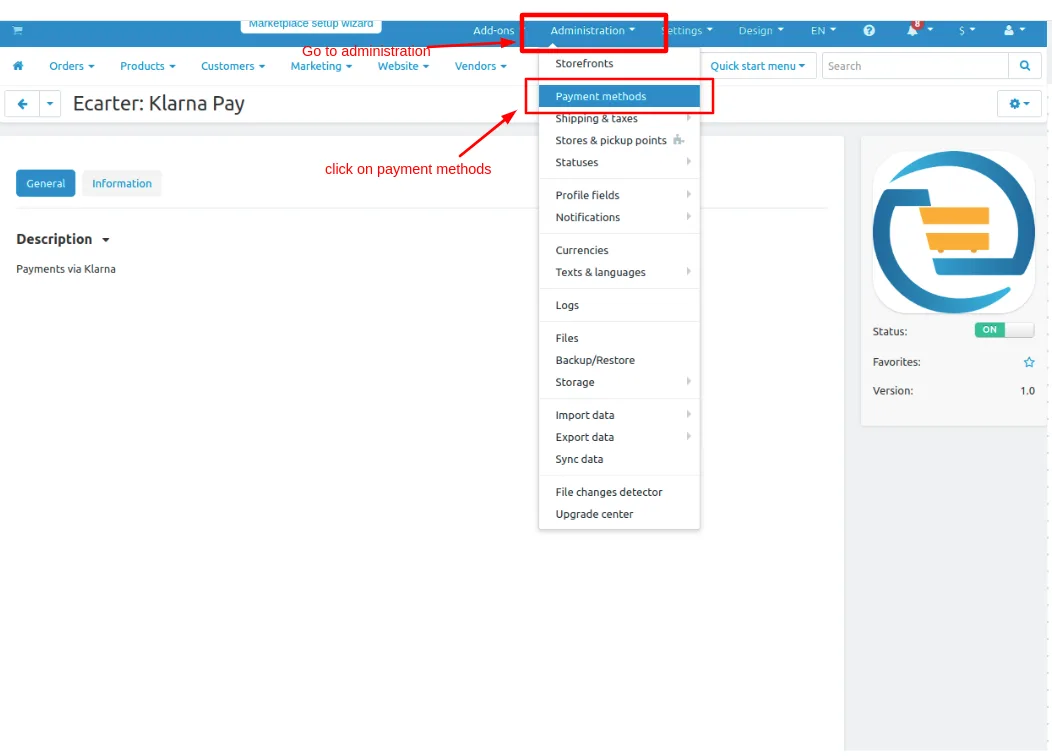
- Go to Administration penal in top click on it.
- Click on >> Payment methods.
Step 2
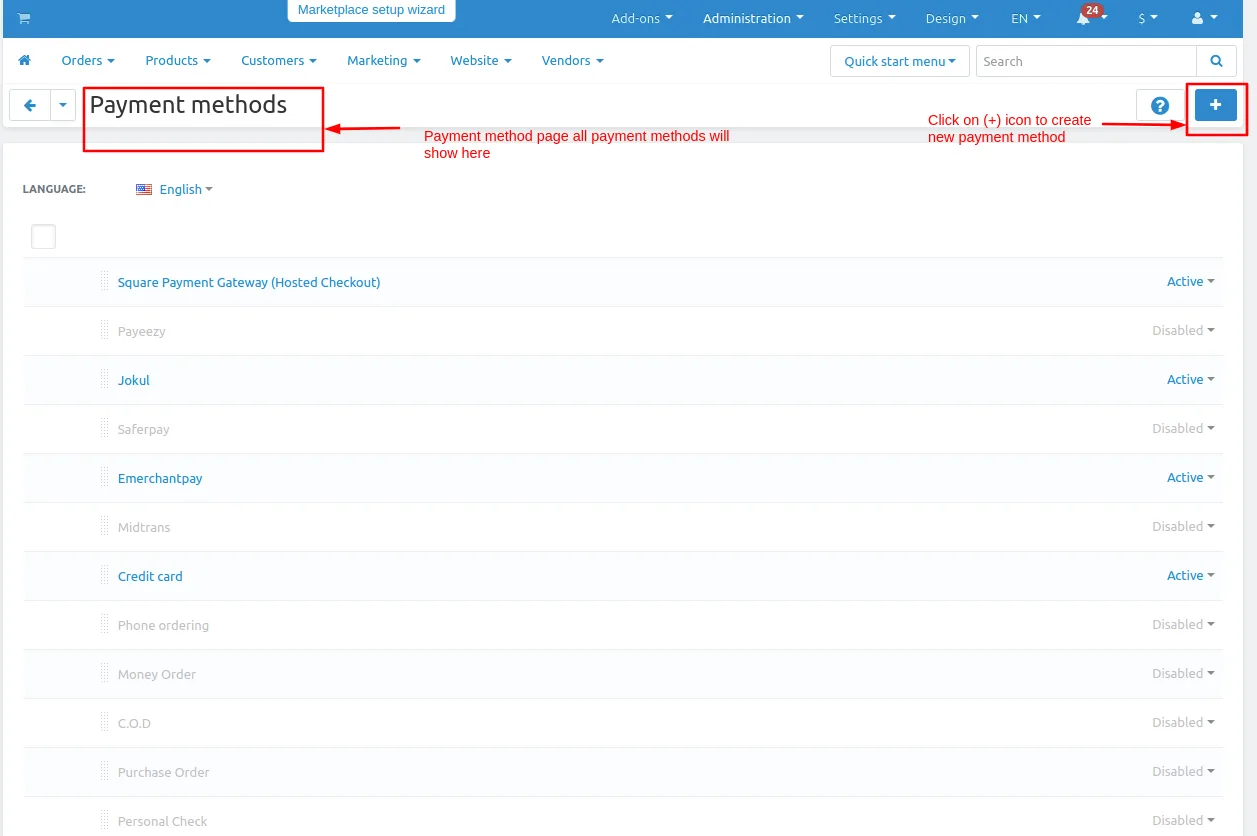
- You can also add a payment method Click on >> (+) button upper right corner on the page.
Step 3
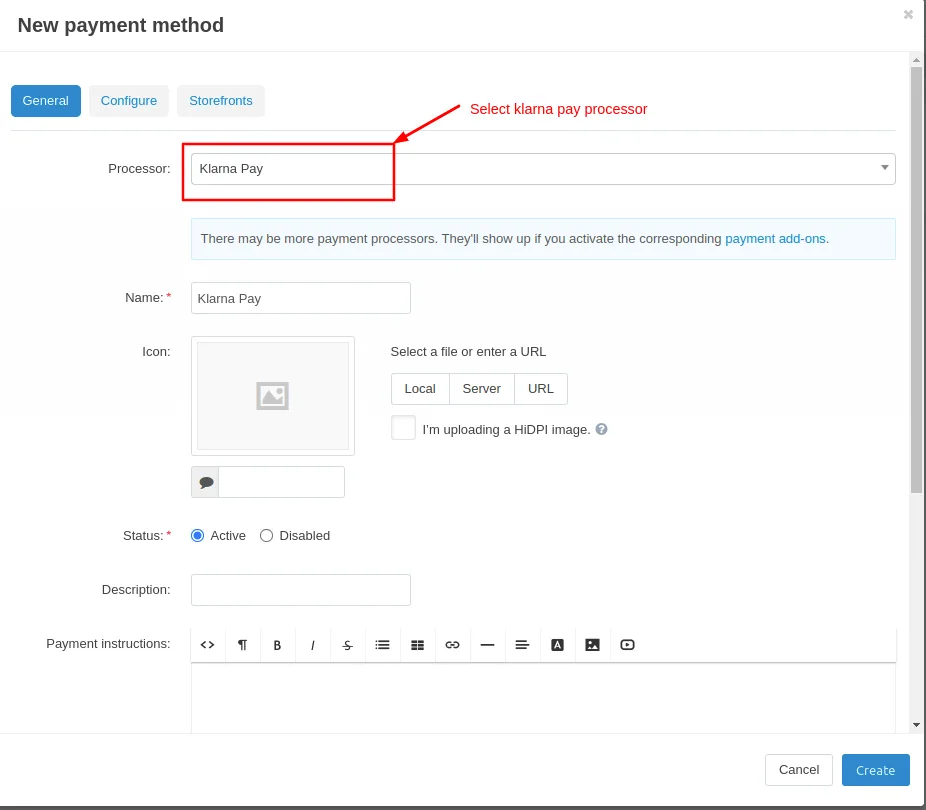
- The New Payment method page will be open enter all the details and click on >> Create button.
- Open the general tab >> Give name.
- Select processor >> Klarna Pay Payment Gateway
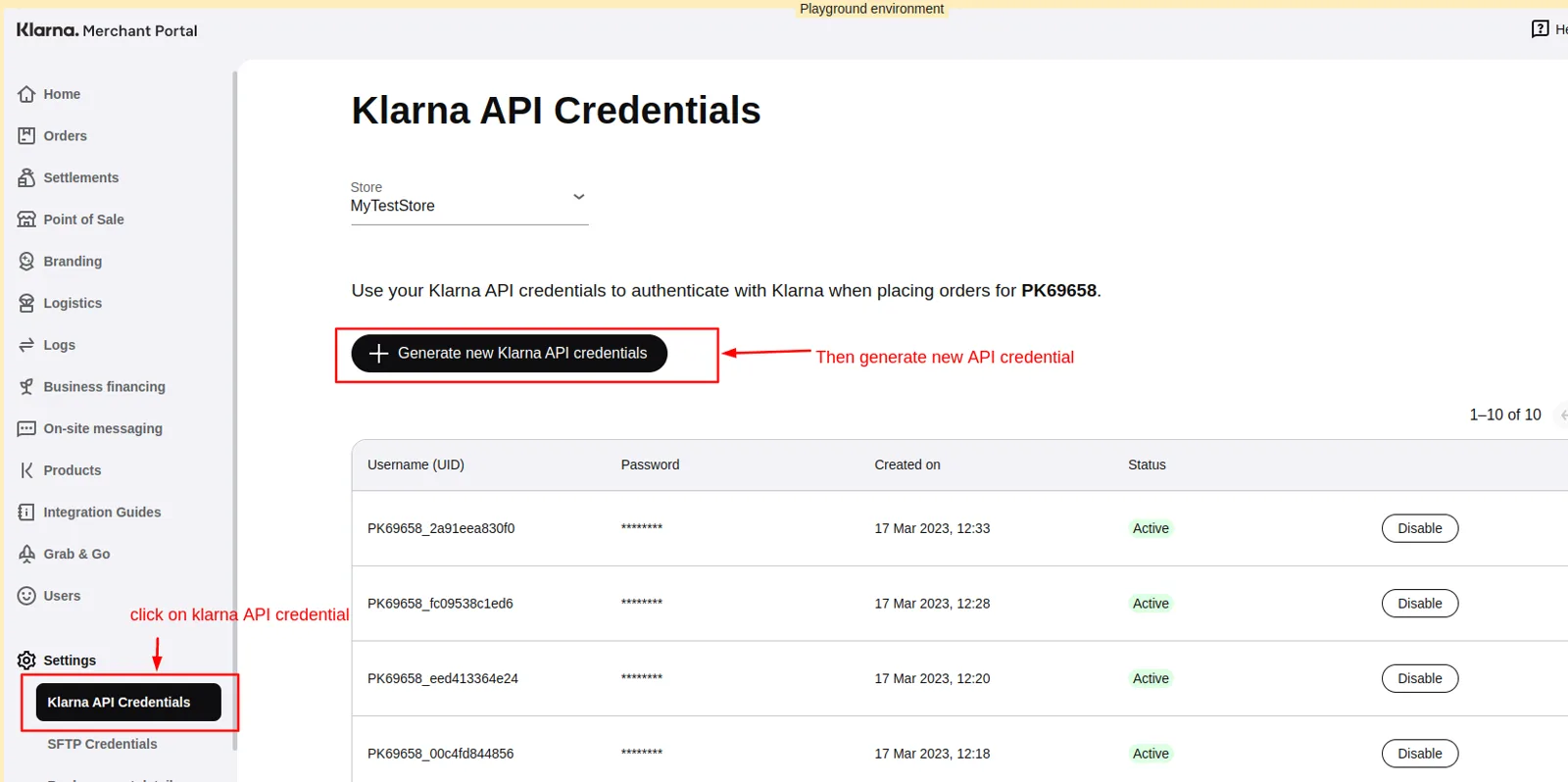
Let's check first where we get API credentials username and password which is used in to create payment method.
Steps to follow
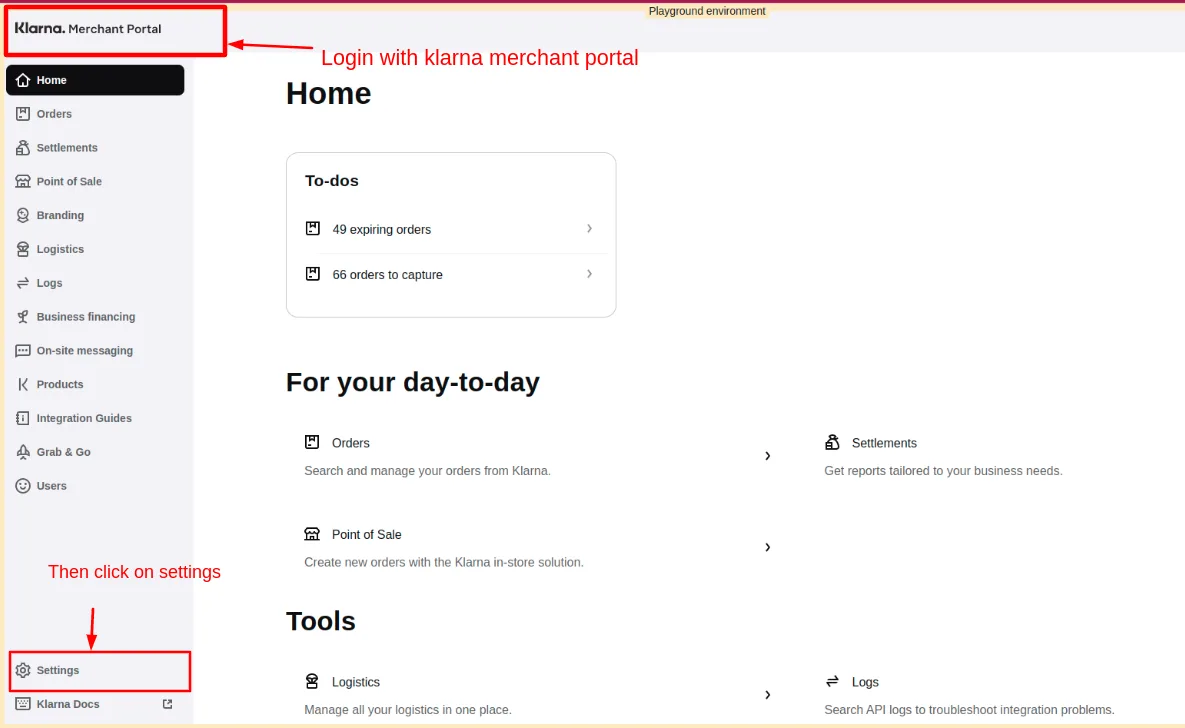
- Go to klarna portal >>https://portal.playground.klar...
- Then log in with klarna merchant id.
- Then click on >> Setting link
- After that on Klarna API credentials page click on >> Generate API credentials.
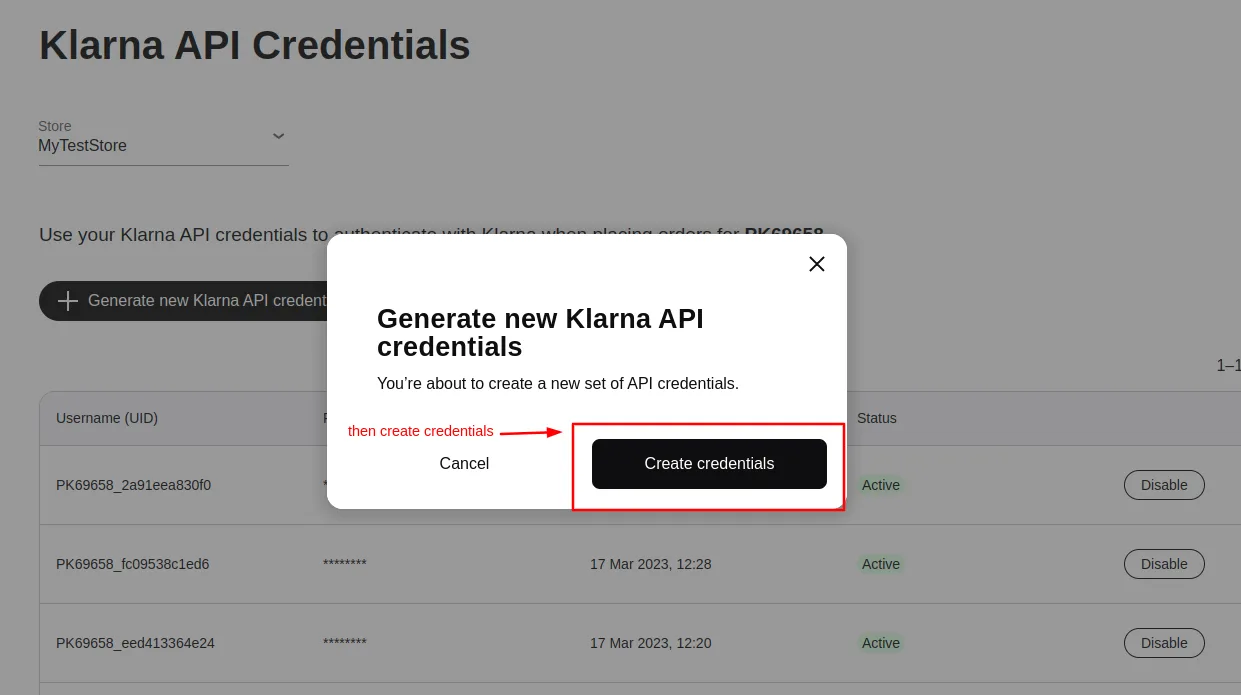
- A pop-up window will open on that click on >> Create credentials.
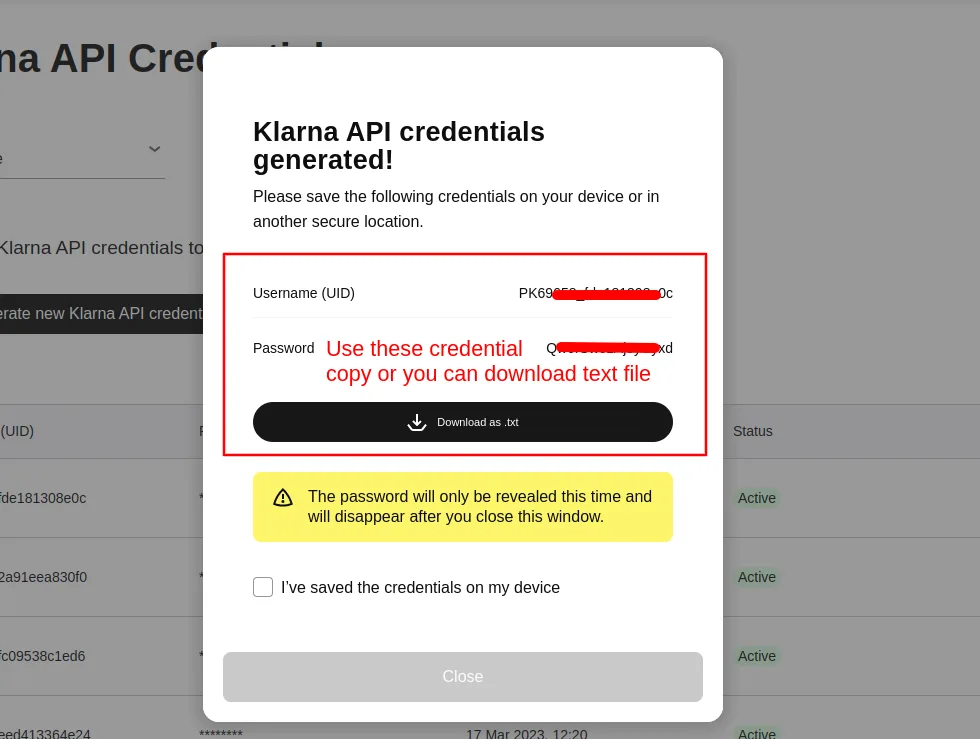
- Then you can use these credentials. you can copy or download the text file.
- And then use these credentials on the admin panel on configure tab.
See below screenshots.
Step 4
- Open the configure tab >> Enter the username.
- Enter the >> Password.
- Click on >> Create button.
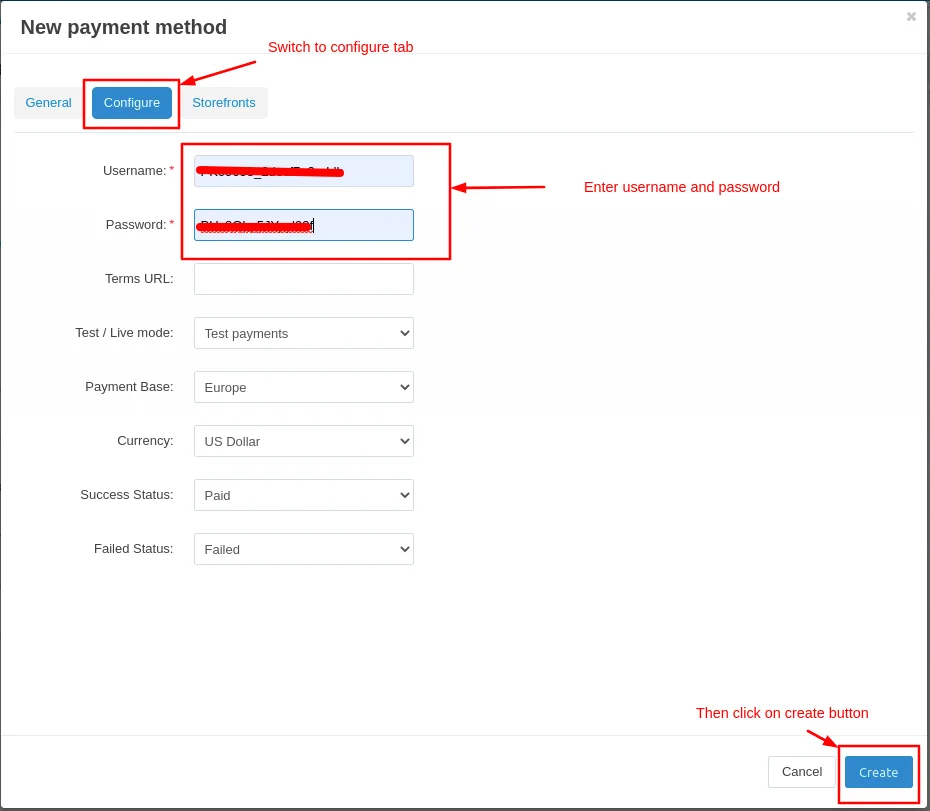
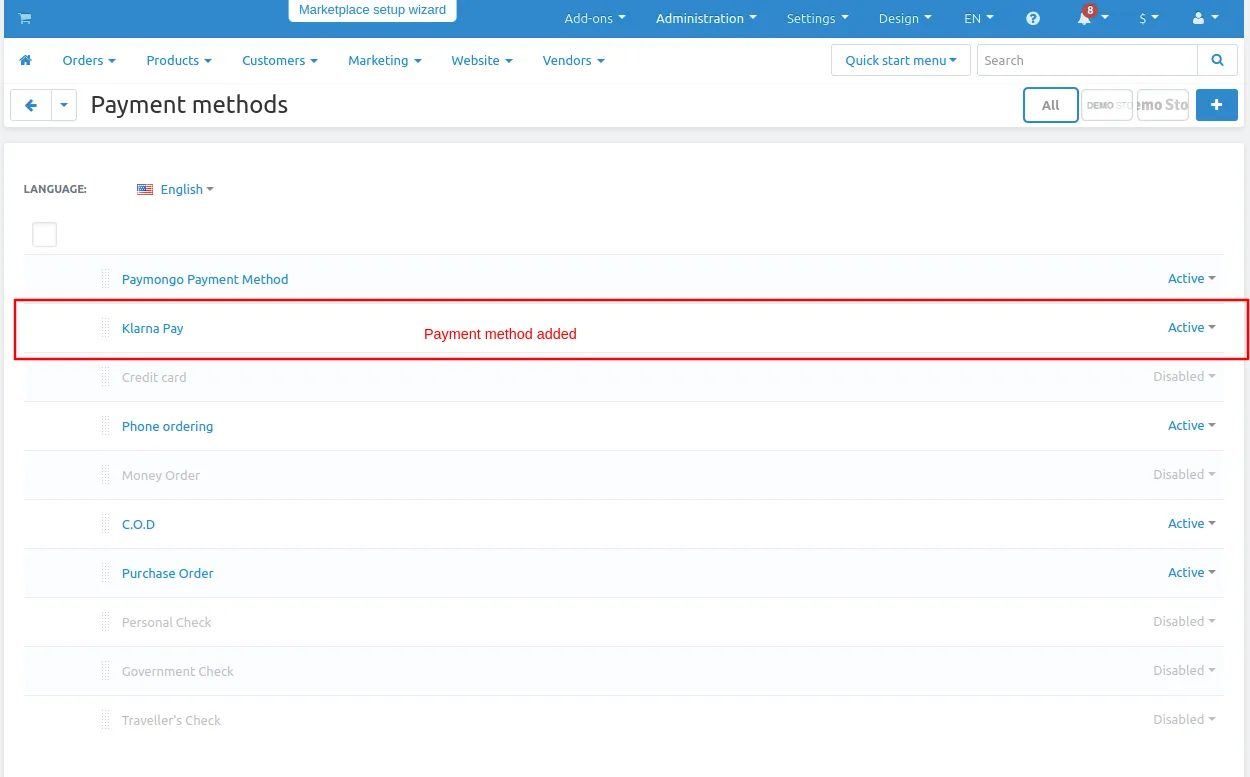
Here you see the Klarna Pay payment method will be added
Let's see how add-ons work on Storefront.
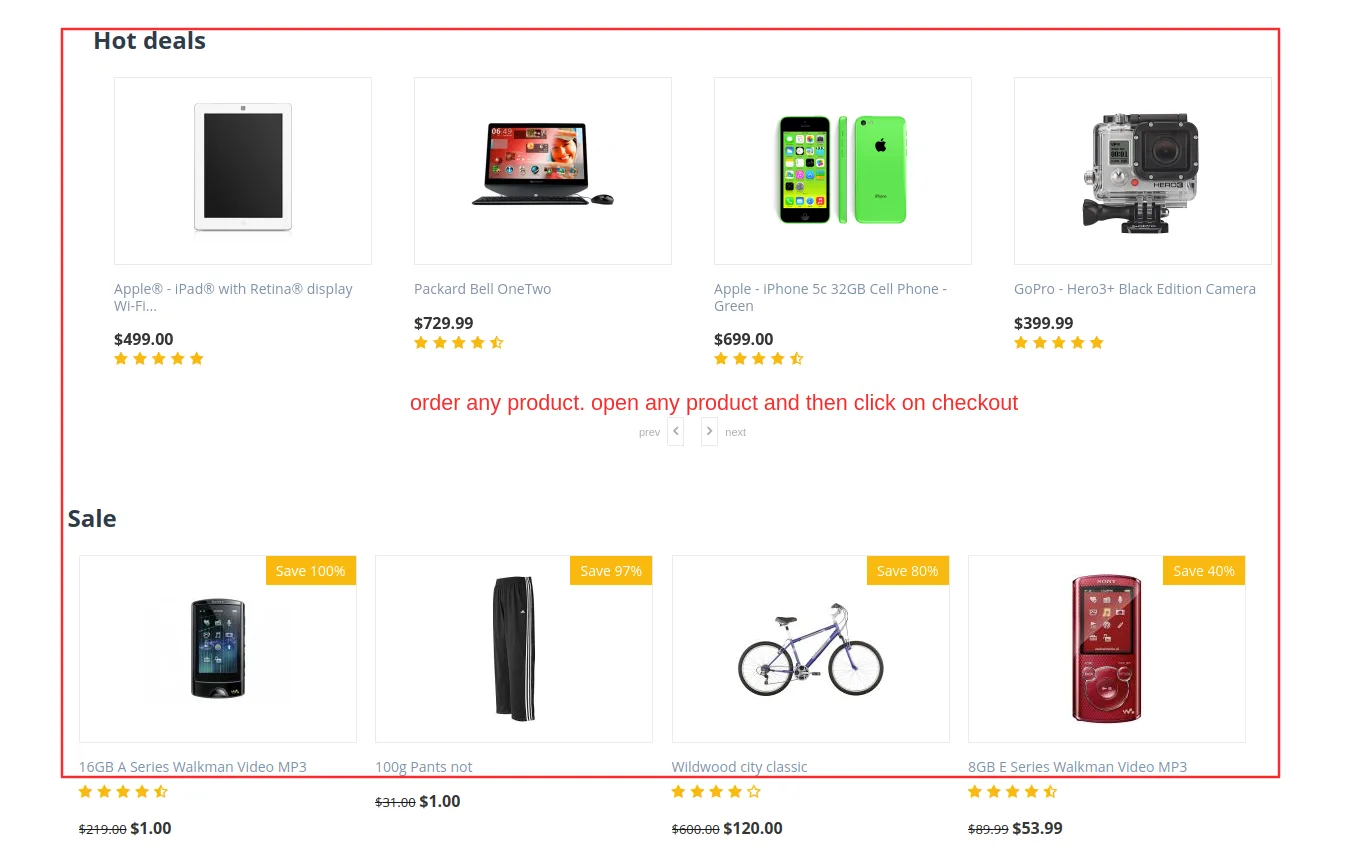
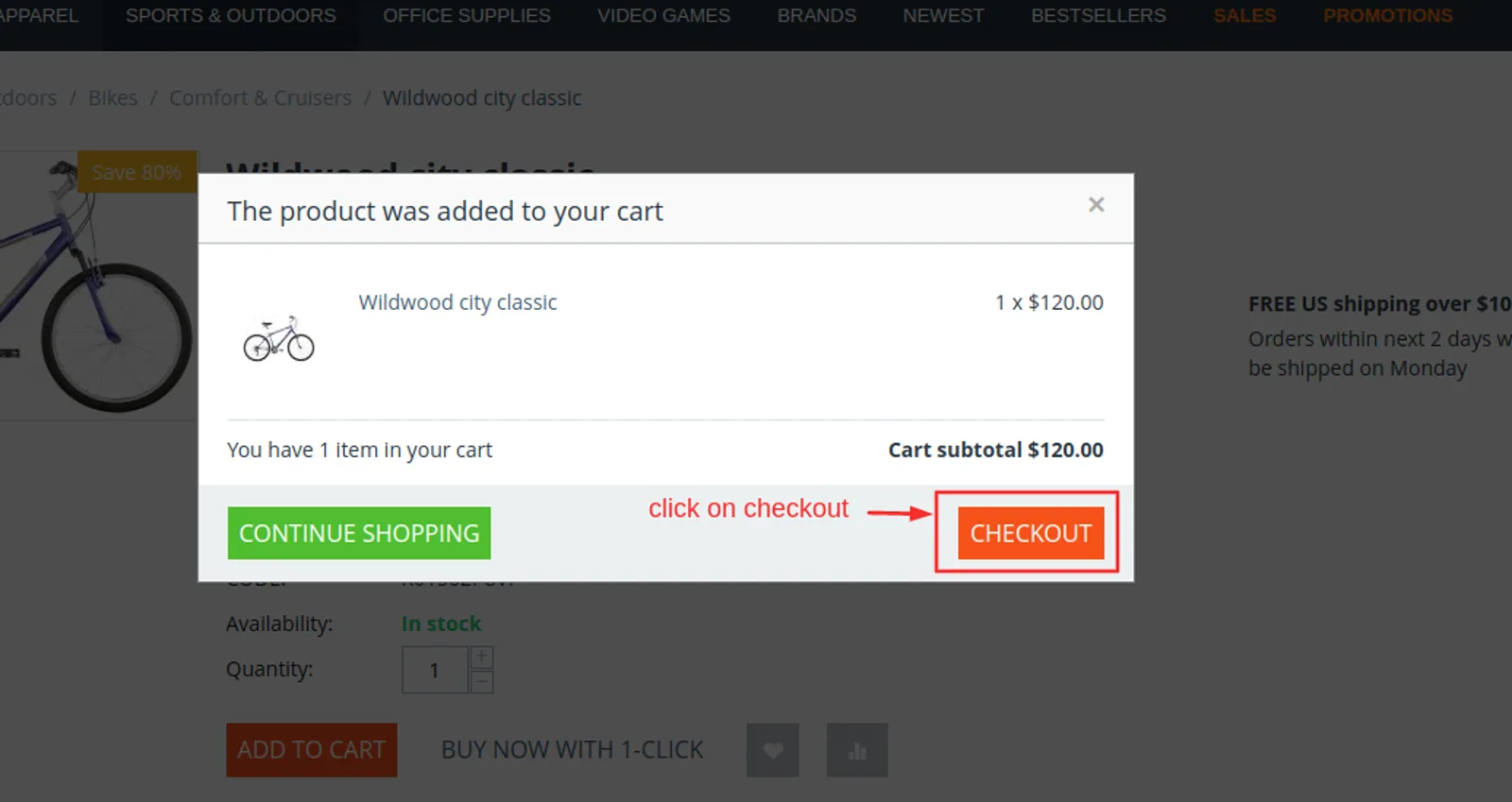
Go to the storefront and order any product.
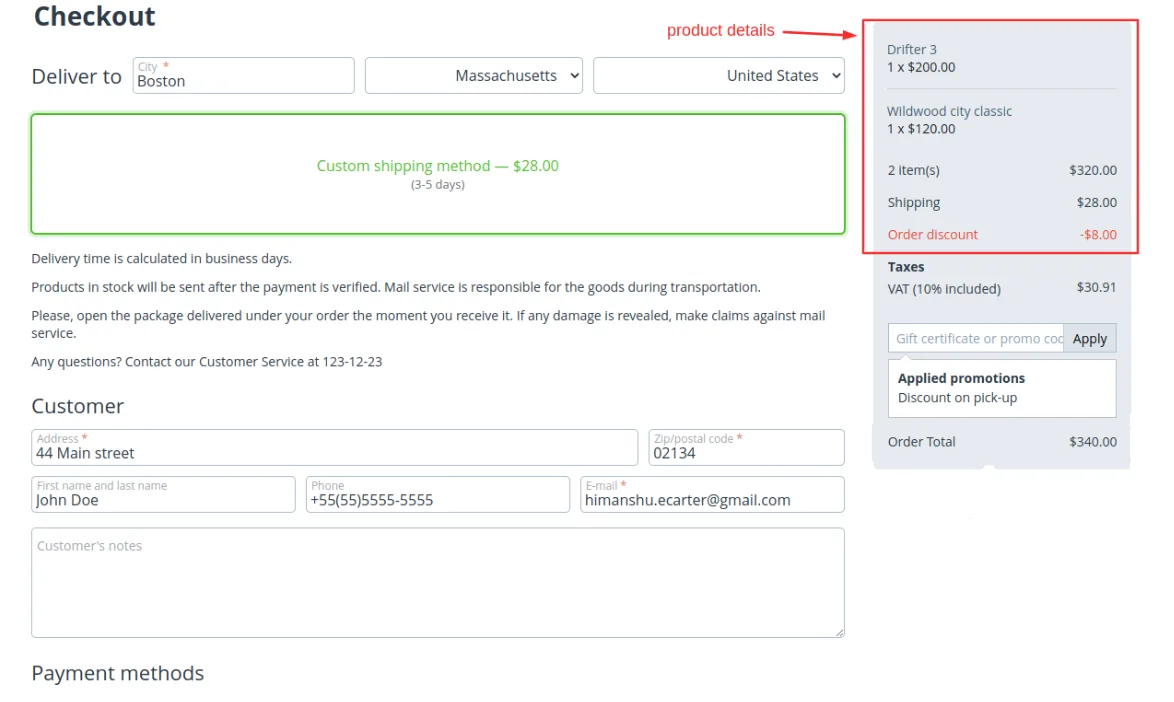
Checkout page will be open.
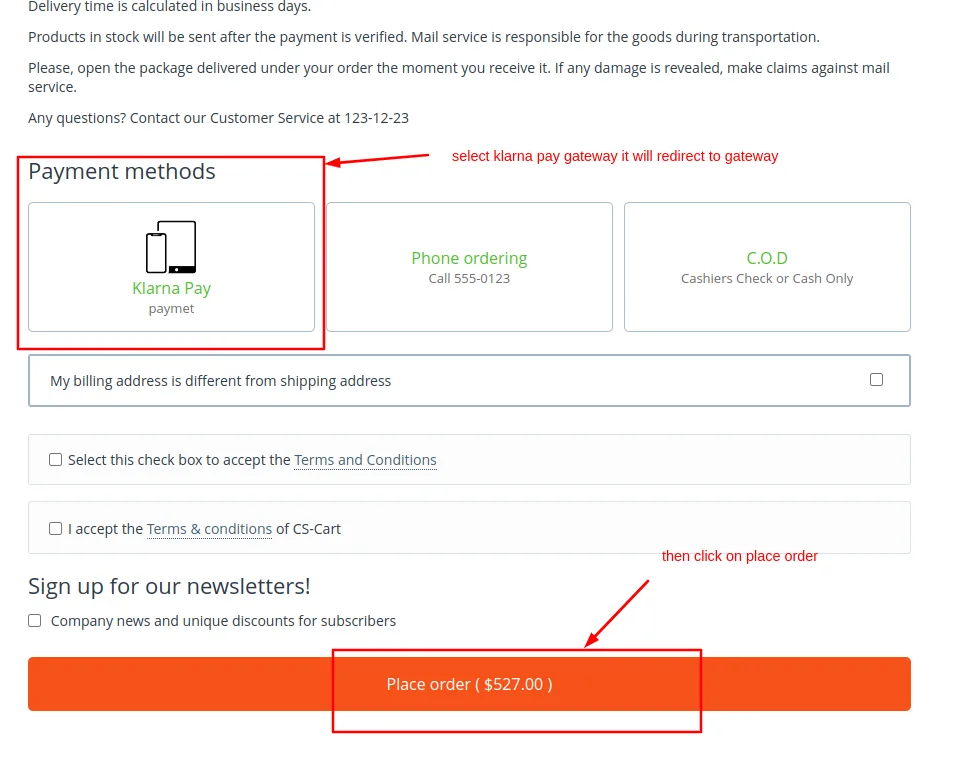
Select payments methods
- Click on >> Place order
- It will redirect to Klarna Pay Payment Gateway
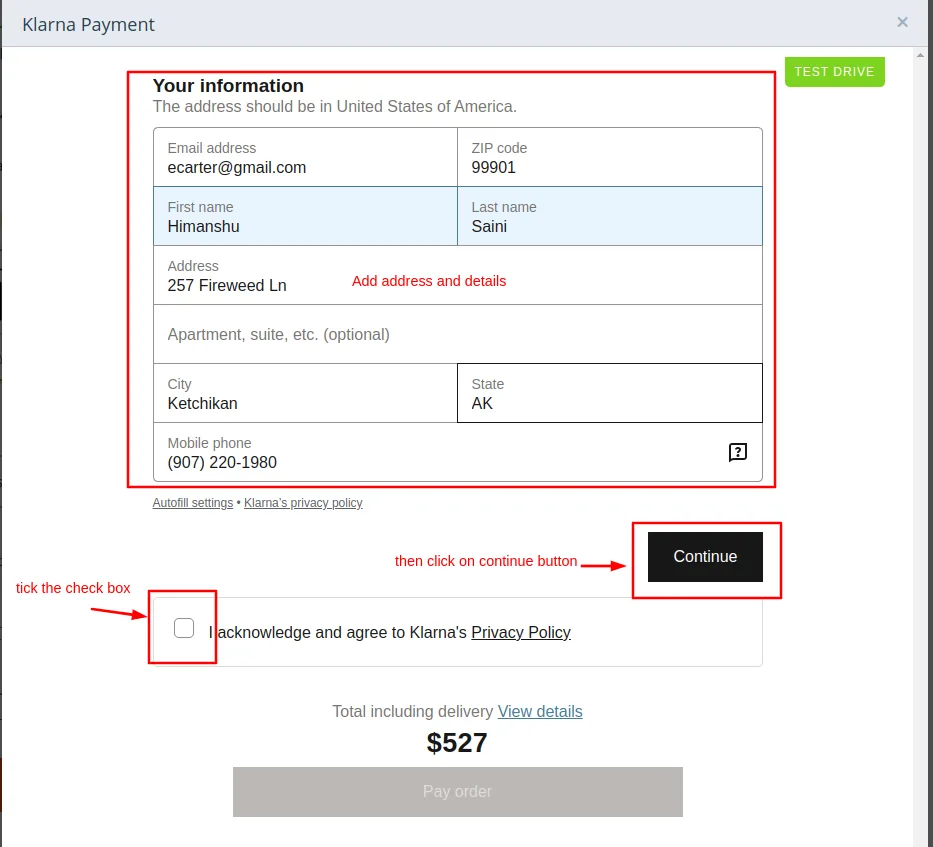
- Enter the address details.
- Tick the checkbox of privacy policy
- Then click on >> continue button
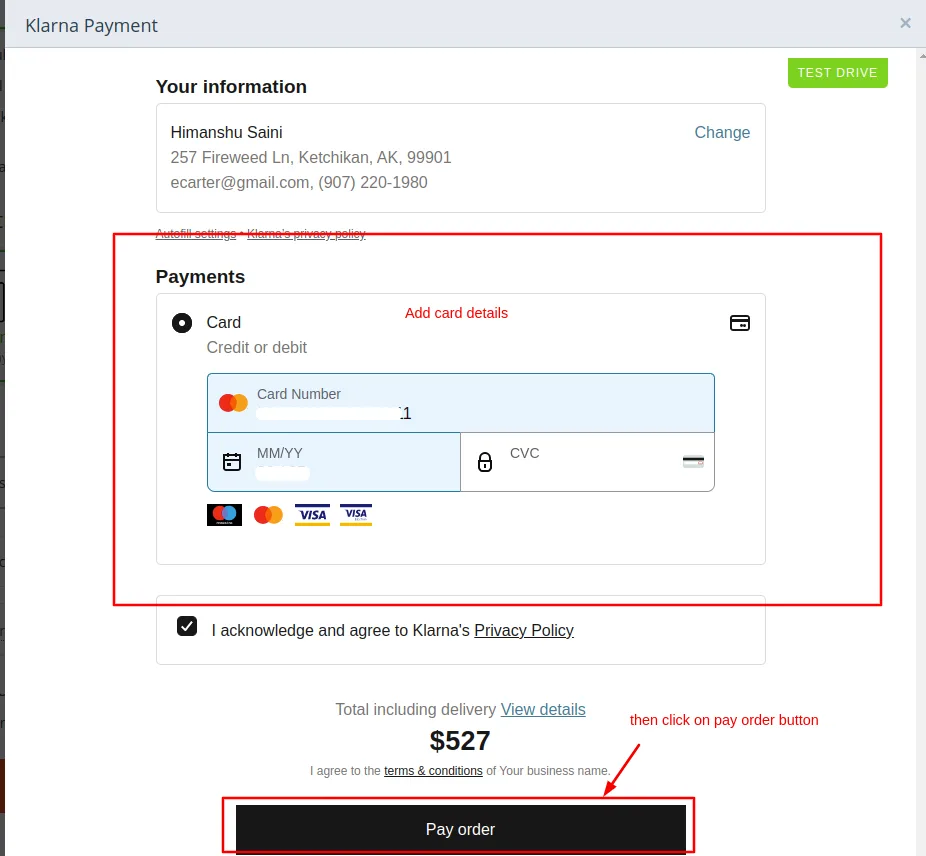
- Then add the card details.
- Click on >> Pay order.
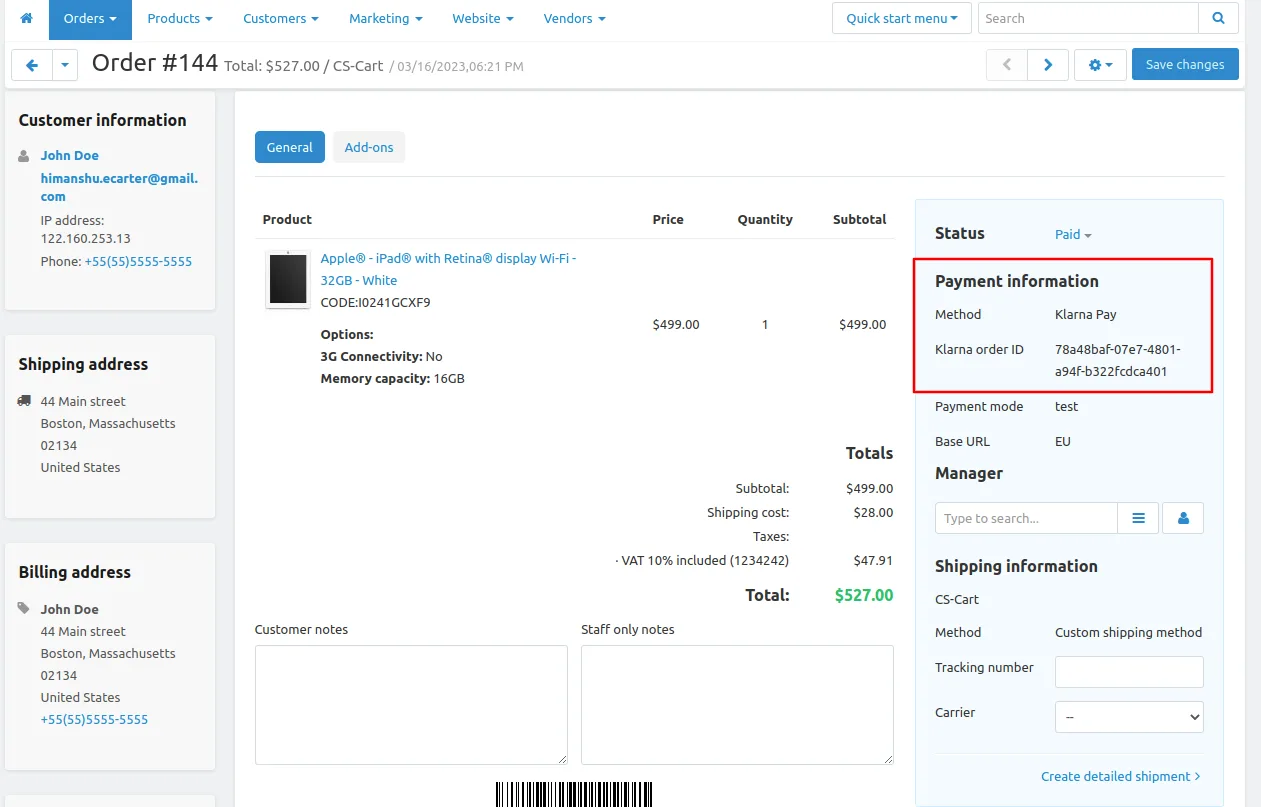
Here you see the notification the payment is successful and order is placed click on >> View order to see the details
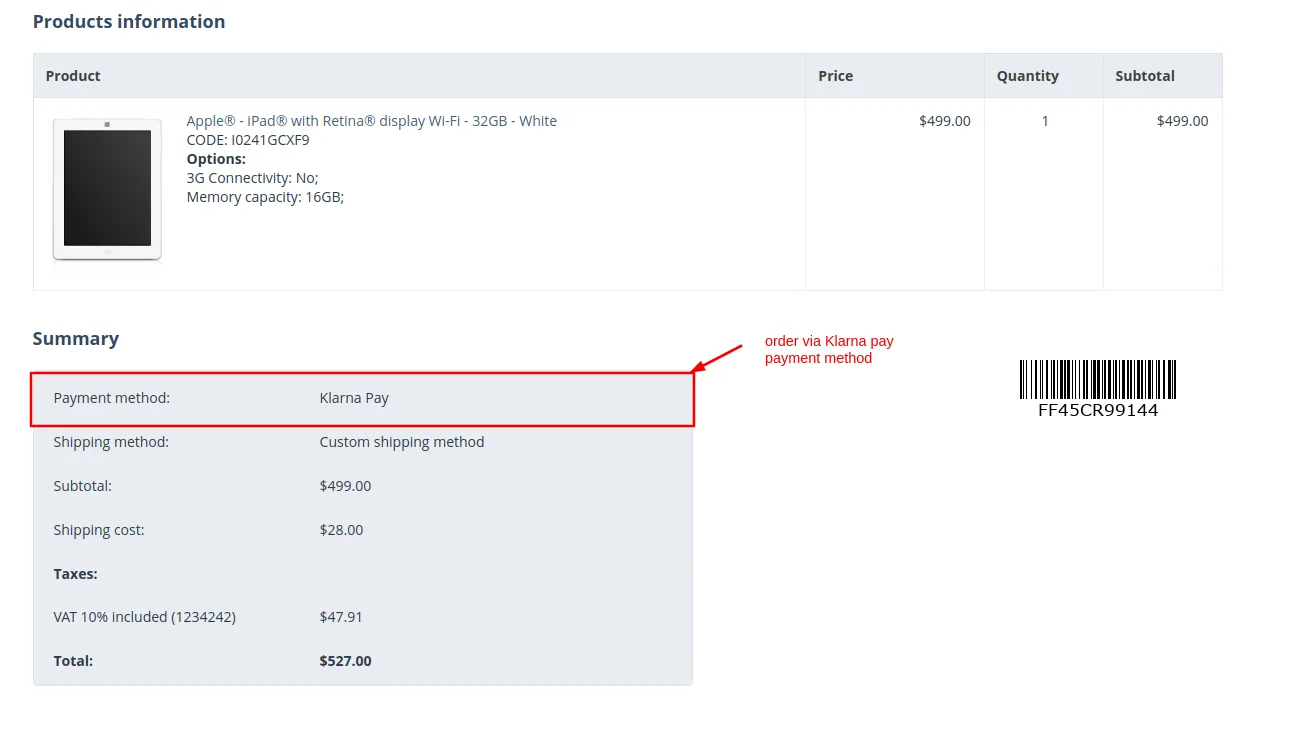
Payment order details
Addon-Version:
Version-1.0
Supported Versions:
CS-Cart, CS-Cart Multivendor 4.8.x, 4.9.x,4.10x,4.11x,4.12,4.13x, 4.14x, 4.15x, 4.16x, 4.17x, 4.18x
Support:
This app is developed and published by Ecarter Technologies Pvt. Ltd., a CS-Cart developer. You are guaranteed a quality add-ons.
Frequently asked questions
What does the Klarna Pay add-on do for a CS-Cart store?
It adds Klarna Pay as a payment method at checkout, so customers can pay with Klarna when ordering. The admin enables and configures it from the backend, with the goal of improving payment success rates and buyer confidence.
Does it work with CS-Cart Multi-Vendor?
Yes. The add-on is compatible with both standard CS-Cart and CS-Cart Multi-Vendor.
How is the payment method set up and managed?
The admin enables Klarna Pay directly from the backend and manages it through the Payment Methods section, so no manual integration into your web pages is required.
Which devices and transaction types are supported?
It accepts online payments across all customer devices and is optimized for both in-store and on-the-go transactions, making it a fit for small businesses that want a flexible checkout option.
Nisha Gaur is a Technical Content Writer at Ecarter Technologies. She writes technical documentation, tutorials and buying guides covering CS-Cart, Magento, Shopify and eCommerce development.