
Iyzico Payment Gateway
İyzico Payment Gateway Add-on for CS-Cart enables secure and seamless online transactions. Supports global payments, 3D secure, installments, and full CS-Cart Multi-Vendor integration.
İyzico is a Turkey-based payment gateway that lets an online store securely accept payments, and this integration connects it to CS-Cart and CS-Cart Multi-Vendor stores. It acts as an intermediary between the storefront and the financial institutions, handling the technical side of payment processing so sensitive customer data is encrypted and transmitted securely. Once installed, it adds İyzico as a checkout payment method, with support for multiple currencies, 3D Secure, and installment payments. It is aimed at CS-Cart merchants who want to collect online payments from customers in Turkey and internationally.
İyzico is a popular payment gateway based in Turkey that allows businesses and individuals to securely accept online payments. It provides a comprehensive set of tools and features to facilitate seamless and secure payment transactions.
As a payment gateway, İyzico acts as an intermediary between the merchant's website or application and the financial institutions involved in the payment process. It handles the technical aspects of payment processing, ensuring that sensitive customer information is securely transmitted and encrypted.
Features:
- Global Payments: Enables the admin to sell products worldwide and receive payments instantly in multiple currencies.
- 3D Secure Support: Provides enhanced security with the 3D secure payment feature.
- Installment Options: Allows customers to make purchases through flexible installment payments.
- Identity Verification: Customers must provide an Identity Number to use the İyzico payment method.
- Optimized Digital Payments: Helps optimize payment experiences for eCommerce businesses.
- CS-Cart Integration: Fully compatible with CS-Cart and CS-Cart Multi-Vendor platforms.
- Cross-Device Payments: Supports online payments across all customer devices.
- In-Store & Mobile Payments: Designed to optimize both in-store and on-the-go payments.
- Small Business Support: Offers modern and efficient payment solutions for small businesses.
Installation:-
How To Install the Addon
https://store.ecarter.co/blogs/how-to-install-addon/
How Addon works
Step 1.
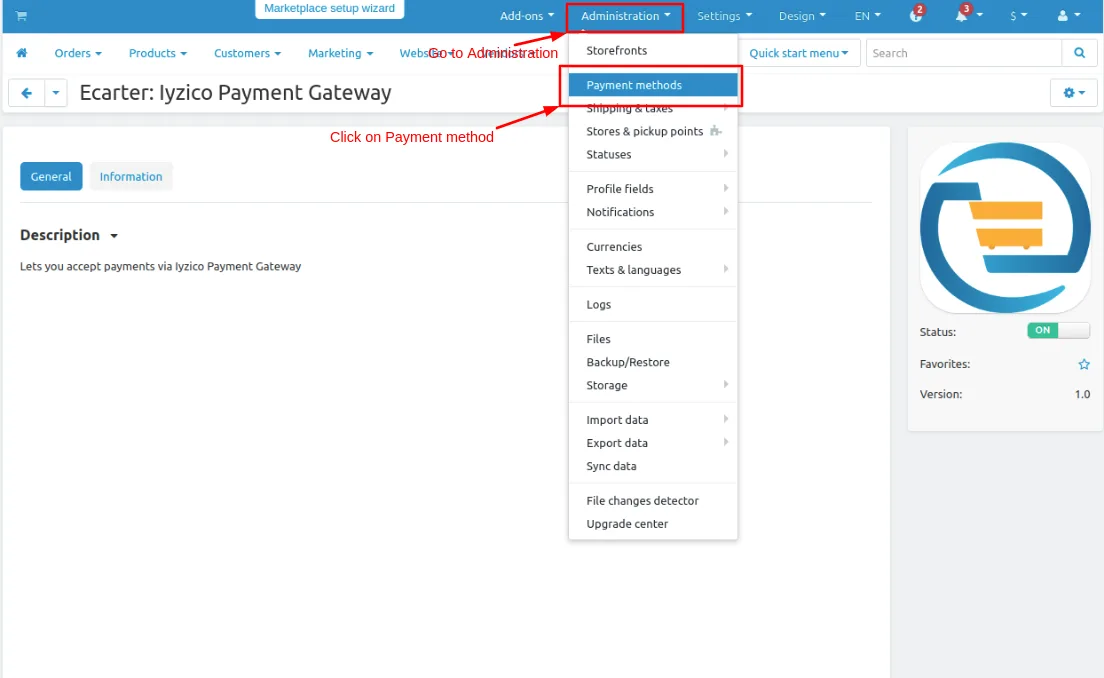
- Go to Administration penal in top click on it.
- Click on >> Payment methods.
Step 2
- You can also add a payment method Click on >> (+) button upper right corner on the page.
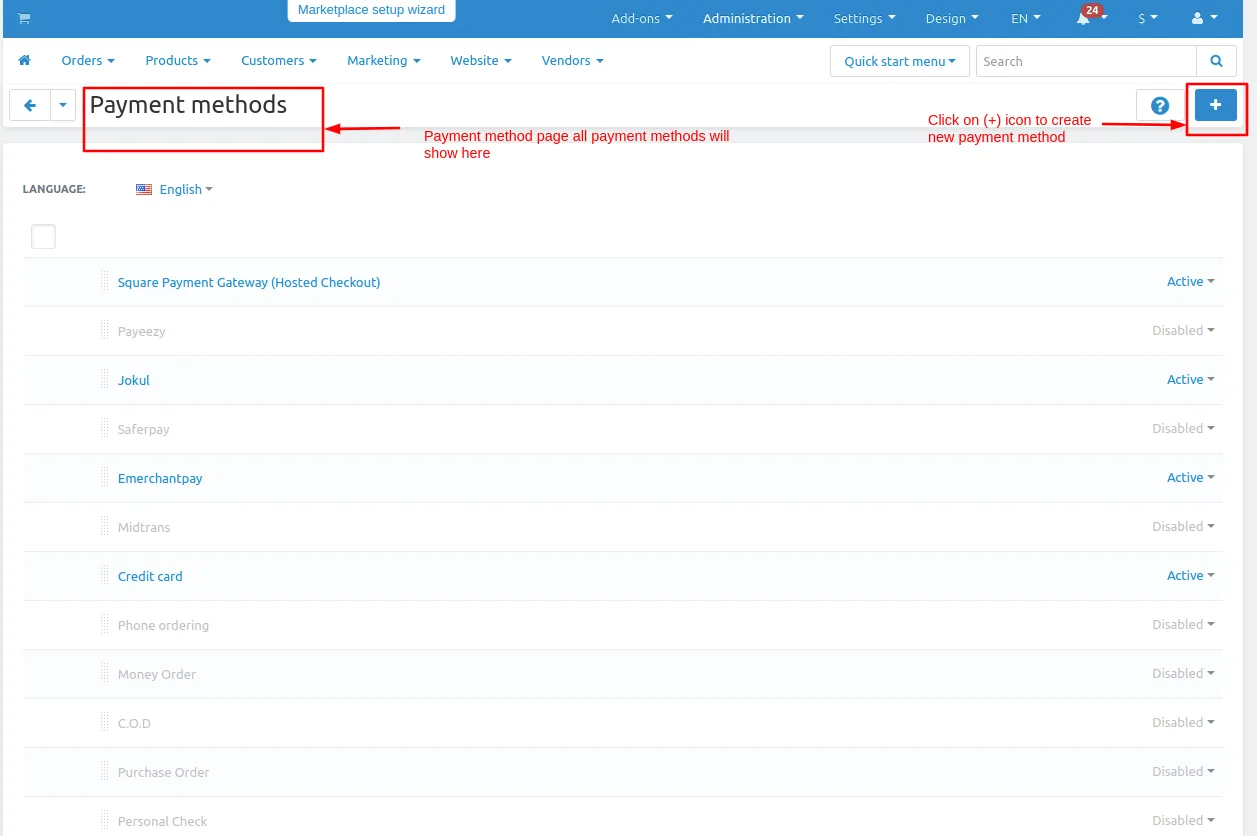
Note: In this payment gateway there are two payment methods one is Inline and the second is Redirect
First, add Inline payment method.
Step 3
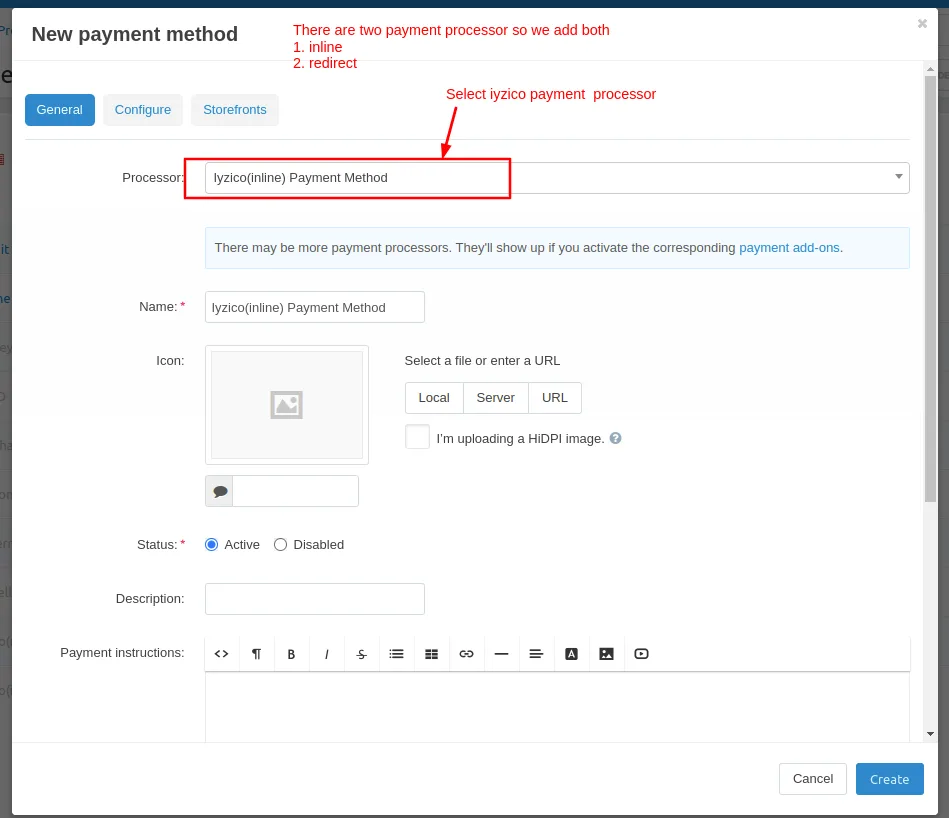
- Open the general tab >> Give name.
- Select processor >> Iyzico(inline) Payment Method
Step 4
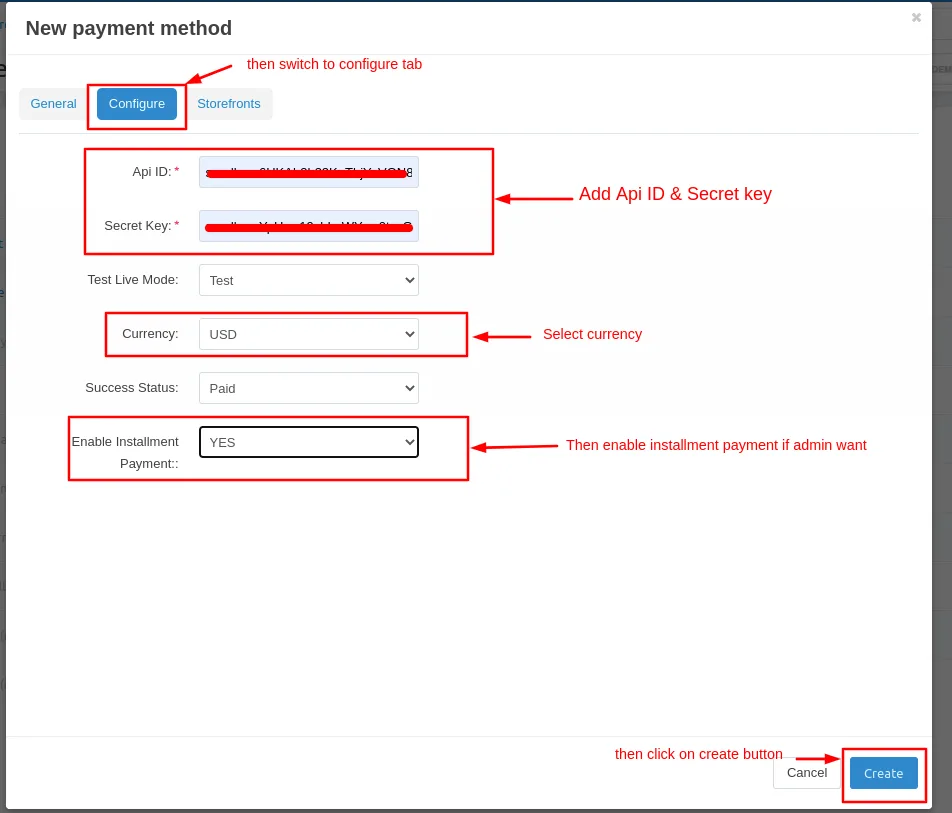
- Open the configure tab >> Enter the Api ID and Secret Key.
- Select currency.
- If the admin uses the installment feature select Yes.
- Click on >> Create button.
Now we adding a second Redirect payment method.
Step 5.
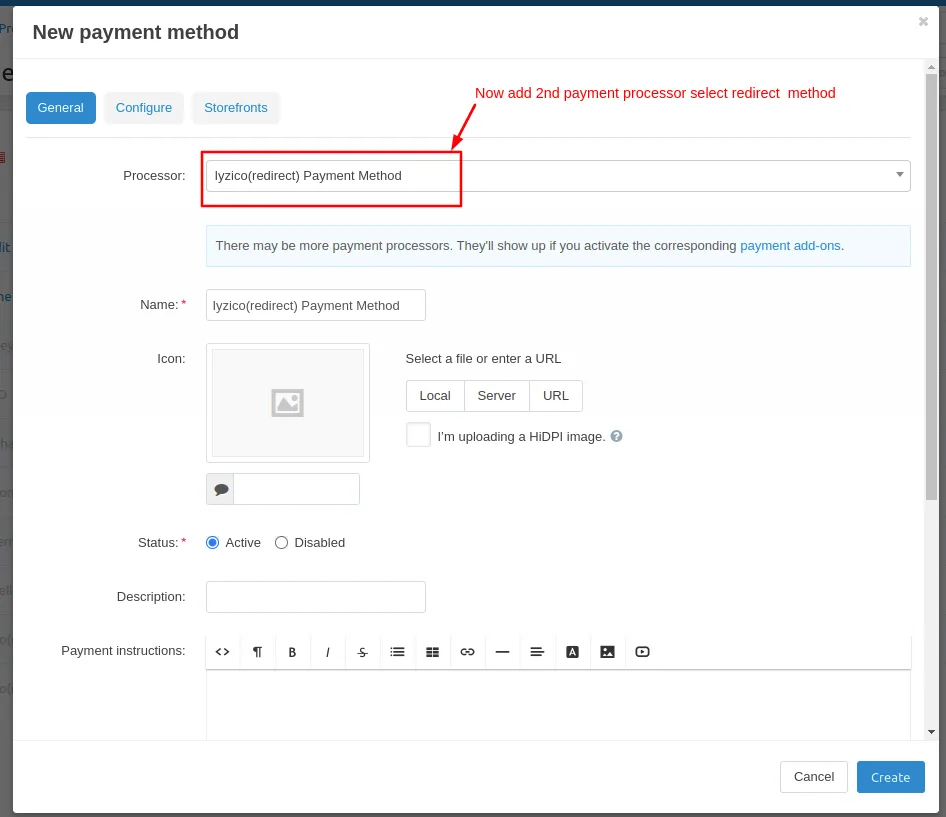
- Open the general tab >> Give name.
- Select processor >> Iyzico(redirect) Payment Method.
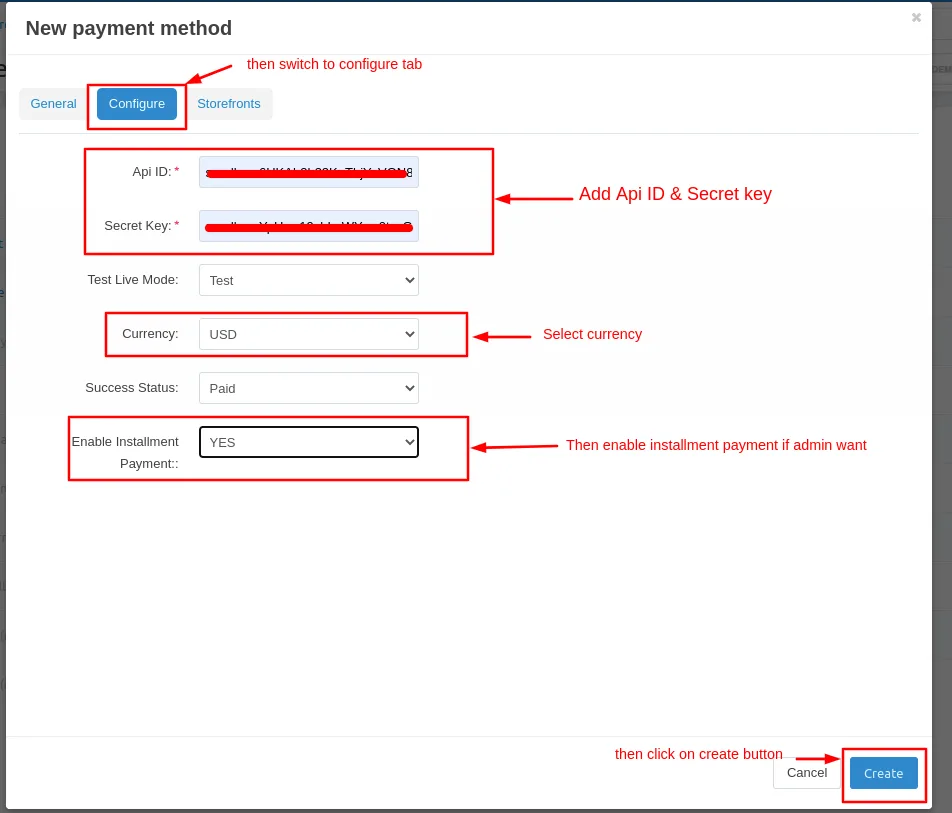
- Open the configure tab >> Enter the Api ID and Secret Key.
- Select currency.
- If the admin uses the installment feature select Yes.
- Click on >> Create button.
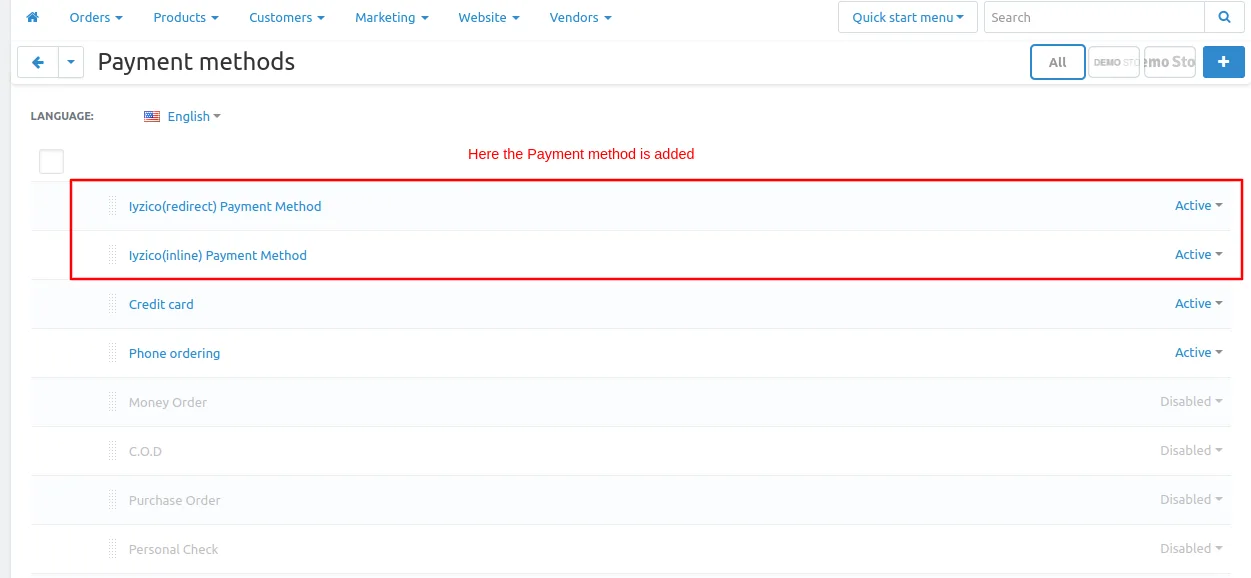
Here the payment method is added.
Let's check first where we get API credentials Api ID and Secret key which is used in to create payment method.
Steps to follow
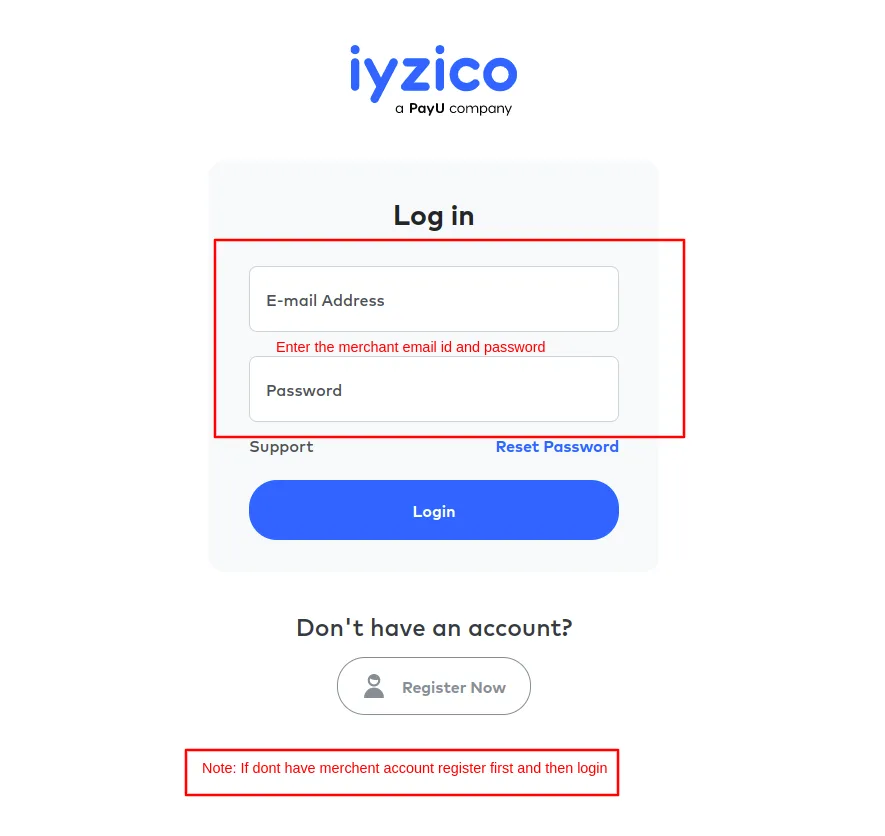
- Go to iyzico portal and click on the link >>https://sandbox-merchant.iyzip...
- Then log in with iyzico merchant id.
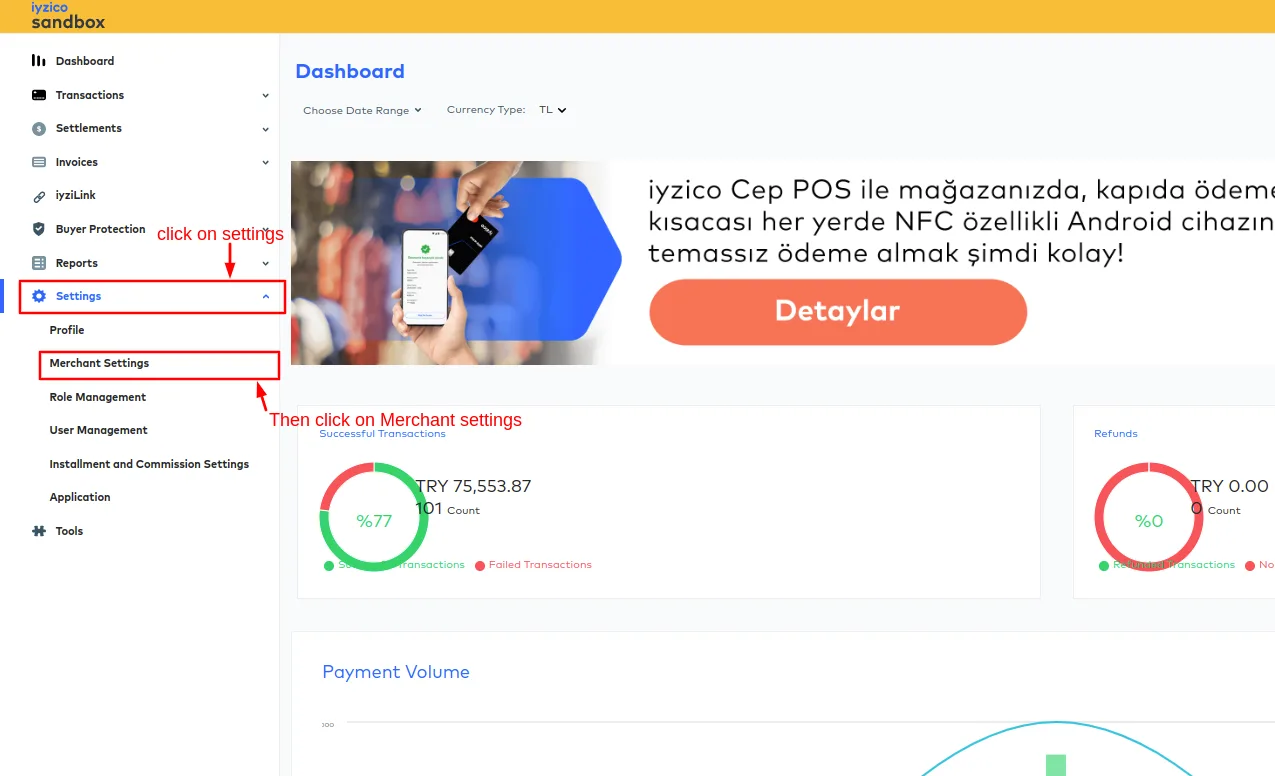
- On the dashboard page click on >> Setting.
- Then click on>> merchant settings
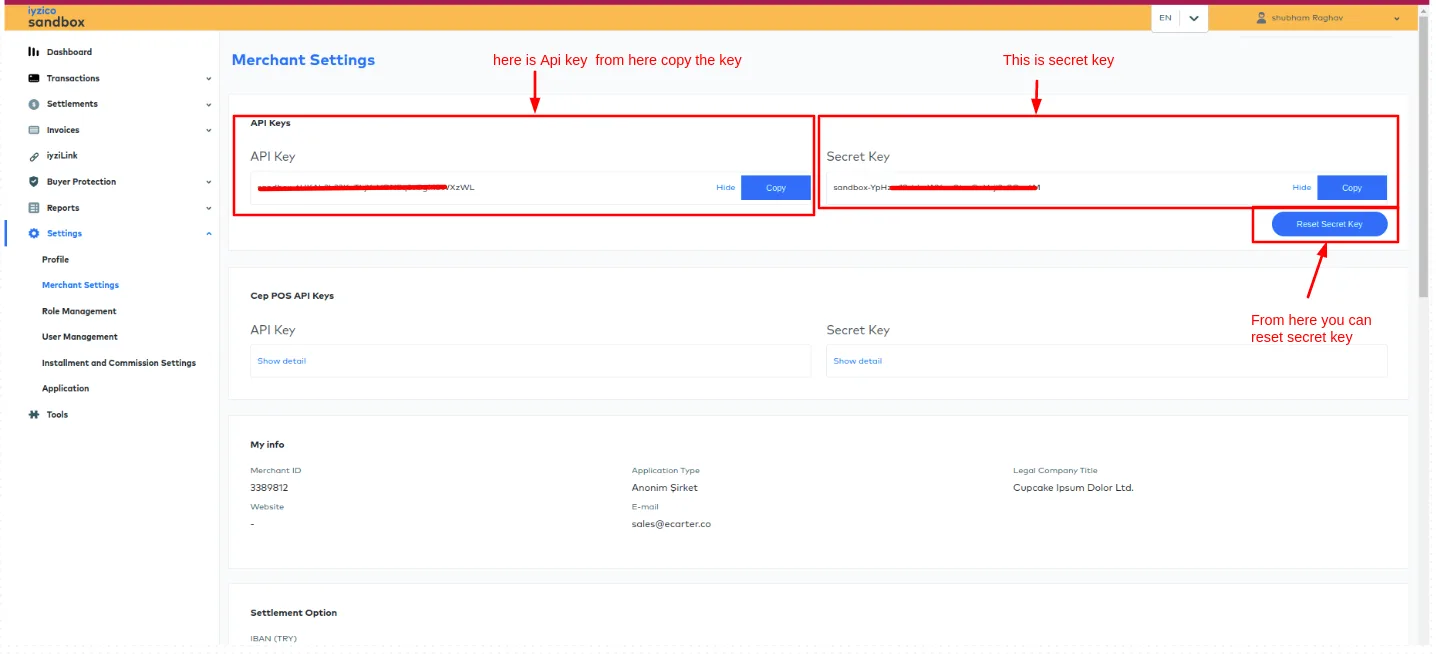
- After that, on the merchant setting page here you see API credentials like Api key or Secret key by the user can reset the secret key by clicking on the reset secret key button.
- Then you can use these credentials. you can copy it.
- And then use these credentials on the admin panel on configure tab.
See the below screenshots.
Let's do payment using iyzico(redirect) payment method.
Go to the storefront and order any product.
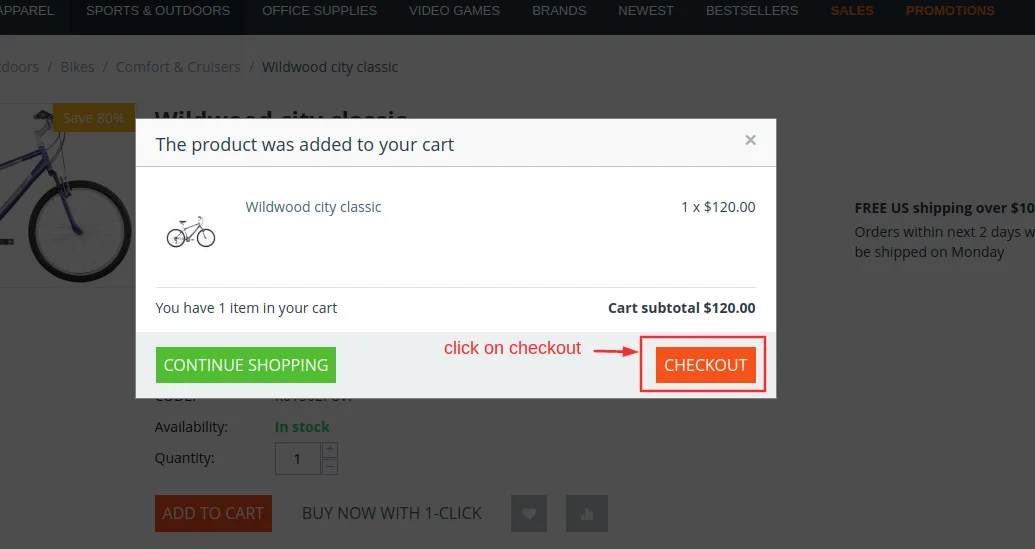
Checkout page will be open.
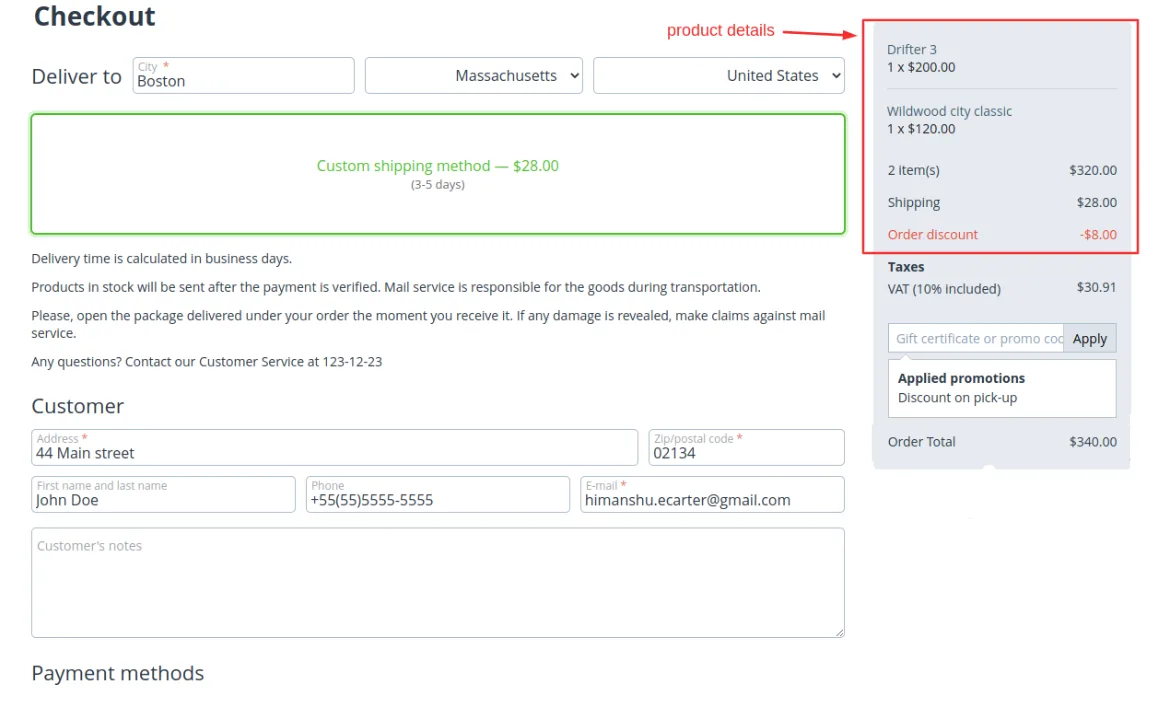
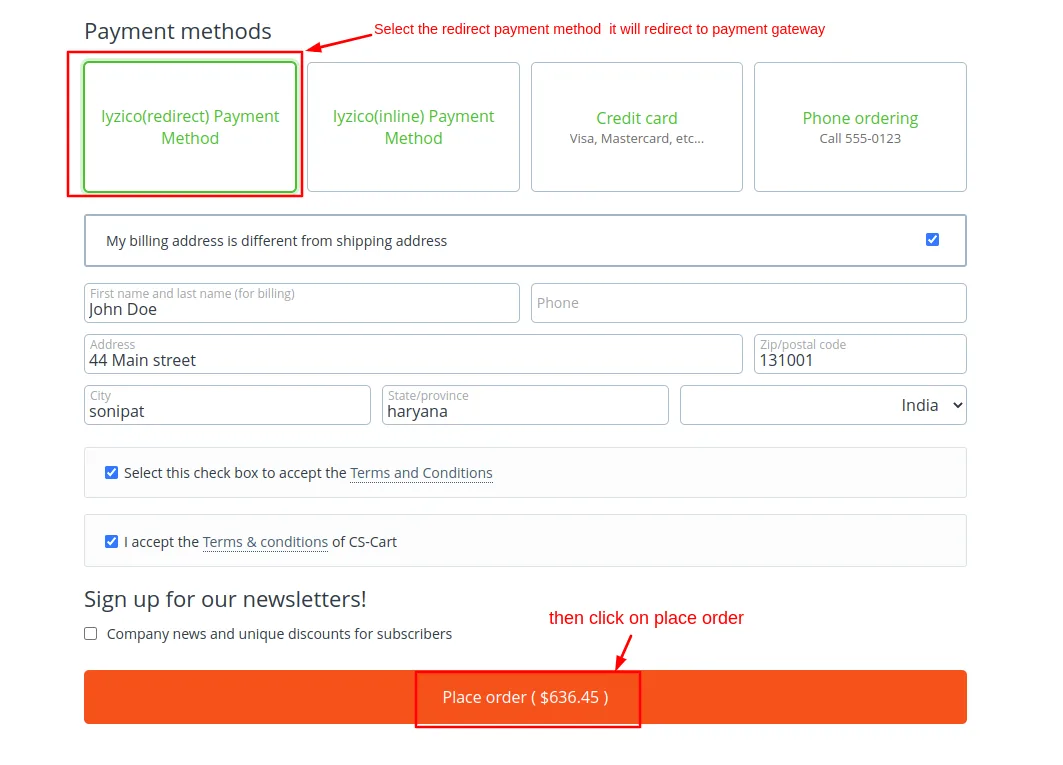
Select payments methods
- Select >> iyzico(redirect) Payment Method
- It will redirect to iyzico Payment Gateway
- Then click on >> Place order.
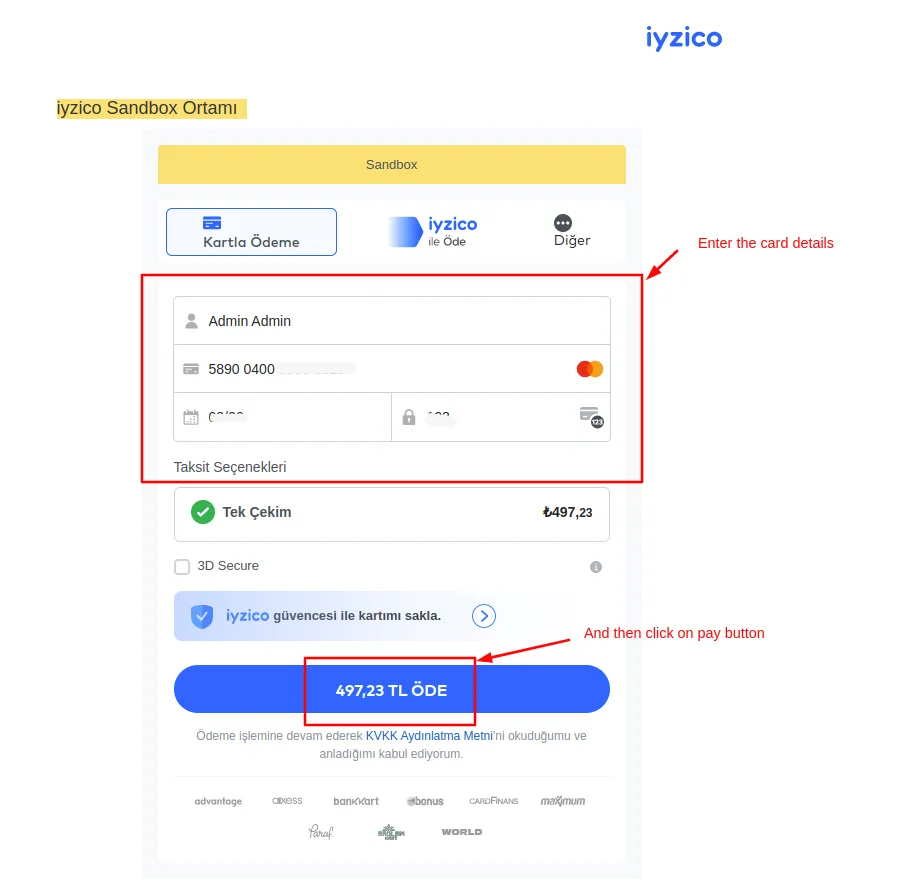
- Then add the card details.
- Click on >> Pay order.
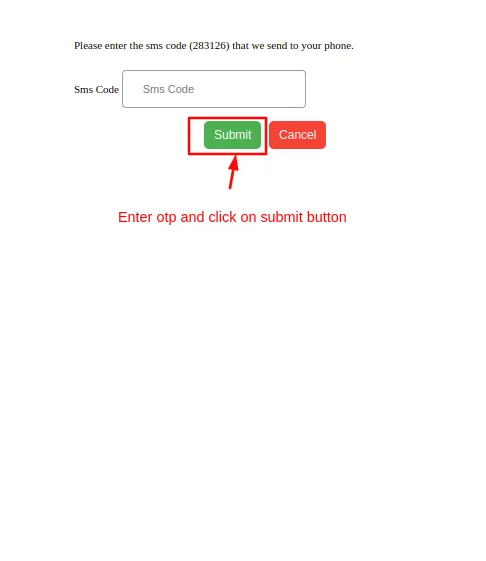
- After that enter the Sms code and click on >> submit button.
- Here you see the order is placed to check the order detail click on >> order Details button.
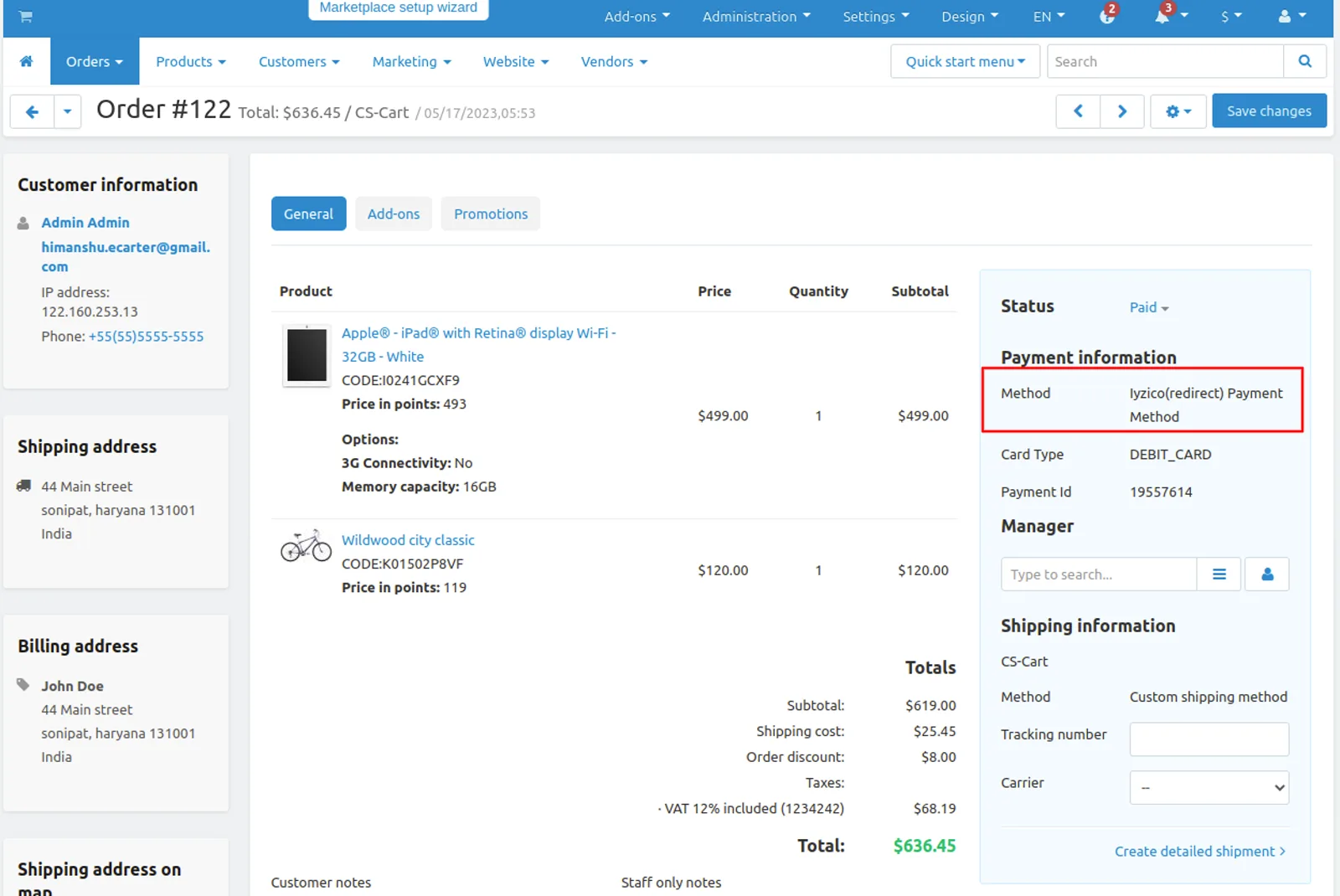
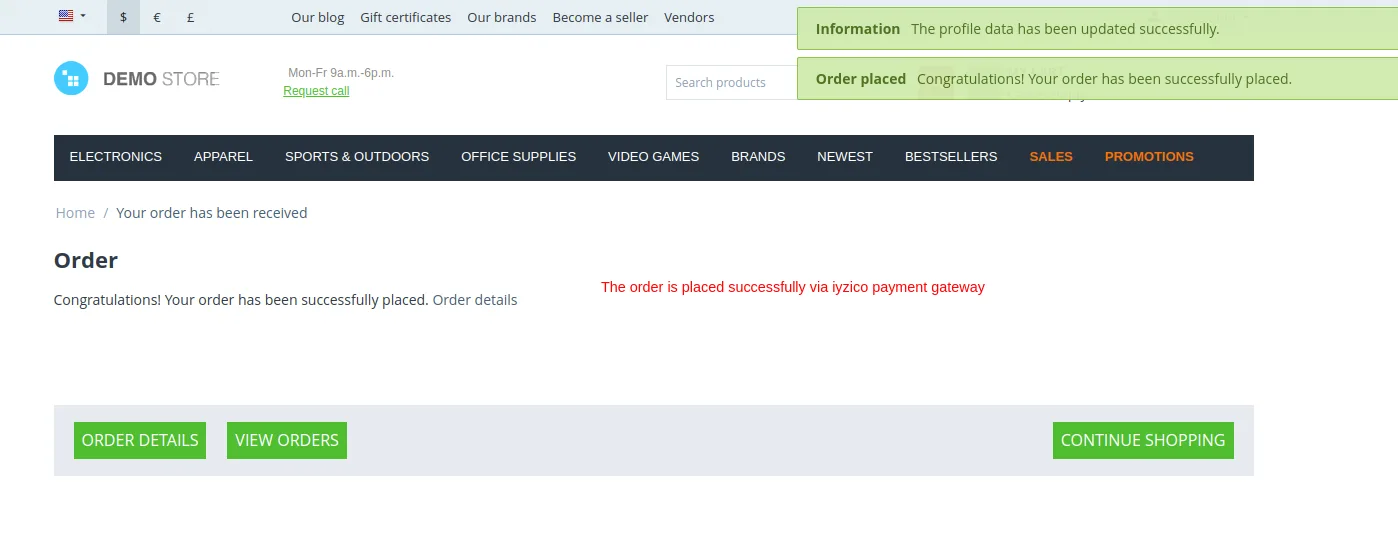 To check order details on admin penal go to orders and click on >> View order to see the details
Let's do payment using iyzico (inline) payment method.
Go to the storefront and order any product.
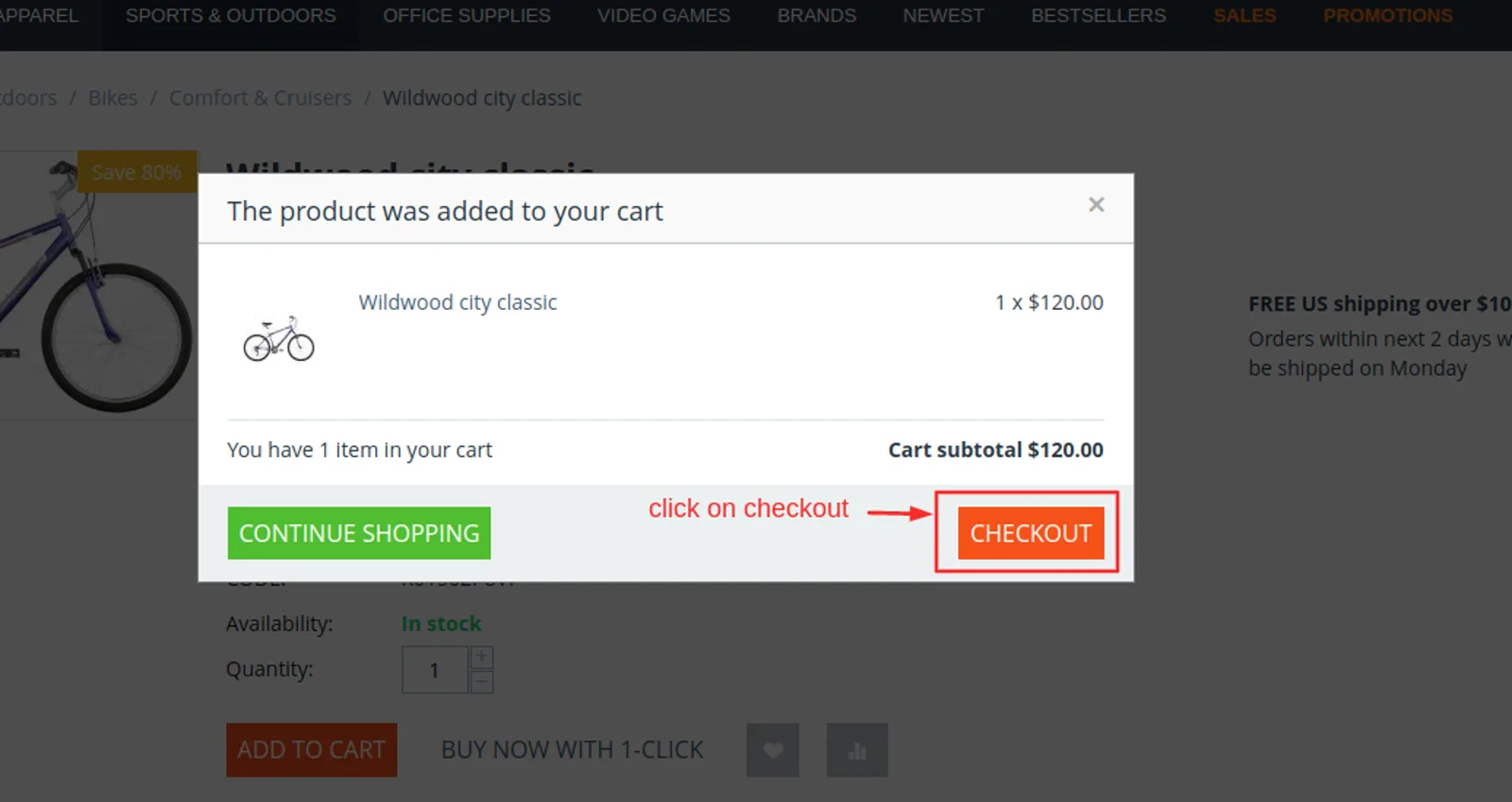
The checkout page will be open.
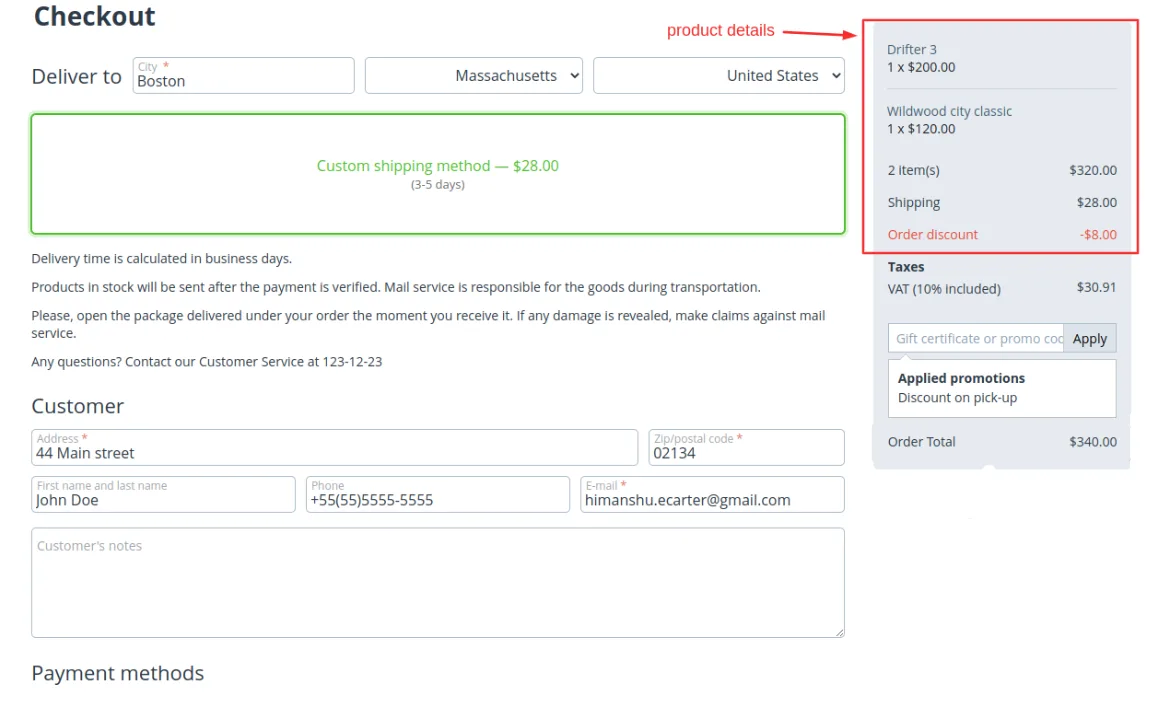
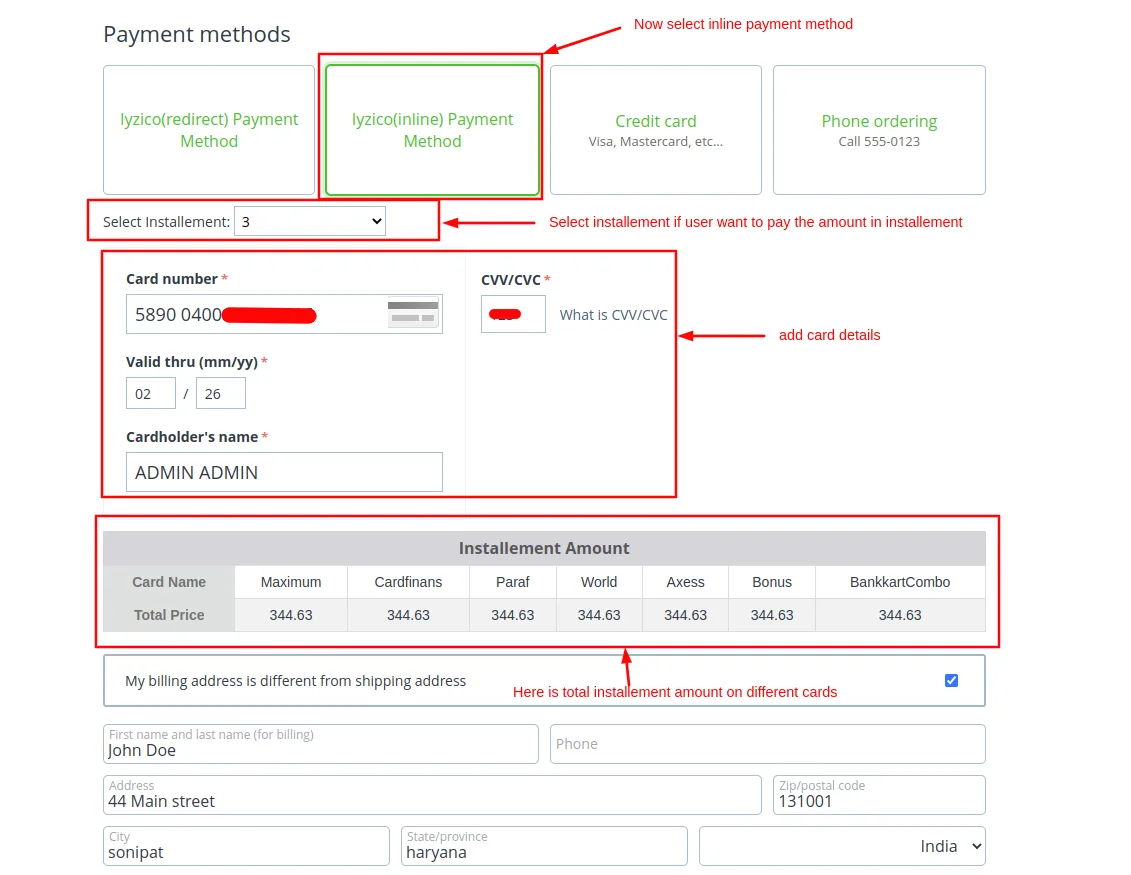
Select payments methods
- Select >> iyzico(inline) Payment Method
- Select installment if user wants to pay the amount in installment.
- Now add the card details.
- The installment amount table is shown below cards details.
- Then click on >> Place order.
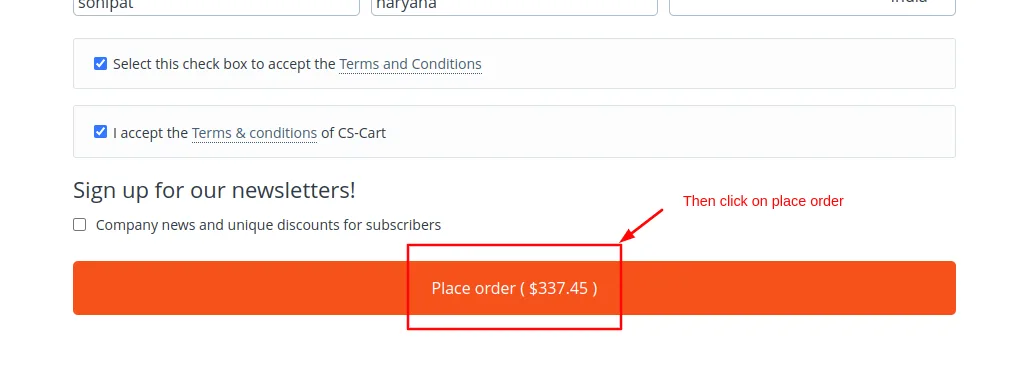
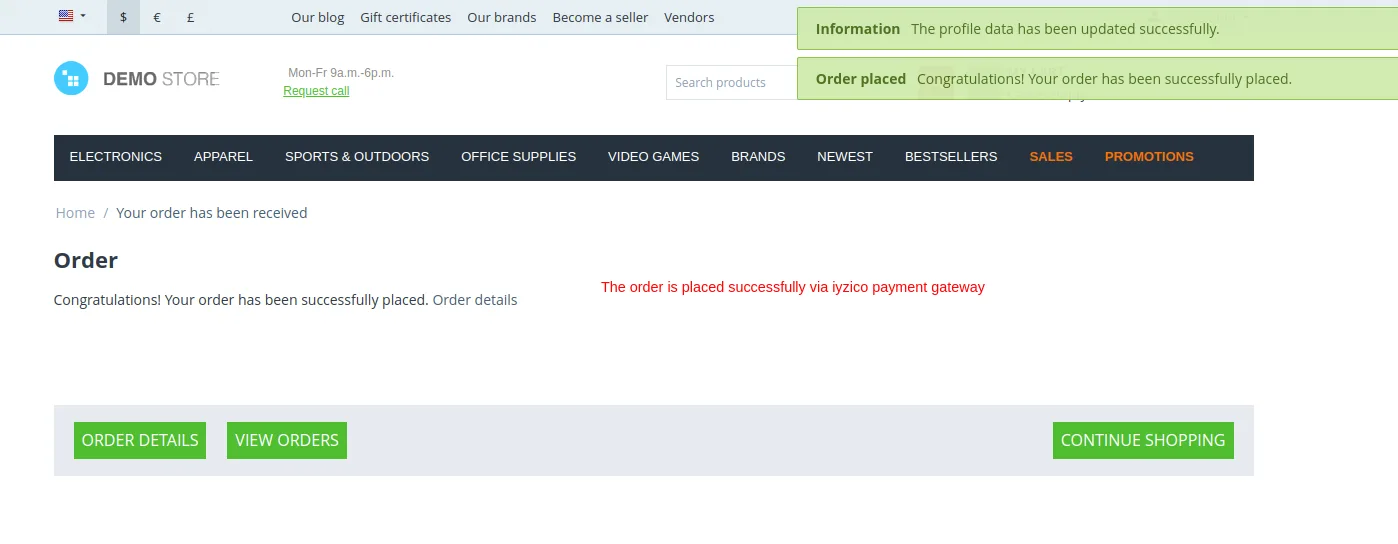
- Here you see the order is placed to check the order detail click on >> order Details button.
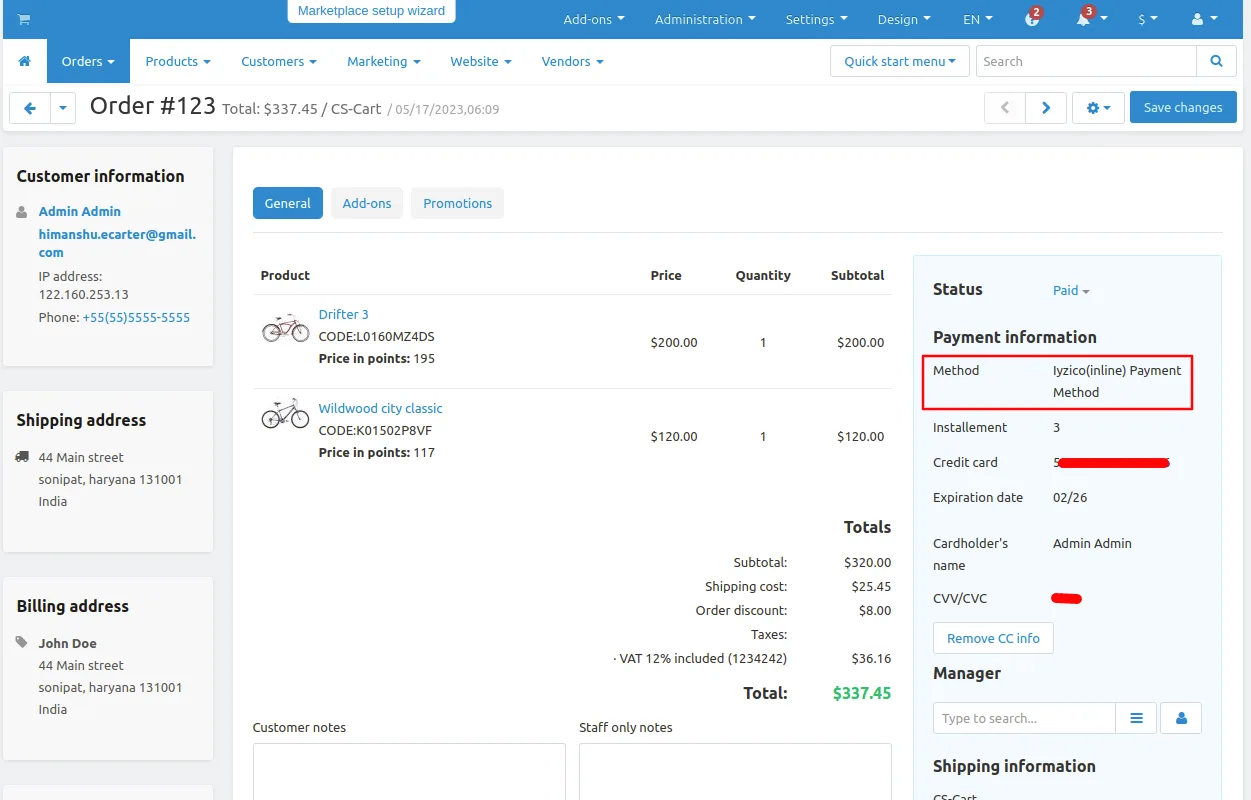
To check order details on admin penal go to orders and click on >> View order to see the details.
Addon-Version:
Version-1.0
Supported Versions:
CS-Cart, CS-Cart Multivendor 4.8.x, 4.9.x,4.10x,4.11x,4.12,4.13x, 4.14x, 4.15x, 4.16x, 4.17x, 4.18x
Support:
This app is developed and published by Ecarter Technologies Pvt. Ltd., a CS-Cart developer. You are guaranteed a quality add-ons.
Frequently asked questions
Which CS-Cart platforms does the İyzico integration support?
It is fully compatible with both CS-Cart and CS-Cart Multi-Vendor, so single-store and marketplace setups can use İyzico as a payment method.
What payment features does İyzico provide at checkout?
It supports global payments in multiple currencies, 3D Secure for added security, and flexible installment options. Customers must supply an Identity Number to complete a payment through İyzico.
Can customers pay across different devices and channels?
Yes. İyzico is built to handle online payments across all customer devices, and it is designed to work for in-store and on-the-go (mobile) payments as well.
Which CS-Cart versions is it compatible with, and how is it installed?
The add-on is installed like other CS-Cart payment methods and works with recent CS-Cart releases. Share the version you are running and we will confirm compatibility before you install.
Kajal is a Technical Content Writer at Ecarter Technologies. She writes technical documentation and in-depth guides on eCommerce platforms, mobile commerce and AI in online retail.