
Hyper-Pay Payment Gateway
Hyper-Pay Payment Gateway: This addon can easily integrate with CS-Cart platforms which accept online payment in real-time.
The HyperPay Payment Gateway add-on connects a CS-Cart store to the HyperPay payment service so merchants can accept online payments directly at checkout. It handles real-time card and online payments securely, supports local, regional, and global payment methods, and gives store owners a single place to process transactions and manage risk. Because it works with Multi-Vendor stores, it helps reduce cart abandonment and keeps checkout smooth for buyers. It is intended for CS-Cart and Multi-Vendor store owners who want a secure, PCI-compliant way to collect payments online.
HyperPay Payment Gateway Add on for CS-Cart is a complete payment solution designed for online businesses. It helps store owners accept payments, manage risks, track results, and grow the business from a single platform. By integrating HyperPay, the store merchants handle transactions securely and efficiently while delivering a smooth checkout experience for customers.
This payment gateway supports real-time online payments and provides flexibility and security for all transactions. It works seamlessly with Multi-Vendor stores, making payment management easier, reducing cart abandonment, and ensuring a reliable and convenient shopping experience for buyers.
Features:
- HyperPay allows you to enable a wide variety of local, regional, and global payment options to cater to all consumer preferences and increase conversion rates.
- HyperPay processes all major debit and credit cards like VISA, American EXPRESS, Union Pay, master card, etc.
- HyperPay’s payment gateway can integrate with all popular shopping cart platforms. Set it up fast, and start processing online payments.
- Optimize Your Checkout Experience
- Create a checkout experience that works seamlessly across browsers and devices of all sizes. You are given full control over your payment form, it’s Flexible and Customizable.
- Reduce cart abandonment rates, Boost your sales.
- HyperPay is fully PCI-Compliant, adding the highest levels of security to the checkout experience, to protect your business from fraudsters and guarantee a safe purchasing environment for your customers.
Installation:
How to install Addon
https://store.ecarter.co/blogs/how-to-install-addon/
How Addon Works
Create New Payment Method Hyper Pay: To create a new payment method we need to go into Adminstrations>Payment Methods and create there.

General tab: Add general information about the payment method.
Name: add payment method name here.
Processor: choose a payment processor for that payment method which we are going to create.

- Configuration tab: Configure payment method with the payment processor.
- Entity Id: provided by the payment method company.
- Access Token: provided by the payment method company.
- Test/Live mode: select mode like for test environment “test” and for production environment select “live”.
- Brand: select credit/debit card brand from here.
- Currency: the selected currency for the payment method.
- Success Status: select order success status from here.
- Failed status: select order success status from here.
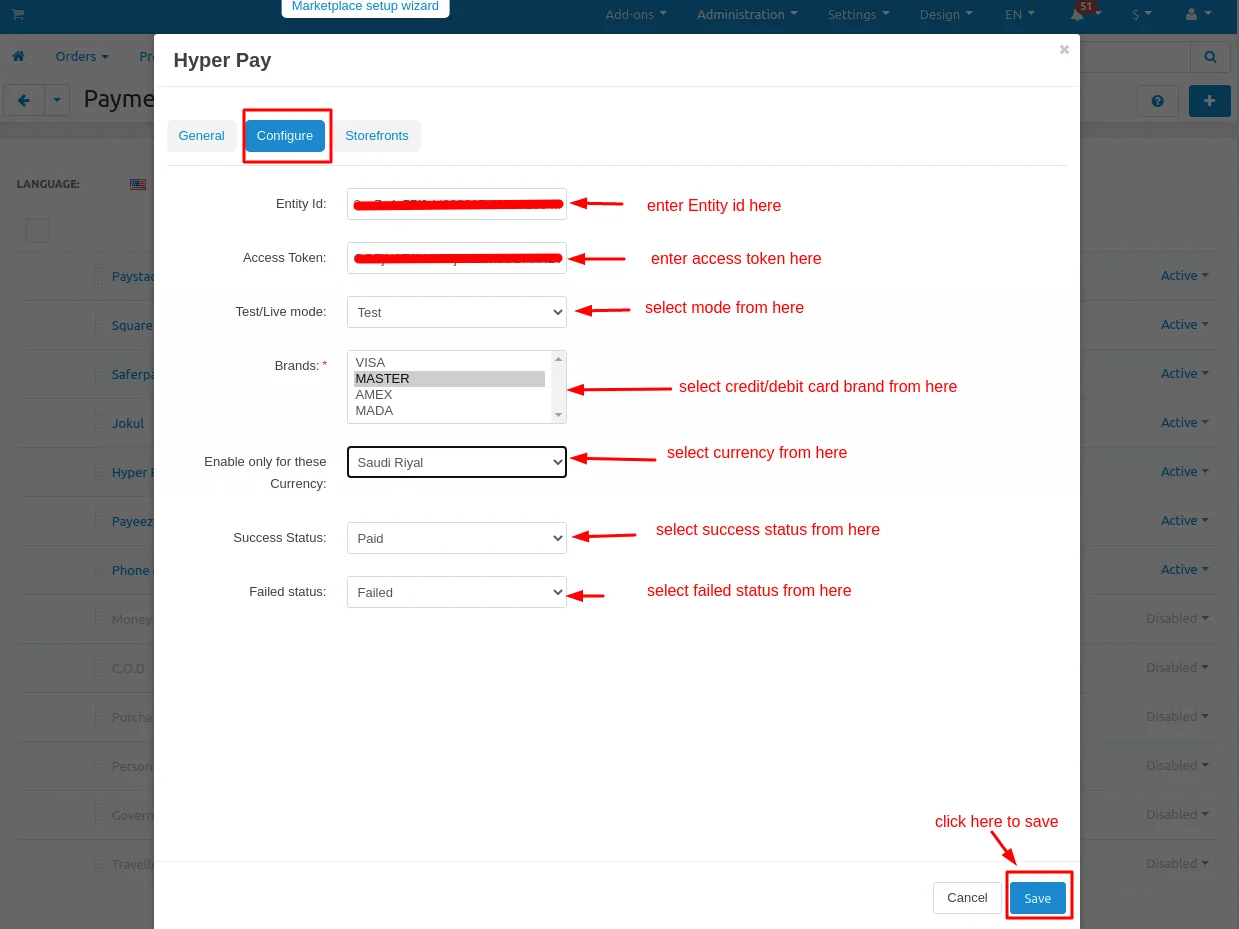
Storefronts tab: if you are want to use this payment method for only any specific storefronts then you can add those storefronts from here otherwise it will work for all your storefronts.

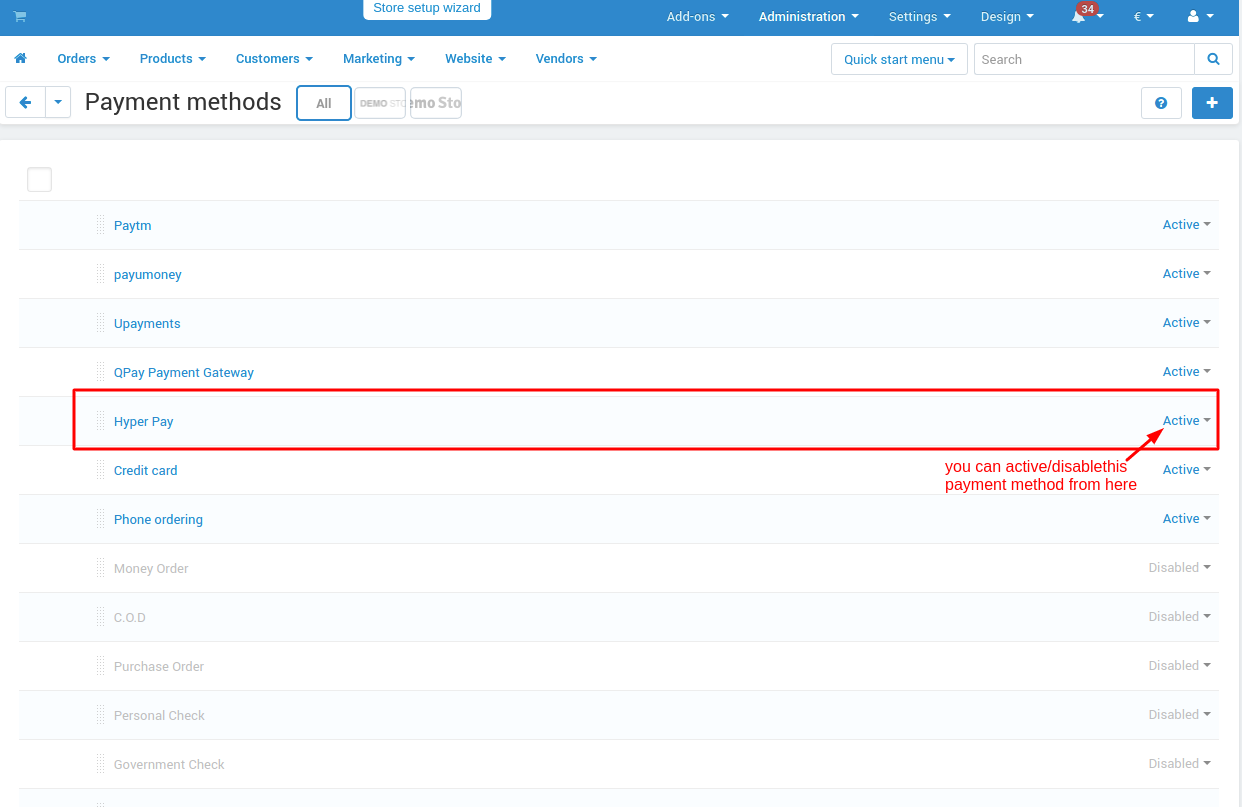
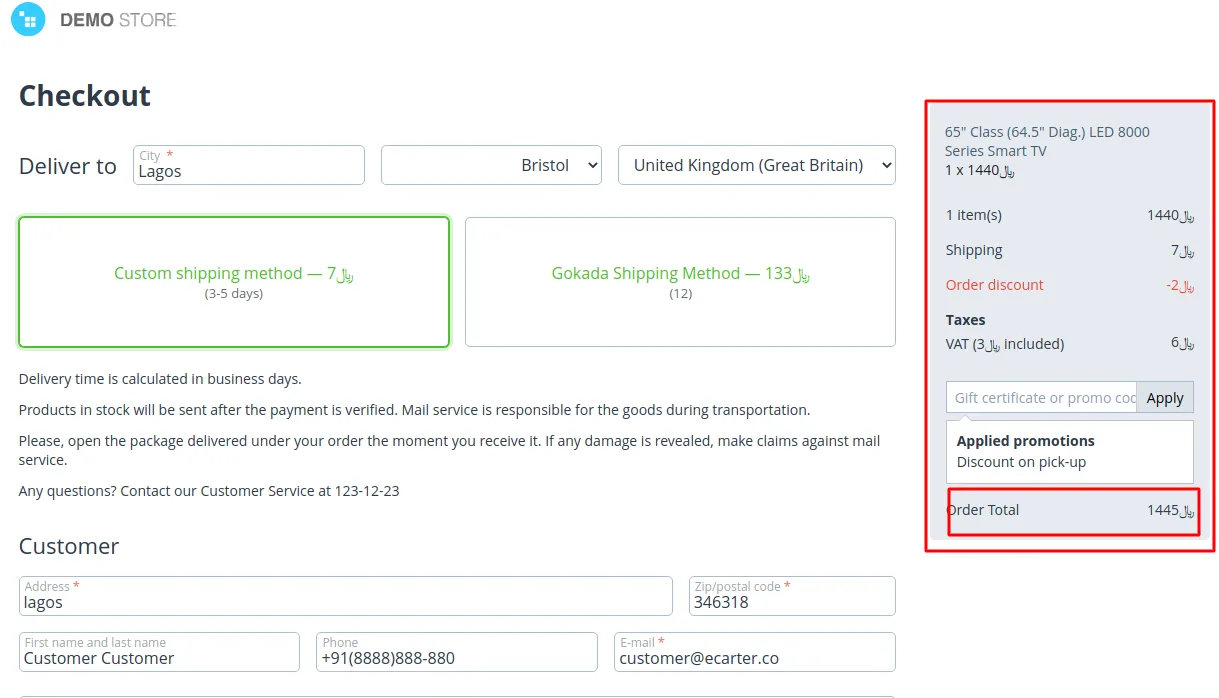
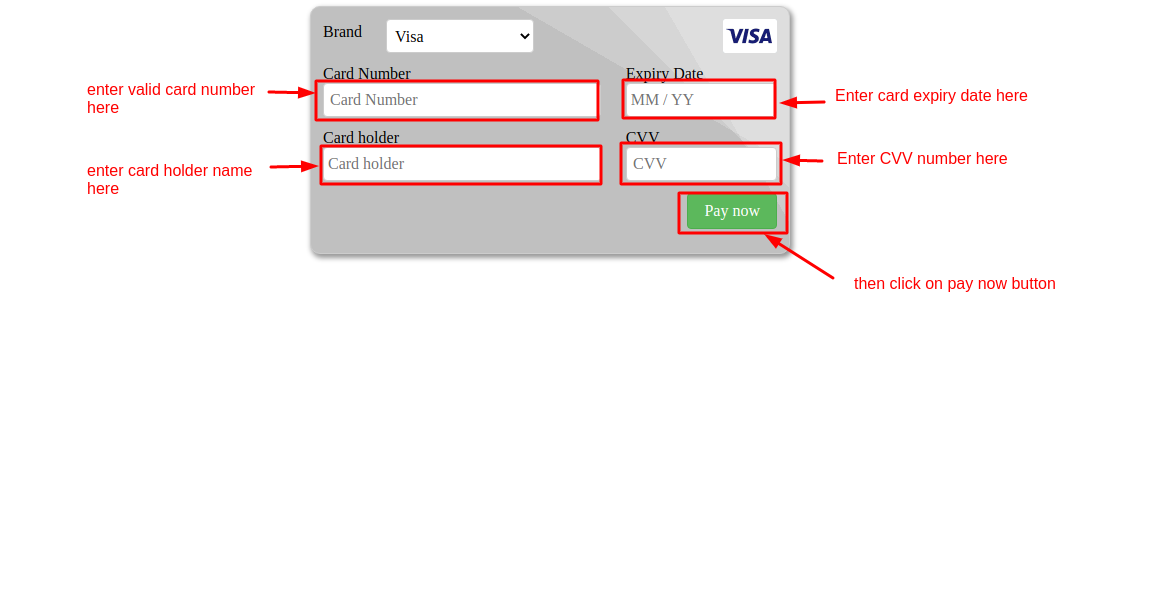
Checkout Trough Hyper Pay Payment Method:
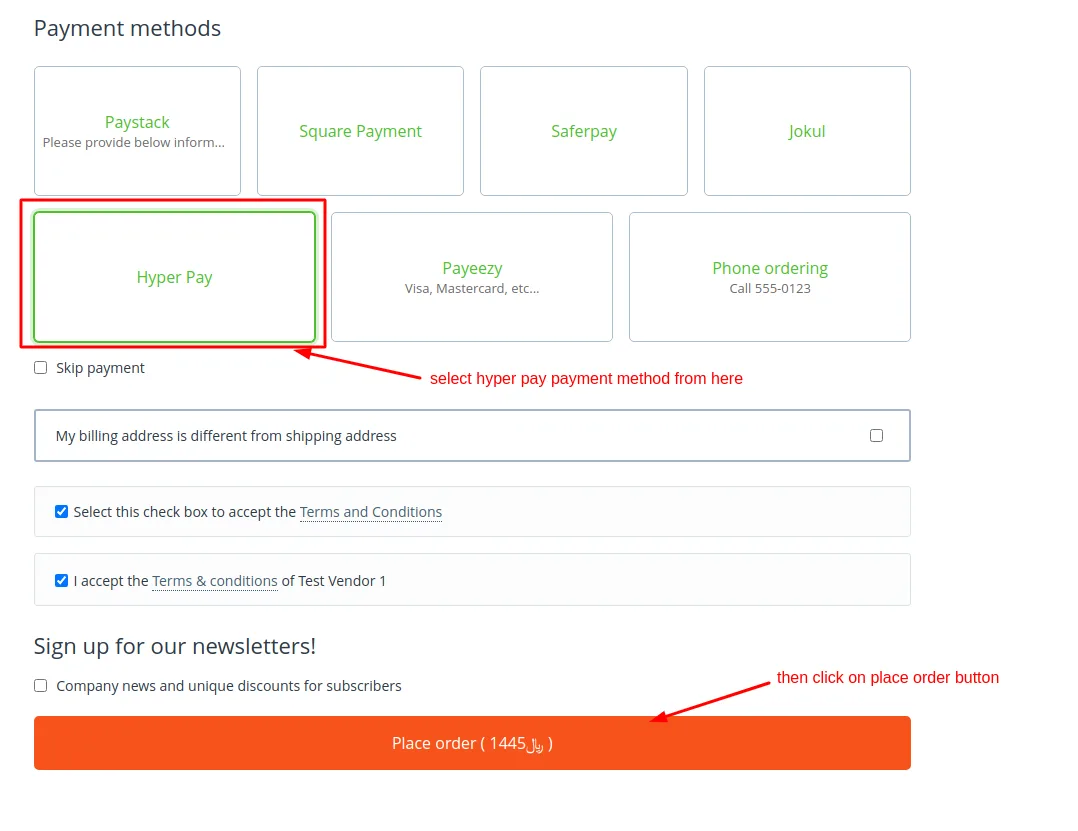
Enter Card Details and Pay:



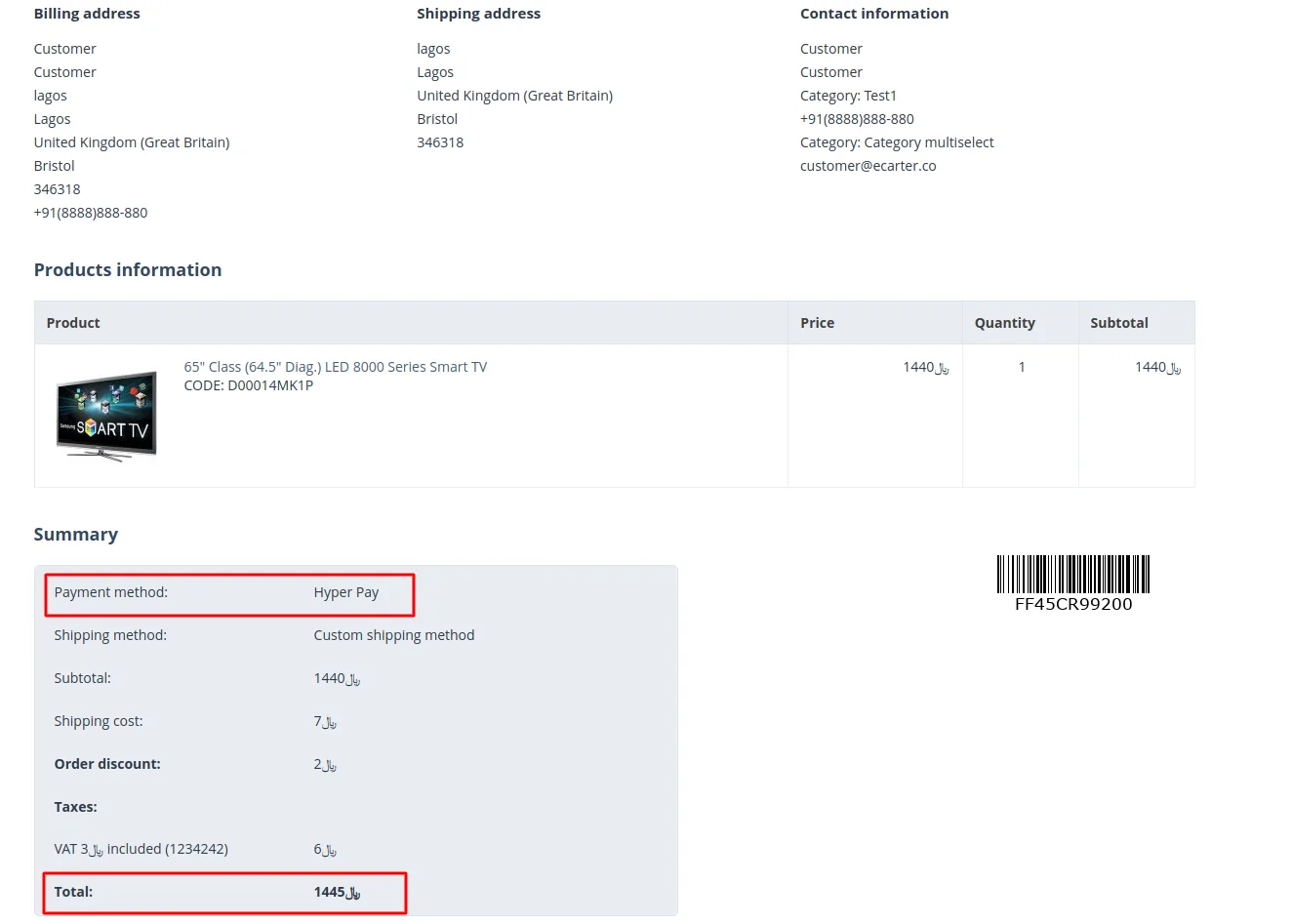
Order Information (Frontend):

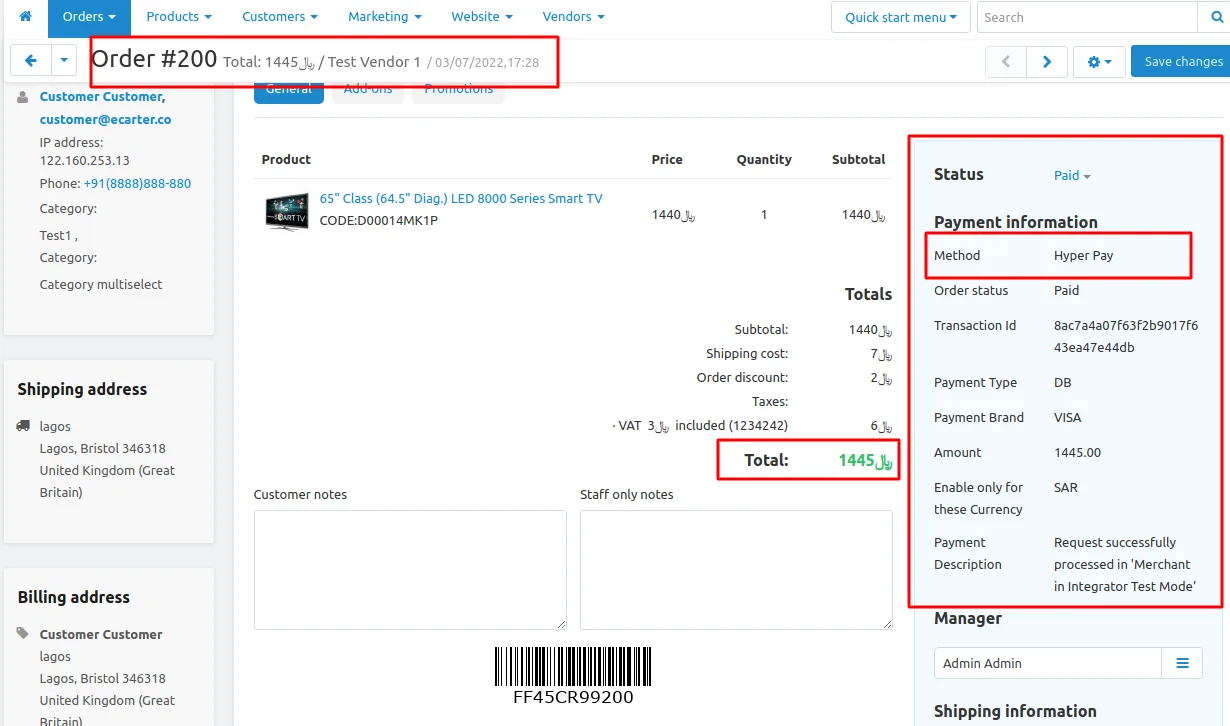
Order Information (Backend):
Tutorial Link:
Addon-Version:
Version-1.0
Supported Versions:
CS-Cart, CS-Cart Multivendor 4.8.x, 4.9.x,4.10x,4.11x,4.12,4.13x, 4.14x, 4.15x, 4.16x, 4.17x, 4.18x
Support:
This app is developed and published by Ecarter Technologies Pvt. Ltd., a CS-Cart developer. You are guaranteed a quality add-on supported by future versions. If you need help, please contact us via email support@ecarter.co
Need modifications or any assistance? Please, feel free to contact us via email at support@ecarter.co
Frequently asked questions
Which cards and payment methods does the HyperPay add-on support?
It processes all major debit and credit cards, including Visa, Mastercard, American Express, and UnionPay. It also lets you enable a range of local, regional, and global payment options to match different customer preferences.
Does the HyperPay add-on work with CS-Cart Multi-Vendor?
Yes. It integrates with Multi-Vendor stores, making payment management easier across the marketplace while keeping checkout reliable for buyers.
Is the HyperPay Payment Gateway secure and PCI-compliant?
Yes. HyperPay is fully PCI-compliant and processes transactions securely, so payments are handled with a high level of security.
Can I customize the checkout and payment form?
Yes. The add-on gives you full control over your payment form, so it is flexible and customizable and works across browsers and devices of all sizes, which helps reduce cart abandonment.
Kajal is a Technical Content Writer at Ecarter Technologies. She writes technical documentation and in-depth guides on eCommerce platforms, mobile commerce and AI in online retail.