
Extended Banner Slider
The Extended Banner Slider add-on provides an interactive way to slide main banners on the storefront
The Extended Banner Slider is an add-on for CS-Cart that turns the storefront's main banners into an interactive, sliding display. It adds an Advanced Slider template that gives you control over pagination styles (Dynamic, Progress, Fraction, and Custom), transition effects (Cube, Cards, Coverflow, and more), an Infinite Loop option for continuous scrolling, and an Autoplay feature that moves between banners automatically. It solves the problem of static, single-image banner areas by letting a store show several promotional banners in one rotating slot. It is intended for CS-Cart store owners who want more visual and configurable control over their homepage banners without custom development.
 The Extended Banner Slider Add-on for CS-Cart provides an interactive way to slide main banners on the storefront. By selecting the Advanced Slider template provided by the addon, users can control settings like pagination, effects, and more. Users can choose from various pagination styles, including Dynamic, Progress, Fraction, and Custom, and apply different effects, such as Cube, Cards, Coverflow, and more. The Infinite Loop option lets the slider run continuously. While the Autoplay feature automatically transitions between banners. Once set, the banners will appear with your selected styles and effects on the storefront.
Features:
- Interactive Banners: Display main banners on your storefront with a sliding effect.
- Advance Slider Templates: The addon provides this template to access extra settings.
- Pagination Styles: Select from different paginations like Dynamic, Progress, Fraction, and Custom.
- Various Effects: Apply effects like Cube, Cards, Coverflow, and more.
- Infinite Loop: Set the slider to run continuously without stopping.
- Autoplay Feature: Automatically move between banners without manual intervention.
- CS-Cart Support info: The addon is well integrated with CS-Cart Multi-Vendor and can be used with its standard, Plus, and Ultimate Versions.
How to install Addon
https://store.ecarter.co/blogs/how-to-install-addon/
How the addon works
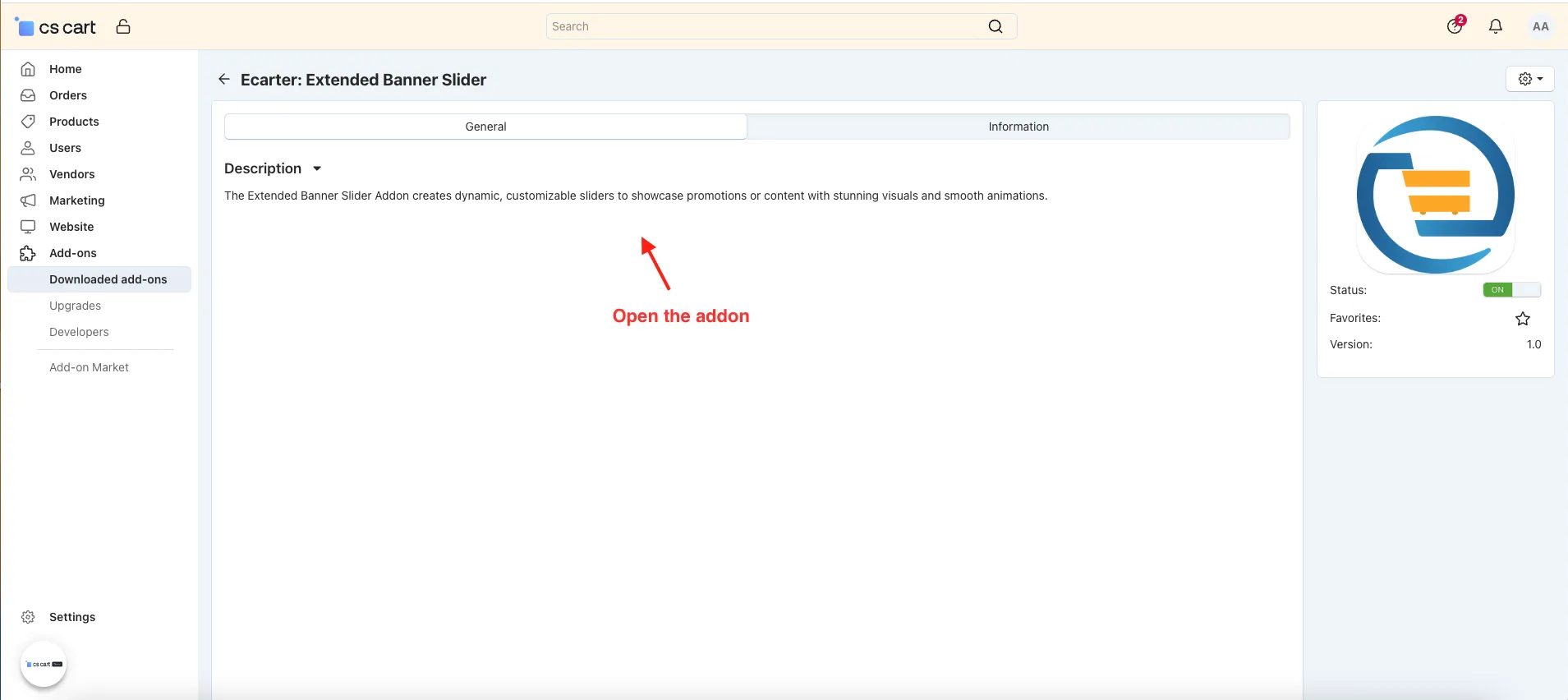
- Open the addon.
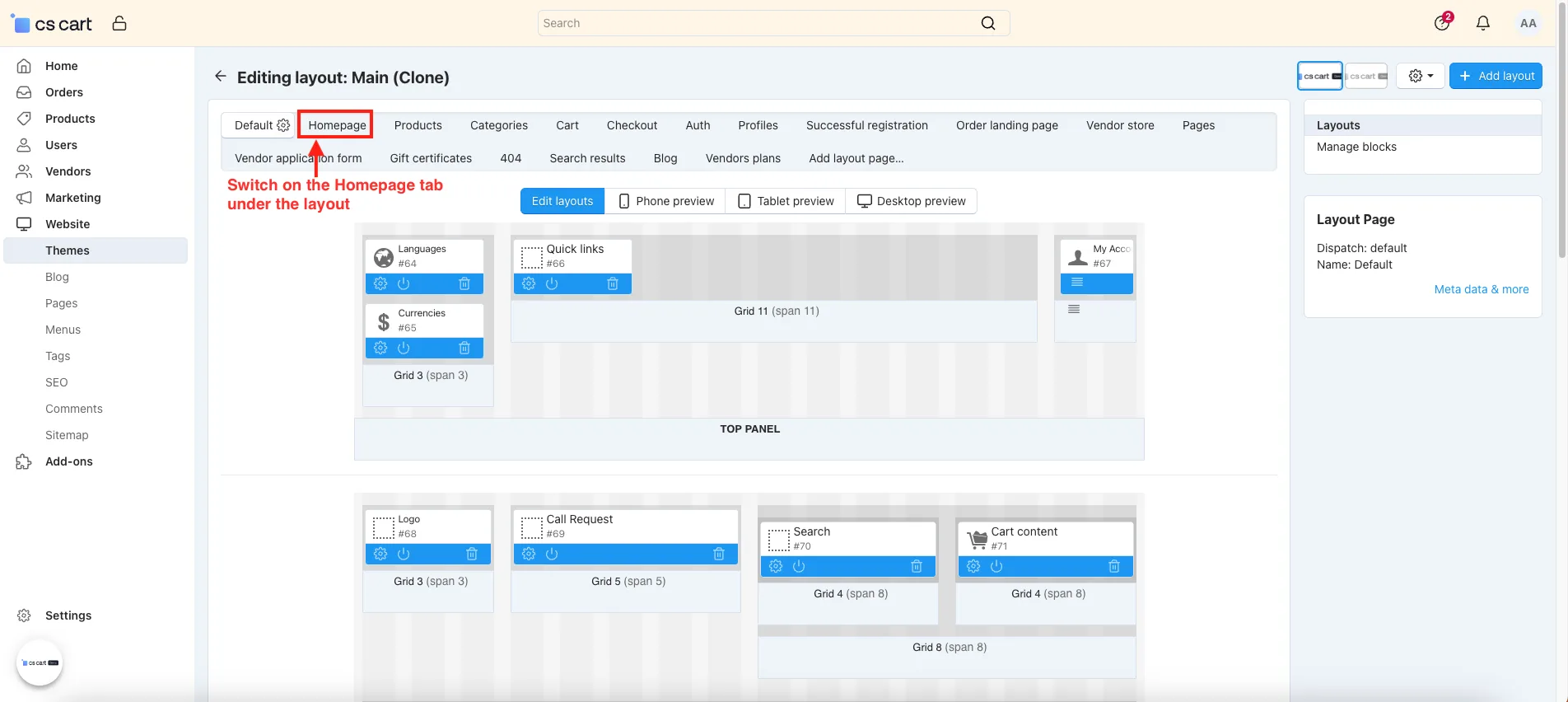
- Go to the theme >> layout.
- Switch on the HomePage tab.
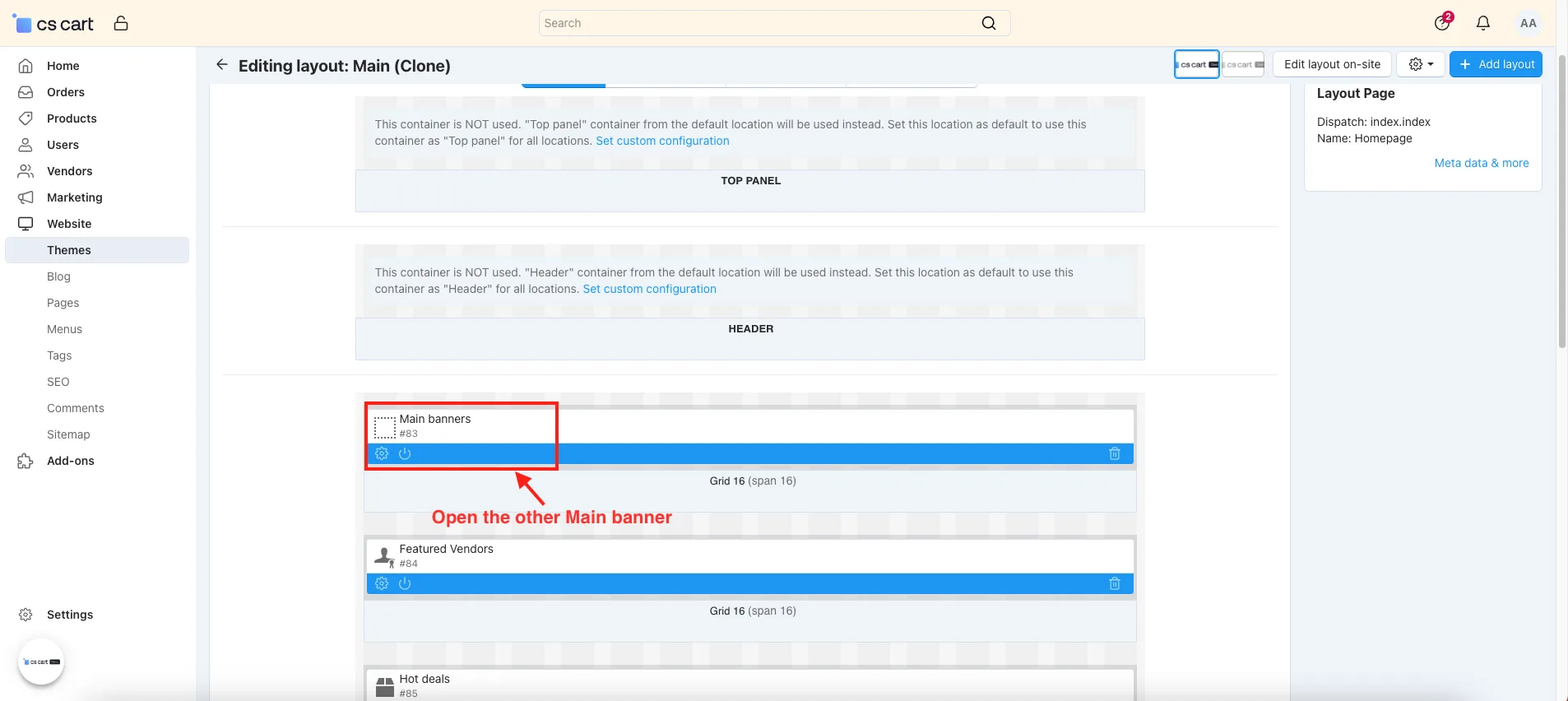
- Open the Main banners.
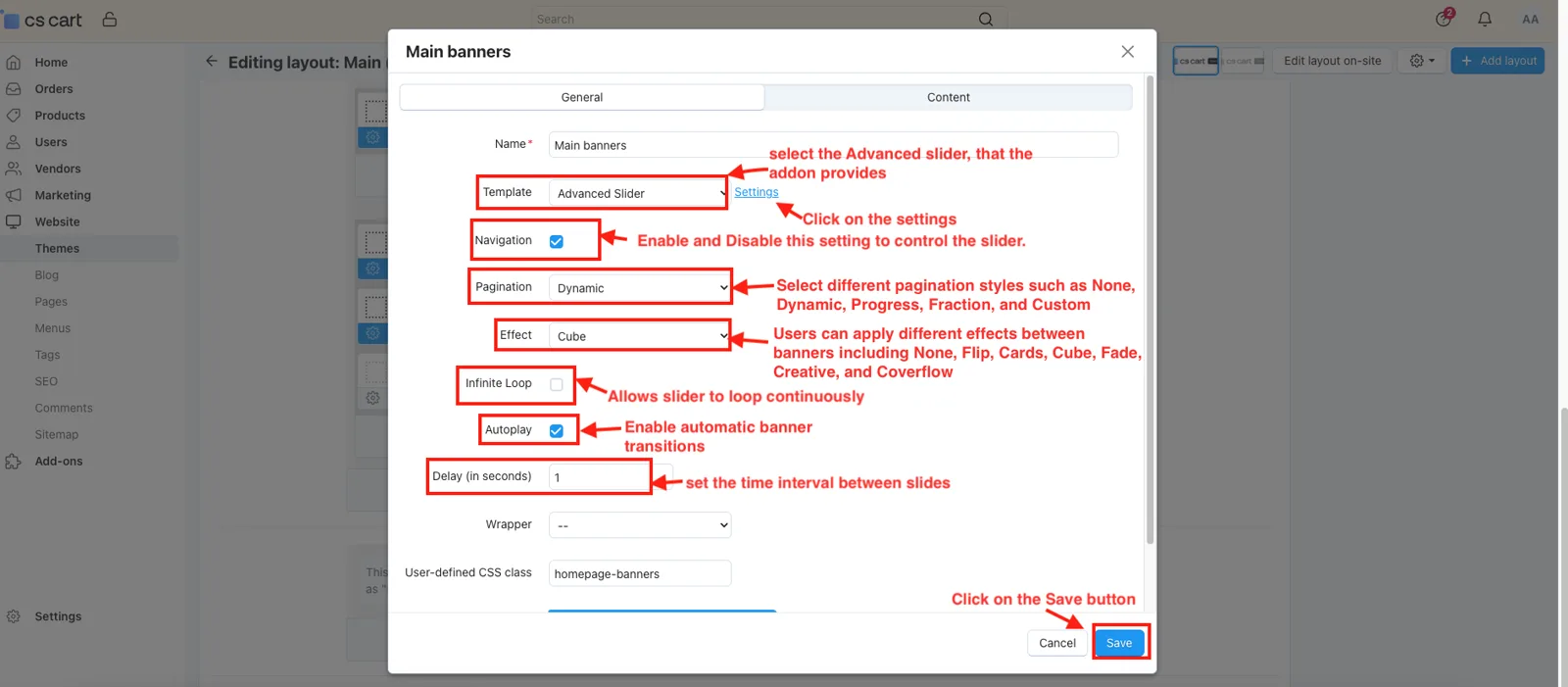
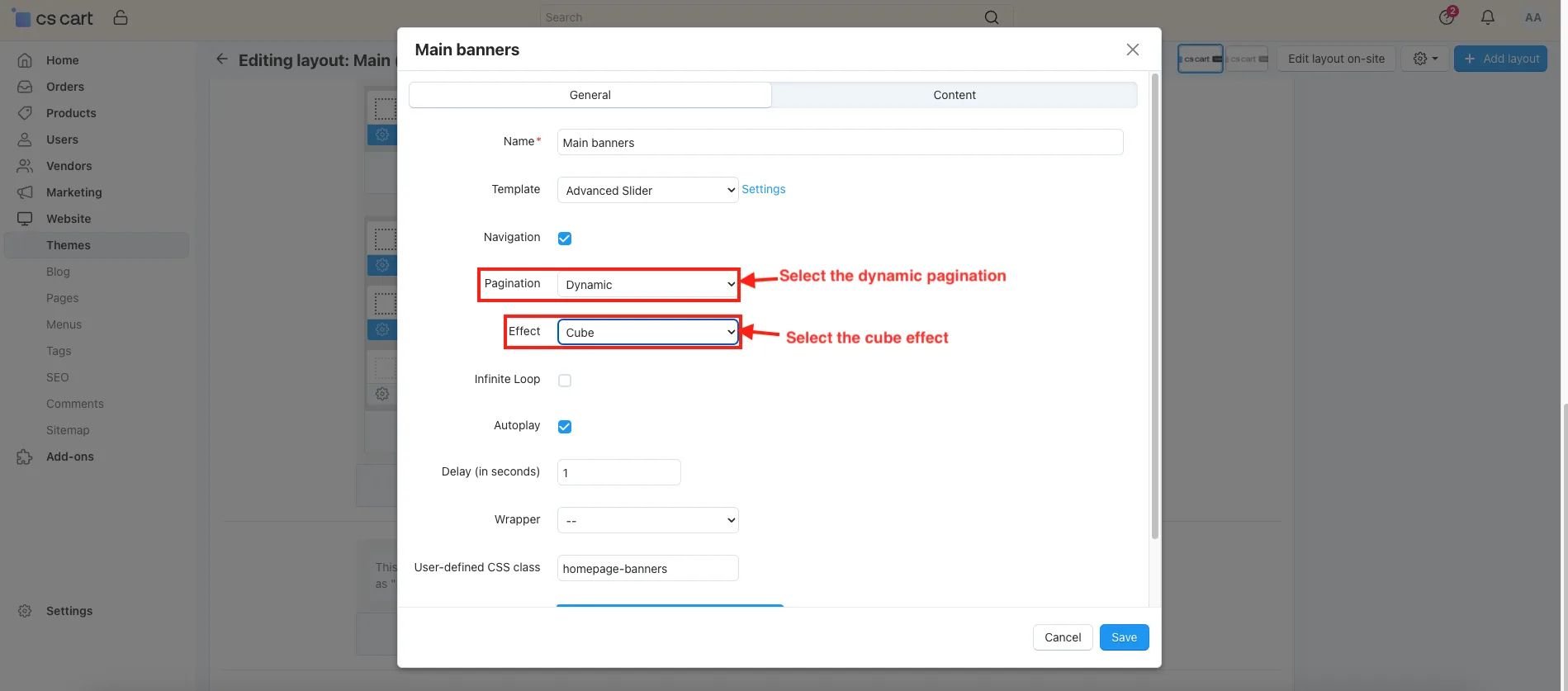
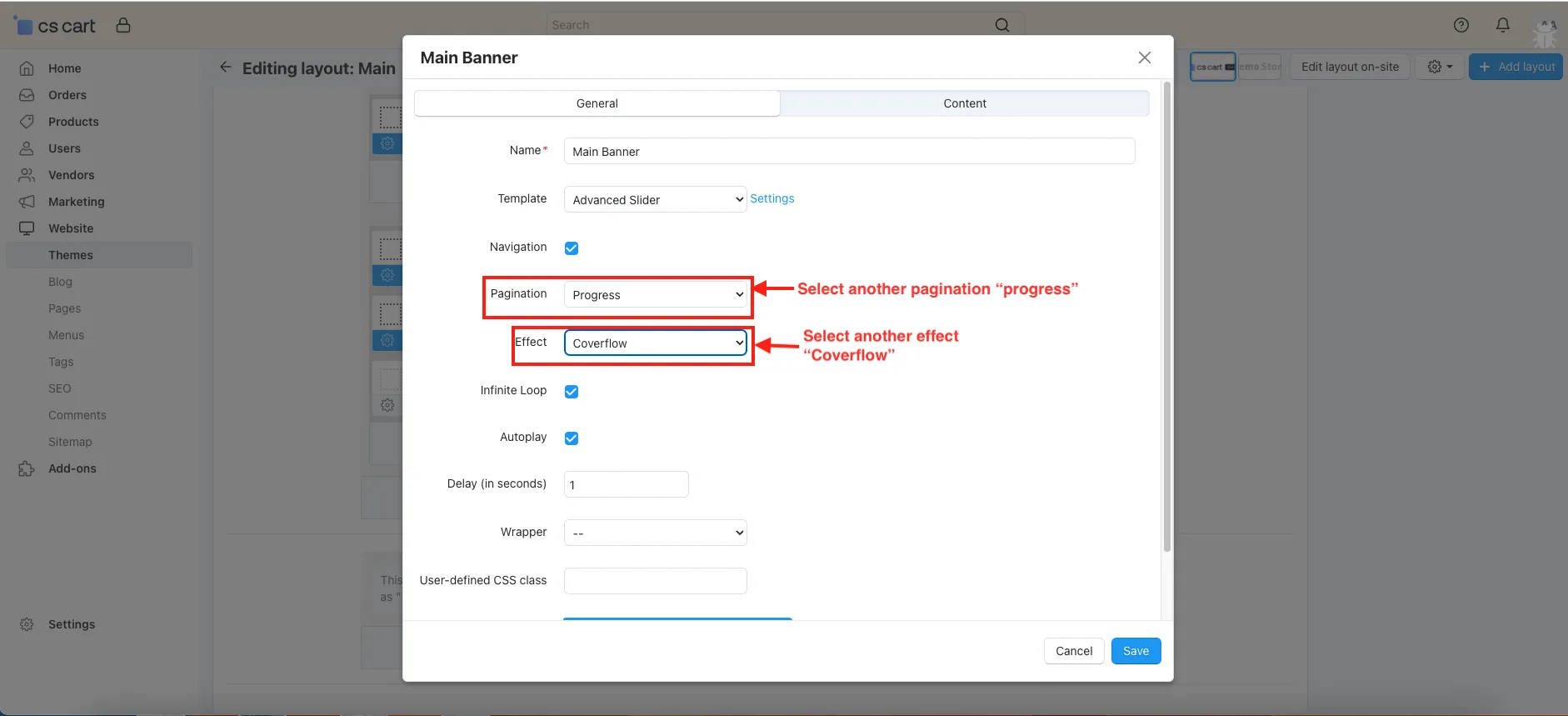
- Template: select the Advanced slider, that the addon provides.
- Click on the settings.
- Navigation: Enable and Disable this setting to control the slider.
- Pagination: Select different pagination styles such as None, Dynamic, Progress, Fraction, and Custom.
- Effect: Users can apply different effects between banners including None, Flip, Cards, Cube, Fade, Creative, and Coverflow.
- Infinite Loop: Allows slider to loop continuously.
- Autoplay: Enable automatic banner transitions.
- Delay(in seconds): set the time interval between slides.
- Click on the Save button.
- If you select the dynamic pagination and cube effect.
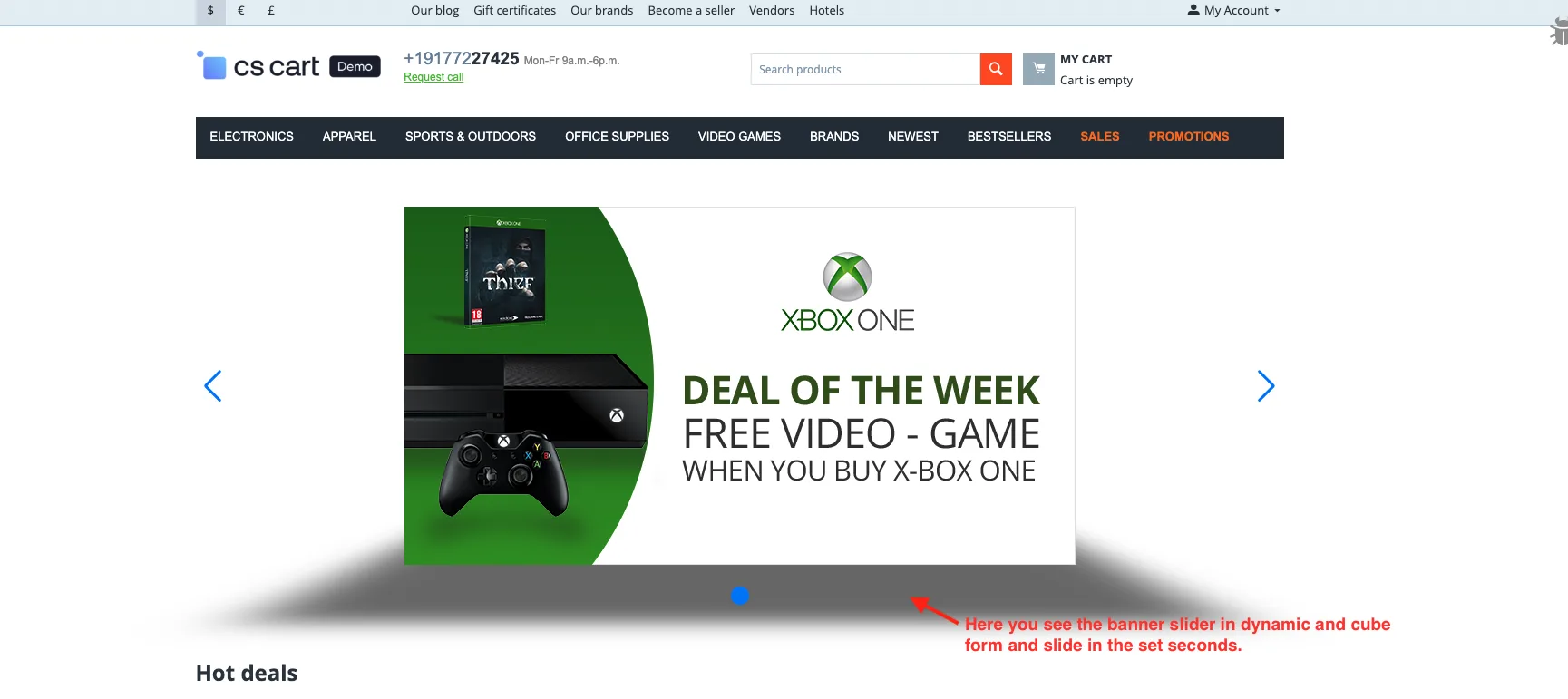
- Here you see the banner slider in dynamic and cube form and slide in the set seconds on the storefront.
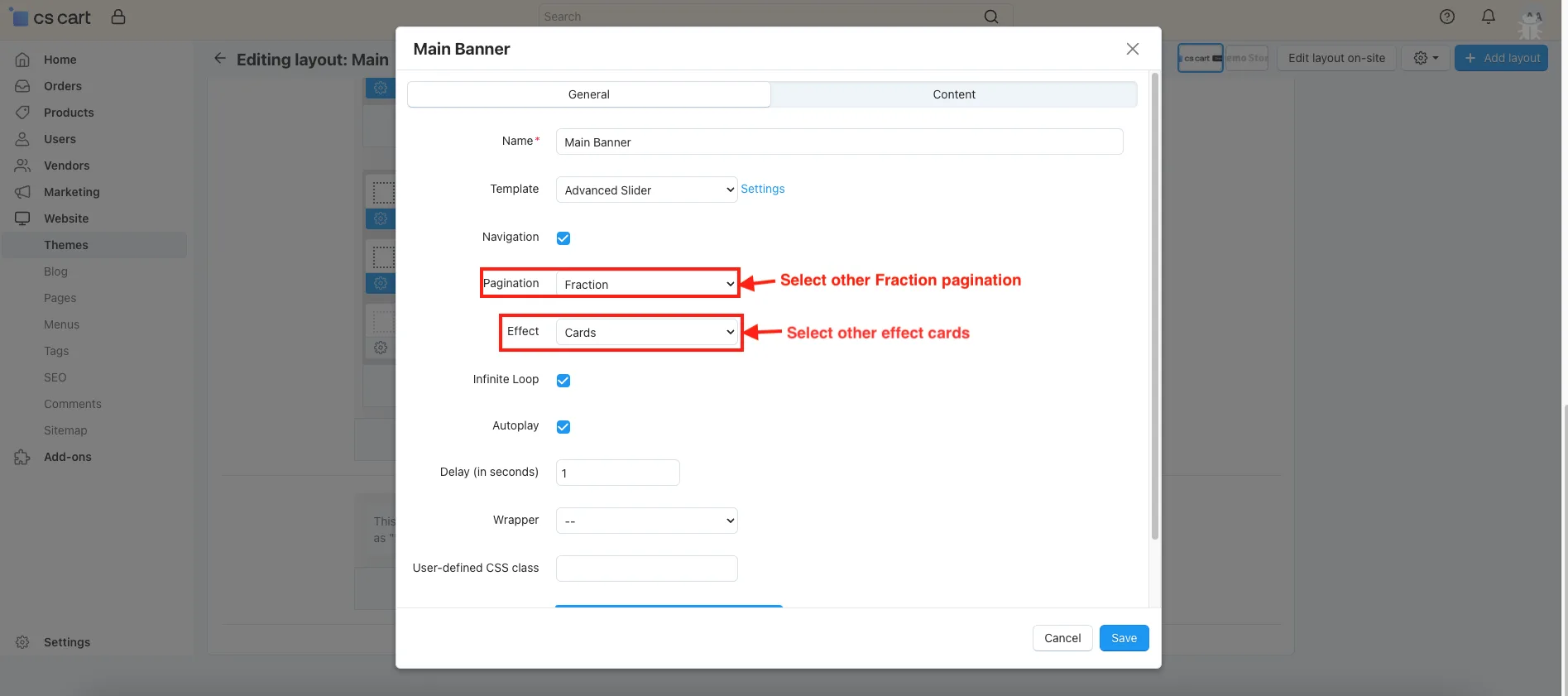
- Select other pagination fractions and effect cards.
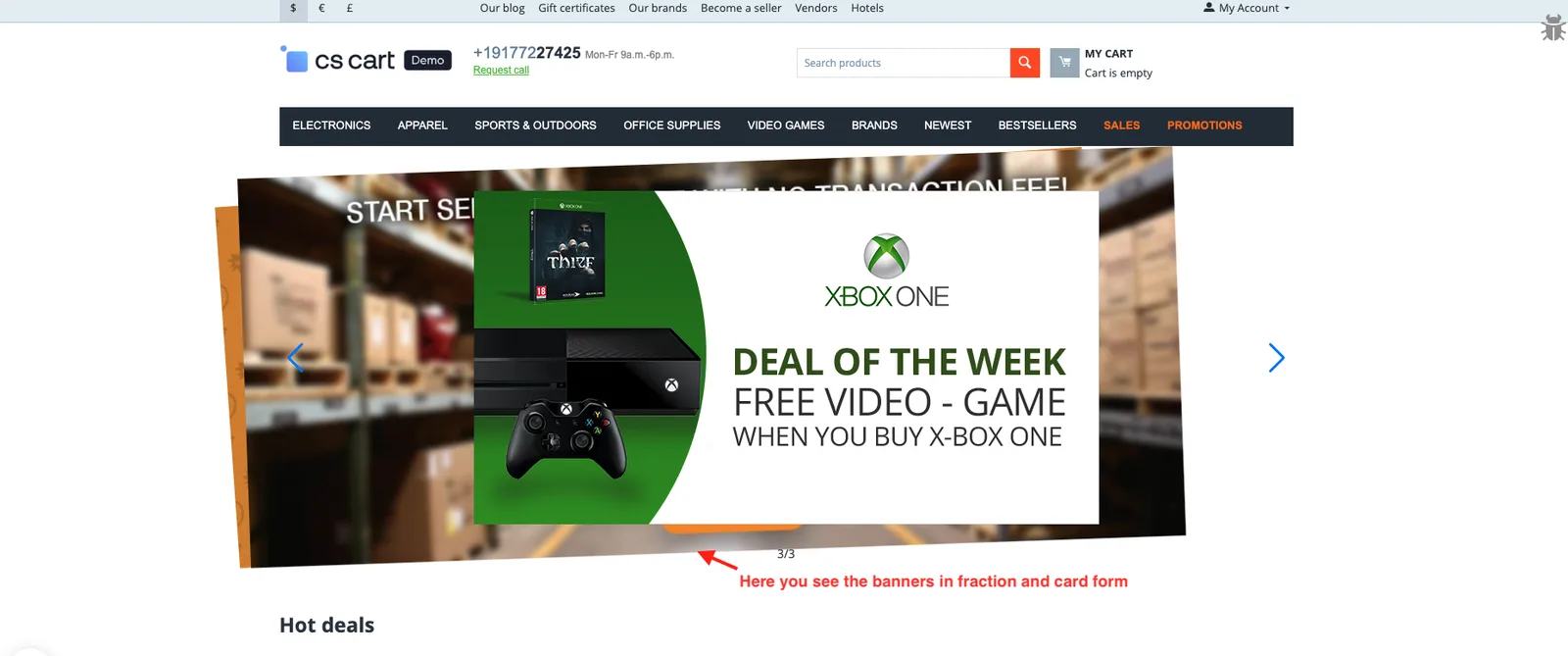
- Here you see the banners in fraction and card form.
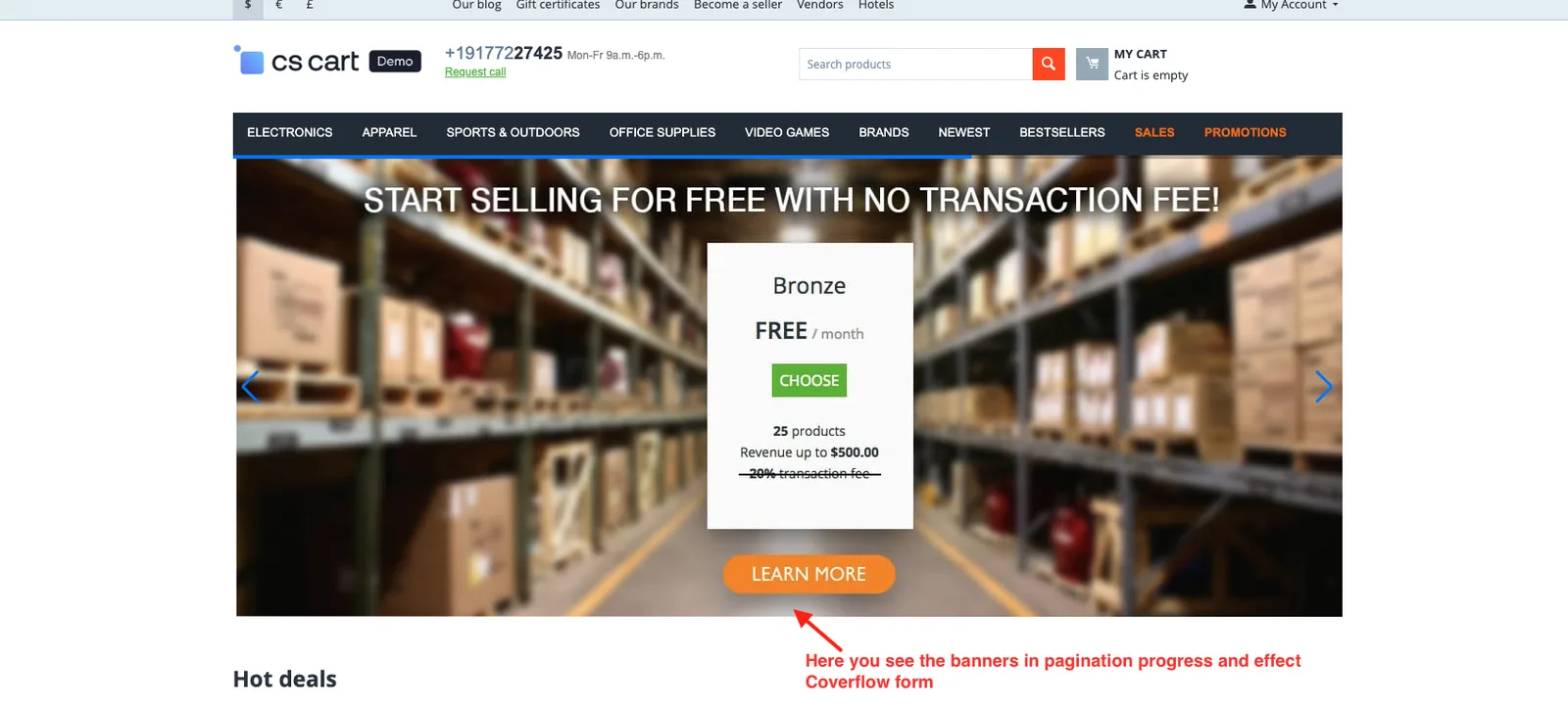
- Now, select another pagination progress and effect Coverflow.
- Here you see the banners in pagination progress and effect Coverflow form.
Addon-Version:
Version-1.0
Supported Versions:
CS-Cart, CS-Cart Multivendor 4.8.x, 4.9.x,4.10x,4.11x,4.12,4.13x, 4.14x, 4.15x, 4.16x, 4.17x, 4.18x
Support:
This app is developed and published by Ecarter Technologies Pvt. Ltd., a CS-Cart developer. You are guaranteed quality add-ons.
Frequently asked questions
What can I control with the Extended Banner Slider add-on?
After selecting the add-on's Advanced Slider template, you can set the pagination style (Dynamic, Progress, Fraction, or Custom), apply transition effects such as Cube, Cards, and Coverflow, enable an Infinite Loop for continuous scrolling, and turn on Autoplay to move between banners automatically.
Does it work with CS-Cart Multi-Vendor and which versions are supported?
Yes. The add-on is integrated with CS-Cart Multi-Vendor and can be used with its Standard, Plus, and Ultimate versions.
How do the sliding banners appear on the storefront?
Once you configure the Advanced Slider template with your chosen pagination and effects, your main banners display on the storefront with the selected sliding styles and transitions. Autoplay and Infinite Loop let them rotate without manual clicks.
How do I install and set up the add-on?
Follow the standard add-on installation steps (see the how-to-install-addon guide), then open the add-on, go to the theme settings, select the Advanced Slider template, and apply your preferred pagination style and effects.
Kajal is a Technical Content Writer at Ecarter Technologies. She writes technical documentation and in-depth guides on eCommerce platforms, mobile commerce and AI in online retail.