
Estimated Delivery Time
The Estimated Delivery Addon for CS-Cart easily manages the shipping process. This addon allows easy to set up delivery schedules
The Estimated Delivery Time add-on for CS-Cart shows customers when their order is likely to arrive. It calculates delivery times based on the customer's location and chosen shipping method, and lets store owners define delivery schedules by marking holidays when delivery is unavailable, selecting which days of the week orders are delivered, and offering specific time slots. Estimated delivery times appear on product pages and during checkout, so shoppers know what to expect before they buy. It is intended for CS-Cart store owners who want to give clearer delivery information and streamline how their shipping process is managed.

Estimated Delivery addon for CS-Cart easily manages the shipping process. This addon allows easy to set up delivery schedules by choosing holidays when delivery won’t be available and selecting specific delivery days and time slots. Customers can view estimated delivery times on product pages and during checkout for a smoother shopping experience.
It helps figure out when a product will reach customers by using their location and chosen delivery service to calculate the time.
Features:
- Holiday Management: Choose days when delivery won’t be available due to holidays.
- Select Delivery Days: Pick specific days of the week for deliveries.
- Time Slot Selection: Offer specific time slots for delivery.
- View Delivery Times: Customers can see estimated delivery times on product pages.
- Location-Based Estimates: Delivery times are calculated based on the customer's location.
- Smoother Shopping Experience: Clear delivery information helps customers plan better.
- Improved Shipping Process: Simplifies and streamlines the shipping process for businesses.
Installation
How To Install Add-on
https://store.ecarter.co/blogs/how-to-install-addon/
Configuration:
Let's Check How the addon Settings work
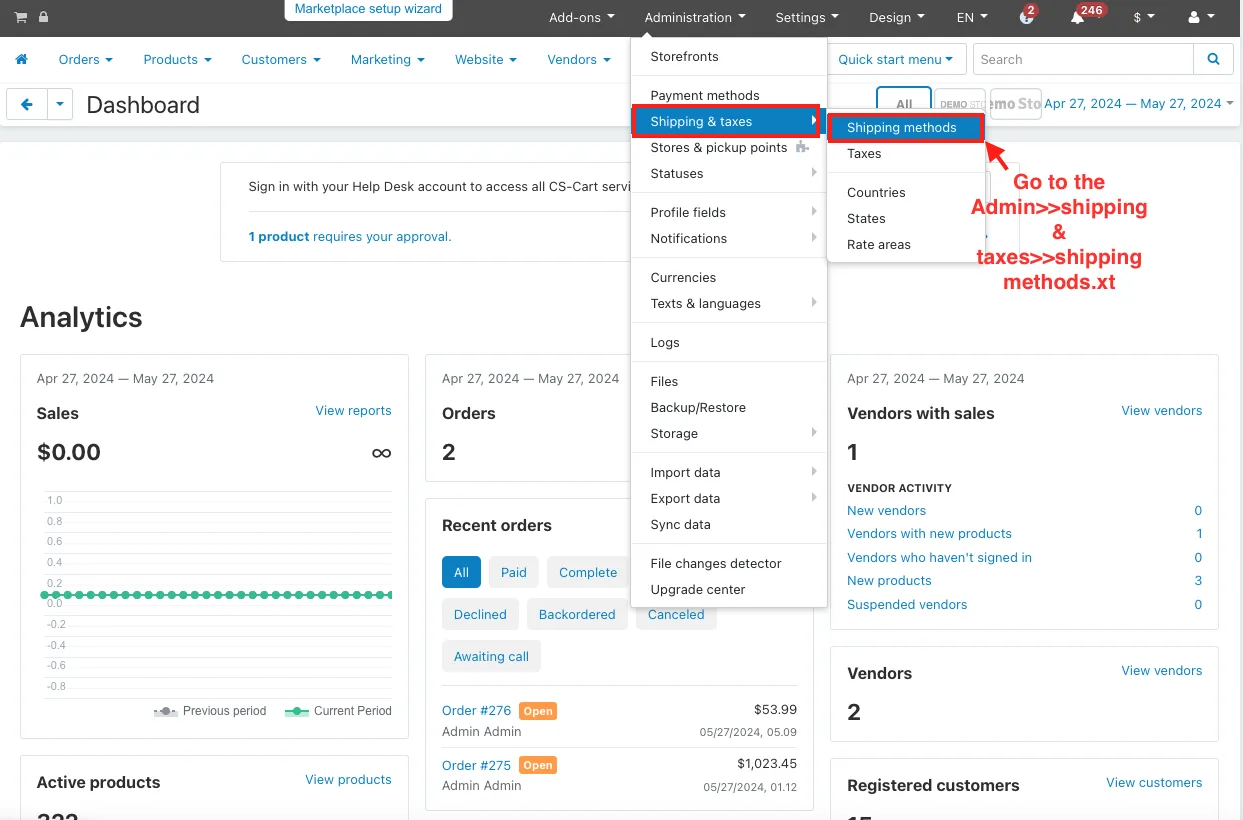
- Go to the Admin>>shipping & taxes>>shipping methods.
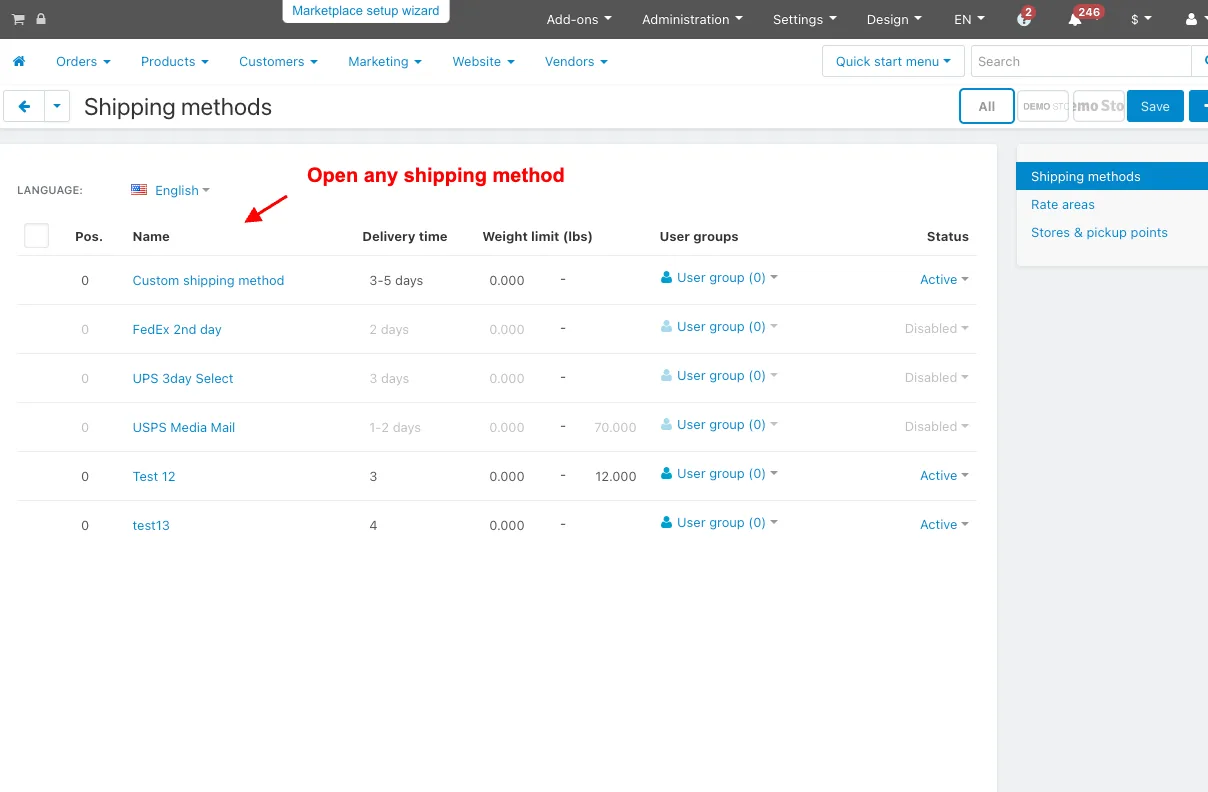
- Open any shipping method.
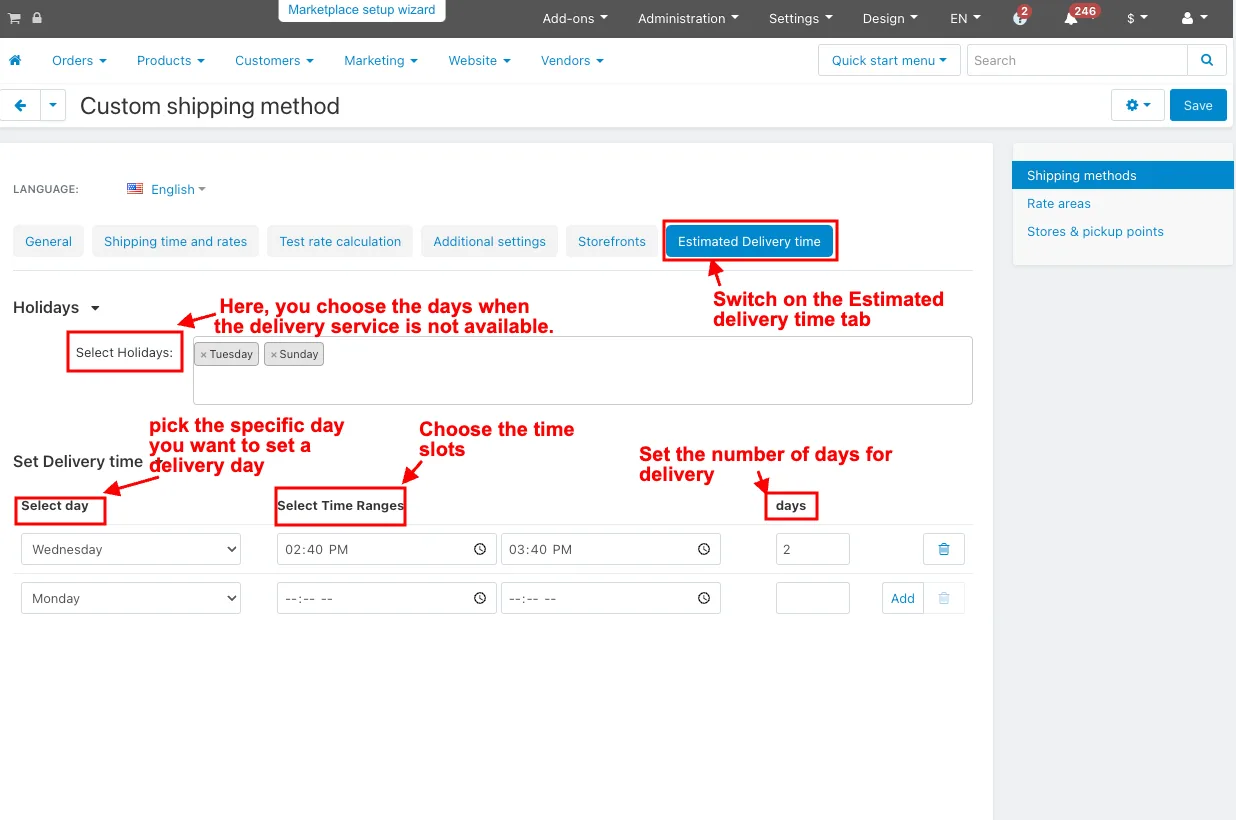
- Switch on the Estimated Delivery time tab.
Holidays:
- Select holidays: Here, you choose the days when the delivery service is not available.
Set Delivery time:
- Select day: pick the specific day you want to set a delivery day.
- Select Time Ranges: Choose the time slots during which delivery can happen on the selected day.
- Days: Set the number of days for delivery.
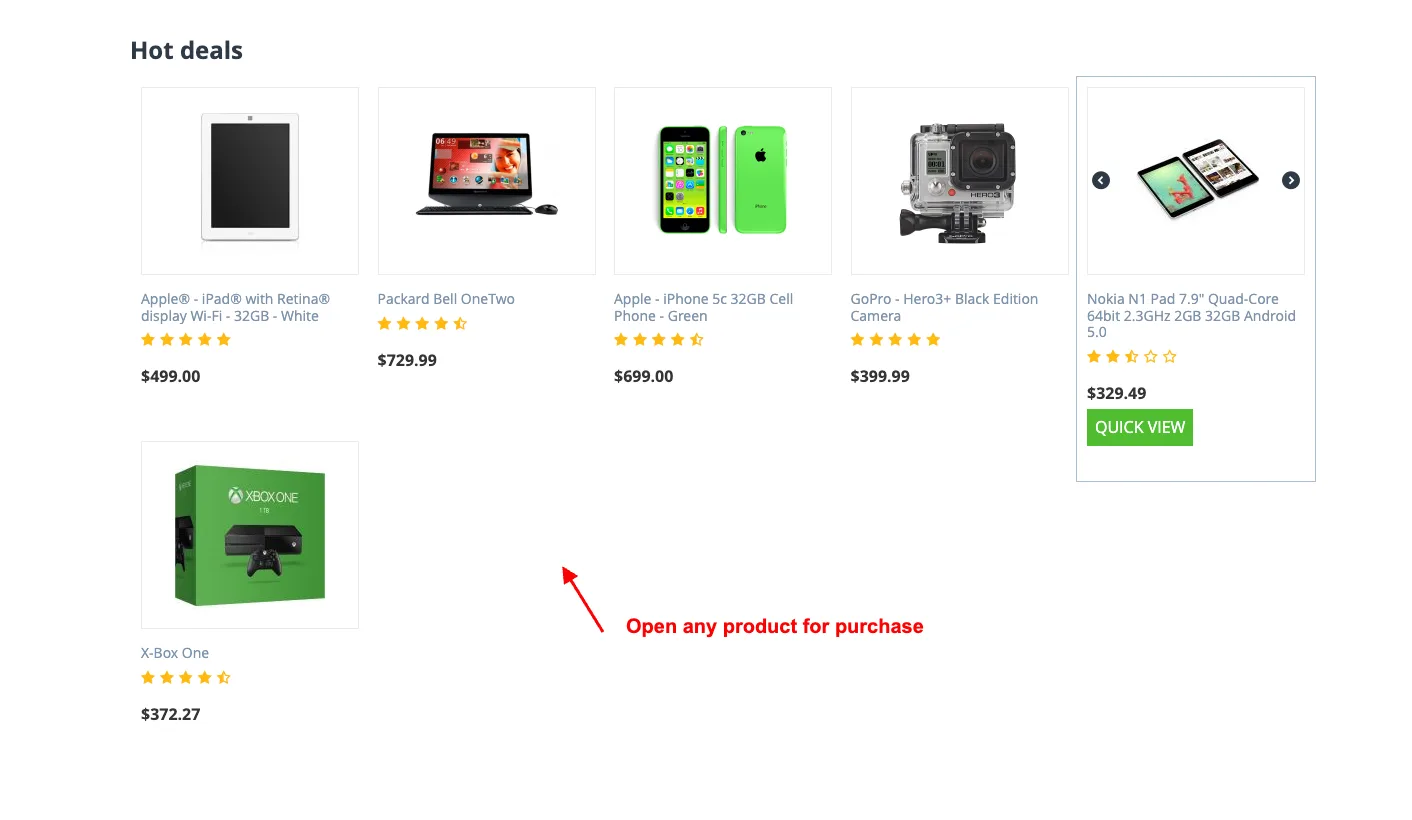
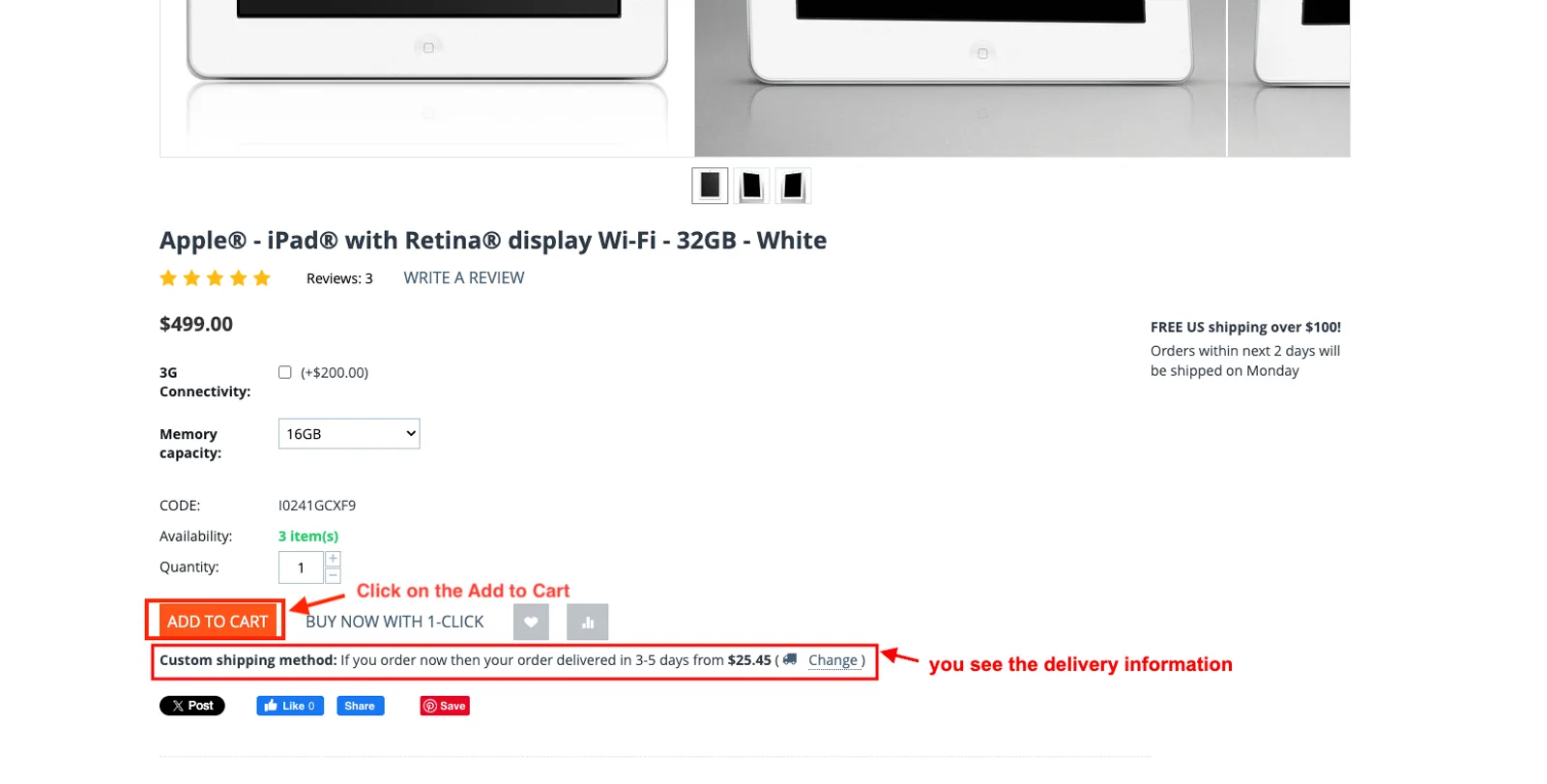
- Open any product for purchase on the storefront.
- Here you see the delivery information.
- Click on the Add to Cart.
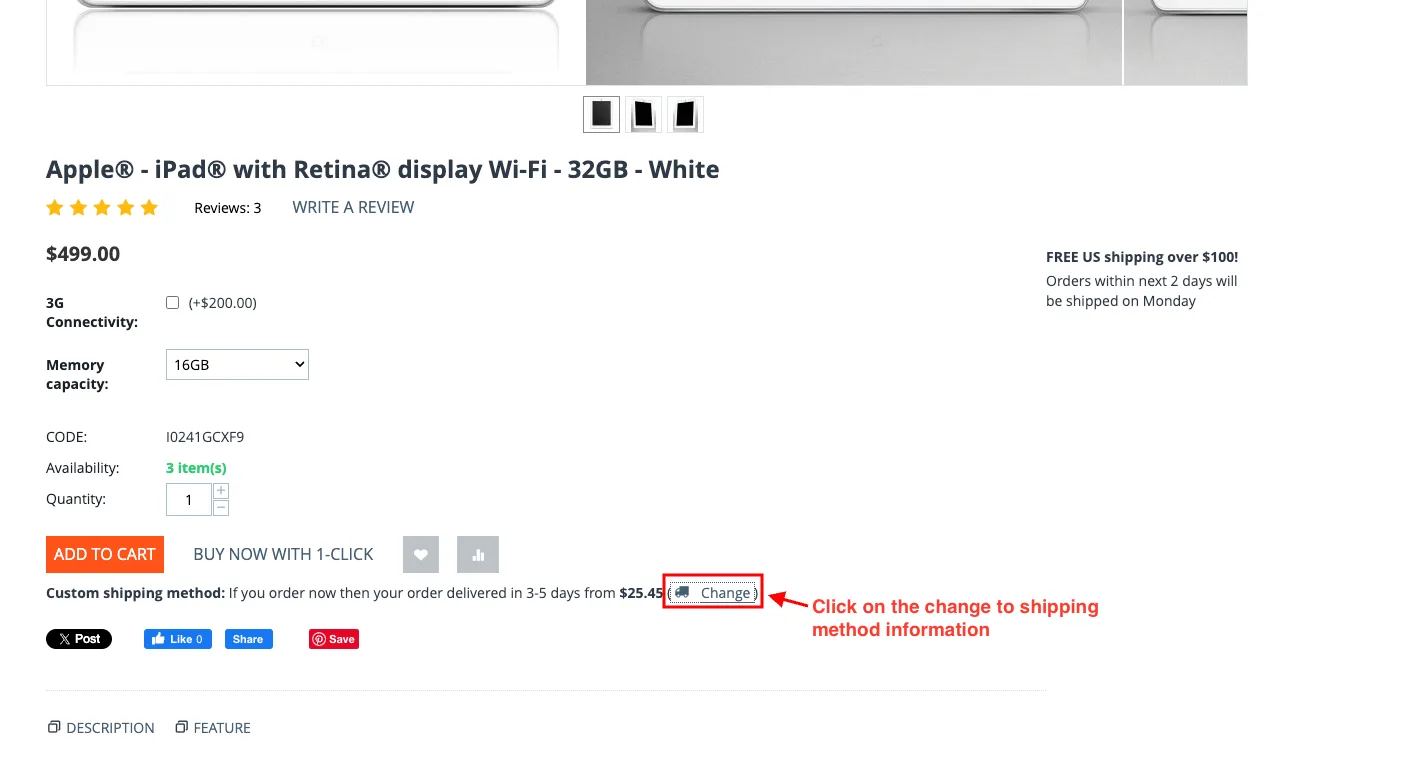
- Click on the change to shipping method information
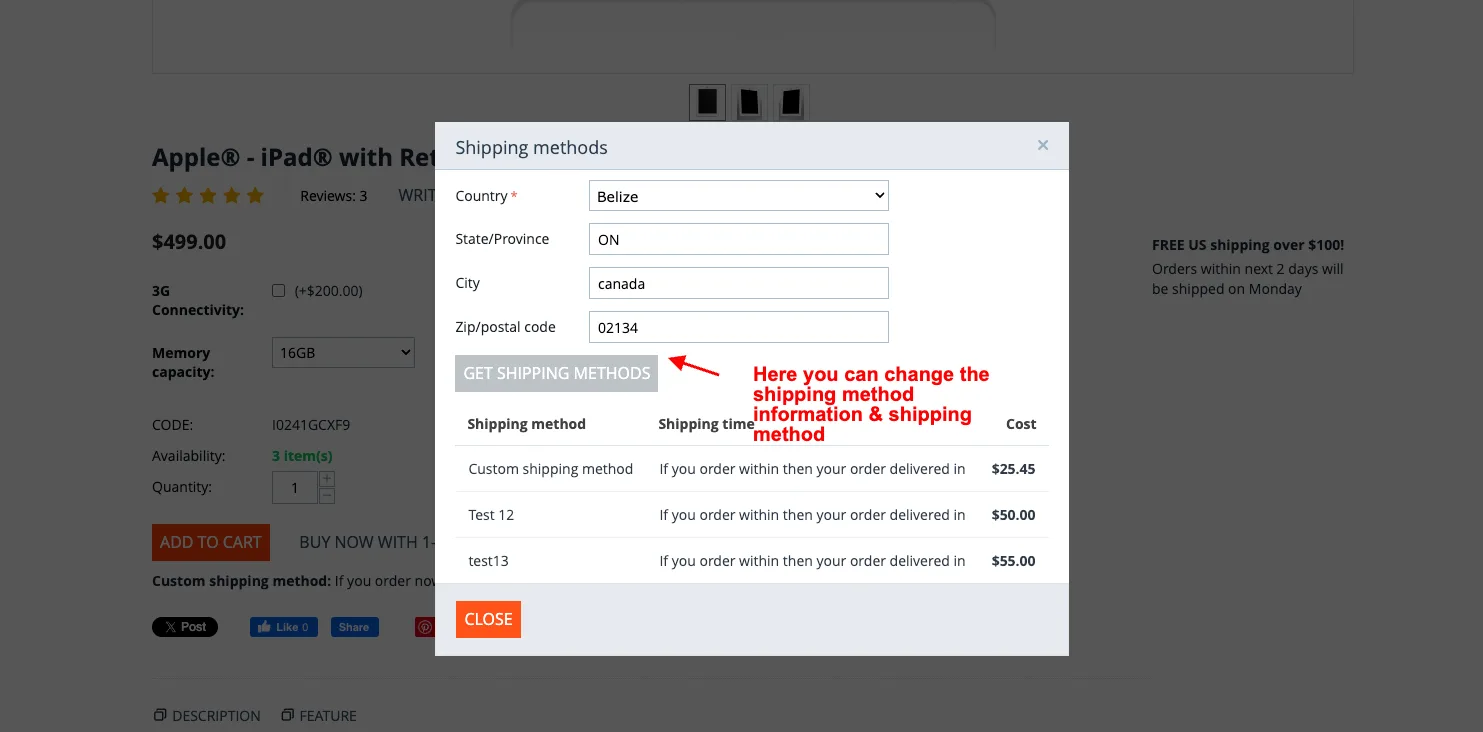
- Here you can change the shipping method information & shipping method.
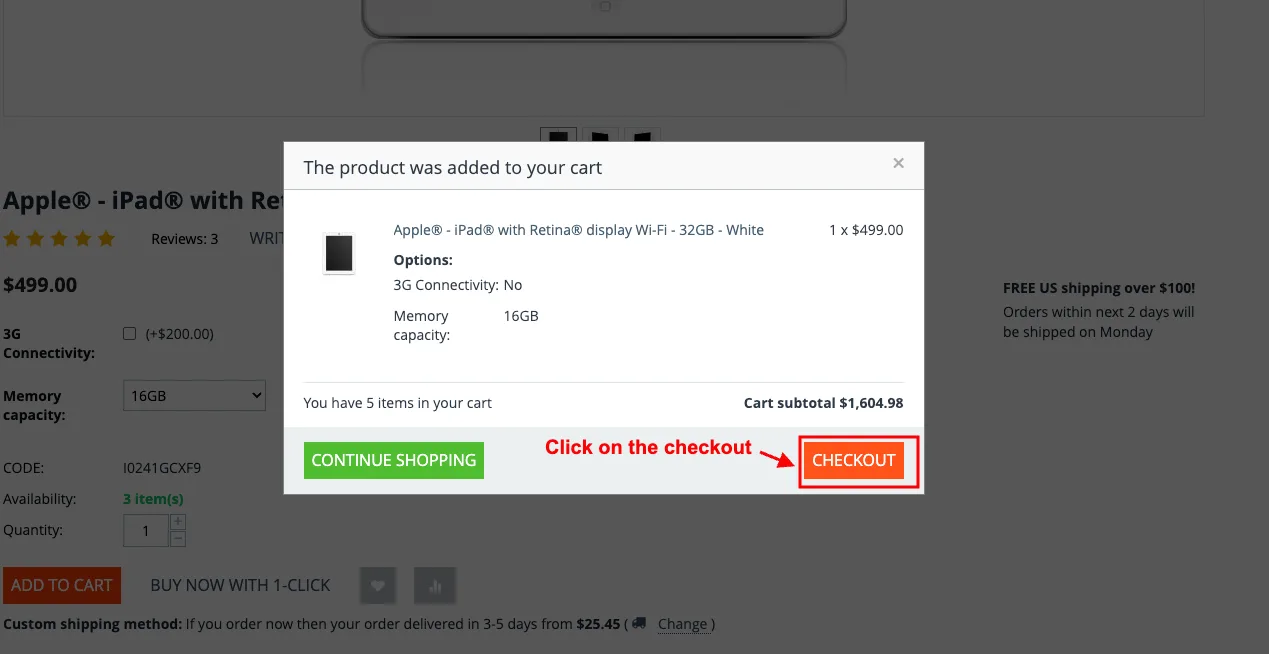
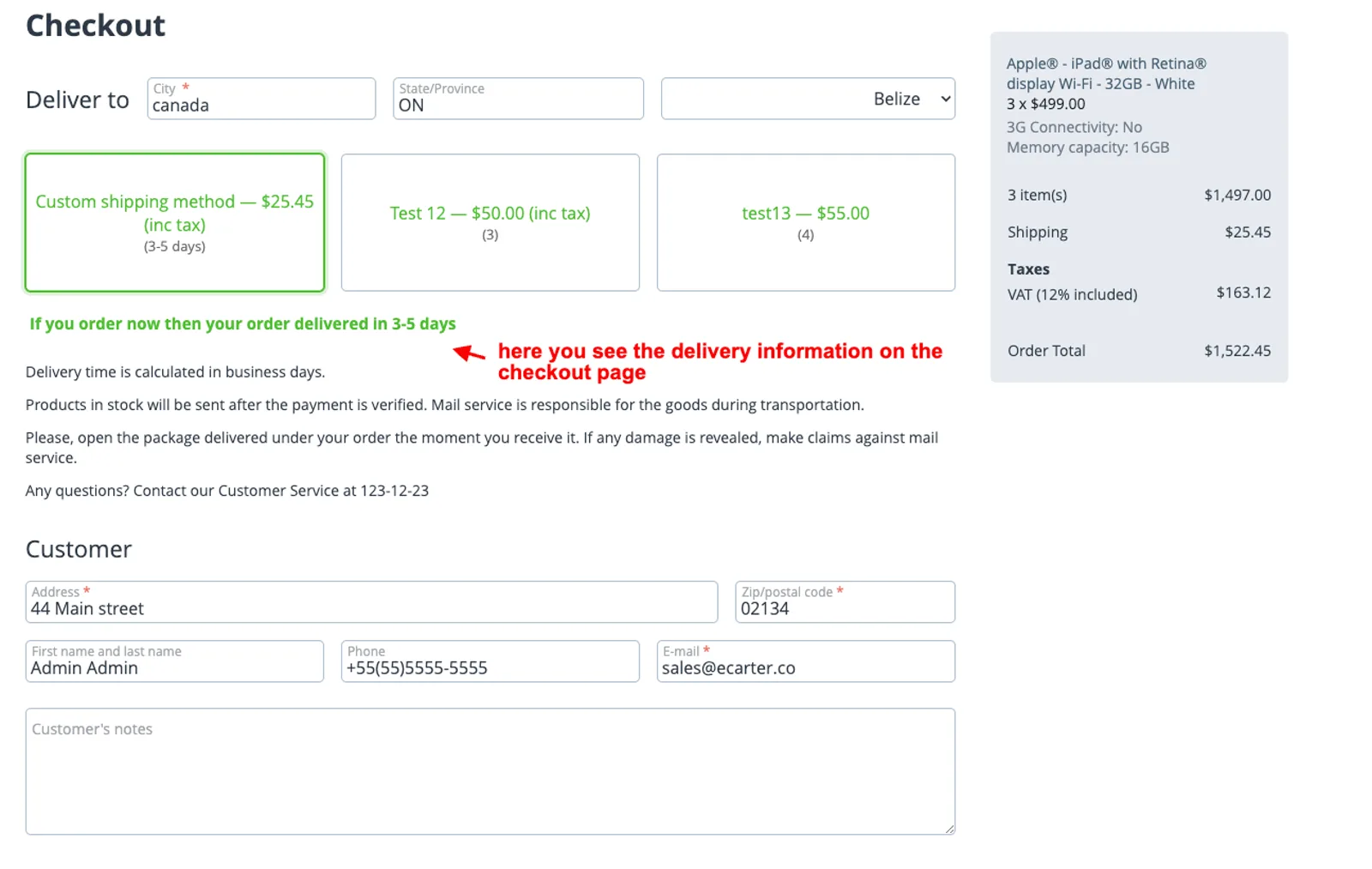
- Click on the checkout.
- Here you see the delivery information on the checkout page.
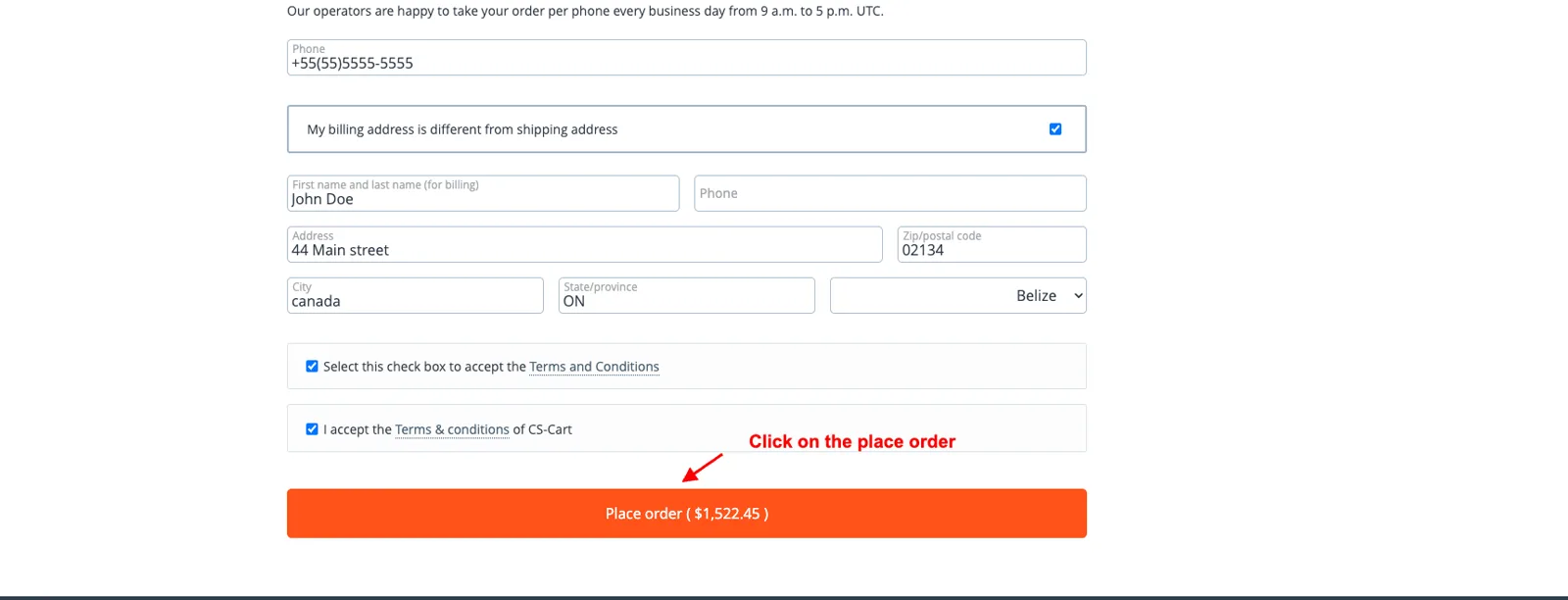
- Click on the place order.
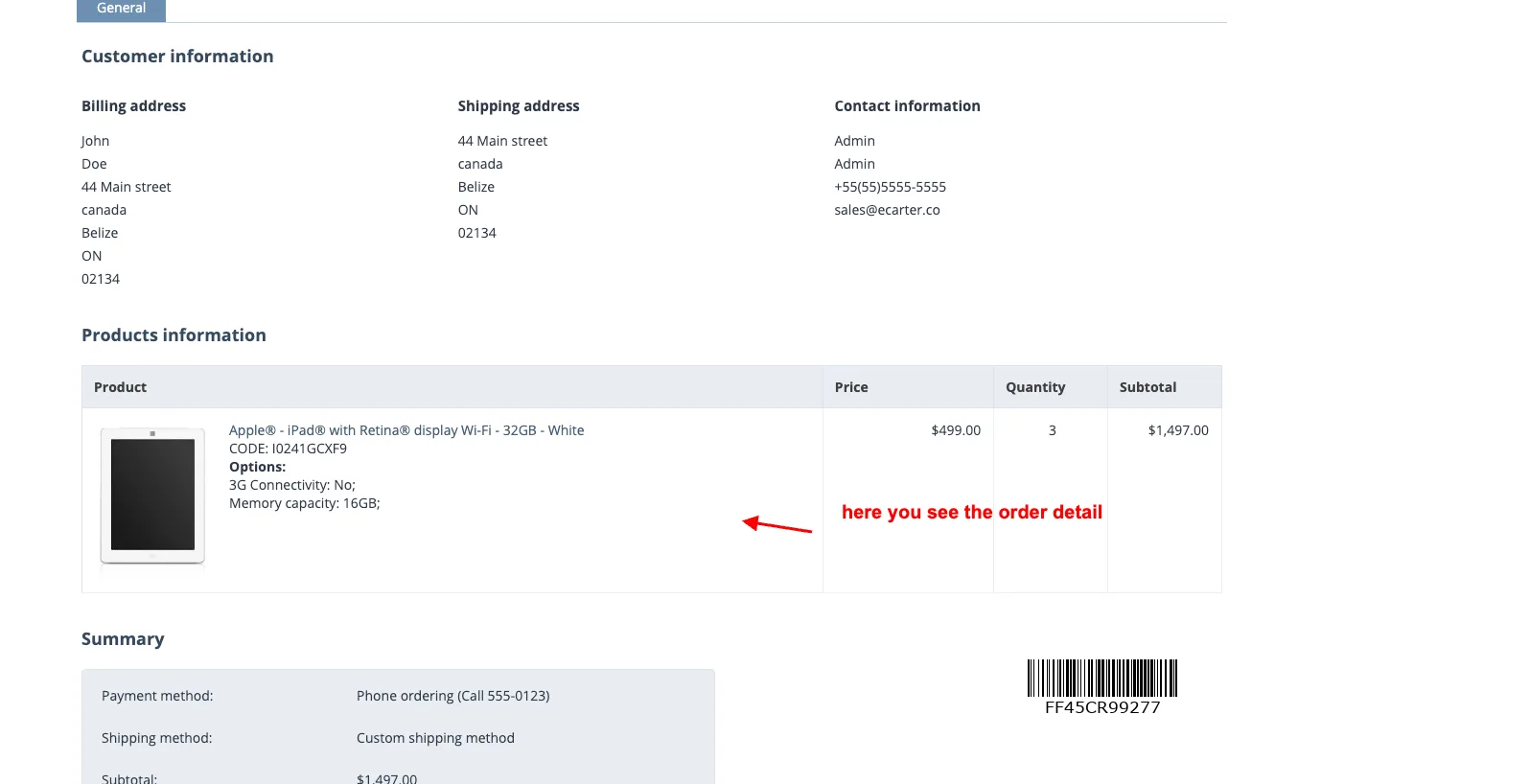
- Here you see the order detail page.
Addon-Version:
Version-1.0
Supported Versions:
CS-Cart, CS-Cart Multivendor 4.8.x, 4.9.x,4.10x,4.11x,4.12,4.13x, 4.14x, 4.15x, 4.16x, 4.17x, 4.18x
Support:
This app is developed and published by Ecarter Technologies Pvt. Ltd., a CS-Cart developer. You are guaranteed quality add-ons.
Frequently asked questions
Where do customers see the estimated delivery time?
Estimated delivery times are shown on product pages and again during checkout, so customers can see when an order is likely to arrive both while browsing and before they complete the purchase.
How is the delivery time calculated?
The add-on calculates the estimated time using the customer's location and their selected delivery service, combined with the delivery days, time slots, and holidays you configure for each shipping method.
Can I block delivery on holidays or specific days?
Yes. Holiday management lets you mark days when delivery is unavailable, and you can also pick which days of the week deliveries run and offer specific time slots for them.
How do I set up the add-on in CS-Cart?
After installing the add-on, go to the admin panel under Shipping & Taxes, open a shipping method, and switch on the Estimated Delivery Time tab to configure holidays, delivery days, and time slots. Installation steps are covered in the how-to-install guide, and you can reach out to us for help with configuration.
Nisha Gaur is a Technical Content Writer at Ecarter Technologies. She writes technical documentation, tutorials and buying guides covering CS-Cart, Magento, Shopify and eCommerce development.