
Customer Activity Logs
Customer Activity Logs: Admin can see each and every activity of a user in his store. so the admin can improve their products stocks
Customer Activity Logs is a CS-Cart add-on that records what shoppers do in your store and shows those actions to the admin from the admin panel. It logs events such as a new user registering, logging in, adding or removing a product from the cart, taking part in a product discussion, and placing an order. Reviewing this activity helps a store owner understand which products get attention, so they can plan stock, add categories, and adjust their catalog. It is aimed at CS-Cart store admins, including those running a Multi-Vendor marketplace, who want a clear record of customer behavior in one place.
This add-on for CS-Cart allows you to track customer activity on the admin panel. Admin can see each and every activity of a user in his store. An activity like when a new user registers on his site, adds a product to the cart, removes a product from the cart, places an order or discussion on a product. These activities create a log that is very useful for any store admin, with help of this activity log the admin can do an analysis about what kind of products users like so the admin can improve their products stocks, add some new product categories at their store.
Features:
- Well integrated with CS-Cart Multivendor.
- User-Friendly.
- Admin can see activity when a new user registers on-site.
- Admin can see activity when user login on site.
- Admin can see activity when a user adds a product to the cart.
- Admin can see when a user deletes the product from the cart.
- Admin can see discussion on a product.
- Admin can see activity when a user places an order on site.
How to install Addon
https://store.ecarter.co/blogs/how-to-install-addon/
How addon Works
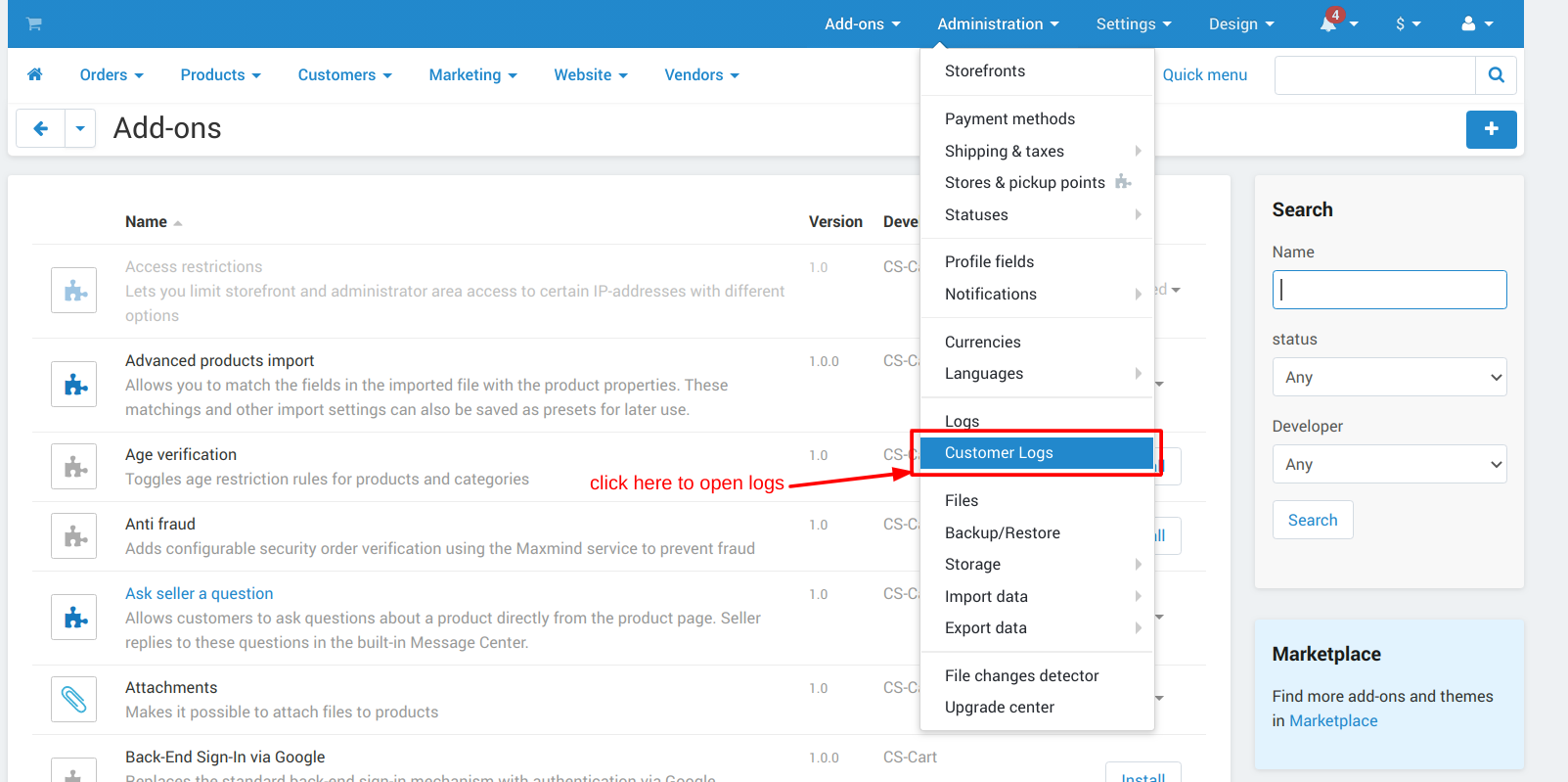
Where to check Customer Logs- as you can see below screenshot, first click on Administration, then click on Customer Logs.
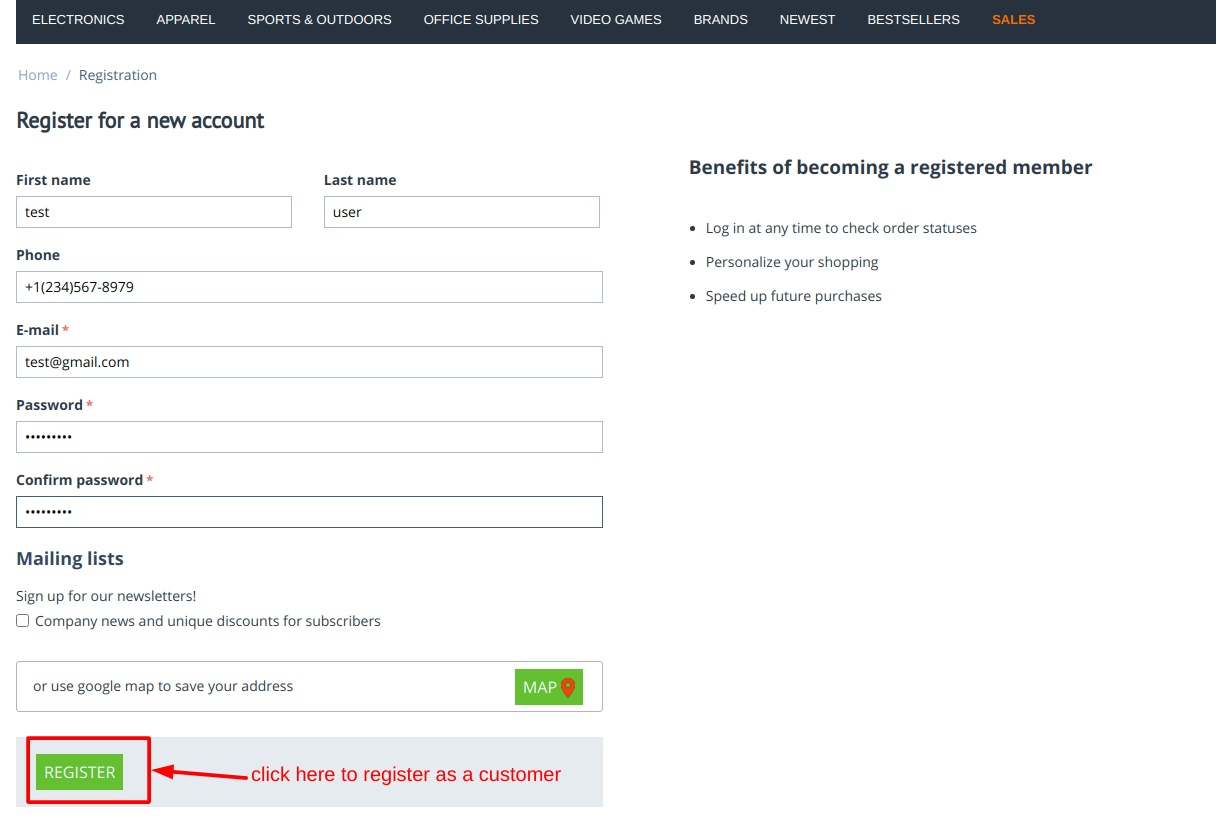
How Customer Logs are Generated- for this we take the example of the registration process, so whenever a new user register at your store, after the registration process is completed by the customer a log of registration is generated in the customer logs you can see in below images-
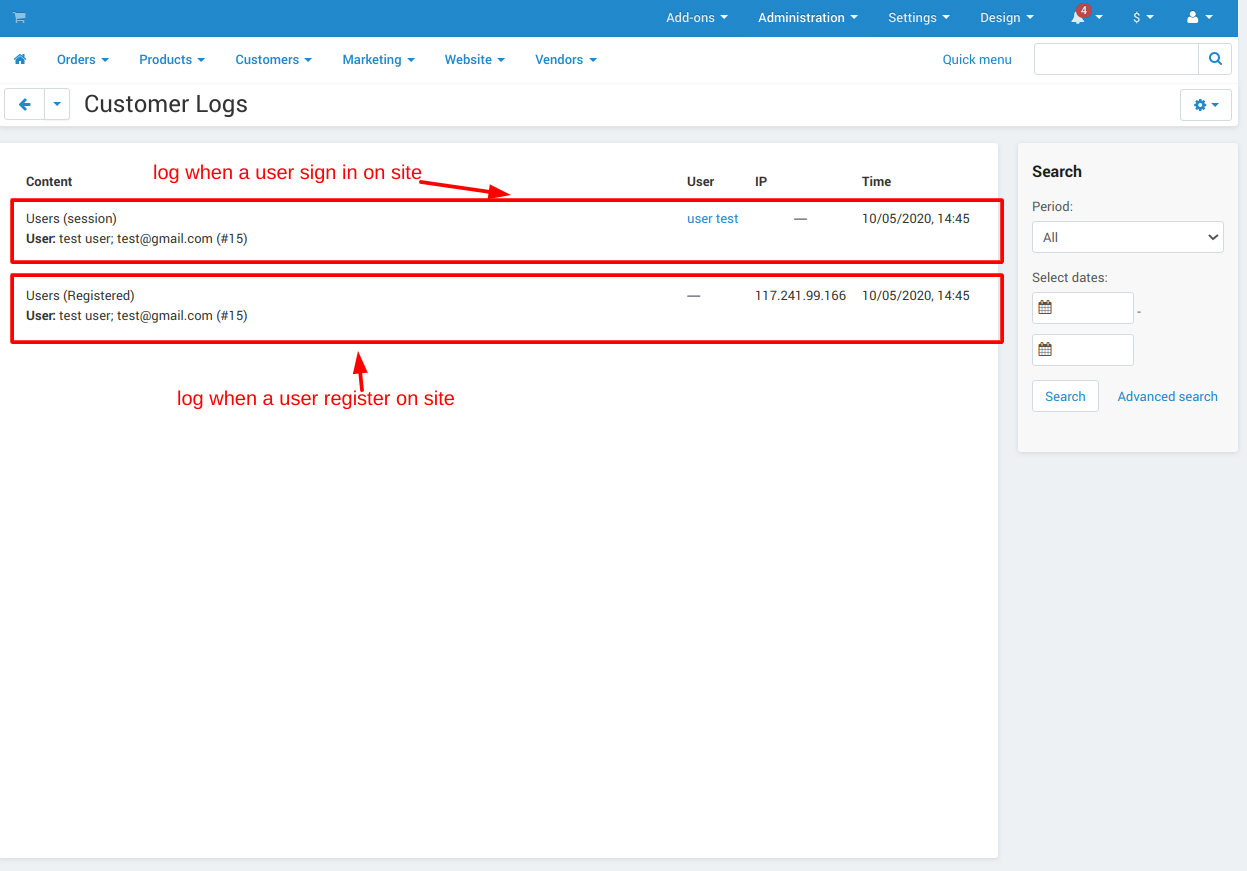
Sign in and registration logs generated after sign in and registration see in below screenshots-
For more example, in the below screenshot, you can see a product is added to the cart by the customer
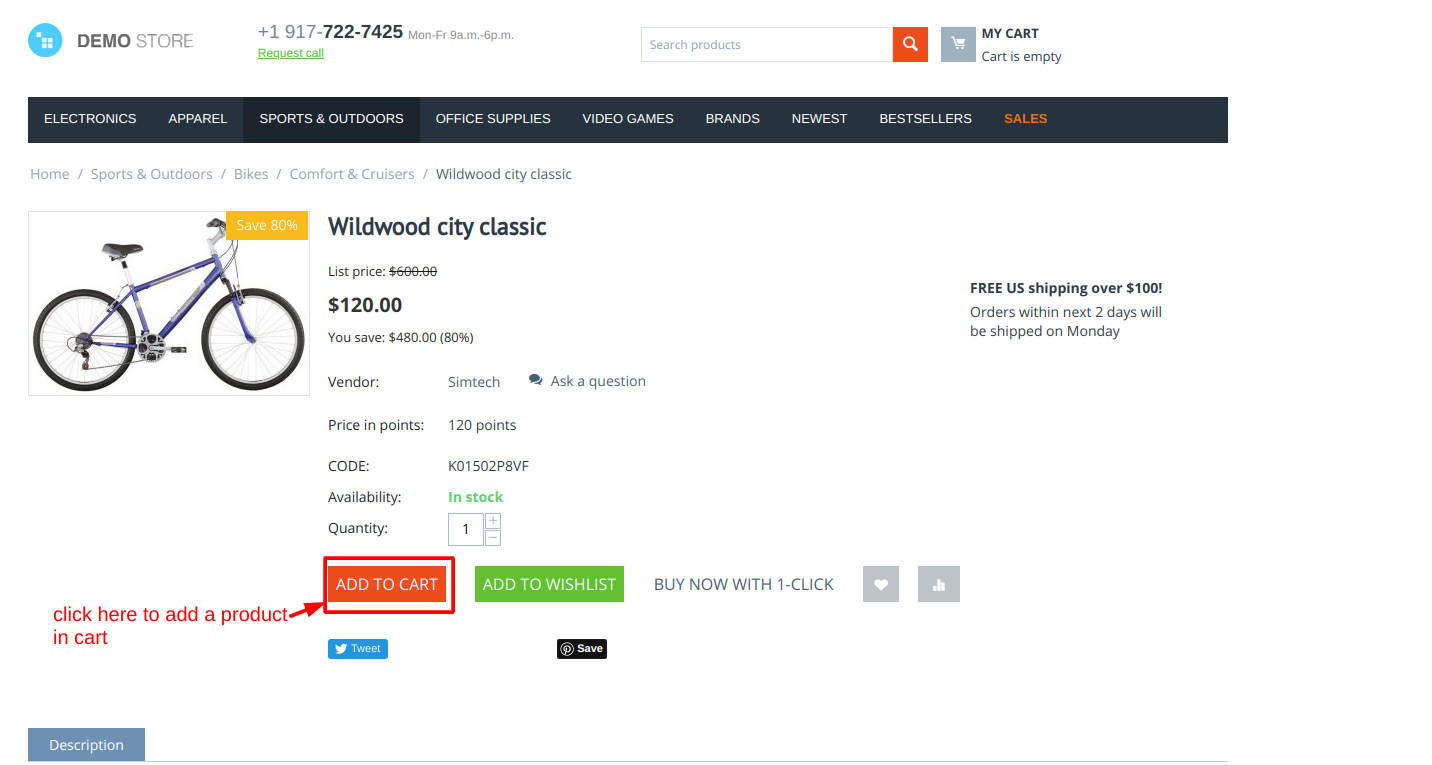
And here you can see them in the below screenshot the log of added product to cart.

The below screenshots show placing an order by the customer-

Here you can see the log of placed orders after placing an order by customer.

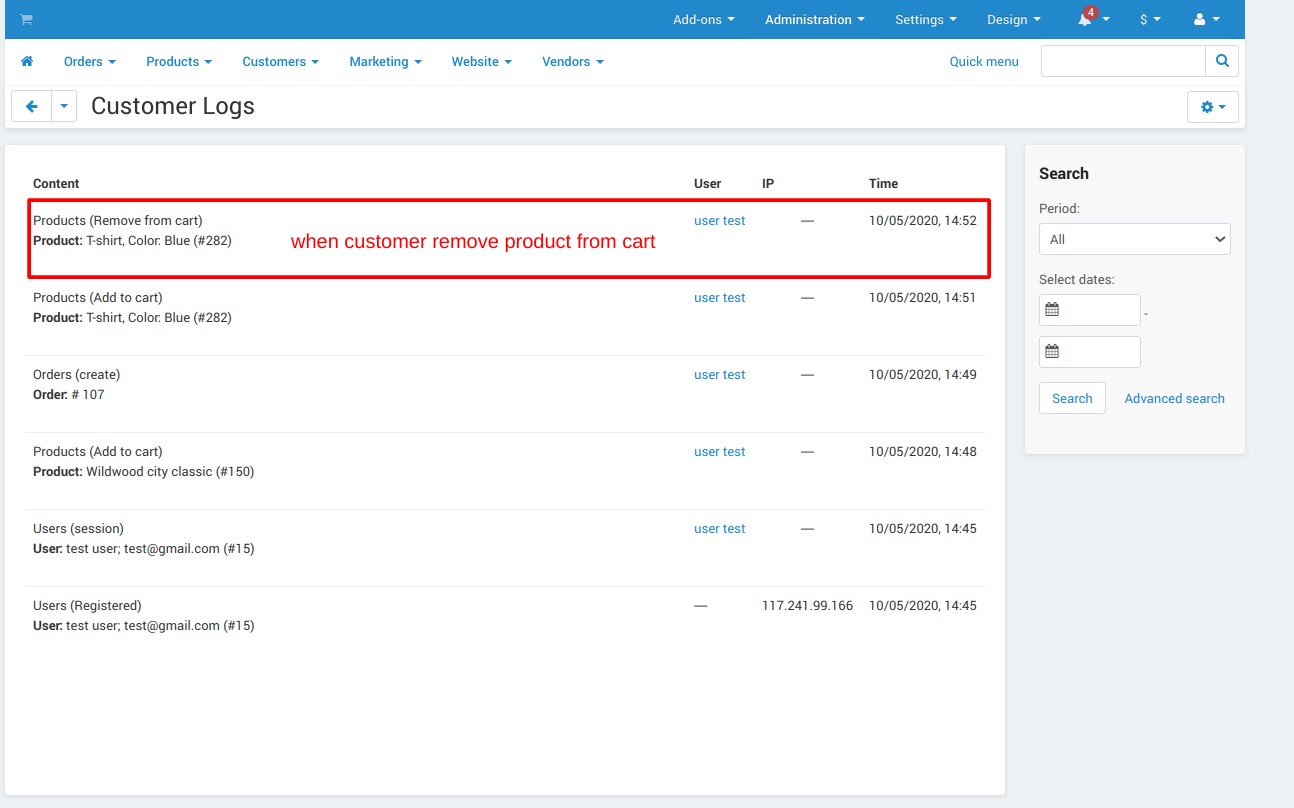
In this below screenshot, you can see the product is removed from the cart by the customer-
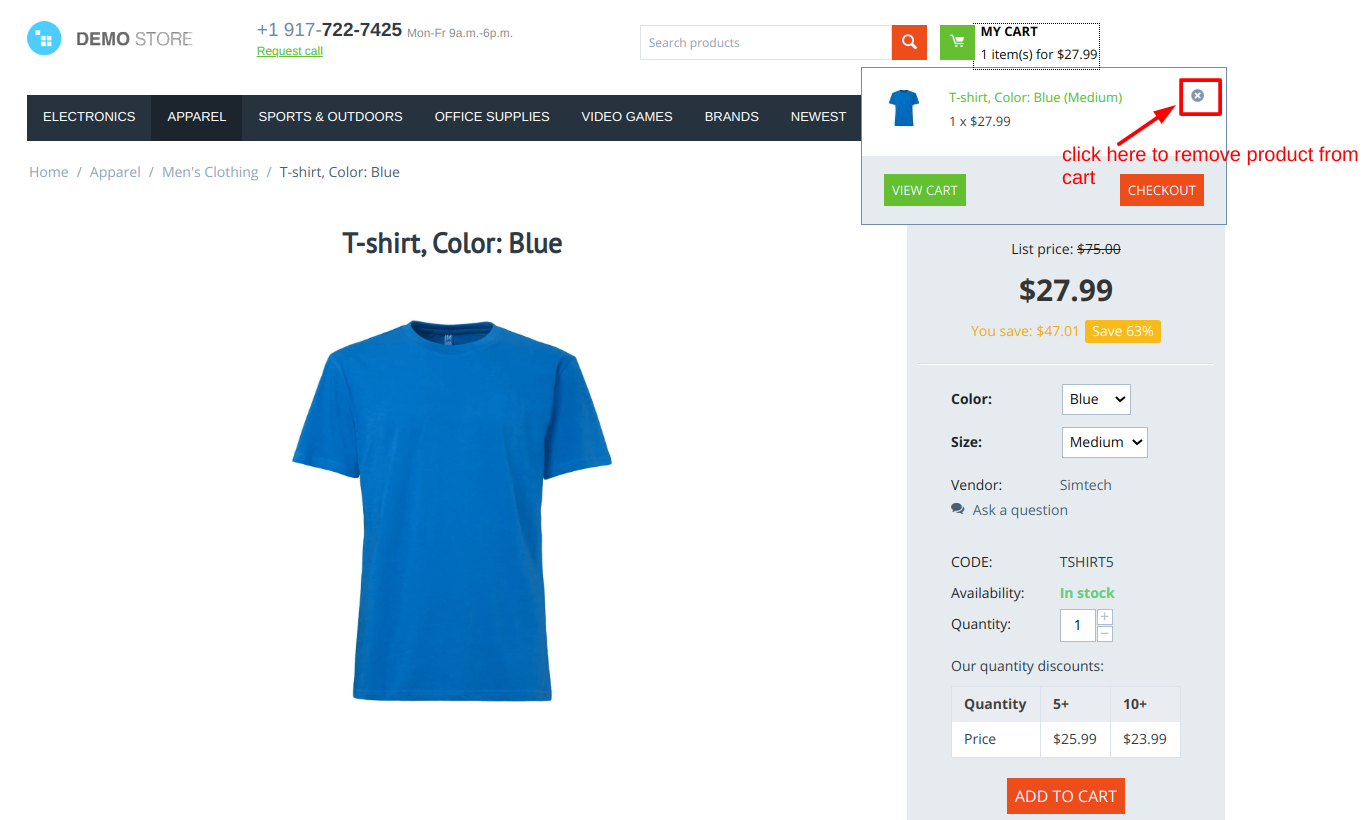
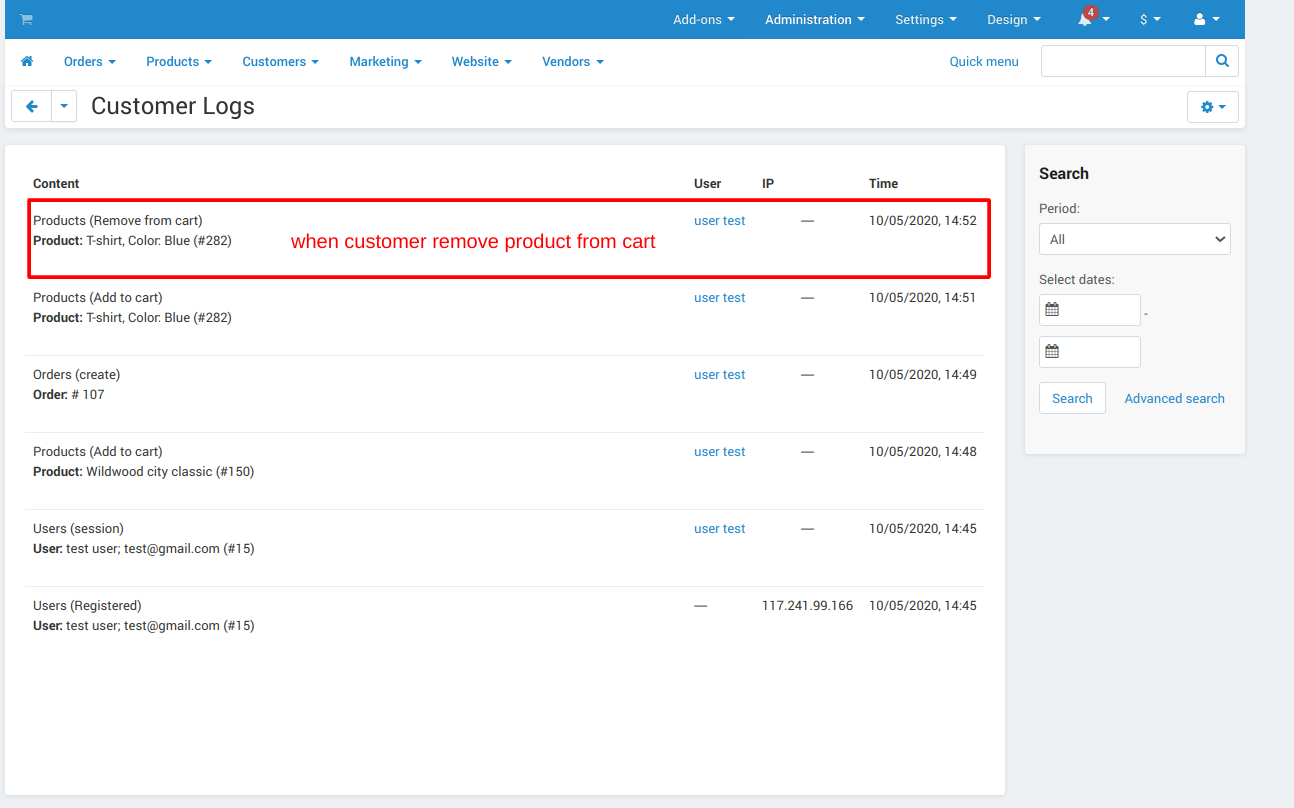
And after removing this product from the cart you can see the log of removing product in the below screenshot.
Tutorial Video:
Addon-Version:
Version-1.0
Supported Versions:
CS-Cart, CS-Cart Multivendor 4.8.x, 4.9.x,4.10x,4.11x,4.12,4.13x, 4.14x, 4.15x, 4.16x, 4.17x, 4.18x
Support:
This app is developed and published by Ecarter Technologies Pvt. Ltd., a CS-Cart developer. You are guaranteed a quality add-on supported by future versions. If you need help, please contact us via email support@ecarter.co
Need modifications or any assistance? Please, feel free to contact us via email support@ecarter.co
Frequently asked questions
What customer activities does the add-on log?
It records new user registration, user login, adding a product to the cart, removing a product from the cart, product discussions, and order placement. Each event is written to an activity log that the admin can review.
Where do I view the logs in CS-Cart?
The logs appear in the admin panel under Administration then Customer Logs. From there the admin can see the recorded customer activity for the store.
Does it work with CS-Cart Multi-Vendor?
Yes. The add-on is integrated with CS-Cart Multi-Vendor, so it can be used on a marketplace as well as a standard store.
How is the add-on installed?
It is installed like any standard CS-Cart add-on. We provide step-by-step installation instructions, and you can share your CS-Cart version if you want us to confirm compatibility before installing.
Nisha Gaur is a Technical Content Writer at Ecarter Technologies. She writes technical documentation, tutorials and buying guides covering CS-Cart, Magento, Shopify and eCommerce development.