
Custom Carrier
The Custom Carrier Add-on for CS-Cart offers an easy way to track shipments in real time. Add custom carriers, enter tracking details, and get instant updates on order status for a smooth shipping experience.
Custom Carrier is an add-on for CS-Cart that lets store owners add their own shipping carriers and give customers order tracking. Once installed, an admin adds a carrier through the shipping settings and enters details such as the carrier name and tracking information, and the add-on also comes with some carriers built in. Customers can then enter their tracking details and see real-time updates on where their order is. It is designed for CS-Cart stores that work with carriers not covered by the default options and want to keep buyers informed about order status.

The Custom Carrier is an addon for CS-Cart. This addon offers a straightforward and user-friendly solution for tracking shipments. Users can simply input their tracking details, and the system will promptly provide them with real-time updates on the current location of their orders. This ensures a hassle-free experience for customers, allowing them to stay informed and confident about the status of their orders.
Navigate the administration panel section. Here, you can effortlessly add a new carrier by selecting the chosen shipping, selecting the custom carrier, and following the prompts to input essential details, such as the carrier name, Tracking, and any other relevant information.
Features:
- User-friendly tracking: tracking your orders is effortless. Simply input your tracking details.
- Easy Input Process: Adding a new carrier. Go to the administration panel, choose shipping, select the custom carrier, and follow the simple steps to input necessary details like carrier name and tracking information.
- Provide automatic carrier: if you installed the custom carrier addon, then you can see that it provides some custom carriers.
- Prompt Updates: Get quick updates on the location of your orders. The system ensures that you're always in the know about the progress of your orders.
- Real-Time Information: Stay updated in real-time. This addon provides instant information, ensuring that you're always aware of the latest status of your shipments.
- Smooth Integration: The custom carrier addon smoothly fits into CS-Cart, making it easy for you to track your shipments without any complications.
Installation:
How to Install Addon
https://store.ecarter.co/blogs/how-to-install-addon/
Configuration
Let's check how the add-on works
- Open the customer carrier addon.
- Go to the general tab.
- Items for the menu: you can directly access the carrier page in the administration panel through this link.
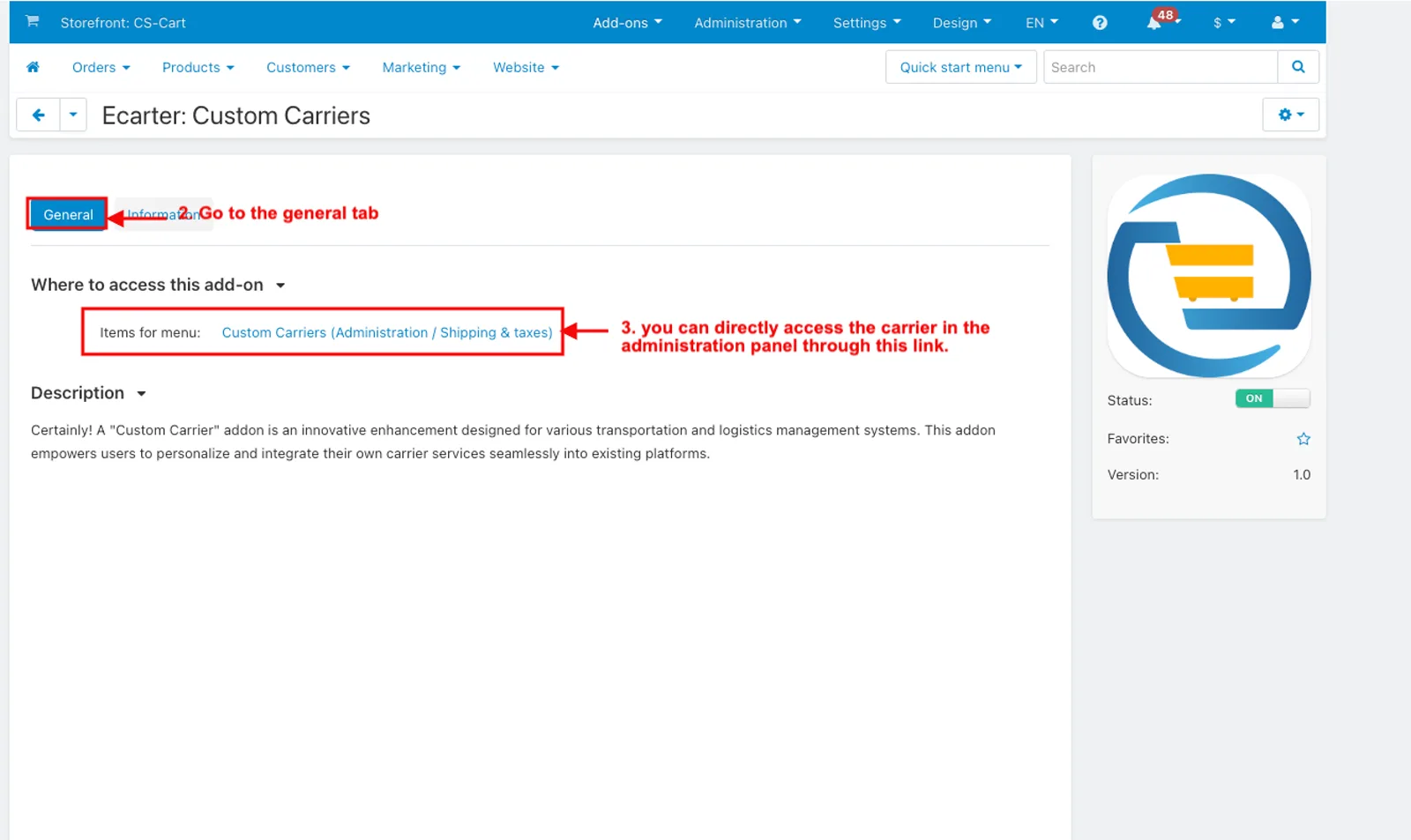
How to Show Custom Carrier in the Administration Panel
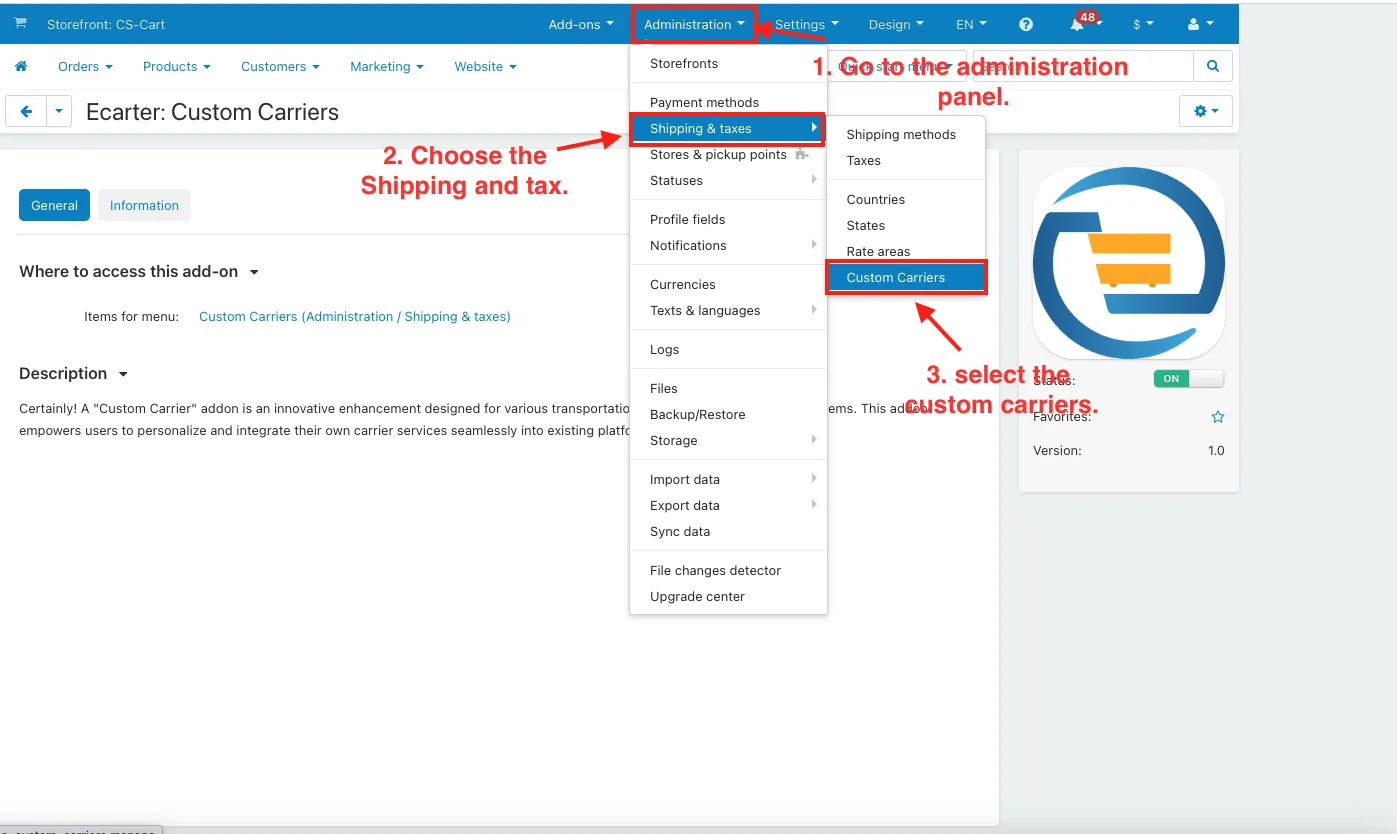
- Go to the administration panel.
- Choose the Shipping and tax.
- And then select the custom carriers.
- The carrier page will be open.
- You can see that some carriers have been provided by default.
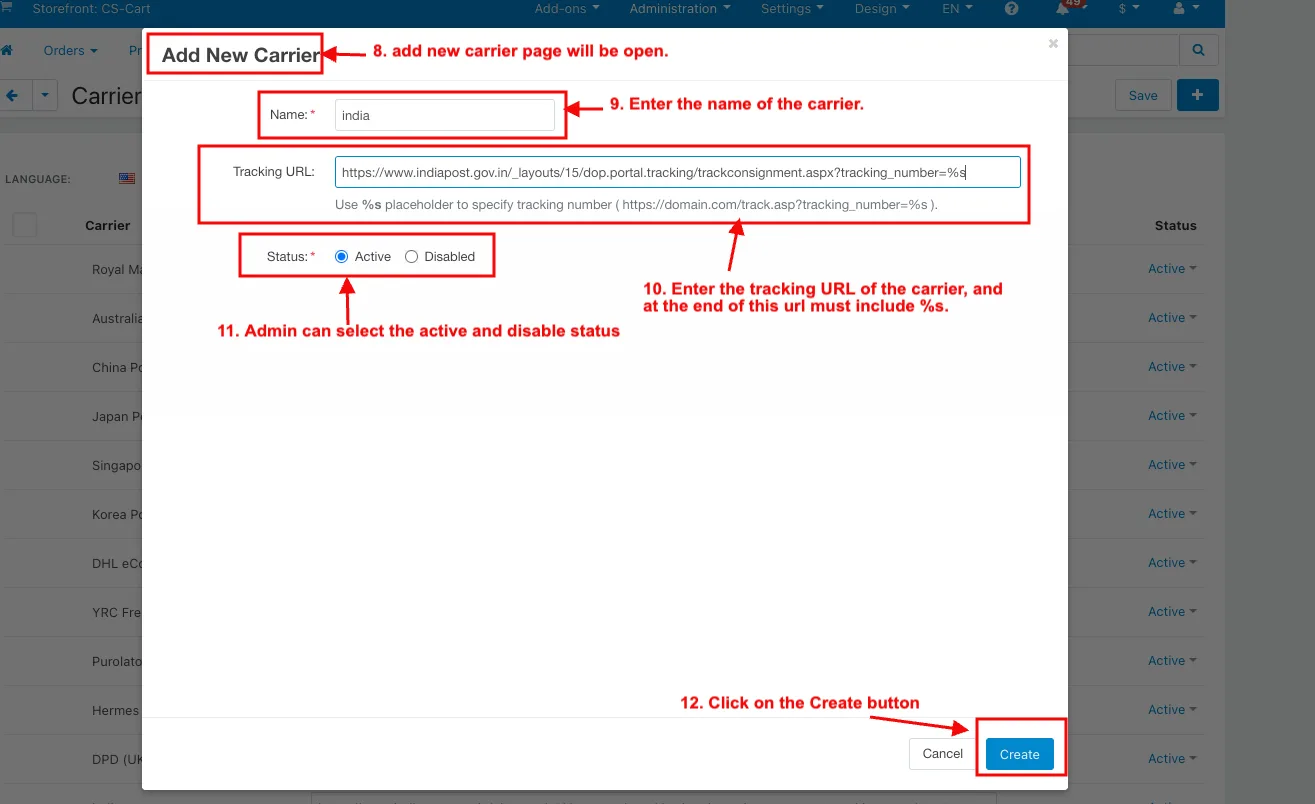
- If the admin wants to add a new carrier.
- Click on the (+) icon.
- Add new carrier page will be open.
- Enter the name of the carrier.
- Enter the tracking URL of the carrier, and at the end of this URL must include %s.
- Admin can select the active and disable status.
- Click on the Create button.
How to Show the Custom Carrier in the Order menu:
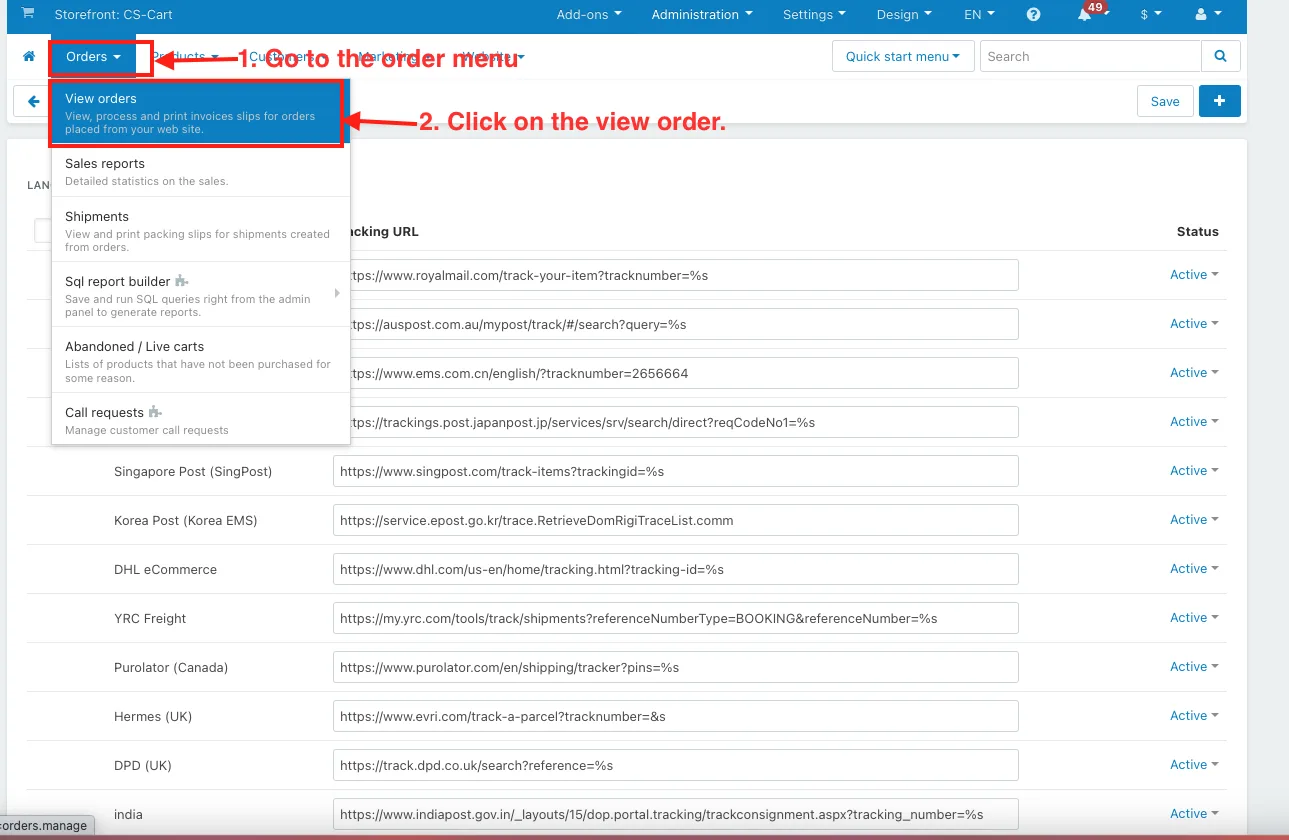
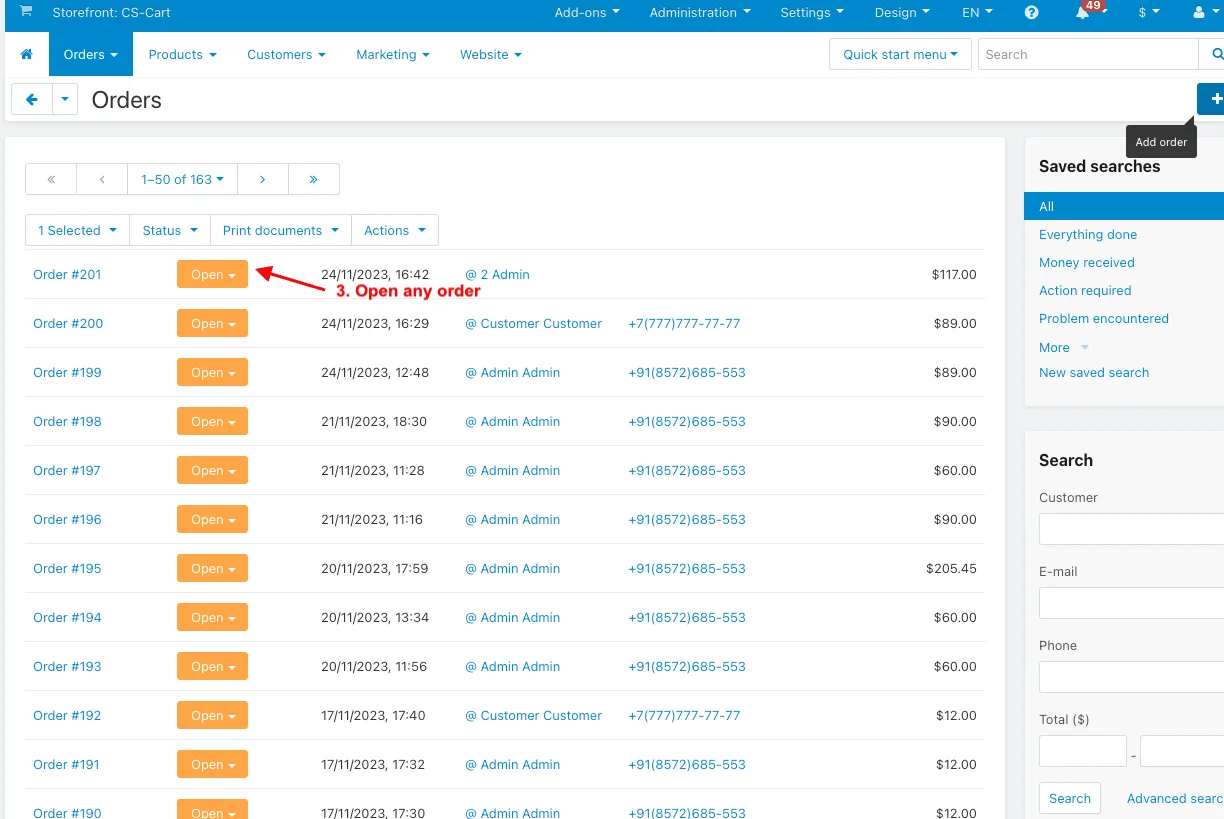
- Go to the order menu.
- Click on the view order.
- Open any order.
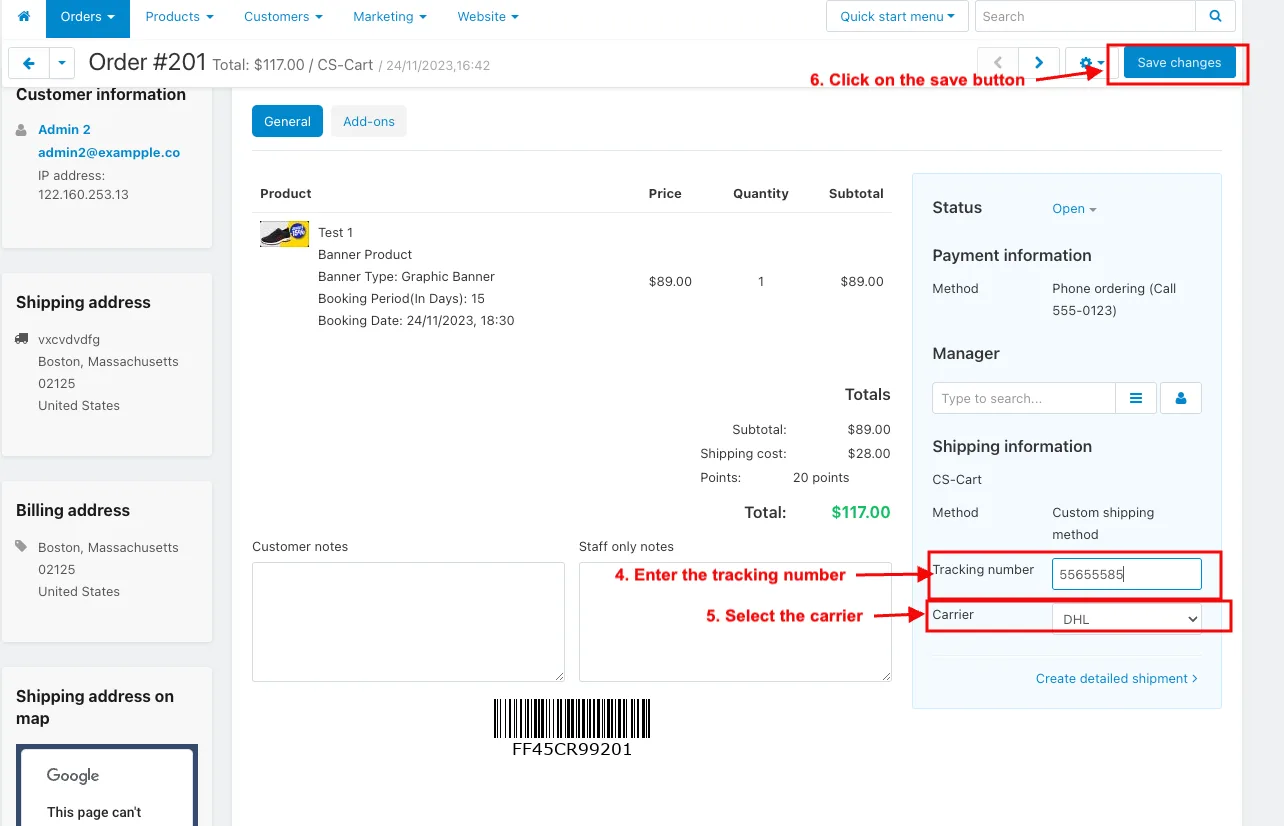
- Enter the tracking number in the Shipping information.
- Select the carrier.
- Click on the save.
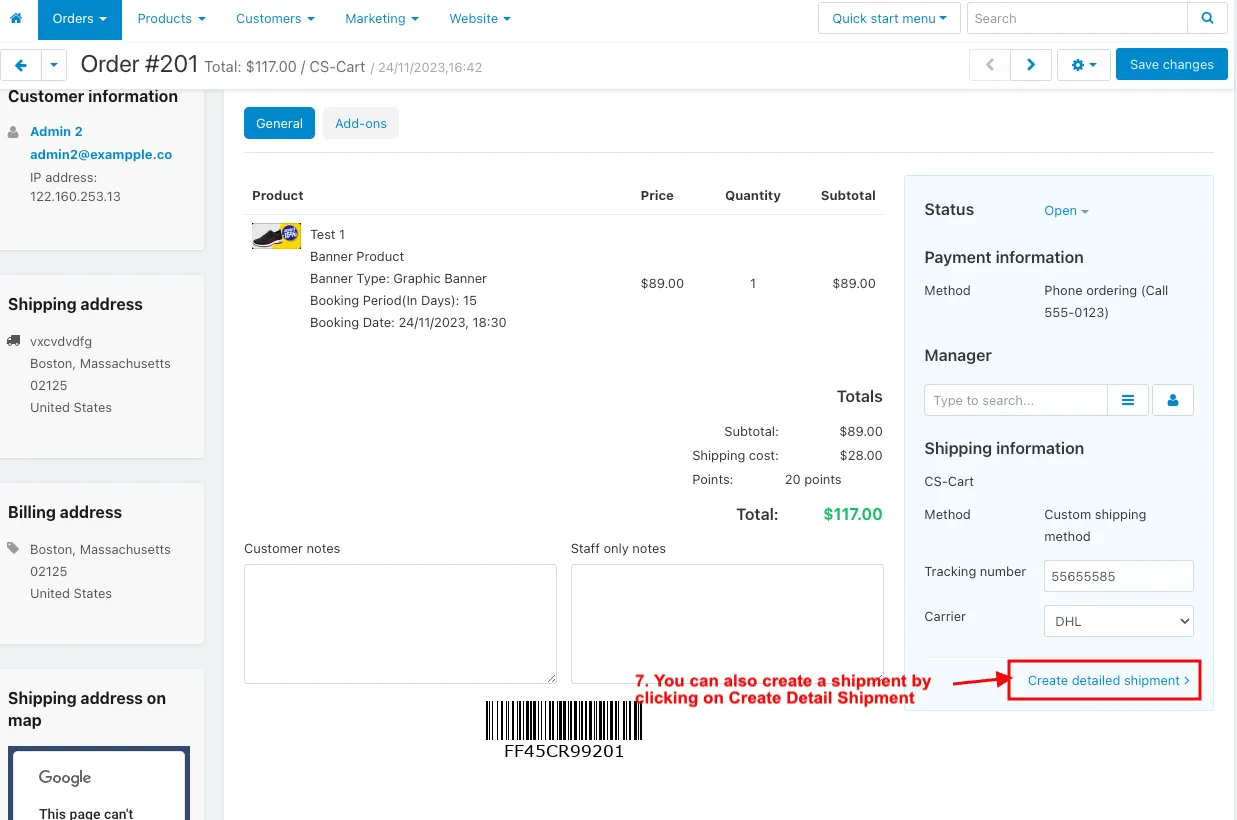
- You can also create a shipment by clicking on Create Detail Shipment.
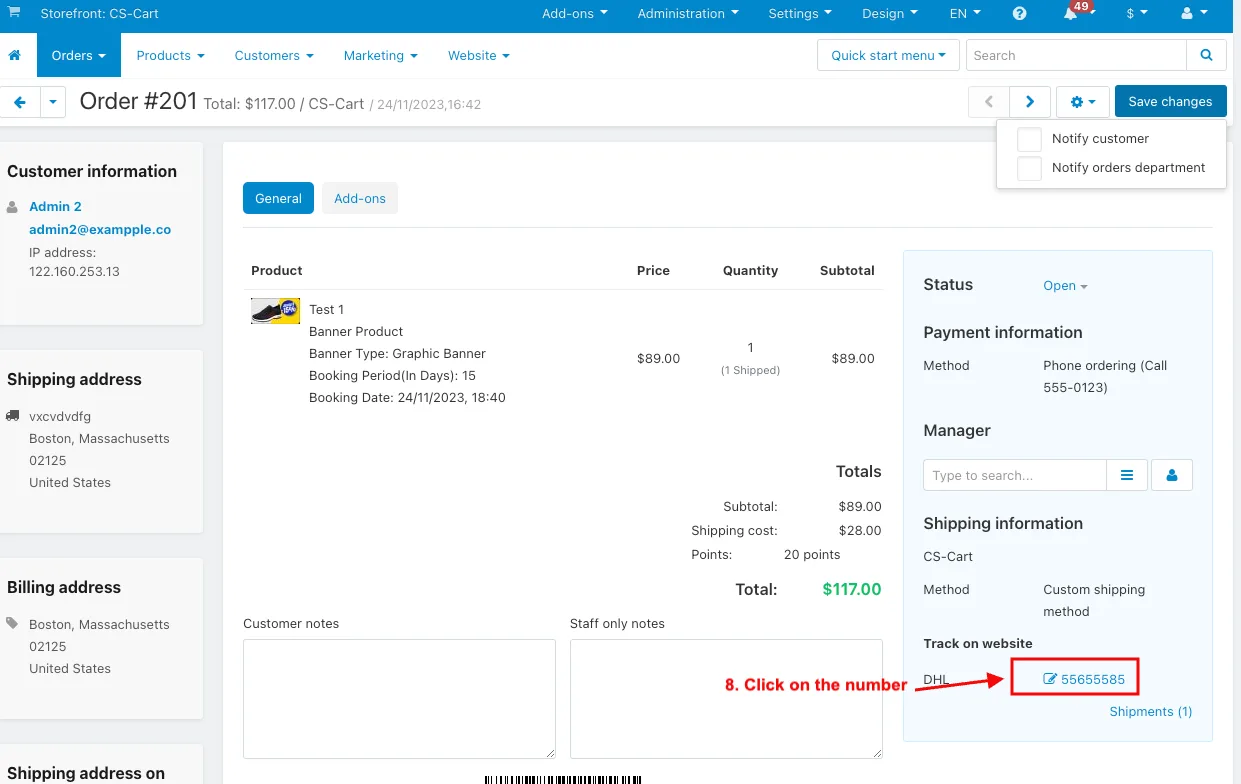
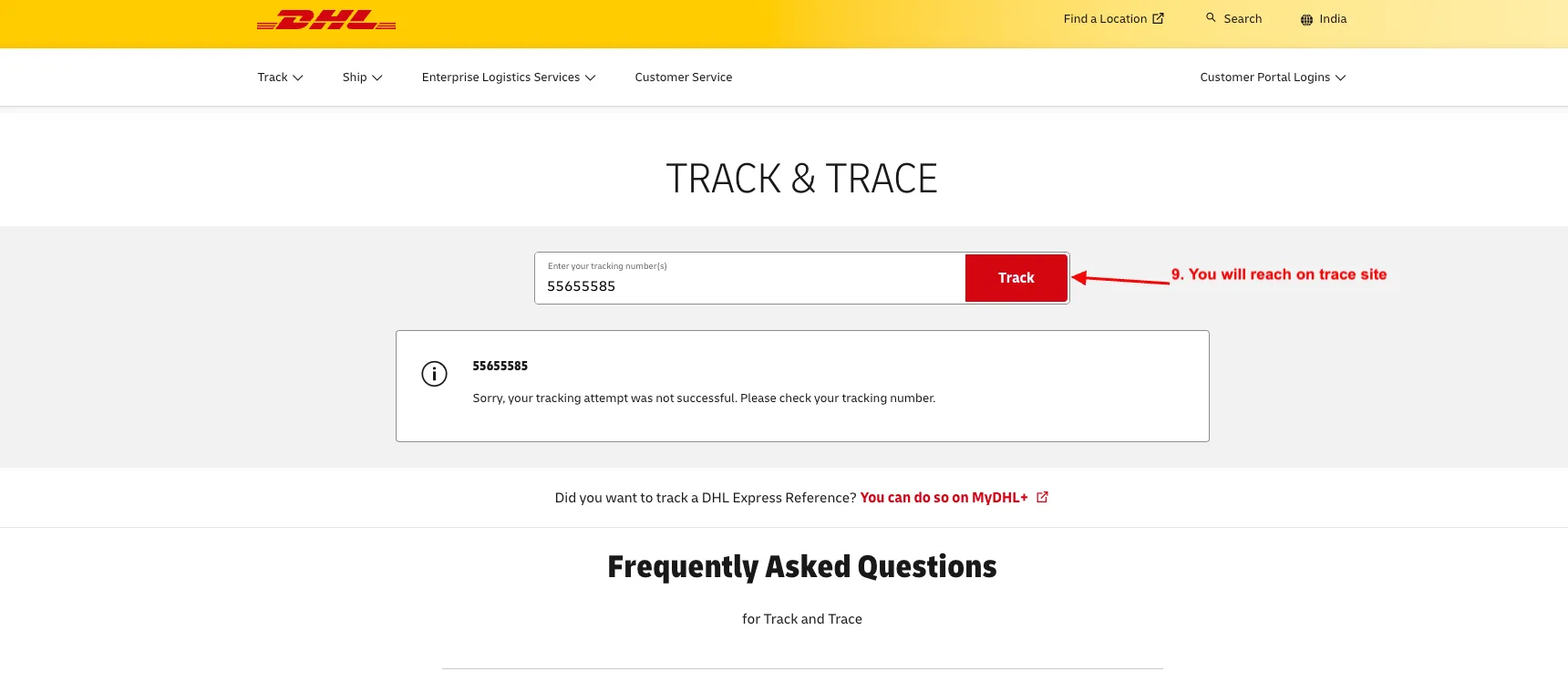
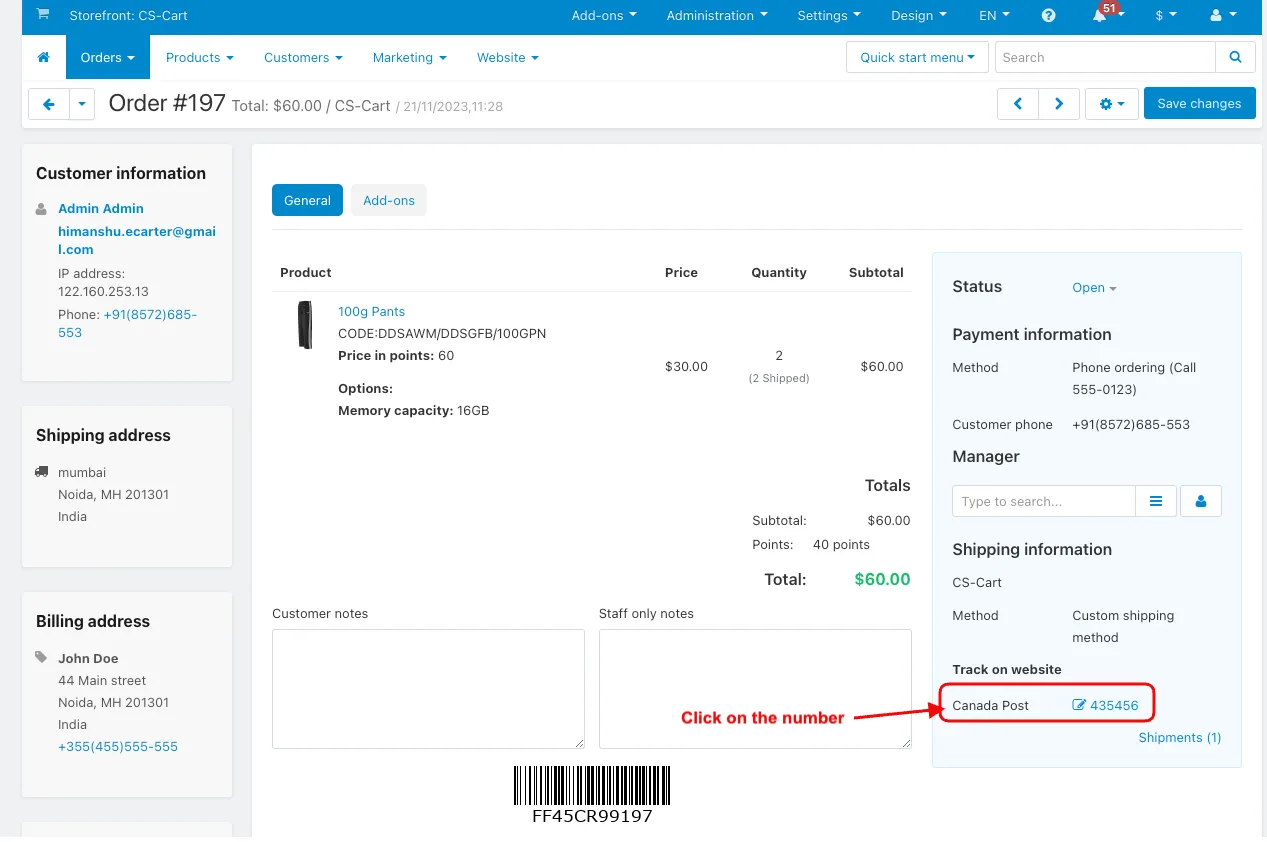
- Click on the number.
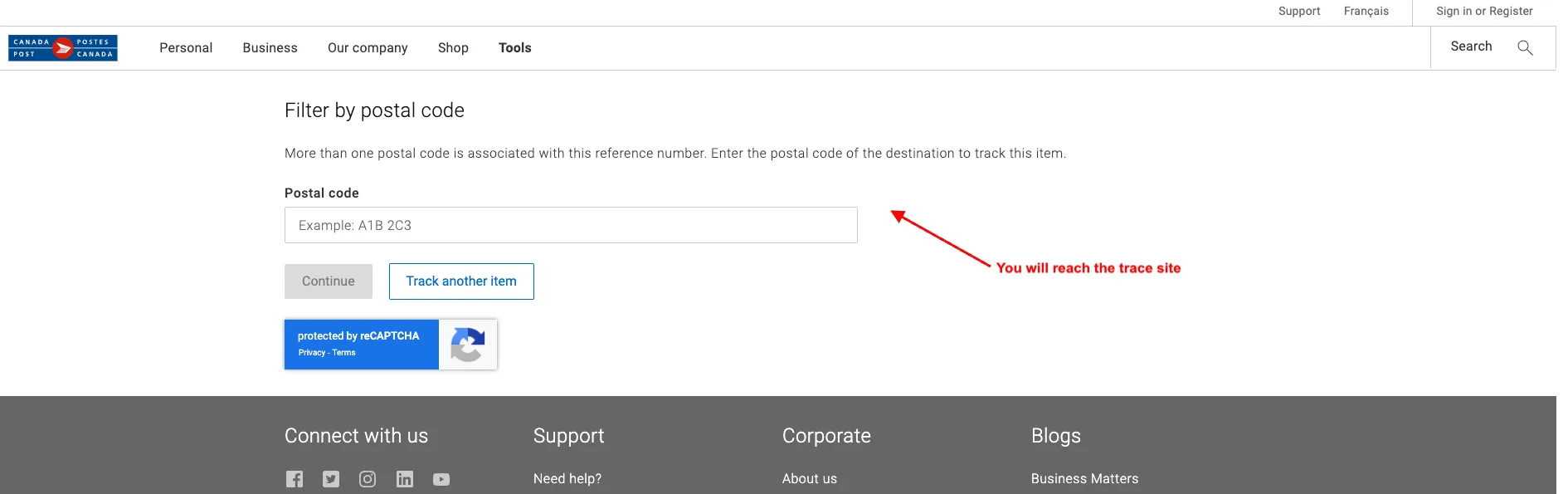
- You will reach the trace site.
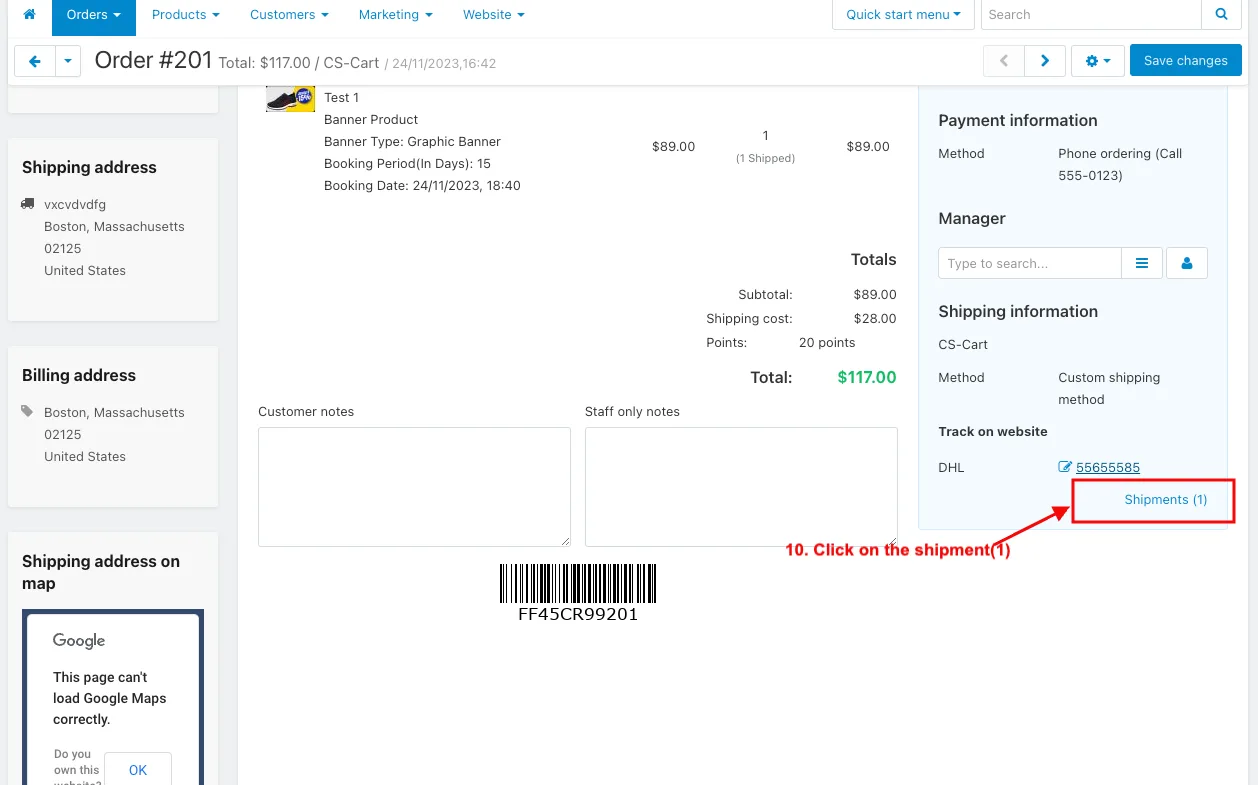
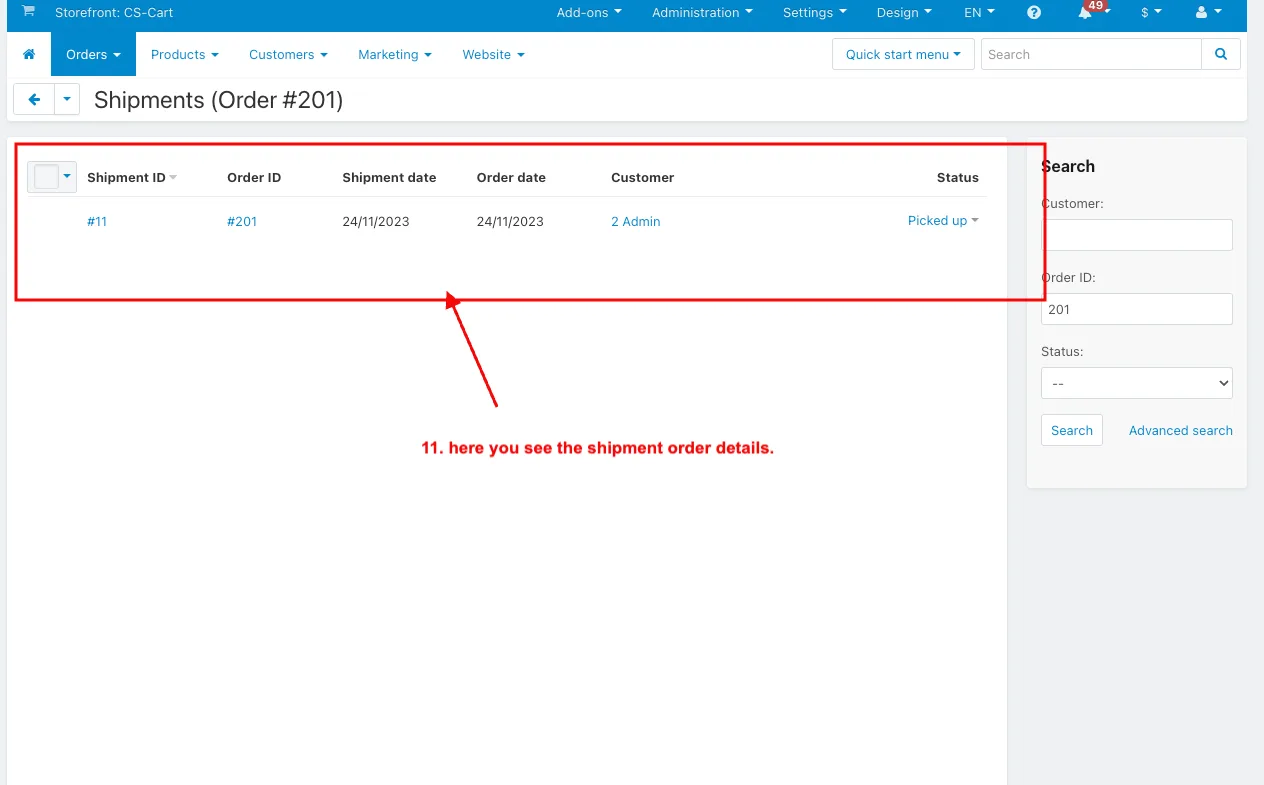
- Click on the shipment(1).
- And here you see the shipment order details.
Another Tracking Site:
Addon-Version:
Version-1.0
Supported Versions:
CS-Cart, CS-Cart Multivendor 4.8.x, 4.9.x,4.10x,4.11x,4.12,4.13x, 4.14x, 4.15x, 4.16x, 4.17x, 4.18x
Support:
This app is developed and published by Ecarter Technologies Pvt. Ltd., a CS-Cart developer. You are guaranteed quality add-ons.
Frequently asked questions
How do I add a new carrier in CS-Cart with this add-on?
In the administration panel, open the shipping section, choose the custom carrier option, and follow the prompts to enter the carrier name, tracking details, and any other required information.
Does the Custom Carrier add-on come with any carriers already set up?
Yes. After you install the add-on, it provides a set of built-in custom carriers in addition to any carriers you add manually.
How does order tracking work for customers?
Customers enter their tracking details and the system returns real-time updates on the current location and status of their order, so they can follow its progress without contacting support.
Which versions of CS-Cart does the add-on support?
It is built for CS-Cart and is compatible with recent versions. Tell us the CS-Cart version you are running and we will confirm compatibility before you install.
Nisha Gaur is a Technical Content Writer at Ecarter Technologies. She writes technical documentation, tutorials and buying guides covering CS-Cart, Magento, Shopify and eCommerce development.