
Currency Specific Product Pricing
Currency Specific Product pricing addon provides functionality to the admin to set prices for specific products in different currencies.
The Currency Specific Product Pricing add-on for CS-Cart lets store administrators set individual product prices in different currencies directly from the admin panel, rather than relying on automatic conversion from a base currency. Shoppers can switch currencies on the storefront and see prices update instantly to the amount you defined for each currency. This avoids rounding or conversion-rate errors and lets you show customers a clean, familiar price in their own local currency. It is aimed at CS-Cart store owners who sell to customers in more than one country and want full control over the exact price displayed per currency.
 Currency Specific Product pricing Addon for CS-Cart provides functionality to the admin to set prices for specific products in different currencies. Users can easily switch between currencies on the storefront and see prices updated accordingly.
If you have customers from different countries, you can offer them prices in their own currency.
Features:
- Multi-Currency Pricing: Set individual product prices in different currencies from the admin panel.
- Product Management: Manage and edit product prices directly on the product management page.
- Easy Currency Switch: Customers can switch currencies easily on the storefront.
- Auto Price Update: Prices update automatically when changing currencies.
- No Conversion Issues: Avoid errors caused by currency conversion rates.
- Local Currency Display: Show prices in the customer’s preferred or local currency.
- Boost Sales: Improve customer experience and increase sales with familiar currency options.
Installation:
How to install add-on
https://store.ecarter.co/blogs/how-to-install-addon/
Configuration
Let's Check how to work this add-on
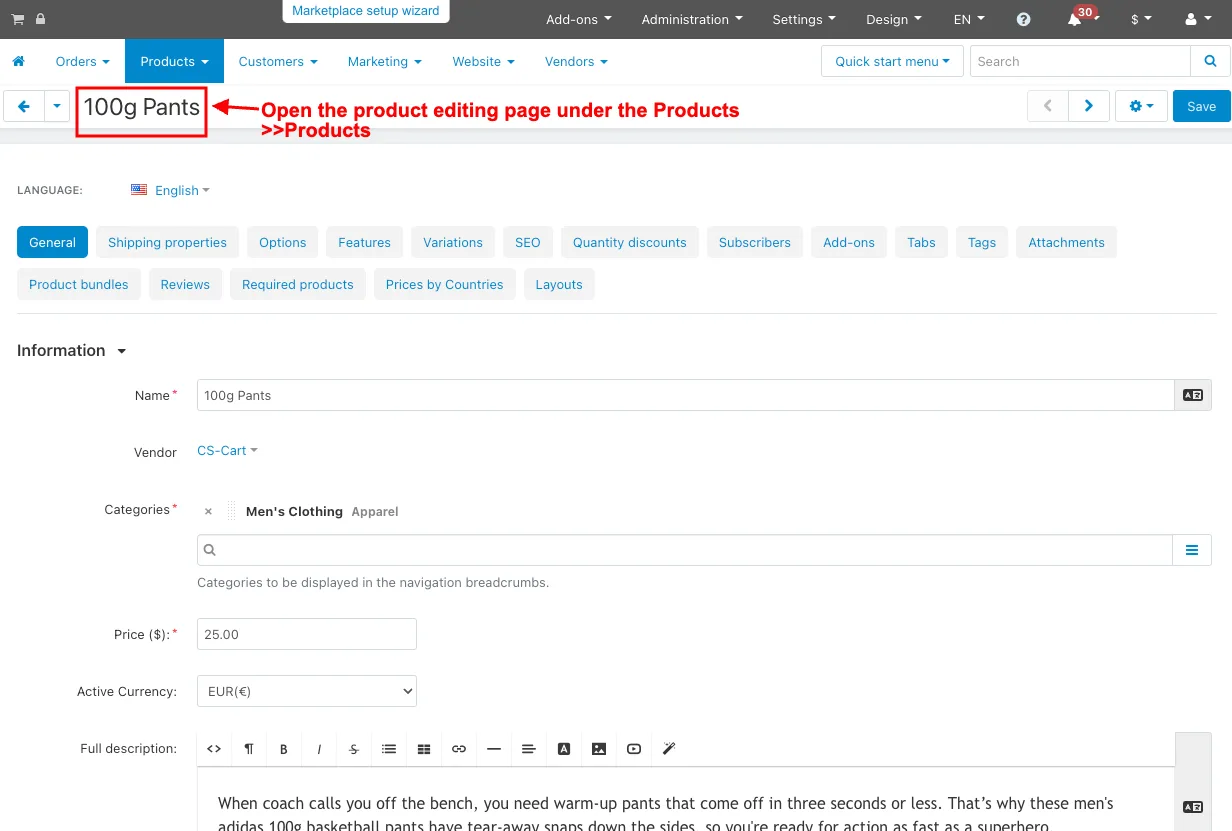
- Open the product editing page under the Products >>Products in the admin panel.
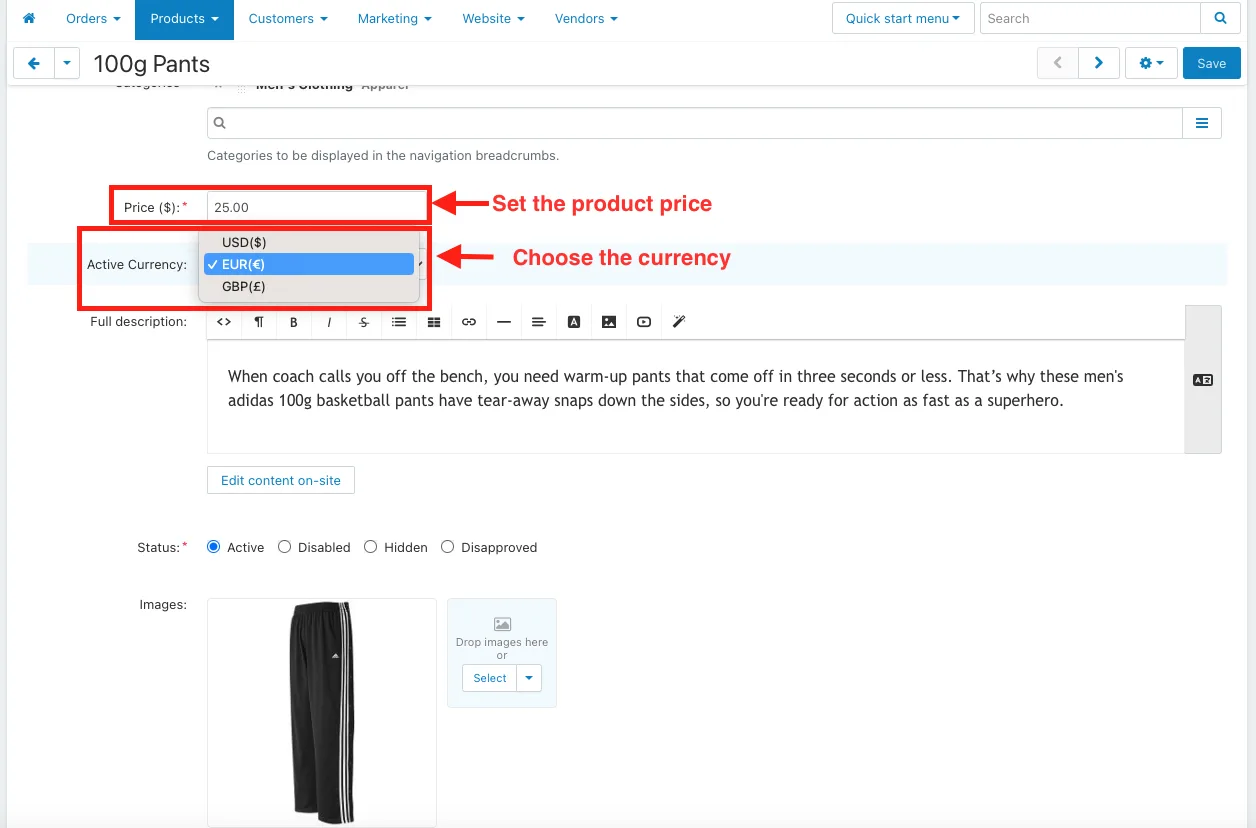
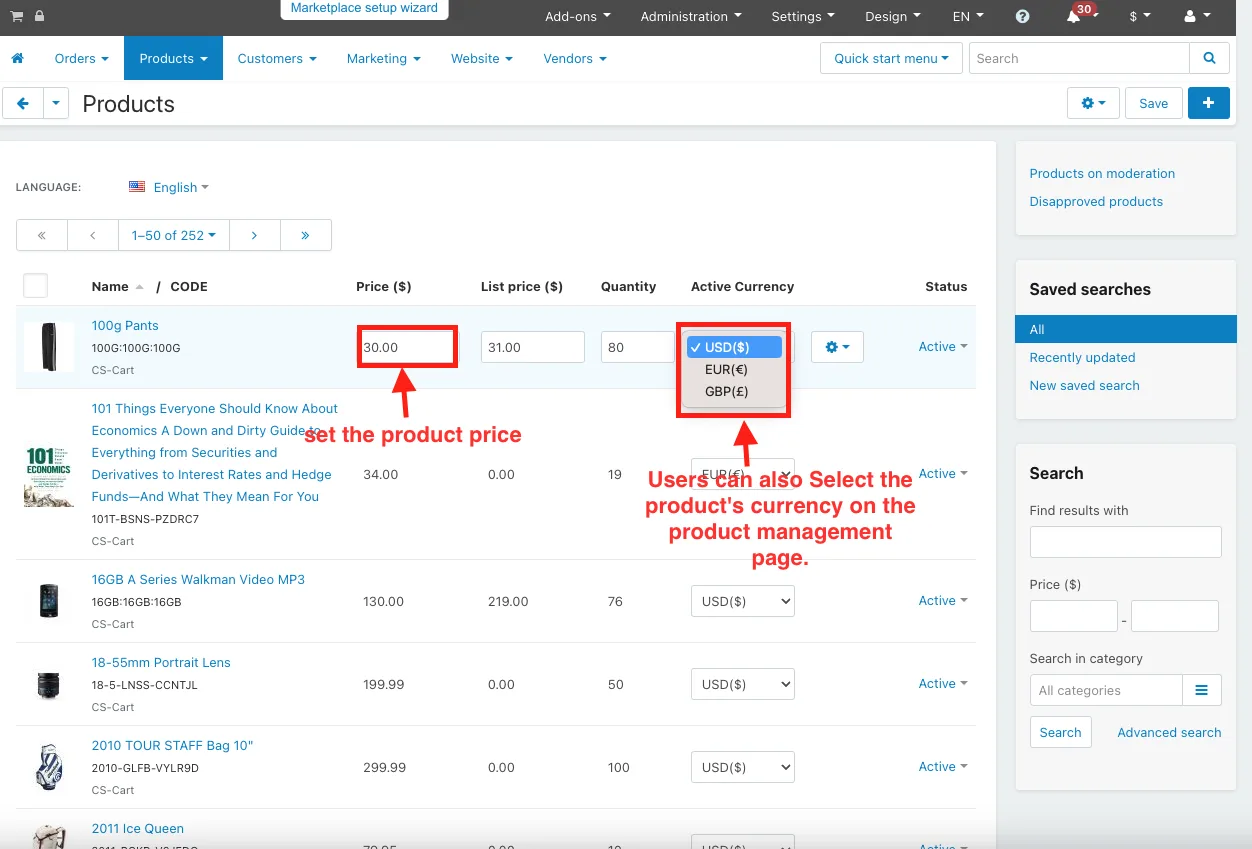
- Set the product price.
- Choose the currency.
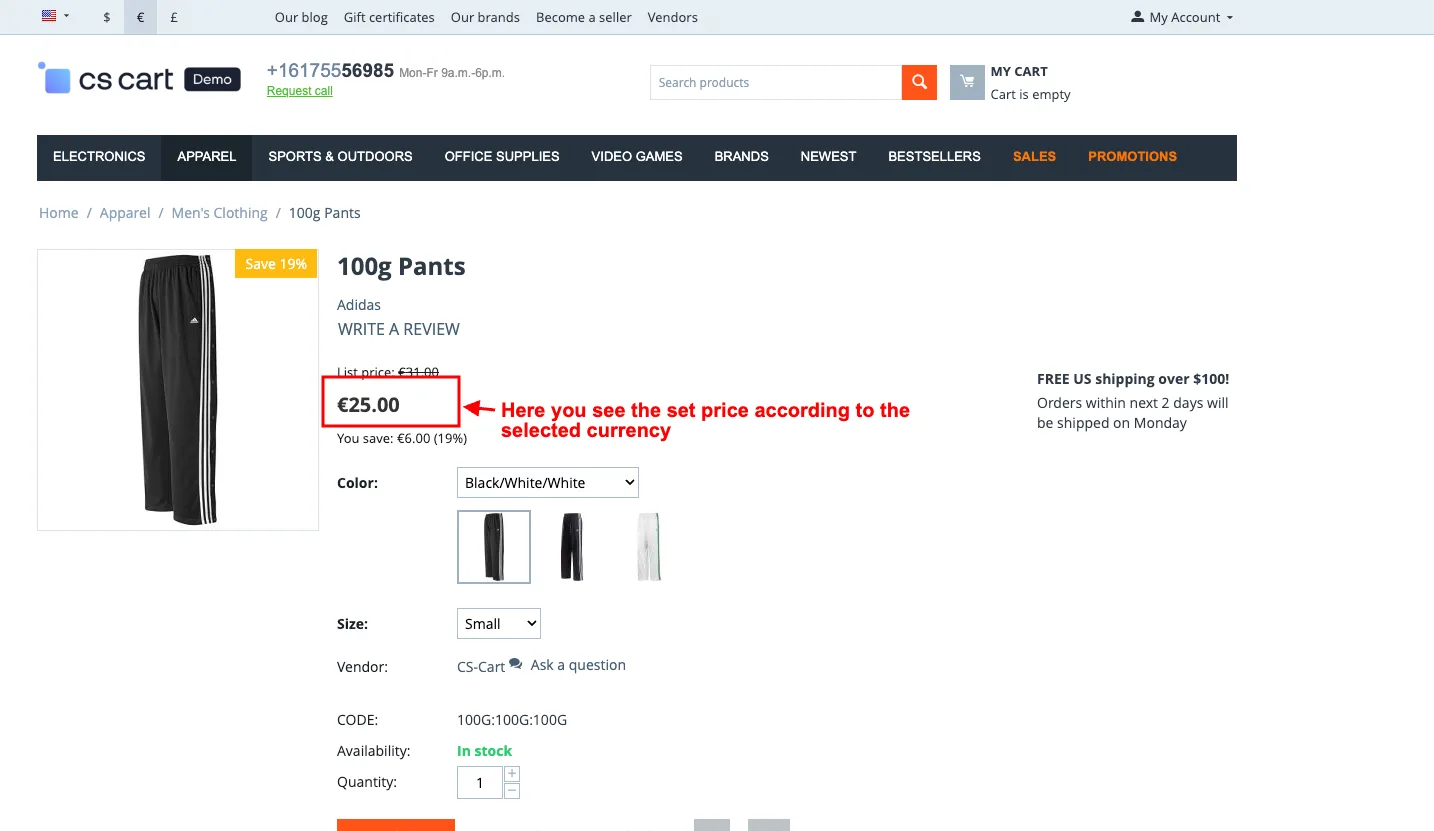
- Login with any customer.
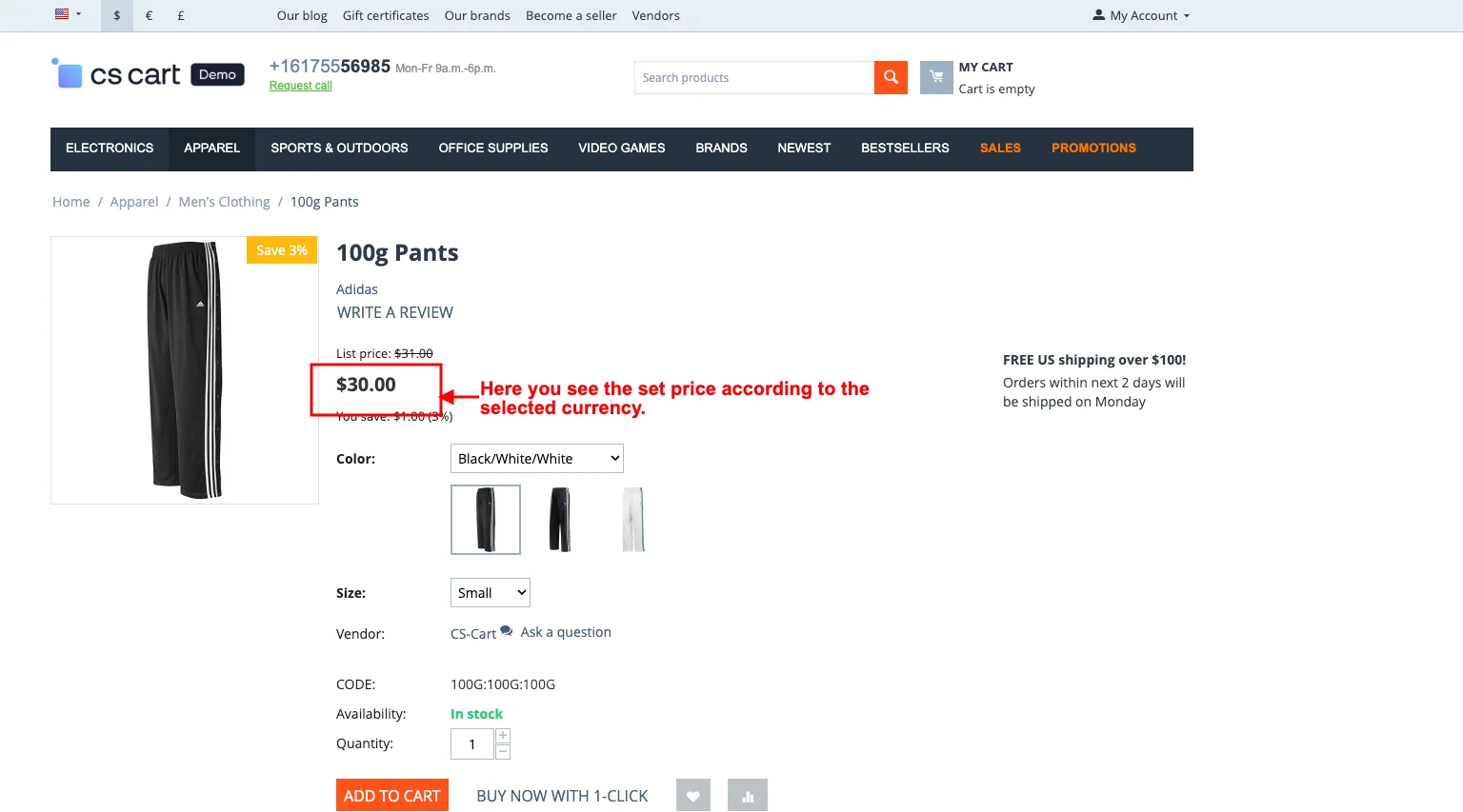
- Then, here you see the set price according to the selected currency.
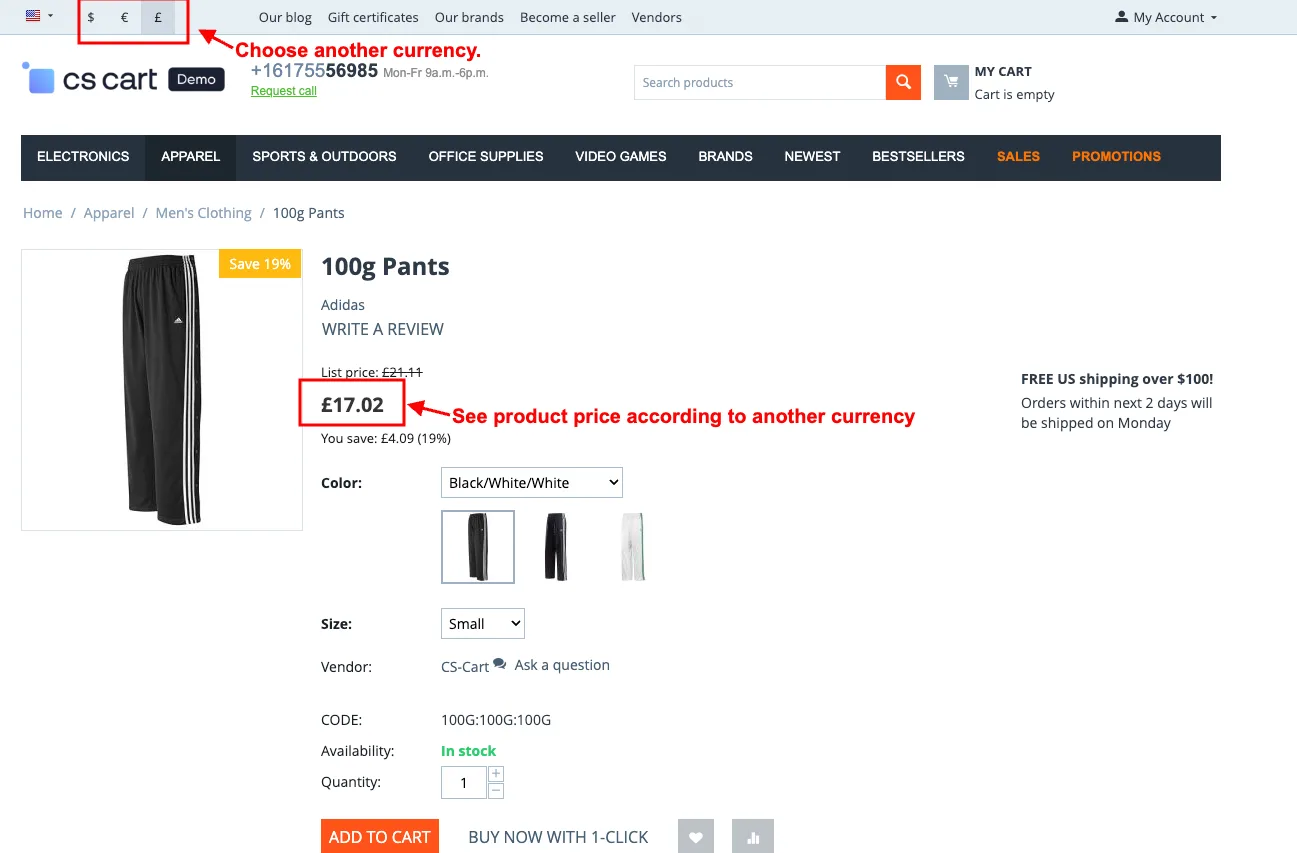
- Choose another currency.
- See product price according to another currency.
- Users can also Select the product's currency and set the product price on the product management page.
- Here you see the set price according to the selected currency.
Addon-Version:
Version-1.0
Supported Versions:
CS-Cart, CS-Cart Multivendor 4.8.x, 4.9.x,4.10x,4.11x,4.12,4.13x, 4.14x, 4.15x, 4.16x, 4.17x 4.18x
Support:
This app is developed and published by Ecarter Technologies Pvt. Ltd., a CS-Cart developer. You are guaranteed quality add-ons.
Frequently asked questions
How does this add-on set prices for different currencies?
You open a product on the Products page in the admin panel, enter the price, and choose the currency it applies to. You can repeat this for each currency, so every currency shows the exact price you set rather than a value calculated from conversion rates.
Does it fix the rounding and conversion errors of automatic currency conversion?
Yes. Because you enter the price for each currency manually, the storefront displays that fixed amount and avoids the errors that come from applying live conversion rates to a single base price.
What does the customer see on the storefront?
Customers can switch currencies on the storefront, and the product price updates automatically to the amount you set for the selected currency. This lets you present prices in each customer's preferred or local currency.
How do I install and set up the add-on?
Installation follows the standard CS-Cart add-on process described in our install guide at https://store.ecarter.co/blogs/how-to-install-addon/. After installing, edit a product under Products in the admin panel, set the price, and choose the currency; you can then log in as a customer and switch currencies to confirm the correct price is shown.
Nisha Gaur is a Technical Content Writer at Ecarter Technologies. She writes technical documentation, tutorials and buying guides covering CS-Cart, Magento, Shopify and eCommerce development.