
Country Specific Product Pricing
Country Specific Product pricing addon allows the Admin to set different product prices for various countries on the admin panel
The Country-Specific Product Pricing add-on for CS-Cart lets store administrators set different prices for the same product across different countries. For each product, the admin can assign one or more countries and give each its own price, so customers see the price that applies to their location. The add-on can also adjust the product price on the cart page based on the customer's shipping address, so the amount shown at checkout matches the destination country. It is intended for CS-Cart store owners who sell to multiple countries and need pricing to reflect each market rather than using a single global price.

The country-specific product pricing Addon for CS-Cart allows the admin to set prices for different countries. For an individual product, the admin can assign multiple countries and their different prices. This helps customers see the price based on their country. Also, the addon changes the product price on the cart page based on the shipping address.
The add-on simplifies pricing by automatically adjusting product prices based on the customer’s country and shipping address. This ensures they pay the right amount at checkout and improves their shopping experience.
Features:
- Set Country-Specific Prices: This addon allows to set single or multiple countries with different prices for each product.
- Show Prices Based on Country: Customers can see the price based on their country.
- Dynamic Price Adjustment: The addon allows to change product prices on the cart page based on the shipping address.
- CS-Cart Support Info: The addon is well integrated with CS-Cart Multi-Vendor and can be used with its Standard, Plus, and Ultimate versions.
Installation:
How to install Addon
https://store.ecarter.co/blogs/how-to-install-addon/
Configuration:
How This Addon Works
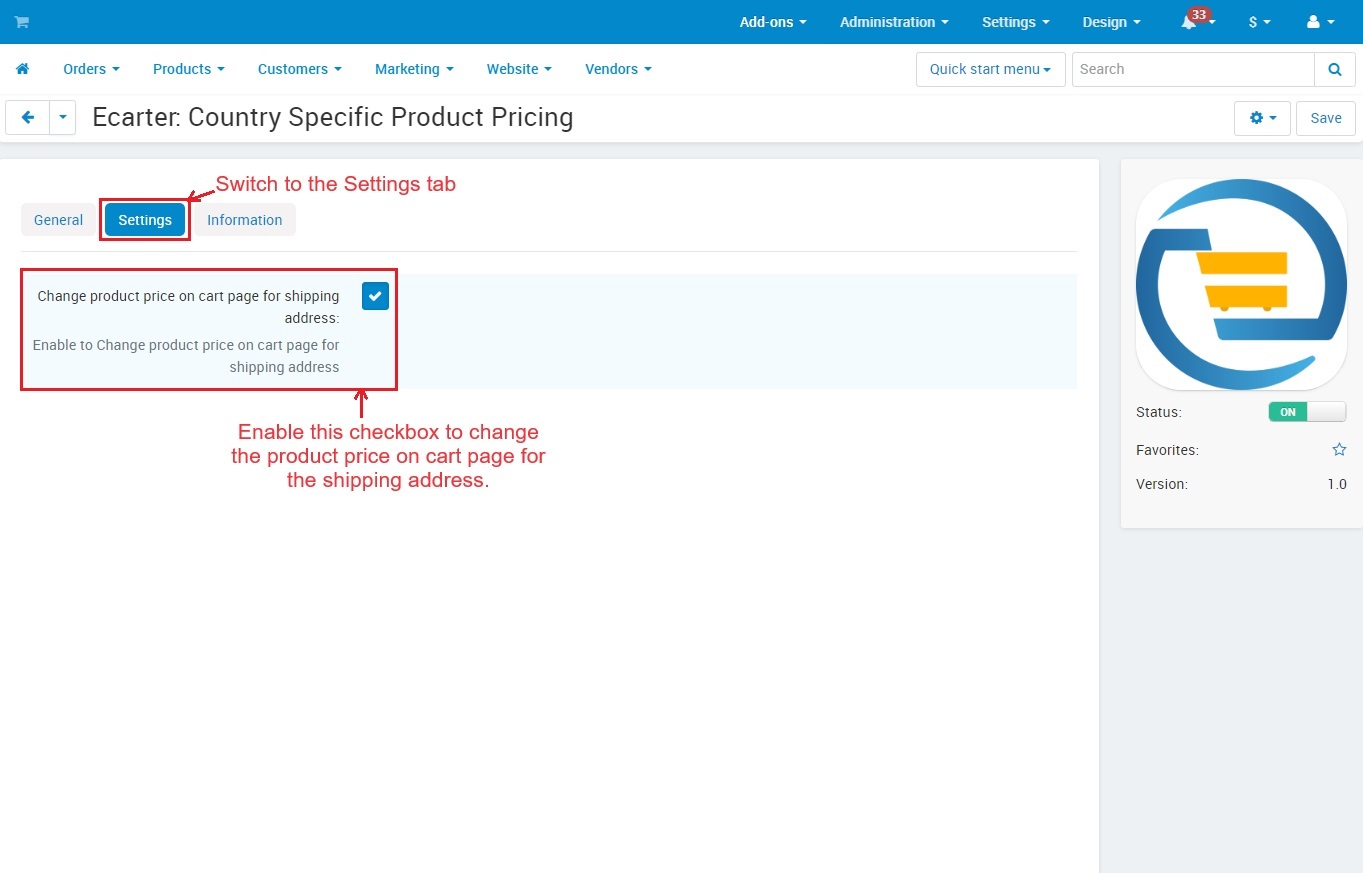
- Open the Addon
Switch to >> Settings Tab
- You can enable this checkbox to change the product price on the cart page for the shipping address.
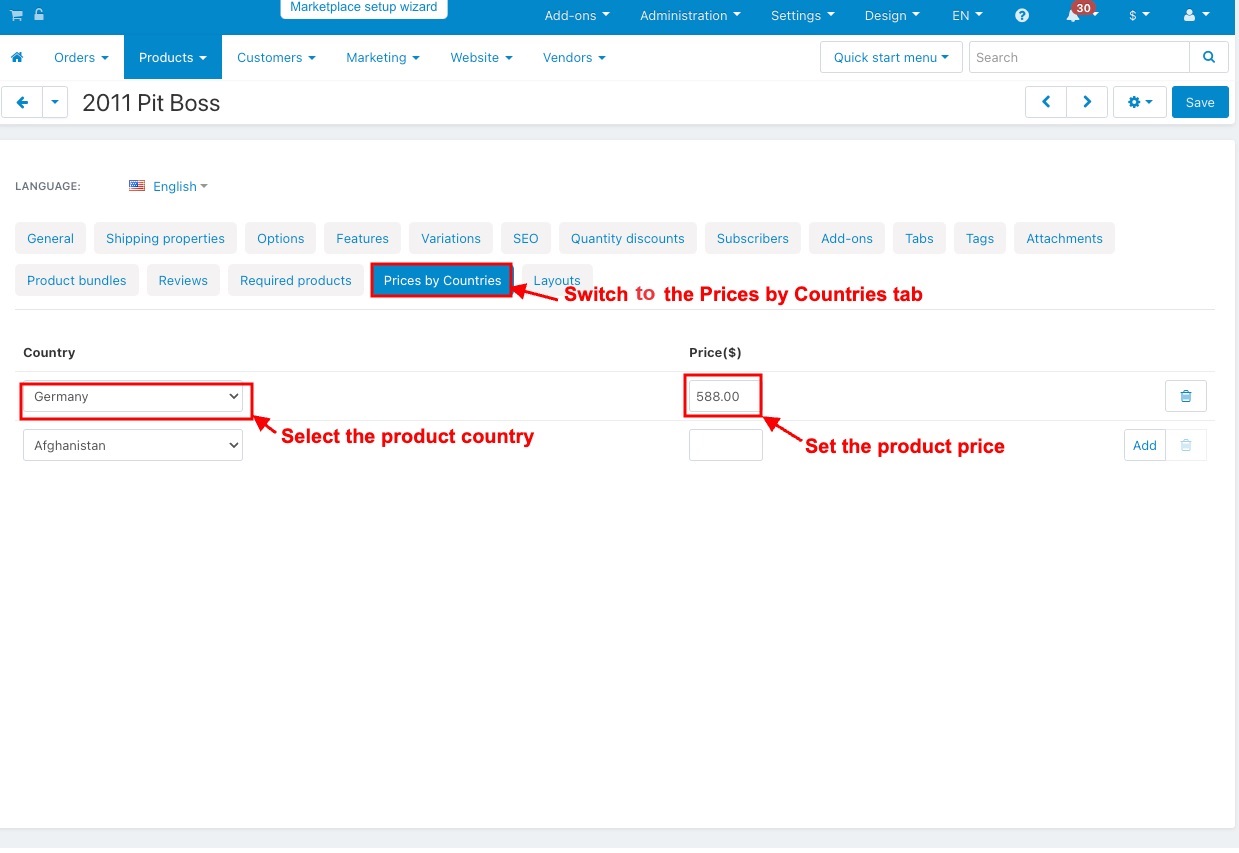
- Then, open the product editing page under the Products >> Products menu.
- Switch to the >> Prices by Countries tab.
- Select the product country.
- Set the product price.
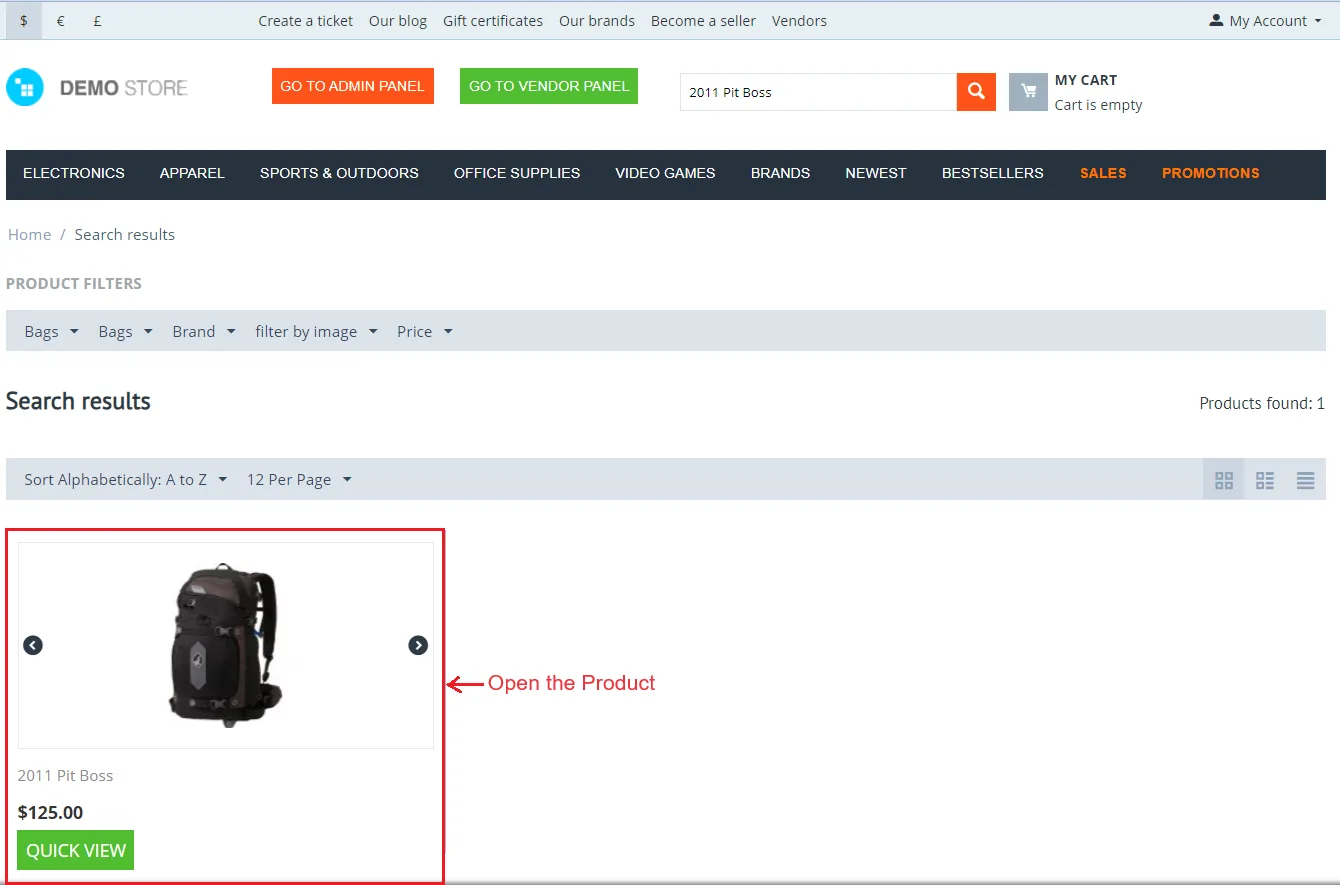
- In the Storefront, Open the product for which you have set the country and price.
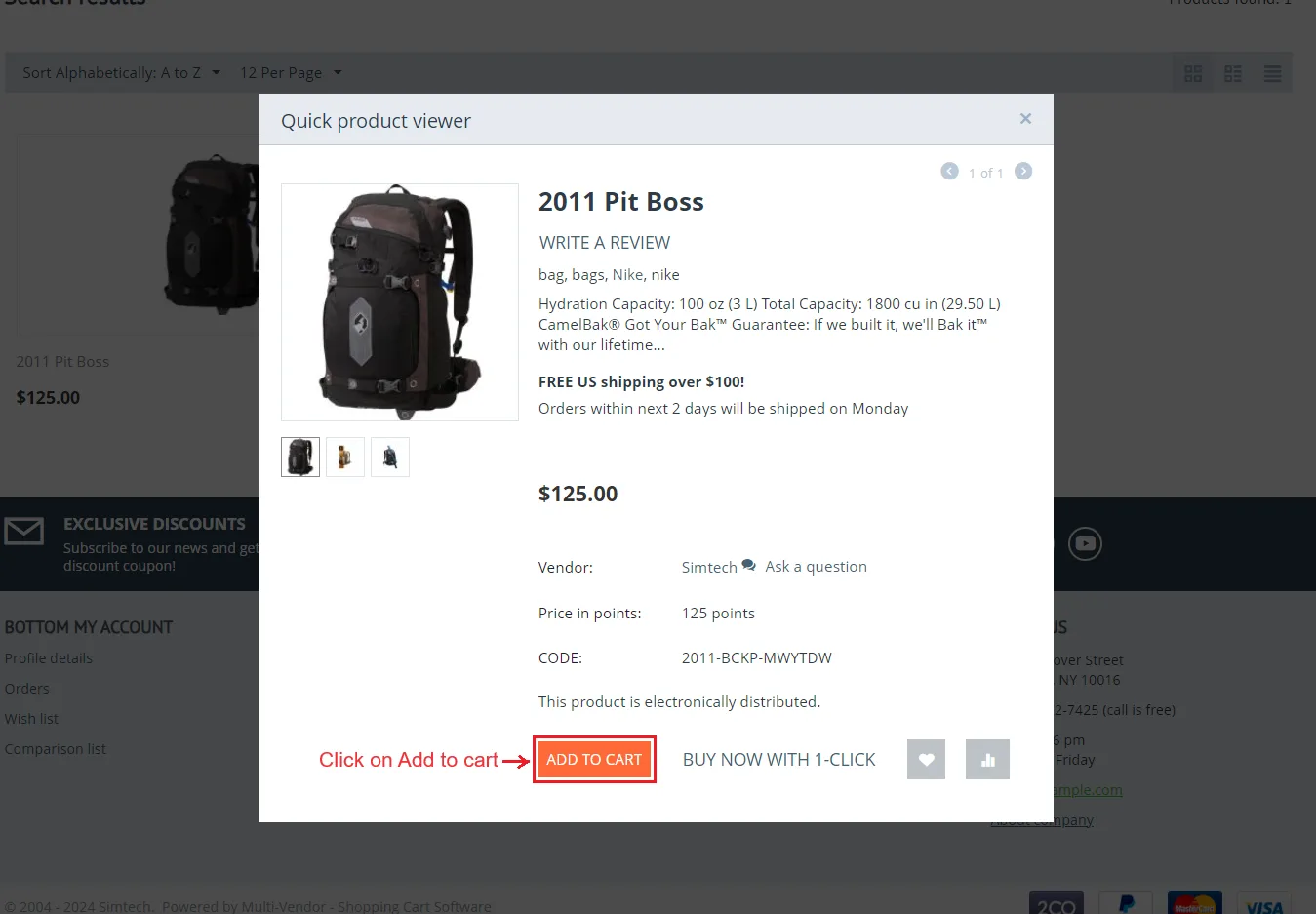
- Click on >> Add to Cart
- Go to >> Cart and Click on the Checkout button.
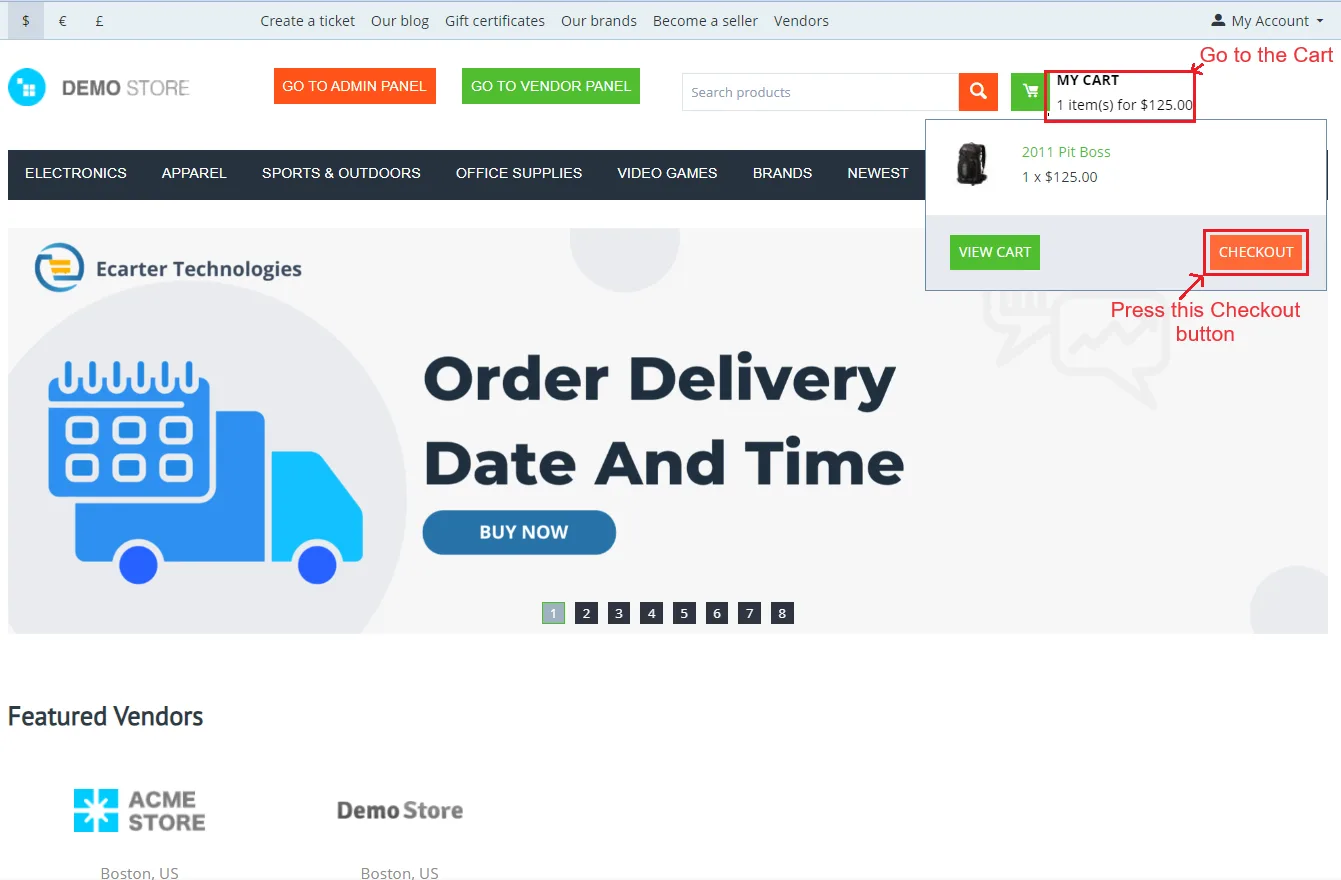
- In the checkout page, Select the country to change the product price for the shipping address.
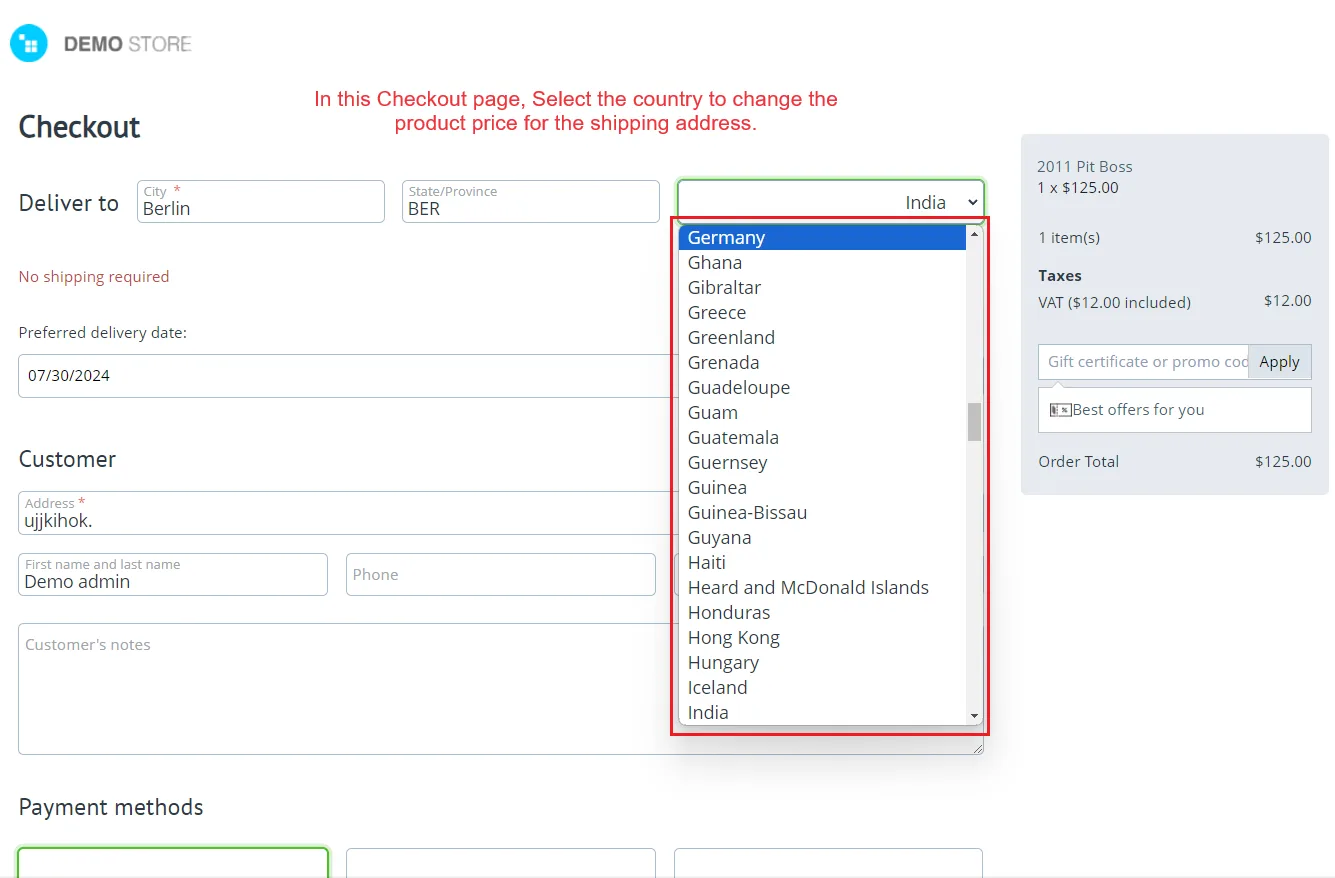
- Below you can see the price has changed based on the selected shipping address.
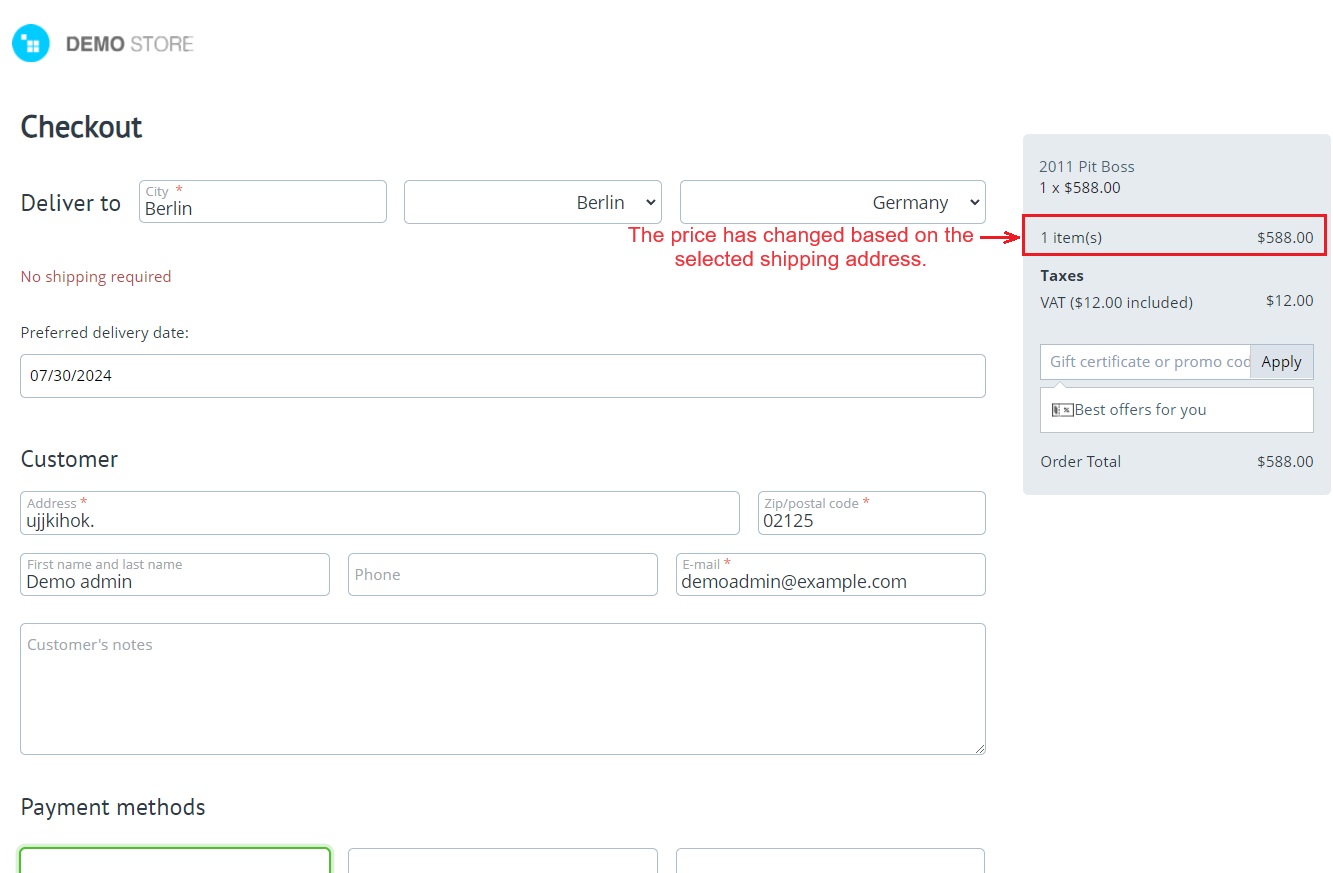
Let's see how the product price changes for a specific country
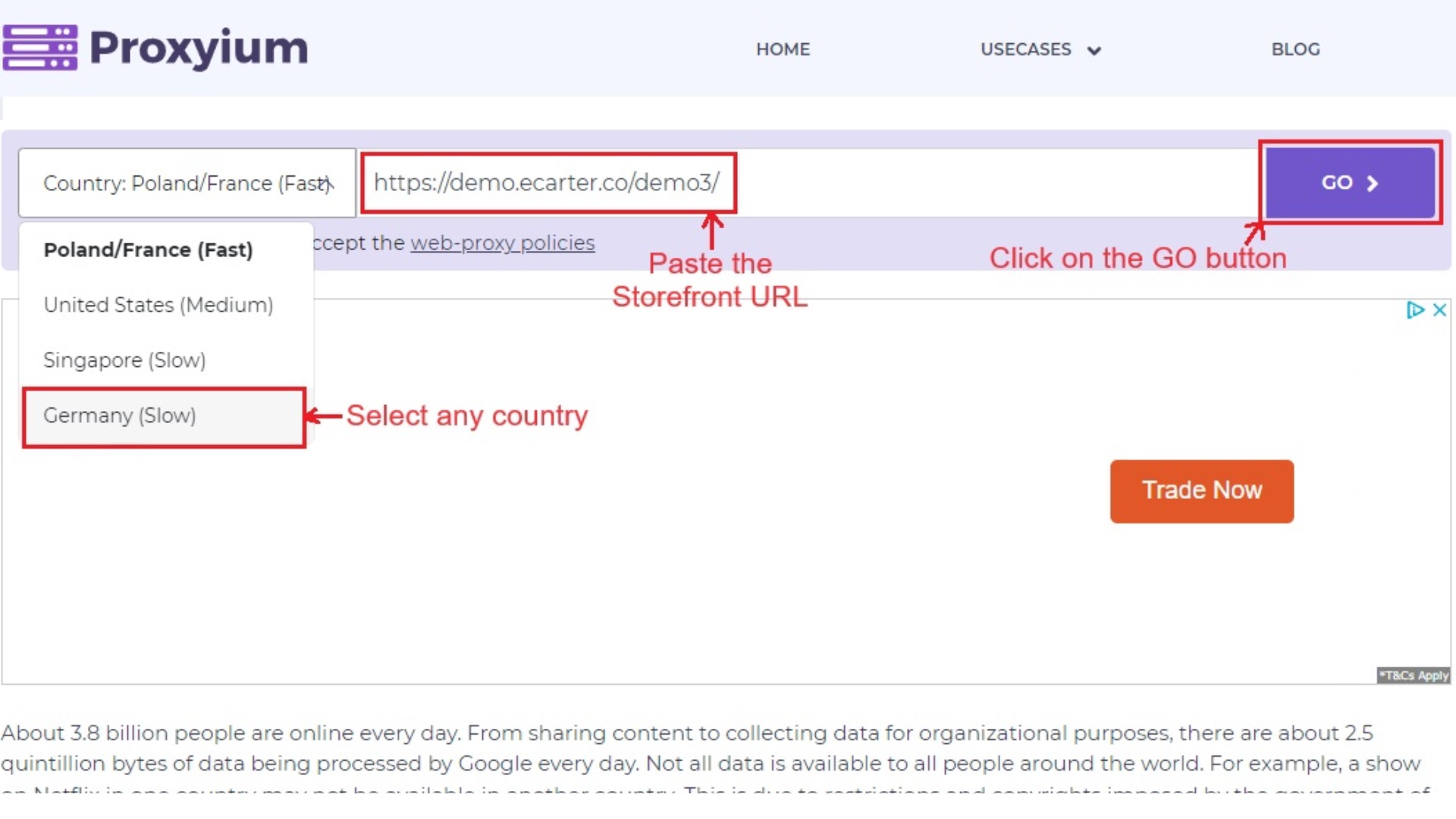
To show product prices in different countries, we are using a VPN tool "Proxyium".
- You have to follow certain steps for using this tool.
- Select the country, paste the storefront URL, and then click on >> GO.
Now, in the storefront, search the product for which you have set the price.
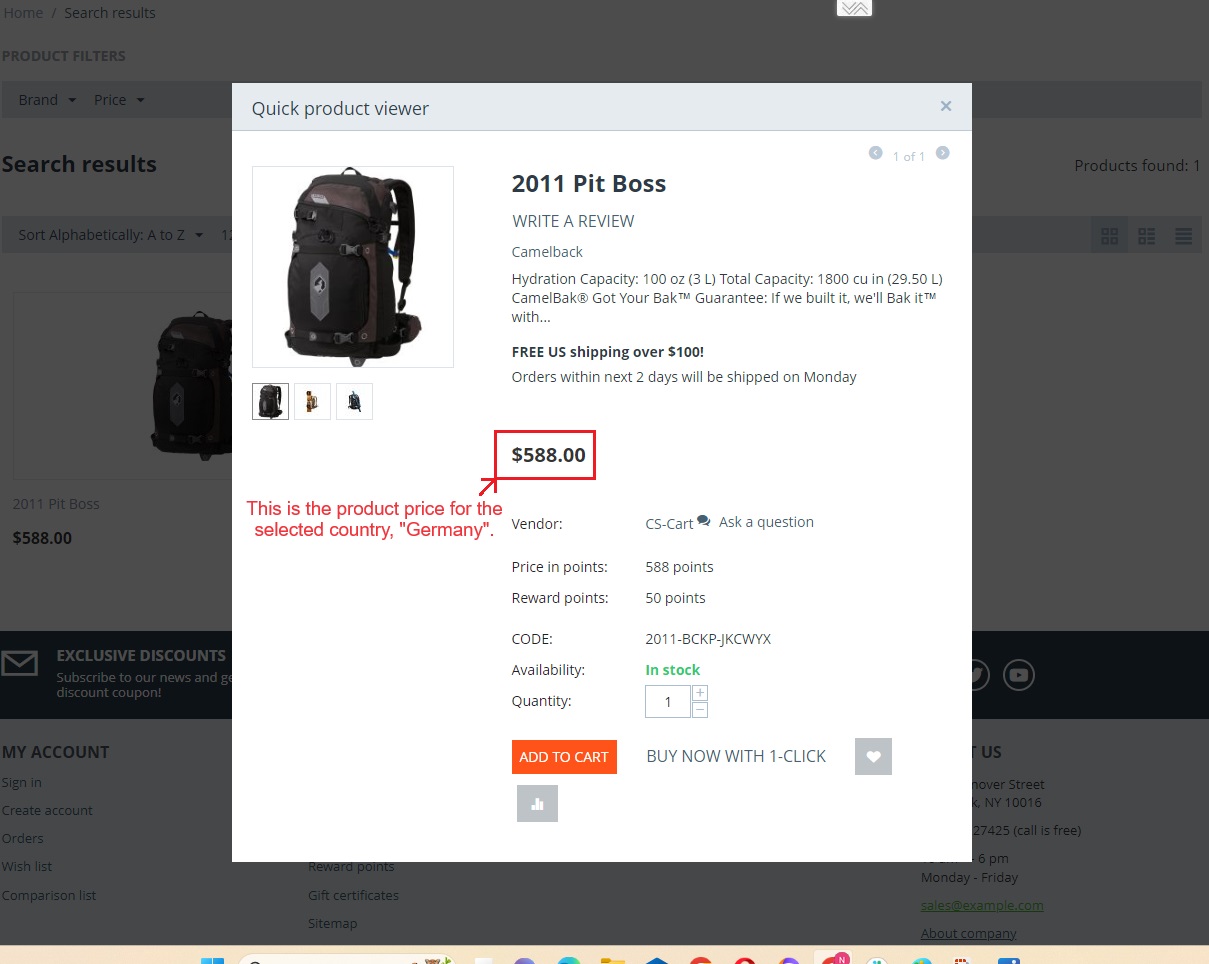
- This page shows the product price for the selected country, "Germany".
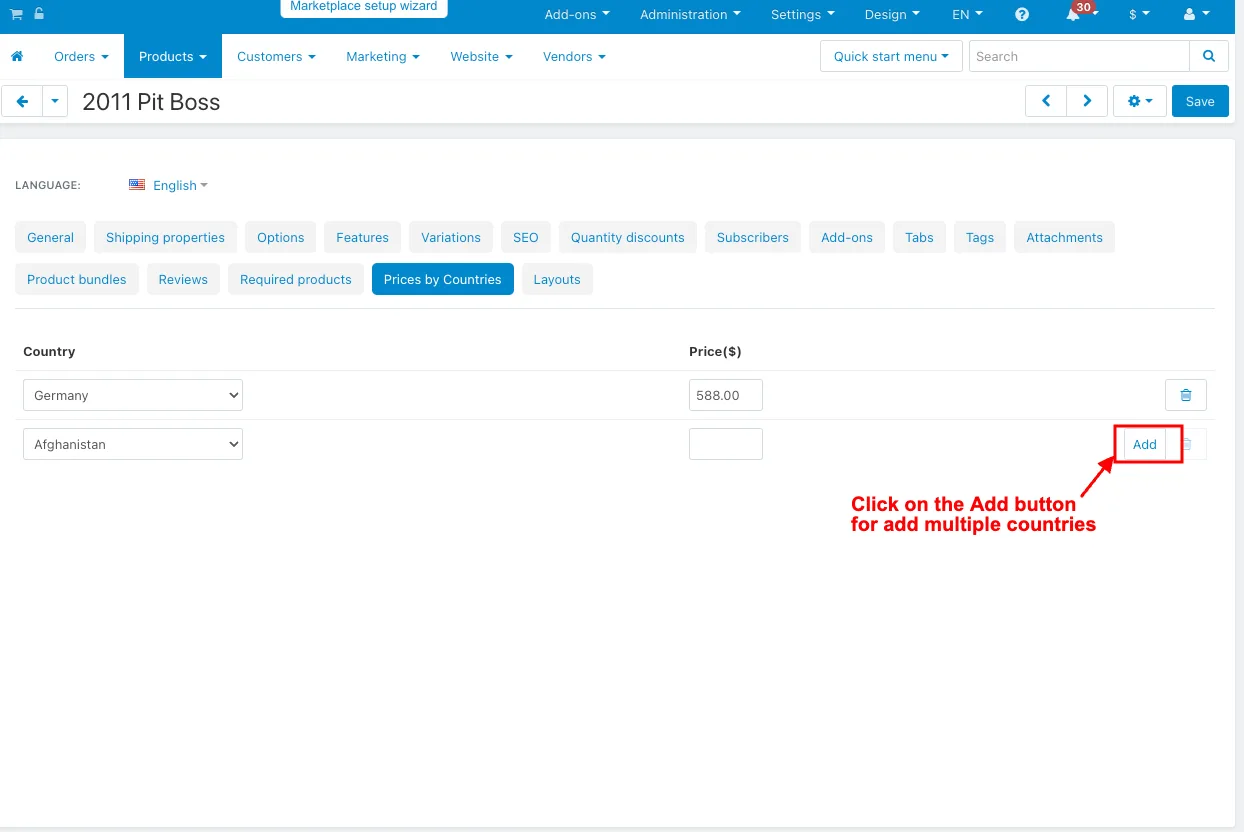
Multiple countries selection
- Click on the Add button to add multiple countries.
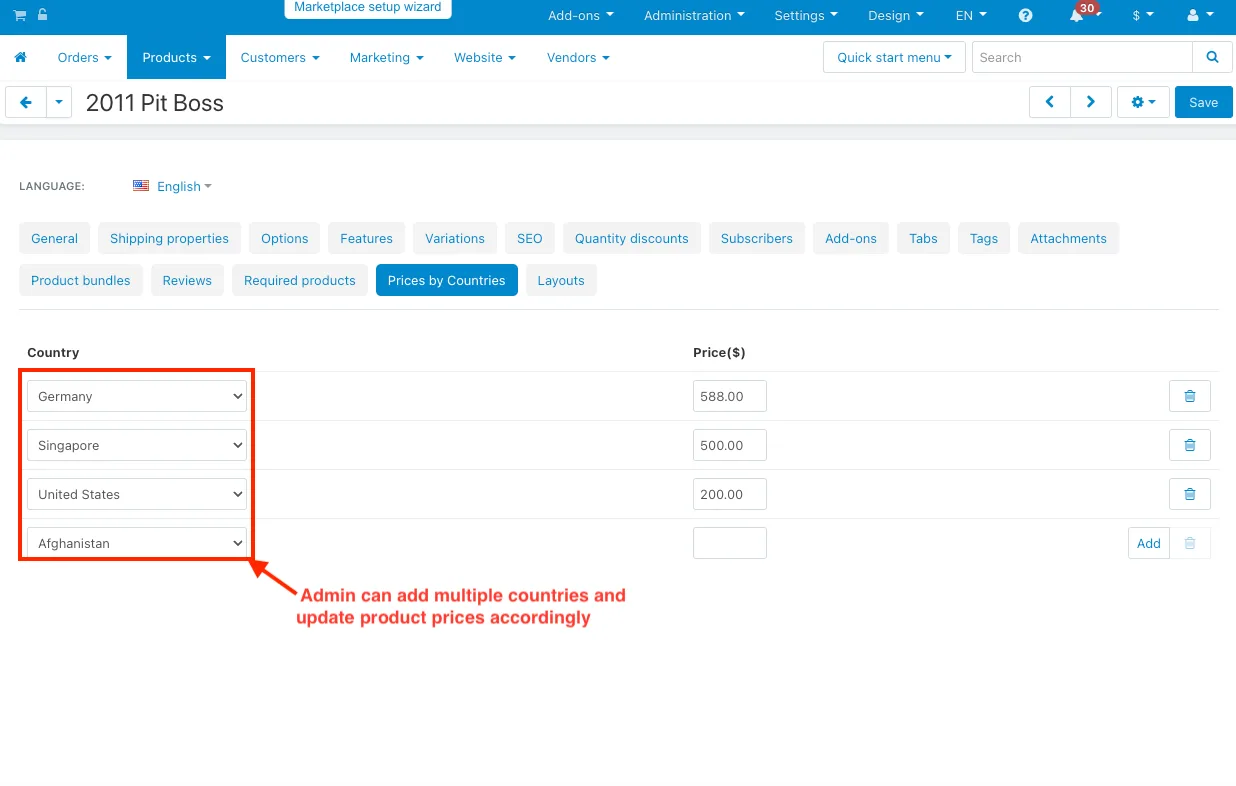
- The admin can add multiple countries and update product prices accordingly. This feature allows customers to buy products at their local price.
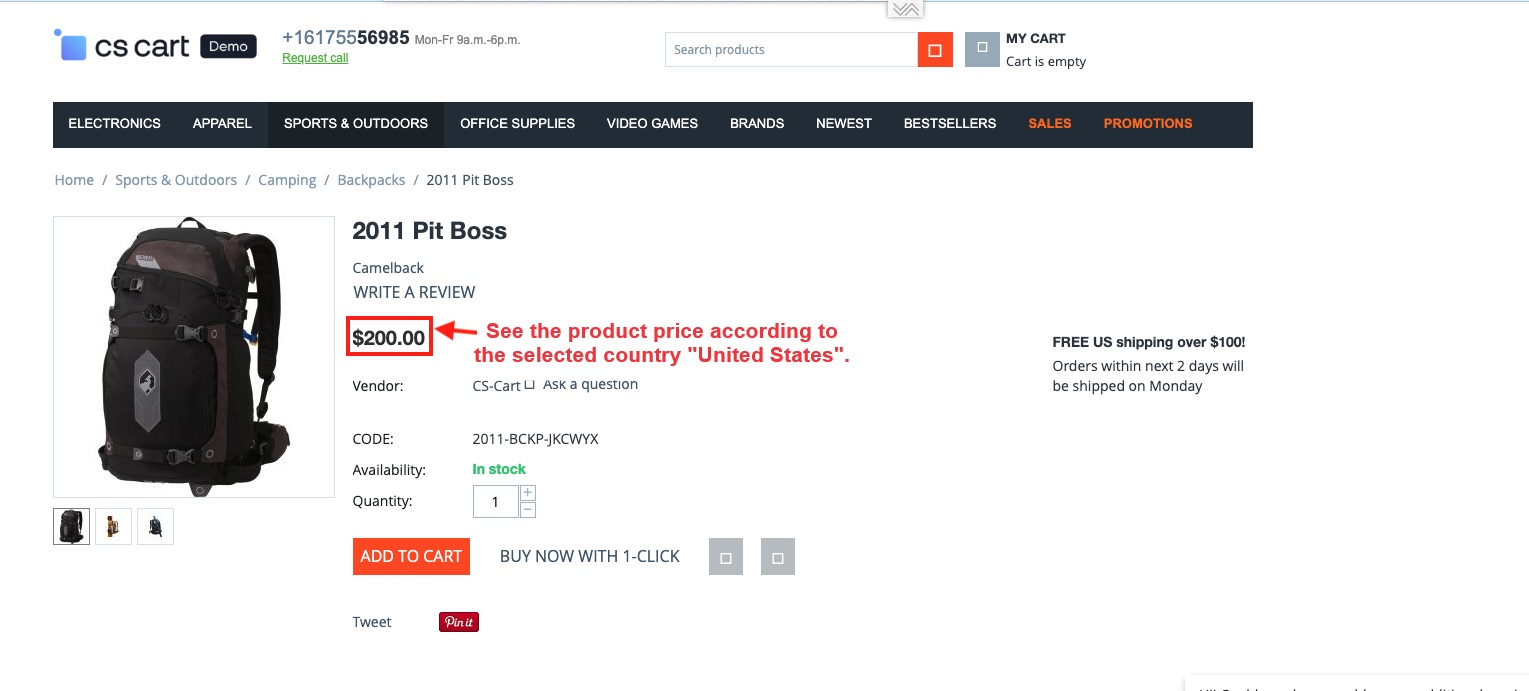
After selecting multiple countries and setting the prices, you can check the product prices for different countries using the VPN tool mentioned above.
- See the product price according to the selected country "United States".
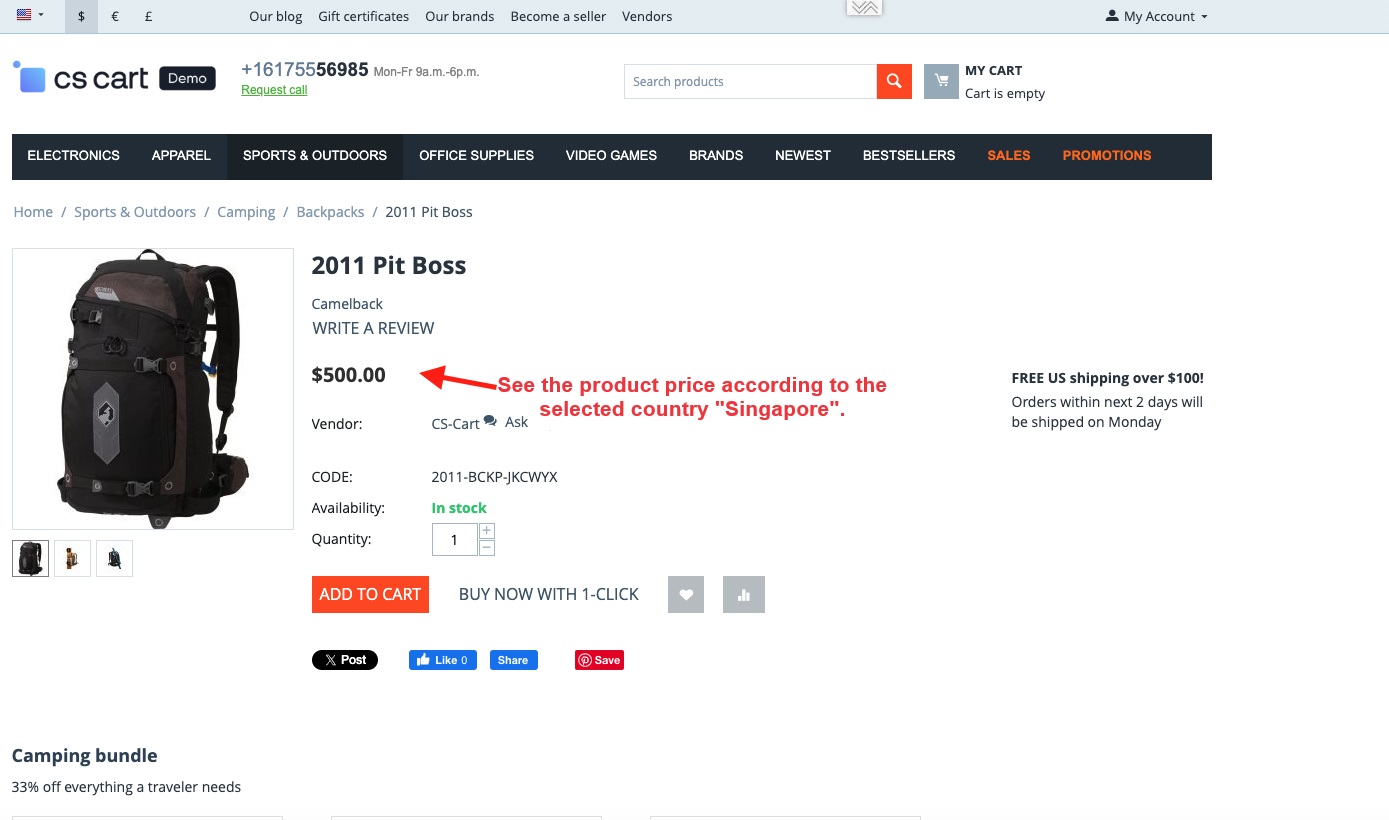
- See the product price according to the selected country "Singapore".
Addon-Version:
Version-1.0
Supported Versions:
CS-Cart, CS-Cart Multivendor 4.8.x, 4.9.x,4.10x,4.11x,4.12,4.13x, 4.14x, 4.15x, 4.16x, 4.17x 4.18x
Support:
This app is developed and published by Ecarter Technologies Pvt. Ltd., a CS-Cart developer. You are guaranteed quality add-ons.
Frequently asked questions
How does country-specific pricing work for each product?
In the product's editing page under the Prices tab, the admin can assign single or multiple countries and set a different price for each one. Customers then see the price that matches their country.
Can the price change automatically based on the shipping address?
Yes. When enabled in the add-on's Settings tab, the product price on the cart page is adjusted according to the customer's shipping address, so the checkout total reflects the destination country.
Does it work with CS-Cart Multi-Vendor and which editions are supported?
The add-on is integrated with CS-Cart Multi-Vendor and can be used with the Standard, Plus, and Ultimate versions.
How is the add-on installed and set up?
It follows the standard CS-Cart add-on installation process, then you enable the cart-page pricing option in the Settings tab and assign countries and prices under each product's Prices tab. If you need help with your specific version, share it and we can confirm compatibility and assist with setup.
Kajal is a Technical Content Writer at Ecarter Technologies. She writes technical documentation and in-depth guides on eCommerce platforms, mobile commerce and AI in online retail.