
CheckOutLite Plus
CheckoutLite Plus addon for CS-Cart provides enhanced functionality for the checkout page. By enabling features like the Sticky Order Summary Block, your order summary remains fixed on the checkout page for easy access.
CheckOutLite Plus is a CS-Cart add-on that improves the checkout page layout and experience. It adds a sticky order summary that stays in view as the customer scrolls, collapsible promo details that shoppers can show or hide, and customizable checkout blocks such as "Products in your cart" and "Place order" — including product images shown next to each item in the cart. It is aimed at store owners who want a clearer, more usable checkout page to help reduce friction and support conversions. The add-on works with CS-Cart Multi-Vendor and can be used with the Standard, Plus, and Ultimate versions.

CheckoutLite Plus Addon for CS-Cart provides enhanced functionality for the checkout page. By enabling features like the Sticky Order Summary Block, your order summary remains fixed on the checkout page for easy access. The Collapsible Promo option allows users to feature lets users hide or show promo details.
With this addon, users can easily create custom block Products in their cart and place an order in the layout. These blocks display essential information, such as product images and allow users to edit product details directly from the cart. This addon ensures a smooth and user-friendly checkout process, improving customer satisfaction.
Features:
- Sticky Order Summary: The order summary stays in one place as you scroll on the checkout page.
- Collapsible Promo Details: Customers can hide or show promo details as they need on the checkout page.
- Customizable Checkout Blocks: This enables you to create custom blocks for checkout like “Products in your cart” and “Place order.”
- Product images in cart: Display Product images in the “products in your Cart” section for better visibility.
- Interactive User Experience: Enhance the checkout page with sticky and collapsible features for a smooth user experience.
- CS-Cart Support info: The addon is well integrated with CS-Cart Multi-Vendor and can be used with its standard, Plus, and Ultimate Versions.
Installation:
How to install Addon
https://store.ecarter.co/blogs/how-to-install-addon/
How Addon Works
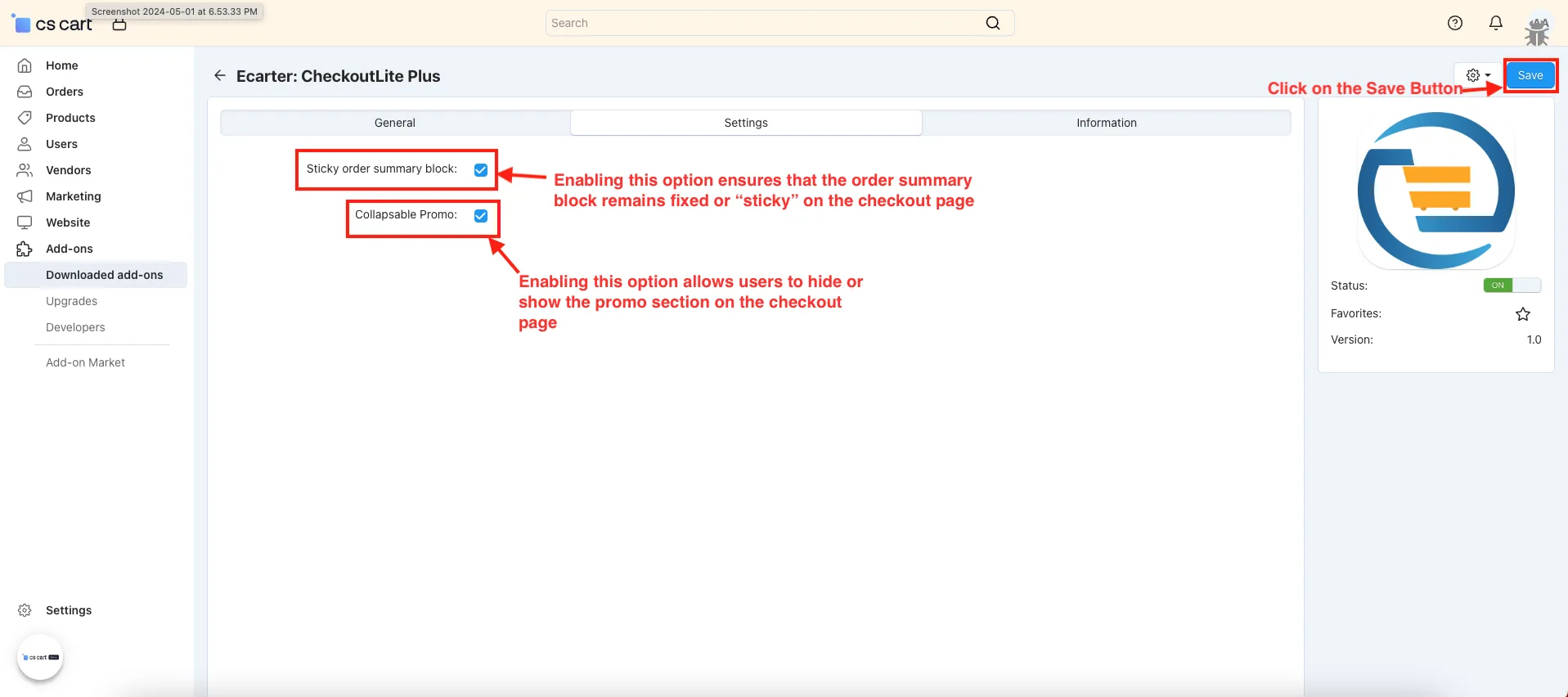
- Open the addon.
- Switch on the settings tab.
- Sticky Order Summary Block: Enabling this option ensures that the order summary block remains fixed or “sticky” on the checkout page.
- Collapsable Promo: Enabling this option allows users to hide or show the promo section on the checkout page.
- Click on the Save button.
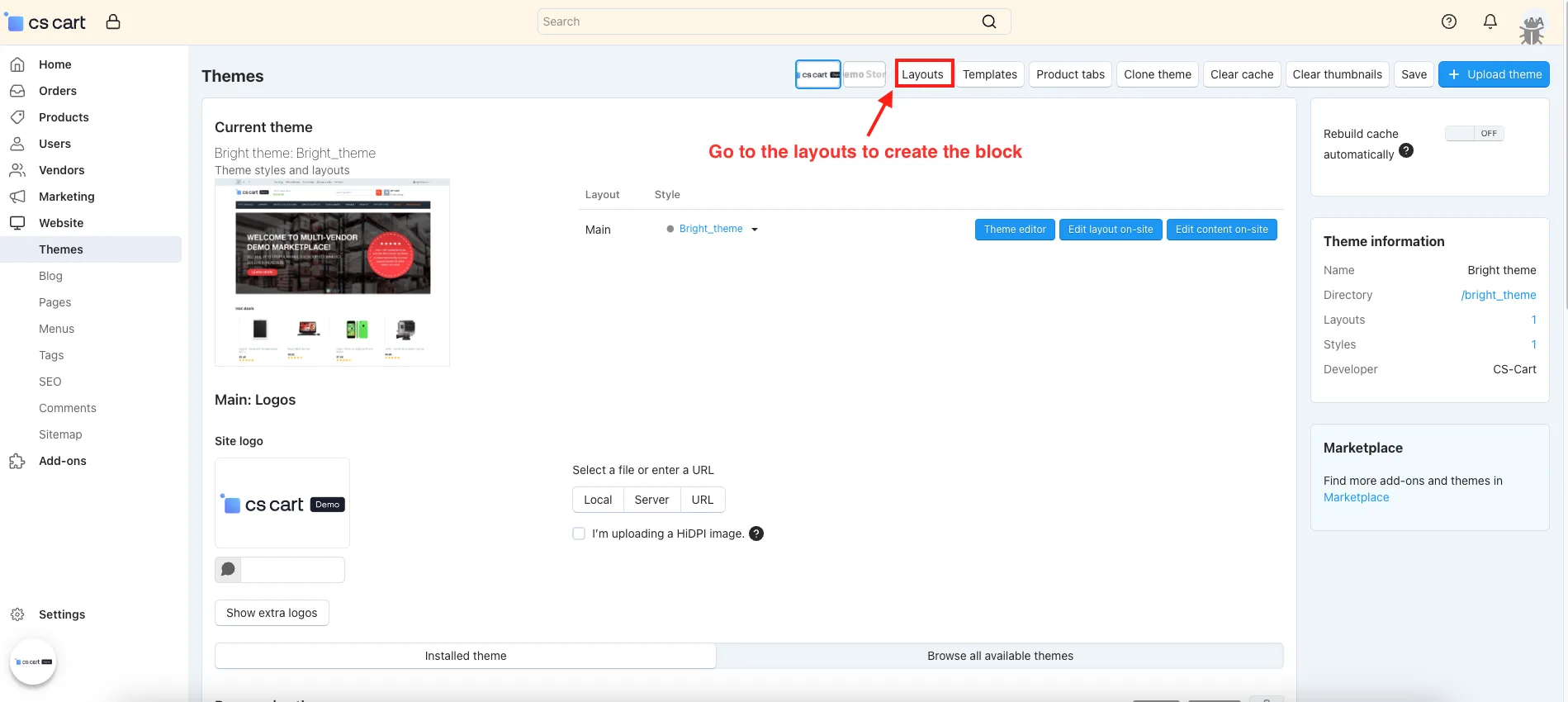
- Go to the layout to create the block.
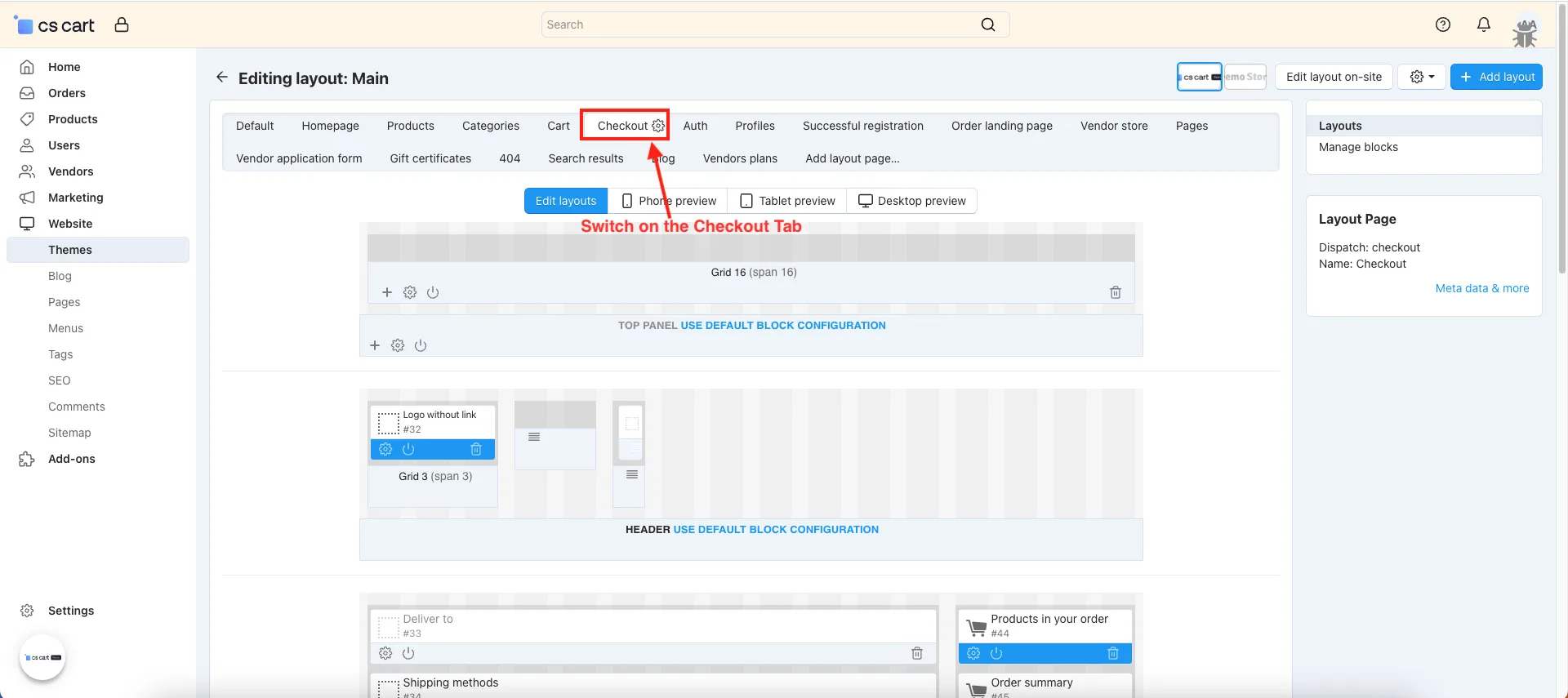
- Switch on the Checkout Tab.
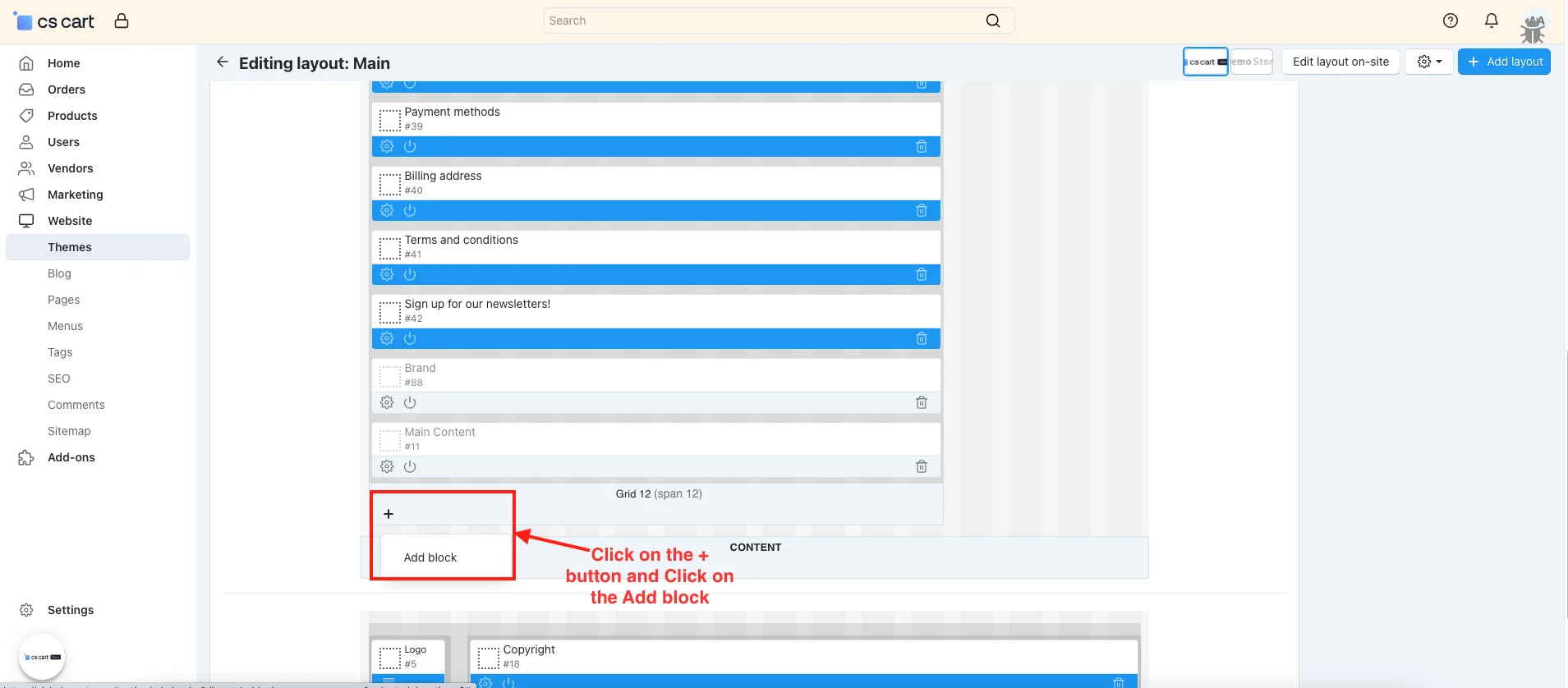
- Click on the (+) button.
- Switch on the Create New Block.
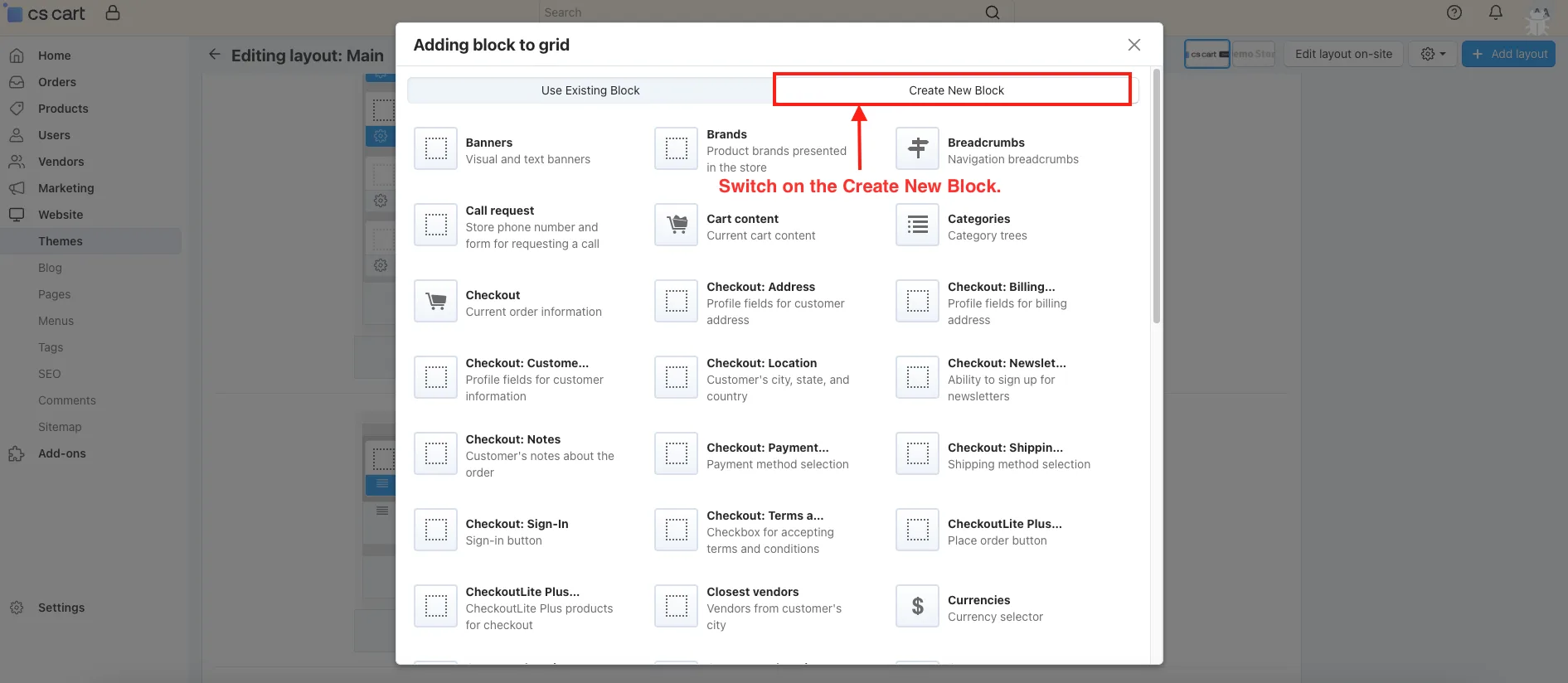
- Click on the CheckoutLite Plus.
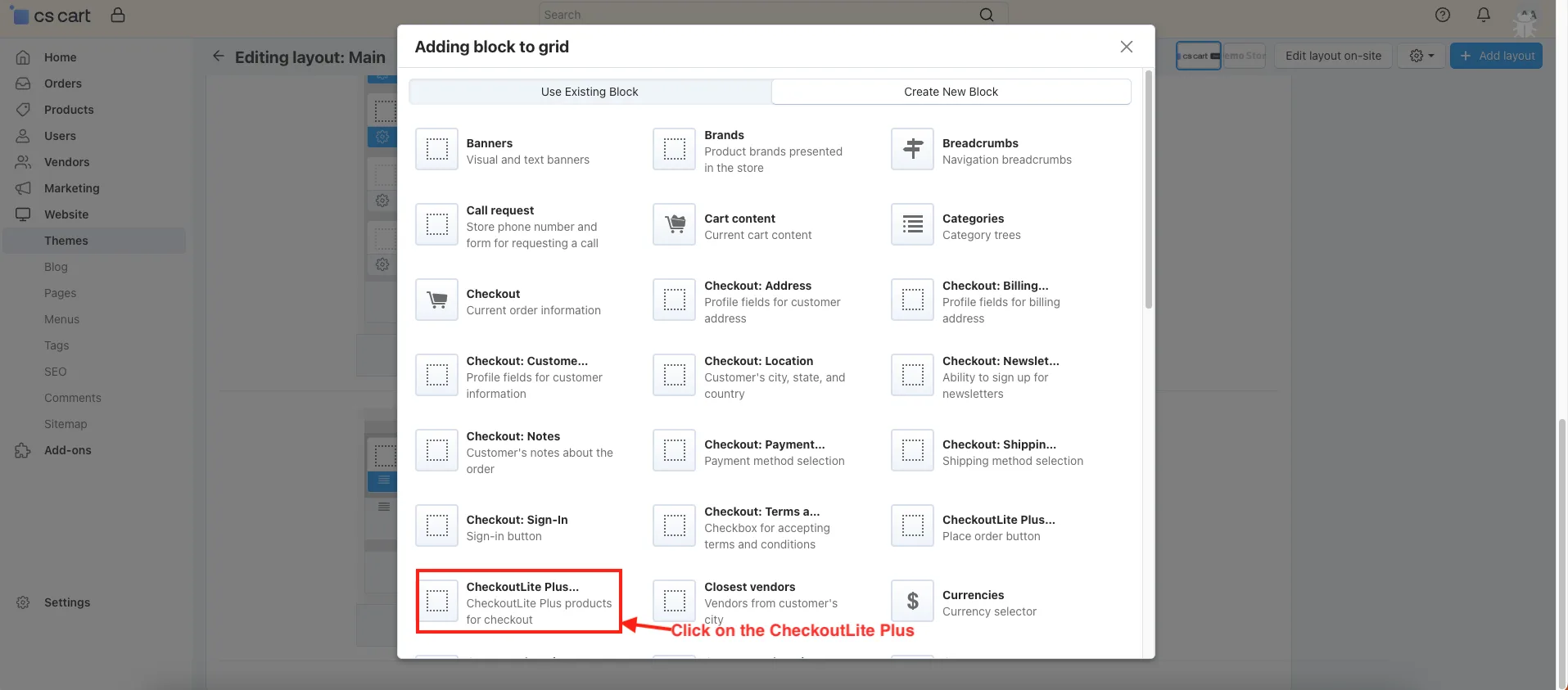
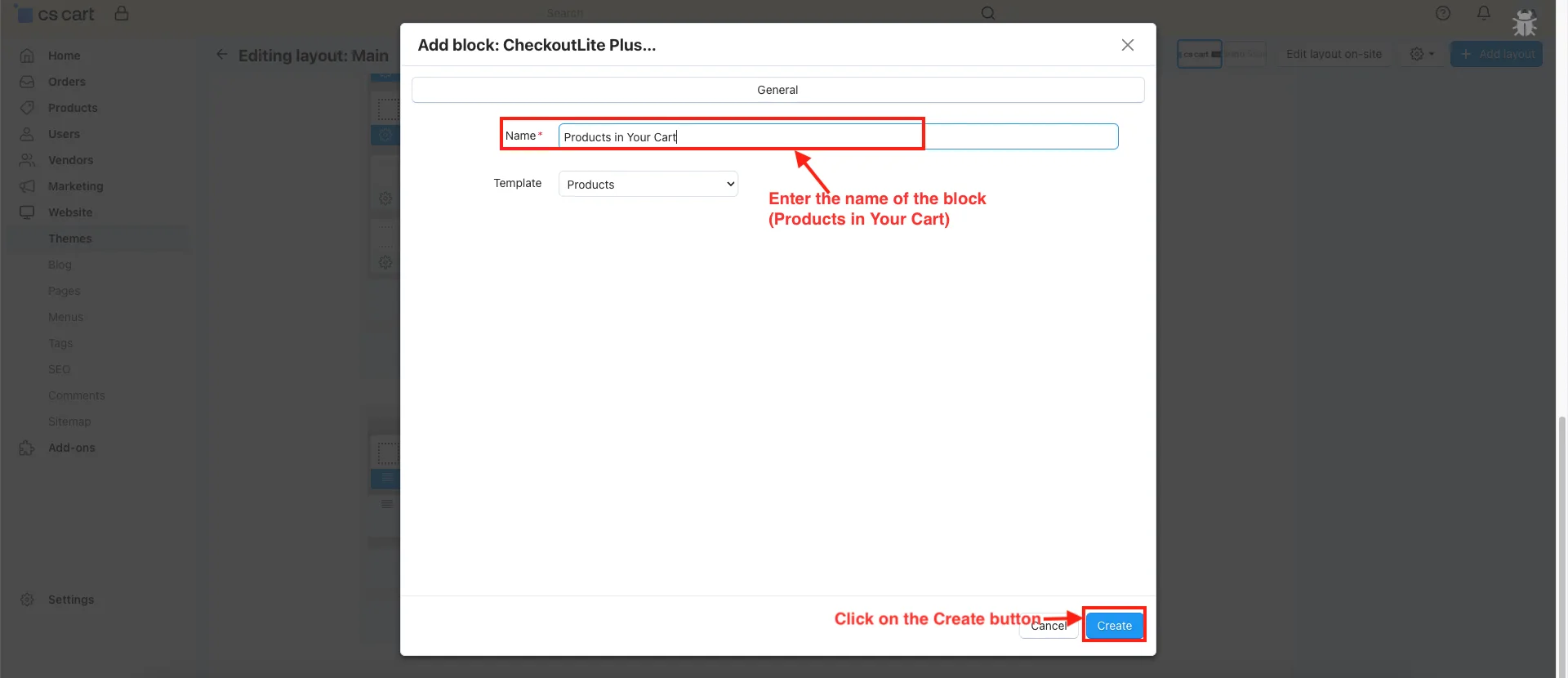
- Name: Enter the name of the block (Products in Your Cart).
- Click on the Create button.
- You can see the created Products in your Cart block.
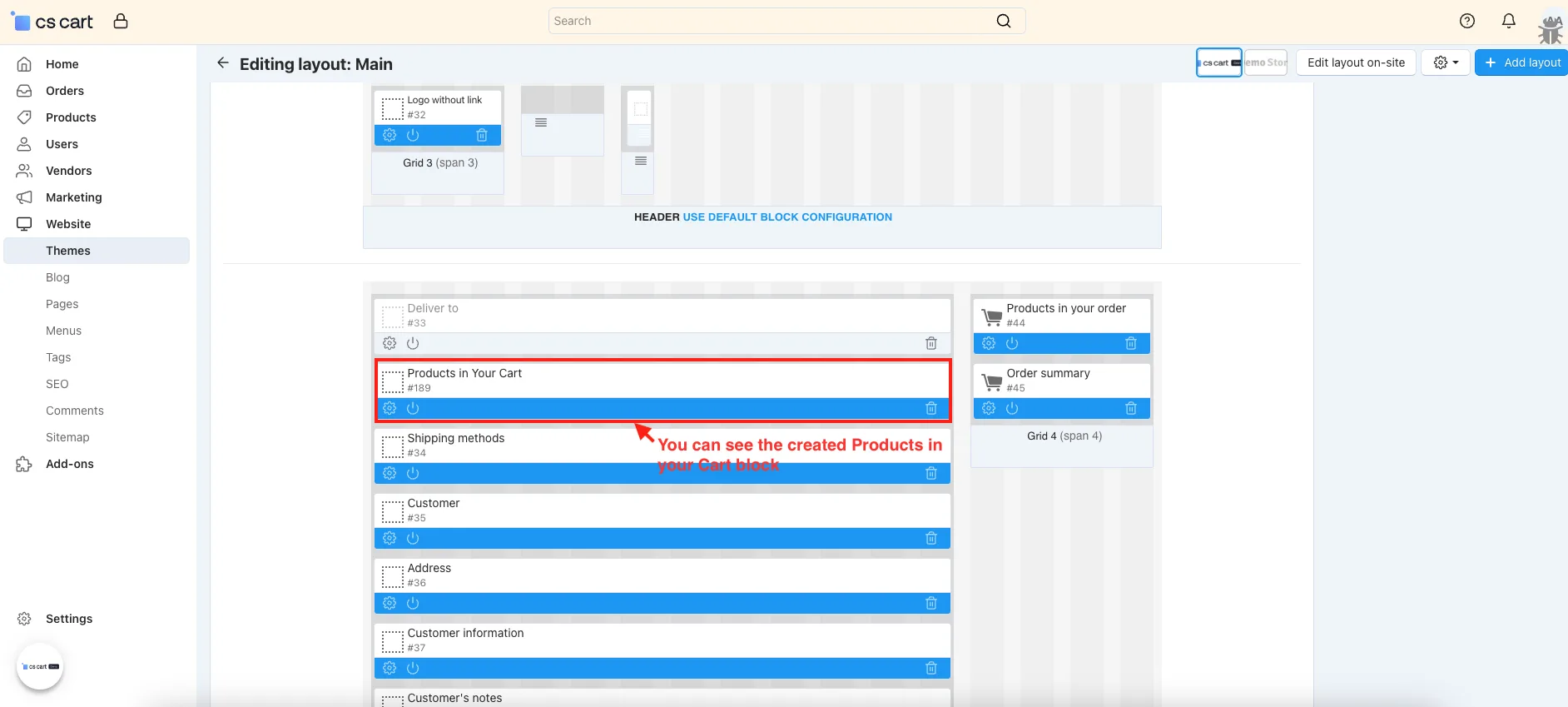
- Also, you add the next Place Order Block in the layout.
- Similar to the above block Click on CheckoutLite Plus.
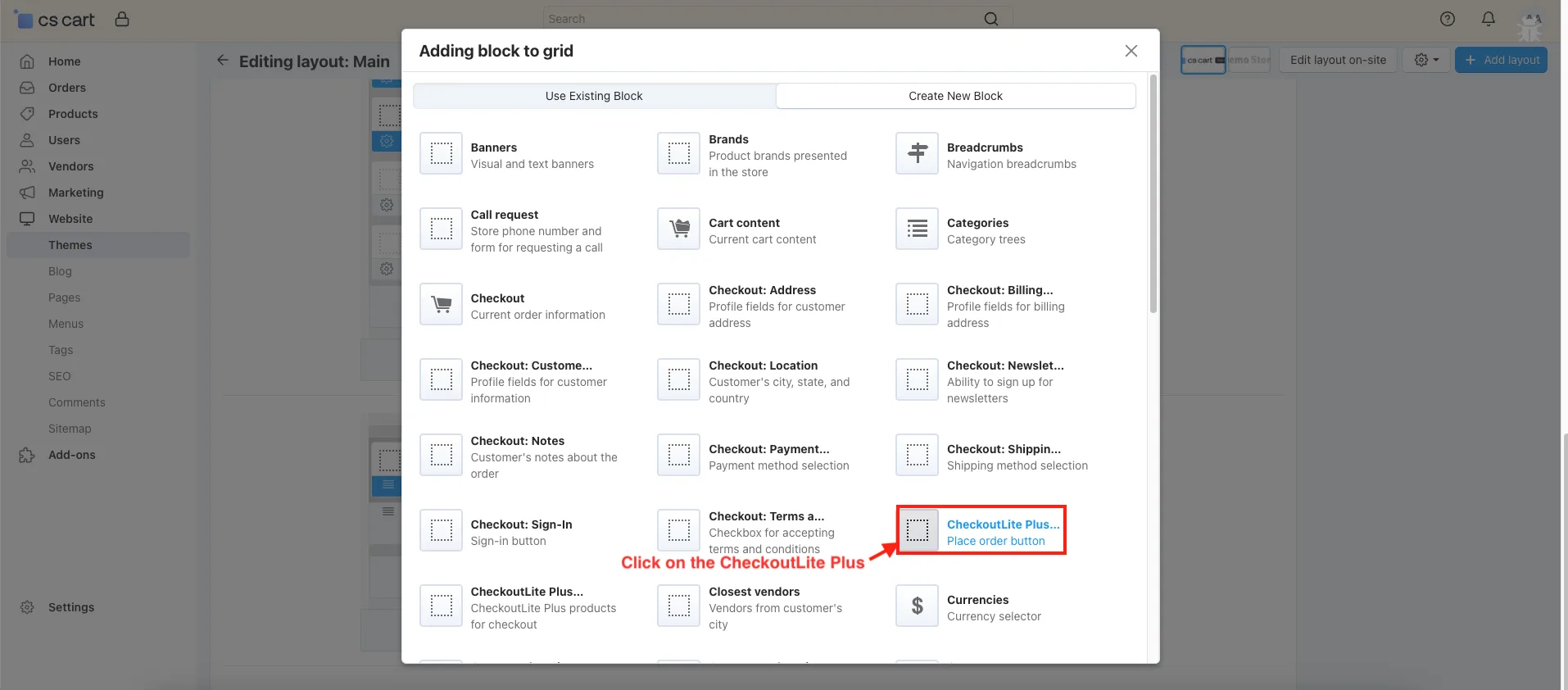
- Name: Enter the name of the block (Place Order).
- Click on the Create button.
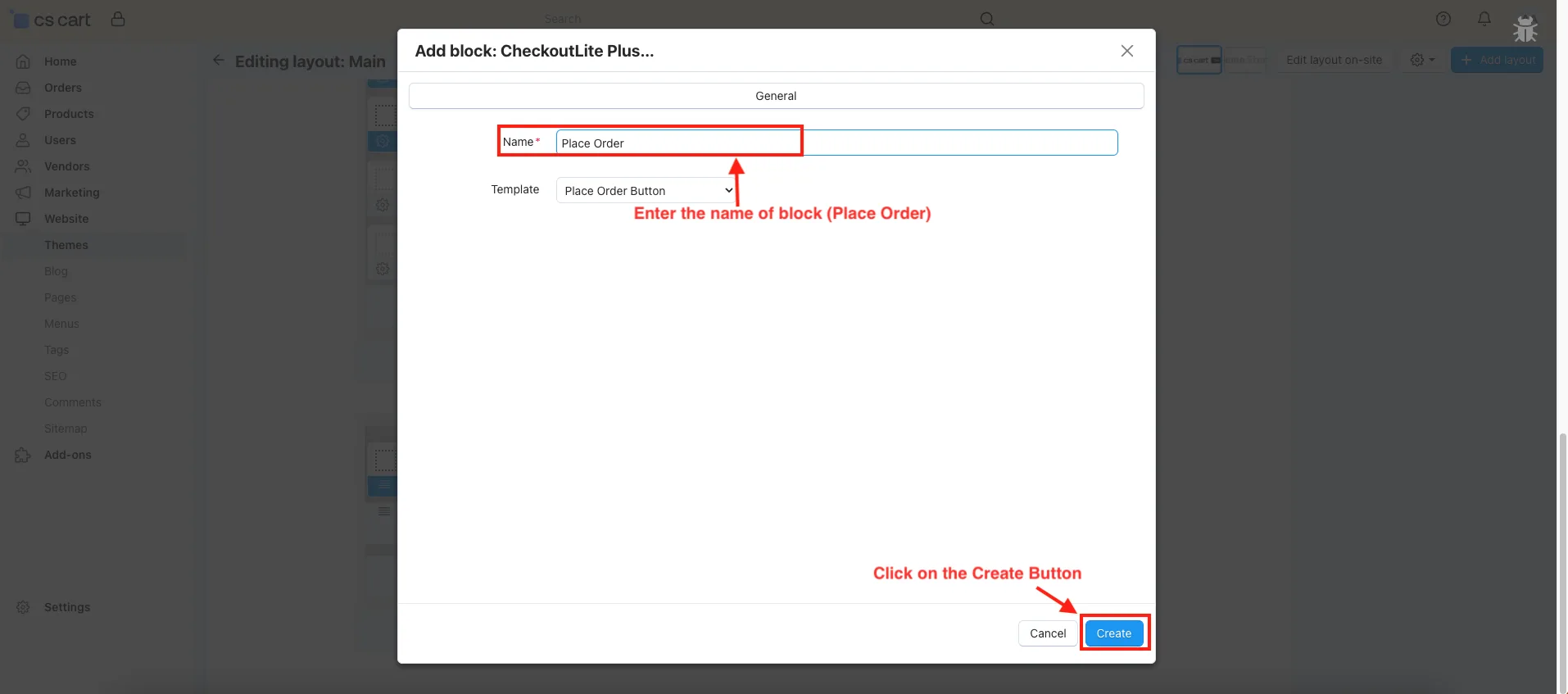
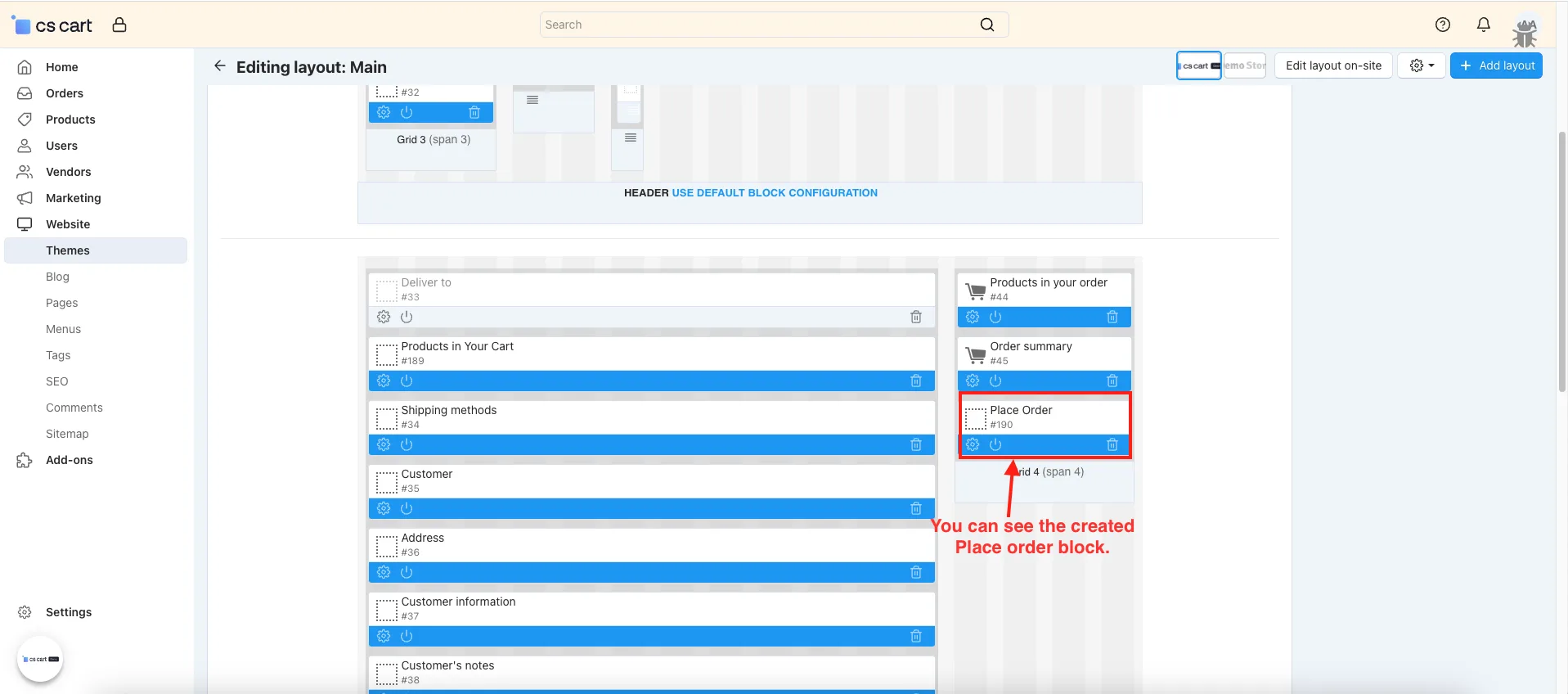
- You can see the created Place order block.
- Go to the storefront.
- Add to Cart any product.
- Click on the Checkout.
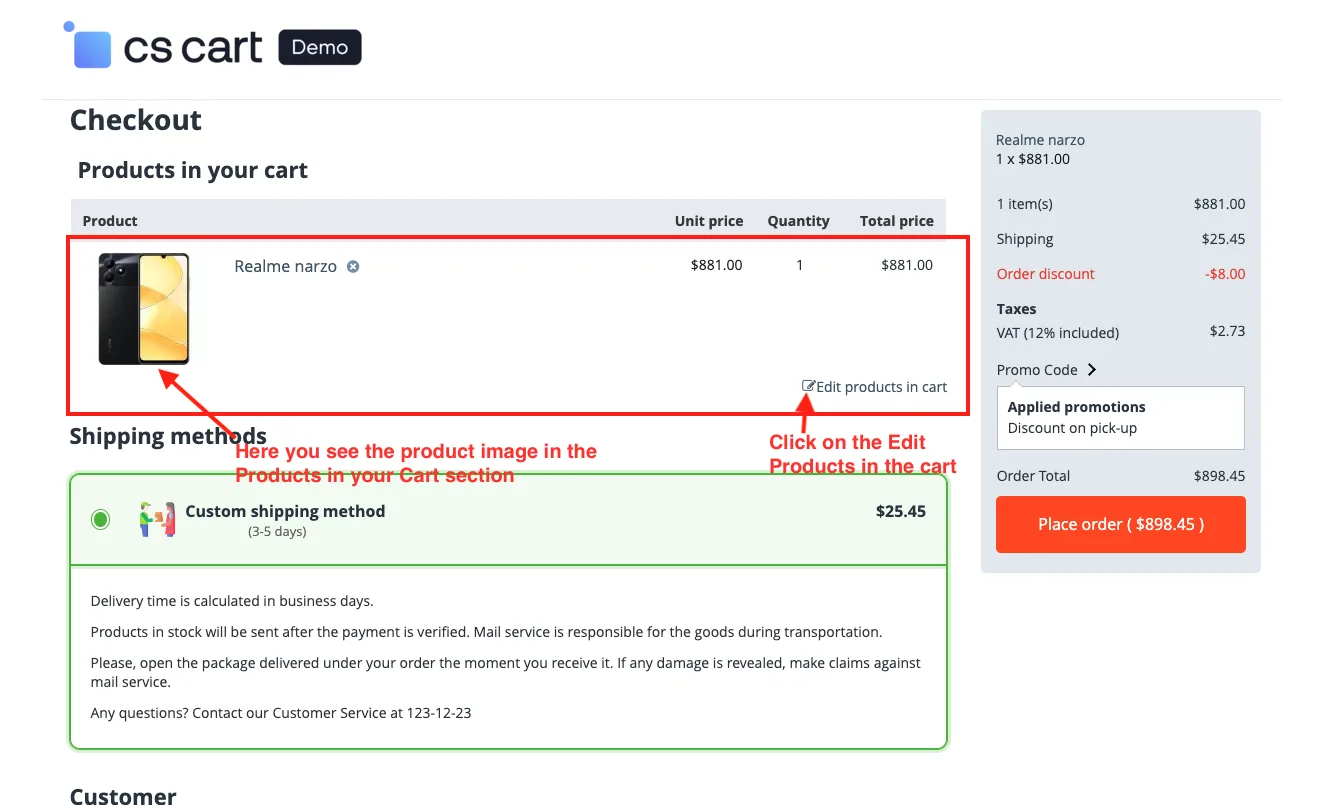
- You see the stick order summary block on the checkout page.
- You see the collapsable promo code.
- You see the place order button.
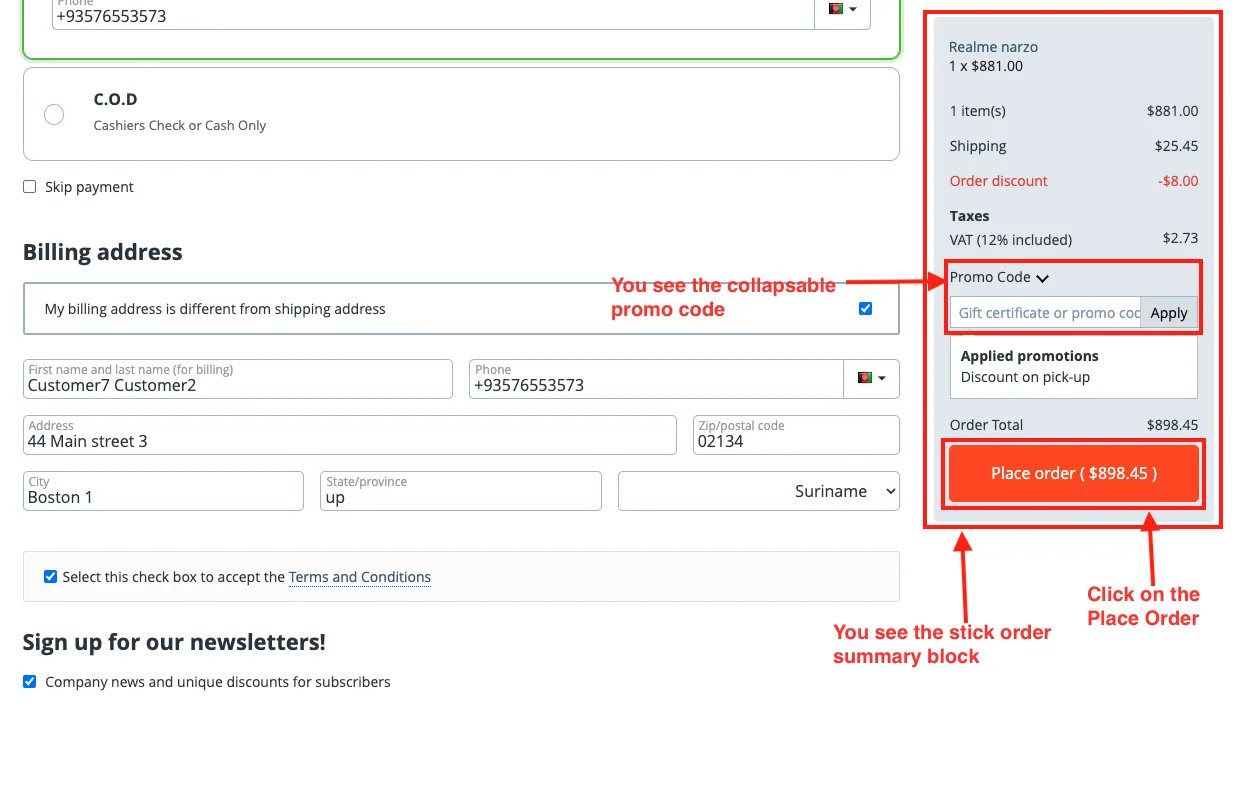
- Here you see the product image in the Products in your Cart section.
- Click on the Edit Products in the cart.
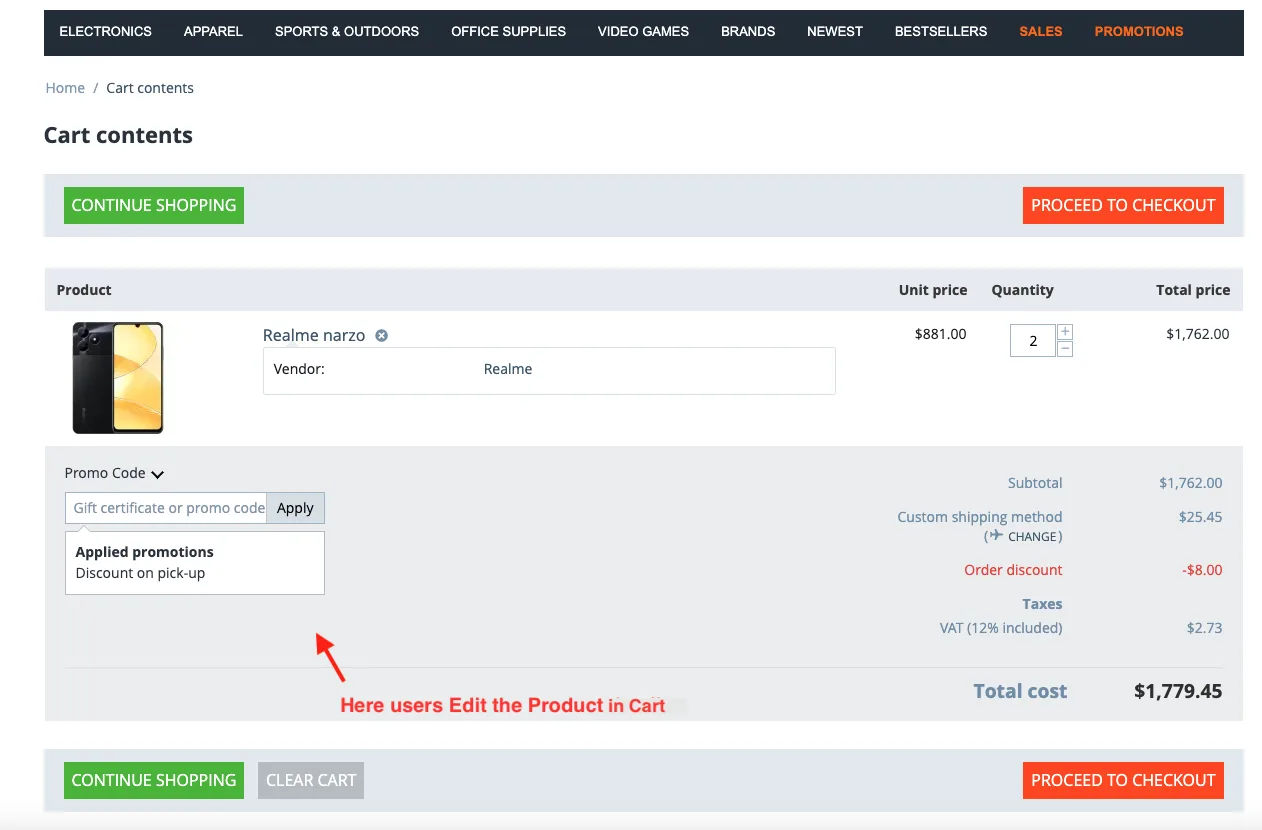
- Here users Edit the Product in the cart.
Addon-Version:
Version-1.0
Supported Versions:
CS-Cart, CS-Cart Multivendor 4.8.x, 4.9.x,4.10x,4.11x,4.12,4.13x, 4.14x, 4.15x, 4.16x, 4.17x, 4.18x
Support:
This app is developed and published by Ecarter Technologies Pvt. Ltd., a CS-Cart developer. You are guaranteed quality add-ons.
Frequently asked questions
What does the Sticky Order Summary feature do?
It keeps the order summary block fixed in place as the customer scrolls down the checkout page, so the totals and order details stay visible and easy to access throughout the checkout process.
Can I customize the checkout blocks?
Yes. The add-on lets you create and customize checkout blocks such as "Products in your cart" and "Place order," and the cart block can display product images for better visibility of the items being purchased.
Is CheckOutLite Plus compatible with CS-Cart Multi-Vendor?
Yes. The add-on is integrated with CS-Cart Multi-Vendor and can be used with its Standard, Plus, and Ultimate versions.
What is the Collapsible Promo Details option?
It gives customers control over the promo section on the checkout page, letting them show or hide promo details as needed to keep the page tidy and focused.
Kajal is a Technical Content Writer at Ecarter Technologies. She writes technical documentation and in-depth guides on eCommerce platforms, mobile commerce and AI in online retail.