
CS-Cart Cart Share Add-on: Share Carts by Link
Cart Share addon for CS-Cart allows customers to easily share their shopping cart with other customers, friends, and others through email.
The CS-Cart Cart Share Add-on lets customers share the contents of their shopping cart with friends, colleagues, or other shoppers by sending a share link over email, including to several recipients at once. This solves a common problem in collaborative or group buying, where one person builds a cart and needs others to see the exact same set of products without rebuilding it manually. Administrators keep control by setting how long each share link stays active, after which the shared cart products can be removed automatically through a cron job. It is aimed at CS-Cart store owners, including those on CS-Cart Multi-Vendor, who want to make it easier for customers to collaborate on carts.

Cart Share Addon for CS-Cart allows customers to easily share their shopping cart with other customers, friends, and others through email. This helps customers to share the shopping cart through multiple emails at the same time.
Additionally, administrators to set the share link's lifespan for removing cart products as needed. Streamline your shopping experience and enhance collaboration with the CS-Cart Cart Share addon.
Features:
- Easy Sharing: Quickly share your shopping cart through email.
- Multiple Recipients: Share your cart with multiple emails simultaneously for convenience.
- Administrator Control: Admins can set the lifespan of shared links, ensuring security and control.
- Streamlined Process: Simplify the sharing process with an easy-to-use addon interface.
- Time-Saving: Save time by sharing your cart efficiently with multiple emails at once.
- Enhanced Shopping Experience: Improve your shopping experience with Cart Share's convenience.
- Multi-vendor support: Well integrated with CS-Cart multi-vendor.
Installation:
How to install Addon
https://store.ecarter.co/blogs/how-to-install-addon/
How the addon works
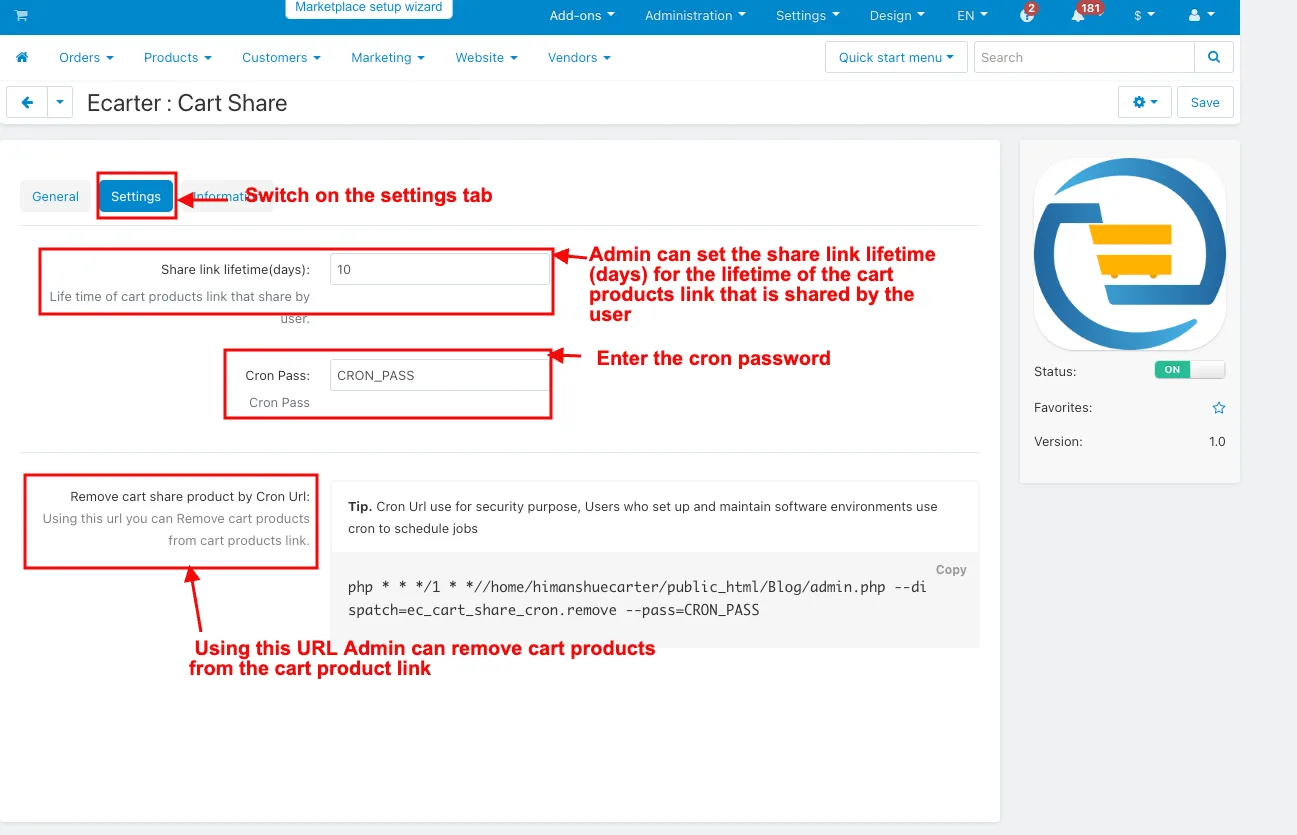
- Switch on the settings tab.
- Share link lifetime(days): The Admin can set the share link lifetime (days) for the lifetime of the cart products link that the user shares.
- Cron Pass: Enter the cron password.
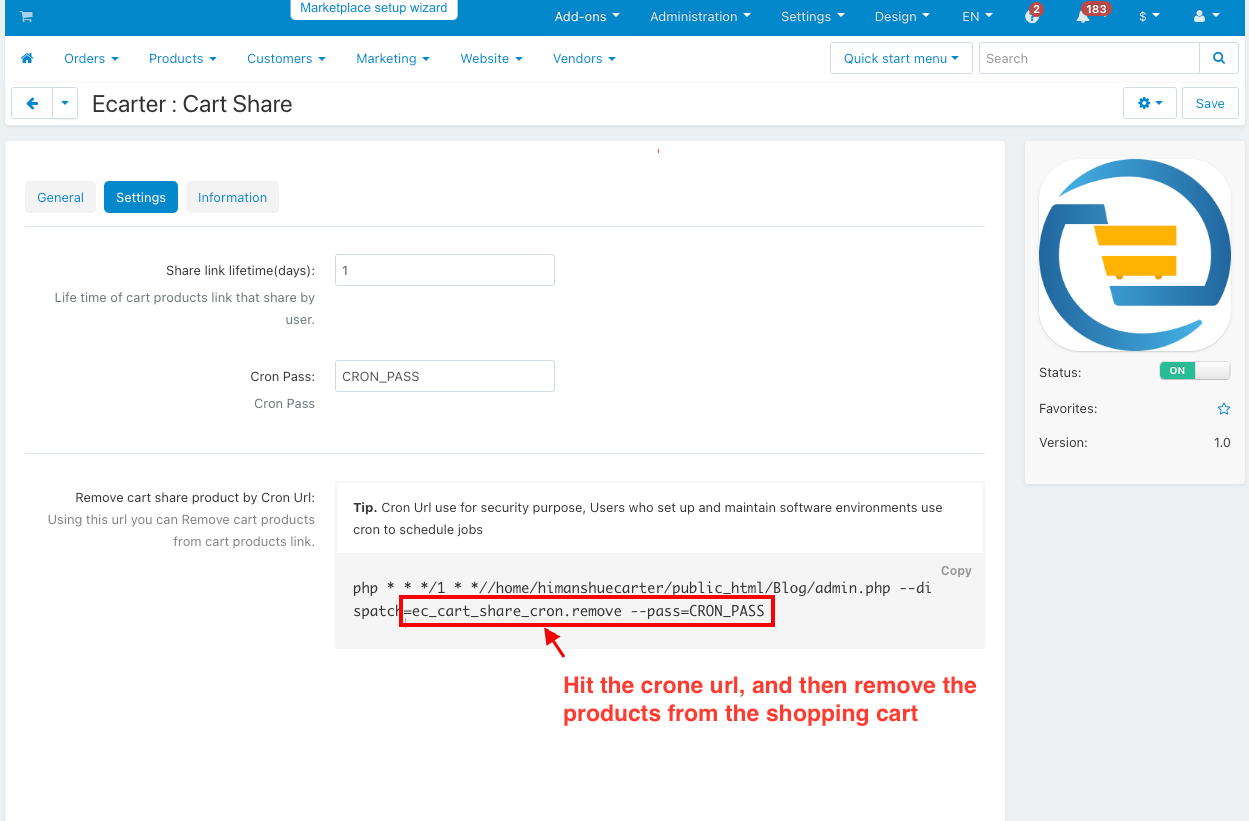
- Remove cart share product by cron url: Using this URL Admin can remove cart products from the cart product link.
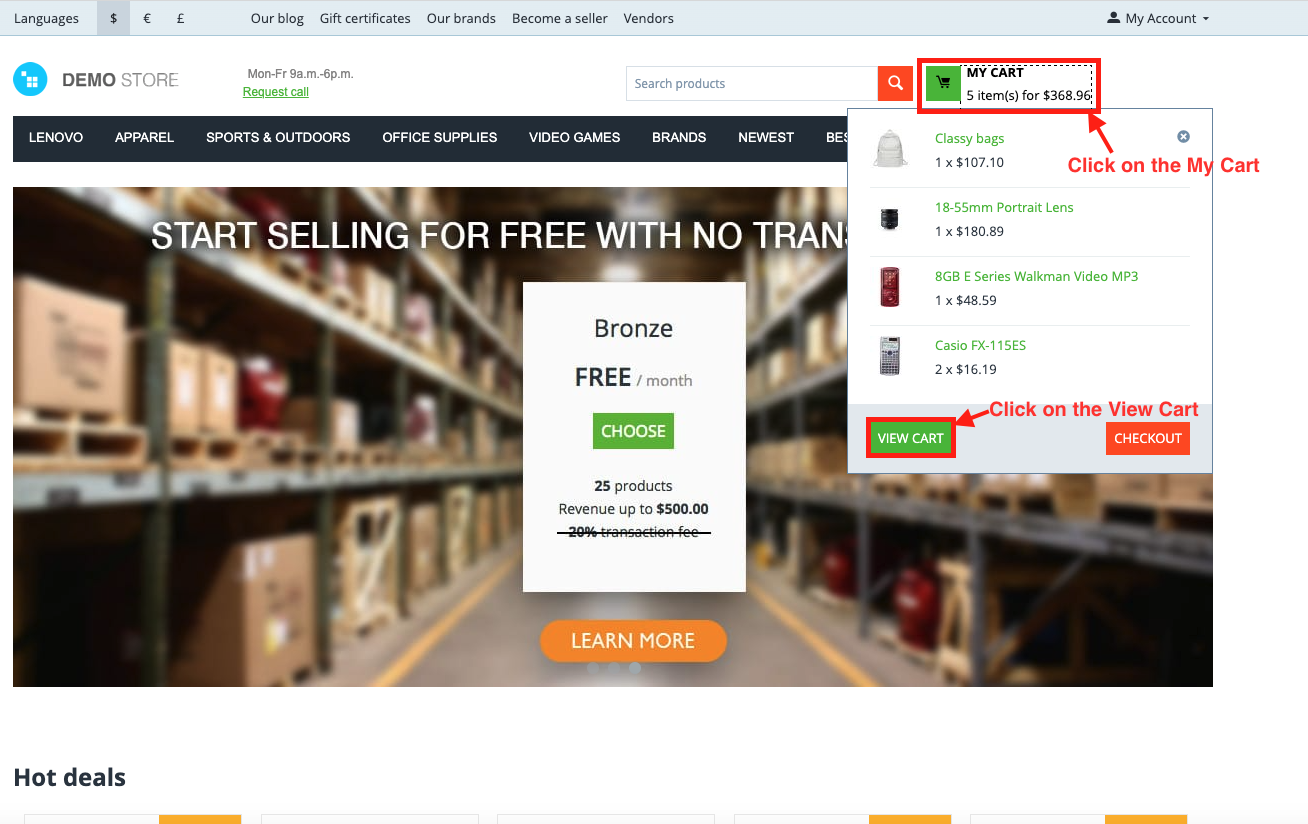
- Click on My Cart.
- Click on the View Cart.
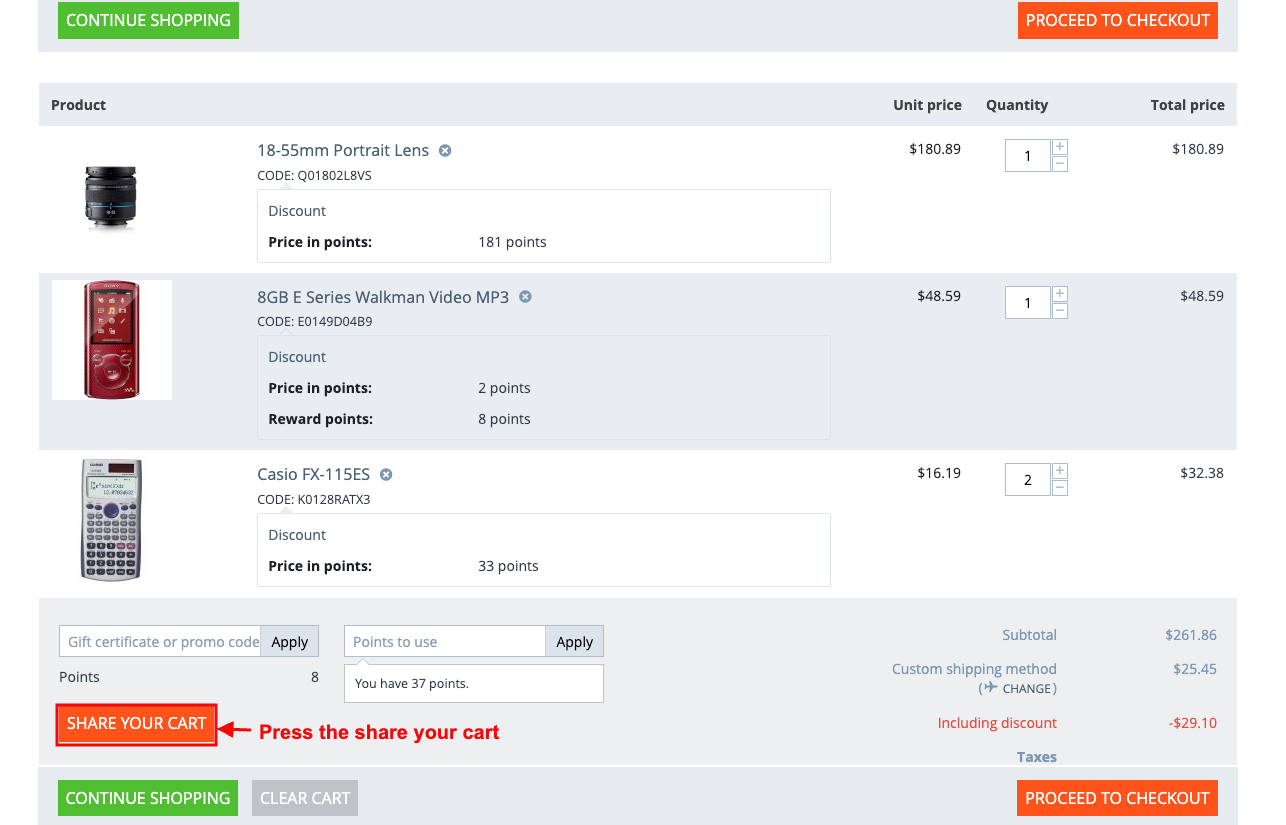
- Press the share your cart.
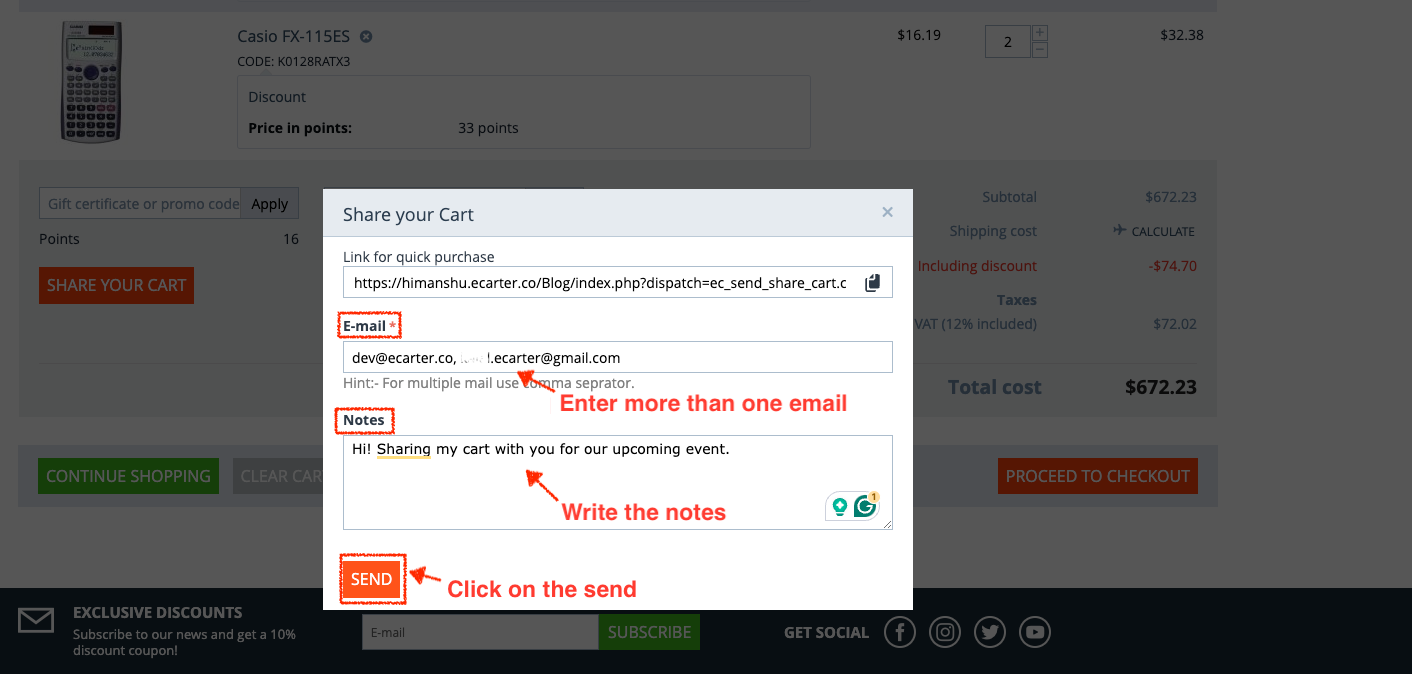
- Share your Cart pop window will be displayed.
- Enter more than one email.
- Write the notes.
- Click on the send.
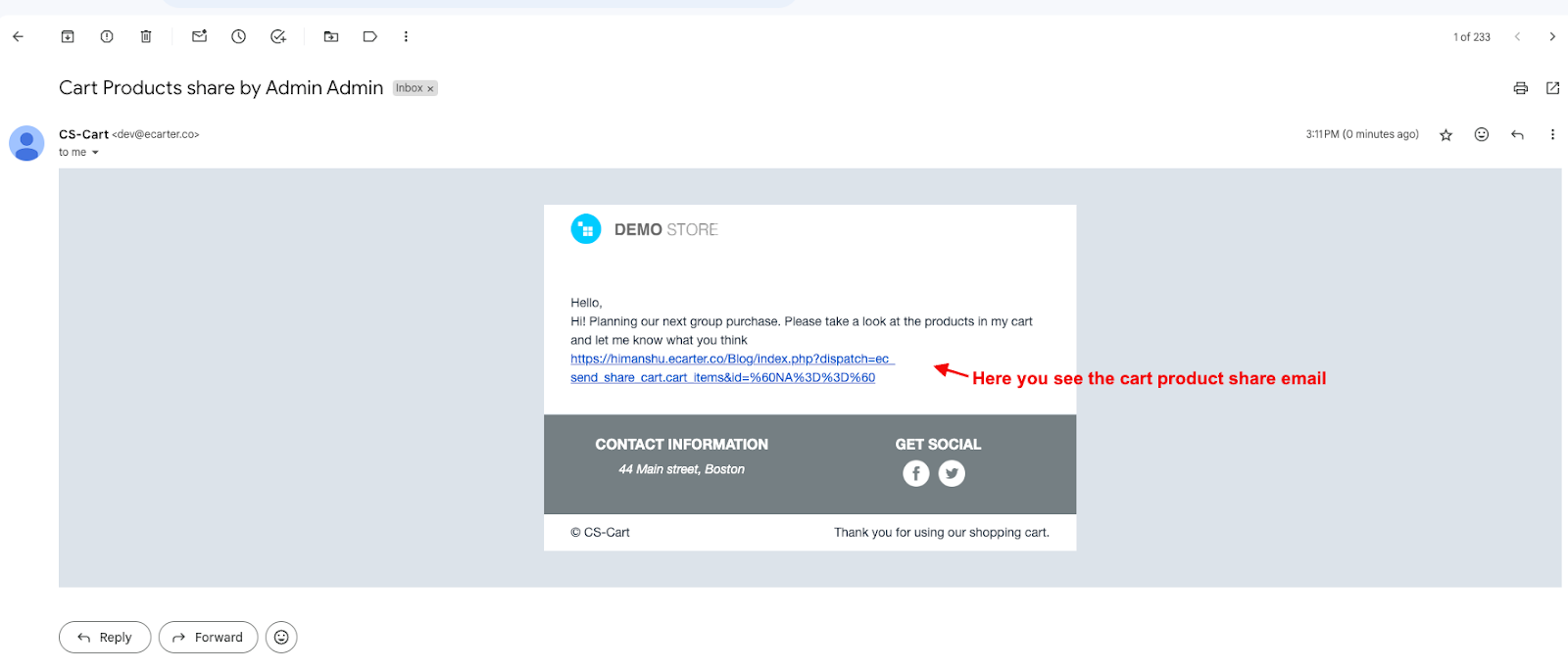
- Here you see the cart product share email.
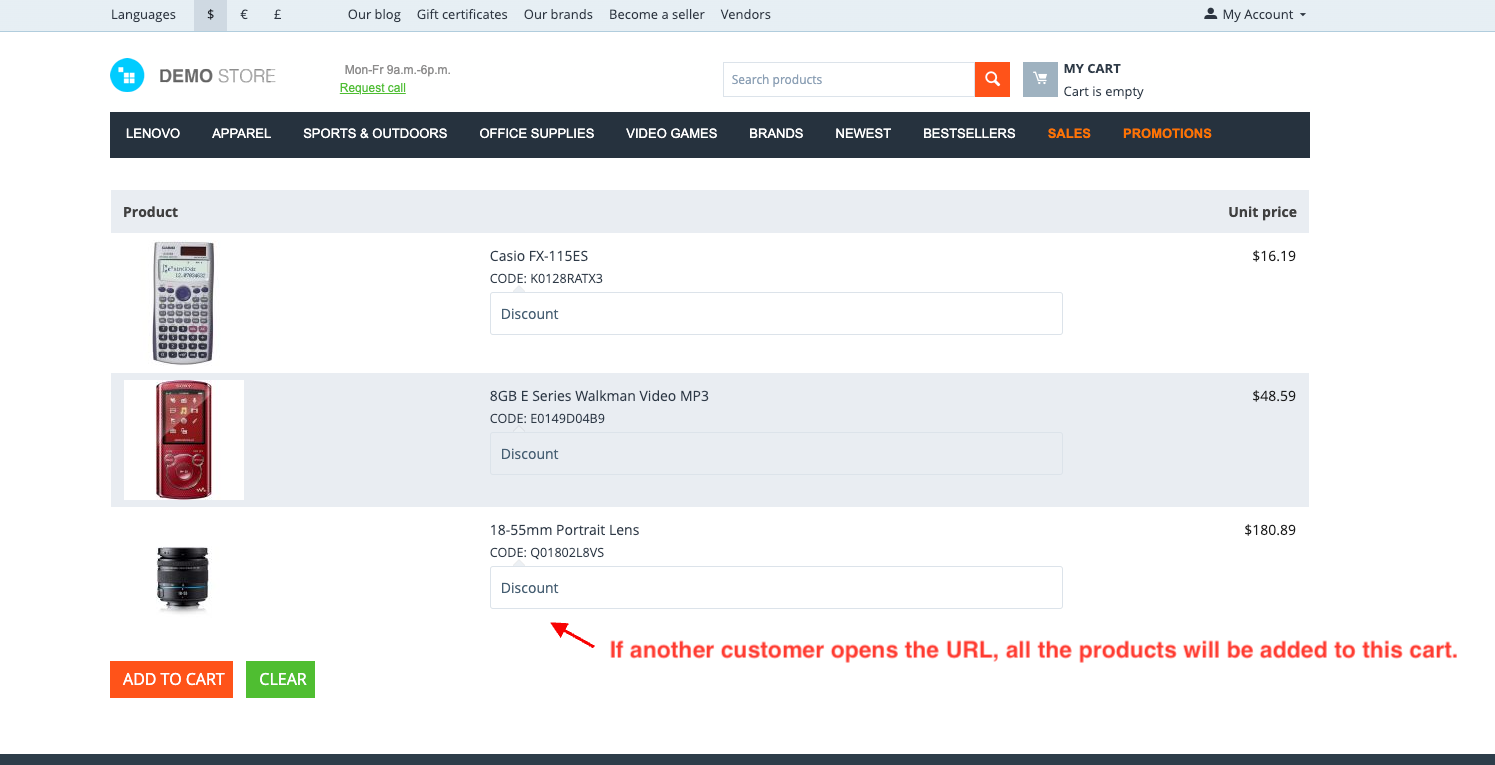
- If another customer opens the URL, all the products will be added to this cart.
Use of Cron Url
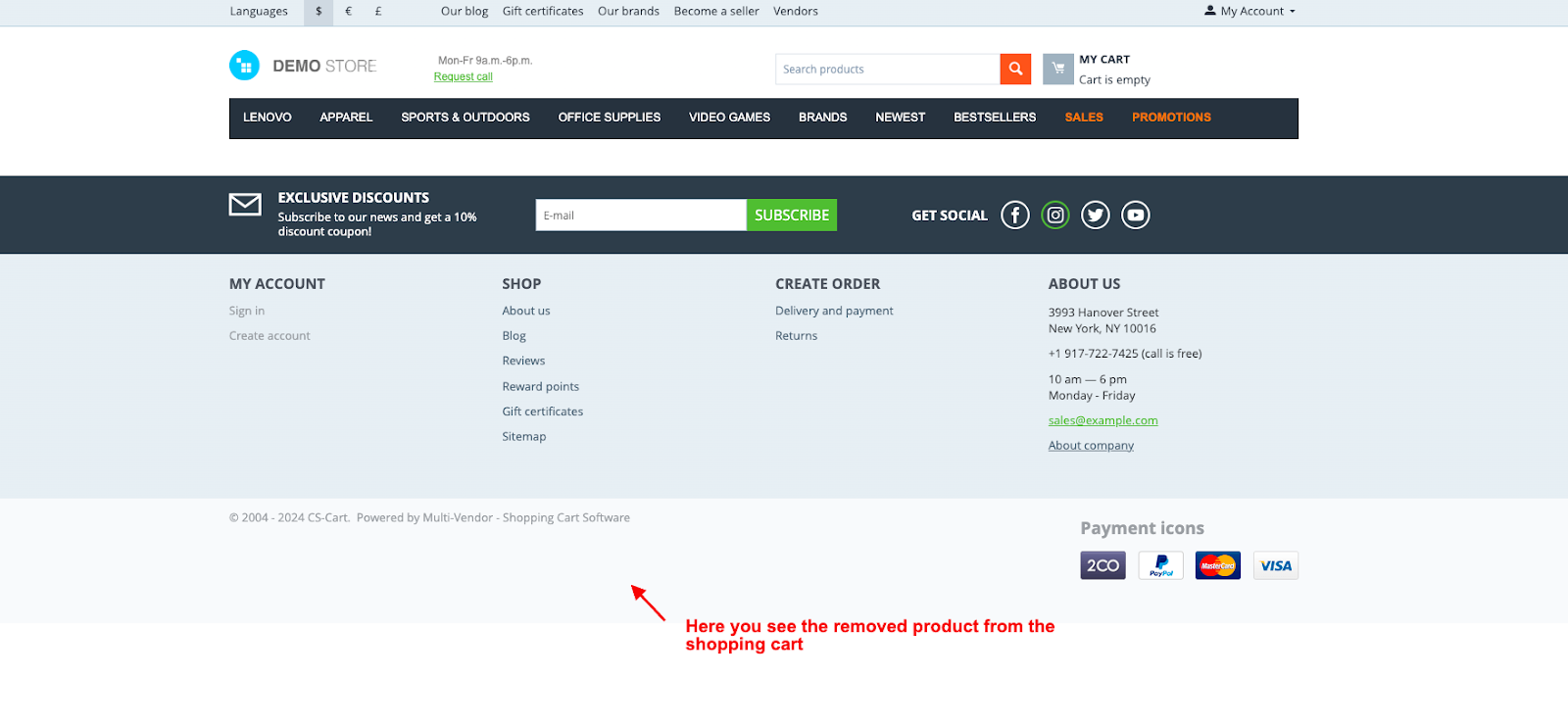
- Hit the crone url, and then remove the products from the shopping cart.
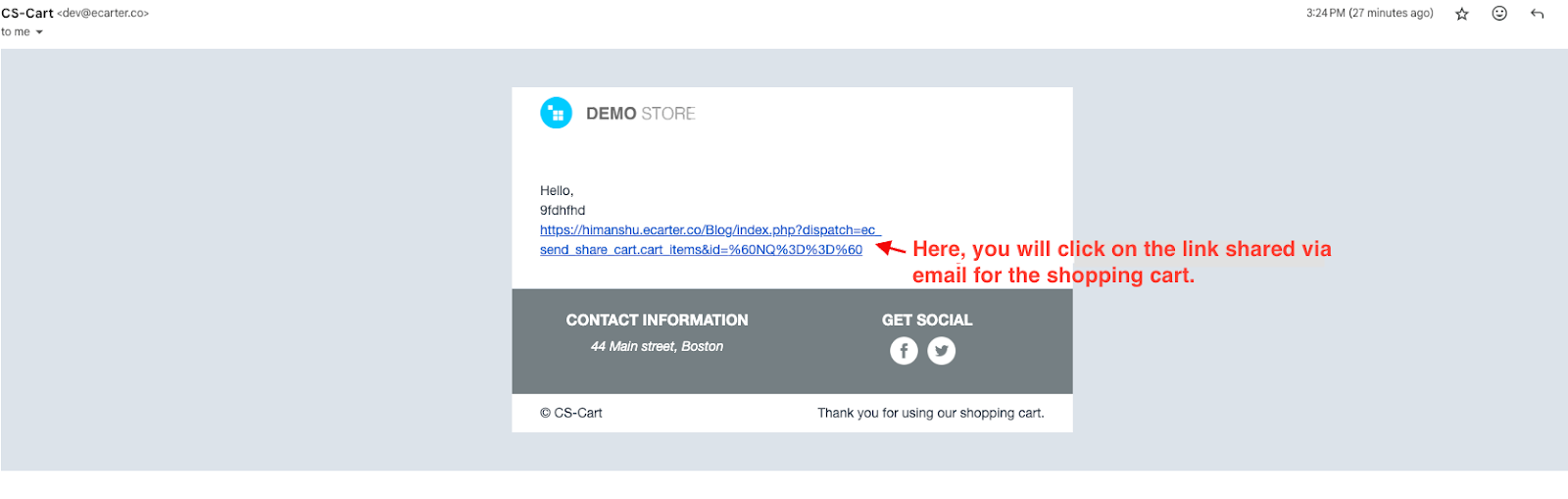
- Here, you will click on the link shared via email for the shopping cart.
- Here you see the removed product from the shopping cart.
Addon-Version:
Version-1.0
Supported Versions:
CS-Cart, CS-Cart Multivendor 4.8.x, 4.9.x,4.10x,4.11x,4.12,4.13x, 4.14x, 4.15x, 4.16x, 4.17x, 4.18x
Support:
This app is developed and published by Ecarter Technologies Pvt. Ltd., a CS-Cart developer. You are guaranteed quality add-ons.
Frequently asked questions
How do customers share a cart with the CS-Cart Cart Share Add-on?
Customers share their shopping cart by email using a generated share link. They can send it to multiple email addresses at the same time, so several recipients can open the same cart.
Can an administrator control how long a shared cart link stays valid?
Yes. In the add-on settings the admin sets the share link lifetime in days. When the link expires, the shared cart products can be removed automatically using the cron URL and cron password configured in the settings.
Does the Cart Share Add-on work with CS-Cart Multi-Vendor?
Yes. The add-on is integrated with CS-Cart Multi-Vendor, so it can be used on multi-vendor stores as well as standard CS-Cart stores.
How is the Cart Share Add-on installed and set up?
It installs like a standard CS-Cart add-on (see the how-to-install-addon guide), after which you enable it from the settings tab. From there you set the share link lifetime in days, enter the cron password, and use the provided cron URL to remove expired shared cart products.
Nisha Gaur is a Technical Content Writer at Ecarter Technologies. She writes technical documentation, tutorials and buying guides covering CS-Cart, Magento, Shopify and eCommerce development.