
Bulk Add To Cart
Bulk Add To Cart: This add-on allows you to select the desired quantities on the product list and add them to the cart with one click.
The Bulk Add To Cart add-on for CS-Cart lets customers add several products to the cart in a single action. Instead of opening each product page one at a time, shoppers tick a checkbox on the corner of each product directly from the homepage or any category page, then click "Add Selected Items to Cart" to add them all at once. This speeds up ordering for buyers who purchase many items in one visit, and gives admins a single place to view and manage the resulting orders. It is built for CS-Cart store owners, and integrates with CS-Cart Multi-Vendor.
The Bulk Add To Cart addon for CS-Cart allows customers to buy multiple products at once. They can select different items from the product list. Then, add them all to the cart with one click on "Add Selected Items to Cart." With this add-on, customers don’t need to go to each product page. They can choose products right from the homepage or any category page. It makes placing orders quicker and easier. Admins can also take advantage of this as they can easily see and manage all orders in one place.
Features:
- Well integrated with CS-Cart Multivendor.
- Customers can quickly select products by checking boxes at the product corner.
- The add-on allows customers to add many items to the cart at once with the "Add Selected Items to Cart" button.
- Customers and admin can easily view all the details of their placed orders in one place.
Installation:
How to install Addon
https://store.ecarter.co/blogs/how-to-install-addon/
How Addon Works
- Access the addon
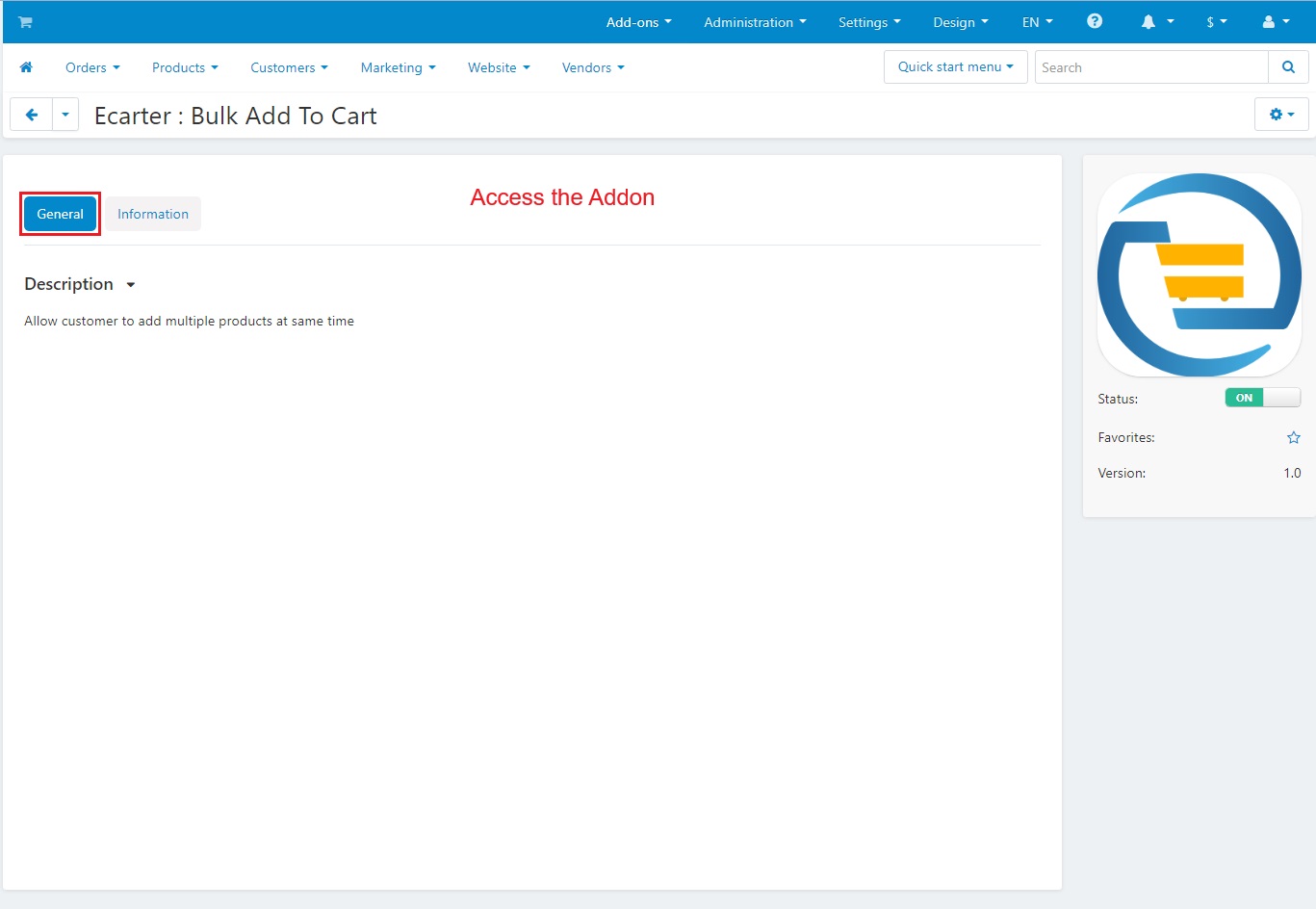
- Go to the >> Storefront

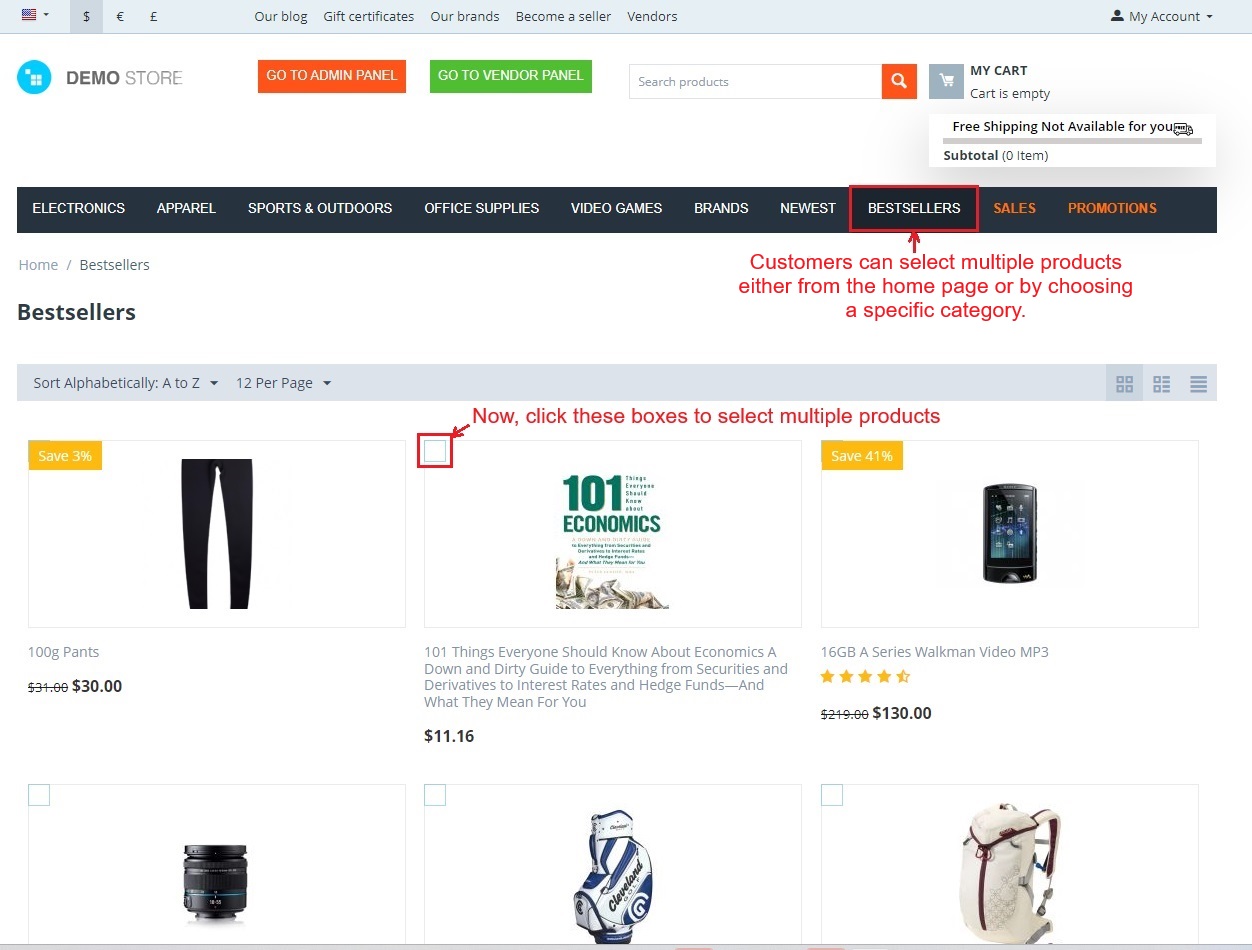
- Customers can select multiple products either from the home page or by choosing a specific category.
- For selecting multiple products, they just need to tick the checkboxes present at the corner of each product.
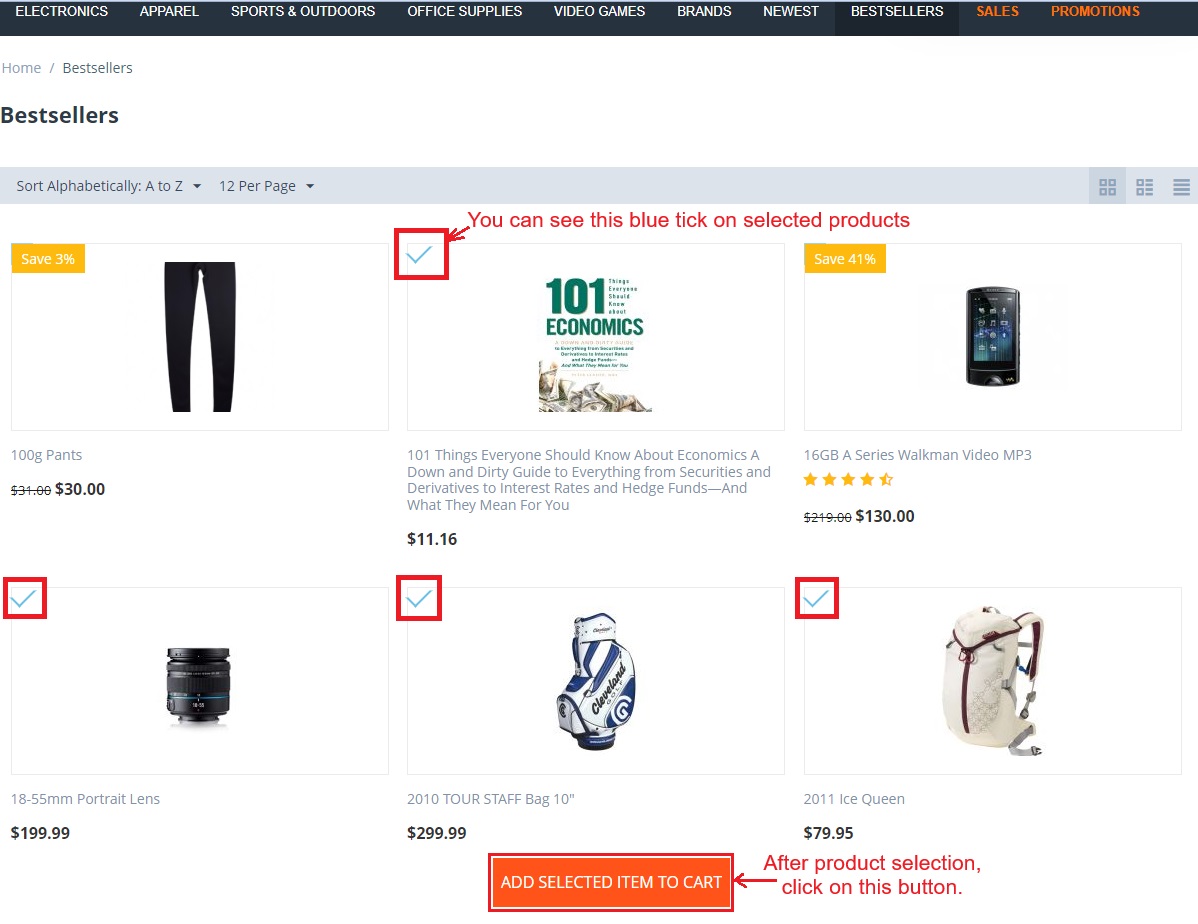
- Below you can see the blue tick on selected products.
- Now click the "Add Selected Items to Cart" button to add all selected products to the cart.
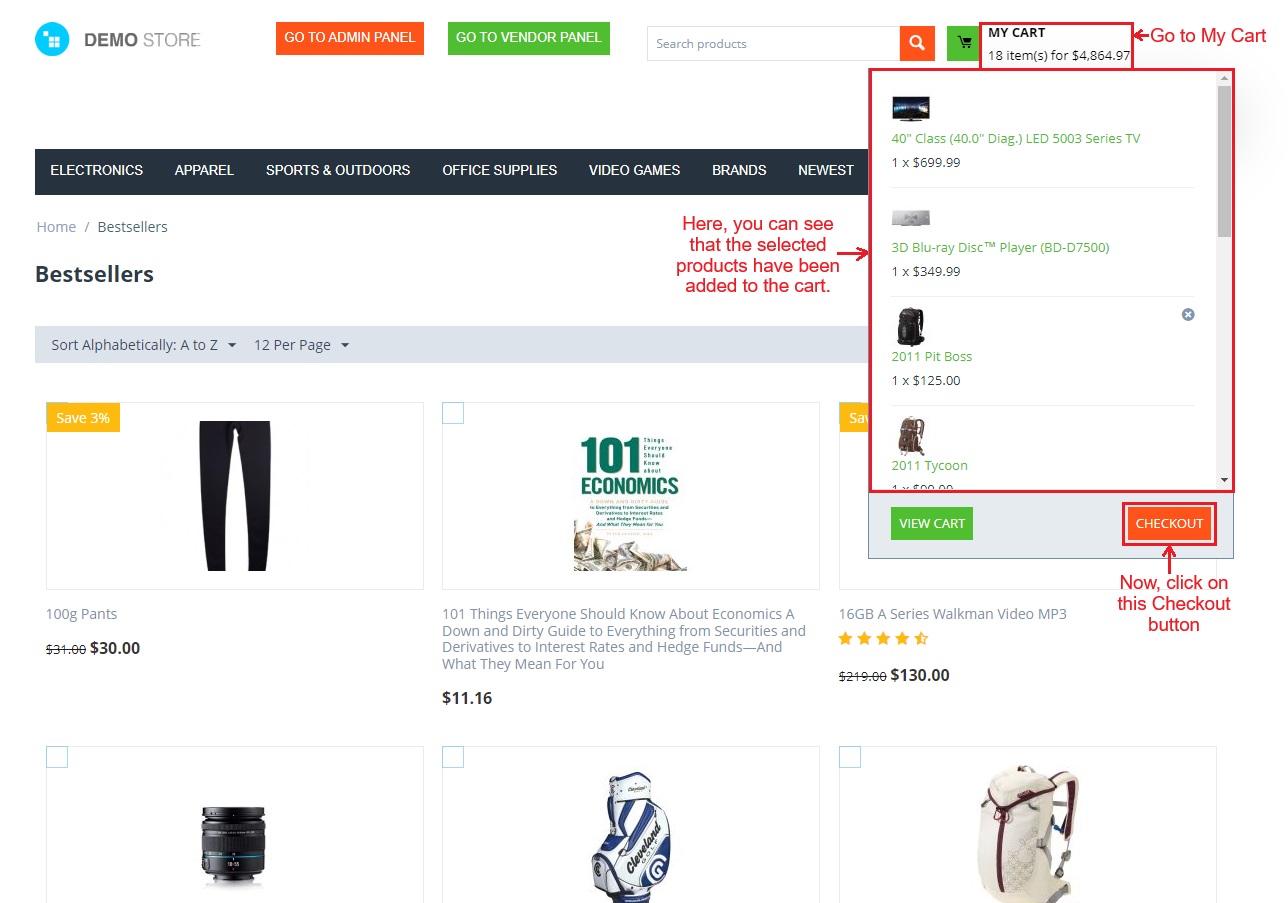
- Go to >> My Cart
- Now, you can see the selected products have been added to the cart.
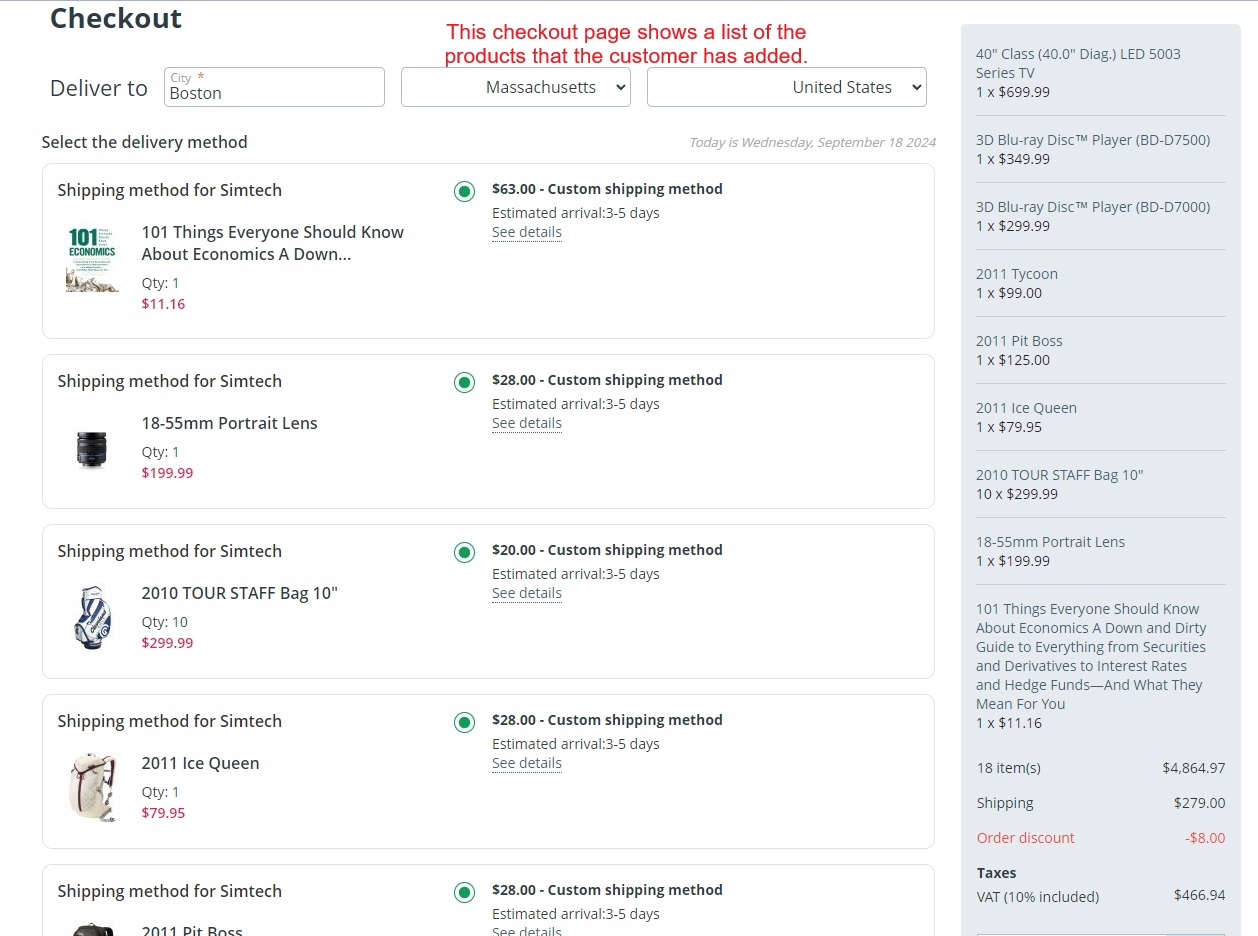
- Click on >> Checkout button.
- This checkout page shows the list of the products with details.
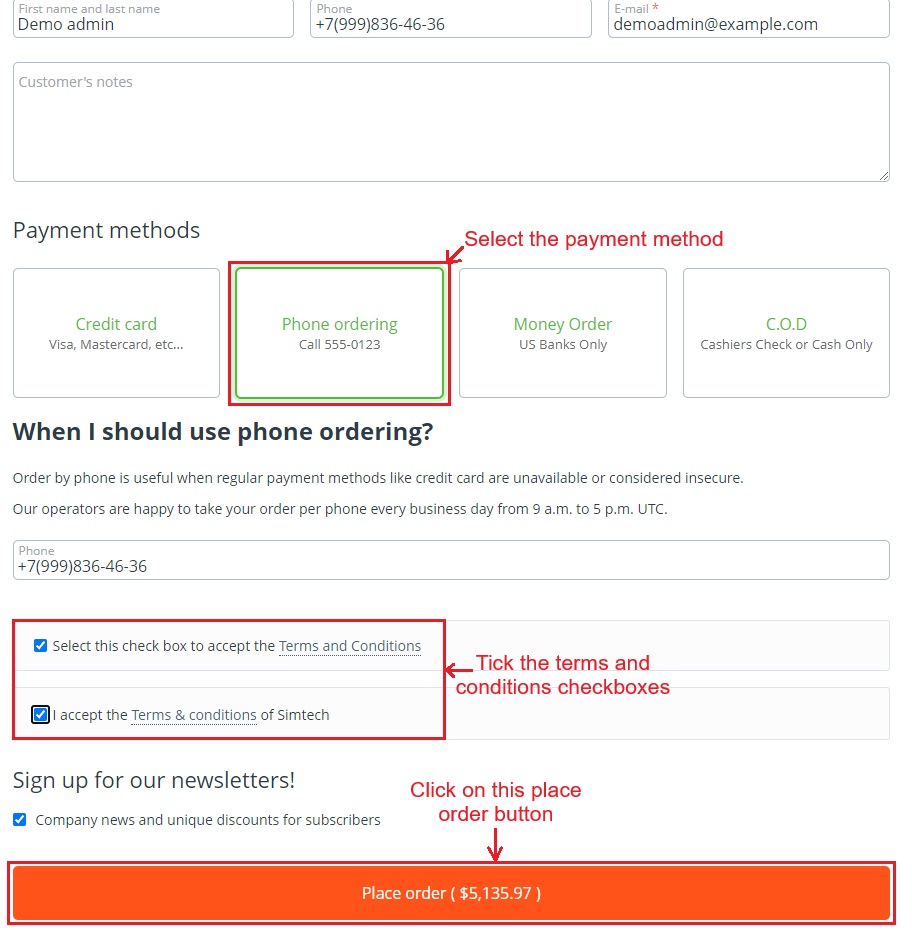
- Select the payment method.
- Tick the terms and conditions checkboxes.
- Then, click on >> Place Order.
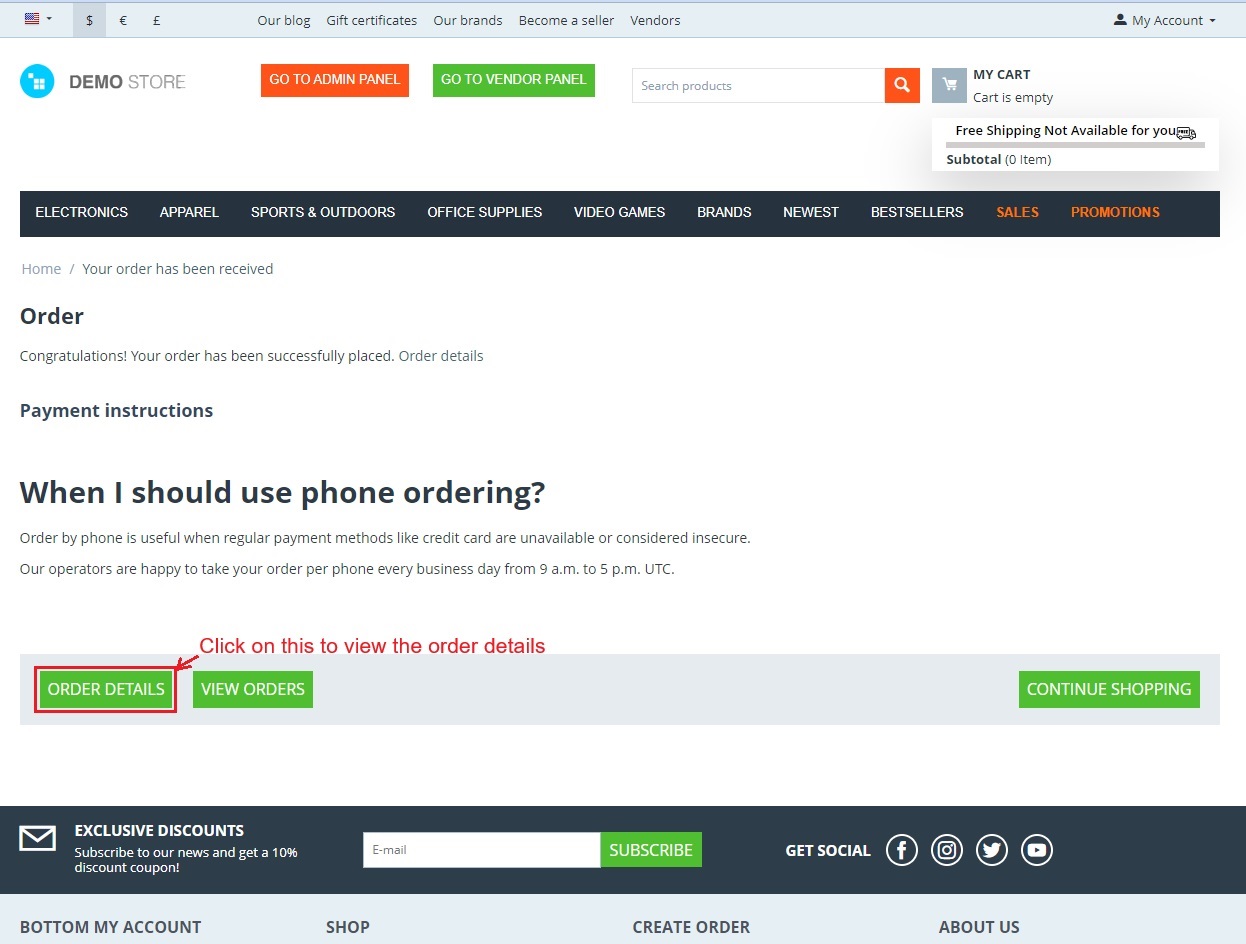
- Click on >> "Order Details" button to view the details of this order.
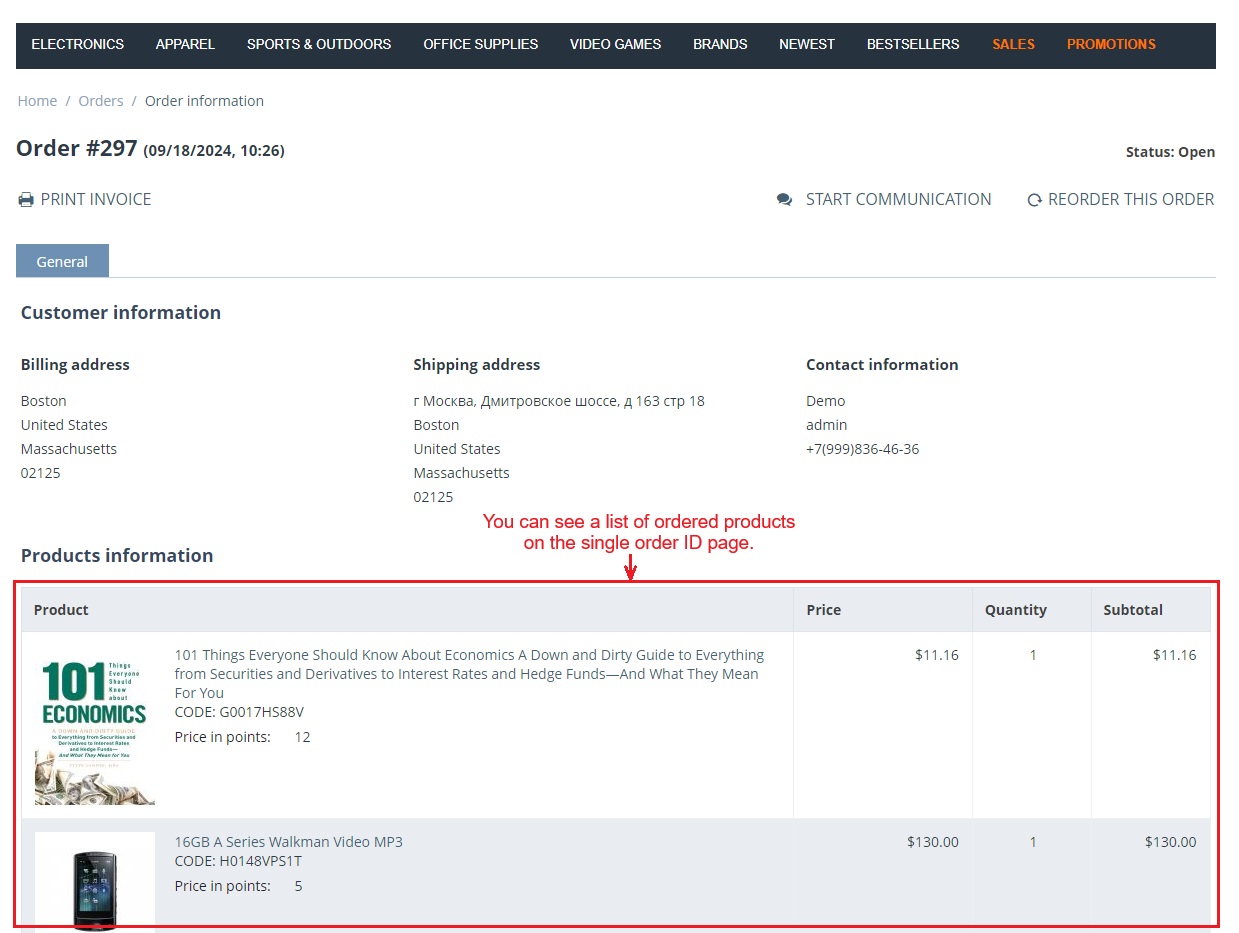
- You can see a list of ordered products on this single order ID page.
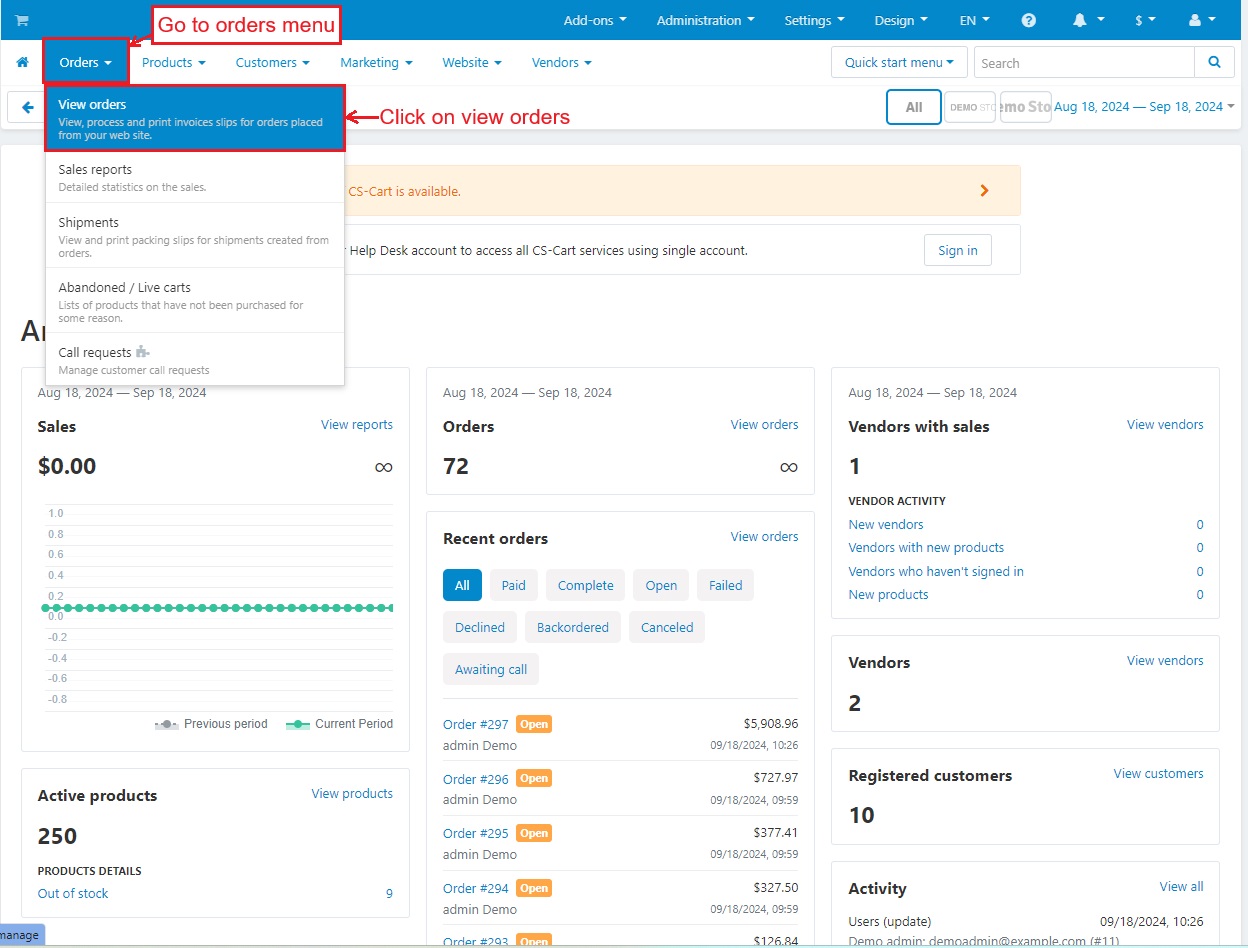
- Go to >> Orders menu
- Click on >> View Orders
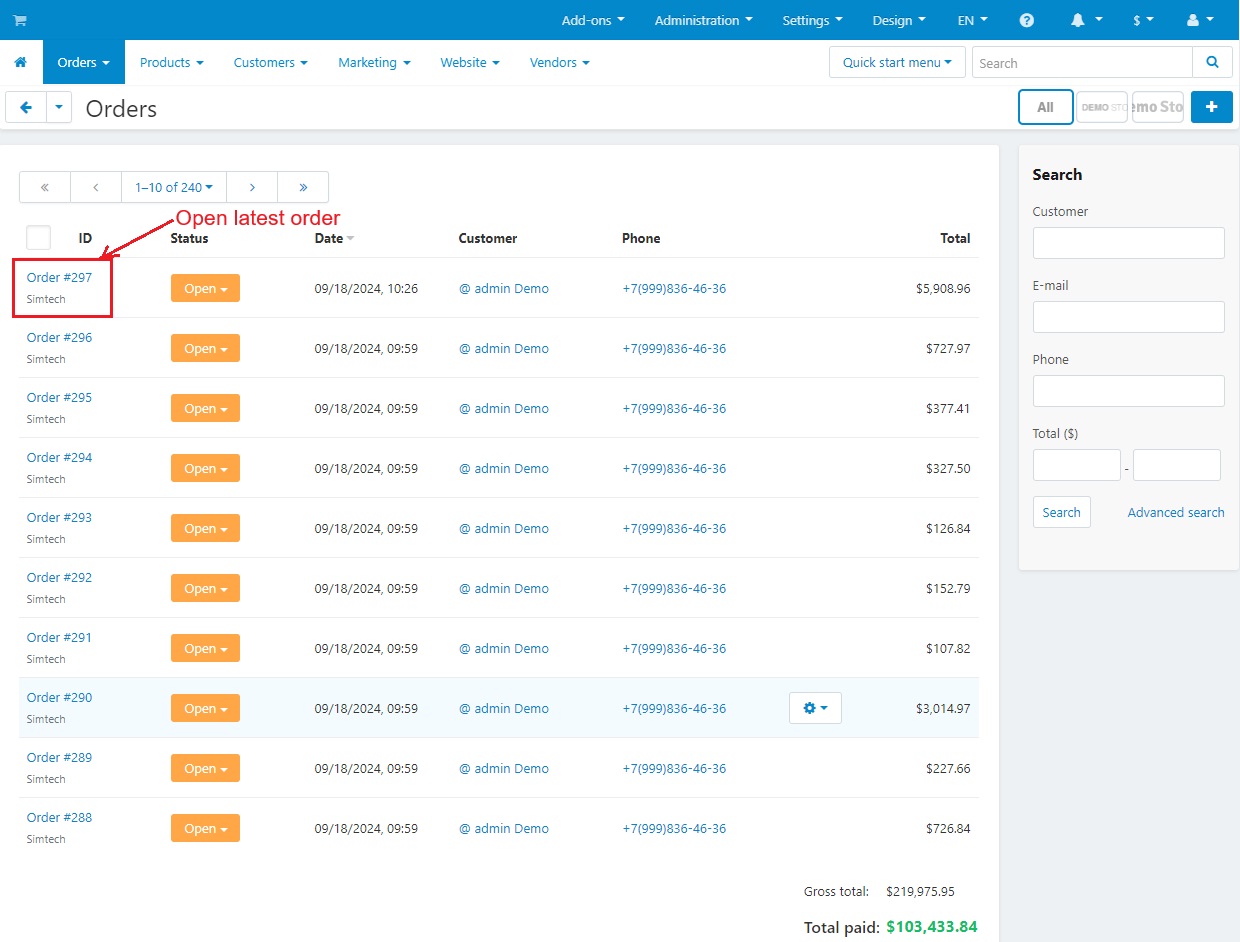
- Open the latest order.
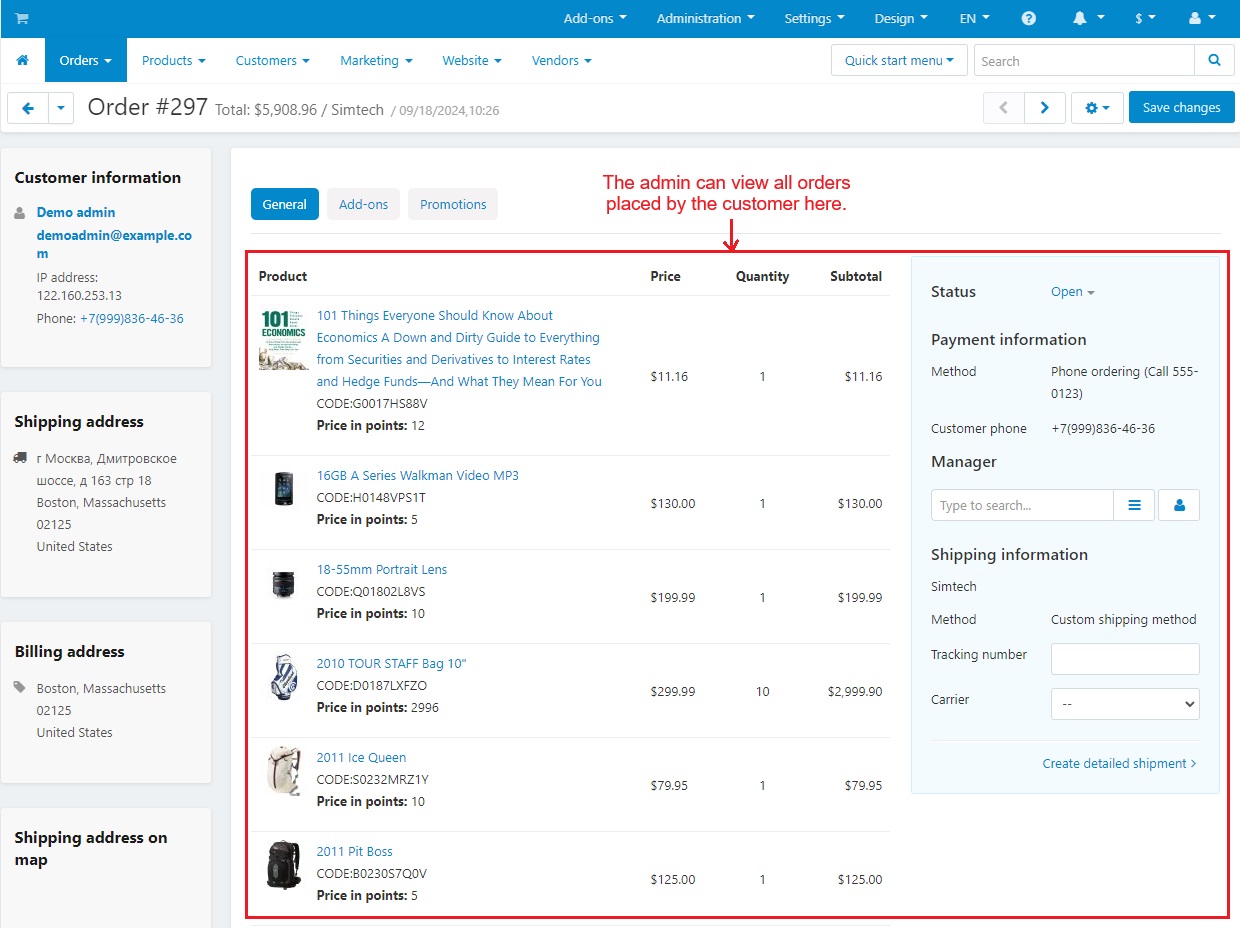
- Here the Admin can view all the orders placed by the customer.
Tutorial Video:
Addon-Version:
Version-1.0
Versions:
CS-Cart, CS-Cart Multivendor 4.8.x, 4.9.x,4.10x,4.11x,4.12,4.13x, 4.14x, 4.15x, 4.16x, 4.17x, 4.18x
Support:
This app is developed and published by Ecarter Technologies Pvt. Ltd., a CS-Cart developer. You are guaranteed a quality add-on supported by future versions. If you need help, please contact us via email support@ecarter.co
Need modifications or any assistance? Please, feel free to contact us via email support@ecarter.co
Frequently asked questions
How do customers add multiple products at once?
On the storefront, customers tick the checkboxes shown at the corner of each product on the homepage or a category page. Selected products show a blue tick. Clicking the "Add Selected Items to Cart" button then adds all of them to the cart together.
Does the Bulk Add To Cart add-on work with CS-Cart Multi-Vendor?
Yes. The add-on is well integrated with CS-Cart Multi-Vendor, so it works in multi-vendor stores as well as standard CS-Cart.
Can shoppers select products without opening each product page?
Yes. That is the main purpose of the add-on. Customers choose items straight from the homepage or a category listing using the checkboxes, so they do not need to visit each individual product page to add items to the cart.
How is the add-on installed?
It follows the standard CS-Cart add-on installation process. A step-by-step installation guide is available at https://store.ecarter.co/blogs/how-to-install-addon/, and after installing you access it from the admin panel while its selection controls appear on the storefront.
Nisha Gaur is a Technical Content Writer at Ecarter Technologies. She writes technical documentation, tutorials and buying guides covering CS-Cart, Magento, Shopify and eCommerce development.