
Banners By User-Groups
Banners By User-Groups: This addon provides functionality that appears as a user-groups selector in the banner management where store admin can set user-groups.
Banners By User-Groups is a CS-Cart add-on that lets a store admin control which shoppers can see each storefront banner. Instead of showing every banner to everyone, the admin assigns each banner to specific user groups (for example registered customers or guests) when creating or editing it, and shoppers who do not belong to a selected group will not see that banner. This solves the problem of showing the same promotional content to all visitors when different customer segments should see different messages. It is aimed at CS-Cart store owners who want to target banner content by audience.
This addon allows the admin to control which customers can see banners on the CS-Cart storefront. Banners will only be visible to selected user groups.
In the banner settings, the admin can choose user groups for each banner. If a customer does not belong to the selected group, they will not see the banner.
Features
- Banner Visibility Control: Admin can assign banners to specific user groups, like registered or guest users, while creating or editing them.
-
Easy Banner Creation – Add new banners with a name, image, and user group selection.
-
Frontend Banner Preview – View banners as they appear to different user groups.
- CS-Cart Support info: The addon is well integrated with CS-Cart Multi-Vendor and can be used with its standard, Plus, and Ultimate Versions.
How to install Addon
https://store.ecarter.co/blogs/how-to-install-addon/
How the addon works
- Access the >> Addon
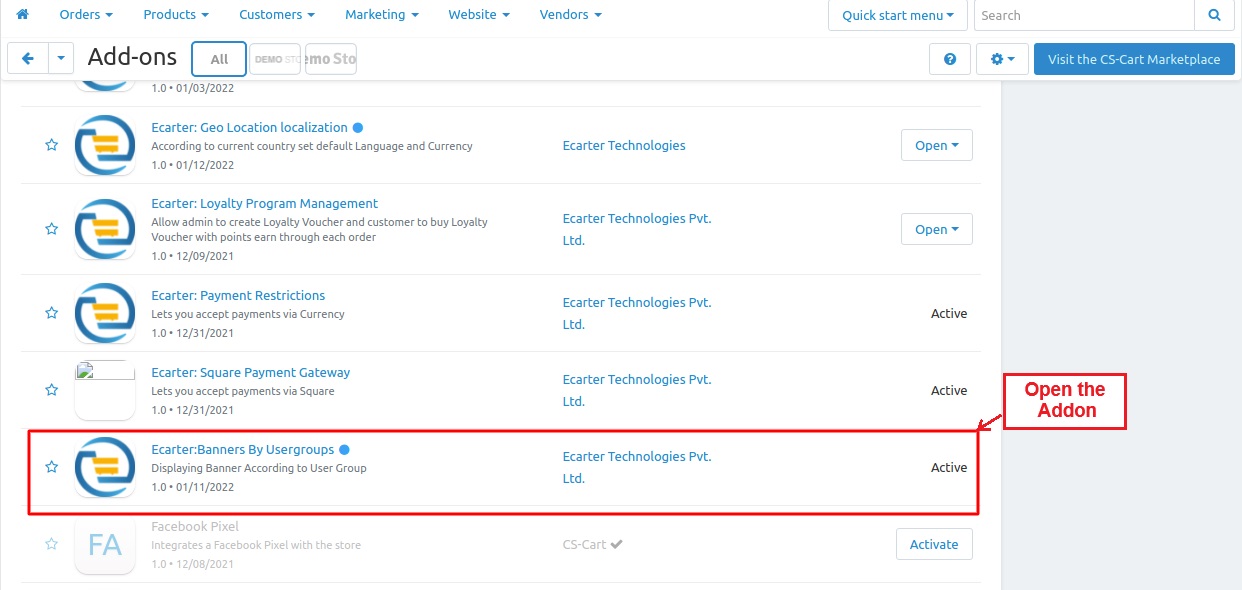
Add Banner & Choose User Group
- Go to >> Marketing Menu.
- Click on >> Banners
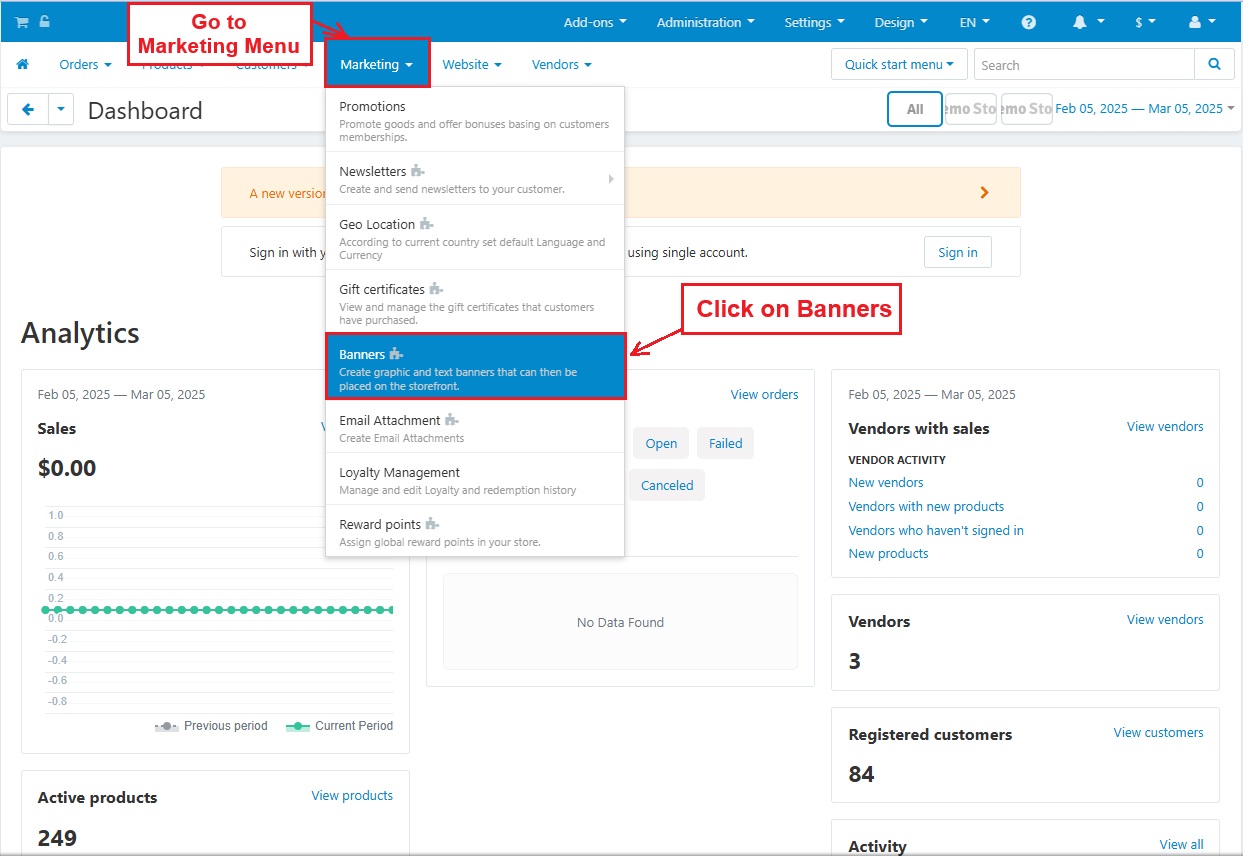
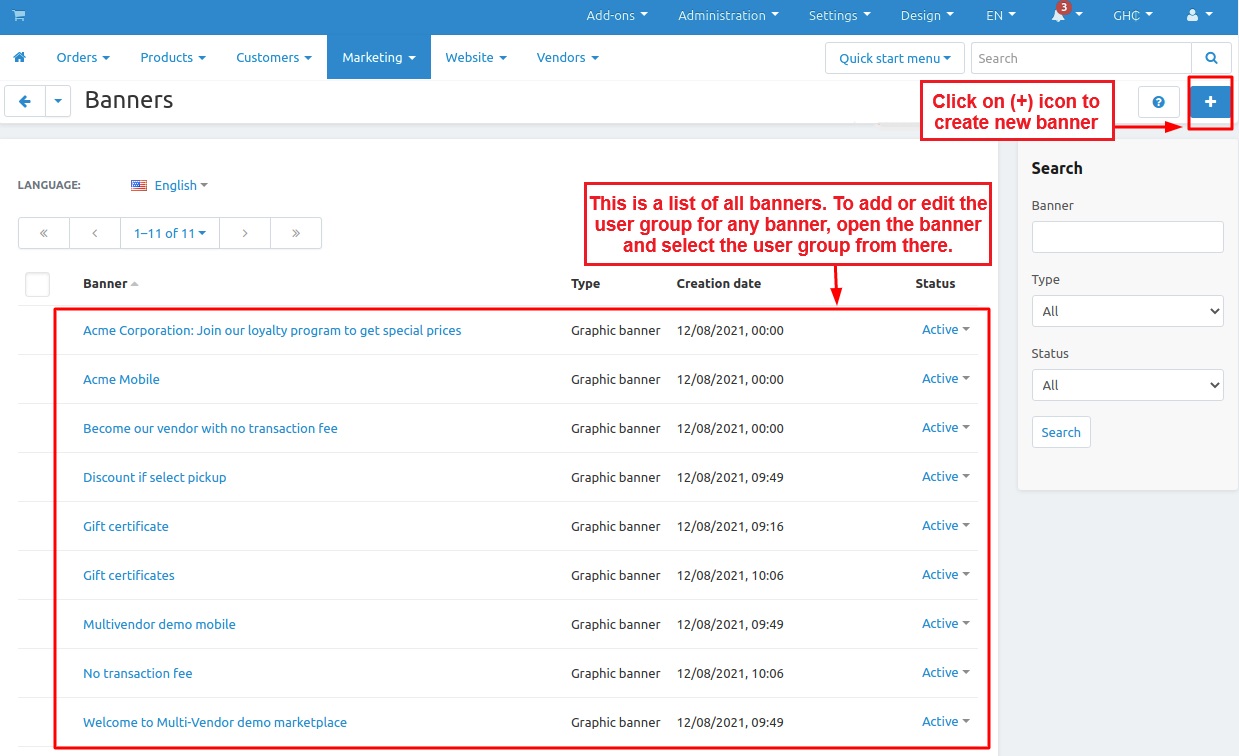
- Below you is a list of all banners. To add or edit the user group for any banner, open the banner and select the user group from there.
- Click on (+) icon to create new banner.
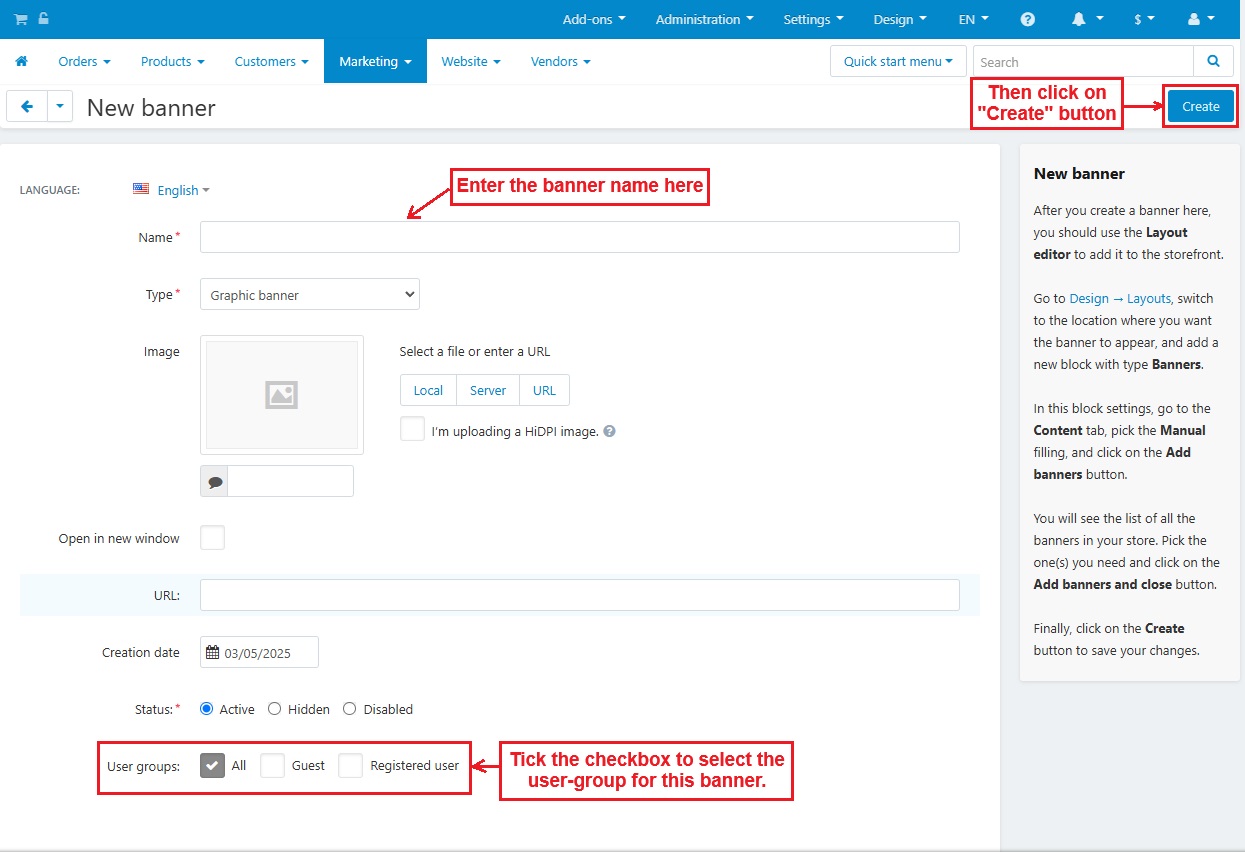
New Banner creation:
- Fill in details for creating new banner, like enter name, upload image. And select the user groups to see how the setting works.
- Then, click on >> "Create" button.
Creating a Layout to See the Banner on the Storefront
- Go to >> Design menu.
- Select >> Layouts.
- Then, Click on >> Layouts.
- In the Edit Layout page, switch to the Homepage, then scroll down and click the (+) icon to Add a new block.


- Now, switch to >> Create New block
- Click on >> Banners

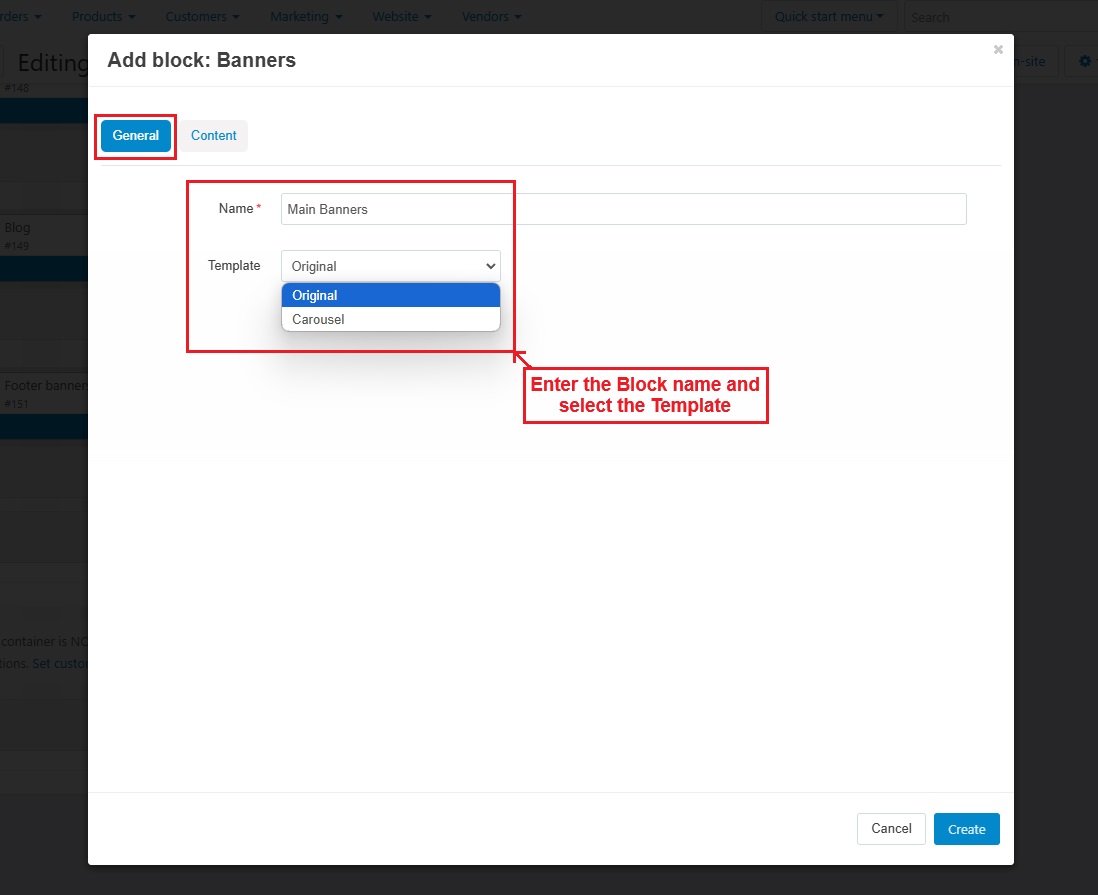
- In the General Tab, enter the name of the block and select the template if you want.
- Click on >> Add Banners
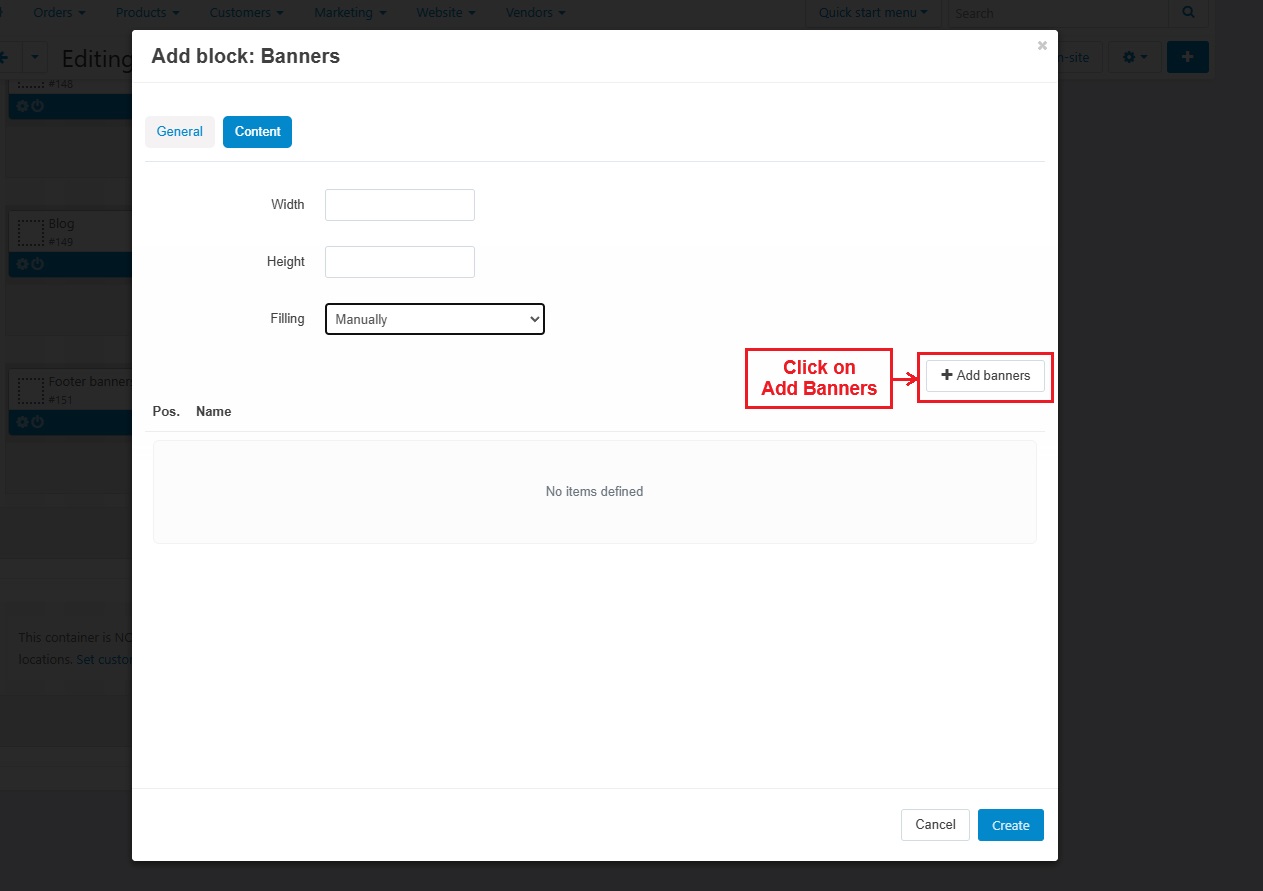
- Tick the checkboxes to select the banner.
- Then, click on "Add banners and close".

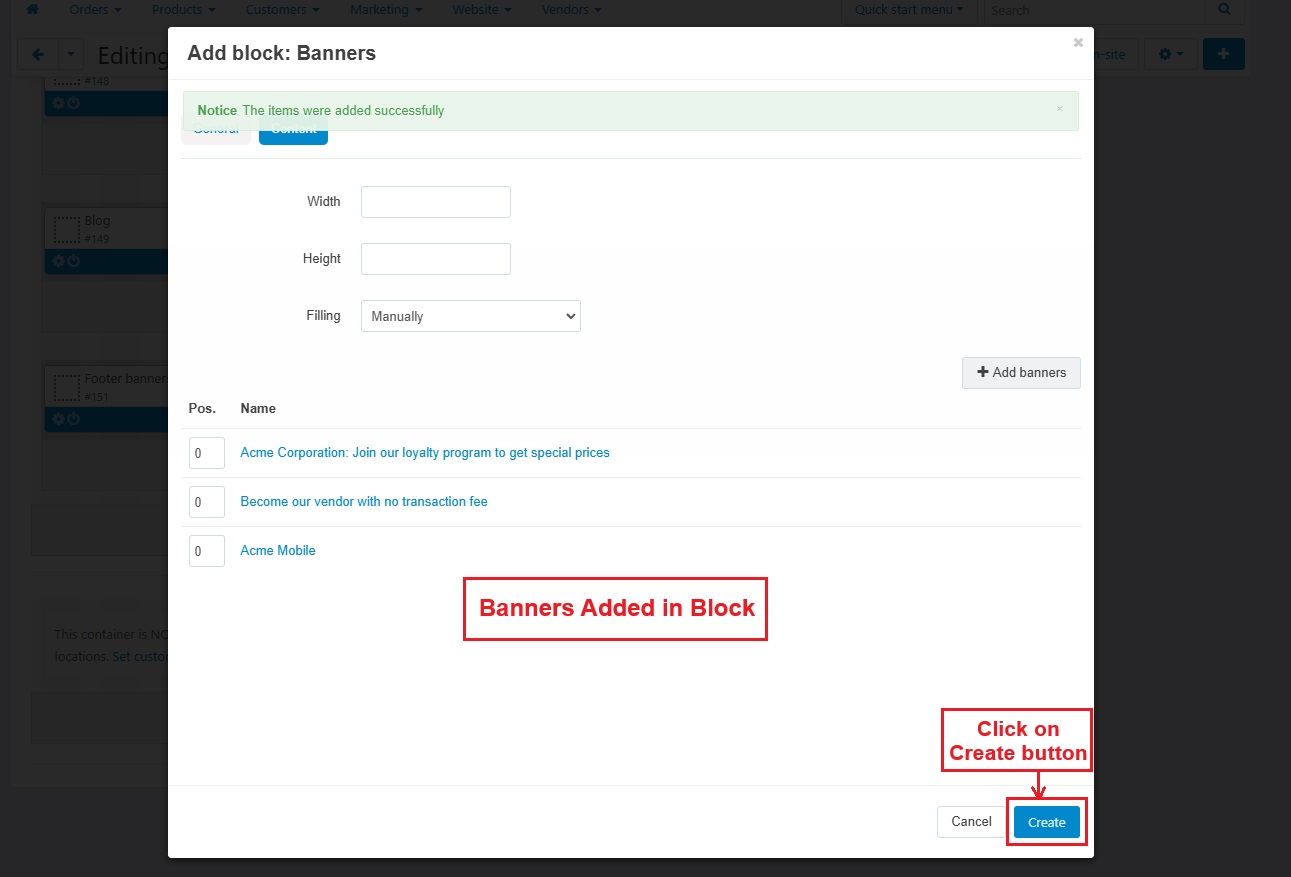
- This page shows banners added in the block.
- Click on "Create" button.
- On the homepage of layouts, the main banner is the newly created block.

Selecting User groups for different banners
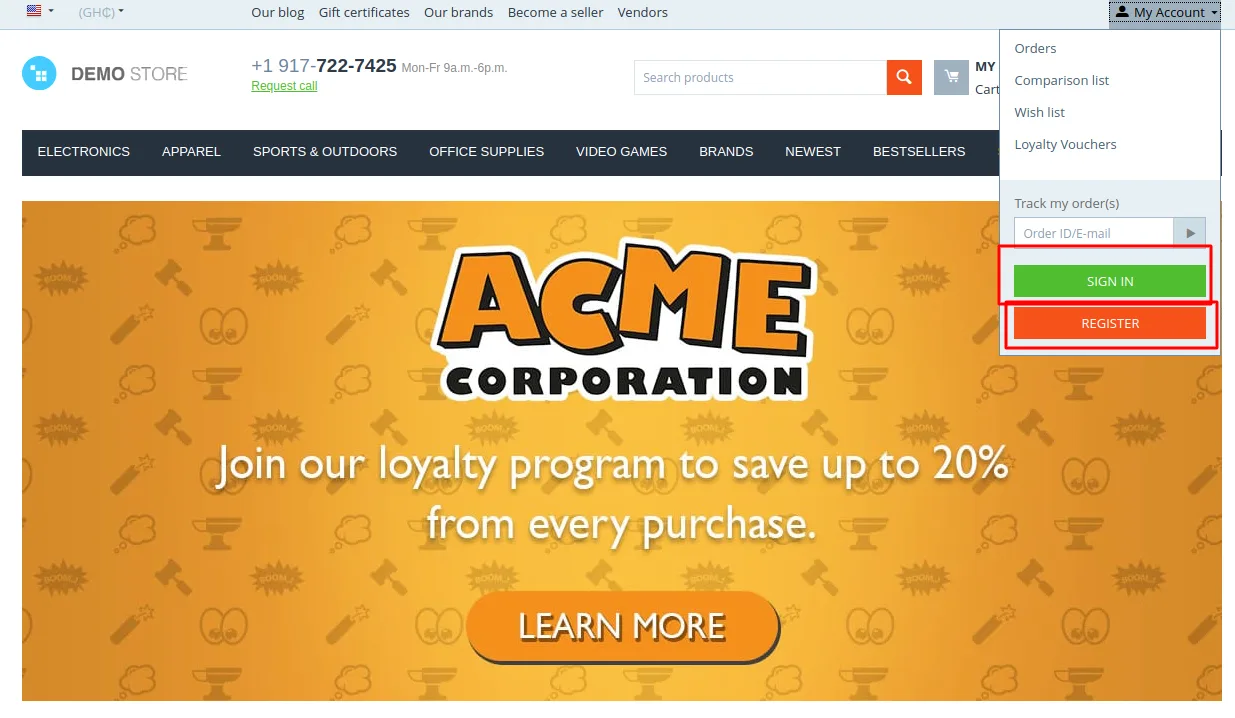
- If the "Guest" user group is selected, then this banner will only be shown to guest users.
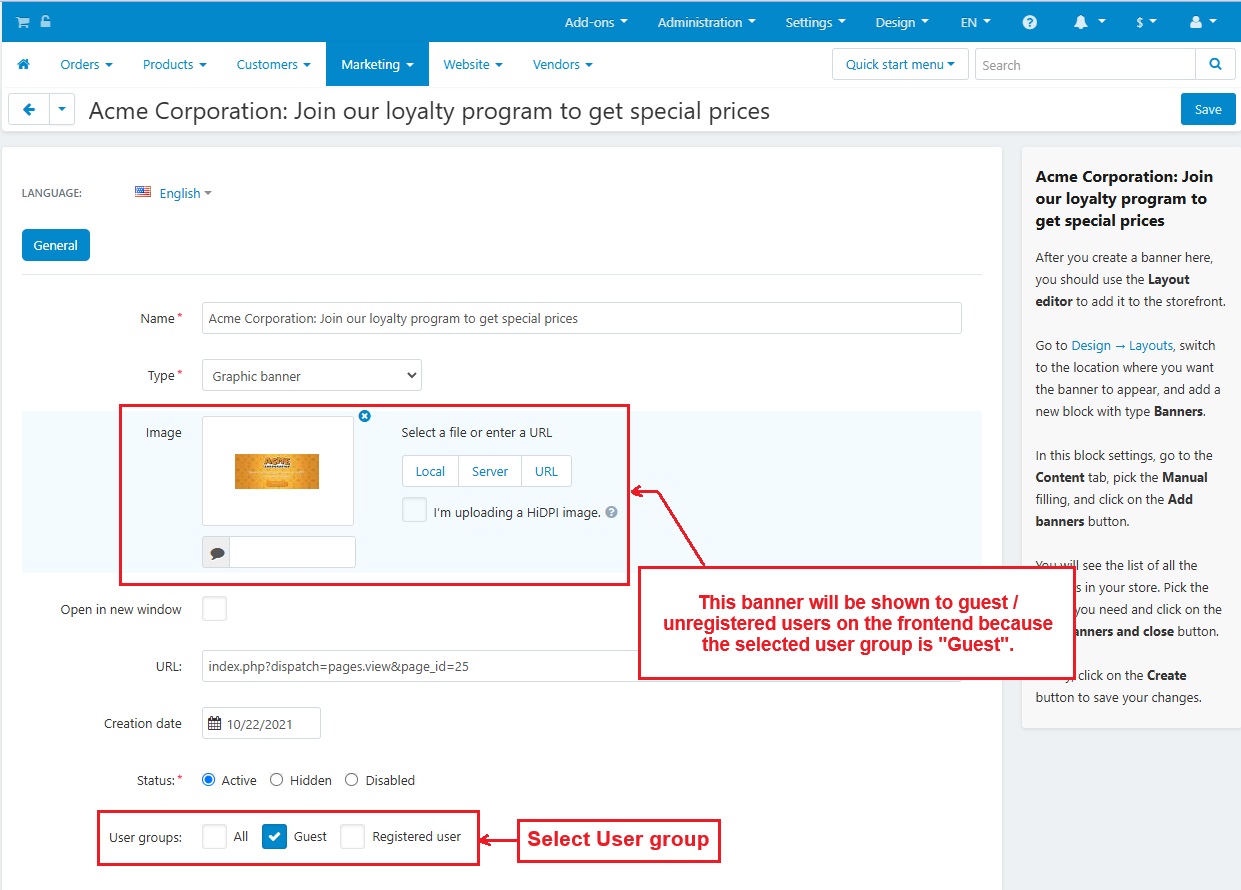
- If the selected user group is "Registered user", the banner will only be shown to Registered users.
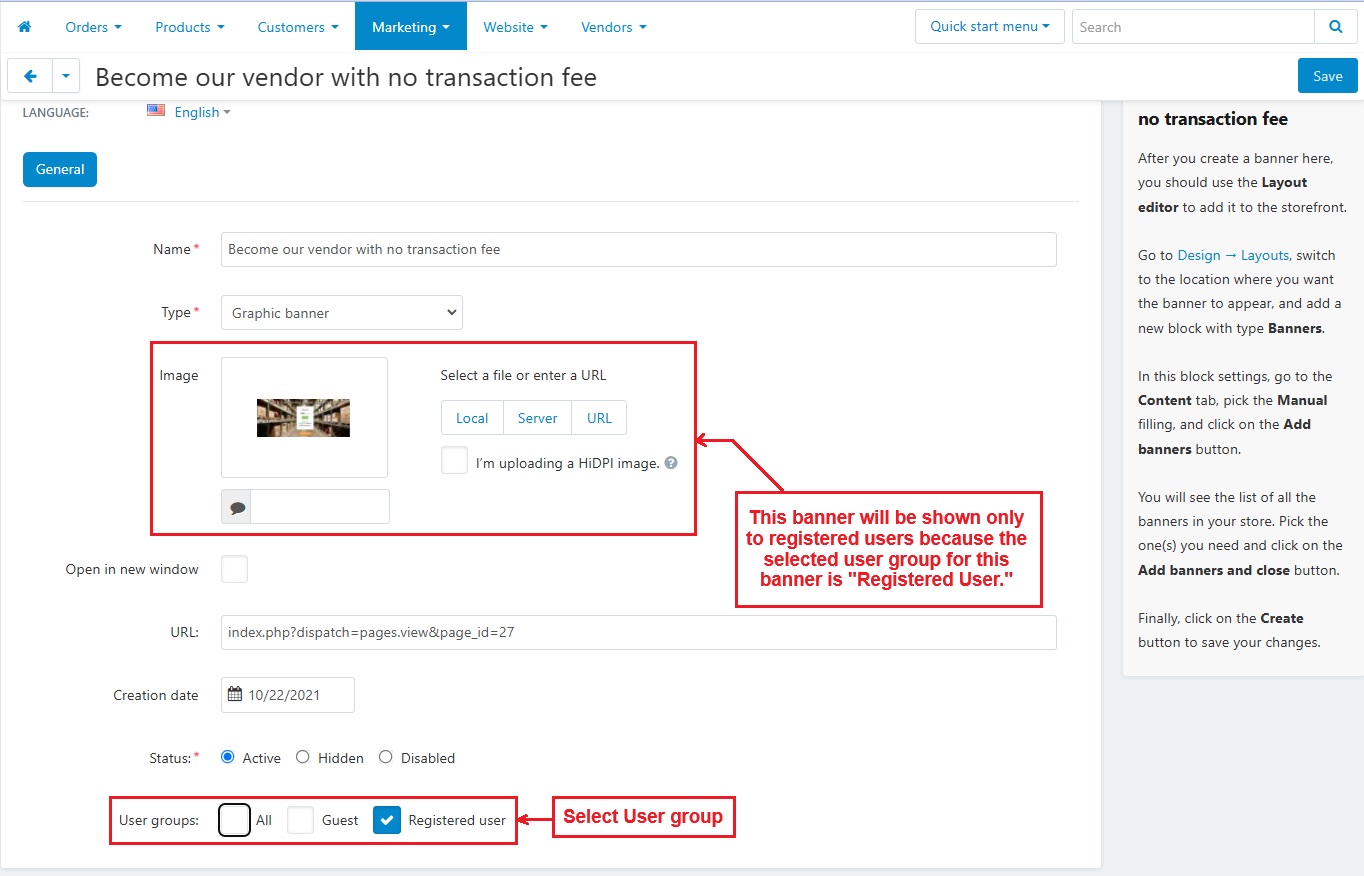

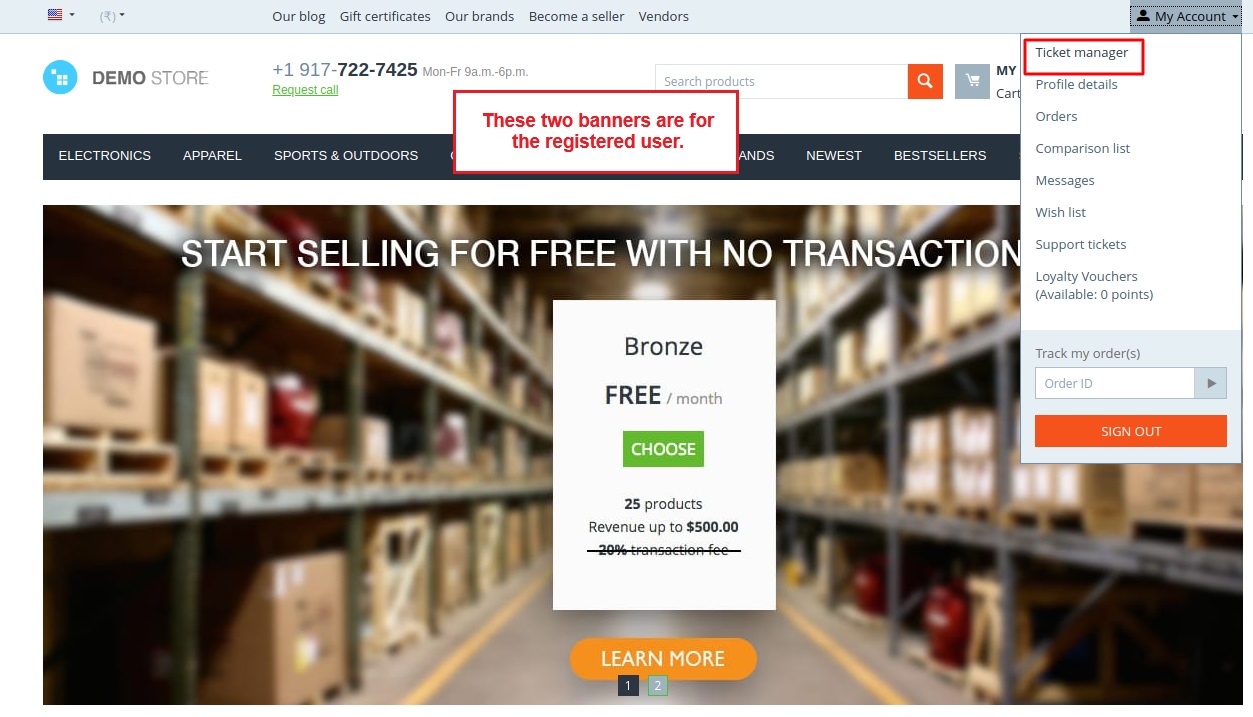
The frontend view of banners
- The next two banners can only be seen by registered users.

- Frontend view of banner for guest user.
Tutorial Link:
https://www.loom.com/share/325113fd311d41cd880b1d02390b3b67
Addon-Version:
Version-1.0
Supported Versions:
CS-Cart, CS-Cart Multivendor 4.8.x, 4.9.x,4.10x,4.11x,4.12,4.13x, 4.14x, 4.15x, 4.16x, 4.17x, 4.18x
Support:
This app is developed and published by Ecarter Technologies Pvt. Ltd., a CS-Cart developer. You are guaranteed a quality add-on supported by future versions. If you need help, please contact us via email support@ecarter.co
Frequently asked questions
How do I limit a banner to specific user groups in CS-Cart?
When you create or edit a banner under Marketing > Banners, you select the user groups that should see it. Shoppers outside the chosen groups will not see the banner.
Does Banners By User-Groups work with CS-Cart Multi-Vendor?
Yes. The add-on is integrated with CS-Cart Multi-Vendor and works with its Standard, Plus, and Ultimate versions.
Can I preview how a banner appears to different user groups?
Yes. The add-on includes a frontend banner preview so you can view banners as they appear to different user groups before publishing them.
What do I need to do to show the banner on the storefront?
After creating the banner and selecting its user groups, you set it up through the Design menu under Layouts so it displays in the intended place on the storefront.
Nisha Gaur is a Technical Content Writer at Ecarter Technologies. She writes technical documentation, tutorials and buying guides covering CS-Cart, Magento, Shopify and eCommerce development.