
Advanced Wishlist
Enhance your CS-Cart store with the Advanced Wishlist Addon. Allow customers to create multiple wishlist groups, organize products, save for later, and enjoy a user-friendly, responsive shopping experience.
The Advanced Wishlist add-on for CS-Cart lets customers create and manage multiple wishlist groups instead of a single flat list. Shoppers can add products they are interested in to different named groups, organizing them by preference, occasion, or any category they choose, and return later to buy the saved items. This solves the common problem of customers wanting to save products for future purchase without checking out immediately, and losing track of what they liked. It is intended for CS-Cart store owners who want to give customers a more organized saved-items experience and encourage them to return and complete purchases.

The Advanced Wishlist Addon for CS-Cart allows users to create multiple wishlist groups on your e-commerce platform. With this add-on, customers can easily add their desired various products to multiple wishlist groups. This helps them keep track of items they're interested in without immediately making a purchase. Users can revisit the wishlist group to purchase the product. The addon integrates smoothly with CS-Cart, providing a user-friendly and intuitive way for customers to manage their wishlists and potentially boosting sales on your online store.
Features:
- Multiple Wishlist Groups: users make different groups for their wishlists. This helps you sort and arrange the things you like based on your choices, special occasions, or any other way you want.
- Easy Product Adding: This addon makes it simple for customers to put various products they like into different wishlist groups.
- Buy Later: users can come back to their wishlist to buy things later.
- Customized Organization: The addon lets you customize and name your wishlist groups based on what you like. This makes it simple to tell apart different groups of things you want.
- Boost Sales: This addon can help you sell more because customers find it easy to use and manage their wishlists.
- Works smoothly with CS-Cart: The add-on works smoothly with CS-Cart, making sure it fits well and is easy for users on your online store.
- User-Friendly Interface: Navigate the addon with ease, thanks to a user-friendly interface that enhances the overall user experience.
- Responsive Design: The addon is made to work well on different devices, like computers, tablets, or phones. This ensures users have a good experience no matter how they access their wishlist.
- Deferred Purchase Decision: Customers have the option to postpone their purchases by placing products into wishlist groups. This allows them the flexibility to carefully consider their choices before making a final transaction.
- Time-Saving Functionality: Save time by easily organizing wishlist groups. No need to search for products again when you're ready to buy.
- Improved Customer Interaction: Offering a feature-rich wishlist, the addon encourages customers to interact more with your online store, giving them a sense of control over their shopping.
- Intuitive Wishlist Management: Customers can effortlessly handle their wishlists, adding or removing items, renaming wishlist groups, and rearranging products as required. This improves overall user satisfaction.
Installation
How To Install Advanced Wishlist Add-on
https://store.ecarter.co/blogs/how-to-install-addon/
Configuration:
Let's Check How the addon works
Step 1:-
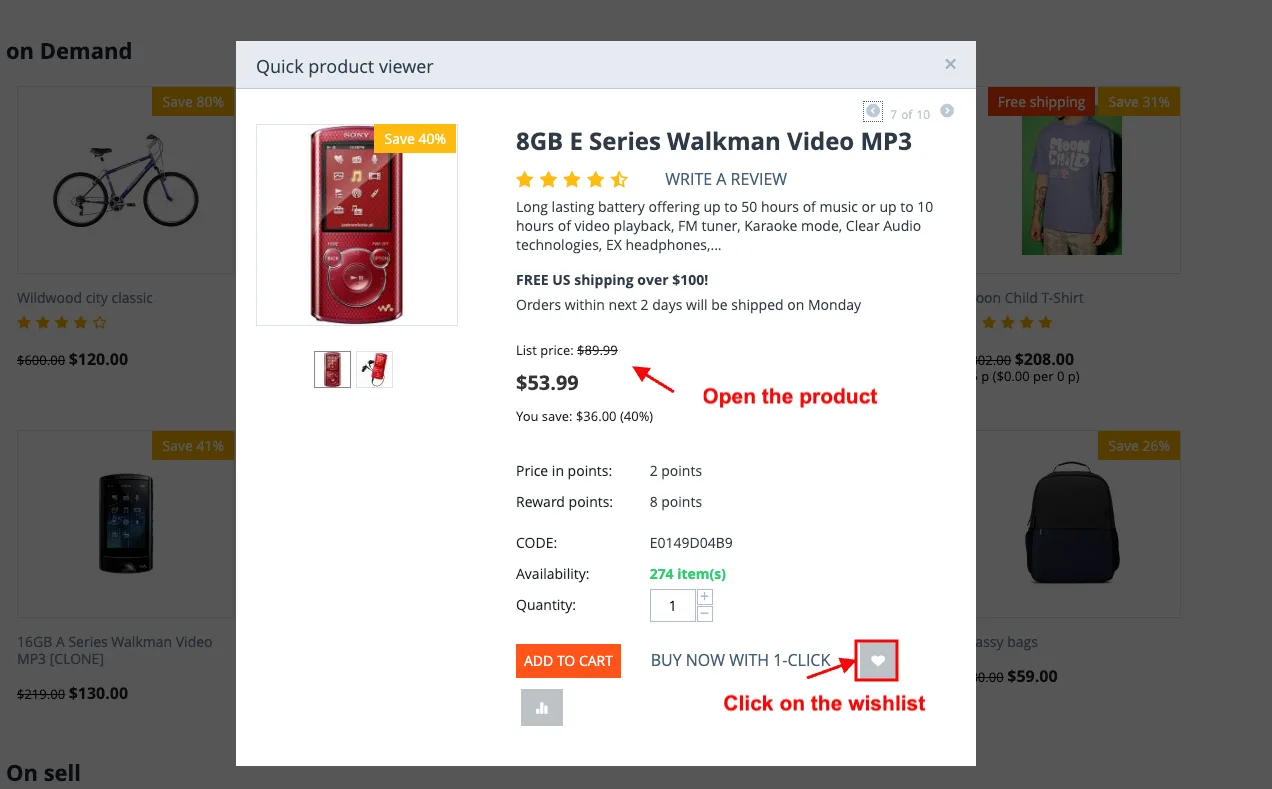
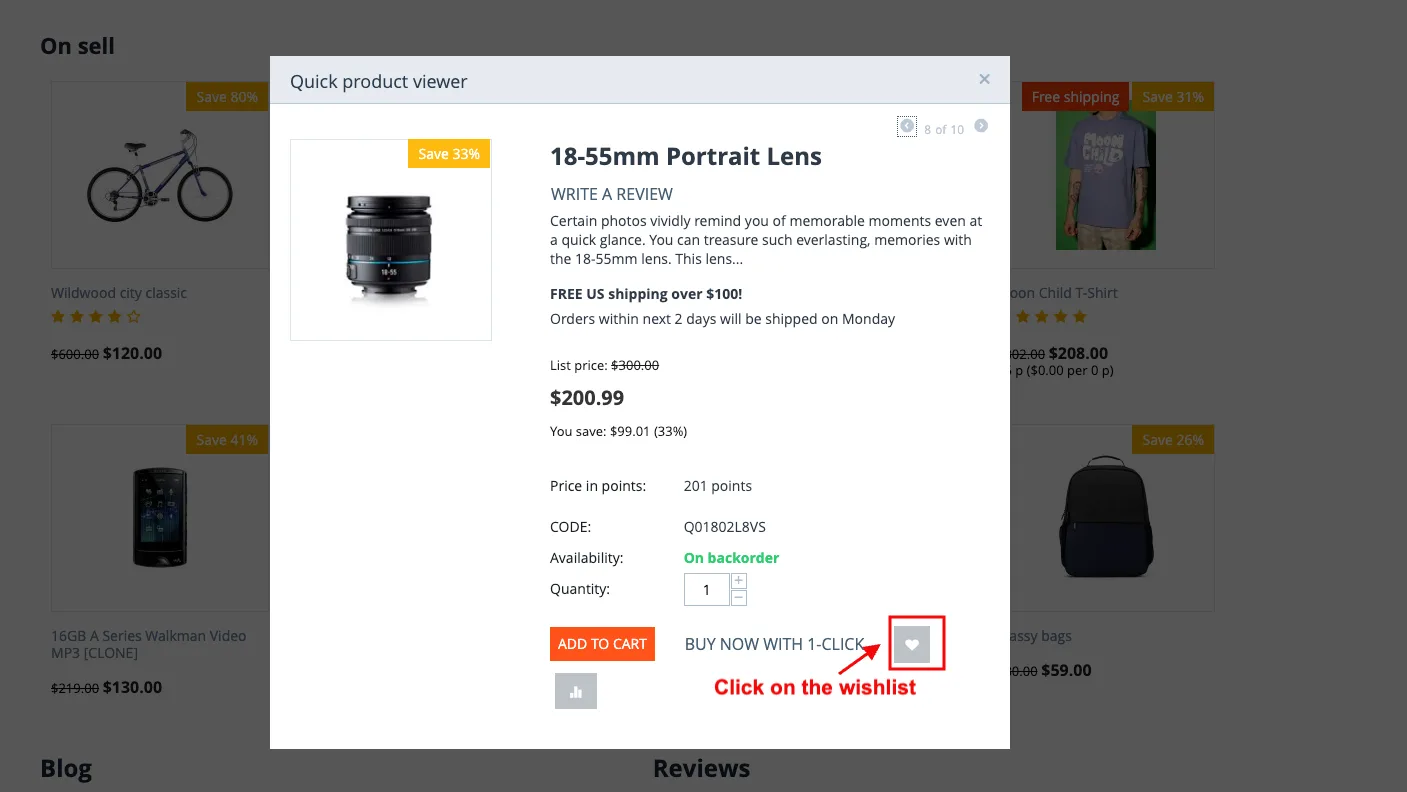
- Click on the wishlist on the product page.
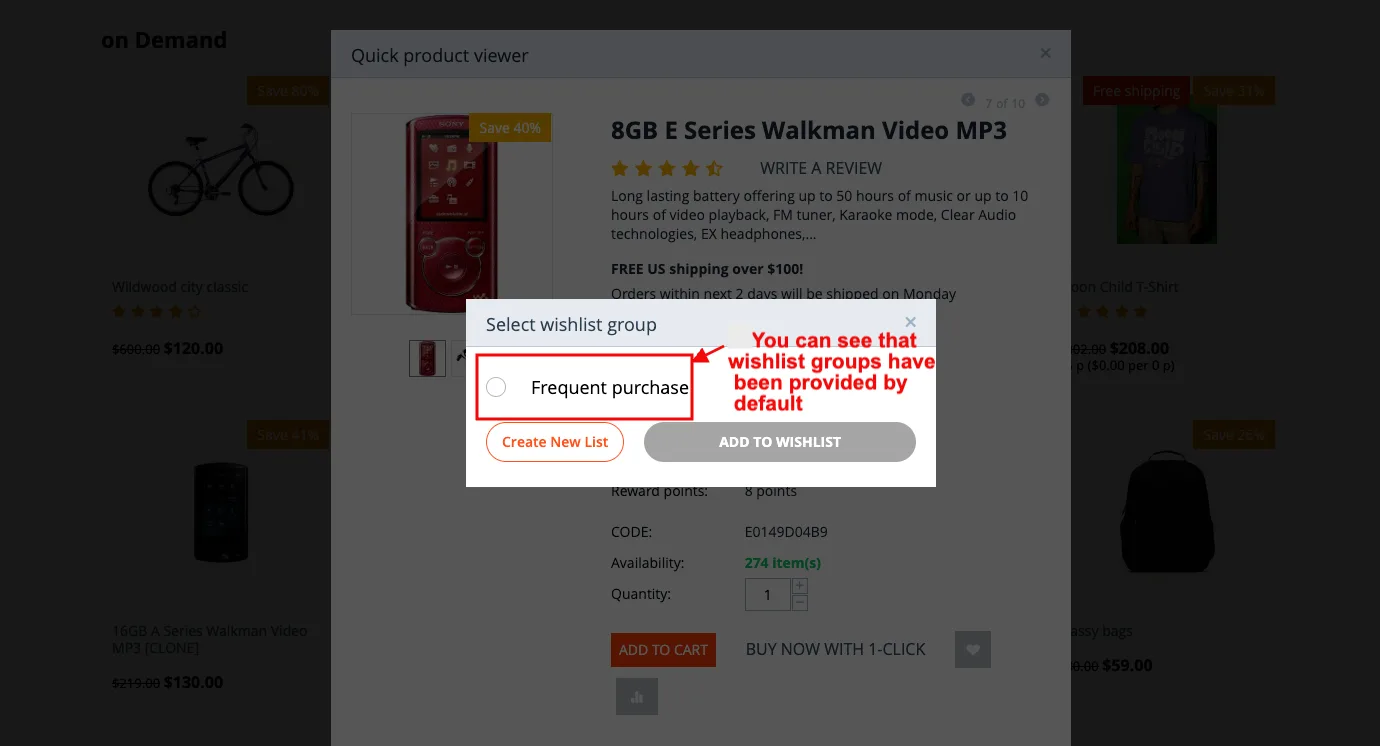
- You can see that wishlist groups have been provided by default.
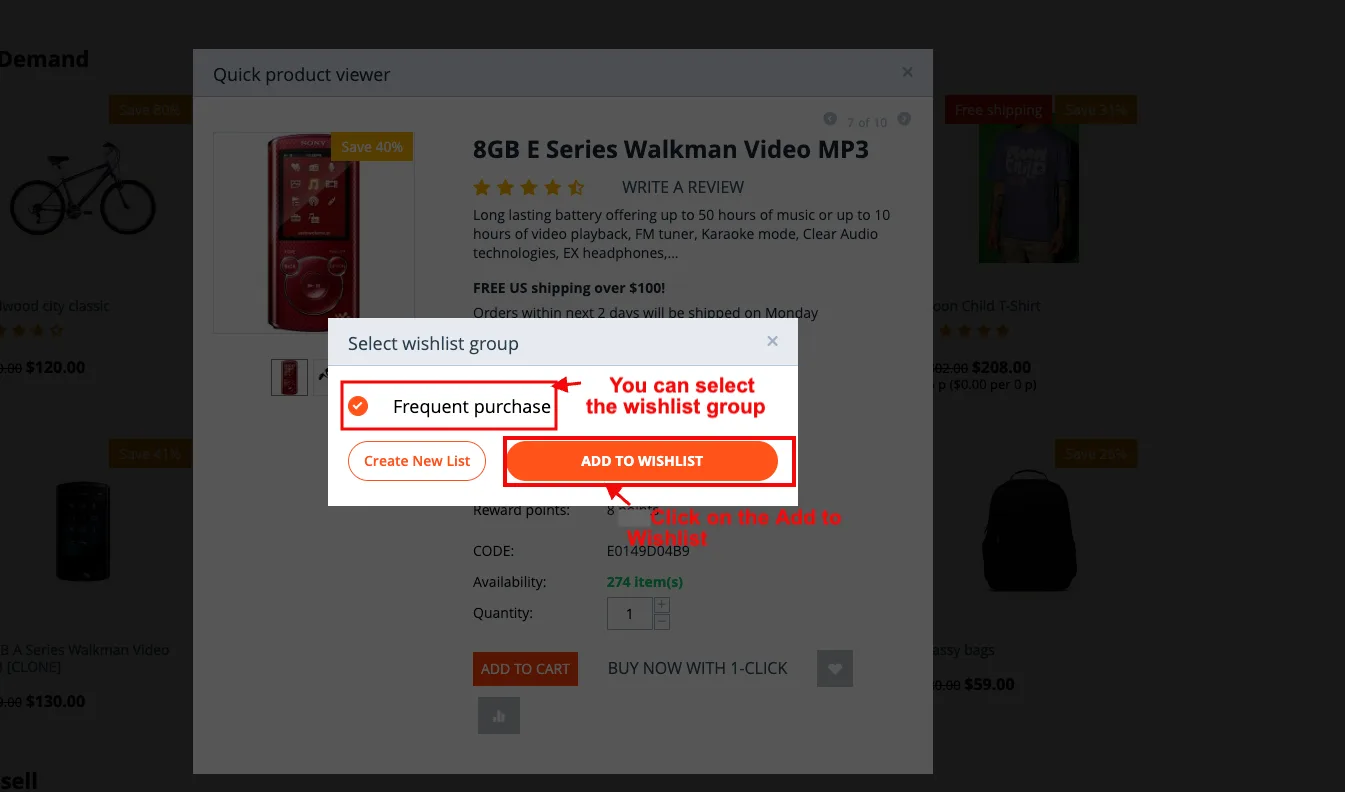
- You can select the wishlist group.
- Click on the Add to Wishlist.
- Click on the View Wishlist.
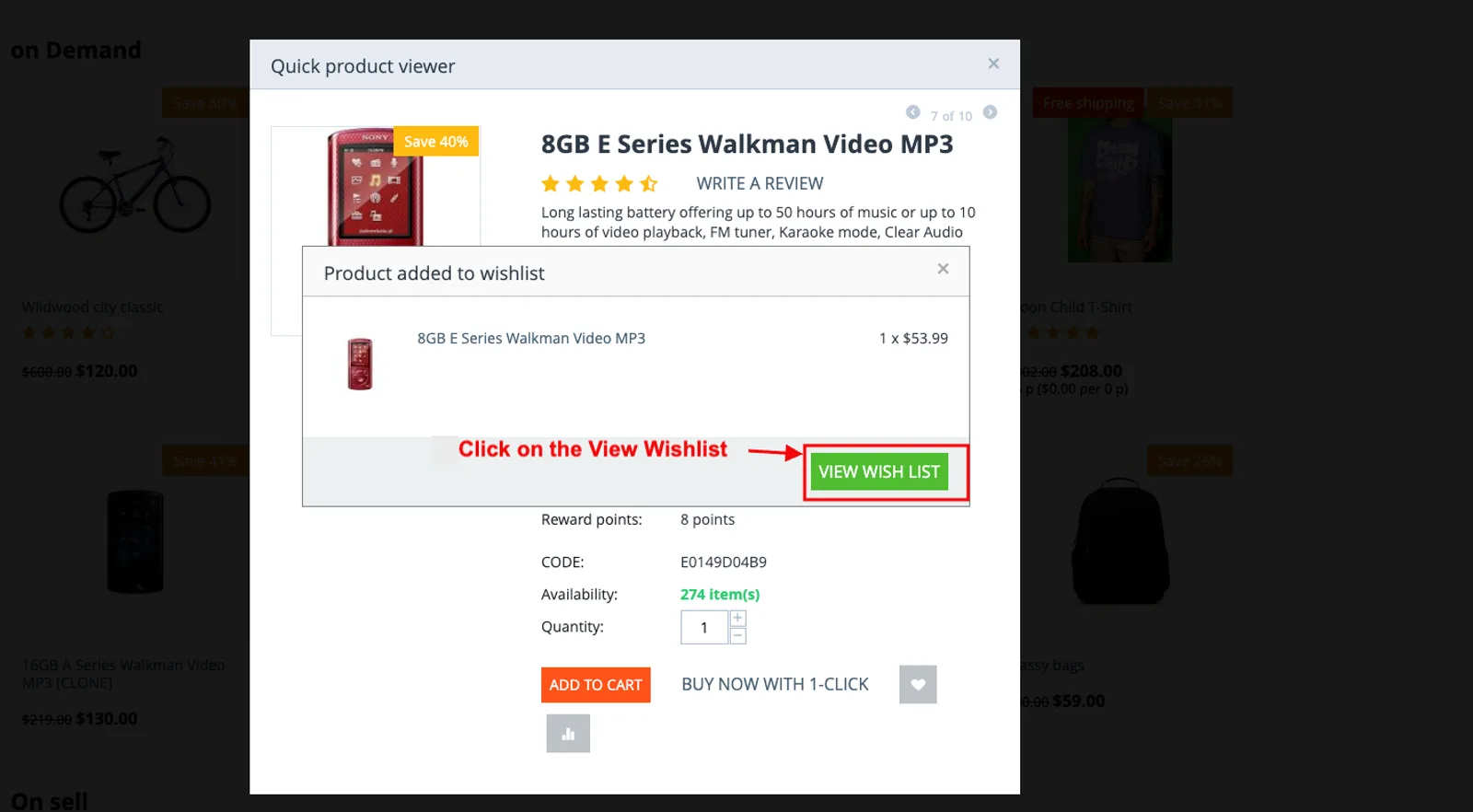
- Here you see the product in wishlists.
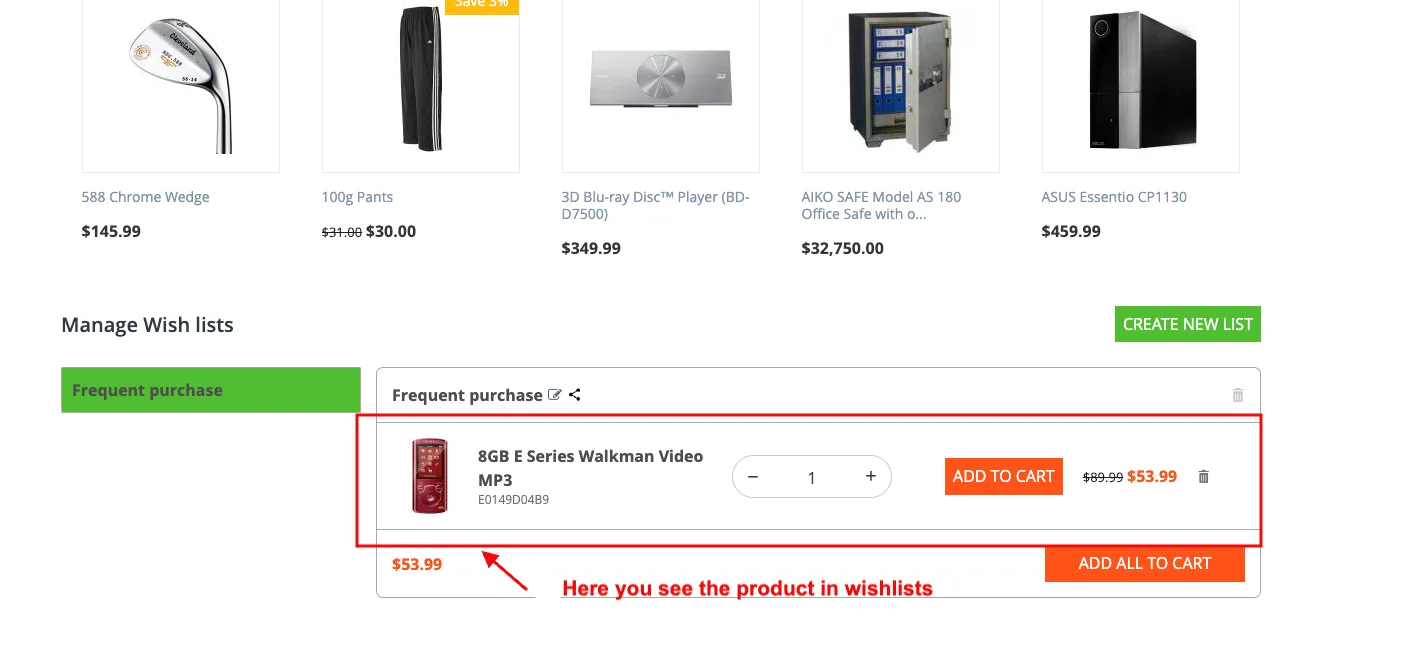
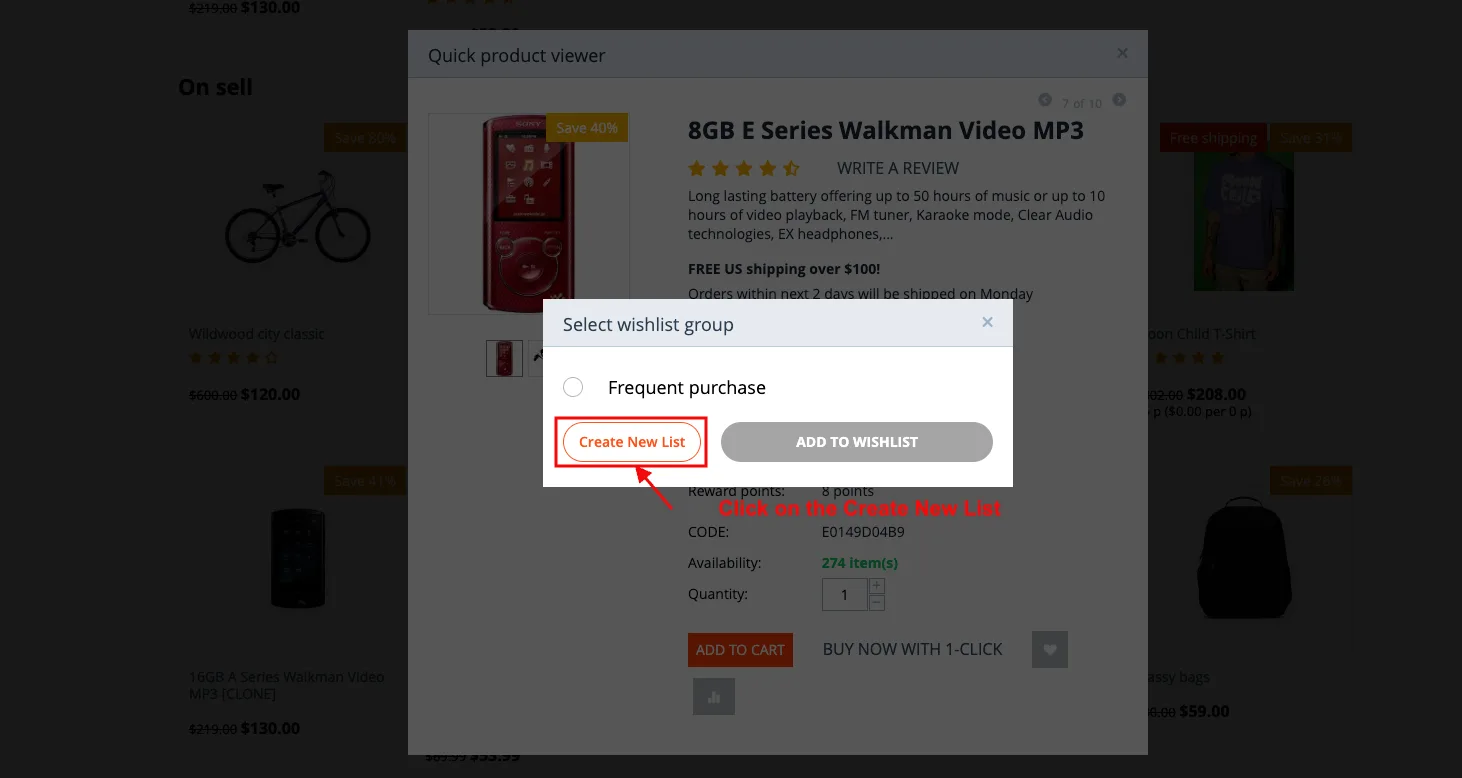
- You can also create a new wishlist.
- Click on the Create New List.
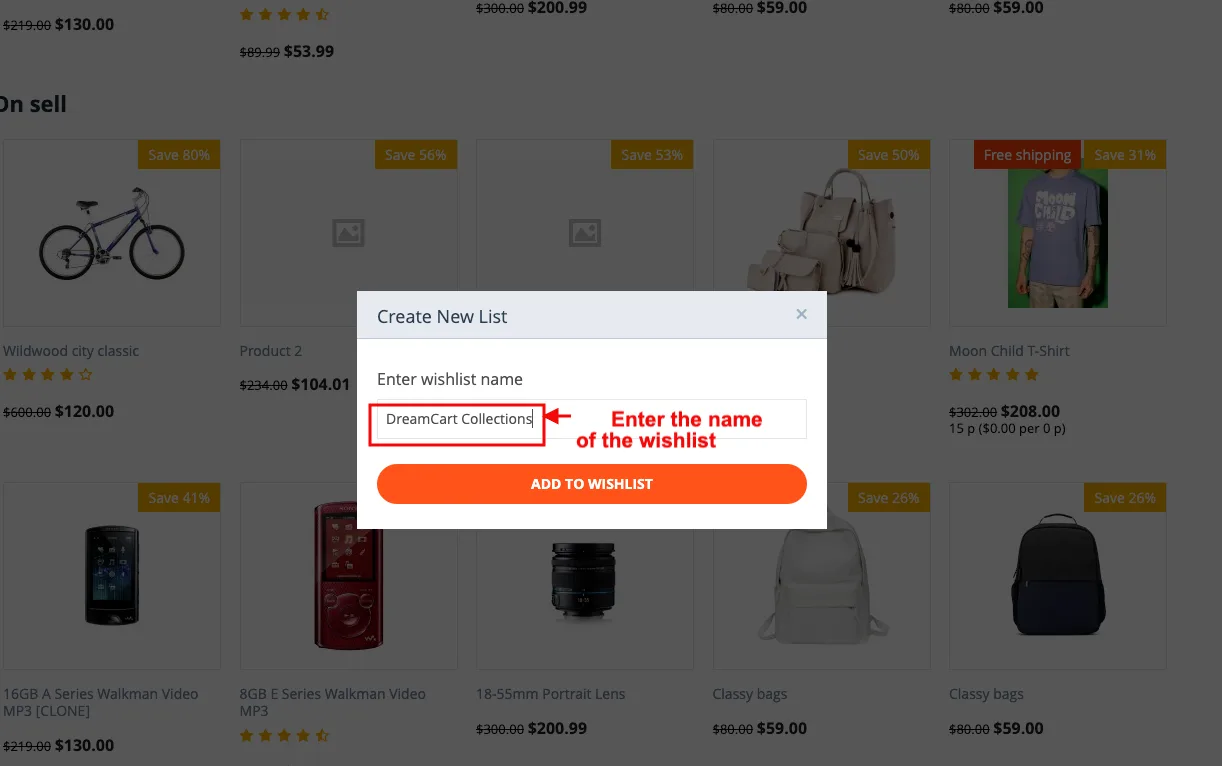
- Enter the name of the wishlist.
- Click on the Add to Wishlist.
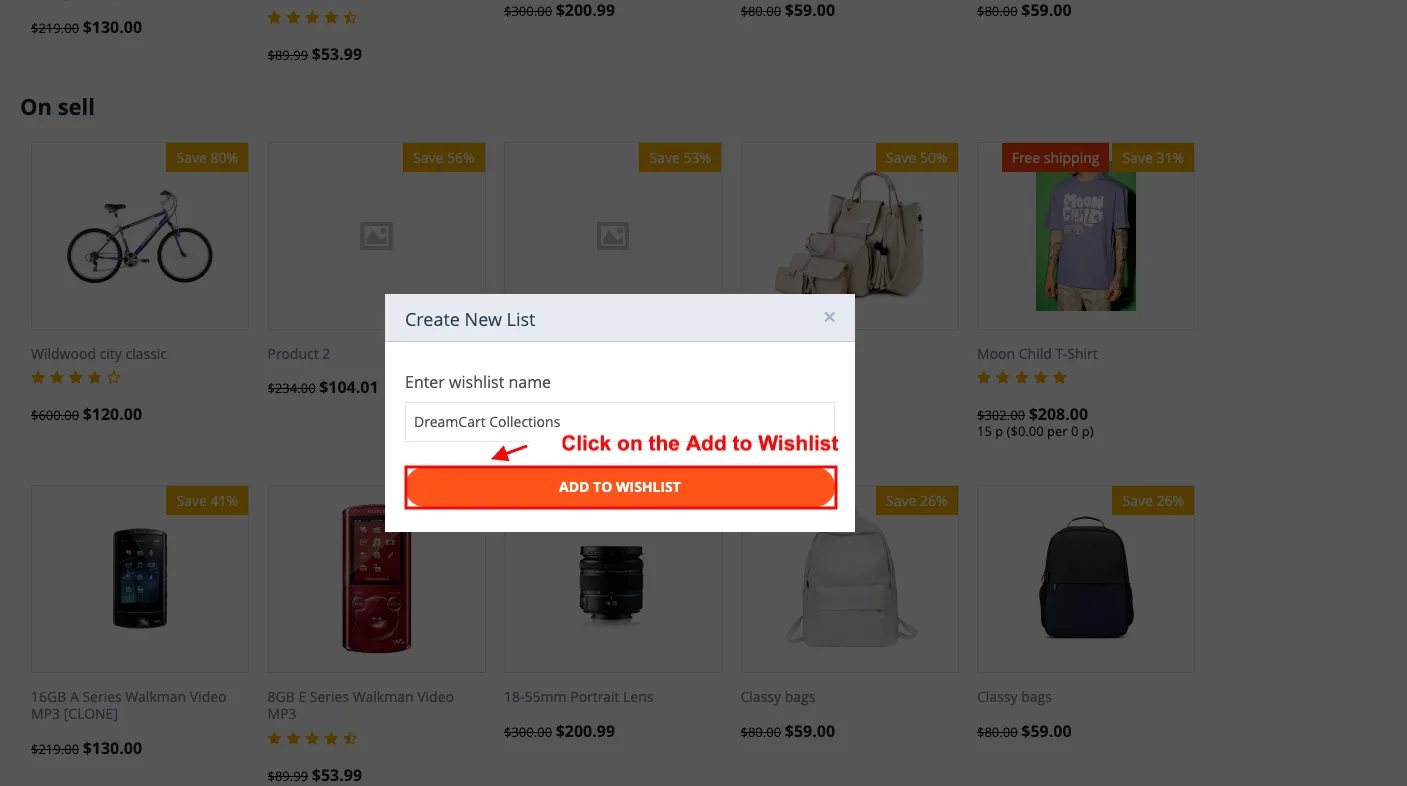
- Here you see the created wishlist group.
- Here you can also see the added product.
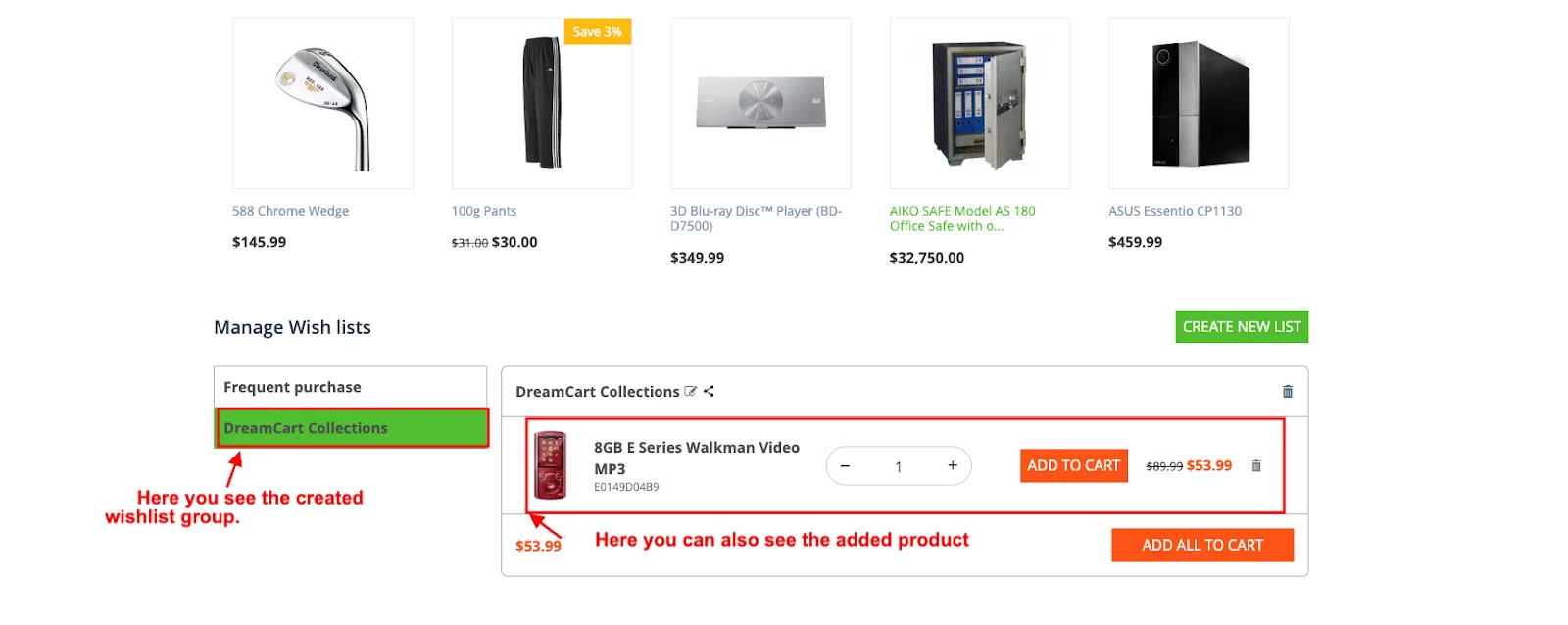
- Also, you can add multiple products to the wishlist group.
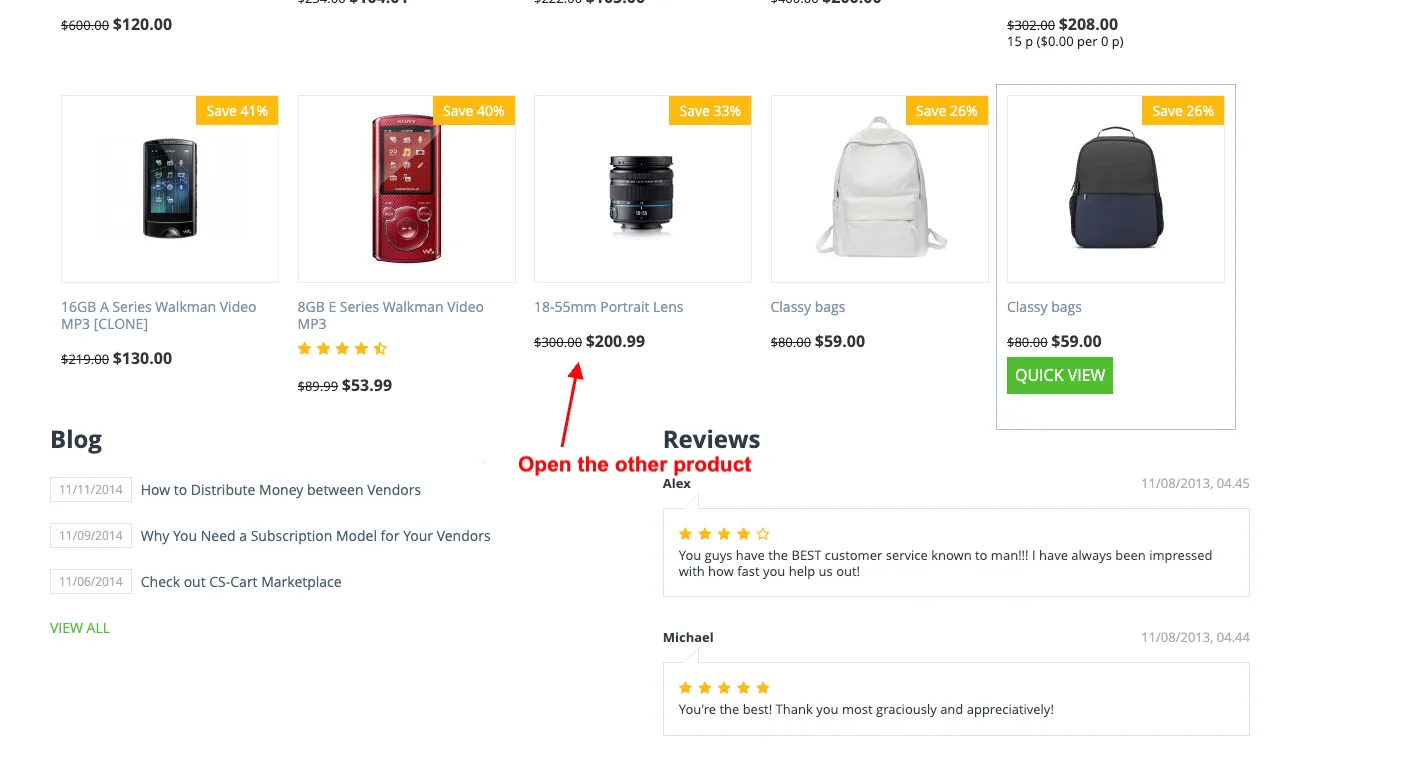
- Open the other product.
- Click on the wishlist.
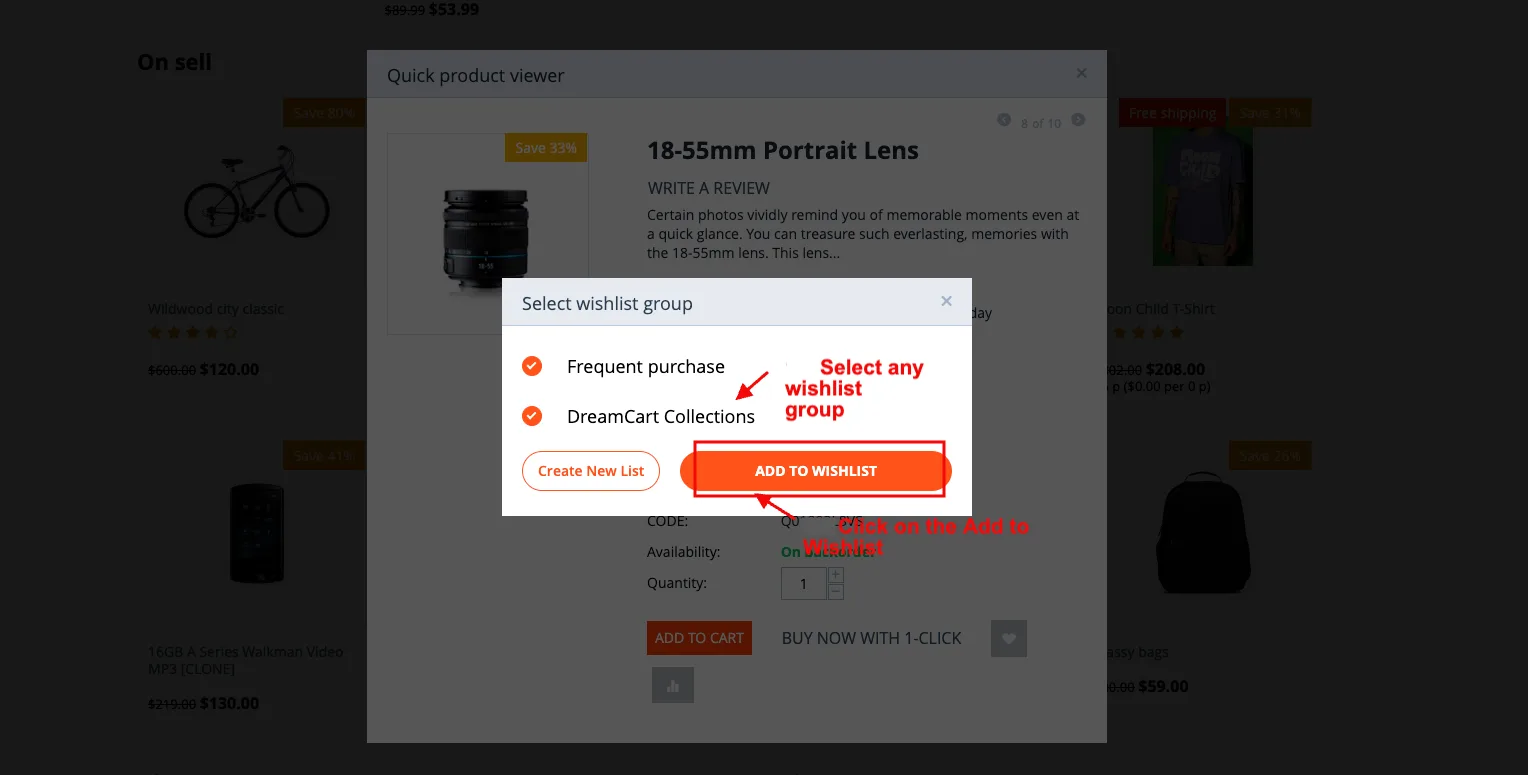
- Select any wishlist group.
- Click on the Add to Wishlist.
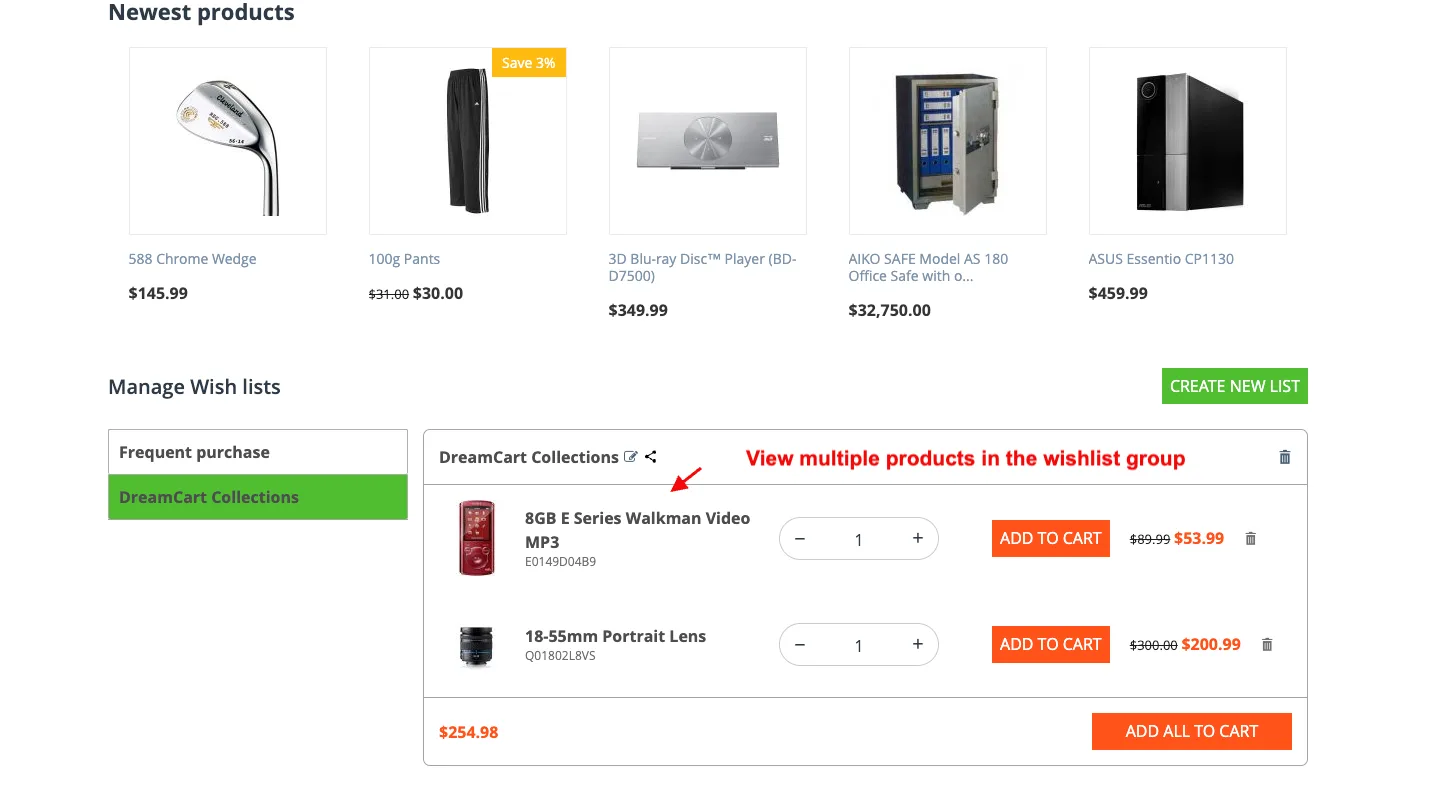
- View multiple products in the wishlist group.
Step 2
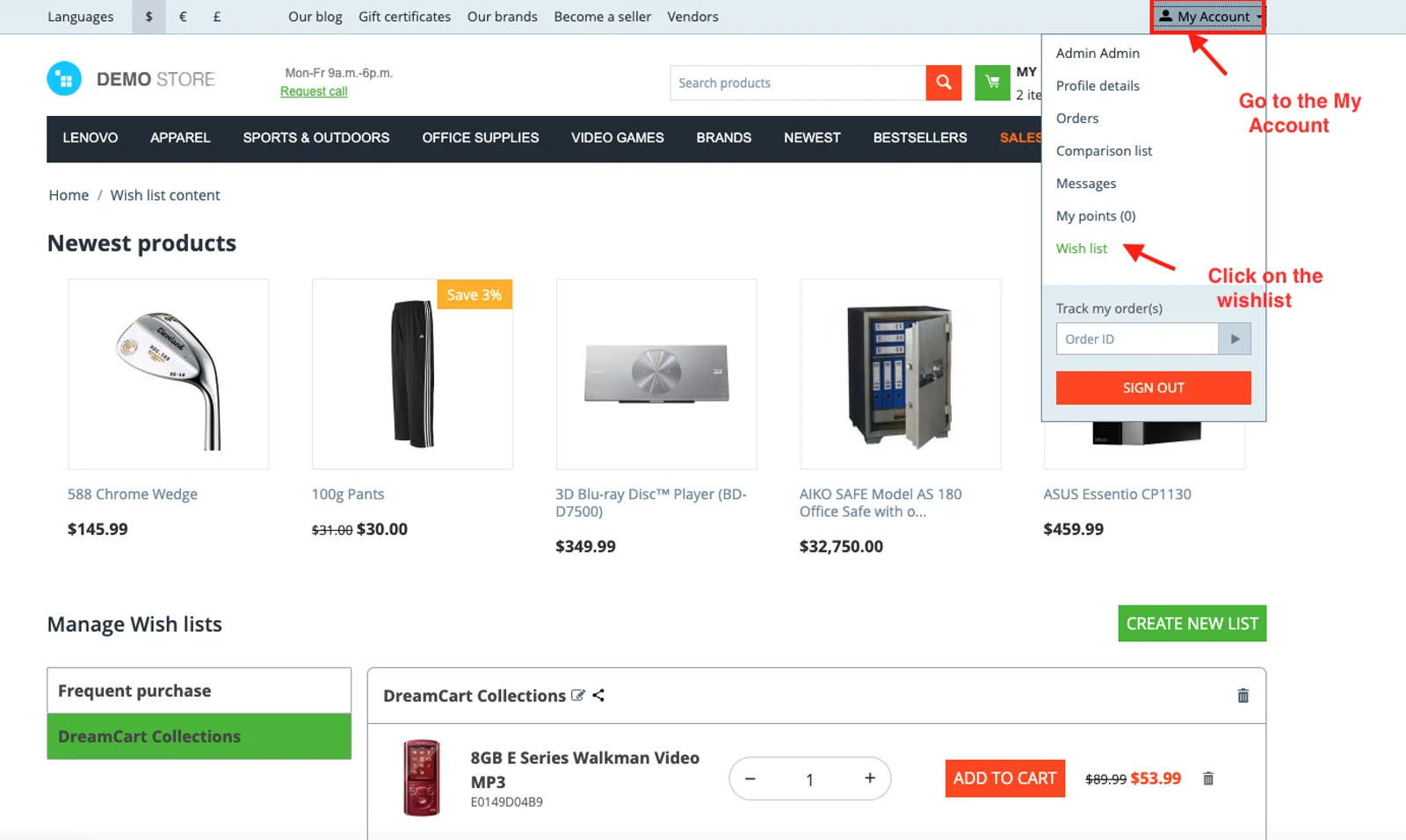
- Go to the My Account.
- Click on the wishlist.
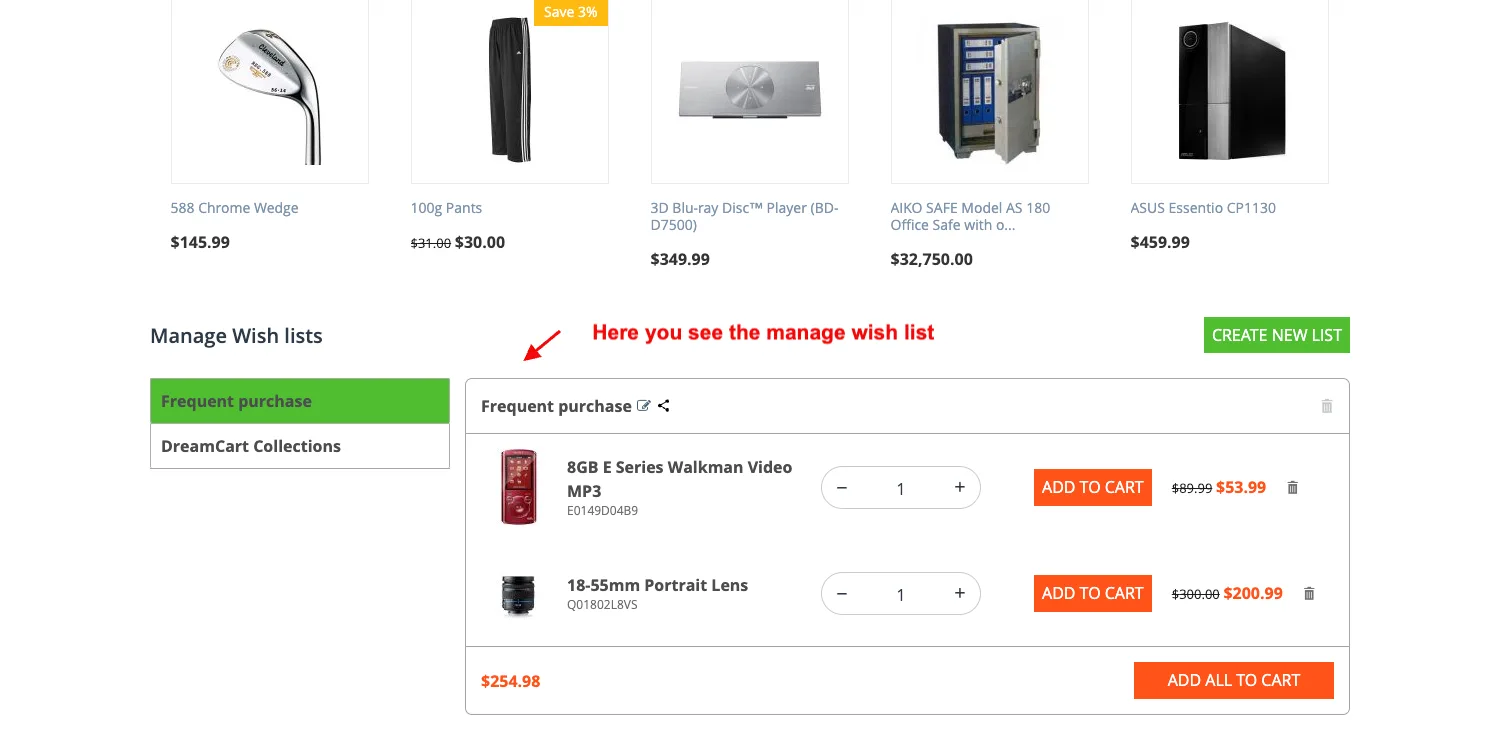
- Here you see the manage wish list.
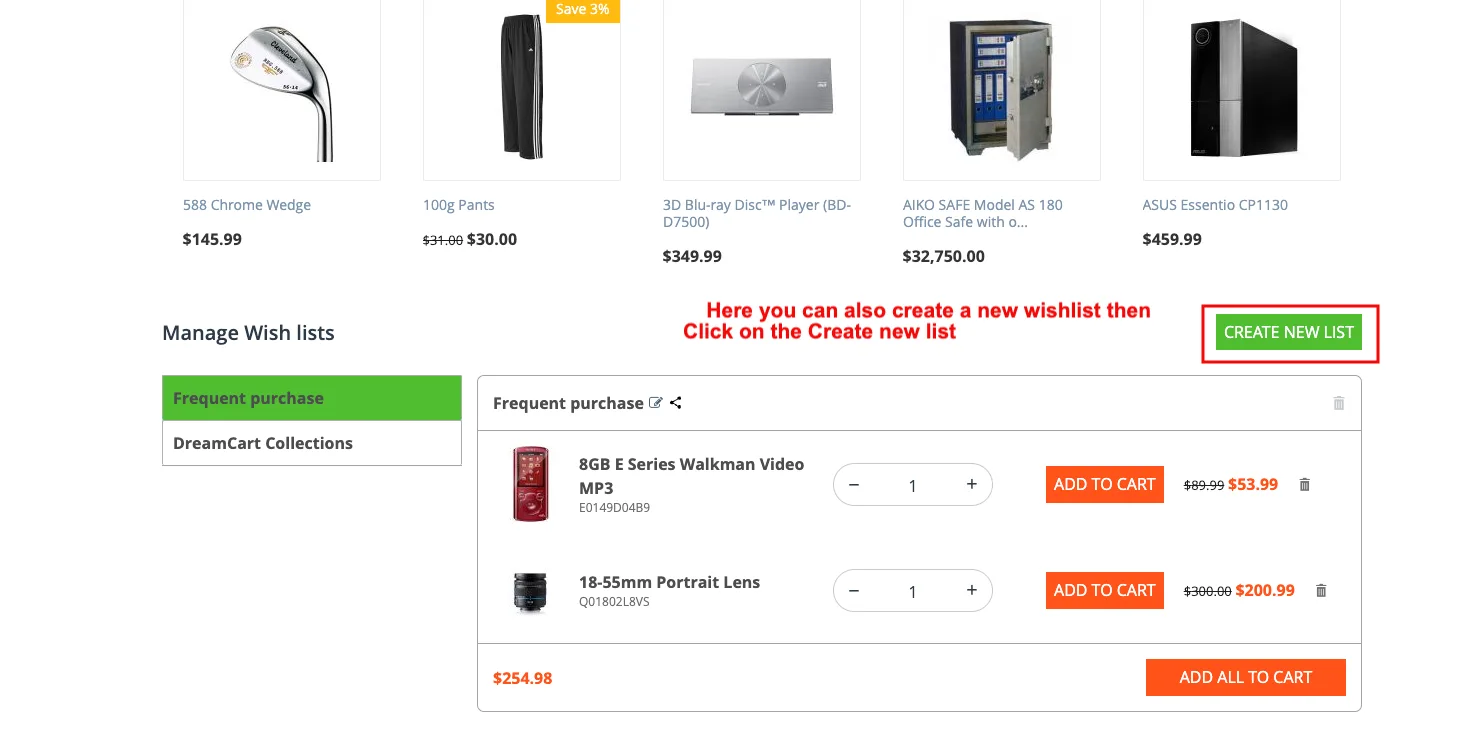
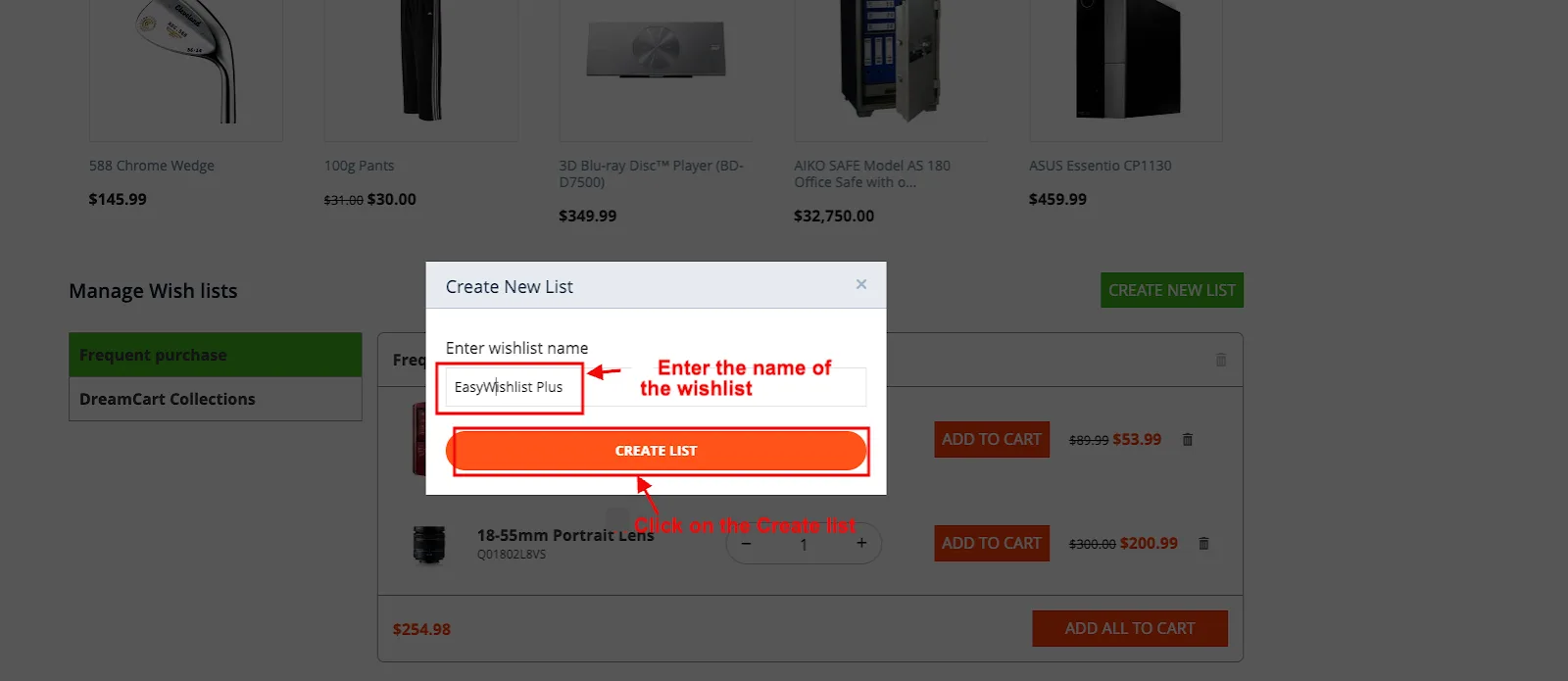
- Here you can also create a new wishlist.
- Click on the Create new list.
- Enter the name of the wishlist.
- Click on the Create list.
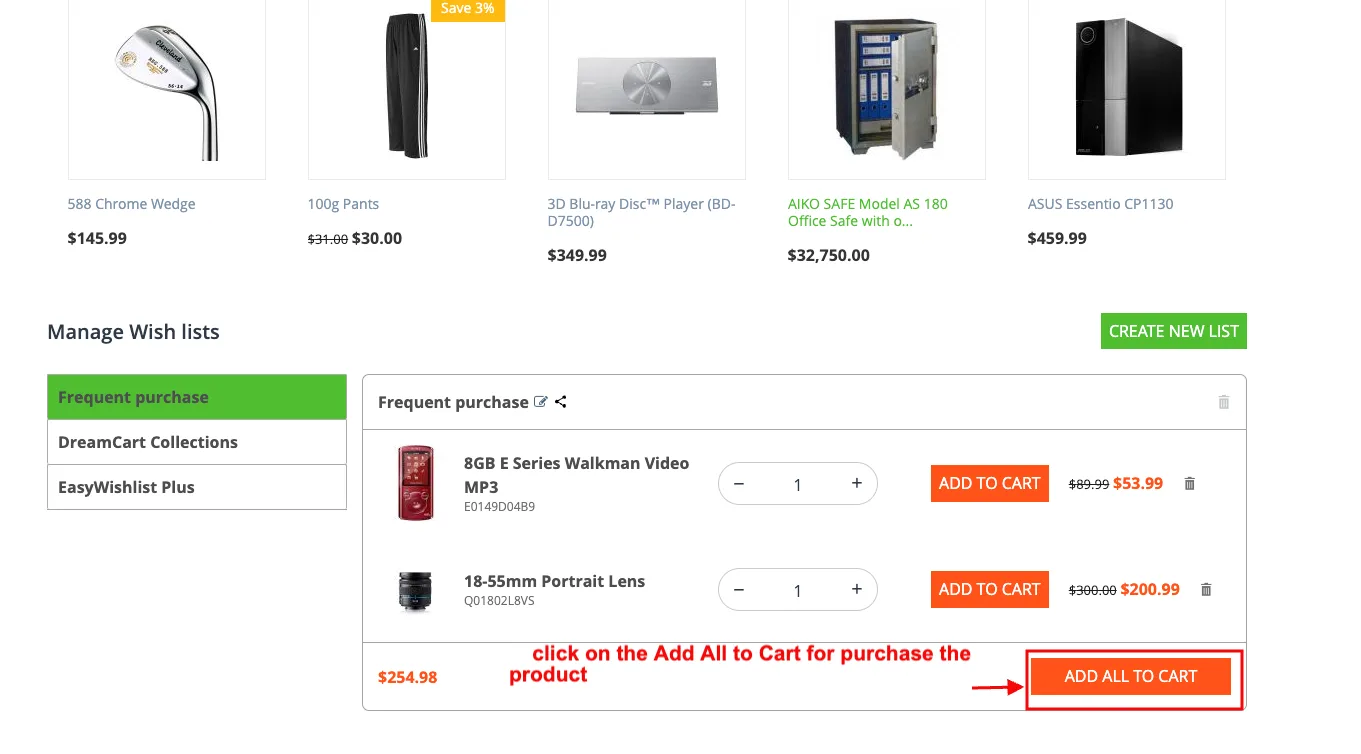
- If you want to purchase the product from the wishlist.
- Then click on the Add All to Cart.
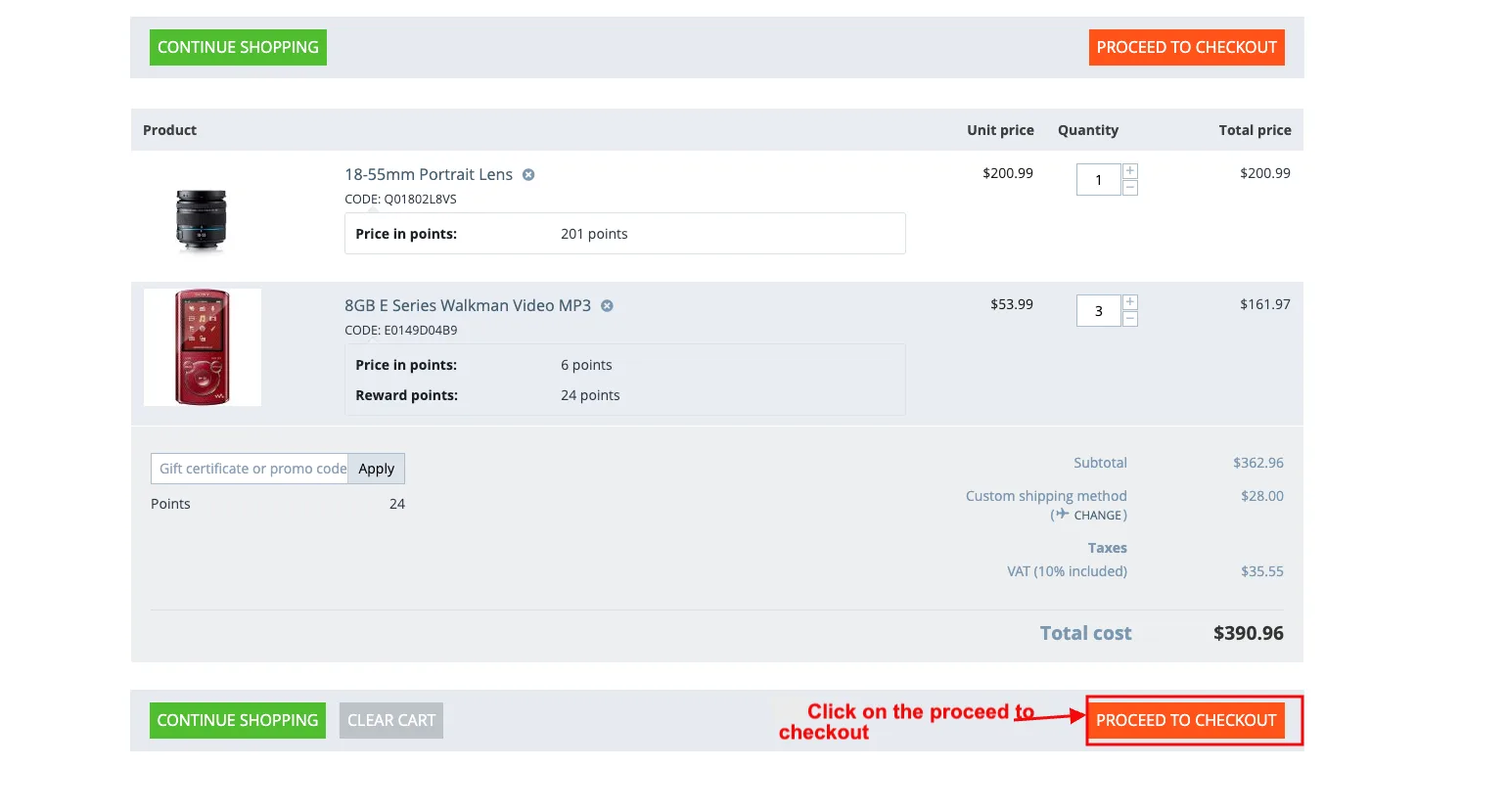
- Click on the proceed to checkout.
 Addon-Version:
Version-1.0
Supported Versions:
CS-Cart, CS-Cart Multivendor 4.8.x, 4.9.x,4.10x,4.11x,4.12,4.13x, 4.14x, 4.15x, 4.16x, 4.17x, 4.18x
Support:
This app is developed and published by Ecarter Technologies Pvt. Ltd., a CS-Cart developer. You are guaranteed quality add-ons.
Frequently asked questions
What does the Advanced Wishlist add-on do that the default CS-Cart wishlist does not?
It lets customers create multiple wishlist groups rather than saving everything to one list. Shoppers can sort and name groups by preference, occasion, or any category they choose, making it easier to keep saved products organized.
Can customers name and customize their wishlist groups?
Yes. Customers can create, name, and customize wishlist groups so they can tell different sets of saved products apart and arrange them however they prefer.
How does the add-on help customers who are not ready to buy right away?
It gives shoppers a Buy Later option: they can add products to a wishlist group, leave without purchasing, and come back later to buy the saved items. This helps them keep track of products they are considering.
Is the add-on compatible with my version of CS-Cart?
The add-on is built to integrate with CS-Cart and fit smoothly into the storefront. It is compatible with recent CS-Cart versions; share your specific version and we will confirm compatibility.
Nisha Gaur is a Technical Content Writer at Ecarter Technologies. She writes technical documentation, tutorials and buying guides covering CS-Cart, Magento, Shopify and eCommerce development.