
Advanced Seller Commission
Advanced Seller Commission: This addon is to set a multiple commission for a single plan so the admin does not need to create, multiple plans.
The Advanced Seller Commission add-on for CS-Cart gives store administrators a way to apply flexible commission and transaction fee rules to vendors based on the vendor plan assigned to them. Its main capability is an Extended Transaction Fee feature: admins can add extra charges tied to an order total range and attach them to specific vendor plans, using percentage-based fees, flat fees, or a combination of both. Once a vendor plan with an extended transaction fee is assigned to a vendor, the fee is applied automatically whenever a customer orders that vendor's products. It is aimed at CS-Cart Multi-Vendor marketplace operators who need finer control over how they charge vendors beyond a single standard commission rate.

The Advanced Seller Commission Addon for CS-Cart helps to the admin manage and apply flexible commission and transaction fee rules for vendors based on their vendor plans. With the Extended Transaction Fee feature, administrators can add additional charges based on the order total range and assign them to specific vendor plans.
This addon allows admins to create multiple transaction fee rules using percentage-based fees, flat fees, or a combination of both. Once a vendor plan with an extended transaction fee is assigned to a vendor, the fee is automatically applied when customers place orders for that vendor’s products.
Features:
- Extended Transaction Fee Support: Add extra transaction charges based on the order total range for selected vendor plans.
- Multiple Fee Rules Management: Create and manage multiple extended transaction fee rules from a single vendor plan.
- Percentage-Based Transaction Fee: Charges vendors a percentage fee calculated on the total order amount.
- Flat Fee Option: Add a fixed transaction fee along with or instead of the percentage-based fee.
- Add & Clone Fee Rules Quickly create new fee rules or duplicate existing ones using the Add and Clone buttons.
- Vendor Plan–Wise Fee Assignment: Apply transaction fees only to vendors who are assigned a vendor plan with an extended transaction fee.
- Automatic Fee Calculation at Checkout: Transaction fees are automatically added when placing an order, with no manual intervention.
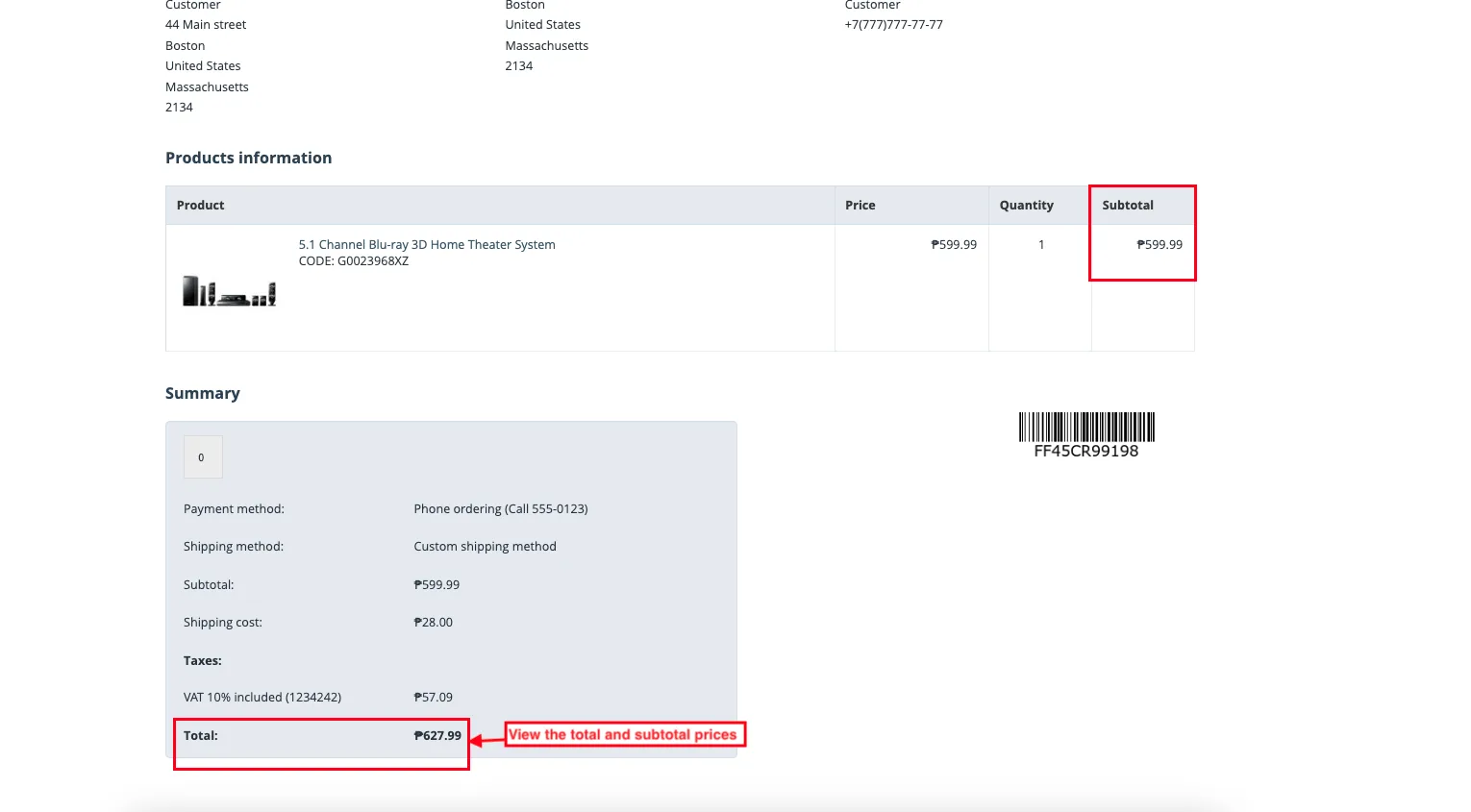
- Clear Price Visibility: View subtotal and total prices, including transaction fees, on the product order information page.
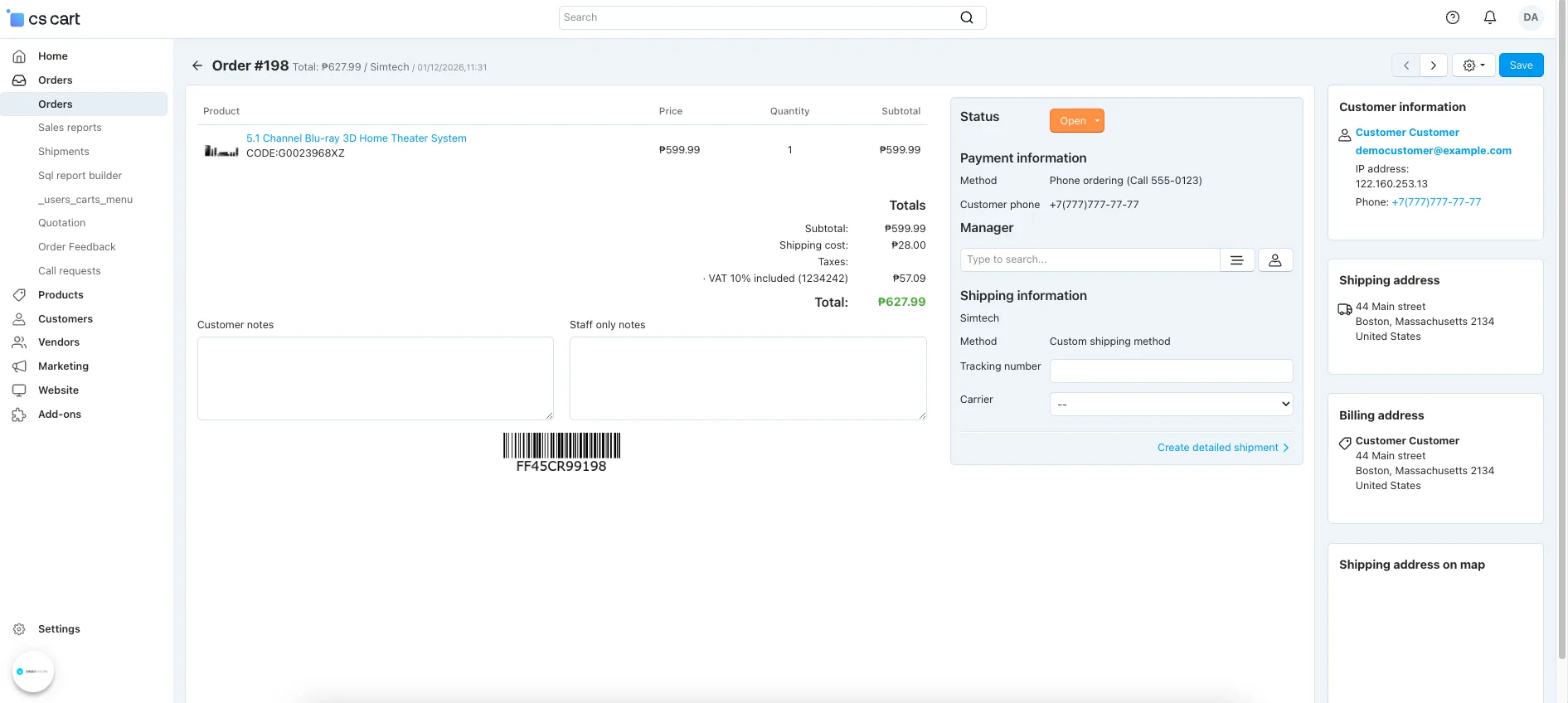
- Detailed Order Information: The Order Detail page displays complete booking and transaction fee details in the admin panel.
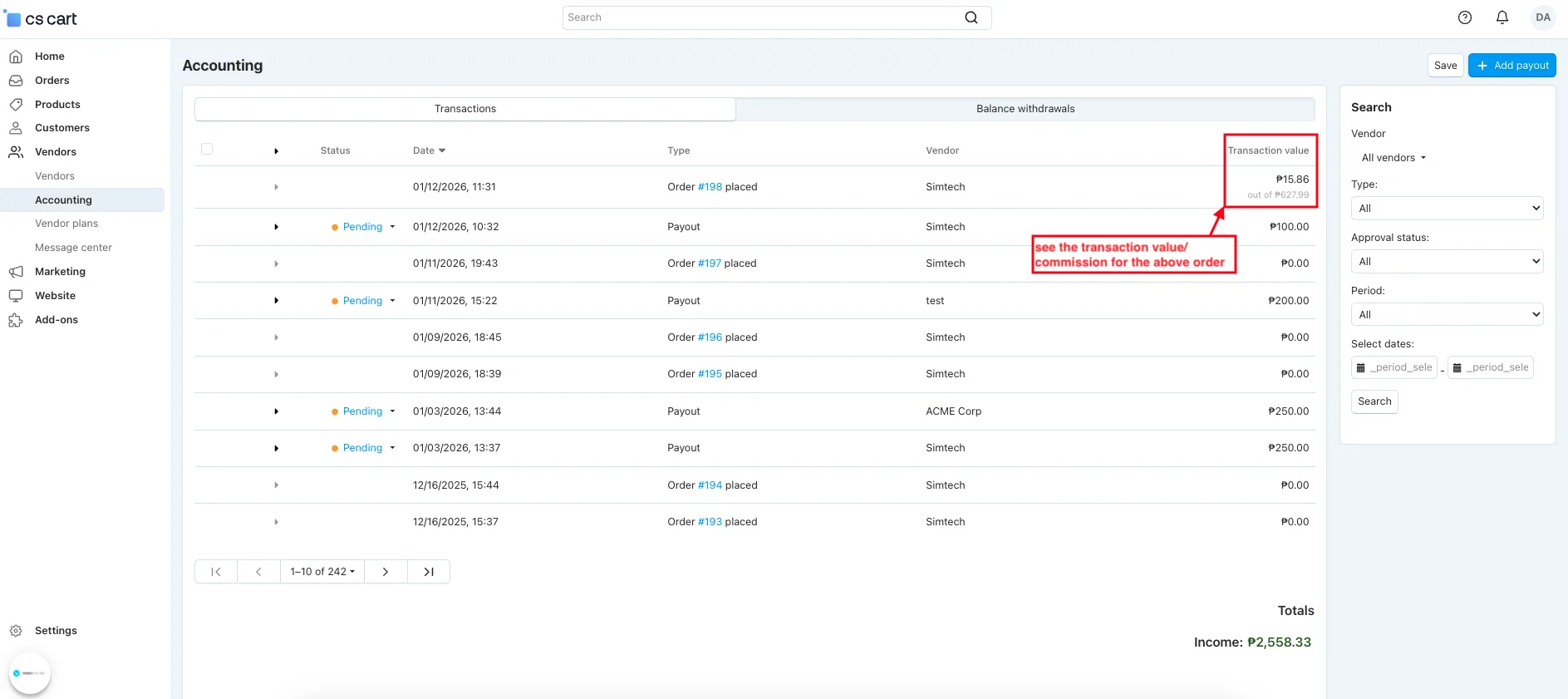
- Commission Tracking in Accounting: Track transaction values and commissions easily from Vendors>>Accounting.
Installation:
How to install Addon
https://store.ecarter.co/blogs/how-to-install-addon/
Workflow:
- Open the addon.
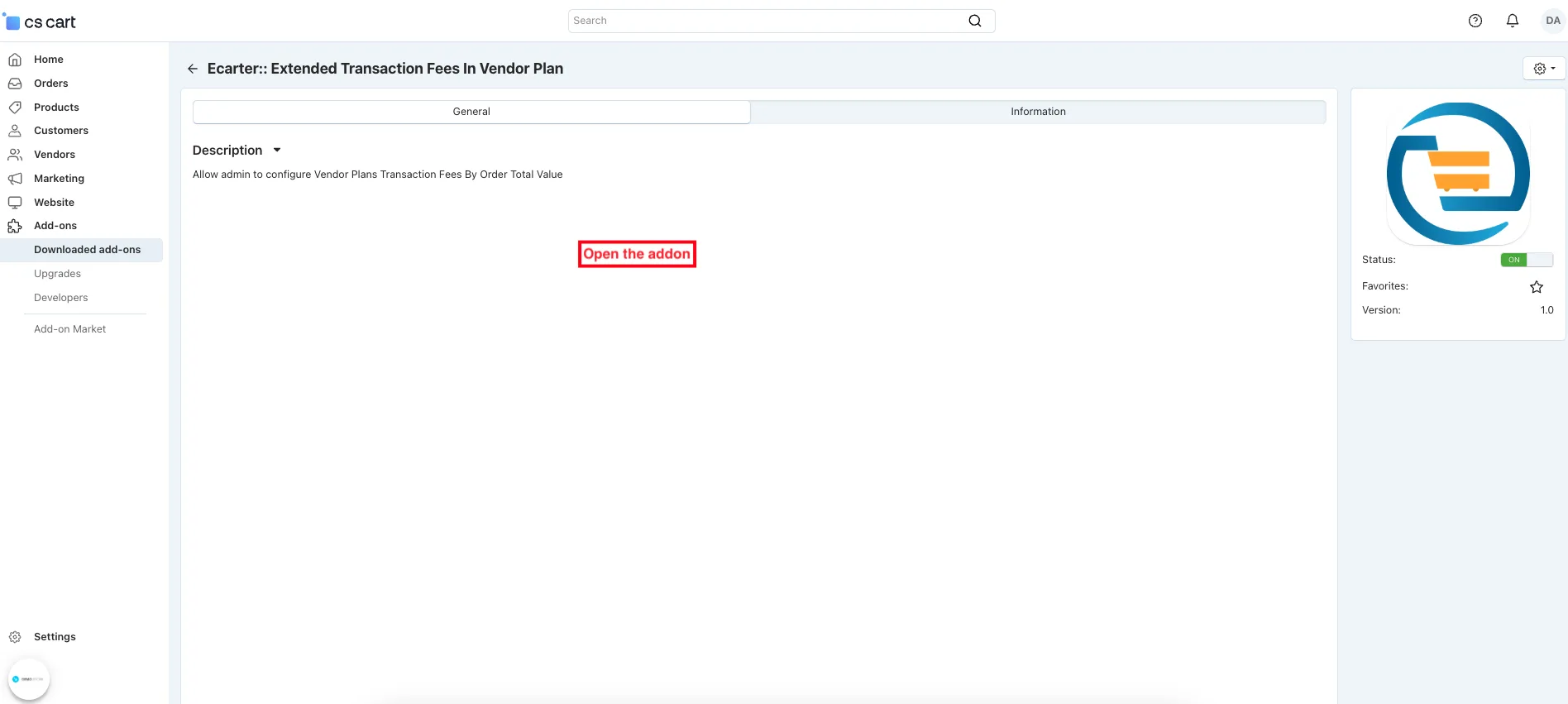
Add Extended Transaction Fee
The Extended Transaction Fee option allows the admin to apply additional transaction charges based on the order total range for a specific vendor plan
- Open the vendor menu and select the vendor plans.
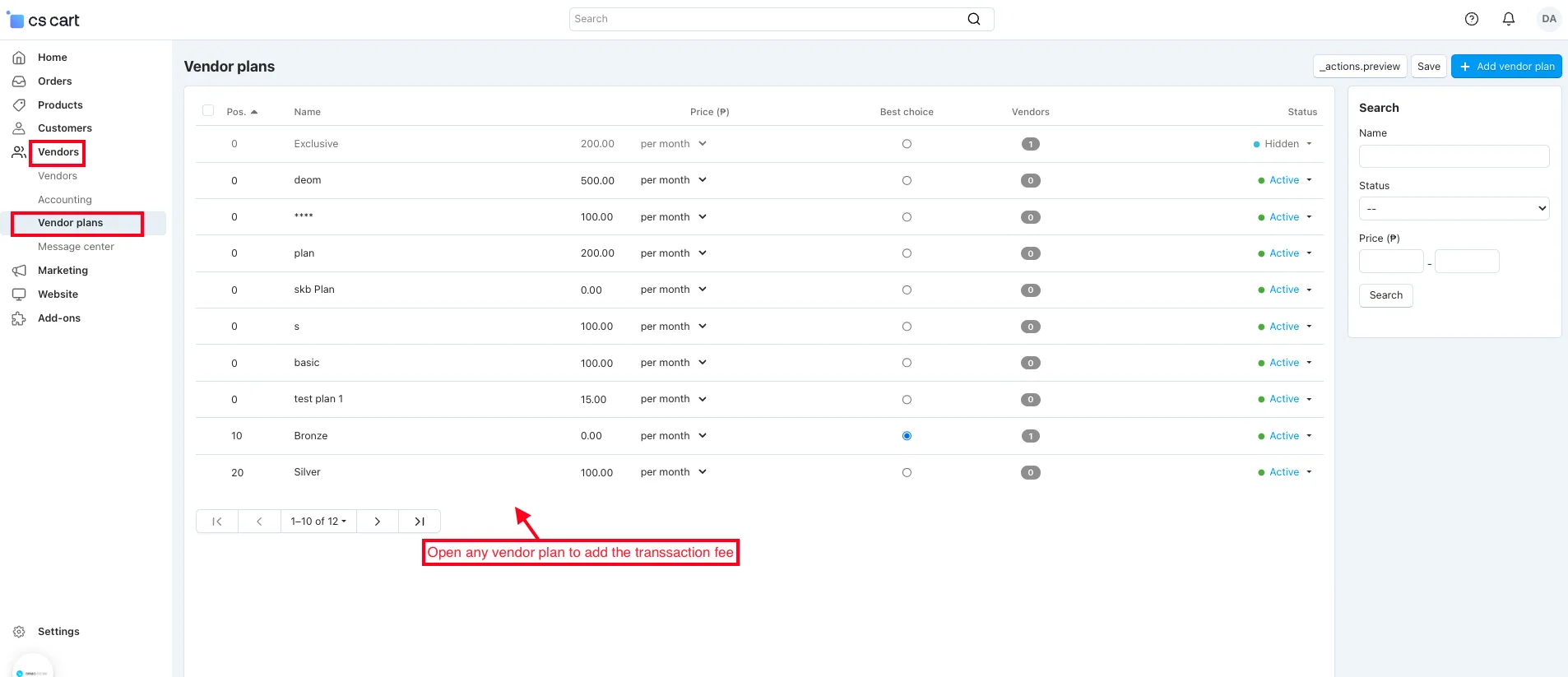
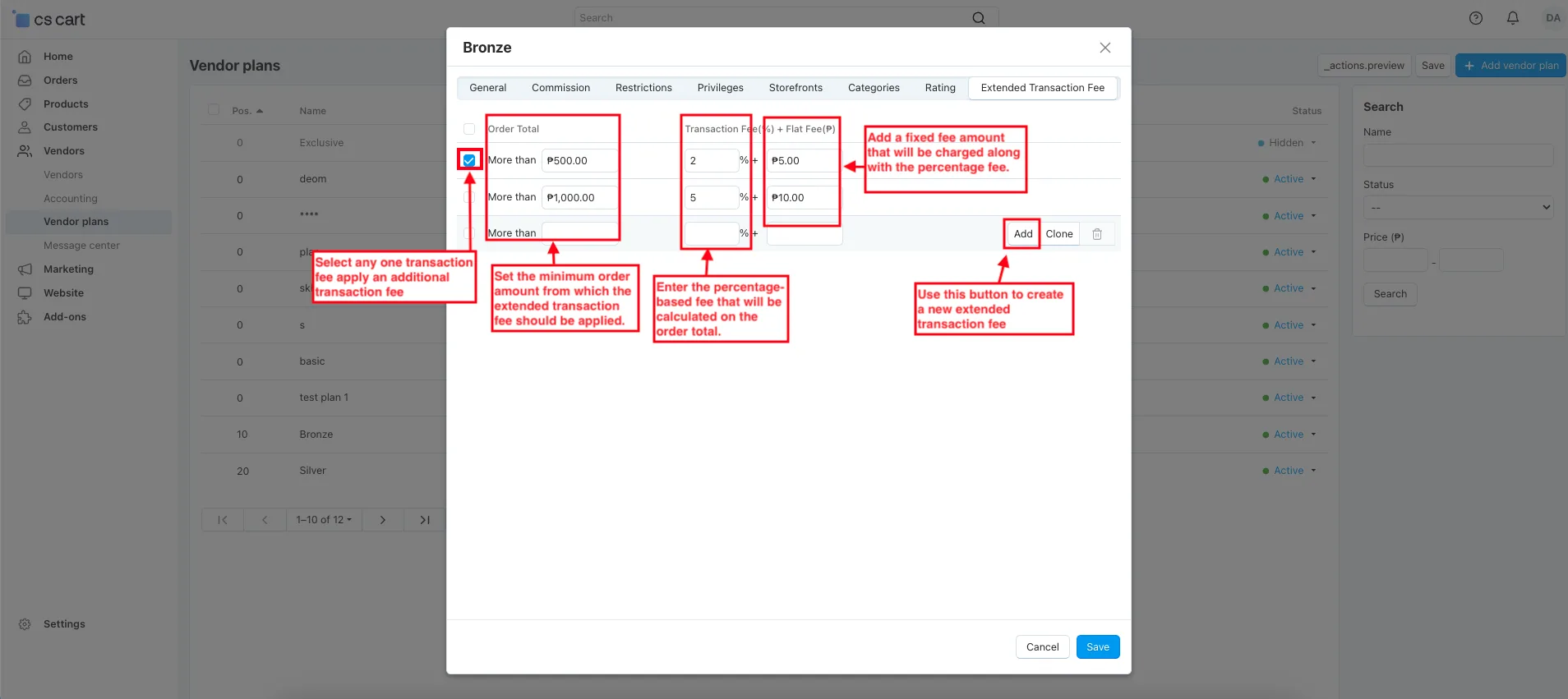
- Switch on the Extended Transaction Fee tab to manage multiple transaction fee rules.
- Select any one transaction fee, and apply an additional transaction fee based on the order value.
- Order total: Set the minimum order amount from which the extended transaction fee should be applied.
- Transaction Fee: Enter the percentage-based fee that will be calculated on the order total.
- Flat Fee: Add a fixed fee amount that will be charged in addition to the percentage fee.
- Add: Use this button to create a new extended transaction fee rule.
- Clone: This button helps duplicate an existing transaction fee rule.
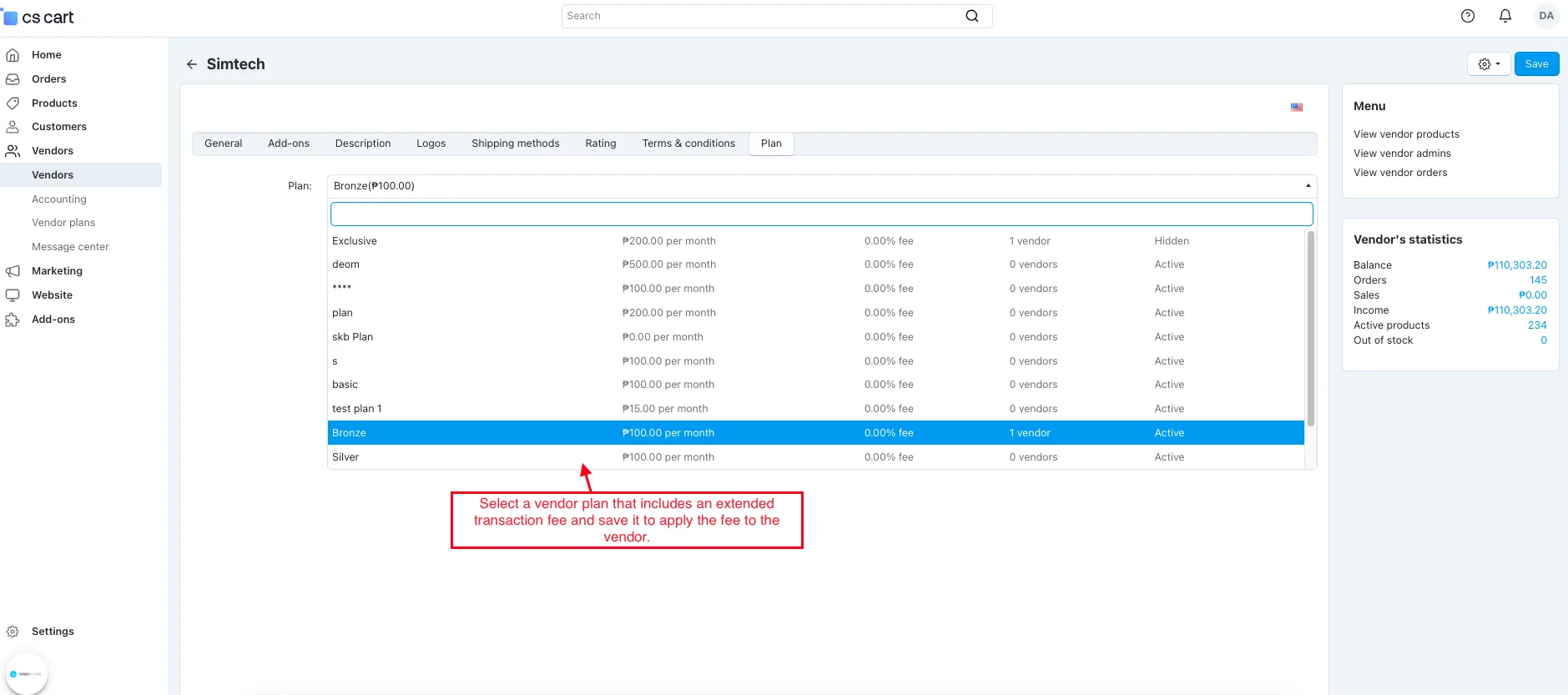
- Switch on the vendor menu, and open any vendor.
- Switch on the plan tab.
- Select a vendor plan that includes an extended transaction fee and save it to apply the fee to the vendor.
- The transaction fee will be applied only when ordering products from the vendor to whom the vendor plan is assigned.
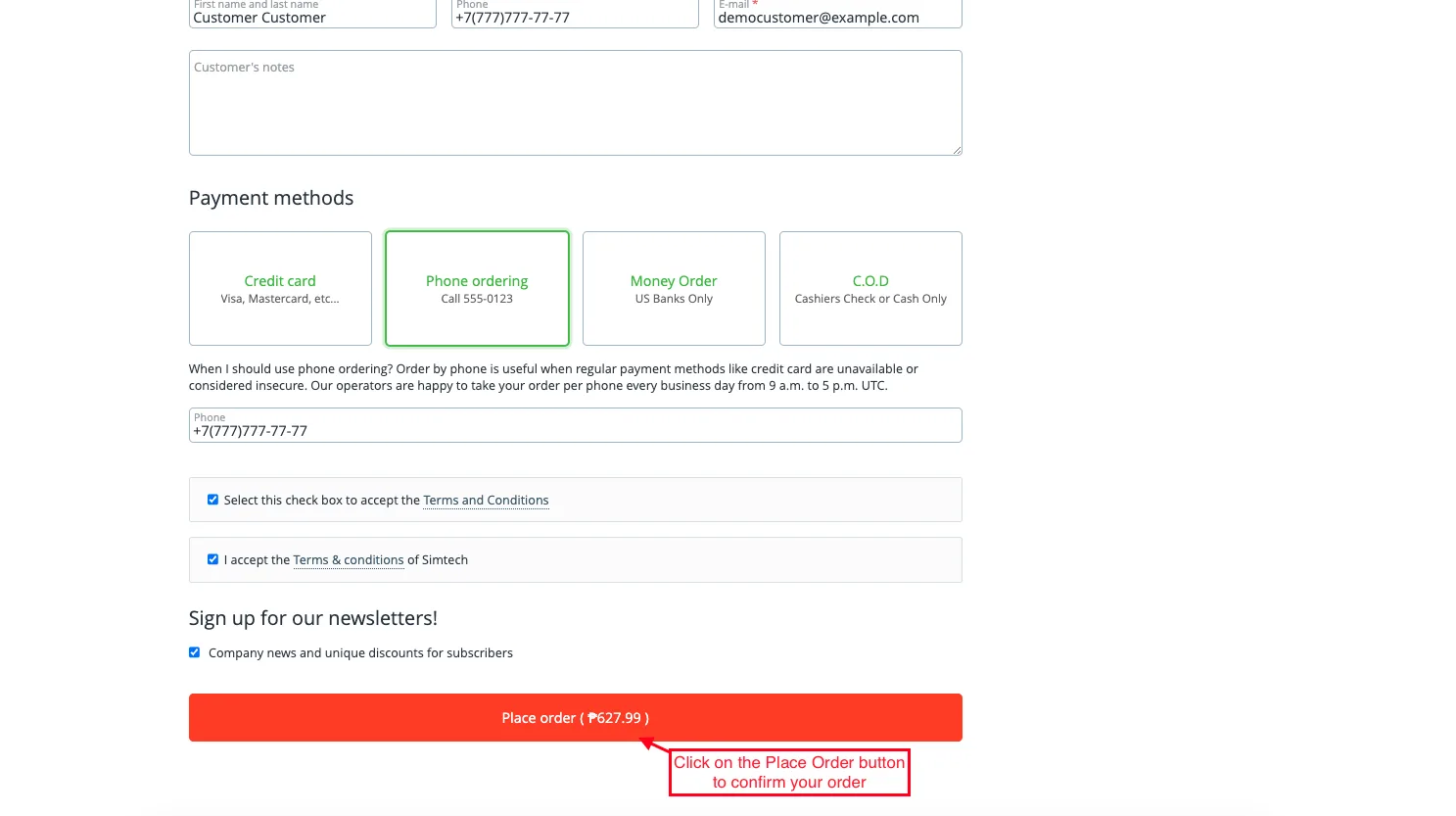
- Click on the Place Order button to confirm your order.
- View the total and subtotal prices on the product order information page.
- The Order Detail page displays complete information about a placed booking order in the admin panel.
- Go to the Vendors >> Accounting.
- See the transaction value/commission for the shove order.
Final Thought:
The Advanced Seller Commission Addon makes vendor commission management simple and transparent by allowing admins to apply flexible, plan-based transaction fees. With automated fee calculation, clear order visibility, and detailed accounting insights, this addon helps marketplace owners maintain accurate commissions while ensuring smooth and fair vendor operations
https://www.loom.com/share/4a8a65b92f744a339f6bc349f9122e09
Addon-Version:
Version-1.0
Supported Versions:
CS-Cart, CS-Cart Multivendor 4.8.x, 4.9.x,4.10x,4.11x,4.12,4.13x, 4.14x, 4.15x, 4.16x, 4.17x, 4.18x
Support:
This add-on is developed and published by Ecarter Technologies Pvt.Ltd., a CS-Cart developer. You are guaranteed a quality add-on supported by future versions.
Need modifications or any assistance? Please, feel free to contact us via email at support@ecarter.co.
Frequently asked questions
How does the Extended Transaction Fee feature work?
Administrators define extra transaction charges based on the order total range and assign them to selected vendor plans. Each rule can use a percentage of the order amount, a flat fixed fee, or both together, and the fee is calculated automatically at checkout.
How are transaction fees applied to specific vendors?
Fees are assigned at the vendor plan level. Only vendors who are on a vendor plan that includes an extended transaction fee are charged, so admins can apply different fee structures to different groups of vendors.
Can I create more than one fee rule at a time?
Yes. You can create and manage multiple extended transaction fee rules from a single vendor plan, and the Add and Clone buttons let you build new rules or duplicate existing ones quickly.
Is this add-on compatible with my version of CS-Cart Multi-Vendor?
It is built for CS-Cart Multi-Vendor, since it works with vendor plans and vendor-based commissions. Share the exact CS-Cart version you are running and we will confirm compatibility before you install.
Kajal is a Technical Content Writer at Ecarter Technologies. She writes technical documentation and in-depth guides on eCommerce platforms, mobile commerce and AI in online retail.